Posts in Sponsored Posts

Just Press Record: Indispensable Audio Capture, Transcription, and Sync [Sponsor]

Just Press Record is the ultimate mobile audio recorder. Whether you want to capture ideas on the go or you’re a journalist conducting interviews, a student attending lectures, or a parent preserving your child’s first words, Just Press Record is a must-have app. With a single tap, the app seamlessly records, transcribes, and syncs audio to all your devices.

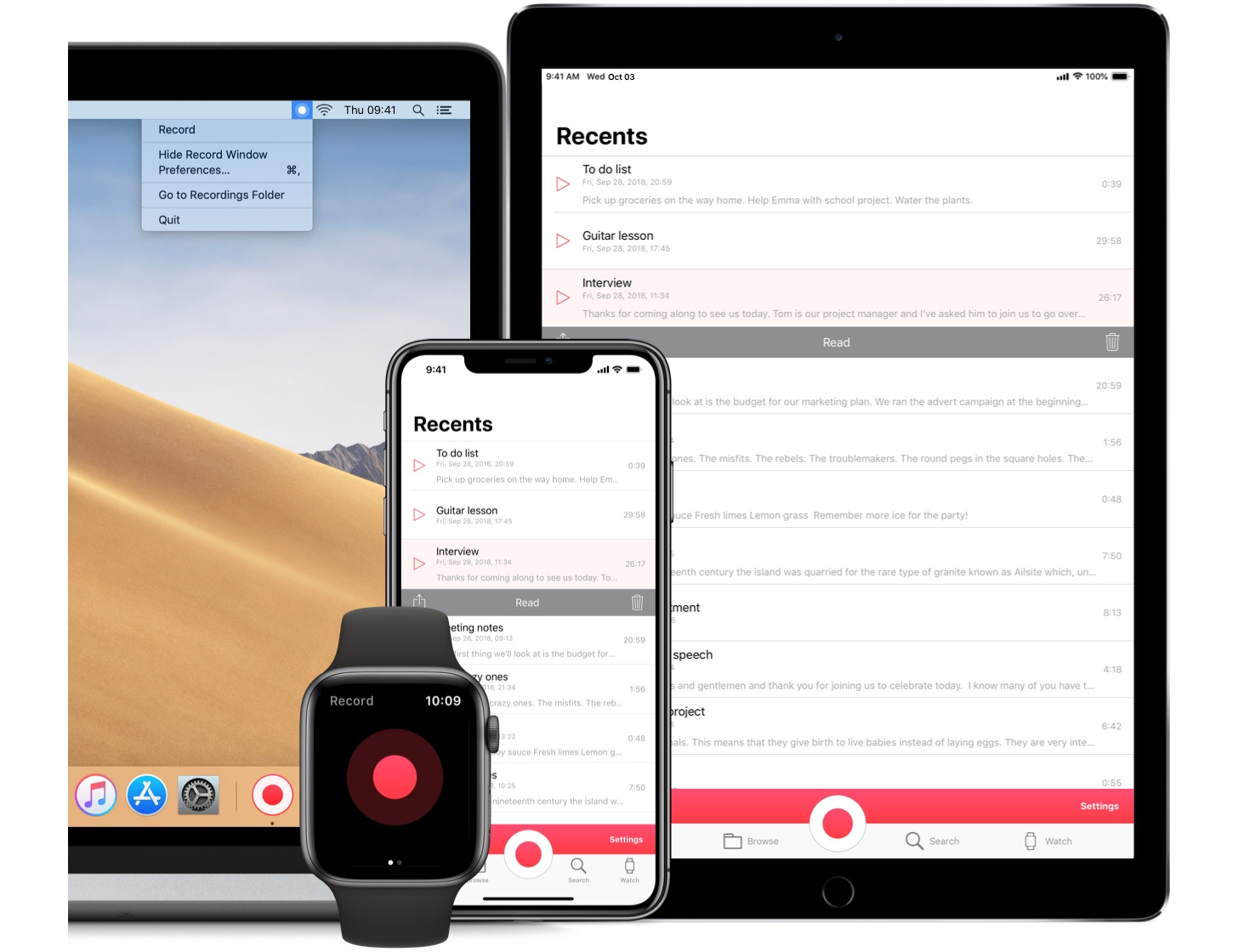
No matter what you’re doing, Just Press Record is ready to capture audio. The app’s big, red record button makes starting a recording easy, but that’s just the tip of the iceberg. There’s also an iOS widget, 3D Touch functionality, an Apple Watch complication that works even when your iPhone isn’t with you, Siri shortcut support, a URL scheme, and a separate Mac app with menu bar and Touch Bar support, all ready to go when you need them.

What makes Just Press Record feel like magic is its transcription, which can turn audio clips into editable text that you can share with other apps. Transcription also powers search, making it easy to find past recordings no matter how many you’ve created. Combine that with robust iCloud Drive sync, and your recordings and transcriptions are available everywhere you need them.

Just Press Record has tons of other advanced features too. You can connect external microphones to create high-quality, uncompressed recordings. There is extensive VoiceOver support, which has made Just Press Record a favorite in the visually-impaired community. There’s even a beautiful dark mode for comfortable capture of your late-night ideas.

Make audio capture your superpower by downloading Just Press Record from the App Store today.

Our thanks to Just Press Record for sponsoring MacStories this week.
Access Extra Content and Perks

Founded in 2015, Club MacStories has delivered exclusive content every week for nearly a decade.

What started with weekly and monthly email newsletters has blossomed into a family of memberships designed for every MacStories fan.

Learn more here and from our Club FAQs.

Club MacStories: Weekly and monthly newsletters via email and the web that are brimming with apps, tips, automation workflows, longform writing, early access to the MacStories Unwind podcast, periodic giveaways, and more;

Club MacStories+: Everything that Club MacStories offers, plus an active Discord community, advanced search and custom RSS features for exploring the Club’s entire back catalog, bonus columns, and dozens of app discounts;

Club Premier: All of the above and AppStories+, an extended version of our flagship podcast that’s delivered early, ad-free, and in high-bitrate audio.

Learn more here and from our Club FAQs.


Luna Display: Turn Your iPad into a Second Display [Sponsor]

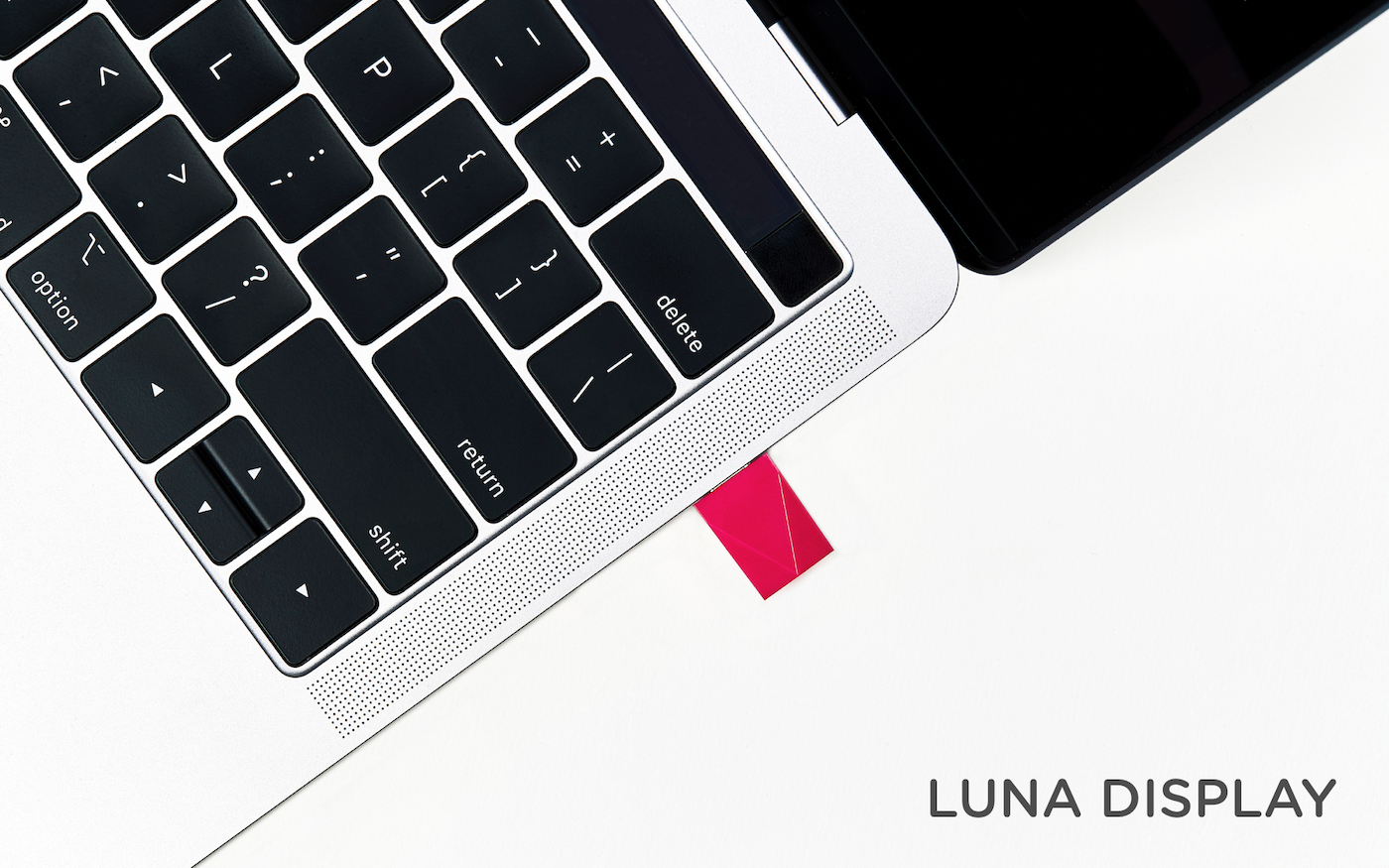
Luna Display is the only hardware solution that turns any iPad into a true, wireless second display for your Mac.

Available in USB-C and Mini DisplayPort versions, Luna Display is incredibly simple to set up. Just plug it into your Mac, and launch its free iPad and Mac companion apps, and your Mac automatically recognizes your iPad as a second display. Everything works seamlessly over WiFi, but if WiFi is unavailable, you can use a USB connection instead.

Once you’re up and running, you’ll be blown away by Luna Display. It’s lightning fast with crystal clear image quality thanks to proprietary LIQUID Technology that ensures reliable performance and wireless flexibility. The image quality is doubly remarkable when you realize that it’s all being done wirelessly.

Using your iPad as a second display is a game changer. Luna Display not only expands your screen real estate without having to buy a second display, but its portability frees you to work wherever you please. Better yet, Luna Display brings touch interaction to the Mac. Luna Display is fully compatible with external keyboards, the Apple Pencil, and touch gestures. Also, if you’re an artist, Luna Display is an excellent companion to Astropad, which turns your iPad into a Mac graphics tablet.

Luna Display is available for $79.99, but MacStories readers can purchase Luna Display for 10% off by using the promo code MACSTORIES at checkout. That’s a great deal, but it ends December 1, 2018, at 11:59 PM CST, so don’t delay. Luna Display also makes a great holiday gift for friends and family.

Turn your iPad into a second display today with Luna Display.

Our thanks to Luna Display for sponsoring MacStories this week.
Access Extra Content and Perks

Founded in 2015, Club MacStories has delivered exclusive content every week for nearly a decade.

What started with weekly and monthly email newsletters has blossomed into a family of memberships designed for every MacStories fan.

Learn more here and from our Club FAQs.

Club MacStories: Weekly and monthly newsletters via email and the web that are brimming with apps, tips, automation workflows, longform writing, early access to the MacStories Unwind podcast, periodic giveaways, and more;

Club MacStories+: Everything that Club MacStories offers, plus an active Discord community, advanced search and custom RSS features for exploring the Club’s entire back catalog, bonus columns, and dozens of app discounts;

Club Premier: All of the above and AppStories+, an extended version of our flagship podcast that’s delivered early, ad-free, and in high-bitrate audio.

Learn more here and from our Club FAQs.


Vectornator: Graphic Design for the iPad and iPhone Reimagined [Sponsor]

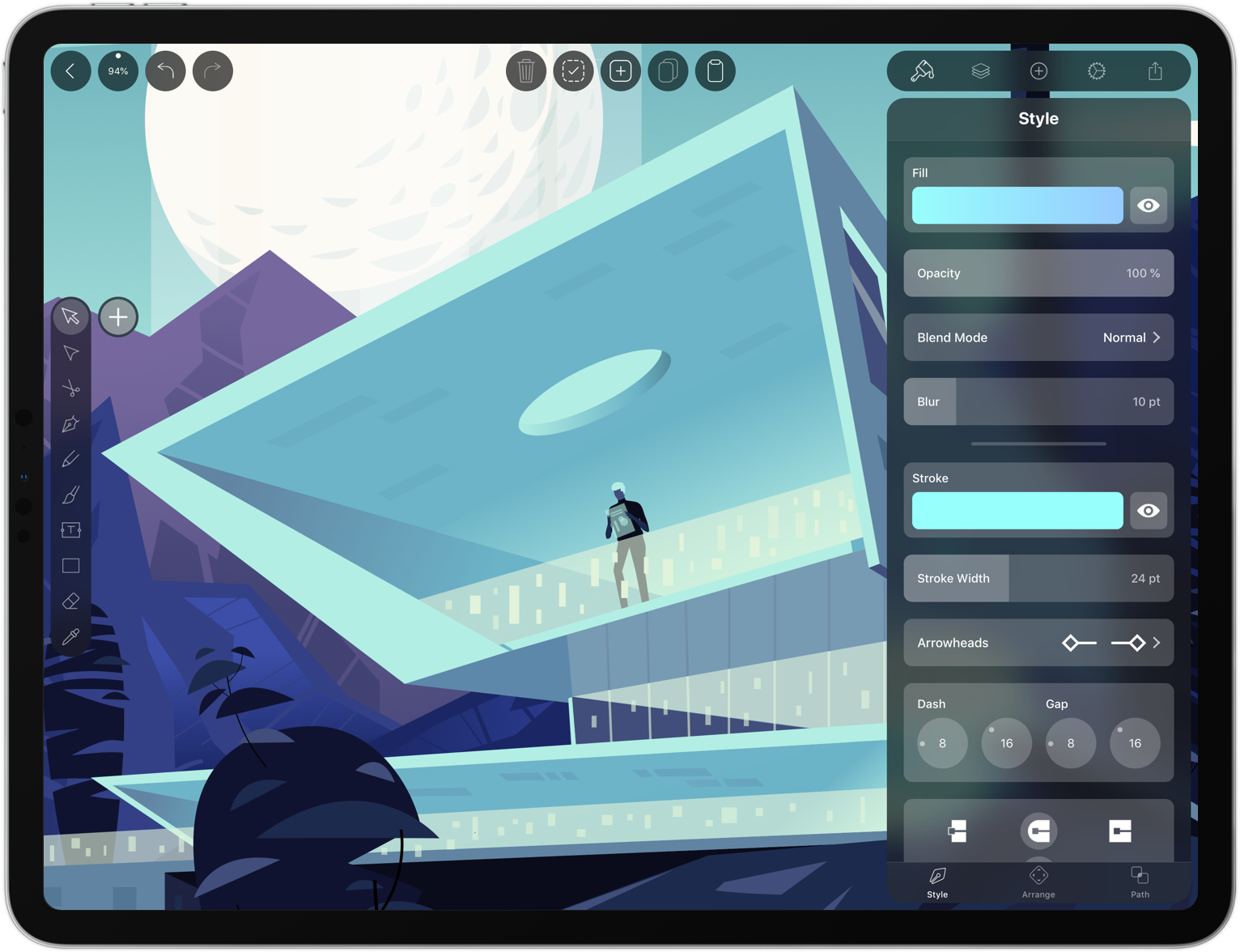
Vectornator unlocks the power of vector graphic design for everyone by bringing a high-performance rendering engine and a unique, user-friendly interface to iOS. It’s exactly what you need to create stunning artworks from anywhere.

Vectornator integrates with the Adobe Creative Cloud, so you can work seamlessly between a Mac and your iOS devices. Of course the app supports the Apple Pencil, but it also works with several third party input devices too.

What makes working in Vectornator fast and delightful is its one-of-a-kind interface that gets out of the way and puts the focus on your artwork. With the latest release of Vectornator, the user interface has been completely reimagined for simplicity and speed. Among other things, there’s a new color picker and a slick new toolbar. The toolbar now has contextual options which allow you to tweak path smoothing for example. There’s also a context-aware inspector panel, so what you need is always available where you need it.

The user interface is also a pleasure to the eye. Through the use of translucency it appears to float on top of the canvas. This way you get an immersive experience and what appears to be a much bigger canvas to work on.

​Their new design philosophy is inspired by their users’ workflows, built with amateurs and professionals in mind. Vectornator is the perfect place for new users to learn graphic design and grow their design skills. At the same time it offers a great environment for professionals to work for extensive hours on their next masterpiece.

Vectornator adopts the latest iOS technologies to bring users the power they need to create compelling designs. For example, image layers are automatically named using CoreML and paths are rendered live with a Metal-accelerated engine. The app also includes CMYK color previews, color profiles, and integrates with Icons8, which makes over 80,000 free icons available to users. To learn more, visit vectornator.io.

Best of all, Vectornator is completely free to download from the App Store. So don’t delay, download Vectornator today.

Our thanks to Vectornator for sponsoring MacStories this week.

Access Extra Content and Perks

Founded in 2015, Club MacStories has delivered exclusive content every week for nearly a decade.

What started with weekly and monthly email newsletters has blossomed into a family of memberships designed for every MacStories fan.

Learn more here and from our Club FAQs.

Club MacStories: Weekly and monthly newsletters via email and the web that are brimming with apps, tips, automation workflows, longform writing, early access to the MacStories Unwind podcast, periodic giveaways, and more;

Club MacStories+: Everything that Club MacStories offers, plus an active Discord community, advanced search and custom RSS features for exploring the Club’s entire back catalog, bonus columns, and dozens of app discounts;

Club Premier: All of the above and AppStories+, an extended version of our flagship podcast that’s delivered early, ad-free, and in high-bitrate audio.

Learn more here and from our Club FAQs.


BetterTouchTool: Customize your Input Devices [Sponsor]

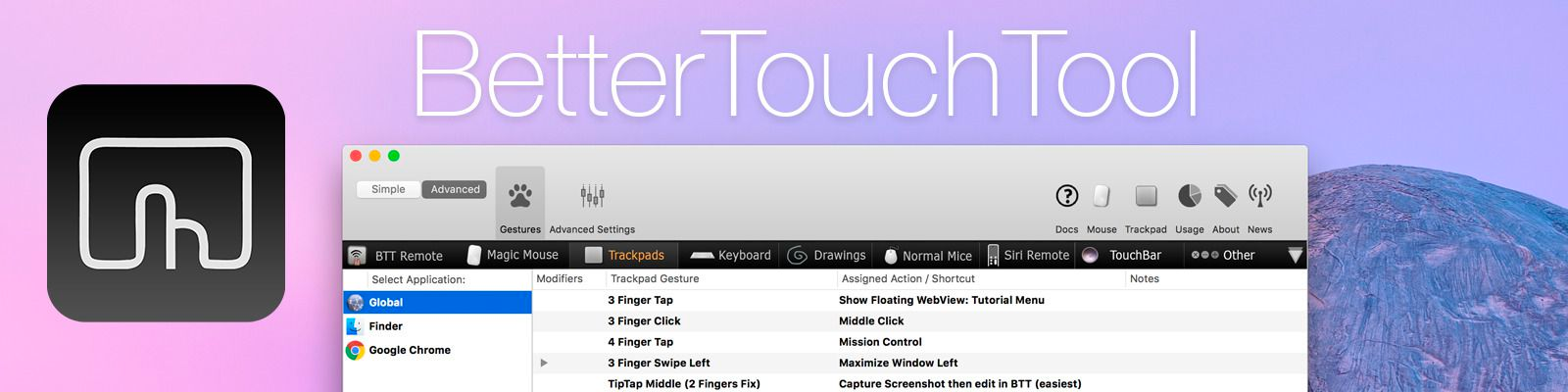
BetterTouchTool is a little but powerful app that makes it possible to customize your Mac’s input devices to perfectly match and improve your workflow. BetterTouchTool allows you to completely re-design your Touch Bar, configure various Magic Mouse and Trackpad gestures, define keyboard shortcuts, bind normal mouse buttons, use the Siri Remote with your Mac and do tons more.

BetterTouchTool offers many actions to automate various tasks on your Mac, these can be assigned to any input-device trigger you choose. Additionally, it contains some handy features like window snapping, a clipboard manager, a screenshot editor, and much more. It even includes a free iOS app to remotely control your Mac and trigger actions.

Recently, the BetterTouchTool Community was begun, which you can find at community.folivora.ai. Users have shared some amazing presets there, including some very advanced custom Touch Bar setups that you should definitely check out.

BetterTouchTool comes with a 45-day trial after which you can choose between a license that includes all updates for 2 years and a lifetime license.

BetterTouchTool has been around for 8 years, during which it has increased the productivity of many Mac users. To celebrate its 8th birthday, MacStories readers can purchase BetterTouchTool for 15% off at checkout by using the coupon code MACSTORIESBTT for a limited time. So don’t delay. Go to folivora.ai to learn more and take advantage of the special limited-time, 15% discount on BetterTouchTool.

Our thanks to BetterTouchTool for sponsoring MacStories this week.
Access Extra Content and Perks

Founded in 2015, Club MacStories has delivered exclusive content every week for nearly a decade.

What started with weekly and monthly email newsletters has blossomed into a family of memberships designed for every MacStories fan.

Learn more here and from our Club FAQs.

Club MacStories: Weekly and monthly newsletters via email and the web that are brimming with apps, tips, automation workflows, longform writing, early access to the MacStories Unwind podcast, periodic giveaways, and more;

Club MacStories+: Everything that Club MacStories offers, plus an active Discord community, advanced search and custom RSS features for exploring the Club’s entire back catalog, bonus columns, and dozens of app discounts;

Club Premier: All of the above and AppStories+, an extended version of our flagship podcast that’s delivered early, ad-free, and in high-bitrate audio.

Learn more here and from our Club FAQs.


Daylite: Take Your Business Further with Mac CRM [Sponsor]

Daylite is different than most CRMs and that’s a good thing. Unlike other web-based CRMs that focus on customer relationships and sales, Daylite takes you further by going through the full customer cycle from closing the deal to finishing the project and it even allows you to access your information offline.

With all your team’s information in Daylite and accessible when you need it, your business runs smoother.

Daylite is specifically designed for Apple devices so you can integrate with Apple Mail on your Mac, and leverage features like Siri and Caller ID on your iPhone.

Daylite helps you and your team:

  • Remember when to follow up by setting tasks & reminders
  • Remember important details by tying emails, call and meeting notes to clients and projects
  • Keep track of all the moving pieces on a project with tasks, emails, and calendars all in one place
  • Streamline your sales and project processes with customizable pipelines and checklists
  • Improve team efficiency and make collaboration easy by having everything organized & searchable in one place.

From meeting prospects & winning business, to managing the moving pieces on projects so they’re done on time, all the way through following up for referrals and repeat business, it’s all done in Daylite.

Ready to take your business further? Start your free 30-day Daylite trial today!

Our thanks to Daylite for sponsoring MacStories this week.
Access Extra Content and Perks

Founded in 2015, Club MacStories has delivered exclusive content every week for nearly a decade.

What started with weekly and monthly email newsletters has blossomed into a family of memberships designed for every MacStories fan.

Learn more here and from our Club FAQs.

Club MacStories: Weekly and monthly newsletters via email and the web that are brimming with apps, tips, automation workflows, longform writing, early access to the MacStories Unwind podcast, periodic giveaways, and more;

Club MacStories+: Everything that Club MacStories offers, plus an active Discord community, advanced search and custom RSS features for exploring the Club’s entire back catalog, bonus columns, and dozens of app discounts;

Club Premier: All of the above and AppStories+, an extended version of our flagship podcast that’s delivered early, ad-free, and in high-bitrate audio.

Learn more here and from our Club FAQs.


Letters: Hundreds of Text Designs [Sponsor]

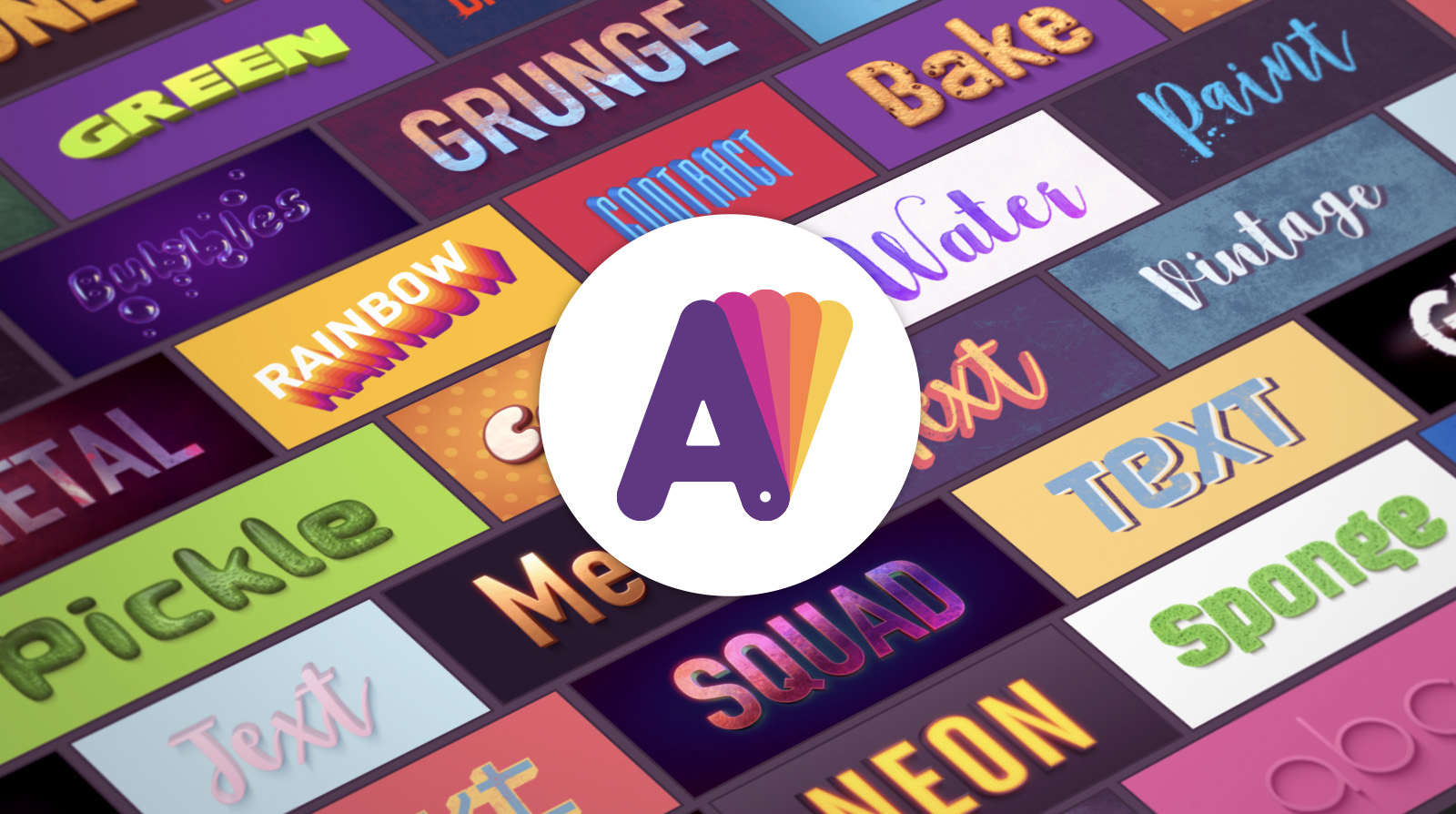
Letters is a free graphic design app for Mac. Providing hundreds of text design templates, Letters helps anyone feel like a graphic designer by creating stylish text designs in seconds.

Every template includes beautifully-stylized text with a unique texture and background. A wide range of seamless photo-realistic textures sets Letters apart from other text design apps.

Users of the app include small businesses producing their own promotional graphics, pro designers that are looking for a quick solution, and social media content creators who need fresh, new graphics on a daily basis for Facebook and Twitter covers, YouTube channel art, YouTube thumbnails, and Instagram posts.

The app’s template collection reflects most current design trends, including:

  • Photorealistic 3D Texts
  • Watercolor
  • Retro & Vintage
  • Photos with Captions
  • Grunge Style
  • 2D Calligraphy
  • Neon & Glowing Effects
  • 3D Transformed Texts

Users can experiment with template colors, while preserving the style color scheme, and change text or background color separately, replace background images, and set any document size. Text settings allow users to change the font easily, adjust color, control geometry (chamfer, thickness, depth, and perspective), apply shadow and glow, and tune lighting. All the textures are seamless and scalable.

Letters allows anyone, from average computer users to graphic design pros, to fulfill their text design dreams and make beautiful texts available for everyone. Download Letters today for free and make your text designs stand out from the crowd.

Our thanks to Letters for sponsoring MacStories this week.
Access Extra Content and Perks

Founded in 2015, Club MacStories has delivered exclusive content every week for nearly a decade.

What started with weekly and monthly email newsletters has blossomed into a family of memberships designed for every MacStories fan.

Learn more here and from our Club FAQs.

Club MacStories: Weekly and monthly newsletters via email and the web that are brimming with apps, tips, automation workflows, longform writing, early access to the MacStories Unwind podcast, periodic giveaways, and more;

Club MacStories+: Everything that Club MacStories offers, plus an active Discord community, advanced search and custom RSS features for exploring the Club’s entire back catalog, bonus columns, and dozens of app discounts;

Club Premier: All of the above and AppStories+, an extended version of our flagship podcast that’s delivered early, ad-free, and in high-bitrate audio.

Learn more here and from our Club FAQs.


CleanMyMac X: Your Mac, As Good As New [Sponsor]

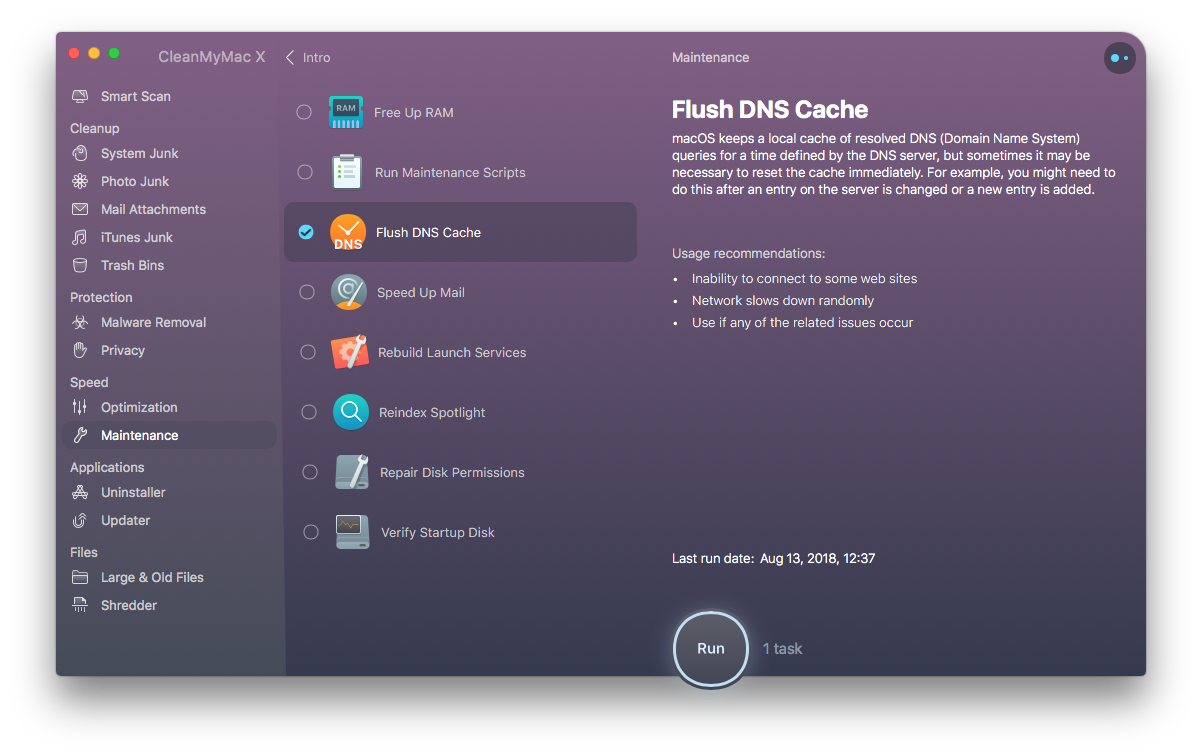
CleanMyMac X by MacPaw is your complete Mac maintenance solution. Redesigned with a beautiful new interface that makes it a pleasure to use, CleanMyMac X frees up wasted storage space, protects against malware, optimizes your Mac’s performance, and more.

It all starts with Smart Scan, the all-in-one center for analyzing, optimizing, and protecting your Mac. Here you’ll find sections to clean up unwanted and unnecessary files that are cluttering up your Mac’s drive. CleanMyMac also scans for malware, protecting your Mac against malicious third-party code and vulnerabilities. There’s an optimization section that can free up RAM and manage login items, launch agents, and memory-hungry apps too.

At each step of the process, you’ll have CleanMyMac Assistant at your side. It’s an intelligent advisor providing explanations of everything CleanMyMac does and recommending courses of action. CleanMyMac X is faster too. MacPaw tests show that it’s up to three times faster than version 3 of the app.

CleanMyMac X has added an app update module that scans your installed apps for available updates too. It’s a fantastic, centralized way to see all the apps on your Mac that have updates whether or not you bought them on the Mac App Store.

Whether you’re prepping your Mac to install Mojave, or want to optimize it after updating, you owe it to yourself to make sure your Mac is running smoothly and safely with enough storage to get your work done. So, don’t wait. Go check out CleanMyMac X today. There’s a free trial waiting to help you get make your Mac as good as new.

Our thanks to CleanMyMac X for sponsoring MacStories this week.
Access Extra Content and Perks

Founded in 2015, Club MacStories has delivered exclusive content every week for nearly a decade.

What started with weekly and monthly email newsletters has blossomed into a family of memberships designed for every MacStories fan.

Learn more here and from our Club FAQs.

Club MacStories: Weekly and monthly newsletters via email and the web that are brimming with apps, tips, automation workflows, longform writing, early access to the MacStories Unwind podcast, periodic giveaways, and more;

Club MacStories+: Everything that Club MacStories offers, plus an active Discord community, advanced search and custom RSS features for exploring the Club’s entire back catalog, bonus columns, and dozens of app discounts;

Club Premier: All of the above and AppStories+, an extended version of our flagship podcast that’s delivered early, ad-free, and in high-bitrate audio.

Learn more here and from our Club FAQs.


Setapp: The Right App, Right When You Need It [Sponsor]

Setapp is a Mac app subscription service created by MacPaw, the maker of CleanMyMac X, Gemini II, and other great apps. For one low monthly fee, Setapp offers more than 100 of the very best Mac apps from big names like Ulysses, Bartender, iStat Menus, and iMazing. It’s a collection that is continually growing, becoming more and more valuable to subscribers all the time.

Setapp is an app store done right. With over 100 apps in 10 categories to choose from, Setapp is the key to making you more productive on your Mac. You can pick from task managers and time tracking apps, text editors, photo editors, developer tools, and much more.

Getting the apps you want to use is fast and simple too. When you sign up, Setapp installs a handy catalog on your Mac for browsing its offerings. The included apps are carefully vetted and curated, so you know that only the highest quality apps from the best developers are involved. Setapp is designed to make finding just the right app easy too with its powerful search for finding apps by task or keyword.

The business model couldn’t be more clear either. There are no hidden costs or gimmicks. You pay just $9.99 per month for access to the entire catalog of apps including any updates. There are no fees for upgrades, no In-App Purchases, or other hidden costs. Every app is a fully functional version that updates automatically.

Sign up today to unlock this fantastic collection of Mac apps. Setapp is free to try, and you can extend the trial period up to six months by referring friends.

Our thanks to Setapp for sponsoring MacStories this week.

Access Extra Content and Perks

Founded in 2015, Club MacStories has delivered exclusive content every week for nearly a decade.

What started with weekly and monthly email newsletters has blossomed into a family of memberships designed for every MacStories fan.

Learn more here and from our Club FAQs.

Club MacStories: Weekly and monthly newsletters via email and the web that are brimming with apps, tips, automation workflows, longform writing, early access to the MacStories Unwind podcast, periodic giveaways, and more;

Club MacStories+: Everything that Club MacStories offers, plus an active Discord community, advanced search and custom RSS features for exploring the Club’s entire back catalog, bonus columns, and dozens of app discounts;

Club Premier: All of the above and AppStories+, an extended version of our flagship podcast that’s delivered early, ad-free, and in high-bitrate audio.

Learn more here and from our Club FAQs.


iMazing 2: Manage Your iPhone Your Way [Sponsor]

Migration to New iPhones

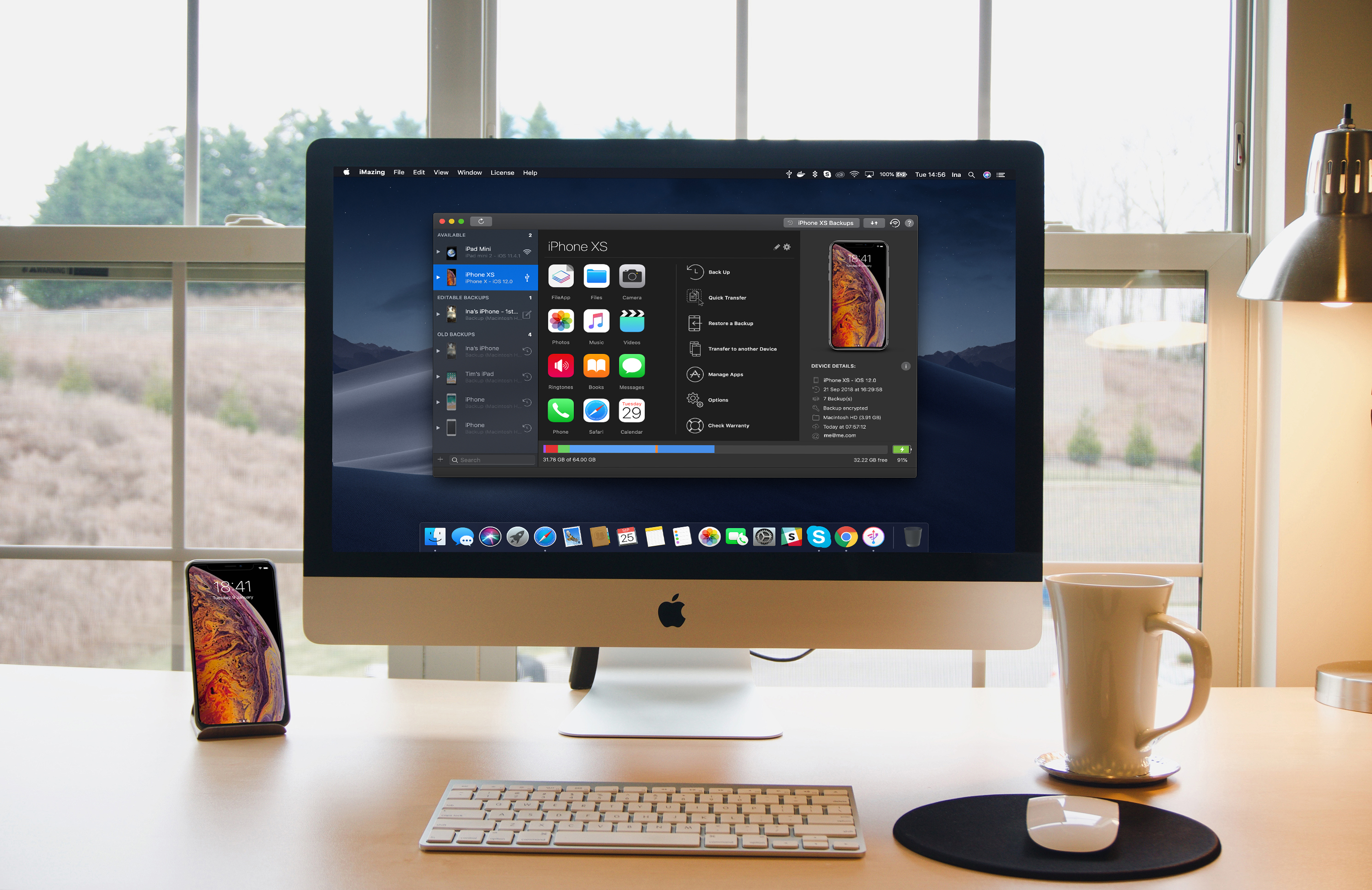
iMazing 2 provides safe and fast migration to any iOS device. Transferring data from your old iPhone to your new iPhone XS, XS Max, or XR is easy and convenient thanks to iMazing’s step by step wizard. You can even pre-load apps in iMazing’s App Library, so they’re immediately available once the transfer is done – no need to wait for your favorite apps to download after restoring an iTunes or iCloud backup.

Ready For The Future: macOS Mojave and iOS 12 Are Fully Supported

iMazing is made by Mac lovers, for Mac lovers. It features polished support for Mojave’s gorgeous Dark Mode, and handles the new security features gracefully. On iOS, iMazing works perfectly with iOS 12. If you haven’t updated already, backing up first with iMazing is a great idea: if anything goes wrong, you’ll have all your data at hand. Oh, and of course you can also update to iOS 12 from iMazing itself - in that case, iMazing will perform a security backup for you, just in case.

New Features Galore

iMazing is constantly updated with new features, quite a few of them resulting from user feedback. Calendars, Safari data, and ringtones management were added in June this year. The latest update has Dark Mode and a new drop zone called ‘Quick Transfer’: drop anything from your desktop to iMazing, and iMazing will display compatible apps installed on your device. You just need to pick the one you want your photos, media, or documents to go to.

Visit iMazing today to learn more and take advantage of a 30% off discount just for MacStories readers using the coupon code MACSTORIES30OFF2018.

Our thanks to iMazing for sponsoring MacStories this week.

Access Extra Content and Perks

Founded in 2015, Club MacStories has delivered exclusive content every week for nearly a decade.

What started with weekly and monthly email newsletters has blossomed into a family of memberships designed for every MacStories fan.

Learn more here and from our Club FAQs.

Club MacStories: Weekly and monthly newsletters via email and the web that are brimming with apps, tips, automation workflows, longform writing, early access to the MacStories Unwind podcast, periodic giveaways, and more;

Club MacStories+: Everything that Club MacStories offers, plus an active Discord community, advanced search and custom RSS features for exploring the Club’s entire back catalog, bonus columns, and dozens of app discounts;

Club Premier: All of the above and AppStories+, an extended version of our flagship podcast that’s delivered early, ad-free, and in high-bitrate audio.

Learn more here and from our Club FAQs.