This Week's Sponsor:

LookAway

It helps you take regular breaks from your Mac to rest your eyes, without breaking your flow.


Posts in Sponsored Posts


Gamery: A Sleek and Intuitive Game Library App for Casuals and Pros [Sponsor]

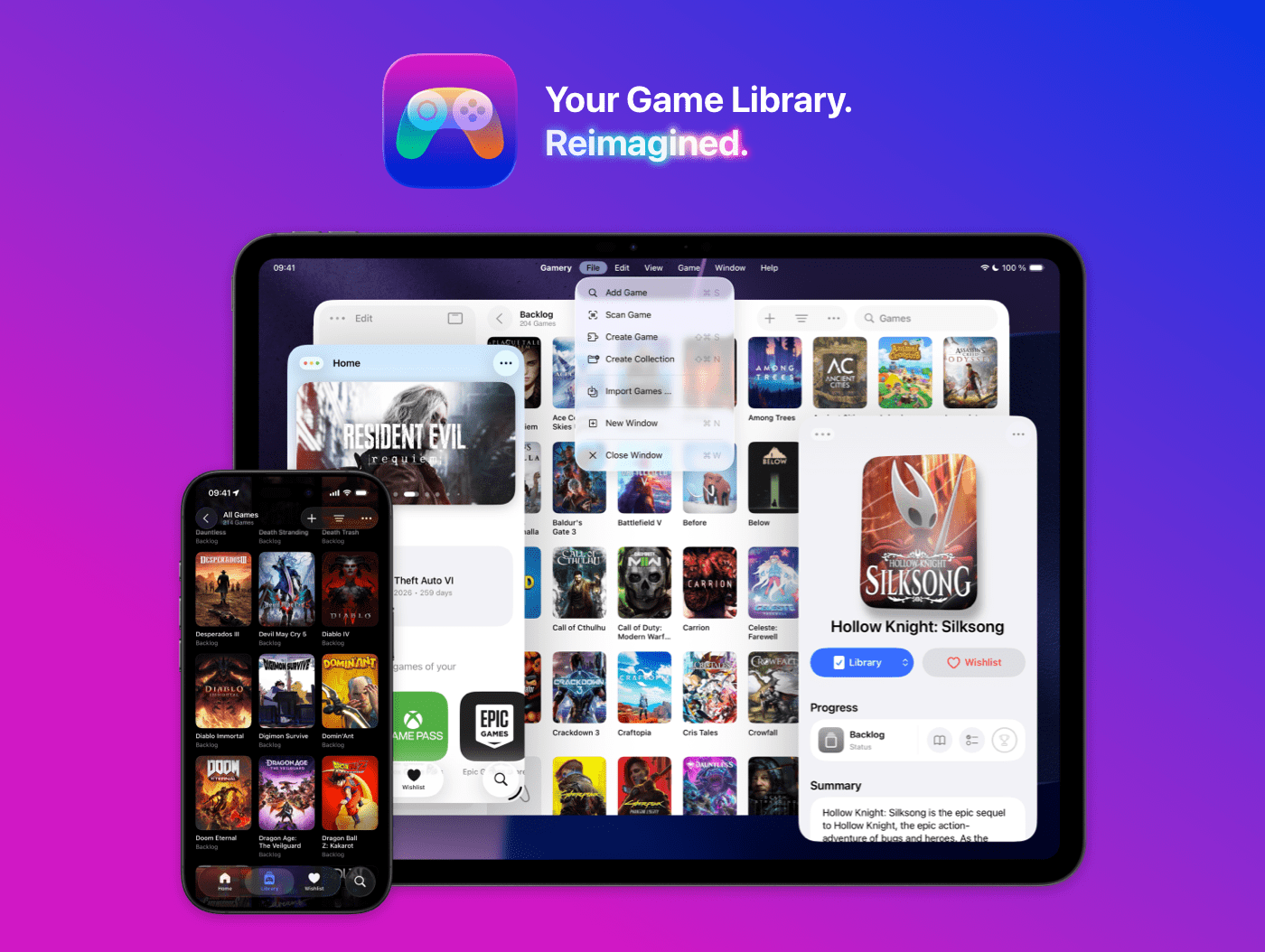
Gamery is the ultimate video game library app for iPhone and iPad—designed to look and feel right at home on Apple platforms.

With a simple, stunning design now refreshed for iOS 26 and a beautiful new app icon, Gamery makes managing your games as sleek and enjoyable as playing them. Everything is thoughtfully built to feel fast, fluid, and perfectly native across Apple devices.

Importing your games has never been easier. Gamery offers powerful importing options for PlayStation, Xbox, Nintendo, Epic Games Store, and more, so you can build your collection in seconds instead of hours. A brand-new Home tab keeps you updated with monthly PlayStation Plus titles, Xbox Game Pass releases, and Epic Games Store freebies, so you never miss what’s new.

Once your library is set up, Gamery helps you stay organized with powerful filters, collections, unified search, and widgets for quick access right from your Home Screen or Lock Screen. Whether you want to track your playthrough progress or just browse your collection in style, Gamery keeps everything in one beautifully designed place. And on iPad, use the power of multiple windows and keyboard shortcuts to move through your library with ease.

If you love great design, powerful features, and effortless importing, Gamery makes tracking your games simple, beautiful, and fun.

Download Gamery today for free and check out some limited-time discounts for the Gamery+ subscription by visiting gamery.app/sale.

Our thanks to Gamery for sponsoring MacStories this week.


Drafts, Tally, Terminology, Simple Scan: Quality Productivity & Utility Apps, Ready for OS 26, from Agile Tortoise [Sponsor]

Great indie apps that shine on OS 26. Try them free today:

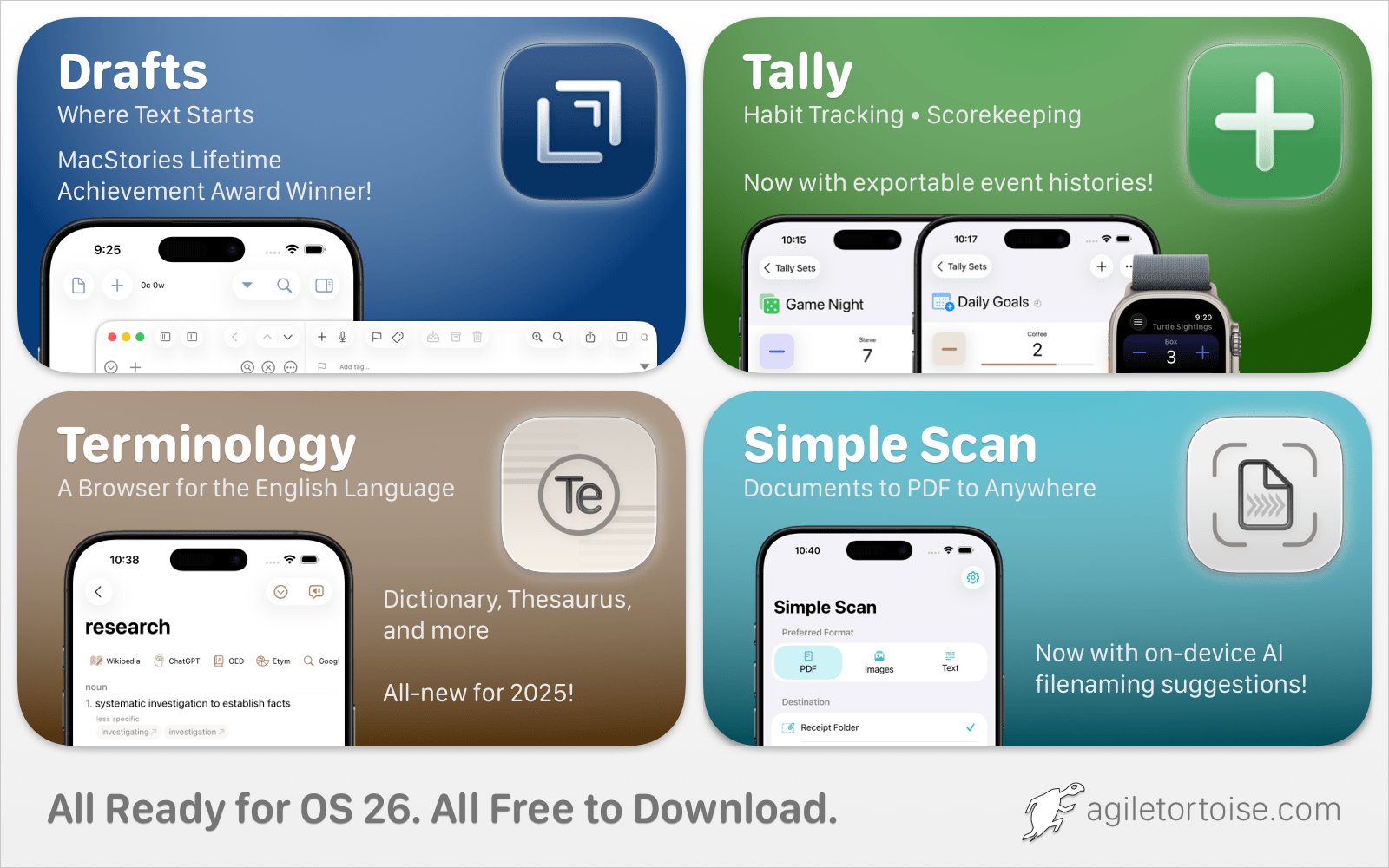
  • Drafts: Quick capture notes taking with powerful actions to edit and export content.
  • Tally: Flexible, simple app for all your counting needs, from scorekeeping to habit tracking.
  • Terminology: Extensible dictionary and thesaurus.
  • Simple Scan: Breaks Apple’s scanning interface out of Notes, and provides easy, low-friction ways to route scans to email, messages, files, and more.

Download for free today at agiletortoise.com!

Our thanks to Agile Tortoise for sponsoring MacStories this week.

Quip: A Supercharged Clipboard Manager for Apple Devices with On-Device Intelligence, iCloud Sync, and Text Expansion [Sponsor]

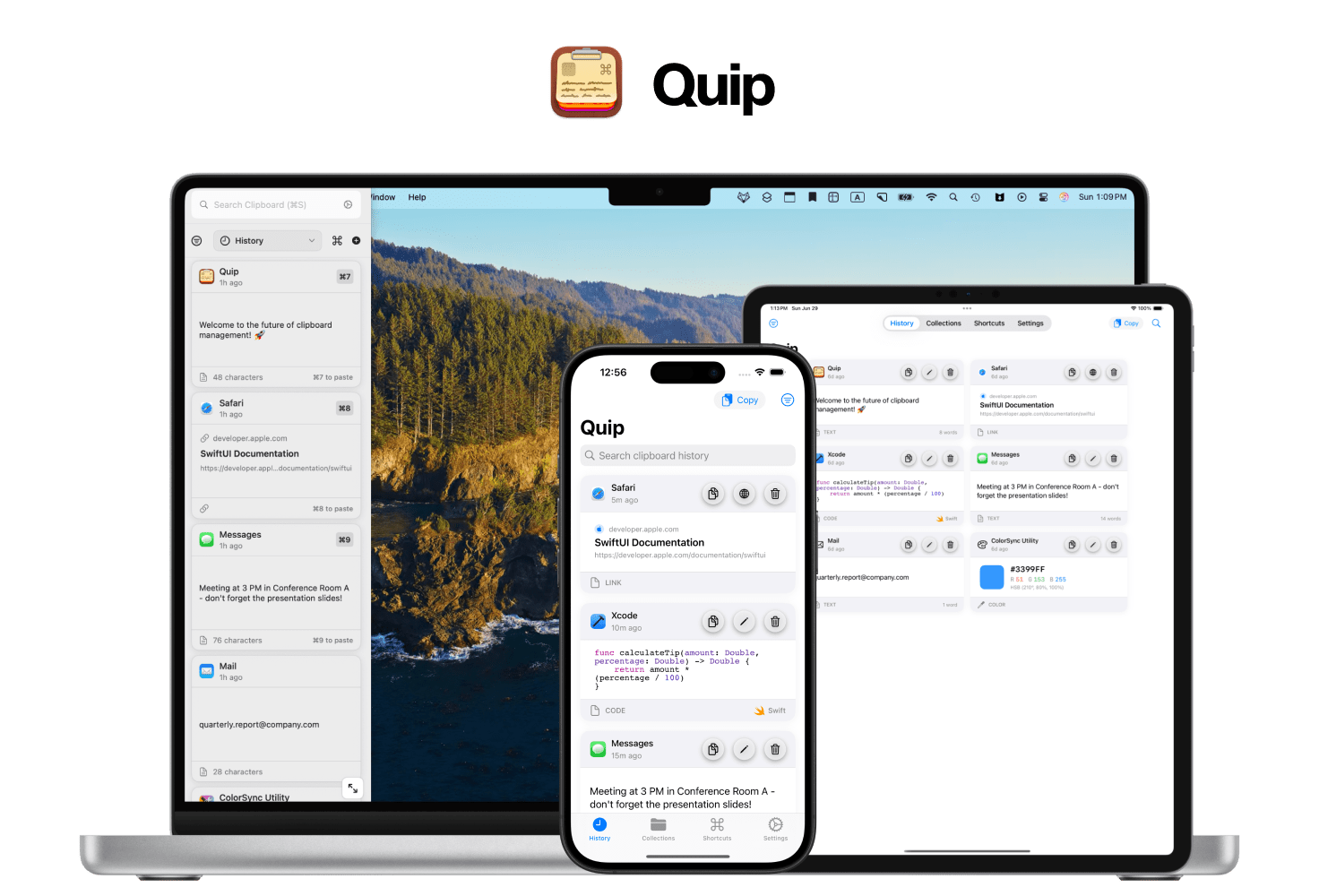
Quip is a supercharged clipboard manager and text expander for Mac, iPhone, and iPad—built to feel perfectly native, fast, and private.

Most clipboard apps turn into junk drawers. Quip is different. You choose how items get saved: capture everything, or enable Only Copy on Shortcut so your archive stays intentional. Then Quip Intelligence (secure, on-device AI) cleans things up—fixing broken links, removing tracking parameters, normalizing messy text, keeping code formatting intact, avoiding duplicates, and more. It even learns from your behavior to automatically avoid items you likely wish to ignore. Quip OCR lets you copy text from anywhere on your Mac’s screen - even if it is not normally copyable.

Your history is beautiful and searchable, with filters for app, type, and date. Organize with Collections (including Smart Collections that auto-sort by rules). When you need to act, Super Shortcuts paste anything—signatures, links, snippets—just by typing a trigger, anywhere on your Mac.

Quip works across your devices with iCloud sync and includes Quip Keyboard on iOS so your items are always a tap away. It’s privacy-first, with granular content rules (ignore apps or keywords, or strip sensitive terms) and full control over retention.

If you live in copy/paste all day, Quip makes it fast, thoughtful, and actually enjoyable.

Try Quip free on the App Store or learn more on our site: bzgapps.com/quip

Our thanks to Quip from BZG Apps for sponsoring MacStories this week.

Direct Mail 7: Professional Email Marketing Built Just for Mac Users [Sponsor]

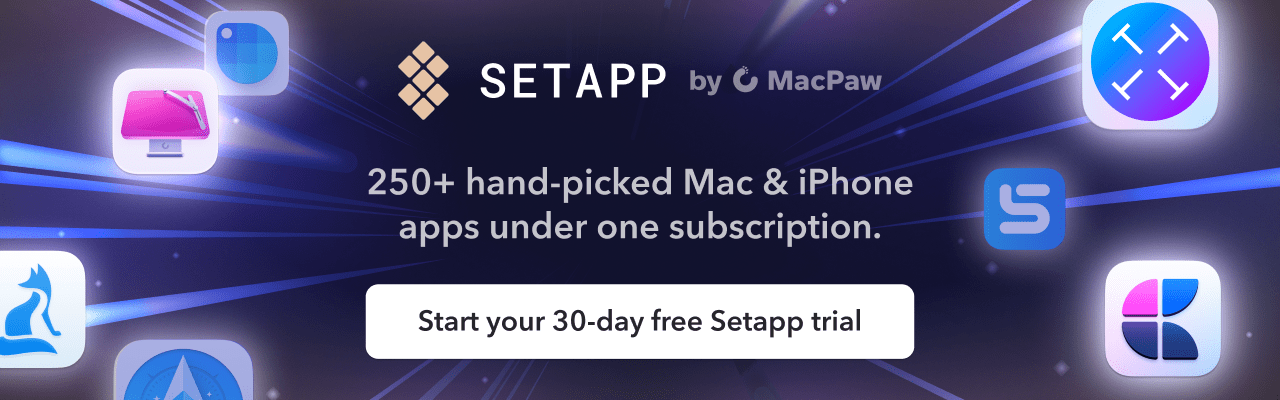
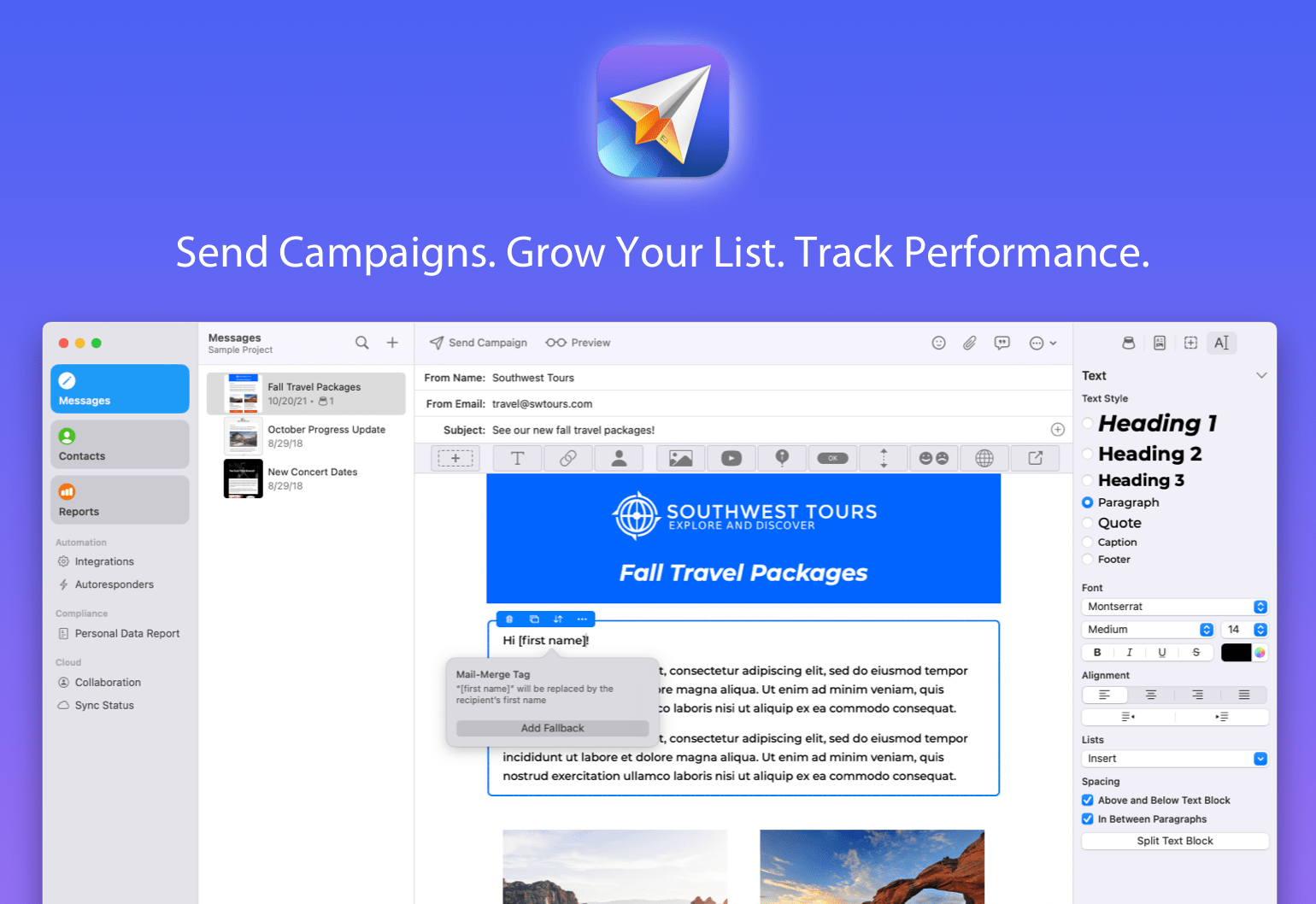
If you run a business, a side hustle, a podcast, or just want to stay in touch with a community, you know how important great email marketing can be. That’s where Direct Mail comes in — a native macOS app that makes it incredibly easy to design, send, and track email campaigns that get results. Unlike web-based alternatives, Direct Mail is designed specifically for macOS, with the speed, polish, and Mac-first integration you expect.

The brand-new Version 7 is a huge leap forward. This update brings a host of new features, including a reimagined user interface, smarter list management, powerful email signup forms, upgraded reporting, and all-new tools to help your emails stand out. Whether you’re sending to 10 people or 10,000, Direct Mail gives you the tools to do it professionally and painlessly.

If you’ve ever been frustrated with clunky, web-based email marketing tools, or just want something that feels right at home on your Mac, check out Direct Mail. It’s free to download and try, with flexible pricing plans to match every budget — including pay-as-you-go options. You can be up and running with your first campaign in just minutes. Our friendly customer support reps are available via live chat to help with any questions, ensuring you’re never stuck. Get started today and expand your reach with powerful, Mac-first email marketing tools.

Our thanks to Direct Mail for sponsoring MacStories this week.

TESSAN Universal Travel Adapter: The 140W GaN Charger That Will Power All Your Apple Gear [Sponsor]

If you’ve ever found yourself juggling multiple chargers for your iPhone, iPad, MacBook, and AirPods in a hotel room, you need to check out TESSAN’s 140W GaN Universal Travel Adapter. Its compact design replaces your entire charging setup with a single, intelligently designed adapter that works in over 200 countries, delivering the power you need.

The TESSAN adapter leverages GaN technology to deliver 140W of total power through three USB-C ports and one USB-A port, while maintaining a footprint smaller than most laptop chargers. The top USB-C port delivers up to 100W—enough to fast-charge a MacBook Pro while the remaining ports will intelligently distribute power to charge your other devices simultaneously. The universal plug design features slide-out prongs for U.S., UK, EU, and Australian outlets, eliminating the need to pack multiple regional adapters.

The TESSAN adapter also includes surge protection, over-current protection, and temperature control. Plus, the GaN semiconductor technology generates less heat than traditional silicon-based chargers, making it safer for extended use in cramped spaces.

MacStories readers can get the TESSAN Universal Travel Adapter now on Amazon.

Our thanks to TESSAN for sponsoring MacStories this week. This post includes affiliate links..

Rogue Amoeba: Powerful Audio Tools for Your Mac [Sponsor]

The folks at Rogue Amoeba are back to sponsor MacStories this week. If you’re not already familiar with them, they’ve been notable makers of powerful audio tools for your Mac since 2002. From professionals to hobbyists to everyday consumers, they’ve got tools to help you with audio.

It’s a cinch to make recordings with the flagship product Audio Hijack, which can now even transcribe audio.

Or, take advantage of SoundSource to gain volume control for each app playing audio on your Mac, as well as the power to apply audio effects and even redirect playback to different devices.

If you want to enhance your microphone’s capabilities, Loopback is the perfect tool. With its virtual audio devices, you can combine app audio and your microphone seamlessly, then bring it into Zoom or any other voice chat app. You can even pair Loopback with the Mac’s best soundboard app, Farrago, to add sound effects or background audio to calls and recordings.

Rogue Amoeba offers free trials for all their apps, and you can set them up in seconds. And if you’re running Apple’s beta OS, you’ll be happy to know Rogue Amoeba’s apps already work on Tahoe.

As a MacStories reader, you can save 20% on any purchase through the end of August by using discount code STORIES2508. Visit their store to get started.

Our thanks to the folks at Rogue Amoeba for sponsoring MacStories this week.

Direct Mail 7: Professional Email Marketing Built Just for Mac Users [Sponsor]

If you run a business, a side hustle, a podcast, or just want to stay in touch with a community, you know how important great email marketing can be. That’s where Direct Mail comes in — a native macOS app that makes it incredibly easy to design, send, and track email campaigns that get results. Unlike web-based alternatives, Direct Mail is designed specifically for macOS, with the speed, polish, and Mac-first integration you expect.

The brand-new Version 7 is a huge leap forward. This update brings a host of new features, including a reimagined user interface, smarter list management, powerful email signup forms, upgraded reporting, and all-new tools to help your emails stand out. Whether you’re sending to 10 people or 10,000, Direct Mail gives you the tools to do it professionally and painlessly.

If you’ve ever been frustrated with clunky, web-based email marketing tools, or just want something that feels right at home on your Mac, check out Direct Mail. It’s free to download and try, with flexible pricing plans to match every budget — including pay-as-you-go options. You can be up and running with your first campaign in just minutes. Our friendly customer support reps are available via live chat to help with any questions, ensuring you’re never stuck. Get started today and expand your reach with powerful, Mac-first email marketing tools.

Our thanks to Direct Mail for sponsoring MacStories this week.

JSAUX FlipGo: An Award-Winning 16” Dual Touchscreen Monitor For Your Mac [Sponsor]

The promise of portable dual monitors has always been compelling, but the execution has consistently fallen short, until now. JSAUX’s FlipGo 16” Dual Touchscreen Monitor breaks new productivity ground for Mac users. Unlike some alternatives, the FlipGo Pro leverages both DisplayLink technology and native connectivity to deliver true dual-screen functionality on Apple silicon Macs with a single USB-C cable.

At its core, the FlipGo represents thoughtful engineering applied to everyday workflows. Its two 16-inch IPS panels deliver genuine 2.5K resolution (2560×1600 total resolution), 100% sRGB color accuracy, and 500 nits brightness. The key innovation lies in the FlipGo’s versatility: switch between UltraView mode for a single expansive workspace, DuoViews for independent dual screens, or ABC mode to create a true triple-monitor setup when combined with your MacBook’s display. You can learn more about the benefits of a foldable dual-screen setup in John’s review of the similar non-touch version of the FlipGo Pro here.

Build quality of the FlipGo Pro is superb and is a big part of why it won an iF Design Award and Red Dot award in 2024. The aluminum construction feels substantial without being cumbersome at 1.6kg, while the magnetic mounting system secures everything when the screens are attached to their stand. Even the hinge mechanism is made from premium materials, making it perfect for professionals to take on the go daily.

For those who value integrated workflows, the FlipGo’s built-in USB hub functionality provides two USB-A 2.0 ports and an additional USB-C port, effectively expanding your MacBook’s connectivity while powering the displays. When connected to external power, it even provides reverse charging to your laptop — a thoughtful touch that eliminates battery drain during extended sessions.

Ready to transform your mobile workspace? Order the JSAUX FlipGo 16” Touchscreen today.

This post includes affiliate links. Learn more here.