SoundShare is designed to bring music lovers together regardless of the streaming services they use. I reviewed SoundShare back in May when it launched a big update and since then, Matt Abras has continued to refine and improve the app with a series of updates.
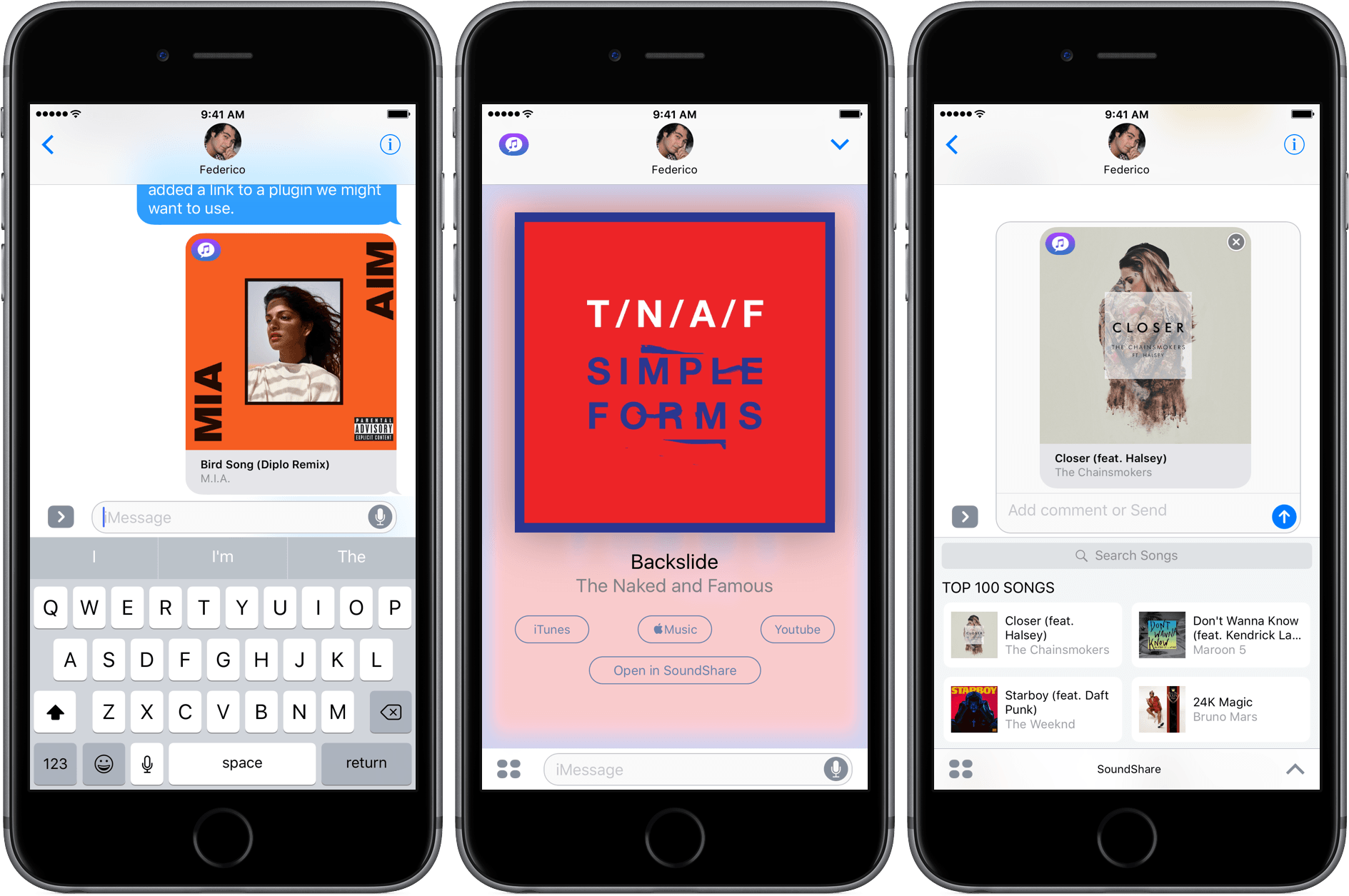
Today, SoundShare released an update that includes a great iMessage app. From SoundShare’s iMessage app, you can pick a song from among the iTunes Top 100 list or search for something else using the search bar at the top of the iMessage drawer. Tapping a song adds album art, the title, and artist to a message ready to send with or without a comment.
What makes SoundShare’s iMessage app so handy is that when your recipient taps on the album art, it opens full screen with options to open the song in iTunes, Apple Music, YouTube, or the SoundShare app. This isn’t the full compliment of services that SoundShare works with, but the others (Spotify and Deezer) can be accessed through the ‘Open in SoundShare’ option. That opens the SoundShare iOS app and immediately starts playback of the song with one of those services if you are logged into them through SoundShare.
We have started to see some interesting iMessage apps a month into the iMessage App Store that take advantage of platform. SoundShare is one of my favorites so far because it removes the friction of sharing music. I can send a nicely formatted link to a song without thinking about whether the person on the other end of my message has the correct service to play it.
Club MacStories: Weekly and monthly newsletters via email and the web that are brimming with apps, tips, automation workflows, longform writing, early access to the MacStories Unwind podcast, periodic giveaways, and more;
Club MacStories+: Everything that Club MacStories offers, plus an active Discord community, advanced search and custom RSS features for exploring the Club’s entire back catalog, bonus columns, and dozens of app discounts;
Club Premier: All of the above and AppStories+, an extended version of our flagship podcast that’s delivered early, ad-free, and in high-bitrate audio.
iOS gaming is epitomized by games with short, simple interactions, which is why arcade and puzzle games dominate the platform. There’s nothing inherently wrong with that – it plays to the strengths of the iPhone where most iOS game are played. But the success of Apple’s smallest iOS device doesn’t have to be at the expense of its bigger cousin, the iPad. With lots of power under the hood, a big battery and a gorgeous screen, the iPad has a lot to offer as a gaming platform. Yet, games that take advantage of the iPad’s strengths feel few and far between.
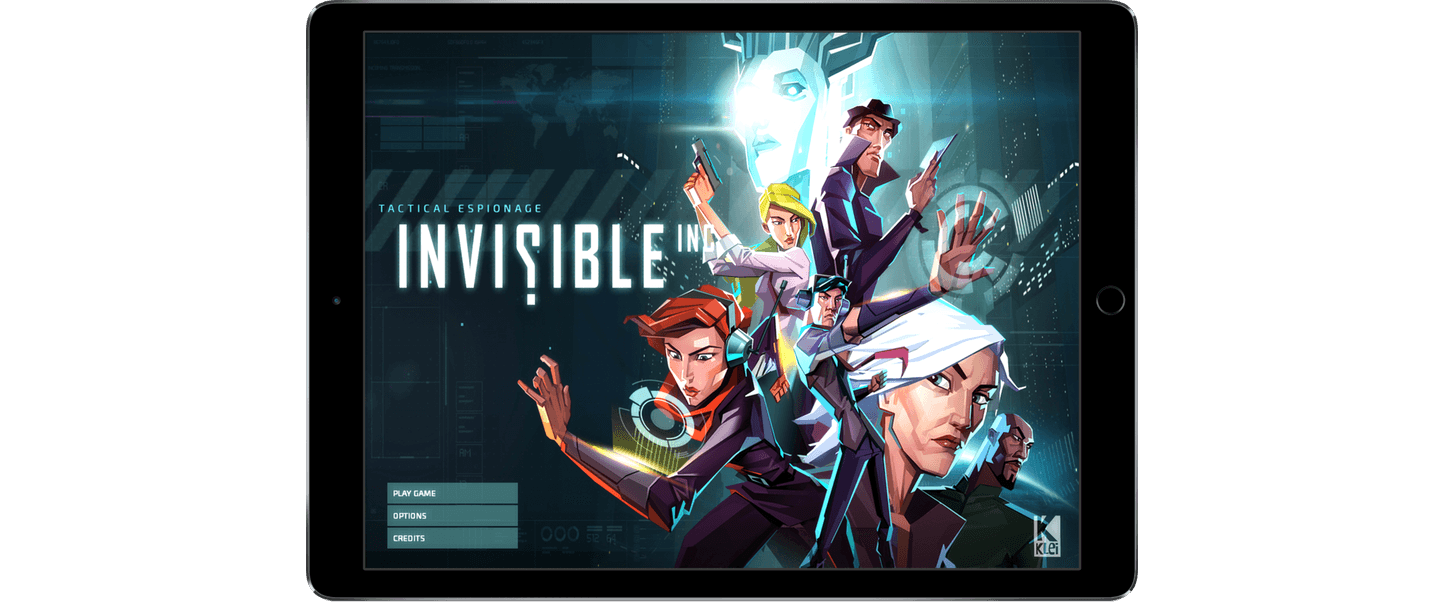
Earlier this month, Klei Entertainment, the Canadian studio behind Don’t Starve, released Invisible, Inc., an iPad-only turn-based stealth and strategy game that demonstrates what’s possible on the iPad. Invisible isn’t a new title. The game debuted on the PC and Mac in 2015 and earlier this year on the PS4, but this is Invisible’s first appearance on a touch-based device.
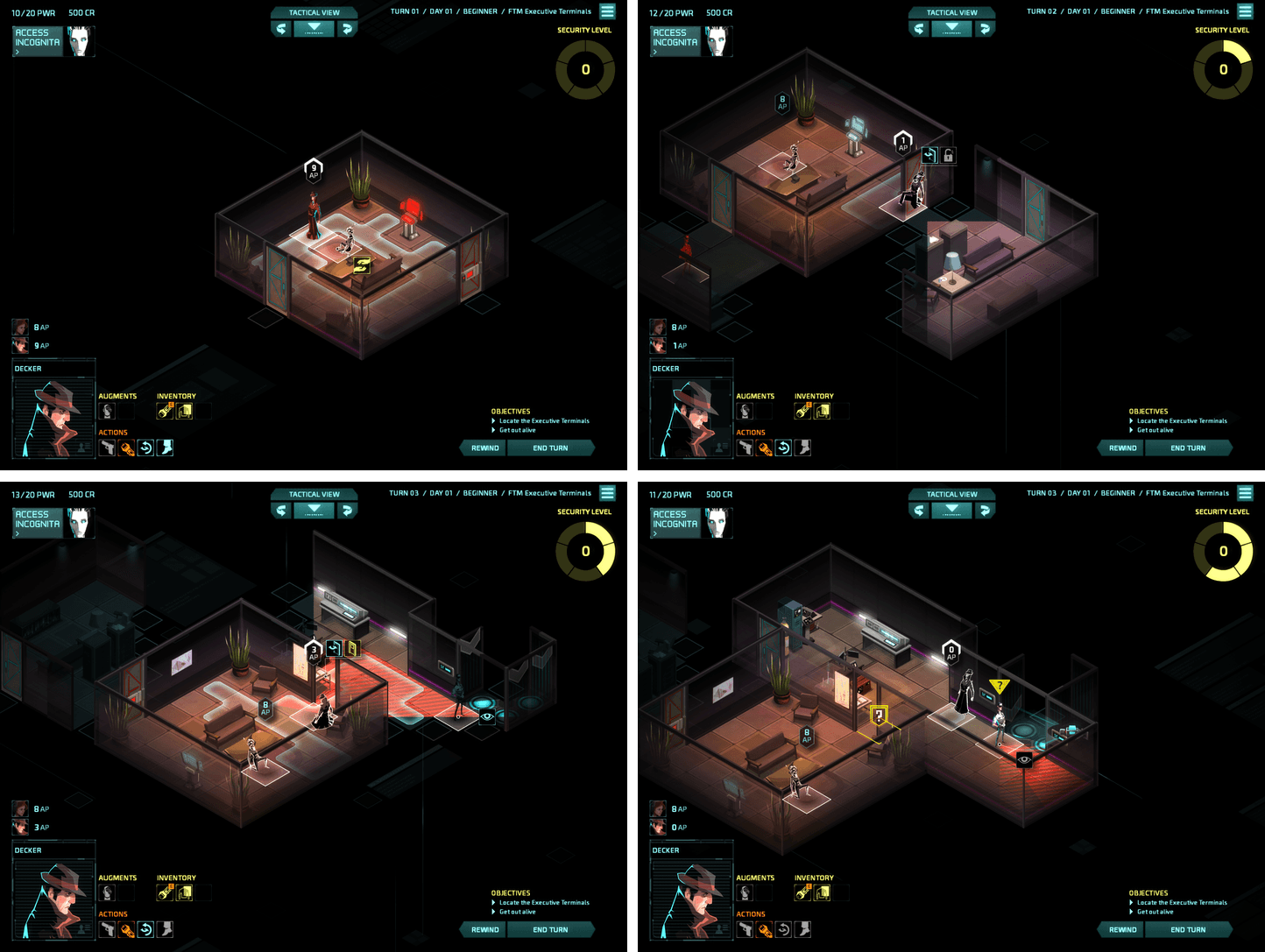
Invisible is set in a future where the world is dominated by corporations. Your security team has been compromised and you have 72 hours to solve a variety of missions leading up to a counterstrike against your enemy. Each mission poses unique challenges and obstacles that require stealth and strategy. The missions are also necessary to collect gear you will need to make your final assault on your enemy’s base.
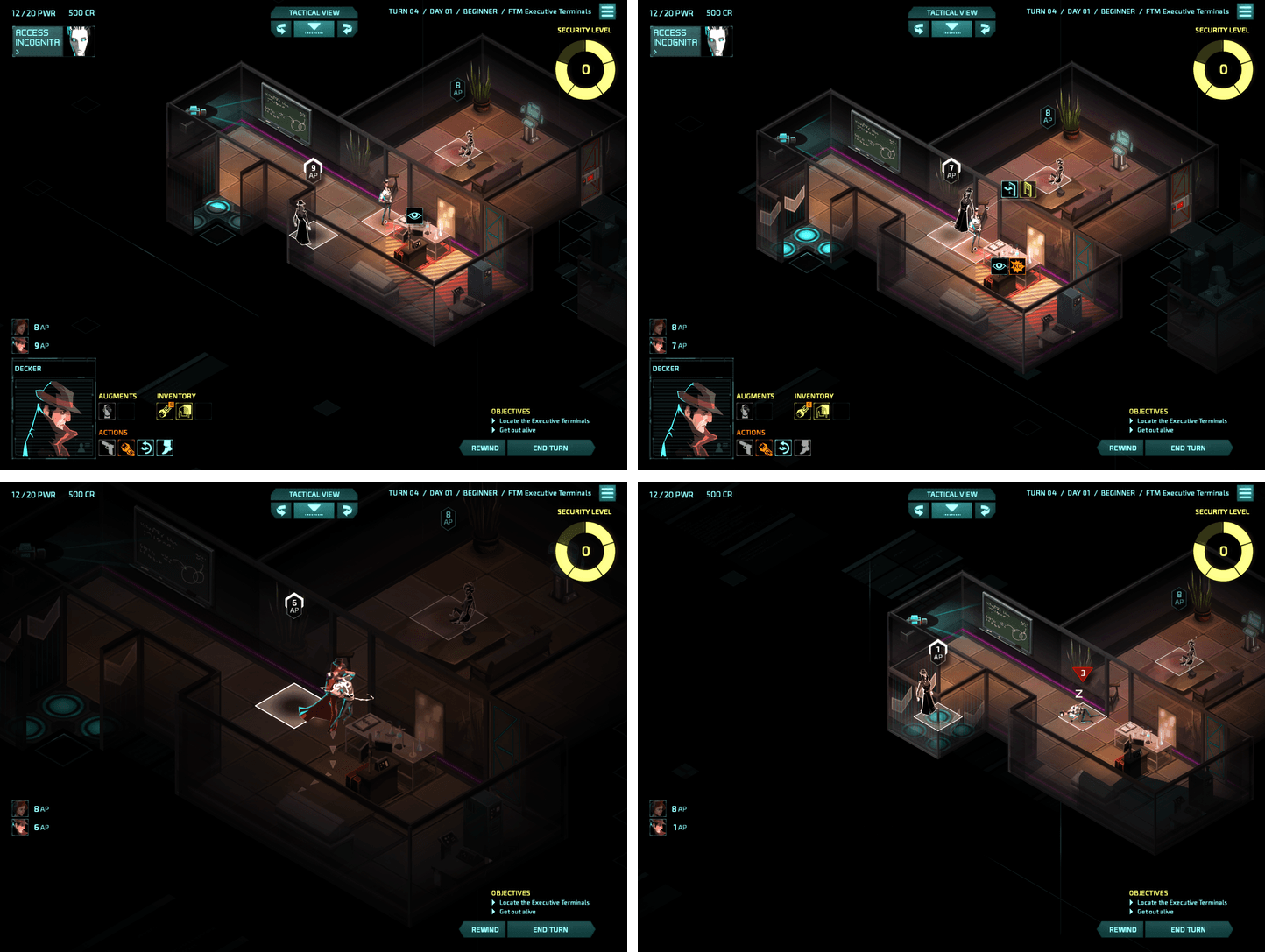
The turn-based nature of Invisible gives you time to consider the best way to get around guards, cameras, drones, and other obstacles, but at the same time, Invisible creates a sense of urgency. Each turn you take raises the alarm status in the facility you’ve infiltrated, which leads to further complications as you navigate your enemy’s defenses. Guards you take out don’t remain unconscious indefinitely either. Waste too many turns and guards start to come to and look for you. Add to that an ominous electronic soundtrack, and you’ve got a game with a nearly perfect level of intensity.
Invisible is a deep game that is worth playing multiple times. You can unlock ten different agents to take through the missions, which are procedurally generated, adding variety to each play-through. You will fail missions over and over, but Invisible gives you ‘rewinds’ to retry missions, learning the best way to navigate their threats. On top of that, there are five game modes, all of which adds up to hours of challenges that are never the same twice.
Klei’s experience with bringing desktop gaming to the iPad shows. Invisible feels perfectly natural as an iPad app. The choice to bring the game to iPad only for now was a smart one. The game benefits from the larger screen. Klei did the same with Don’t Starve, but eventually did bring that game to the iPhone too. I could see that happening here as well, but doing so would undoubtedly require significant effort to make the interface work on a smaller screen.
I would love to see more games of Invisible’s ambition and quality on the App Store. The success of a game like Invisible on iOS seems like a no-brainer. A high-quality game for $4.99 that would cost you $20 on another platform is a great bargain. Unfortunately, people have been conditioned to expect games on iOS that are free or maybe a dollar or two at most. That’s a problem for the future of gaming on iOS, but with releases of top-notch games like Invisible, Inc., I remain optimistic that there is still a place for premier games to carve out a place for themselves on iOS.
Club MacStories: Weekly and monthly newsletters via email and the web that are brimming with apps, tips, automation workflows, longform writing, early access to the MacStories Unwind podcast, periodic giveaways, and more;
Club MacStories+: Everything that Club MacStories offers, plus an active Discord community, advanced search and custom RSS features for exploring the Club’s entire back catalog, bonus columns, and dozens of app discounts;
Club Premier: All of the above and AppStories+, an extended version of our flagship podcast that’s delivered early, ad-free, and in high-bitrate audio.
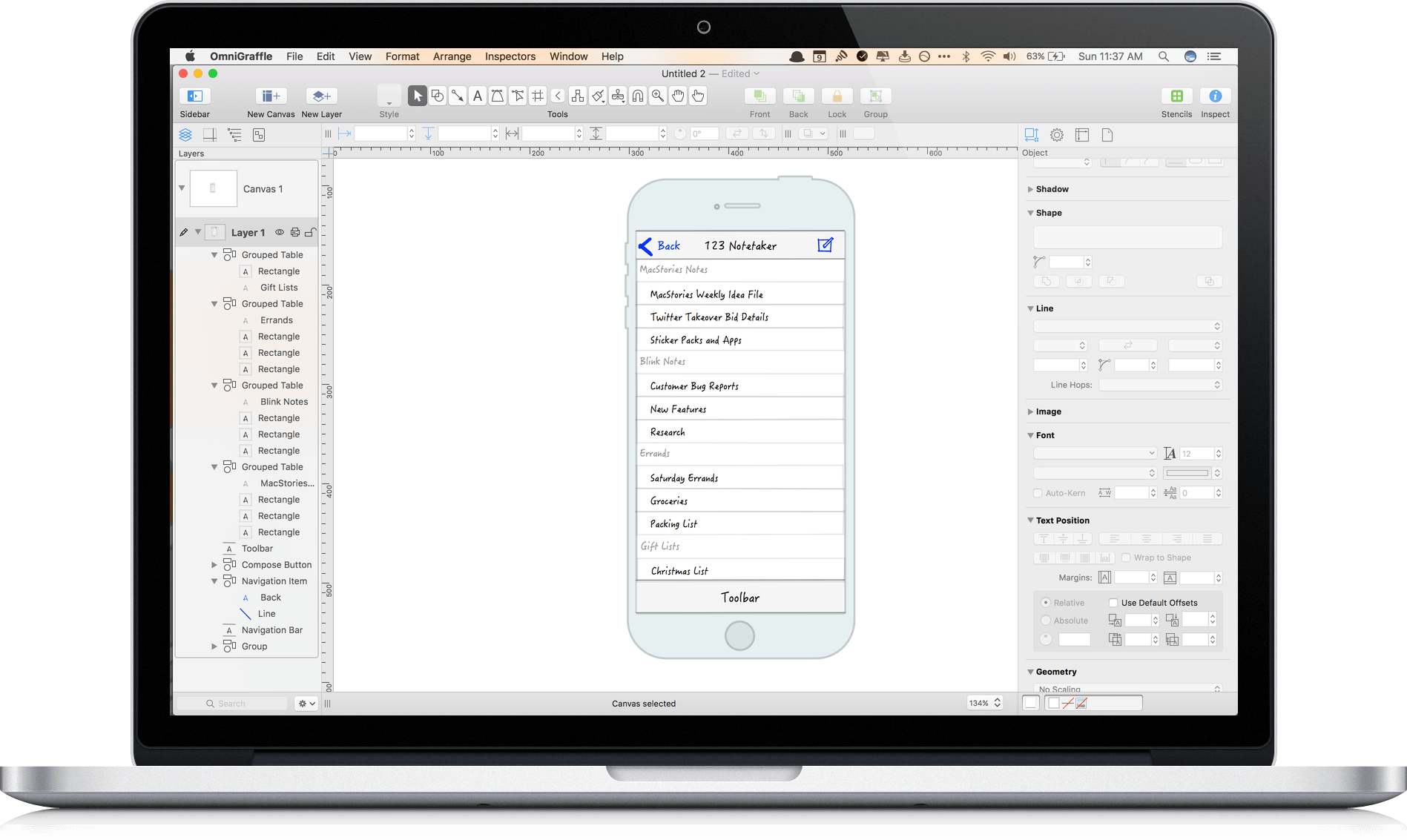
It’s hard to capture exactly what OmniGraffle 7 is. Sure, it’s a vector drawing and diagraming tool, but the power of OmniGraffle lies as much in the flexibility of its tools as anything else. By giving users the ability to tweak virtually any property of a shape, line, or other graphic element on its canvas, OmniGraffle works equally well for prototyping an iPhone app as it does for laying out an addition to your house or creating a corporate organization chart. With Version 7 of OmniGraffle, The Omni Group plays to its strengths, further extending the power, adaptability, and ease of use of those tools in what adds up to an outstanding update.
Club MacStories: Weekly and monthly newsletters via email and the web that are brimming with apps, tips, automation workflows, longform writing, early access to the MacStories Unwind podcast, periodic giveaways, and more;
Club MacStories+: Everything that Club MacStories offers, plus an active Discord community, advanced search and custom RSS features for exploring the Club’s entire back catalog, bonus columns, and dozens of app discounts;
Club Premier: All of the above and AppStories+, an extended version of our flagship podcast that’s delivered early, ad-free, and in high-bitrate audio.
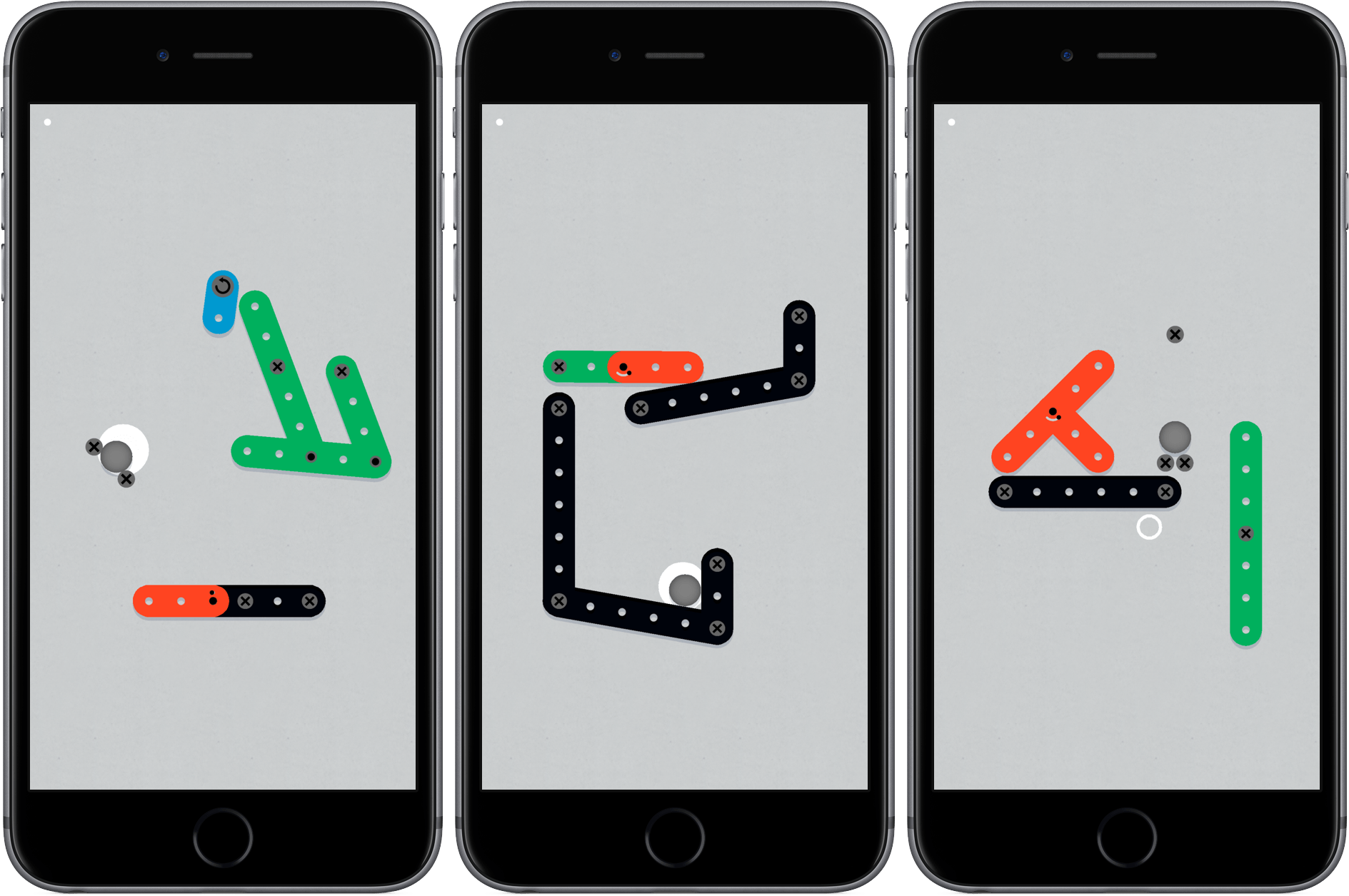
Zip Zap, by Philipp Stollenmayer, combines physics and timing in a unique and lighthearted puzzle game. The interaction with the game couldn’t be simpler. You tap to contract Erector Set-like pieces at their hinges and release to retract the hinge, which makes pieces creep, hop, jump, and swing across the playing area. That’s it. The game even helpfully reminds you that swiping doesn’t do anything.
Each of the over 100 levels requires you to maneuver one of the pieces or a ball into a specific spot. What makes Zip Zap work is the realistic physics and variety of ways tapping affects the interaction of the piece you control with the obstacles in the game environment. Precise timing plays a big role too, complicating each level and requiring close attention and concentration.
The difficulty of the levels ramps up gradually, but before long, the route to the goal is no longer obvious and requires experimentation. There is no score or penalty for retrying a failed level and no timers. You just swipe from the right to reset the pieces to their starting positions if you want to retry a level. As a result, Zip Zap is low-stress. Add to that an upbeat soundtrack, bright colors, and the playfulness of the game mechanics and you’ve got an excellent puzzle game that’s great when you need a break fro whatever you’re doing.
Club MacStories: Weekly and monthly newsletters via email and the web that are brimming with apps, tips, automation workflows, longform writing, early access to the MacStories Unwind podcast, periodic giveaways, and more;
Club MacStories+: Everything that Club MacStories offers, plus an active Discord community, advanced search and custom RSS features for exploring the Club’s entire back catalog, bonus columns, and dozens of app discounts;
Club Premier: All of the above and AppStories+, an extended version of our flagship podcast that’s delivered early, ad-free, and in high-bitrate audio.
TableFlip, by indie developer Christian Tietze, does something no other Mac app I know of does – it lets you create and edit Markdown tables in a familiar spreadsheet-like interface. Table syntax is part of Fletcher Penny’s MultiMarkdown extension of John Gruber’s Markdown format for displaying HTML in easily readable plain text. MultiMarkdown’s syntax for tables is handy for short tables, but can get unwieldy and complex with larger tables. TableFlip fixes that by letting you flip between a plain text document and a fully-rendered and editable version of your table.
Club MacStories: Weekly and monthly newsletters via email and the web that are brimming with apps, tips, automation workflows, longform writing, early access to the MacStories Unwind podcast, periodic giveaways, and more;
Club MacStories+: Everything that Club MacStories offers, plus an active Discord community, advanced search and custom RSS features for exploring the Club’s entire back catalog, bonus columns, and dozens of app discounts;
Club Premier: All of the above and AppStories+, an extended version of our flagship podcast that’s delivered early, ad-free, and in high-bitrate audio.
One of my favorite games on SNES was Lemmings. Sticklings, by Austrian development house Djinnworks, is a clear evolution of the core elements of Lemmings, but with creative twists that make Sticklings an addictive casual puzzle game in its own right.
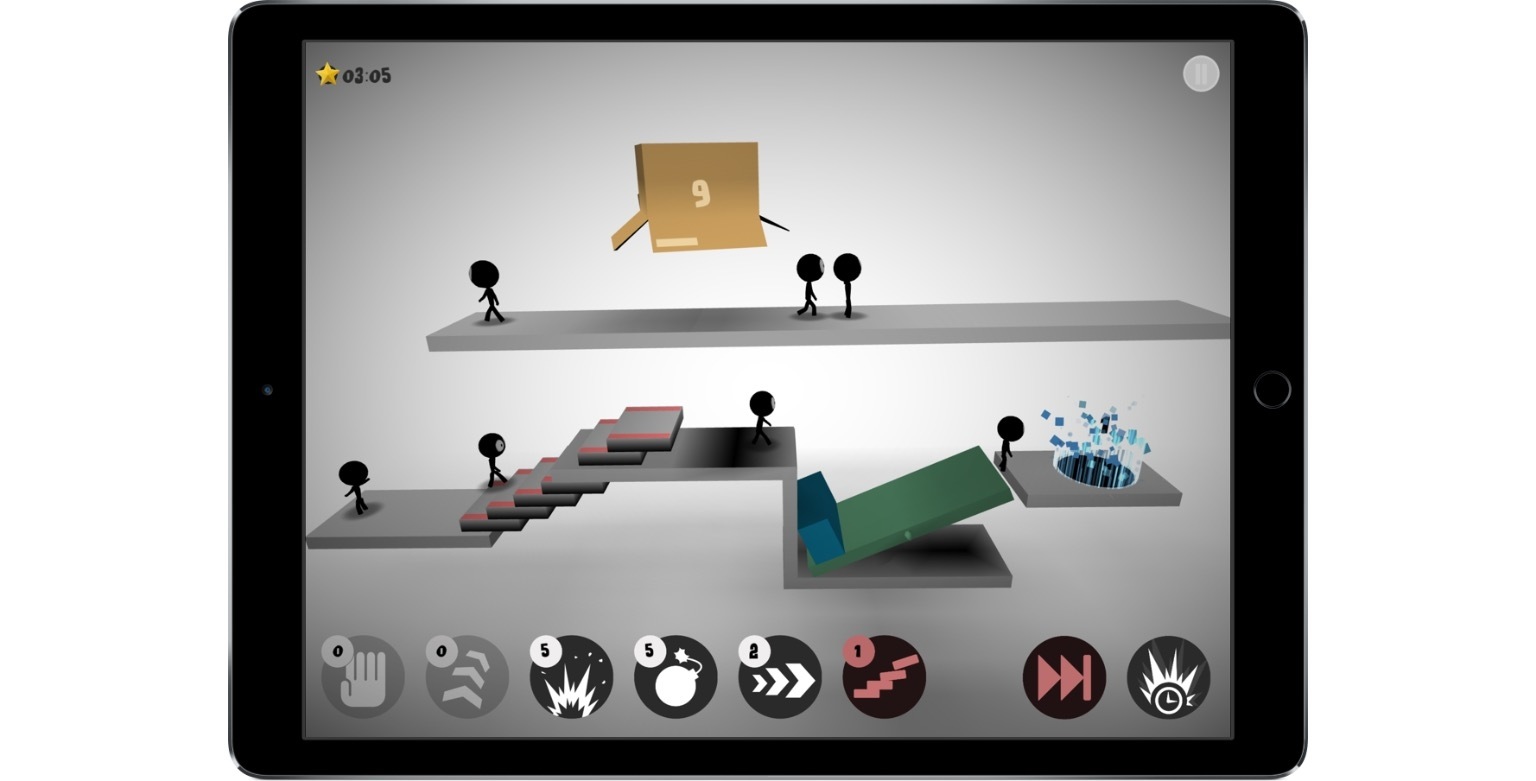
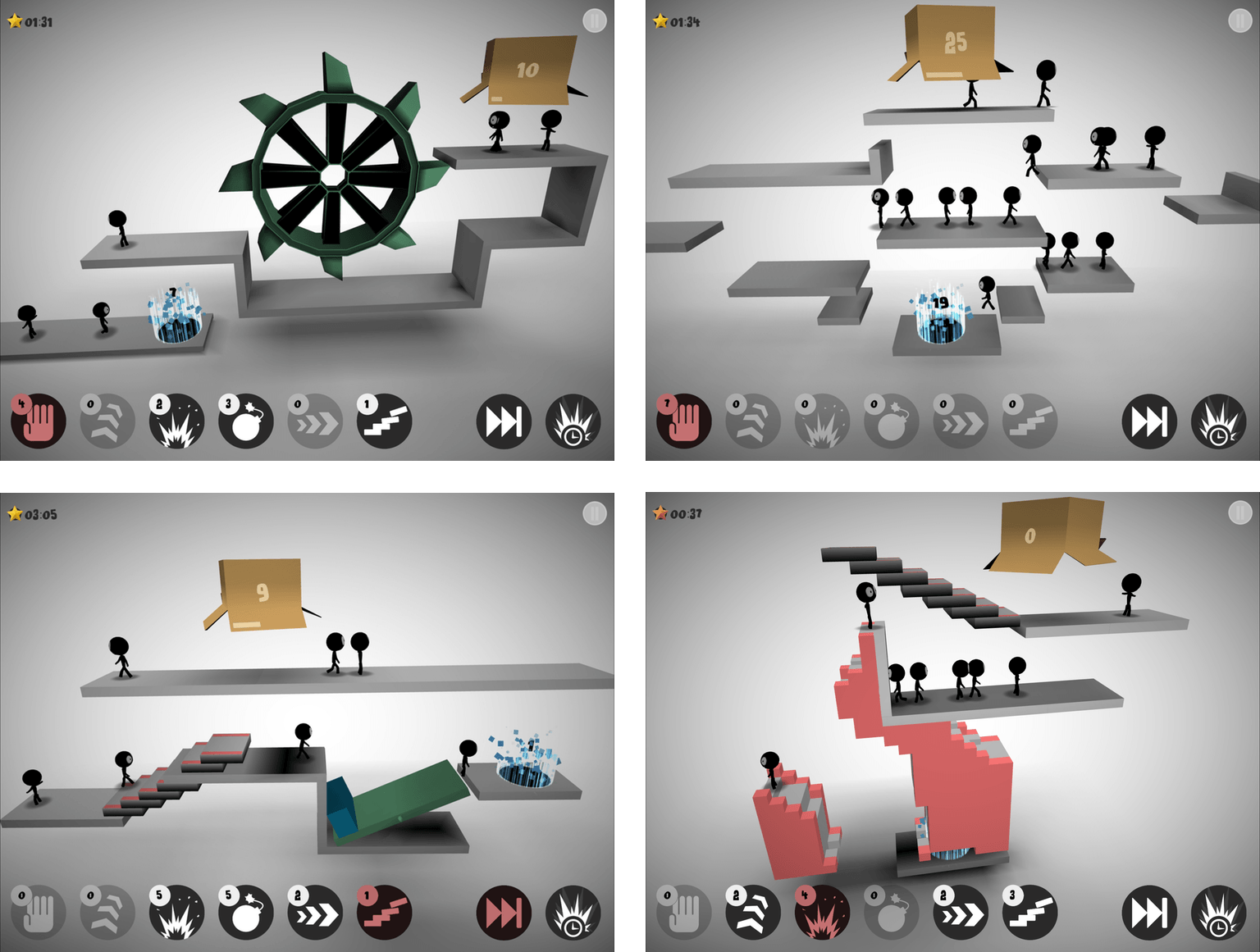
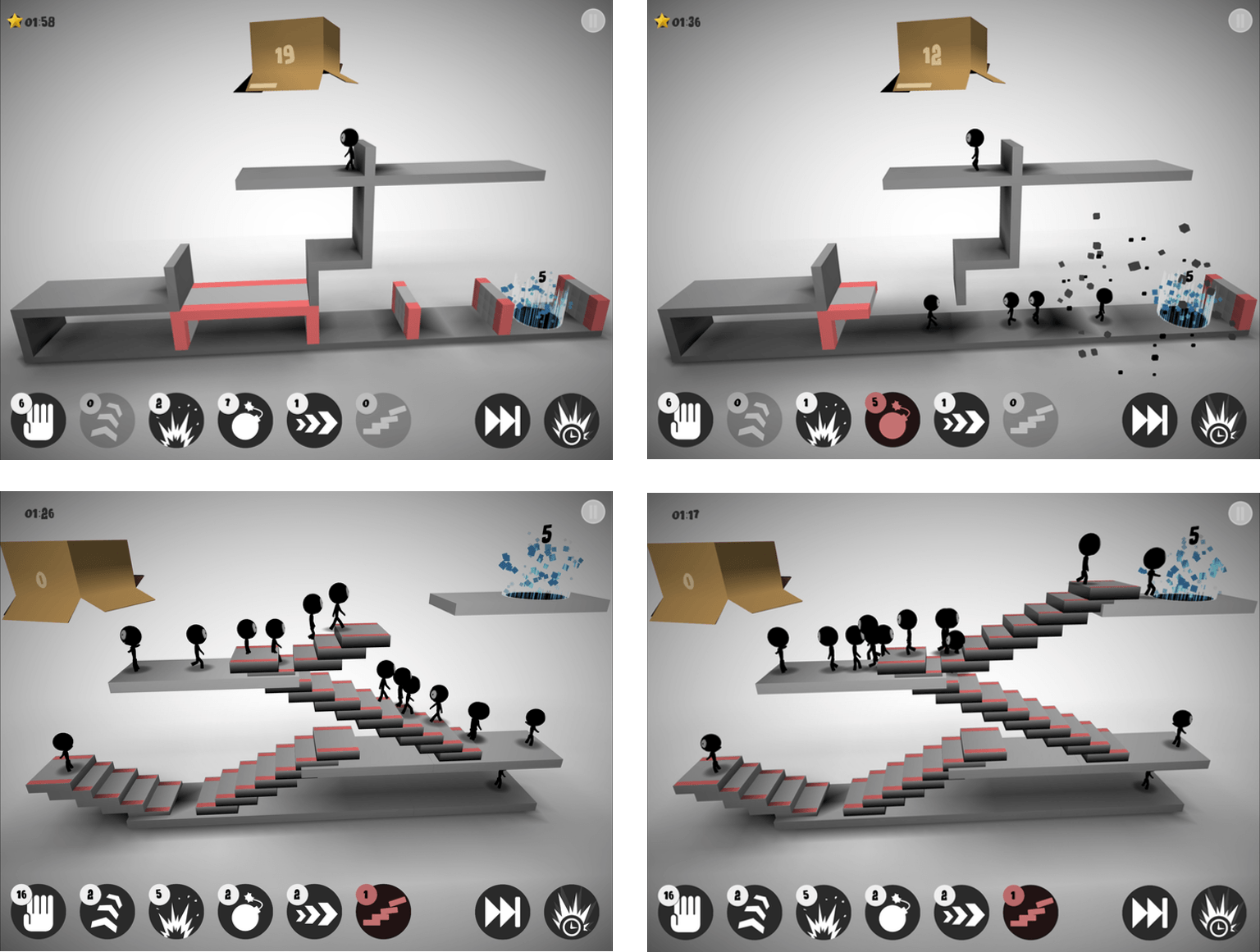
Stick figures emerge from a box at regular intervals. Your job is to maneuver them to a glowing portal. Each progressively harder level requires you to steer a certain number of stick figures into the portal before time runs out.
If you do nothing, stick figures will walk off the end of platforms, disappearing as they seemly melt into the background. To get the stick figures to their destination, each level has some combination of up to six tools that give your stick figures special abilities. You need to use abilities sparingly though, because Sticklings limits the number of each tool you get per level. Among other things, you can use stick figures as ‘blockers’ that reverse the course of figures that walk into them, for building staircases to clear obstacles, or for throwing bombs that blow up barriers.
Sticklings is striking. The first thing you’ll notice is the spare use of color. Each 3D puzzle is rendered almost entirely in grayscale and lit from above in a way that adds to the game’s dimensionality. Special segments of the platforms are in color as is the the box from which your stick figures emerge and the portal goal to which you steer them, but that’s about it. The effect gives the game a modern, abstract feeling that I like.
There are a couple things that bother me about Sticklings. The first is interstitial ads for Djinnworks’ other apps when you start the game and between levels. I don’t mind a link to other apps by a developer that I can choose to tap, but these appear full screen and require you to tap a tiny ‘x’ that doesn’t appear for a couple seconds, which is is too disruptive for my taste. I also don’t like that progress isn’t synced between devices, which is an all too common occurrence among iOS games.
That said, I like Sticklings for the Lemmings nostalgia factor, the visual aesthetic, and the challenging puzzles. A few of the games I’ve reviewed lately have been ones where you’ll want to set aside some time to play. Sticklings is perfect for killing time and boredom by playing a few levels here and there as time permits.
Club MacStories: Weekly and monthly newsletters via email and the web that are brimming with apps, tips, automation workflows, longform writing, early access to the MacStories Unwind podcast, periodic giveaways, and more;
Club MacStories+: Everything that Club MacStories offers, plus an active Discord community, advanced search and custom RSS features for exploring the Club’s entire back catalog, bonus columns, and dozens of app discounts;
Club Premier: All of the above and AppStories+, an extended version of our flagship podcast that’s delivered early, ad-free, and in high-bitrate audio.
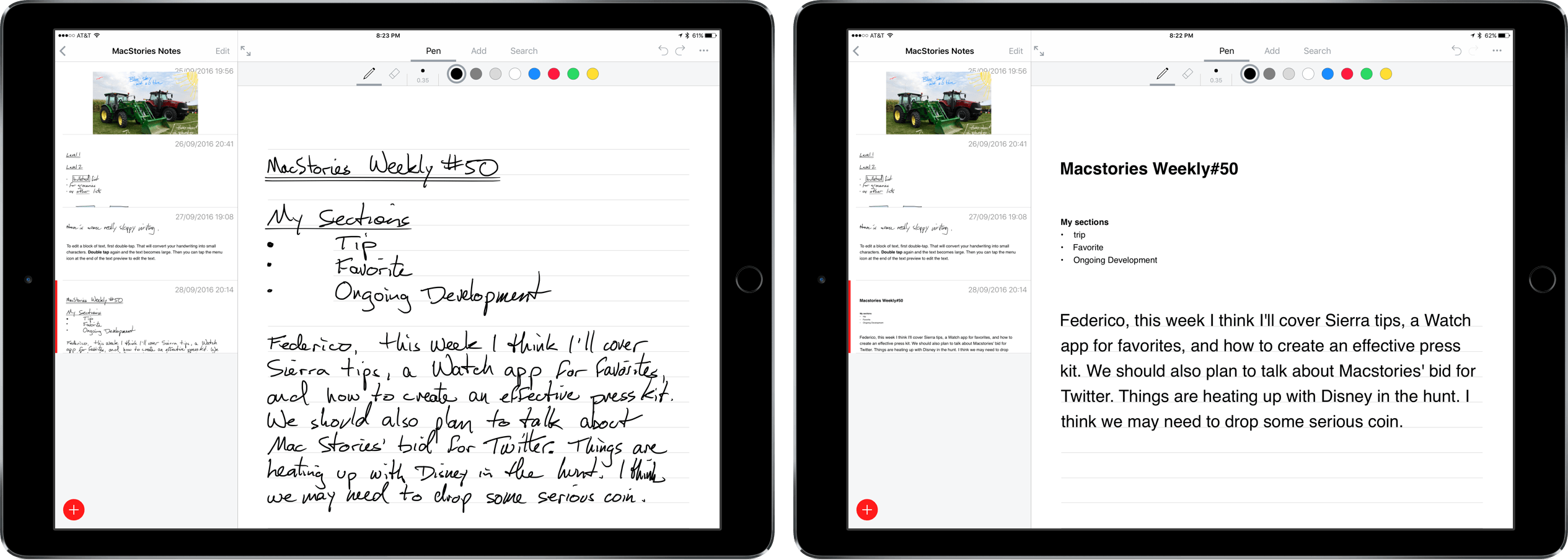
Nebo is a digital notetaking app that was created by MyScript to showcase its handwriting recognition technology known as Ink. The app is iPad-only because it requires an Apple Pencil for input. Nebo can also convert hand-drawn diagrams and mathematical equations and embed photos and sketches within notes. I’ve been using Nebo to research this review and the accuracy of its handwriting recognition is remarkable. Nebo is a solid notetaking tool. It lacks a few features that would make it more competitive with notetaking apps that have been around longer, but the handwriting recognition is so good, that Nebo has become my default notetaking app.
Club MacStories: Weekly and monthly newsletters via email and the web that are brimming with apps, tips, automation workflows, longform writing, early access to the MacStories Unwind podcast, periodic giveaways, and more;
Club MacStories+: Everything that Club MacStories offers, plus an active Discord community, advanced search and custom RSS features for exploring the Club’s entire back catalog, bonus columns, and dozens of app discounts;
Club Premier: All of the above and AppStories+, an extended version of our flagship podcast that’s delivered early, ad-free, and in high-bitrate audio.
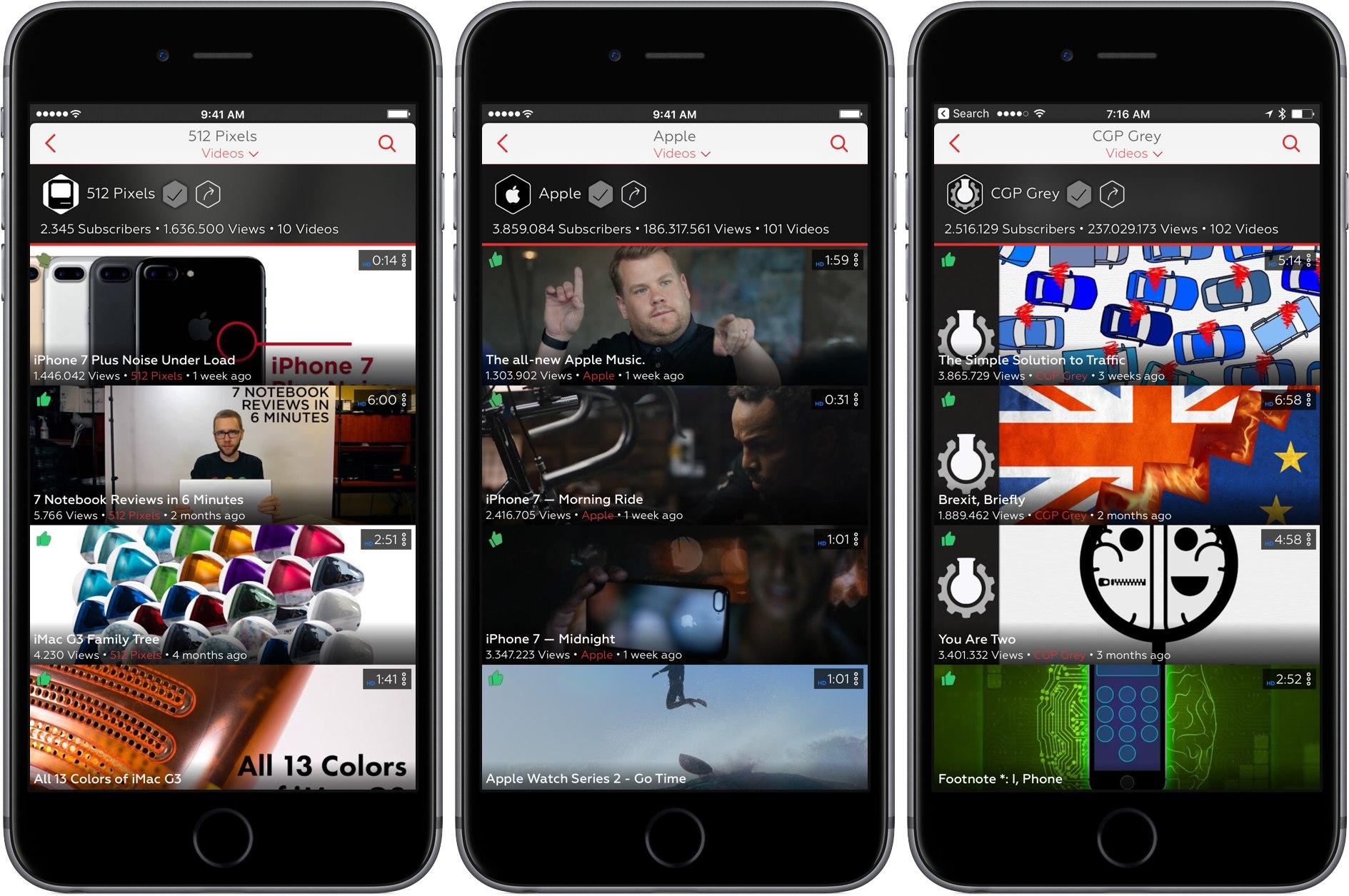
I’m writing this as I listen to Frank Turner play a live show at Wembley Arena. That would be unremarkable if the show were available in Apple’s Music app (it’s not). Instead, I’m listening to the audio portion of a YouTube video with Ulysses full screen on my iPad. In a little while, I’ll take a break for dinner and AirPlay the rest of the concert audio while I eat. That’s not possible with the YouTube app unless you pay for a YouTube Red subscription, but it is with ProTube, a highly-customizable YouTube client by indie developer Jonas Gessner that lets you enjoy YouTube on your own terms.
The YouTube app isn’t bad, it’s just made with an average user in mind. There aren’t many ways to customize it. You watch videos the way YouTube decided they should be watched. ProTube takes the opposite approach putting users in control, which makes it perfect for YouTube power users and anyone who has ever been frustrated by the one-size-fits-all approach of the YouTube app.
Club MacStories: Weekly and monthly newsletters via email and the web that are brimming with apps, tips, automation workflows, longform writing, early access to the MacStories Unwind podcast, periodic giveaways, and more;
Club MacStories+: Everything that Club MacStories offers, plus an active Discord community, advanced search and custom RSS features for exploring the Club’s entire back catalog, bonus columns, and dozens of app discounts;
Club Premier: All of the above and AppStories+, an extended version of our flagship podcast that’s delivered early, ad-free, and in high-bitrate audio.
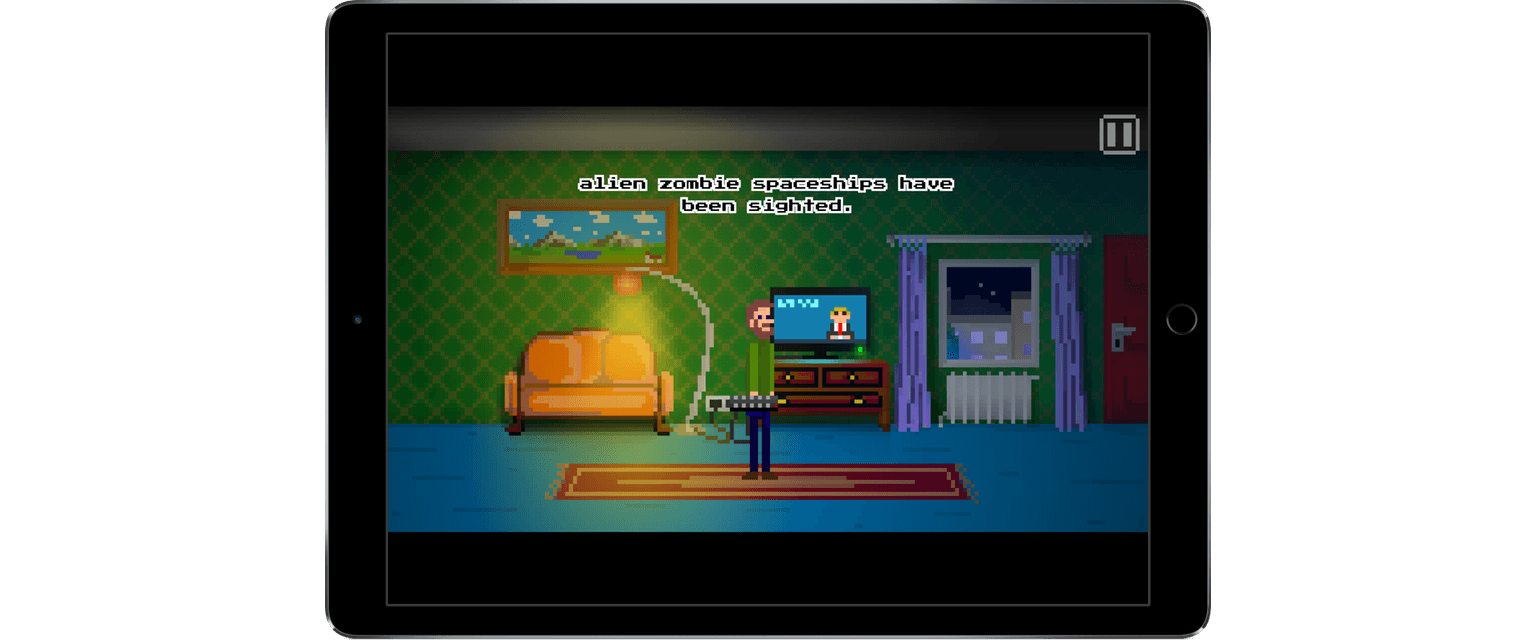
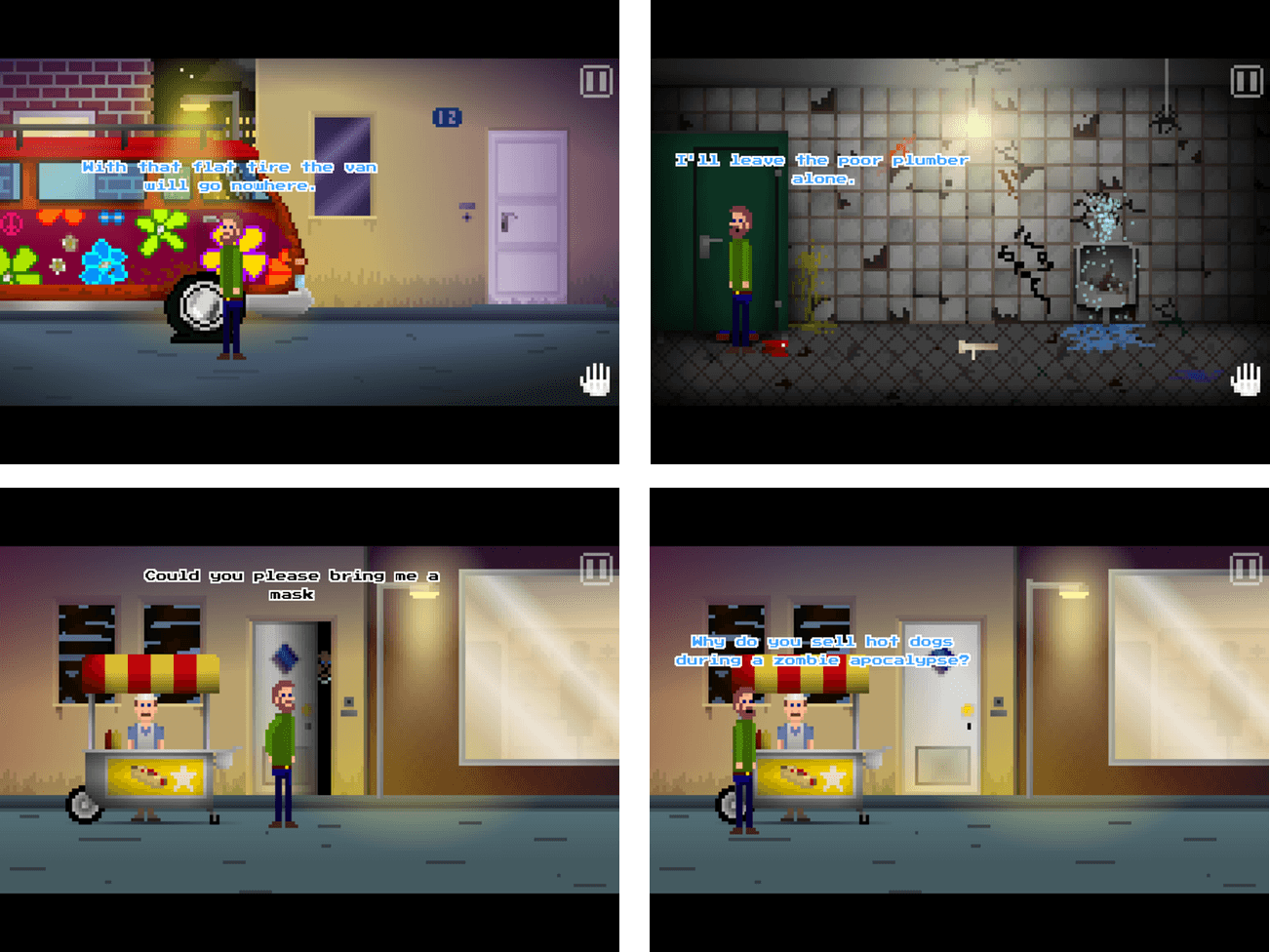
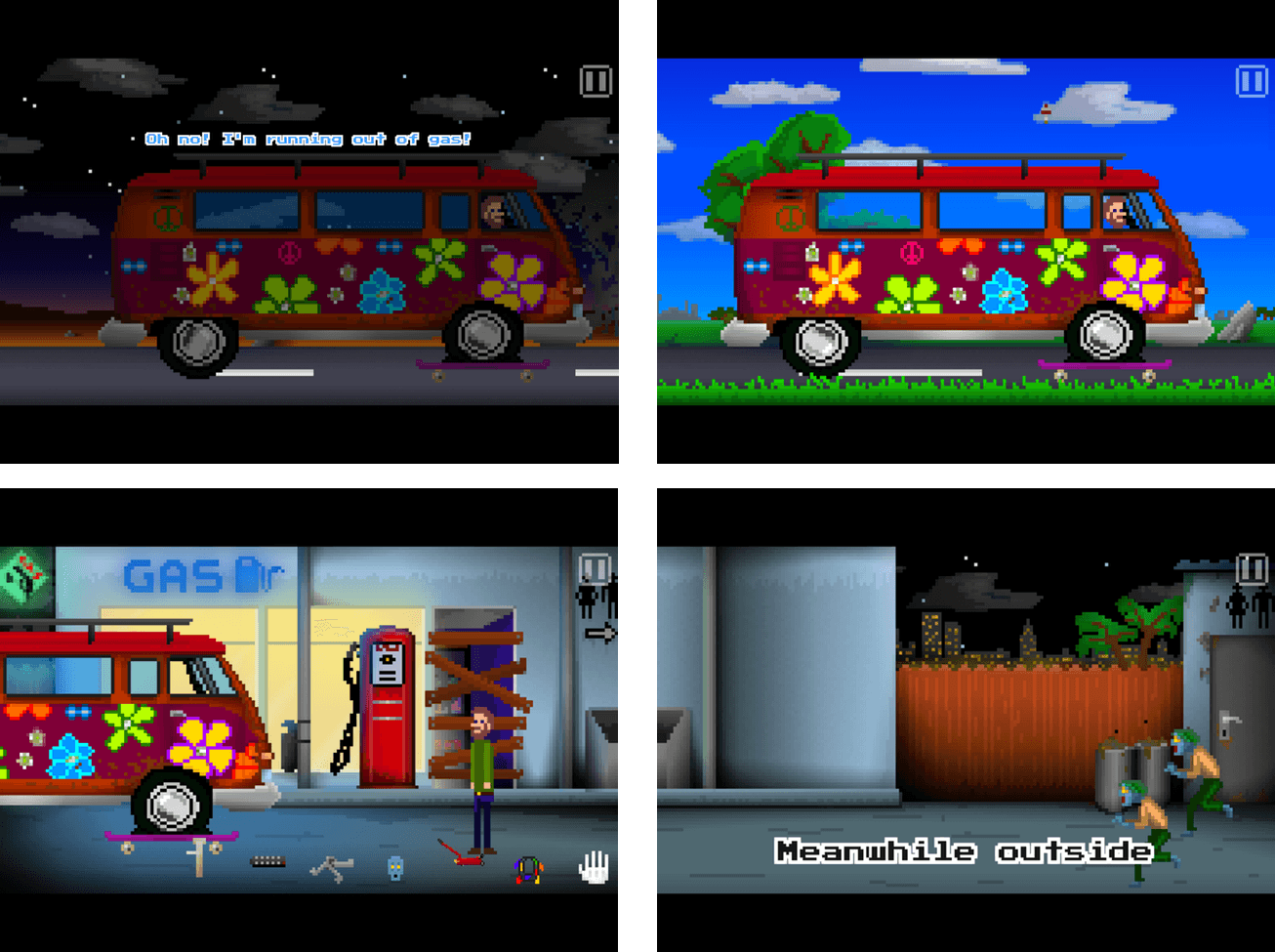
Paul Pixel - The Awakening by Xoron GmbH is a classic adventure game reimagined for touch. The game is set in a post-apocalyptic world where alien space zombies have overrun the Earth. I felt like a change of pace this week and when I saw Paul Pixel, the combination of retro game art and zombies caught my eye. By and large the game delivers with a fun story, great artwork, chiptunes, and wry sense of humor, though it is fairly short and not difficult.
The story opens with zombies emerging from a spaceship before cutting to Paul Pixel’s home where the game begins. The first order of business is to escape the zombie-infested city, but ultimately, Paul must save the world. The mechanics of Paul Pixel are simple - tap where you want Paul to walk, tap things you want him to interact with or pick up, and tap a hand icon in the corner of the game to access your inventory.
In classic adventure game style, all of the dialogue in Paul Pixel is text-based. The dialogue is kept relatively short in most cases, with a touch of humor that helps to keep the text from getting tedious. If you tap a character and get the same interaction a second time though, it would be nice if there was a way to skip through the text more quickly.
The colorful pixel art of Paul Pixel is the handiwork of artist Paul Veer and adds a lot to the experience of the game. Because the pace of the game is relaxed, I enjoyed sitting back to absorb the vibrant colors and surprising detail of each scene. The soundtrack to Paul Pixel is solid too. In a fitting touch, all of the music was composed on an original Commodore C64 SID.
Paul Pixel does a great job of capturing the vibe of old-school adventure games, but with updated artwork and gameplay designed for touch. The release notes are up front about the fact that the game will only take 2.5 - 3 hours to play. Paul Pixel is also not that difficult, which may make this game a non-starter for some, but I have found that on balance, the story, humor, artwork, and soundtrack more than make up for its shortcomings.
According to the developers a Mac and Apple TV version of Paul Pixel will likely be made too, with the Apple TV version bundled with the iOS game at no additional cost. I can’t wait to see Paul Pixel on tvOS. The vivid artwork and chiptunes feel like they would be great on a TV and the simple game mechanics should work well with the Siri Remote.
Club MacStories: Weekly and monthly newsletters via email and the web that are brimming with apps, tips, automation workflows, longform writing, early access to the MacStories Unwind podcast, periodic giveaways, and more;
Club MacStories+: Everything that Club MacStories offers, plus an active Discord community, advanced search and custom RSS features for exploring the Club’s entire back catalog, bonus columns, and dozens of app discounts;
Club Premier: All of the above and AppStories+, an extended version of our flagship podcast that’s delivered early, ad-free, and in high-bitrate audio.