This Week's Sponsor:

SoundSource

New Year, New Audio Setup: SoundSource 6 from Rogue Amoeba


Posts in reviews

Game Day: Le Parker – Sous Chef Extraordinaire

There are a lot of pixel art platformers on the App Store. The hard part if finding the good ones. Too many are shallow imitations of classics like Super Mario Bros. that lack their own personality and challenges. Le Parker – Sous Chef Extraordinaire by Play Pretend is different. There are superficial similarities to the classics, like the save-the-princess storyline, but Le Parker brings together bright, colorful pixel art, fun sound effects, a great soundtrack, and challenging gameplay in a way that puts it head and shoulders above other App Store platformers.

The storyline is simple. You are Le Parker, a chef and the creator of a meringue so light it floats on air. Only the princess has the recipe until one day, the king and his men capture her and banish you from the kingdom. Your goal is to save the princess and recover your magical meringue.

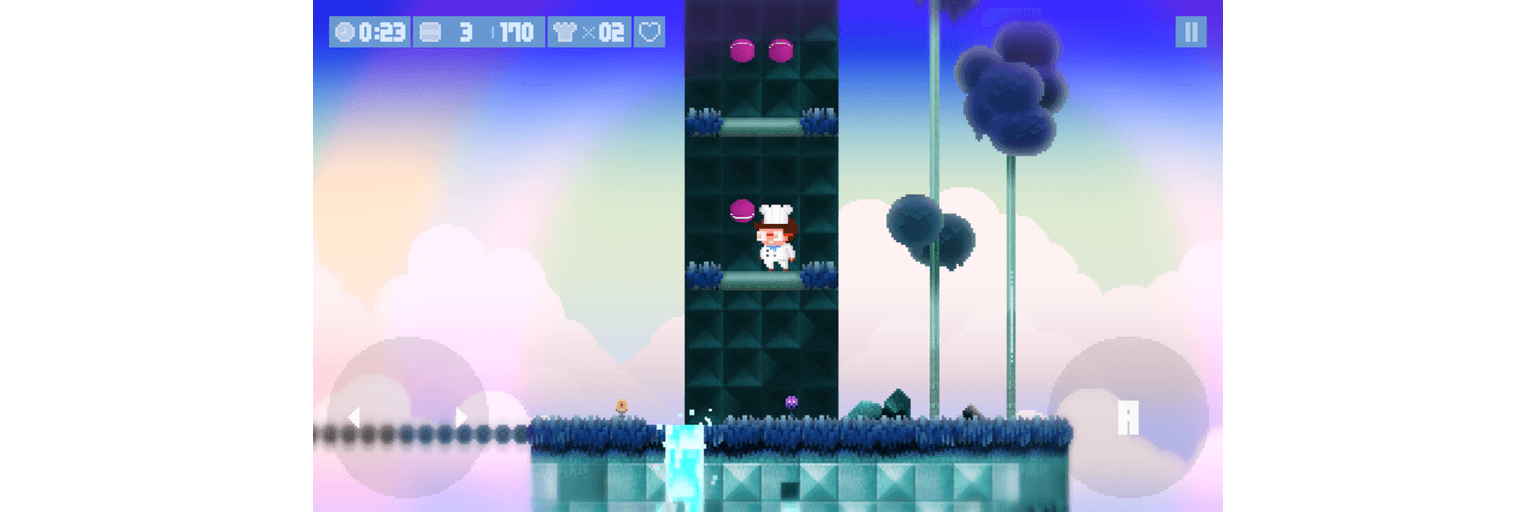
The controls of Le Parker are simple. You run forward and back by dragging a finger left and right across a button in the lower, left-hand corner of the screen. In the opposite corner is an ‘A’ button for jumping. Single tap for one jump and double tap to double jump. How high you jump depends on how long you press the ‘A’ button.

Along your journey, there are macaroons to collect instead of coins. Every 100 macaroons you collect gives you an extra life, which you’ll need. There are also special items scattered throughout the level, including chef hats that give you an extra life and hidden kitchen utensils. Enemies roam Le Parker’s world inflicting damage that can be healed by finding hearts.

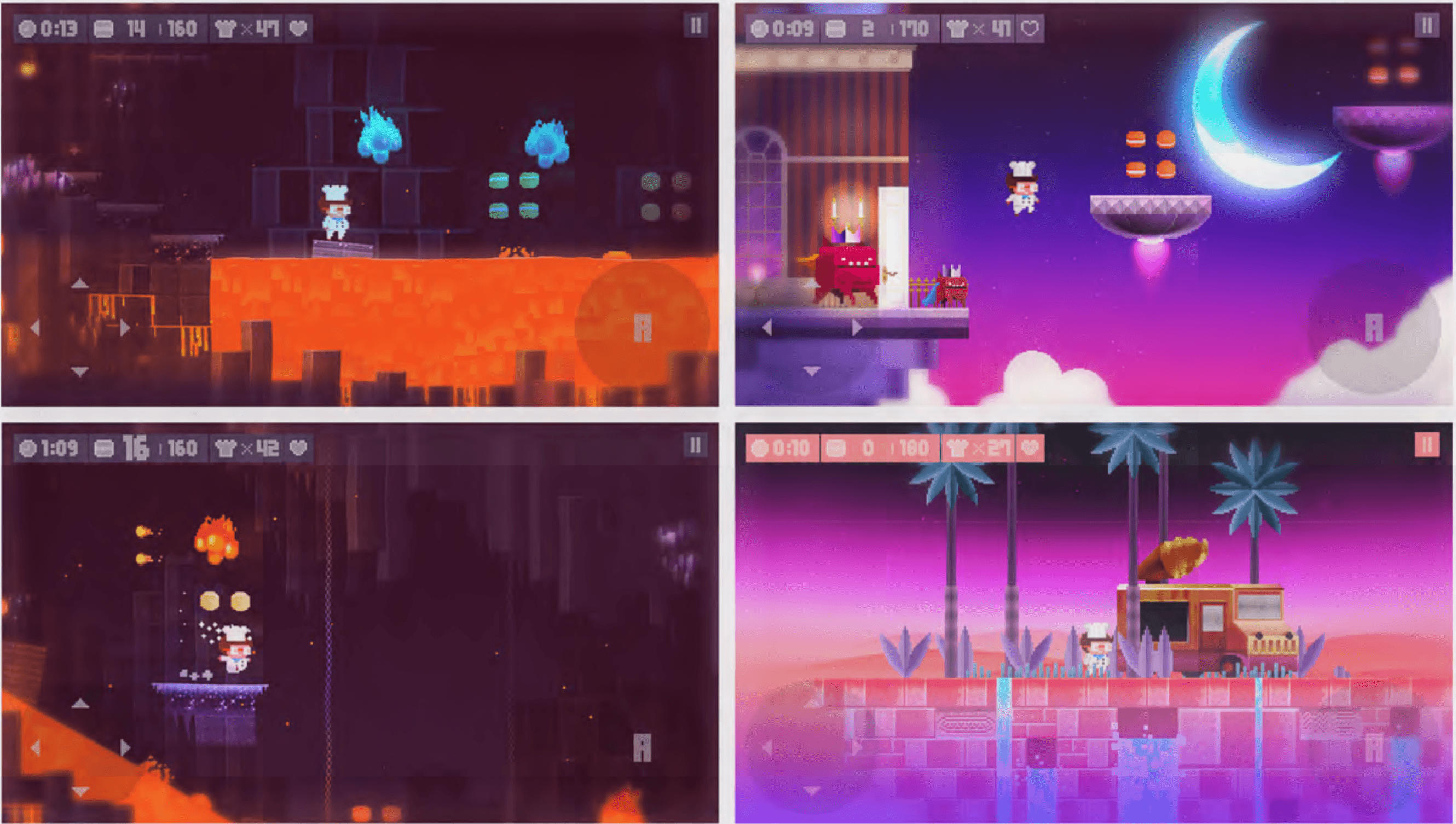
I’ve played many iOS games that look better than they play. What’s special about Le Parker is that there’s substance behind the polished artwork. Each of the 32 levels is deep and designed to keep you coming back to find hidden collectibles or beat the clock with Time Attack challenges. That said, this game is also great to look at. It’s colorful, detailed, and creates a real sense of continuity and presence in Le Parker’s world. Add to that a soundtrack with over twenty songs and the result is a delightful and engaging experience.

Le Parker is a universal app that works equally well on iPhones and iPads, though the iPad’s larger screen helps bring the game to life. Unlike many games, Le Parker syncs your progress among multiple devices. Le Parker also supports the Apple TV. I have found precious few games that are worth playing on the Apple TV, but Le Parker stands out from the crowd. The levels look great on a big screen, but the clincher is that if you have a third-party controller, the controls work better than most games. Mashing a physical ‘A’ button and controlling Le Parker with a thumbstick makes the game feel more like a classic platformer than touchscreen buttons ever could.

If you’re a fan of platform games and especially if you want a challenging game that looks and sounds great, give Le Parker a try this weekend.

Le Parker – Sous Chef Extraordinaire is available on the App Store for $2.99.


Television Time Review: A Modern Guide to TV

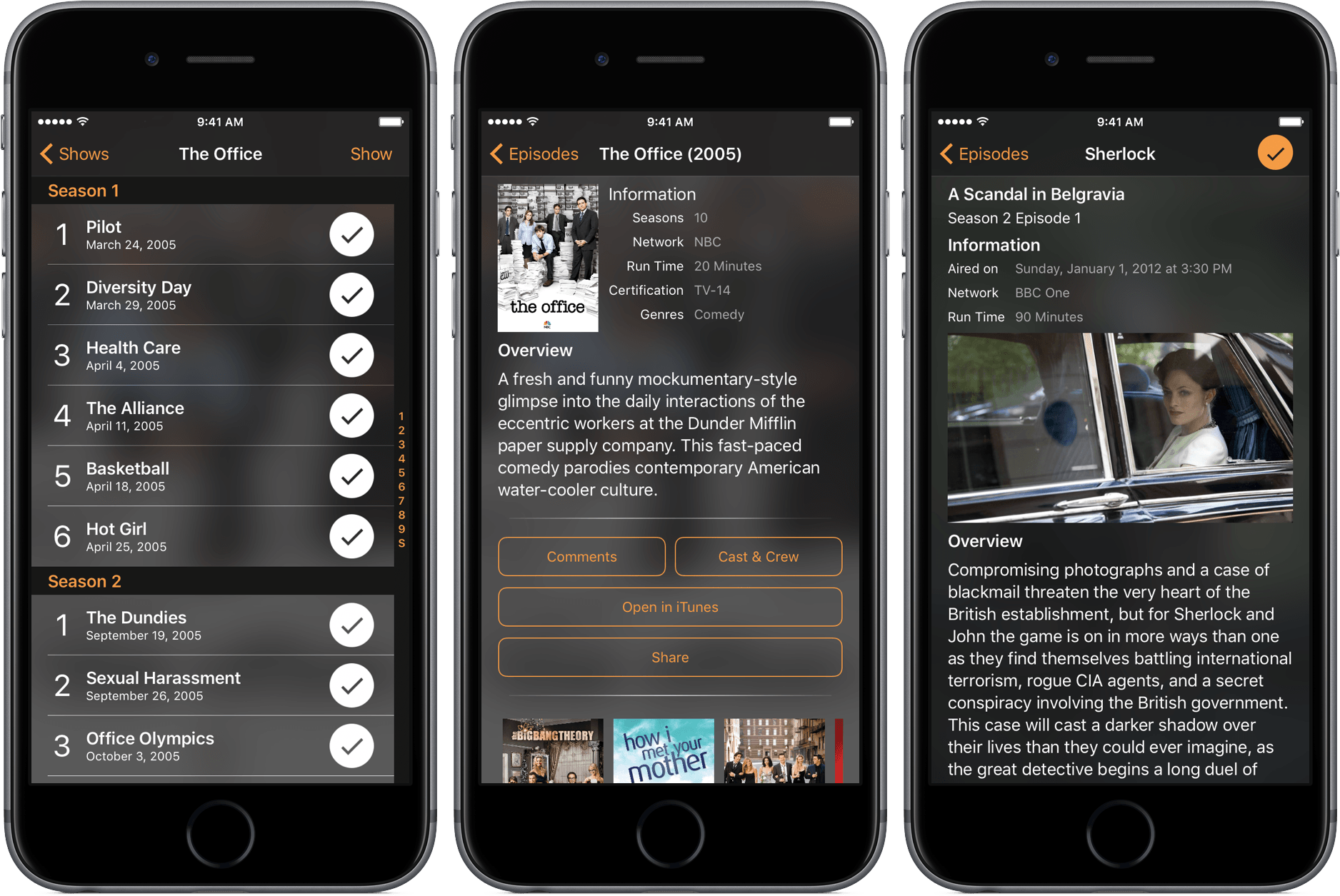
Many years ago, weekends at my grandparents’ went like this: flip on the TV, peruse through all the channels hoping to find something I like, and eventually hand over the remote to my grandfather, when he would then search the paper TV guide for that night’s programming.

The days of using those guides are long gone, but the need to see what shows are coming up is still relevant. For that, I’ve been using Television Time, a beautiful TV guide for iPhone, iPad, and Apple Watch.

Read more


Twitterrific Adds Enhanced Media Browsing with Center Stage

Twitterrific 5.16 is out with a new media browsing feature called Center Stage. The feature, which has multiple entry points in the app, lets you dive into images, GIFs, and videos without losing where you were reading in your timeline. I like the design of Center Stage a lot and appreciate that it’s been thoughtfully implemented to enhance the Twitter reading experience without getting in the way.

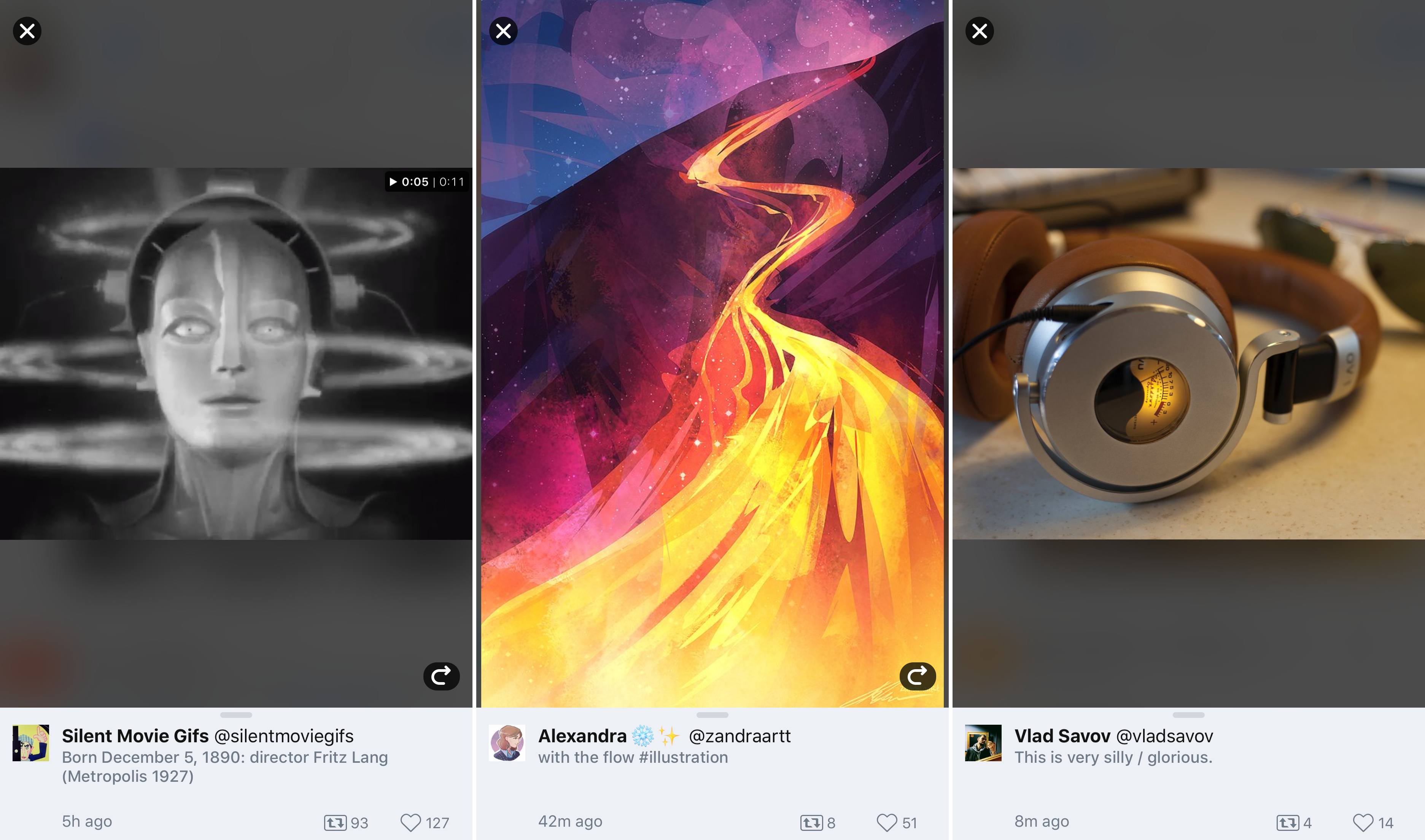
Center Stage is a parallel way to browse Twitter focused primarily on media. One way to get started with the new feature is from the top of your timeline. If you tap the icon to the right of the search box that looks like as stack of photos, the most recent media in your timeline will animate into view from the bottom of the screen on a dark translucent backdrop with the related tweet at the bottom of the screen.

To navigate Center Stage, you swipe left or right through media. The options for interacting with tweets in Center Stage are more limited than from your regular timeline, but you can still retweet and like tweets. Depending where you enter Center Stage, a rewind button will appear on the left or right that takes you to where you began browsing media. In addition, tapping on the screen hides onscreen controls so you can focus on the media without any distractions.

From Center Stage, swipe down to dismiss the tweet and tap to hide controls.

From Center Stage, swipe down to dismiss the tweet and tap to hide controls.

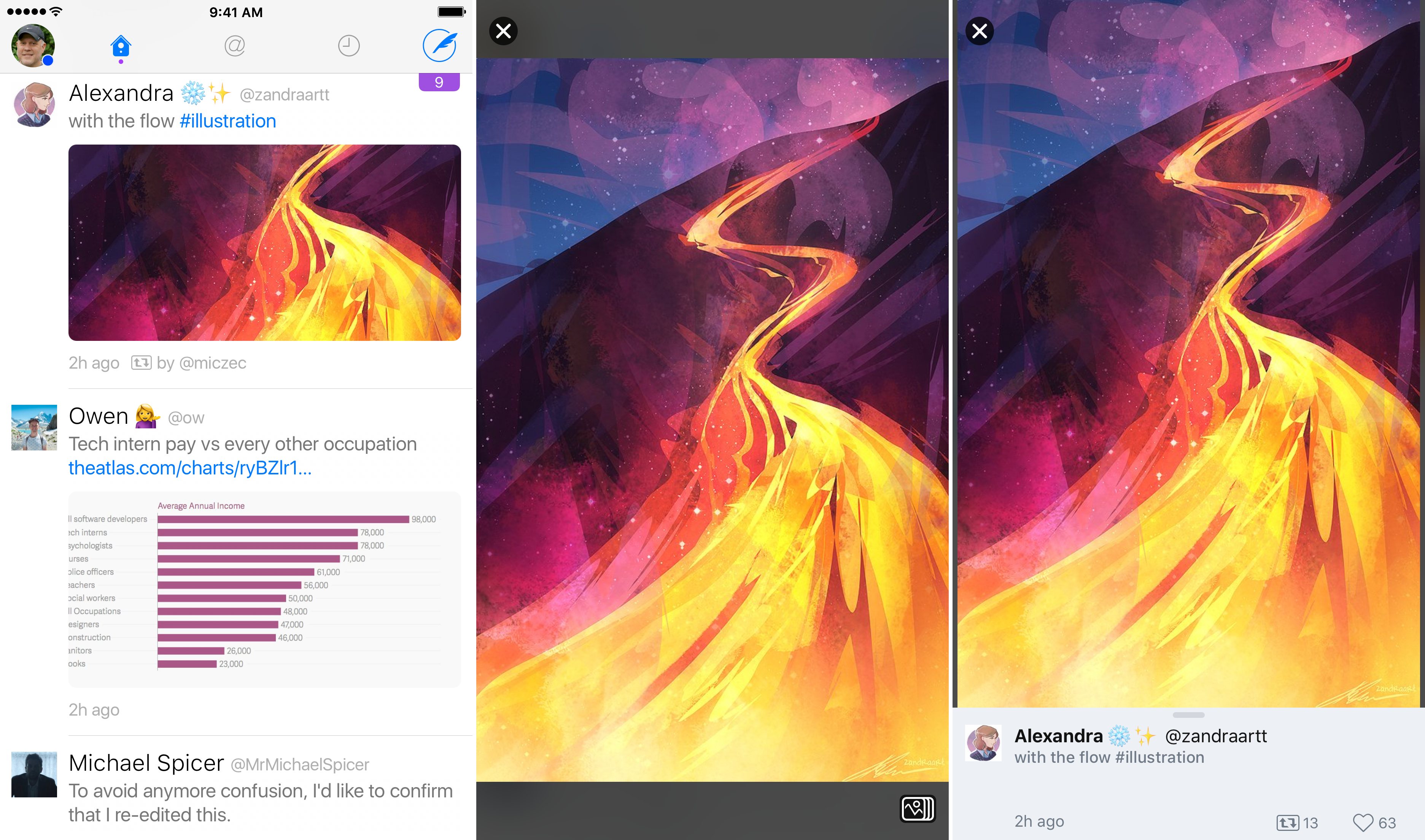
The tweet at the bottom of Center Stage can be dismissed with a downward swipe leaving just the media. When a tweet is dismissed, the Center Stage icon appears in the lower right-hand corner of the screen. That’s because dismissing the tweet takes you out of Center Stage and into the standard media-preview mode. Tapping or swiping a media preview closes the view and returns you to your timeline. To jump back into Center Stage from preview mode, just tap the Center Stage icon. You can also exit from Center Stage and return to your timeline by tapping the close icon in the top-left corner of the screen or tapping the tweet at the bottom of the screen.

Another way to enter Center Stage is from a media preview. Instead of scrolling to the top of your timeline, you can preview something from anywhere, tap the Center Stage icon, and the related tweet will animate into view, ready for you to swipe through the surrounding media. Center Stage is also available from user profiles. If you tap on a media thumbnail in someone’s Twitter profile, Center Stage opens, immediately allowing you browse among the photos, GIFs, and videos someone has posted with the added benefit of the related tweets.

Timeline, media preview, and Center Stage modes.

Timeline, media preview, and Center Stage modes.

Center Stage is great for casual browsing of media in your timeline, but I expect I will use it most at events like WWDC. When I’m in San Francisco for Apple’s developer conference, I don’t want to miss friends’ photos and videos of the event, but I also don’t have time to read every tweet in my timeline. With Center Stage I can go straight to those photos and videos and dip into my timeline later when I have more time.

The Iconfactory has raised the media browsing bar among third-party Twitter clients with Center Stage. The feature does a fantastic job of working hand in glove with the traditional browsing experience, enhancing and supporting it rather than getting in the way.

Twitterrific is a free download on the App Store with In-App Purchases for certain features.


Game Day: Apollo Justice Ace Attorney

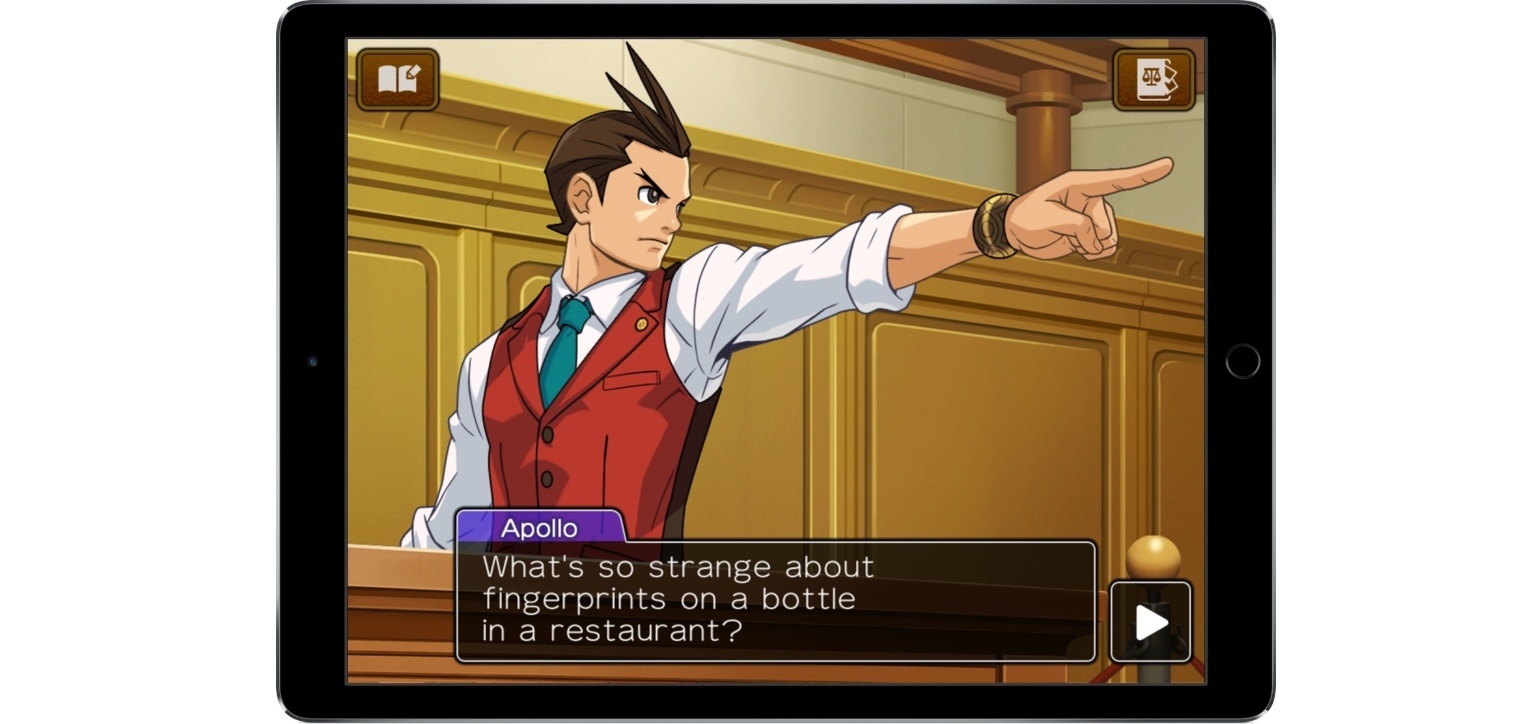
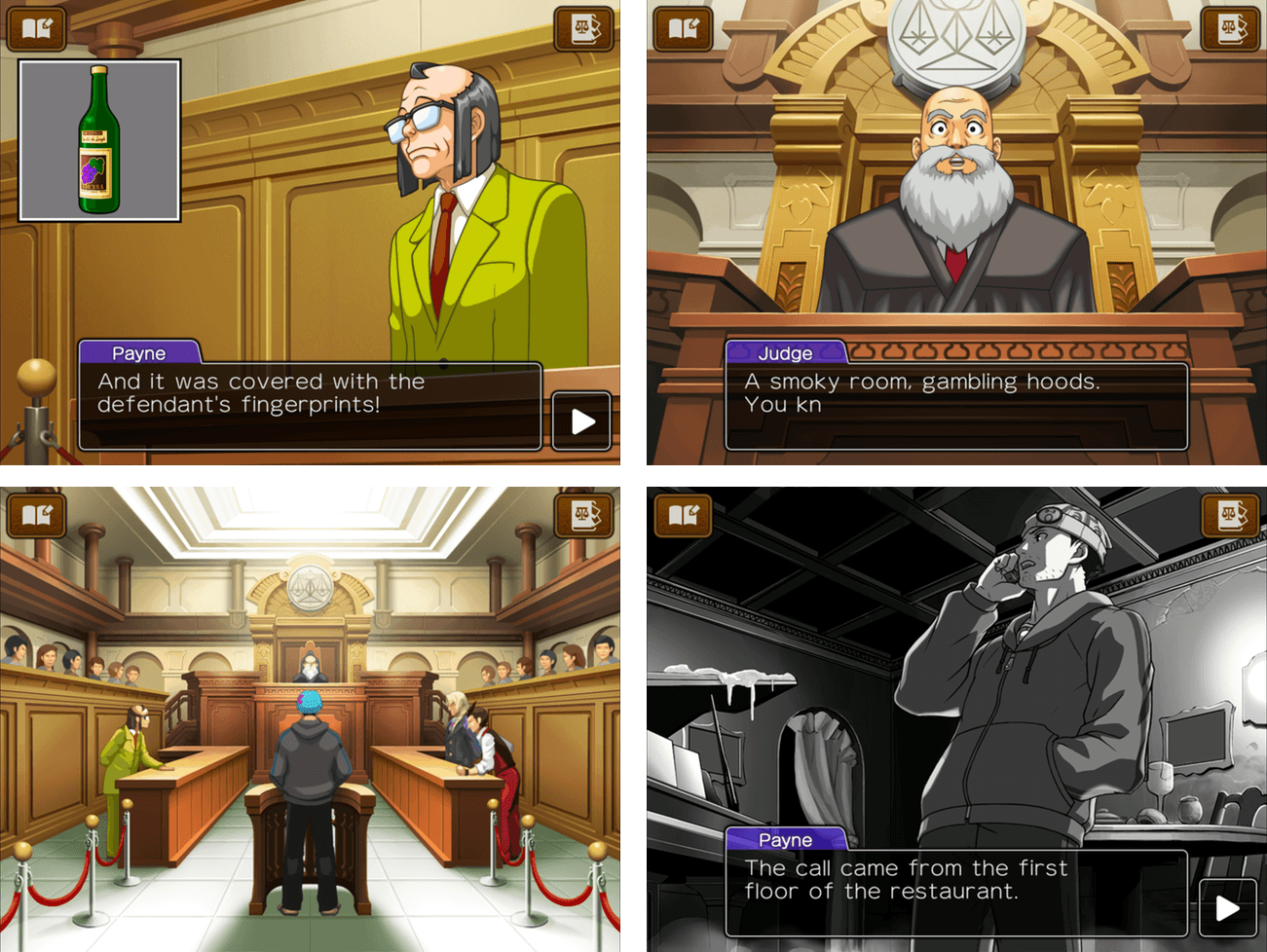
Apollo Justice Ace Attorney was originally released in 2007 by Capcom for the Nintendo DS in Japan. This week, it debuted on iOS, remastered to take advantage of the iPhone’s and iPad’s touchscreens.

Apollo Justice is the fourth game in the Ace Attorney series. In the earlier games, which are available as a single iOS app, you play as attorney Phoenix Wright, but in Apollo Justice, Wright has been disbarred and accused of murder. Your job as Apollo Justice is to defend Wright at his trial.

This is not your typical courtroom drama. The storyline and flamboyant characters are bit bizarre. Consider this Capcom description of Apollo Justice’s nemesis for instance:

Facing Apollo across the courtroom is the highly talented and flamboyant prosecutor Klavier Gavin who, in addition to being a legal genius, is also lead singer with Gavinners, a highly successful rock band with a string of hits to their name.

As odd as the backstory is at times, it’s a quirkiness that works, adding a level of humor and intrigue that held my interest.

The story of the murder plays out in and out of the courtroom as you tap through the dialogue among the characters. At numerous points during the trial, you have the opportunity to press witnesses for additional information. Along the way, evidence is also gathered that you can examine. When you discover a contradiction between the testimony and evidence, you present it to the judge who decides whether you have advanced your client’s case.

This isn’t a realistic courtroom simulation game and the story is better for it. Instead, the trial is the conceit for exploring a mystery. You’re challenged to think and examine details in a sort of interactive mystery novel. It’s a format that you can play through in a leisurely, self-paced way that I enjoyed.

I didn’t play the original Apollo Justice on the Nintendo DS. This is my first encounter with the game and the Phoenix Wright series. Comparing the iOS version to screenshots of the original, Capcom has done a great job updating Apollo for iOS, which should make the game a no-brainer for fans of the original series. But even if you are new to the franchise as I was, Apollo is worth a try at just $0.99 for the first half of episode 1 if you enjoy mysteries and puzzle-solving.

The first half of episode 1 of Apollo Justice is available on the App Store for $0.99. That’s more game for your dollar than it sounds like and plenty to determine if you want to play through the rest of episode 1 and episodes 2-4. The remainder of episode 1 is $1.99 and episodes 2-4 are $4.99 each, or you can buy everything for $14.99.


Partly Sunny Review: Weather Reimagined

When Apple introduced the App Store in 2008, much of the excitement spanned from the opportunities and functionalities these new apps would bring to the iPhone. Many of the first apps were forays into markets untouched by the stock apps – games, social networks, and read-it-later services.

Eight years later, the trends are different; with millions of apps covering almost every genre imaginable, a lot of this year’s best apps are refinements or new takes on the same functionalities some of Apple’s stock apps offer.

That’s where Partly Sunny comes in – it’s a weather app that, at first glance of its icon, looks almost identical to Apple’s Weather. But after tapping into it, Partly Sunny shakes the similarities and introduces a robust, beautiful new way to view weather information.

Read more


Spark Arrives on macOS

Competition among email clients on the Mac and iOS has heated up over the past couple of years. With that comes innovation, making email clients one of the most interesting app categories.

Today, Readdle released Spark for Mac, bringing its popular iOS email client to the Mac for the first time. Spark excels at bringing order to the chaos of your inbox and providing tools to help you quickly triage common types of email individually, or in bulk. But perhaps the greatest benefit of Spark for Mac is that it’s a solid free solution for fans of the iOS version of the app who felt constrained by the lack of a macOS version.

Read more


Game Day: Treasure Buster

Part 80s arcade game, part rogue-style dungeon crawler, and part pinball, Treasure Buster is a strange combination of game genres that work surprisingly well together. The result is an entertaining game that’s hard to put down.

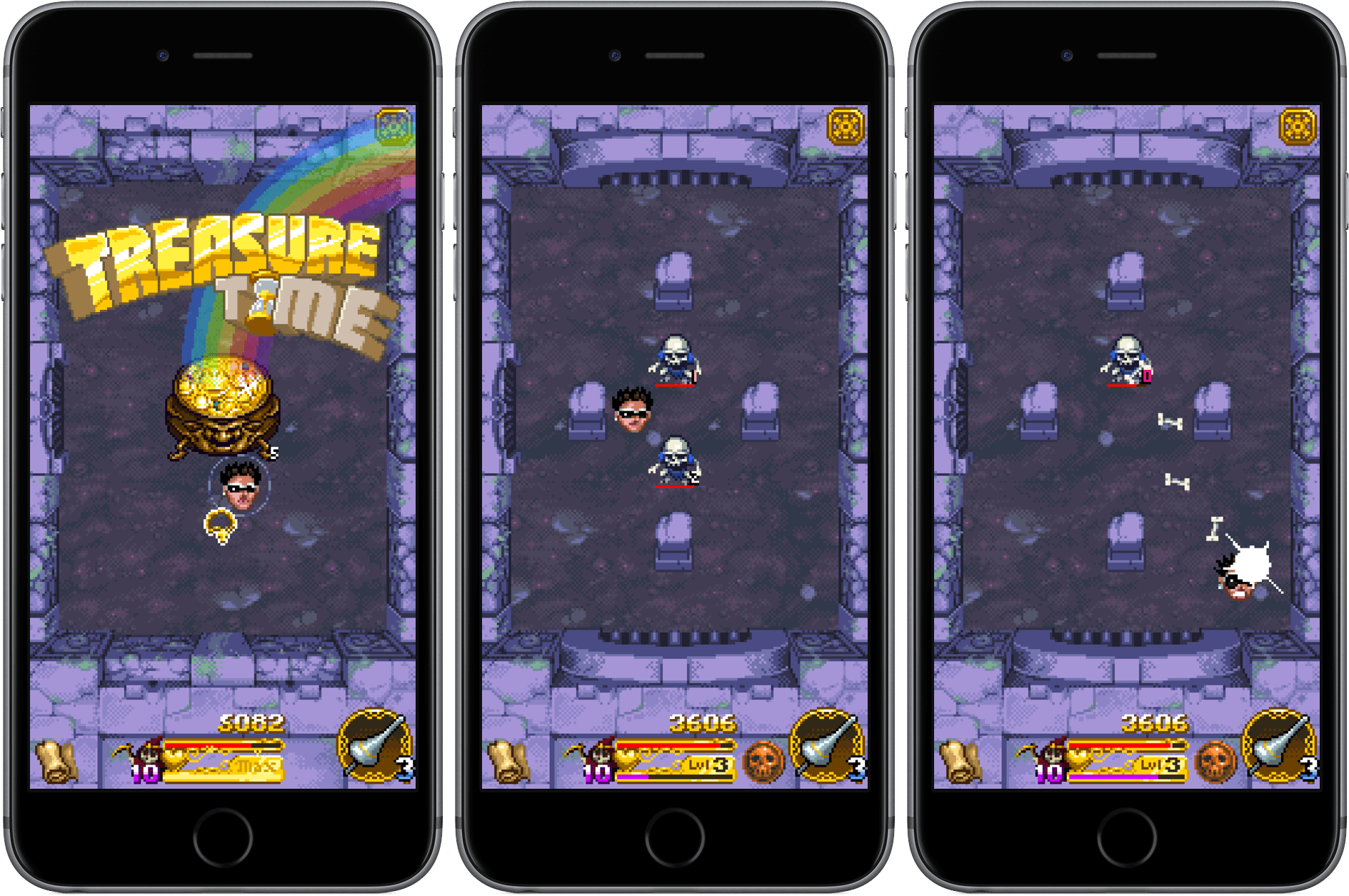
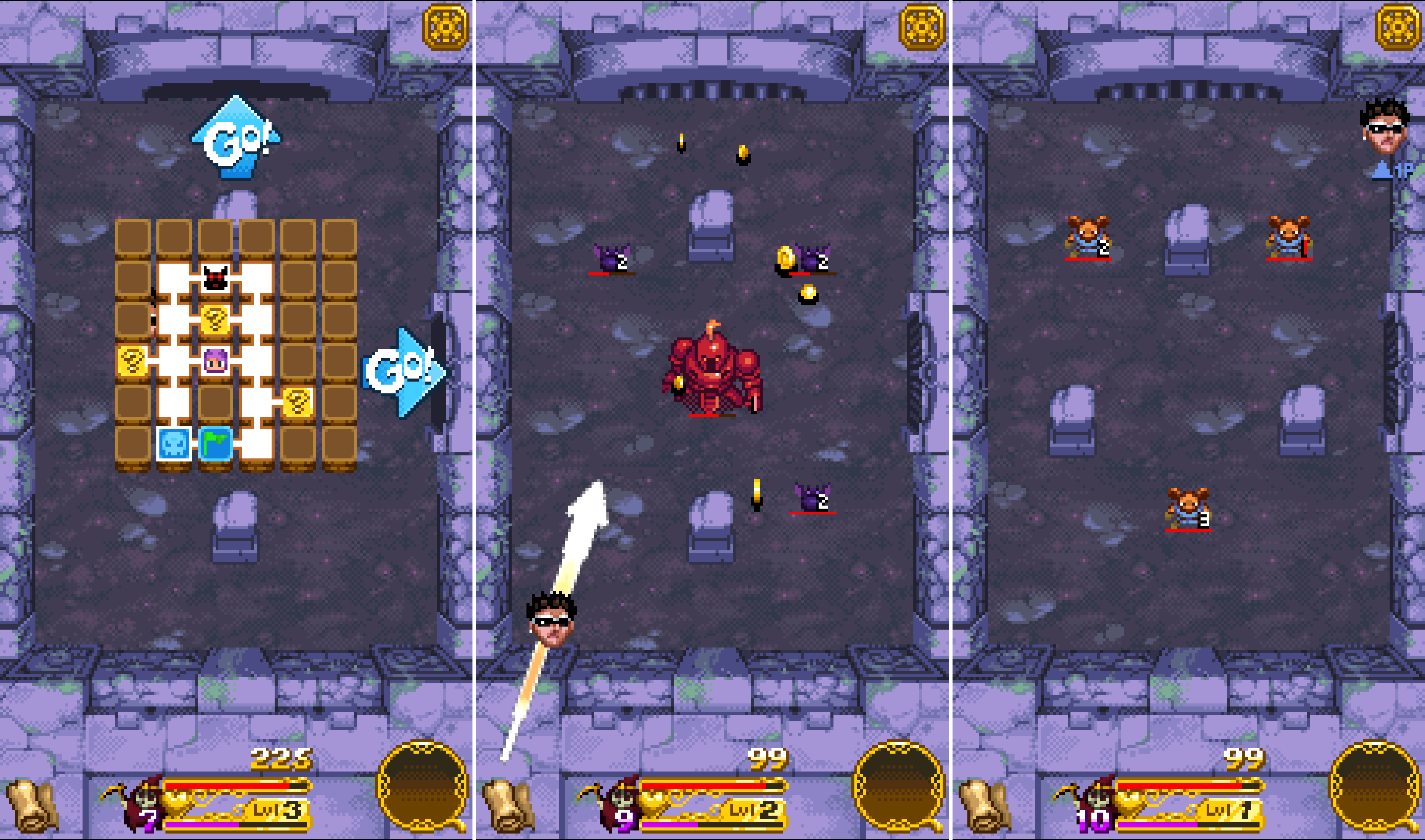
You play as one of six heroes who must defeat a series of enemies. Each hero has different traits that affect their performance in battle. When you enter a room in a dungeon, you start a battle by pulling back with a swipe on the screen Angry Birds-style to launch yourself at your enemies. When you let go, you bounce around like a pinball slamming into enemies and obstacles, shaking loose treasure from your foes, and collecting the loot.

Periodically, the enemies will stage their own attack, which causes damage to your hero. Clear a room of enemies and you can move to the next part of the dungeon to face new challenges and the occasional boss. Treasure you collect can be traded for new abilities, helping you survive the more difficult later stages. The game ends when you run out of health.

Treasure Buster has two modes of play – Arcade and Endless. In Arcade
mode you move around a map exploring each room of the dungeon. Endless mode eliminates exploration of the map, moving you from one room to another automatically and setting the difficulty level based on a coin flip. Of the two modes, I prefer Arcade where I feel more in control of the part of the game I try next.

The art of Treasure Buster has a retro-pixel style reminiscent of old arcade games. There is a lot of attention to detail at each stage of the game, including a wide variety of enemies, treasure and other elements that keeps the game entertaining.

Treasure Buster is Universal and equally playable on an iPhone or iPad. The mechanics are simple enough to play one-handed on an iPhone and the game is enjoyable in short bursts, though I’ve found it hard to play just one round. If you play Treasure Buster long enough, it can start to feel a little repetitive given the simplicity of the mechanics, but as a way to kill time and take short breaks from something else, Treasure Buster is a good choice.

Treasure Buster is available on the App Store for $0.99.


Game Day Holiday Bonus: Don’t Grind

It’s Thanksgiving Day in the US and there are games to play. Sure, those celebrating Thanksgiving should probably put their iPhones away and spend time with their families. But not everyone celebrates Thanksgiving, and even if you do, who doesn’t need a break at some point over a long weekend?

Don’t Grind by Laser Dog Games is the perfect game for just such a break. It’s easy to get the hang of, playable in short bursts, and a whole lot of fun. The goal of Don’t Grind is to keep a character bouncing in the air above two rotating blades. You do that by tapping and swiping on the screen. How high you bounce with each tap depends on the length of the tap. Swiping sends your character in the direction of the swipe. Fail to stay aloft and you are ground up by the blades ending the game.

As you bounce around in the air above two blades, you collect stars, which are converted into medals when the round ends with your character’s inevitable death. While you collect the stars though, you also need to avoid lasers, rockets, blades, and other obstacles that can hasten your demise. After collecting a certain number of medals you unlock additional characters to use in the game. There are dozens to collect.

https://soundcloud.com/roballison/dont-grind-me-away`

A game where your character is inevitably ground up between saw blades sounds gruesome, but it isn’t. Laser Dog has kept the tone light and fun. That’s accomplished through a bouncy, pop soundtrack and using silly inanimate objects as characters like a donut, banana, and boot. Each character has googly eyes that do a remarkable job of conveying dread and fear as the characters approach the blades. There are other nice touches such as the background scenery that matches the time of day you are playing, haptic feedback on the iPhone 7, and the ability to record and share gameplay.

Casual games that can be played one-handed are great for short breaks that can easily become long breaks as you try to beat your high score and climb the Game Center leaderboard. Don’t Grind succeeds with a challenging game that immediately endears itself to you with its quirky sensibilities and cute characters that have kept me coming back try to collect them all.

Don’t Grind is available as a free download on the App Store. A $1.99 In-App Purchase removes advertisements from between rounds of the game.


Game Day: RunGunJumpGun

RunGunJumpGun, by Canadian indie studio ThirtyThree Games, may be the hardest game I’ve played so far this year. The game requires precise timing and quick reflexes, which is something I’m not great at, but it balances the difficulty and gameplay so well, it’s more fun than frustrating. Instead of quitting the game exasperated, I found myself trying segments again and again each time my character died.

RunGunJumpGun has a crazy, colorful pixel art style straight out of a 90s platformer. You can tell that a lot of care has gone into every detail of each of the 120 levels. Everything around you is in constant, colorful motion, which adds to RunGunJumpGun’s complexity.

The game is an interesting synthesis of genres. Like an endless runner, your character moves to the right automatically. Get hung up on a wall and the scene overtakes you and you die. But RunGunJumpGun is more involved than a typical endless runner, adding elements of classic platformer games. Instead of just avoiding obstacles, you have to collect items to advance through the three worlds, fly to avoid things, and shoot your way through others.

You tap the left side of the screen to fly and the right side to shoot. It’s simple, but the fact that you can’t fly and shoot at the same time makes it hard to master the controls. Fly up avoid spikes and you can’t shoot. Start shooting at a barrier while you’re flying and you begin to fall. It requires a careful balance of both controls to make it through each level.

If you do hit a barrier, you die immediately. There is no concept of health, but dying doesn’t take you back to the beginning, just the last checkpoint you reached. That happens with a cool rewind animation that is so fast that it hardly feels like you died at all. You’re immediately thrown back into the game to try to advance further. The process is so seamless that I found I wasn’t bothered by having to repeat segments over and over until I made it to the next checkpoint or the end of the level.

RunGunJumpGun started life as a PC and Mac game on Steam. Developer Logan Gilmour told Engadget:

“We weren’t out to just make an infinite runner mobile game that’s run-of-the-mill,” said programmer Logan Gilmour. “We were hoping it would stand more among PC games than mobile games, but then play equally well on mobile.”

I haven’t played RunGunJumpGun on my Mac, but having played on my iPhone and iPad, ThirtyThree Games has definitely succeeded on mobile. I particularly liked playing on my iPad where I could tap on the far lower edges of the screen making it easier to see what was happening in the game.

RunGunJumpGun stands out among recent iOS game releases for its attention to detail and frantic pace. The game is undeniably hard, but also easy to get lost in for long periods. Even if twitchy, fast-paced games are not your thing, RunGunJumpGun is worth trying because it’s an example of one of the best games of its genre.

RunGunJumpGun is available on the App Store for $2.99. The Mac App Store version is $7.99.