This Week's Sponsor:

SoundSource

New Year, New Audio Setup: SoundSource 6 from Rogue Amoeba


Posts in reviews

Downwell Review: Fall Safely

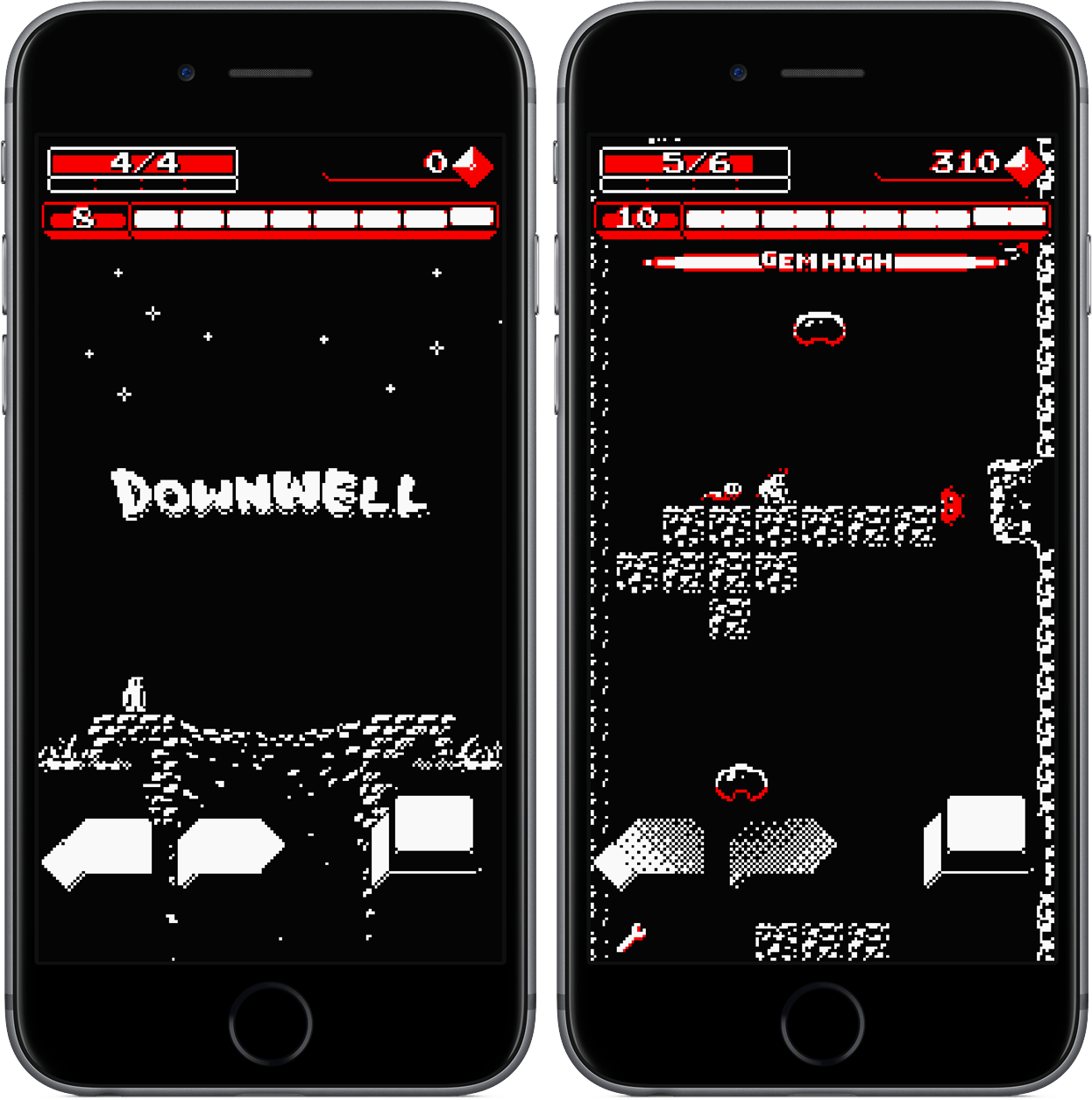
You’re in a park late at night when you stumble upon a large hole in the ground. Upon examining it, you realize that it is in fact a well – one that looks ominous in the darkness of the night. Of course, you wonder what lies in the well’s depths, but the echoes rising up from deep below send a shiver down your spine. What you’re hearing is not pleasant; it’s not human.

In this scenario, I’d venture to say that all of us would decide to ignore the well and move on with our night. But in Downwell, the protagonist must take a slightly different path. Instead of walking by, he straps on his gun boots and jumps into the hole, looking to defeat enemies and collect treasures.

And that’s where your action comes in – after guiding the character into the well, you’ll maneuver him to safety from stage to stage, hoping to minimize damage while capturing all the riches you can. All of this takes place in a retro-style, procedurally-generated game that’s incredibly addicting and one of my favorite iOS games I’ve played in a long time.

Read more


AirPods: Ushering in a Wireless Future

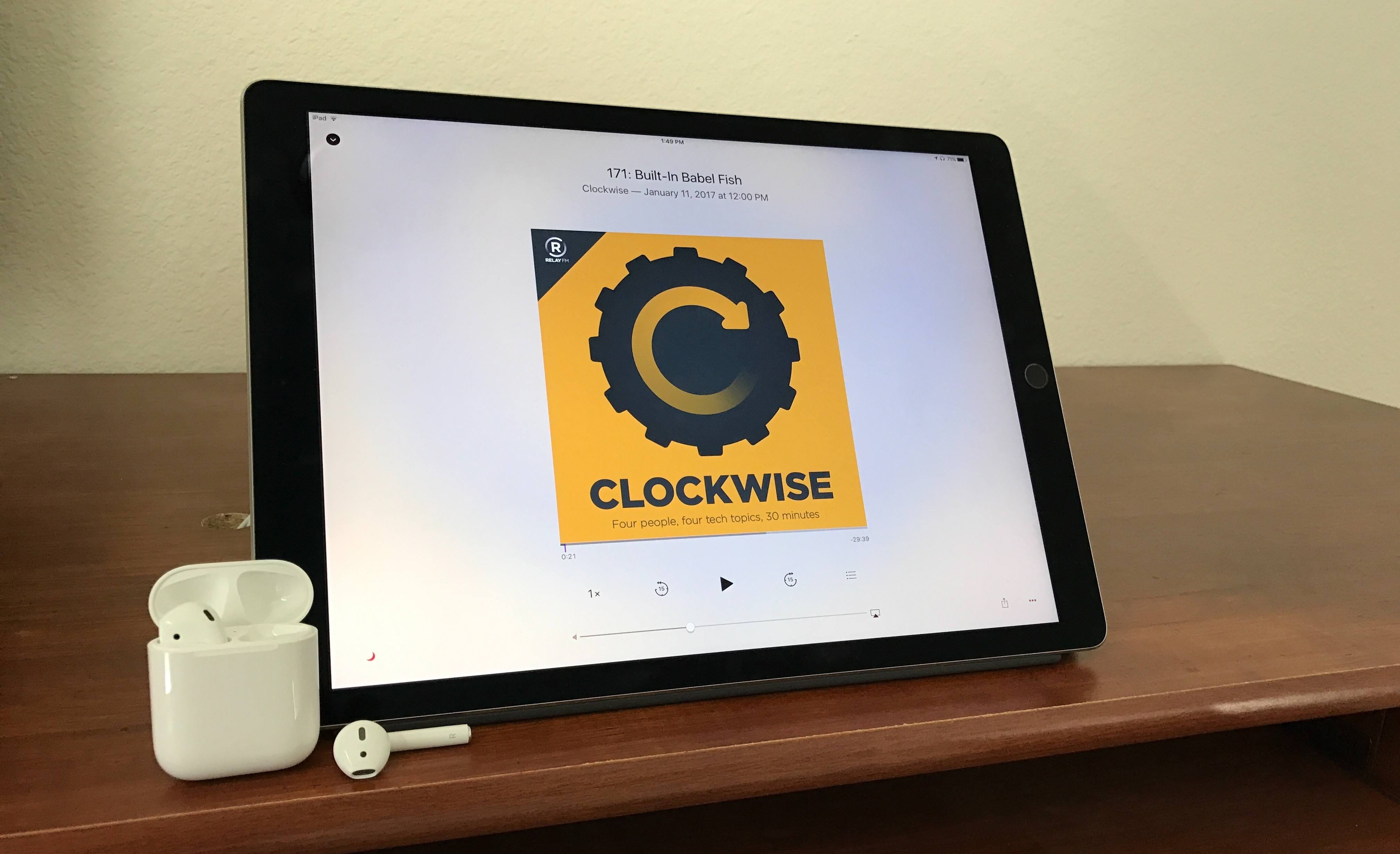
AirPods were announced at Apple’s September keynote, accompanied by a video introduction in which Jony Ive proclaimed: “We believe in a wireless future, a future where all of your devices intuitively connect.” In other words, a future that goes beyond getting wires out of the way by creating experiences that are only possible with smarter inter-device connections.

AirPods entered the world on the heels of a controversial decision to remove the standard headphone jack from the iPhone. Connecting wired headphones to an audio source is a decades-old practice we’ve all grown used to, and while this type of connection is still possible on the iPhone via a Lightning connector, AirPods represent Apple’s efforts to move forward into a wireless future.

Though wired headphones are dead simple to use, no one can deny that they do get in the way in a material sense. We’ve all experienced the frustration of cords that tangle, tug, and keep us tethered to our devices. Even the most passionate wire-supporters among us are familiar with these challenges. Wireless AirPods were designed to make such issues ancient history, while simultaneously mitigating the negative trade-offs that are typically associated with Bluetooth headphones.

Technology is at its best when its net gains make you forget about any net losses. Traditional Bluetooth headphones have done a relatively poor job at this, plagued by poor battery life, unstable connections, and often, high cost. So Apple’s challenge with AirPods was to achieve what its competition had not: create a device whose benefits over wired earbuds greatly outweighed its drawbacks.

After nearly a month with AirPods under my belt, I believe the company succeeded.

Read more


Game Day: Open Bar

The App Store is running a feature called ‘The best games you’ve never played,’ which is a nice way to promote games that may have slipped under your radar. One game in particular caught my eye: Open Bar by Gingear Studios, which was originally released in early 2016 and went on to win a PAX East Indie Showcase Award.

Open Bar is a classic iOS puzzle game involving color and shape matching on an irregularly-shaped grid. The goal is to form bars of matching colors that reach across the entire board. Bars cannot be finished with just the pieces on the board, however. You have to place pieces from the bottom of the screen onto the board too. What’s tricky is that when you move a piece that is already on the board to another spot, the next available piece on the bottom of the screen automatically takes the original position of the piece you moved.

That may sound a little complex, but it isn’t. Open Bar does an exceptional job of introducing each of the rules of the game gradually through a series of simple levels. If you get stuck, there’s a hint system built in that requires you to spend in-app currency. It isn’t currency bought with an In-App Purchase, though. Coins are earned by completing puzzles and can be used to buy hints or new color themes. Because the coins you earn are limited, it pays to keep some in reserve for when the levels get harder.

Open Bar’s design is excellent. The color schemes are loosely based on classic cocktails. Bubbles rise in the background of each level behind the board that seems to pop off the screen thanks to drop-shadows that create a layered effect among the game’s elements. The visuals are complemented by entertaining animations and sound effects that remind me a little of similar touches used in Letterpress.

Gingear Studios keeps Open Bar fun and low-stress by not telling you how many levels there are in the game. You can go back and retry levels, which is one way to earn coins for hints if you run out, but you can’t skip forward. Each level can be completed in just a few moves, so it’s also the kind of game that can be played in short sessions when you’re bored, which I also appreciate.

There are a lot of puzzle games on the App Store, but Open Bar strikes a unique balance between smart gameplay and a fresh design that makes it stand out from its peers. Open Bar is available on the App Store for $1.99.


Switch Your AirPods Connection Easily with Tooth Fairy

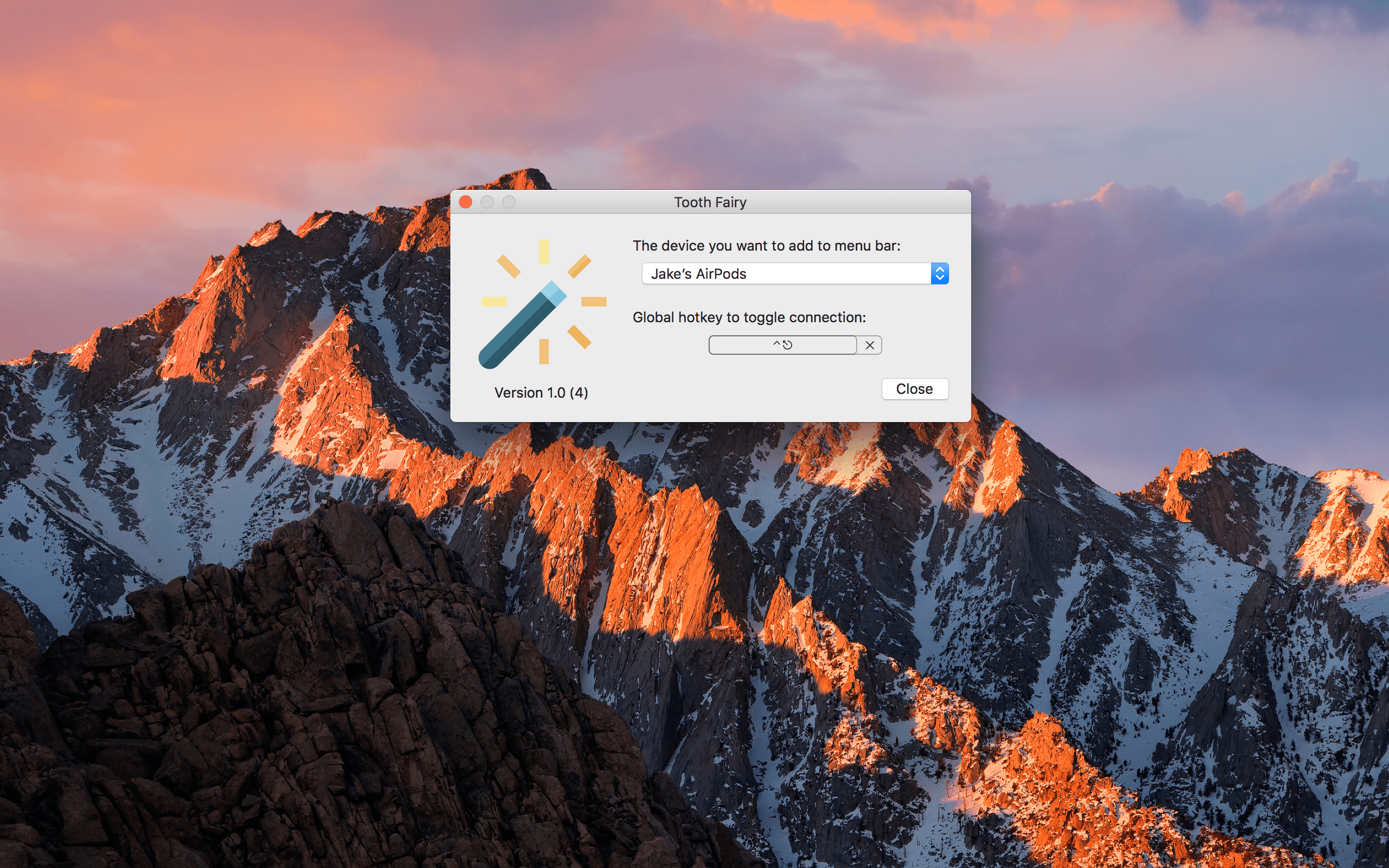
It’s become no secret that I, along with countless others, am absolutely in love with my AirPods. I’ve only had them for a couple of weeks, but I’ve already built a habit of keeping them in my ears for hours on end, switching between my iPhone and Mac to catch up on podcasts, listen to music, and watch YouTube videos.

And while one of the best parts of AirPods is that they are already set up on all your iCloud devices after the first pairing, the need to dive into the Bluetooth menus to connect them on the Mac can waste a frustrating few seconds. For a much quicker and more convenient switching process, I’ve been using Tooth Fairy on the Mac.

Read more


Terminology: A Comprehensive Research Tool for Words

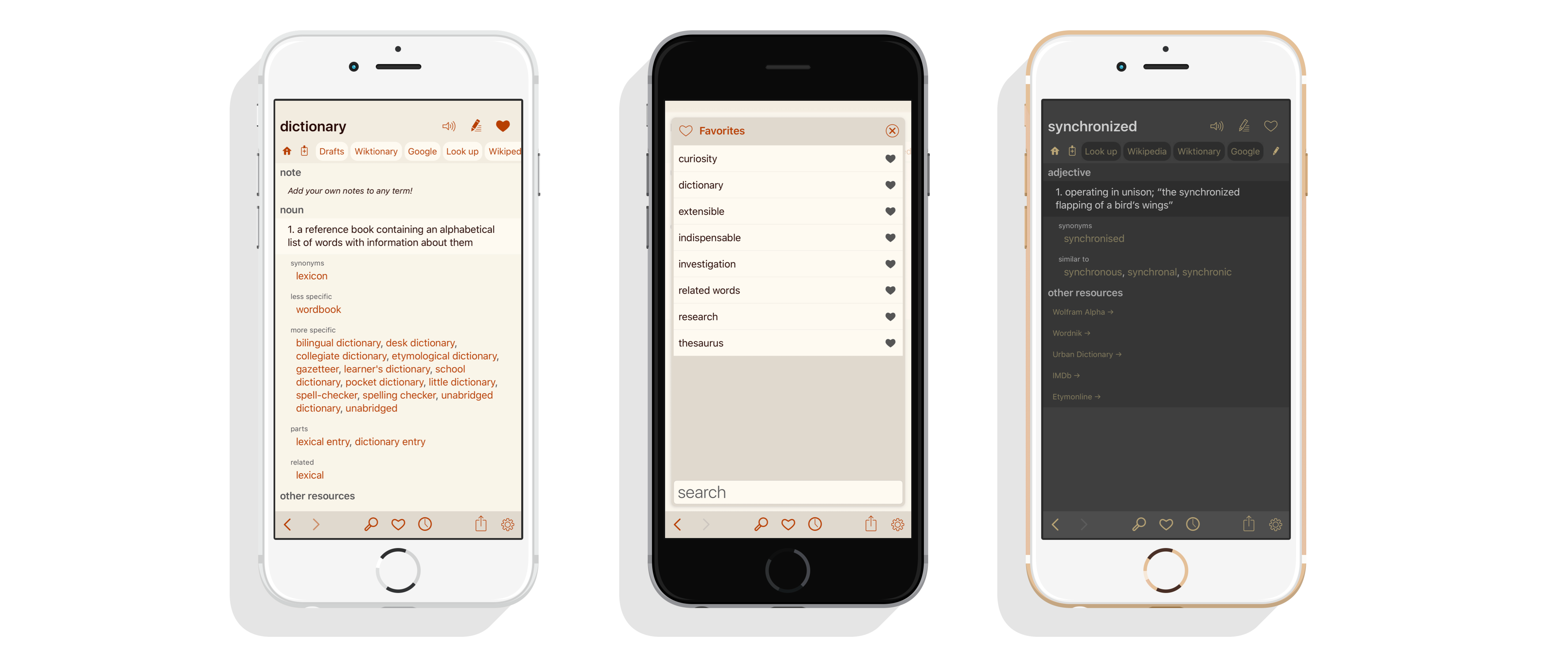
I’ve been a fan of Terminology by Agile Tortoise since it debuted in 2010. There are a lot of dictionary apps on the App Store, but most are bloated messes that foist multimedia experiences and games on me when all I want is a definition or synonym. Terminology has alway been just about words. With today’s update, the app has been redesigned from the ground up with new features that make it a must-have research tool for anyone who writes.

Read more


HealthView Review: Your Customized Health App

When it comes to health information on my iPhone and Apple Watch, I’m about as mildly interested as it comes – while I enjoy glancing at the metrics and measurements displayed on the Apple Watch, I usually stay away from the iPhone’s Health app.

There are two primary reasons for this: the Health app is pretty cluttered; and Health often gives me information that I really don’t care about. I’d like a “less is more” approach.

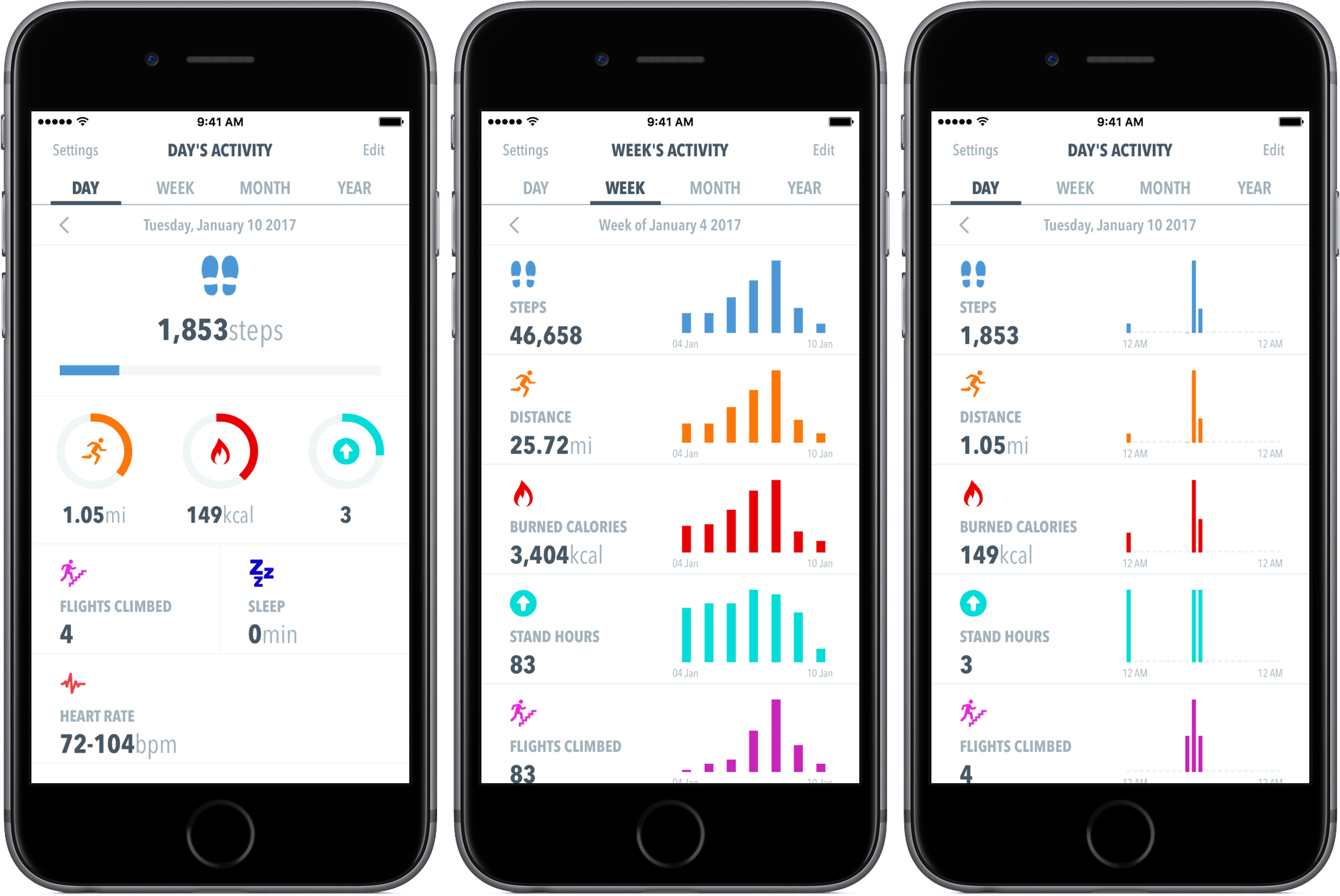
HealthView offers exactly that – rather than providing you information scattered throughout the app, you choose what you want to see, how you want to see it, and when it appears. Although it’s not as robust as Apple’s Health, HealthView may just be a better fit for your needs.

Read more


Game Day: Island Delta

Island Delta is an action-packed puzzle game from indie development studio Mantisbite and Noodlecake. The game follows heroes Zoe and Baxter who are on a mission to save Zoe’s robot, Harold, from the evil Dr. Gunderson.

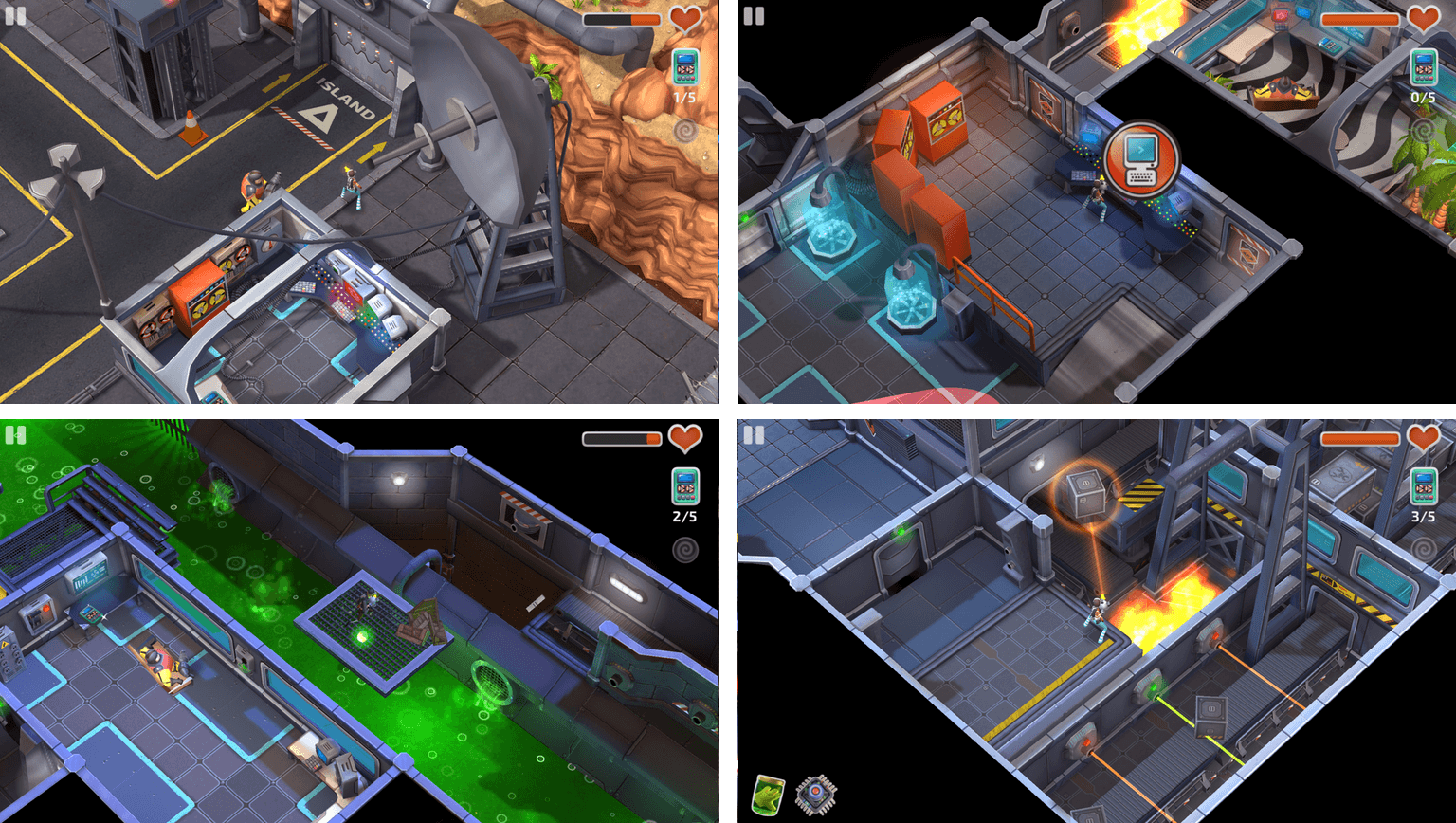
The universal app looks great on an iPad where the high-resolution graphics and silky-smooth animations can be appreciated to their greatest extent. You are Zoe or Baxter depending on which level you’re playing. In all, the three-fourths perspective game has thirty levels spanning five chapters. Although there is an ‘iCloud save’ setting, which I assumed saved progress and synced it to multiple devices, I was unable to sync progress from my iPad to my iPhone.

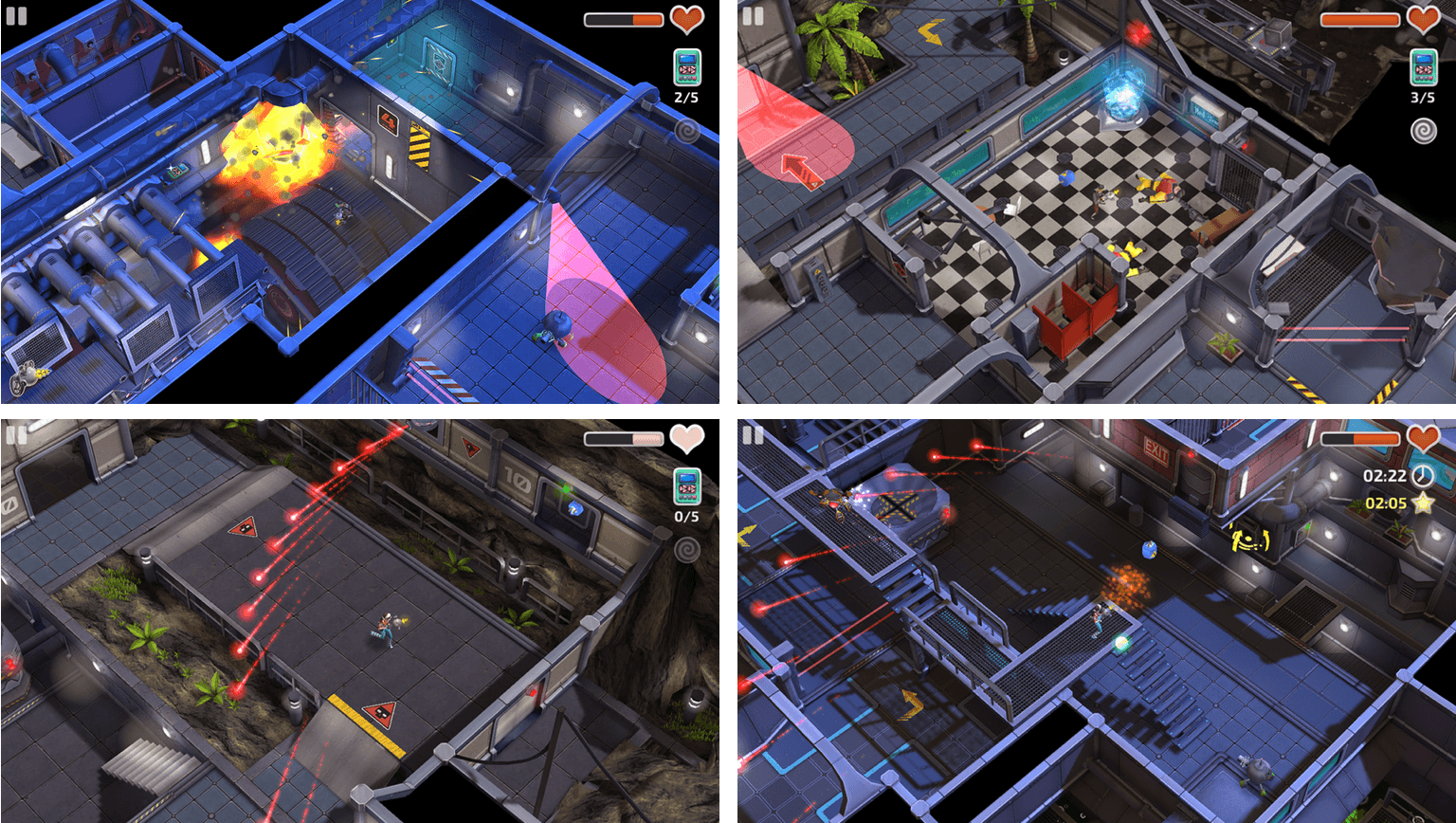
The game starts on Dr. Gunderson’s island stronghold, which is protected by robots, lasers, and other defenses. You must solve a series of puzzles to advance through the levels while avoiding Gunderson’s minions. The primary tool for interacting with your surroundings is an anti-gravity gun. Tap on something to pick it up, then tap again where you want to throw it. You can toss enemies to defeat them, batteries into power panels to activate doors, and boxes onto platforms to trigger switches. The anti-gravity gun is fun to use and a nice touch that sets Island Delta apart from similar games.

The controls for moving around each level are probably the weakest aspect of Island Delta. You have a virtual joystick under your finger that you drag in the direction you want your character to move. It works but can be frustratingly imprecise at times.

Island Delta’s storyline is engaging, and the pace was comfortable. There are no timers or other mechanics that force you through levels, which I appreciate. The game also includes collectibles throughout that open up secret areas in the game and are an incentive to explore and enjoy each level thoroughly.

Island Delta is one of the best-looking iOS games I’ve played recently. The game is infused with lighthearted humor and a soundtrack that give it a retro-futuristic spy vibe. It’s fun and exciting without the stress of gameplay mechanics that force the pace. Although the controls for navigating levels could be better, the puzzles, artwork, and other aspects of Island Delta make up for those shortcomings.

Island Delta is available on the App Store for $2.99.


Time Review: Powered by AI and You

The story of Time is one that you’d expect to hear on stage at WWDC: two teenage developers, Shaan Singh (17) and Erik van Der Plas (15), create an app to help you be more productive. It’s upvoted on Product Hunt almost 650 times in two days and climbs the productivity charts in the App Store.

But what is Time, and what do two teenagers know about being productive in your work?

Let’s find out.

Read more


Weather Line Update Adds Today Widget and 3D Touch Quick Actions

Weather Line, one of my favorite iPhone weather apps, received its first update in some time today. Version 1.8 adds a Today widget, 3D Touch quick actions, plus bug fixes and design refinements.

Weather Line displays hourly, daily, and monthly high and low temperatures and predicted conditions as a graph at the top of the screen. Additional weather data supplied by darksky.net and a panel that can be pulled up to show any short-term predicted precipitation are available on the bottom of each screen. You can choose among the weather for your current location and any cities saved in the app by swiping left and right among them.

Weather Line has come in handy time and again, living in a city like Chicago where the temperature can change dramatically from hour to hour. That’s why I was happy to see the app add a Today widget. The widget displays a graph of the current and projected temperatures and conditions for your current location for the next ten hours. As with all widgets, Weather Line’s has a compact and expanded mode. I prefer the expanded mode, which gives the graphs more vertical space to visually communicate temperature changes, although collapsing the widget is a good way to save space for other widgets.

Weather Line has also added 3D Touch quick actions to its Home screen icon. If you have an iPhone that supports quick actions, pressing on the app’s icon displays the same widget, as well as shortcuts to the hourly and daily conditions for your current location and the weather for the two cities at the top of your saved locations list.

Weather Line quick actions and the widget expanded and collapsed.

Weather Line quick actions and the widget expanded and collapsed.

The update to Weather Line includes several other small tweaks. For instance, the app now uses the San Francisco typeface, which makes text pop a little more on each screen. Also, navigating between cities can now be accomplished by swiping anywhere on the screen, except in the hourly view where swiping left and right on the graph scrolls it horizontally. Previously, you couldn’t swipe on any of the graphs to switch locations. Location search has also been improved.

I’ve always relied on multiple weather apps for different circumstances. The clean, simple design of Weather Line has a timelessness that has kept it fresh and among my favorites despite infrequent updates. Nonetheless, it’s good to see Weather Line expand into widgets and 3D Touch, which make it easier than ever to access its graphs. I would love to see the app’s reach extended even further to the Apple Watch and iPad in coming updates.

Weather Line 1.8 is a free update to existing customers and is available to new customers on the App Store for $2.99.