
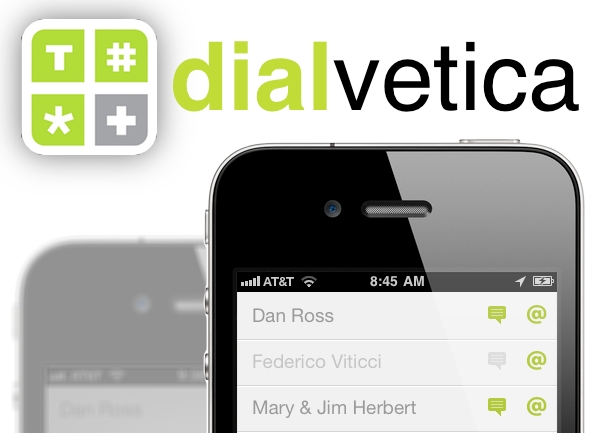
Mysterious Trousers, the makers of Calvetica, released a new pair of pants last week called Dialvetica, an app for quickly accessing contacts. It lets you call, text or email someone in just two quick taps. “This is not a contact manager, it is a contact contacter.” Let me explain exactly what they mean.
Posts in reviews
Dialvetica - Call, Text or Email in Two Taps
MacStories Weekly Game: ChuChu Rocket! HD
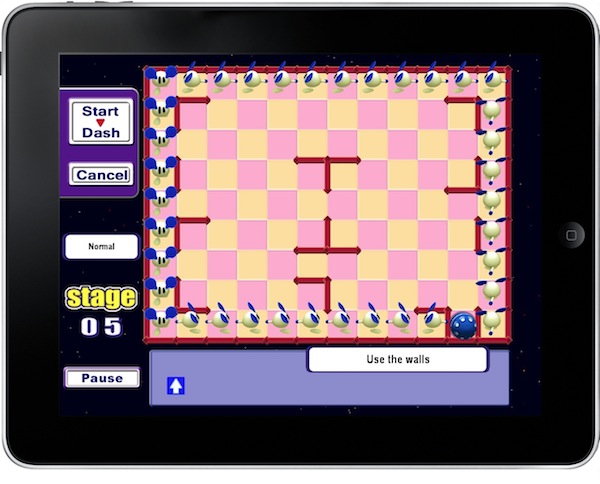
I never had the chance to play the original ChuChu Rocket! 10 years ago on the SEGA Dreamcast. I didn’t have a Dreamcast back then. In fact, I think I was playing with the PSX back in 2000, and I’m sure I had a Game Boy Color. A few years later I bought the GBA, a Game Cube and a PS2 – but I never bothered grabbing a Dreamcast to check out the gems released by SEGA and other 3rd party developers. I regret that, mostly because I’m still lacking knowledge in true masterpieces such as Shenmue (although this one’s been re-released on the Xbox) or Jet Set Radio.
Luckily enough for me, looks like iOS devices are somehow here to save the day and allow us to re-enjoy games first appeared years ago and now ready to come to life again under the power of multi-touch. That’s exactly what’s happening with ChuChu Rocket! HD for iPad: released a decade ago and subsequently redesigned to appear on the Game Boy Advance, the game’s now running on the iPad taking advantage of its larger screen and touch controls.
So why is this a Weekly Game anyway? Because it’s as genius as it was 10 years ago, and it’s a truly addictive puzzle game. Read more
Times for iPad Updated: Meet Pulp, “Magical” News Reader
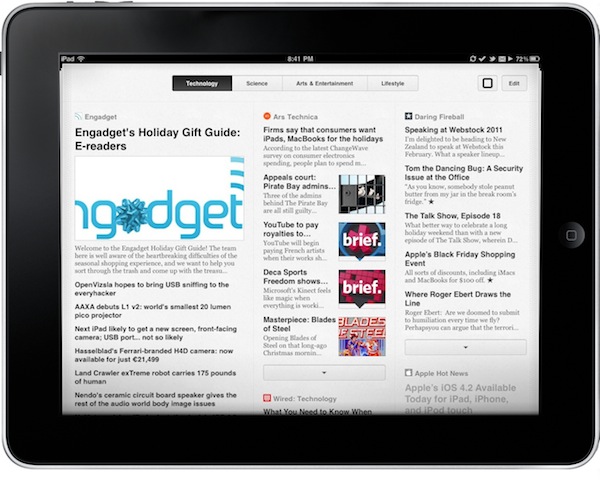
Times, a popular RSS app for the Mac developed by Acrylic Apps, made its way to the iPad with a beautiful mobile version known as Times for iPad which was a complete re-imagination and rewrite of the original desktop app, geared towards the new audience of “couch news readers” first discovered by the iPad itself. We reviewed Times for iPad when it came out:
Times is different from Flipboard. They’re different experiences with different goals. Times really is the ultimate visual newsreader for iPad and with Mac sync coming in Times for Mac 2.0 it’s going to be hard for all those other competitors to catch up. Once you see Times for iPad, you’ll understand that you don’t mess with an experienced OS X / iOS developer. Times is cleverly and beautifully crafted, it has its quirks and could use some additional online integrations – but it puts every similar app to shame.
Times for iPad was updated a few minutes ago, and it’s no longer known as Times. To stop dealing with media giants claiming the “Times” name was a no-no, Acrylic Apps changed it to “Pulp for iPad”. I’ve been beta testing the update for a while and it’s really good: most of all, because it brings a feature called “Magic Reader” which with the tap of a button will pull content from truncated RSS feeds and display it in-app. It’s fast (faster than web view), useful for 3G users and will piss off a lot of publishers. That’s what I call a great feature. Read more
The Cartographer Brings Beautiful Vintage Maps To The iPhone
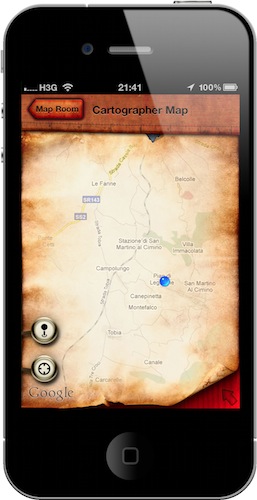
They say art is about the details, and geeks say the same about Apple’s products. Are Apple’s gadgets and computers a new form of art then? I don’t know, but sure they are an example of excellent industrial design that meets consumers’ tastes and needs. So what could ever happen if art as we know it joined Apple’s design as an app for the iPhone?
I’m pretty sure something like The Cartographer for iPhone would happen. A simple app that turns Google Maps into a beautiful experience based on the maps that once were. Read more
TaskForce: The Uber Minimal To-Do App for iPhone
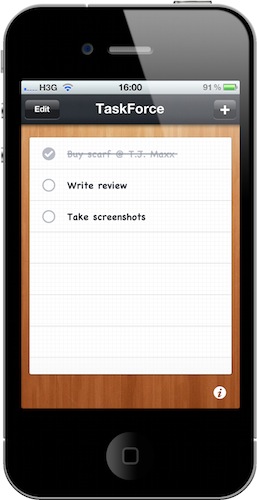
I love OmniFocus, but many of you guys probably don’t need its complex feature set and just would like to have a simple todo list app for iPhone. You know, something like a digital piece of paper where you can jot down tasks, mark them as complete and delete them.
That’s it, no contexts, projects, teammates or tags to choose from. Personally I wouldn’t go anywhere with such a system and I know there are thousands of apps similar to the one I’m going to write about available in the App Store – yet TaskForce is minimal and polished enough to deserve a mention.
TaskForce for iPhone is a simple and beautiful app that does just that: it allows you to create a list with tasks and delete them once you’ve completed them. Read more
Printopia: Finally An App That Lets Me Enable AirPrint On OS X
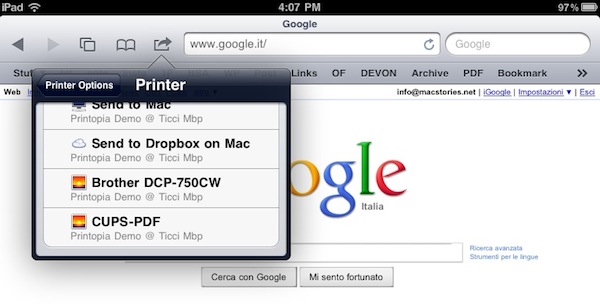
Since Apple removed AirPrint support from OS X 10.6.5 (we’re referring to support for shared printers, which was enabled in earlier 10.6.5 beta versions), many tweaks and apps to re-activate the functionality have surfaced on the internet. We’ve covered some of them, such as the AirPrint Hacktivator, but in my personal experience I’ve found these hacks to be unreliable at best. I’ve tried many of them, and I don’t know why – after some time they just stop working for me. Perhaps my local network isn’t stable enough, perhaps I have issues with 10.6.5. I don’t know. But thing is, these apps and tweaks stop working after a couple of print sessions.
Yesterday I found out about this new app for Mac, Printopia, which the Ecamm developers tout as the simplest way to enable AirPrint for every printer you have configured on your Mac, together with the possibility to print from an iOS device to a local directory on your Mac and Dropbox. Read more
gDocuments: Open and Create Google Docs On Your iPhone and iPad
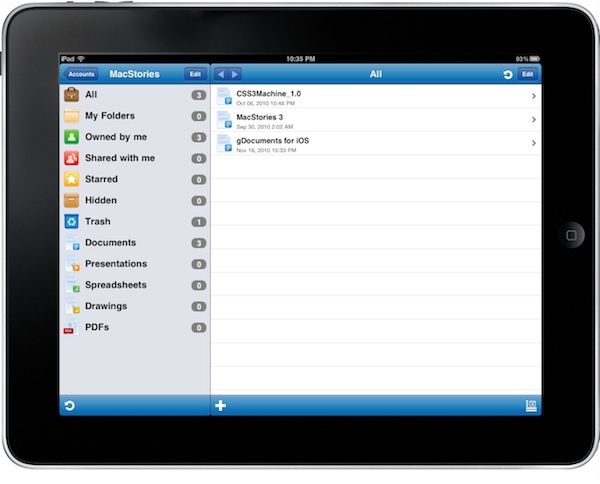
The Imagam developers are the guys behind iFiles, one of my favorite apps for iPhone and iPad I use on a daily basis to create and move files between my iOS devices, the internet and my computer. In case you haven’t tried it yet, you can find out more about iFiles here. gDocuments is a new universal app by Imagam that allows you to check on your Google Docs, but unlike many other Google Docs client currently available in the App Store this one comes with write capabilities, a neat interface and the feature set you’d expect from the folks who created iFiles. Read more
StreamToMe Streams Music and Video From Your Computer To iOS
With all the talk about iTunes’ “exciting announcement” and the possibilities of a cloud-based iTunes streaming and storage solution, I decided to take a step back to cover one of my favorite apps for iPhone and iPad, an app that allows you to stream audio and video from any computer to any iOS device.
The app is called StreamToMe, and unlike the popular Air Video it can stream music just fine, whether it’s organized in your iTunes library or stored somewhere else on your computer. I keep mine in Dropbox and it works just fine. Not to mention video, which works flawlessly with StreamToMe. So let’s see what you have to do to get things up and running. Read more
Filopanti: Simple Time Zone Conversion Tool for iPhone
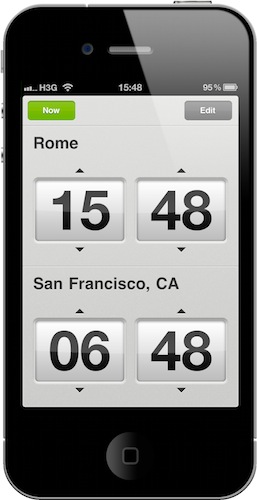
Being based in Italy, I have to deal with the fact that stuff happens in the US and I’m in a different time zone. I stay up late at night, and news keep coming in. Also, I have to consider time zone differences when setting up online meetings with developers, writers and casual contacts. Up until today, I used a neat web app called Every Time Zone which comes with an iPad-specific viewport and allows me to quickly check on various time zones worldwide.
Filopanti, however, might be a simpler solution I can fire up at any time to quickly check on U.S. time zone –namely San Francisco’s time. With a straightforward and elegant UI Filopanti lets you pick two different cities and compare their time zones. Read more