This Week's Sponsor:

Copilot Money

Copilot Money, The Best Money Tracker, Launches on the Web – Limited-Time: Get 26% Off + 2 Months Free


Posts in reviews

Get Lion’s Launchpad On Your Mac Now with QuickPick

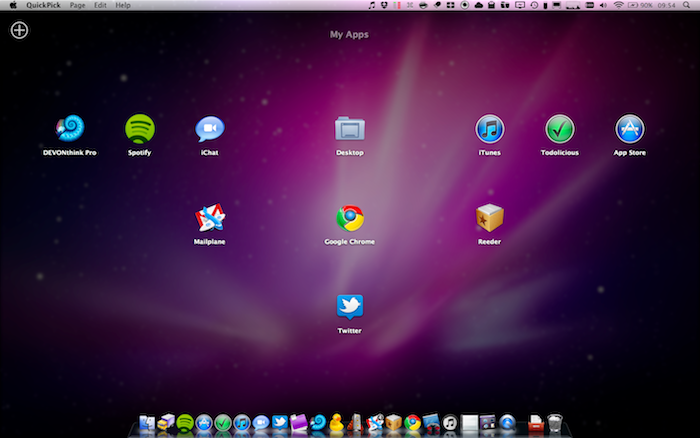
One of the most intriguing features of Lion that Apple previewed at its “Back to the Mac” event in October was, in my opinion, the Launchpad. In pure iPad fashion, Launchpad will be “a home for your apps”, with fast and easy access to software downloaded from the Mac App Store, or folders created to better organize these apps. It all looks like an iPad’s Springboard brought to the Mac, with pages and iOS-like folders.

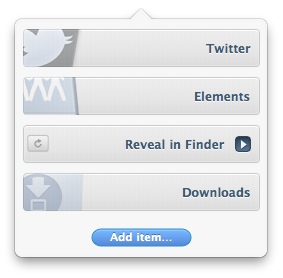
QuickPick, a $9.99 app available on the Mac App Store, brings some of the features we’ll see on Lion’s Launchpad this summer to OS X now. QuickPick lets you access apps and folders through an overlay interface that will sit on top of your currently opened apps, Finder windows and Spotlight searches. Once installed, QuickPick can be invoked either through a keyboard shortcut, a click on its dock icon or an active OS X corner. As QuickPick’s grid comes in the foreground, you’ll be able to arrange apps and create pages for your most used apps, folders or documents. Almost any file that can be dragged out of the Finder can be taken into QuickPick’s grid. In the app, you can adjust the grid’s spacing and text size. You can even create multiple pages of apps / documents thanks to a “Page Dock” that allows you to set up as many “grids” as you want. Alternatively, you can move between pages with a three-finger swipe. Again, just like the Launchpad in Lion.

QuickPick, of course, doesn’t bring all the features and details we saw demoed in Launchpad, such as the iOS folders or page indicators. If you drag a folder from the Finder to QuickPick, in fact, that folder won’t open in-app but will launch a new Finder window instead. I guess it’s a fair trade-off, considering that this app is running on Snow Leopard and we haven’t seen enough of Launchpad anyway. Still, everything’s smooth and works just as advertised.

QuickPick is available at $9.99 in the Mac App Store, and it gives us a taste of things to come in Lion by providing an alternative solution for OS X 10.6. Will Launchpad be different and more refined come Lion’s public release? For sure. But until then, you should give QuickPick a try. Check out our brief demo video of the app below.
Read more


Listings For iPhone Is The Better Way To Browse Craigslist

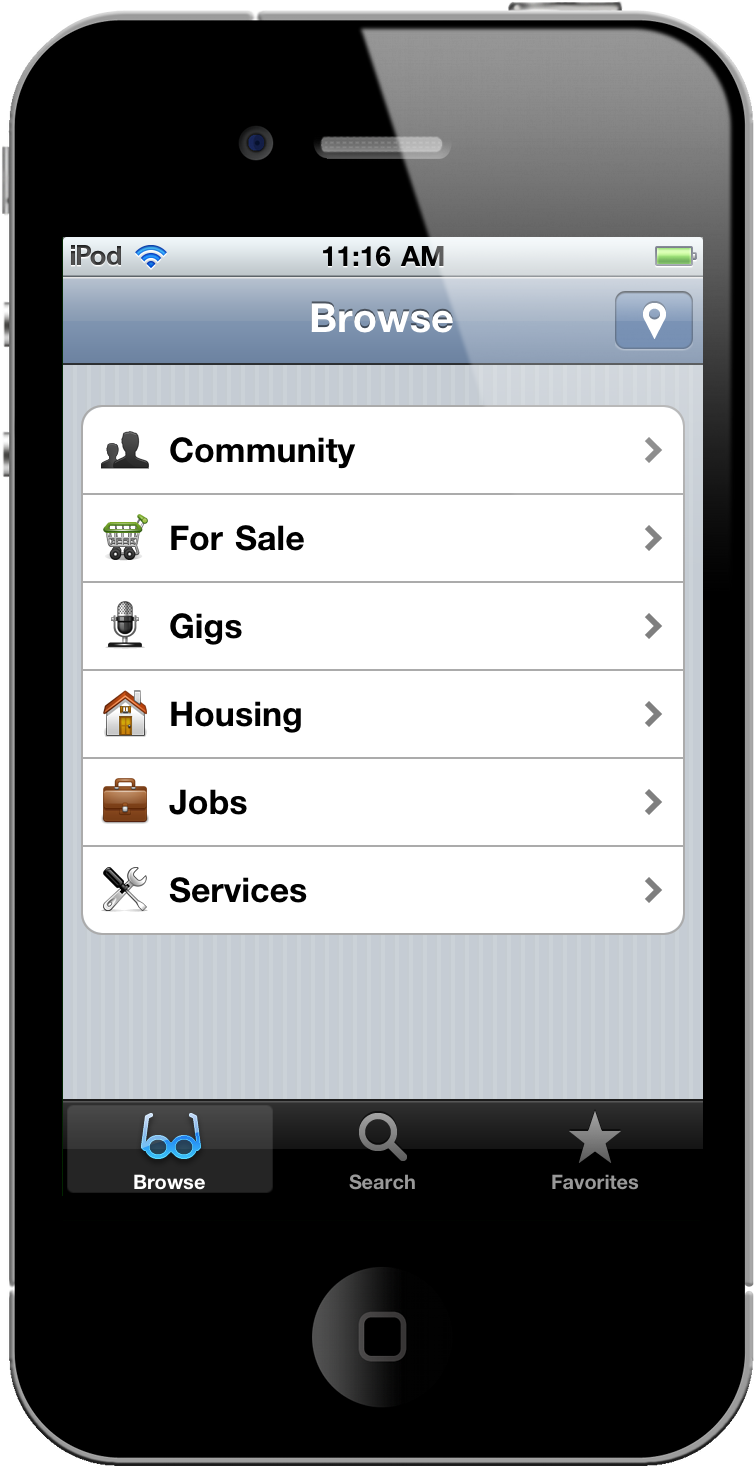
Craigslist is a very weird and scary place depending on what you’re looking for. If it’s not the poor man’s eBay, then it’s definitely somewhere down the alley of sketch-city. The website looks terrible and it’s hard to navigate, listings include everything from broken computer parts to iPhone repair services, and you never know what creepy people you’ll end up meeting in person when its time to exchange goods. What Craigslist needs is a better way to organize and clearly display information.

Listings for the iPhone makes Craigslist easier to navigate while providing tools to help you keep track of items you want to continually check up on. Whether you’re searching for a used MacBook Pro, a new Motorcycle, or looking for a web designer, Listings is a much more intuitive way to search Craigslist.

Read more


Translator Free Translates Webpages & Text On The Fly

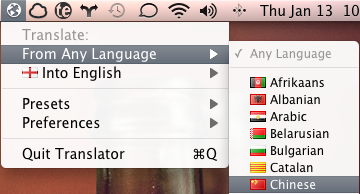
When you run across a piece of text that you can’t translate, do you find yourself in Google Translate, copying & pasting the text, before trying to determine what was exactly said? Why not cut out the middle-man and download Translator Free for OS X? Available on the Mac App Store, Translator Free is a menubar application that allows you to drag and drop websites and text for immediately translation. If you’re visiting our friends at iSpazio for example, you can simply drag the favicon from Google Chrome into the menubar icon, and a new tab will open with the translated page. It’s very cool.

If you’re throwing Chinese insults at me, watch out! Never before have friends on Facebook Chat been caught off guard so quickly now that I suddenly have language-esque superpowers. You can highlight a piece of text, hold your mouse button down, and simply drag it to Translator Free for instant translation. A window will pop-up allowing you to compare the original and translated texts.

Free in the Mac App Store, students, researchers, and anyone coming across foreign text they’re not familiar with can find Translator Free useful without having to go through the web browser. You can catch some great tutorials on Translator Free’s homepage, and download it here on the Mac App Store.


Outside for iPhone Comeback: Retina Graphics, Free Notifications

The last time I reviewed Outside for iPhone, a beautiful weather app by Robocat, I focused on the interface design that went into the app and the fact that, unlike other weather apps for iPhone, it allowed users to set up push notifications for certain weather conditions. Stuff like, “hey, perhaps you’d like to wear a t-shirt today” or “make sure to grab your gloves”. It was a clever system, easy to understand and packed inside fancy graphics that made Outside truly stand out in the crowded App Store market.

Months passed, the iPad and iPhone 4 came out and Outside basically disappeared. No word from the developers for months, then a “we’re working on it”. See, I really wanted to use Outside on my iPhone 4 but I couldn’t stand the fuzzy graphics. With version 1.2, released last night and available at a discounted price of $0.99, Outside makes a comeback with totally redesigned graphics updated for the Retina Display. Read more


With Version 1.1, Verbs Becomes A Great AIM Client for iPhone

When I reviewed Verbs for iPhone a few weeks ago, I was disappointed by the lack of AIM support and the overall feeling that the app was rushed to the App Store. Verbs came with a delicious interface design and cool ideas such as a Messages-like approach to IM chats, but the fact that I couldn’t plug into my AIM account and I was forced to use Google Talk was a major downside for me. Also, there was no support for local notifications: once you were out of the app, you wouldn’t know if someone was writing to you on Google Talk. The app was beautiful and elegant, but I couldn’t use it at all.

The latest 1.1 version released in the App Store fixes all these issues, and has become the best AIM client for iPhone for me. Verbs is the same elegant and refined app I tested weeks ago, only I can actually use it now. Read more


NoteNow Brings Sticky Notes To The Lock Screen

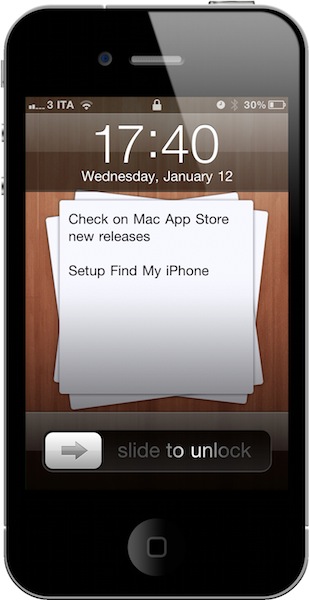
Even though I have an iPhone, an iPad and two Macs syncing my tasks and projects all day long through OmniFocus’ online service, I often forget about stuff. The most trivial things, like buy some iTunes credit or check on the car’s gas. I guess the reason is that I’ve never settled to bring these common, real-life tasks and activities into my GTD workflow, which is mainly set up for work purposes. I know it’s wrong as GTD should be for everything and anything, still it happens.

NoteNow, a simple $0.99 app developed by Manolo Sanudo, aims at fixing this issue with world’s most popular organization system: sticky notes. Who hasn’t written down things on a sticky note at least once? I have. And boy, you can trust sticky notes when they’re in sight. They make you remember you have to do stuff by looking at you in the eye. But how could you ever make sticky notes work on an iPhone, where there’s no desktop to attach notes to and Apple doesn’t want developers to use private APIs to enable secret, and perhaps dangerous for the iOS experience, features? Read more


MacStories Product Review: Powermat Wireless Charger for iPhone

To inaugurate our new series of hardware and gadget reviews, I’d like to cover a product that, in the past months, has completely changed the way I carry my iPhone around and charge it. The Powermat, a combination of case and charging mat for the iPhone we first covered in October, allows you to charge your iPhone wirelessly, without any cable, through a case you’ll have to put your iPhone 4 into.

Courtesy of the great folks at Powermat, I was sent a single mat, a receiver case for the iPhone 4 and another mat that can charge up to two devices on a single surface. So far, my experience with the charging system has been very good; then only issues I ran into involved some kind of difficulty trying to find the “right spot” on the 2x mat. But overall, I do believe the Powermat is one of the most innovative, powerful and, why not, cool gadgets you can buy for your iPhone right now. Read more


Camera Genius 3.0: New Design, More Social, Lots of DSLR Love

Camera Genius is a photo app for the iPhone that has been around for months, years now I believe. Featured on the New York Times, CNET and just about any other major publication back when photo-taking apps where the novelty on iOS, the app slowly fell back in the garage of App Store apps as more lightweight, beautiful and social applications like Camera+, Hipstamatic or Instagram were released. But the developers of Camera Genius, strong on the sales figures the app had generated, went back to work and crafted Camera Genius 3.0, which is a complete revamp of the original app and it’s available at $0.99 in the App Store.

On first sight, Camera Genius 3.0 looks like another take on the old Camera+ DSLR interface, just when Camera+ itself has ditched the faux canera design with the much-acclaimed 2.0 version. Still: Camera Genius has a DSLR-like design and allows you to choose between two display themes, although I left the default one untouched. Just like in the past, Camera Genius is an app to take photos with more functionalities to play around with, such as shake control, timer, guides and burst mode. Read more