Storage is both incredibly cheap and amazingly portable these days, allowing us to carry gigabytes upon gigabytes of iTunes media, Time Machine backups, and HDD clones in our messenger bags. Too, hard drives are getting much more sophisticated, adaptable to both local Mac and network sharing. I’ve had the chance to play with a pair of GoFlex external hard drives for the Mac that offer some notable flexibility.
Posts in reviews
MacStories Product Review: Seagate GoFlex & GoFlex Desk For Mac
Browse Dribbble in Style with Courtside for iPad
Dribbble is a playground for seemingly endless pixel shenanigans, including first looks at new iPhone apps, sneak peeks at soon to launch web services, and beautiful icons that evolve into final products. A website that exemplifies an artist’s best work needs an app that’s as gorgeous and classy as the gems you might come across, in which case you’ll want Courtside for the iPad.
Roxio Toast 11, Record & Convert Anything
Given all of the digital media you work with, shouldn’t there be a suite of tools that enable you to covert those old DVDs to your iPad, to record anything currently playing on your Mac, or to grab the latest shows from your TiVo? I don’t know… maybe something like Roxio’s Toast 11 Titanium and Titanium Pro? Fans of Roxio rely on Toast as their primary video conversion tool, or may have found it to be their lifesaving application that was able to rip proprietary disks from old camcorders into something iMovie can work with. In Toast 11, a brand new user interface is accompanied by a slew of new features making it the most friendly iteration yet for users of all kinds looking to convert family video and share projects with friends online.
Explor: It’s Like Ping, For Apps
I’ve never been a loyal user of “app discovery” tools for iOS: I’m talking about those apps that help you find out about new apps and share the results with your friends. Sort of meta, I know, but apparently there’s a huge market for these things now that the iOS App Store has crossed the mark of 300,000 apps available for the iPhone. In the sea of applications that’s inundating our inboxes, it seems like there’s plenty of room for alternatives to the default App Store app.
Explor, a free app by Hello,Chair released today, is the latest (and possibly greatest) addition to iOS software discovery panorama that comes with interesting features I haven’t seen anywhere else. Read more
An Artist’s Tool: Learn Music & Train Your Ear With Capo
Capo is one of the brilliant Mac apps that often gets overlooked because of its niche value for musicians that have the will to not just follow tabs on a reading sheet, but to actually tear apart songs and learn them by ear. Capo intrinsically is an odd product in this respect – if you’re learning music by ear, why do you need an aid? I’ll tell ya: there’s nothing like being able to scribble all over a song, create your own tabs, and actually study what’s in front of you. You might want to fondle iTunes as you replay parts and study tracks, but you can ditch the pen and paper as you mark an important bridge, analyze the song’s chord progression, and figure out new riffs.
Pocket Casts: A Full-Featured Podcast App That Doesn’t Need iTunes
Last week I decided it was about time for me to subscribe to some podcasts I had been keeping an eye on, but never really considered as an option for my free time. Podcasts are so 2001, I know, but I’ve never subscribed regularly to any of them. Plus, I have noticed a dramatic increase in the quality of tech podcasts lately, mainly thanks to the empire built by 5by5’s Dan Benjamin and a few other gems like Minimal Mac’s Enough or Shawn Blanc’s Today. I have to admit, though, that it was the B&B Podcast (also by Shawn Blanc and Benjamin Brooks) to convince me to go ahead and finally enter the podcasting scene as an active listener. Read more
Create an iTunes Music Queue with “Next”
If you’re anything like me, you’re browsing through iTunes or Spotify all day searching for some music in your collection to send to your room’s speakers. Sometimes you spend so much time browsing albums and singles you own you even forget about the songs you wanted to play. Next, a $2.99 utility available in the Mac App Store, aims at solving this issue by providing a way to create a queue for your iTunes library so you’ll never forget about songs you want to listen to again. At the same time, it offers a neat solution to build a queue for artists and songs you’d like to check out in a specific orders.
The app plugs into your iTunes library with no setup required. It also looks very simple (perhaps a little too much) with only a list view being provided and that’s it. You can pick a song from iTunes and hit the Queue button to play it “next”. Another button lets you clear the queue entirely and Next can run in the menubar as well. The menubar icon has a shortcut to the song you’ve selected to play next, and if no song was picked the menu will display a “Random” button.
Next is a very easy way to manage songs in your iTunes queue, but I wish there was more attention to detail and UI design to make the app look better next to beautiful software like Ecoute or Spotify. Anyway, it does exactly what it’s supposed to, so you should give it a try.
Socialcam, The “Instagram for Video”, Now Available. Our Review
A few weeks ago we talked about Socialcam, a new iOS and Android app from the creators of Justin.tv that’s aimed at revolutionizing the mobile video sharing space by offering a friendly user-experience heavily inspired by the current winner of mobile photo sharing apps, Instagram. Socialcam is finally available for free in the App Store and, after some quick tests, I can say this new app / service has a lot of potentialities to become the “Instagram for video”, but it needs a series of refinements in the settings to allow users to upload videos at the quality they want.
The strongest selling point of Instagram, in fact, is that it’s easy to use and, while images get compressed to enable faster uploading times on WiFi and 3G, users won’t notice the decrease in quality thanks to the filters provided by the app. Filters in Instagram are both a nice photographic addition and a way to “hide” the fact that photos are compressed at lower quality. Socialcam, however, doesn’t come with filters and videos are heavily compressed even when uploaded through WiFi. From what I’ve seen so far, this will make most videos look crappy on the iPhone 4 which, by the way, can actually do HD video recording. Socialcam should definitely offer some settings to allow users to upload and wait for the quality they want, as this could be great for videographers willing to share their creations on the go. Read more
TinyVox Is A Social Tape Deck For Your iPhone
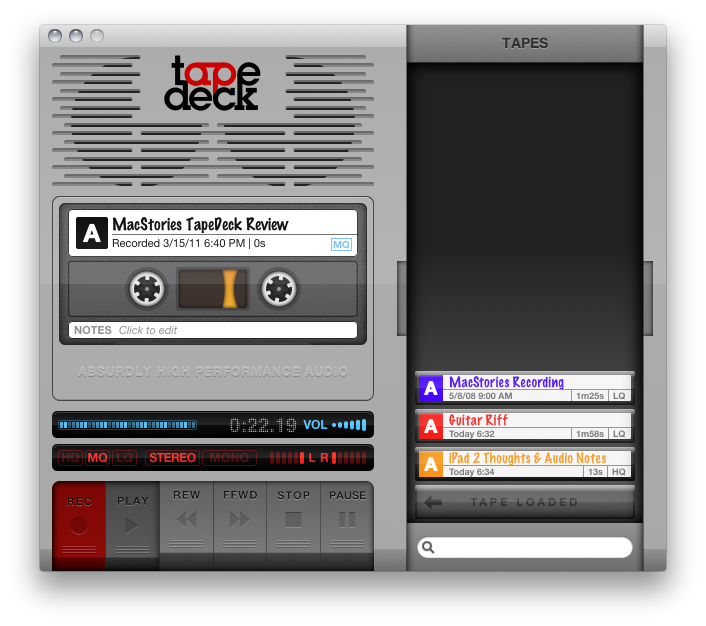
We typically don’t do audio recordings in replacement or in conjunction with our written reviews, but I’ll make an exception. TinyVox is a very cool social tape deck for your iPhone or iPod touch that enables you to record audio in high or low quality, then publish those audio bits to social networking sites like Facebook, Tumblr, and Twitter.