Posts in mac

Xserve Third Party Replacement, ActiveSAN Revealed

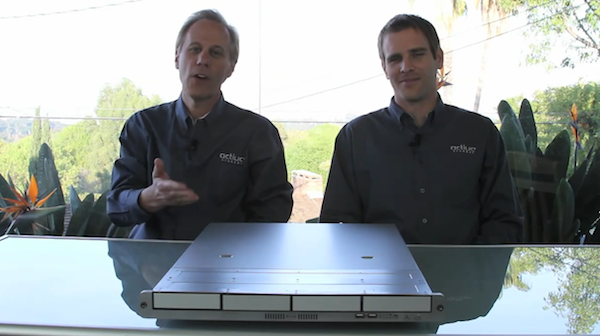
ActiveSAN, the product that was being teased over the past few days has finally been announced as third party replacement for Apple’s Xserve which was discontinued in January.

The product, called ActiveSAN is rack-mountable unit, runs on the Linux operating system with metadata controllers and the ‘Quantum StorNext SAN file system’. It’s hardware uses the Active Storage product design, runs on the Intel Nehalem server platform and is Xsan compatible.

No definite word on whether it is officially endorsed by Apple yet.

Jump the break for a video introduction by the company and additional details as they come.
Read more


A Beautiful Google Analytics Widget for OS X

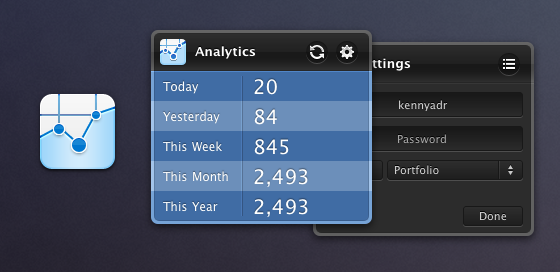
Created by designer Adrian Kenny and developer Adam Aganou, this one is a beautiful and unobtrusive widget for Google Analytics you might find useful if you’re the Dashboard kind of user. Once authorized with your Google account, it will display visits for the current day, the past day, week, month and year. It’s minimal and elegant. The icon is sweet and the color choice attractive.

There are many Google Analytics widgets out there, but none of them is as sexy as Adrian Kenny’s design. Free download here.


Macworld 2011: The Future of the Mac [Video]

Here’s a 48-minute video for your typical Sunday morning: at Macworld Expo 2011, Daring Fireball’s John Gruber, Macworld’s Jason Snell and Dan Moren and Tidbits’ Adam Engst talk about the future of the Mac, the Mac App Store as the biggest innovation happening to the platform, the iOS influences on OS X and much more.

One argument that really made me think after watching the video is the idea of two kinds of Macs in the future: a “simplified Mac” with a closed system similar to iOS, and a Mac for advanced users. I don’t know how I would react to a closed, straightforward and really  simple Mac personally, but I do know that I would appreciate a new system for managing and deleting apps. Perhaps Launchpad will bring some fresh air on Lion. But then again, should Apple just make the Mac as simple as possible and let “power users” enable the features they want (like, say, the Finder) in the machine’s preferences? And how does the Mac App Store fit in all this? Great discussion in the video above.


The AppSumo “Unleash The Beast!” Bundle Giveaway

The month of OS X has to come to an end, but not without a spectacular bang from the vaults of AppSumo awesomeness. Digging deep, they came up blazing with heavy hitters that’ll send non-power users crying over their slow Windows keyboards. The Beast will only strike once, and in its claws you can obtain Yummy FTP, deep discounts on Arq and ScreenFlow, as well as a one year subscription to the magical Skitch. We’re not done just yet: MacStories readers have a chance to win one of five copies of this final bundle in a month of OS X (and don’t forget that AppSumo’s MEGA bundle is still up for grabs).

Read more


OWC To Transform Your Mac Mini Into The Media Center You Always Wanted

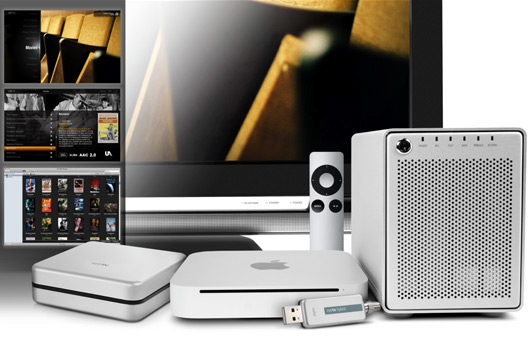
There’s those that live in iTunes with the Apple TV, and then there’s those that live off an assortment of digital media with a mess of HTPCs, NAS storage boxes, and long runs of ethernet. Mac Minis turn out to be pretty good multimedia centers at an affordable price point, and OWC wants to take your initial box and transform it into a powerful, redundant, and blu-ray capable monster. With OWC’s Media Center Solution program, they’ll upgrade your Mac Mini to the max, toss in a new RAID storage server, outfit your Mac Mini with an external Blu-Ray drive, and give you the option of a couple Elegato HDTV USB plugins so you have an effortless connection to your flatscreen. Why pay OWC when you could set all of this stuff up yourself? Well if you’re not terribly handy with cables, screwdrivers, or can’t stand the initial software setup between all these boxes, think of OWC as the cable installer (at least not Comcast ones): he’ll set you up and all you’ll have to do is turn on the TV. The best part of OWC’s package is that it’s easy to judge how much storage you need thanks to easy site layout – OWC plans to turn a complicated setup into a simple install starting a base price of $700.

[via Cult of Mac]


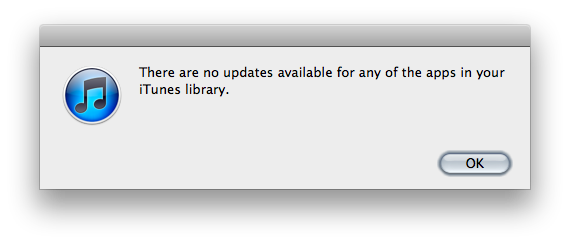
Tip Of The Day: Check for App Store Updates With Keyboard Shortcut

For me, the most annoying thing in iTunes is that to check for app updates I’m forced to mouse to the “Check for Updates” button in the lower right corner, and most of the times I miss the little arrow next to it with my cursor. I used to hate this. I’m saying “used to” because thanks to this tip I found over at Finer Things in Mac, now I can check for app updates with a keyboard shortcut.

The shortcut is the usual Command-R. What’s interesting is that the shortcut is used to refresh the web view in the iTunes Store, and Command-R isn’t documented in the iTunes menu.

So, there you have it. Command-R to check for updates. A little trick that’s incredibly useful for me.


Key Codes, Free App To Display Unicode Values

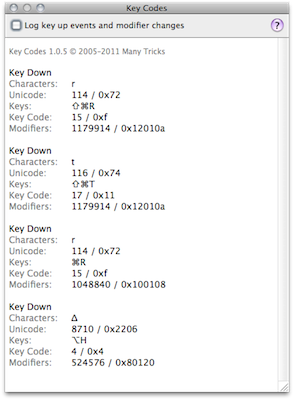
If you’re a developer that always needs access to unicode values and modifier keys state or you simply want to quickly paste keys like ⌘ and ⌥ to your clipboard because you don’t know the proper keyboard shortcut, Key Codes may come in handy. A free download in the Mac App Store and developed by Many Tricks (the same guys behind Witch, Name Mangler and Desktop Curtain), Key Codes displays key code, unicode value “and modifier keys state for any key combination you press.”

A little utility for sure, but useful. Get it here.


Twelve South Announces BookArc for MacBook Air

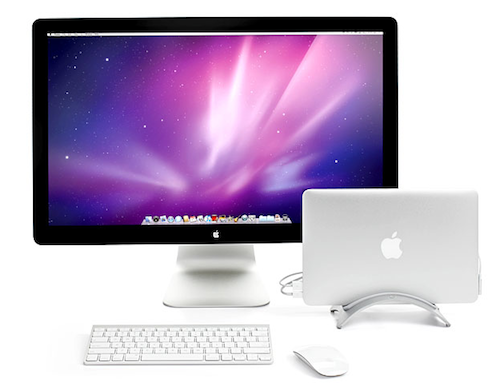
We’re big fans of Twelve South’s accessories for the Mac and iOS devices: from the Compass mobile stand and BookArc for iPad to Mac-only products, we think Twelve South makes the most beautiful third-party accessories for Apple devices. Today Twelve South introduces the BookArc stand for the new MacBook Air, which aims at turning the ultra-thin and portable machine into the perfect solution for your desktop.

The MacBook Air, in fact, can power an external monitor with ease, such as Apple’s own Cinema Display. The BookArc firmly grips the MacBook Air vertically and offers a system for cable management so you won’t have the power cord or USB cables cluttering your desk. Twelve South also promises an increase in performances when using the MacBook Air with a BookArc as the computer (when closed) only has to power the external monitor.

The BookArc for MacBook Air will be available next month at $39.99 both for 11-inch and 13-inch models. More information available here.