
Posts in Linked

Twitter #music Shutting Down

Mike Beasley:

According to a pair of tweets posted on the official @TwitterMusic account, the app will be removed from the App Store later today and all streaming service will end on April 18th—one year after the app first launched.

Twitter #music launched on April 18, 2013. The #music app wasn’t necessarily bad – it had some interesting touches and design details – but its implementation of streaming was confusing, as I noted in my original article:

As a daily music listener, the 1-song limitation is confusing and anachronistic. It feels like Last.fm all over again: in spite of its direct plug into Rdio and Spotify, Twitter will only play one song from an artist – their “top” one, according to Twitter – then move on to the next one. Why is that so? Do they expect users to always want to listen to just one song and jump from artist to artist all the time? I understand this for #NowPlaying, which is a Twitter-like feed for single songs in your timeline, but I can’t seeem to find a good motivation for this choice in other areas of the app. Why wouldn’t I want to listen to three songs from an artist I just discovered while, to use Twitter’s parlance, I keep engaging with him on Twitter?

Twitter never put much effort into #music after that; in the meantime, new on-demand streaming services have arisen and Apple has built iTunes Radio directly into the iOS Music app. It appears, then, that Twitter #music will follow the demise of Ping, Apple’s social music recommendation service that never took off.
Permalink

Evernote 7.3.2

In a seemingly minor update to their iOS client, Evernote added a few tweaks and fixes that improve the experience of using the app, especially for image attachments. In the Business Card camera mode, it’s now possible to make a contact request to LinkedIn without leaving Evernote. If you’re using LinkedIn as a contact management service and scan cards in Evernote, the new integration should be good news.

For my workflow, the new image picker is an even better change. Now, when picking an image to add to a note, the picker allows you to select multiple images at once to add them to a note in a single action. I use Evernote to collect screenshots from various sources, and the new picker speeds up and simplifies the process of adding attachments considerably.

Evernote 7.3.2 is available on the App Store.

Permalink

The Next Big Health App Needs To Do More Than Just Track Our Numbers

Spot on article by Mat Honan, writing for Wired:

We tend to focus on individual metrics in isolation–like heart rate or step counts–because they are easy to measure. It means we sometimes track fitness metrics and mistake it for health simply because it’s something we can measure. Fitness is a component of health, sure, but so is diet. So is your genetic makeup, disease, and your environment. It’s all important, and you need to know how it interacts to get truly meaningful information about your health. But there isn’t a great holistic way to first track all this stuff and then extract meaning from it. Which makes it very tempting to look at how many steps you took yesterday and conclude, “I’m healthy.” Yet change may be coming in the form of a new app called Healthbook.

In my post about health and smartwatches yesterday, I had a bit of fun imagining how health tracking may have practical implementations in the apps we use every day, like Maps. While that may be too futuristic for a first version of Apple’s possible wearable device, the underlying concept still applies: health stats alone don’t mean much if not given proper context understandable by humans.

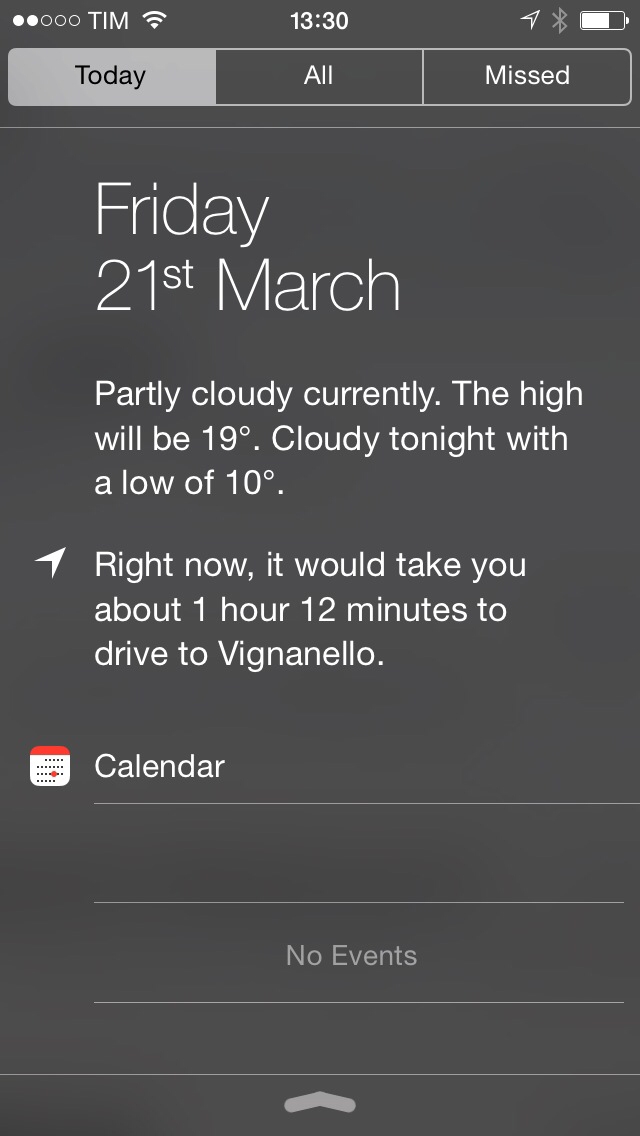
Parsing health-related values and summarizing them into something like this could be a good start.

Permalink

A Look At Temple Run Prototypes

Eli Hodapp, writing at TouchArcade:

We met up with developer Keith Shepherd at GDC, and at a dinner the night before he was talking about how when they hire people now they go through the various stages of Temple Run’s development to give an idea of what’s possible in the mobile space after a day of work, a week of work, and a month of work.

Always interesting to learn about the process of making a game, especially a popular one such as the original Temple Run. The video at TouchArcade has a full interview with Keith Shepherd, who explains how the “free with In-App Purchases” strategy was born as a consequence of an experiment on the App Store, something that Imangi learned to optimize for Temple Run 2.

Permalink

The Prompt: The World’s Greatest City

Federico, Myke and Stephen celebrate The Prompt’s ruby anniversary by discussing how Google approaches wearables (and how Apple may move in a different direction), Checkmark 2, iOS 8 rumors and the recent changes Apple has made to its iPhone and iPad lineups.

Consider this and episode 33 the spoken versions of my thoughts on wearables and smartwatches at the intersection of technology and fashion. Get the episode here.

Brought to you by:

Permalink

Directional: Lost Backup

This week Myke shares some 3DS woes, Federico shares some cool things he found this week – including a HD Mario 64 remake – and the guys discuss their new found feelings for Twitch streaming.

If you own a 3DS, Myke’s story of his corrupted data should be a warning and a call for action to back up your games and progress today. Get the episode here.

Permalink

Evernote and OneNote

I was curious to know more about OneNote for Mac, released yesterday on the Mac App Store, from an Evernote user’s perspective, and I’m glad that Justin Williams wrote up his impressions so far.

I’m not switching from Evernote: I need some of the service’s more advanced features (saved searches, shareable notes, web clipper) and, overall, I’m happy with it. I like Evernote as a company – I’m a fan of the business model and the idea of a service that can stick around for many years. I appreciate the work they’ve put into improving the apps and service in 2014: as I wrote in January, there are still things I would like to see, but the iOS app has improved dramatically since September.

I also agree with Justin’s take on the API. In my limited experience with using the Evernote API in Python, I found it painful to simply send HTML to the service to create a new note or to try to retrieve HTML content from a note (Evernote uses a superset of XHTML called ENML, which has its own set of restrictions). Other developers I’ve talked to shared their frustrations with the Evernote API, especially for integration with iOS apps. One of Evernote’s biggest advantages over OneNote is the rich ecosystem of apps they’ve built, but Microsoft’s launch yesterday showed that they’re not kidding with third-party OneNote support either. Perhaps Evernote should add the API to the list of improvements for 2014.

It’ll be interesting to see how Microsoft will continue to support OneNote on iOS and OS X – they have an uphill battle against Evernote’s frequent updates, but they’re off to a seemingly good start with the Mac app.

Permalink


UpWord Notes Adds TaskPaper Tweaks

In my original review of UpWord Notes for iPhone, I noted that the app didn’t support TaskPaper’s syntax in any way, which was surprising considering that UpWord is a todo app that relies on plain text, just like TaskPaper.

In today’s relatively minor 1.0.5 update, UpWord Notes added support for marking notes as complete with “@done” and for quickly adding tabs with a two-finger gestures – both enhancements are aimed at TaskPaper users. While UpWord is still far from being a fully functional TaskPaper client, these additions introduce a first layer of compatibility that makes using UpWord with TaskPaper files a bit more feasible. UpWord has handy reminder and favorite features, which are typically absent from plain text apps and systems, and if I were to switch from my Fantastical/Reminders todo system (not happening any time soon), I’d consider TaskPaper with UpWord.

UpWord Notes is $0.99 on the App Store.

Permalink