
This Week's Sponsor:

Dropzone 5

Improve your Drag-and-Drop Workflow


Posts in Linked

Pixelmator for iPhone

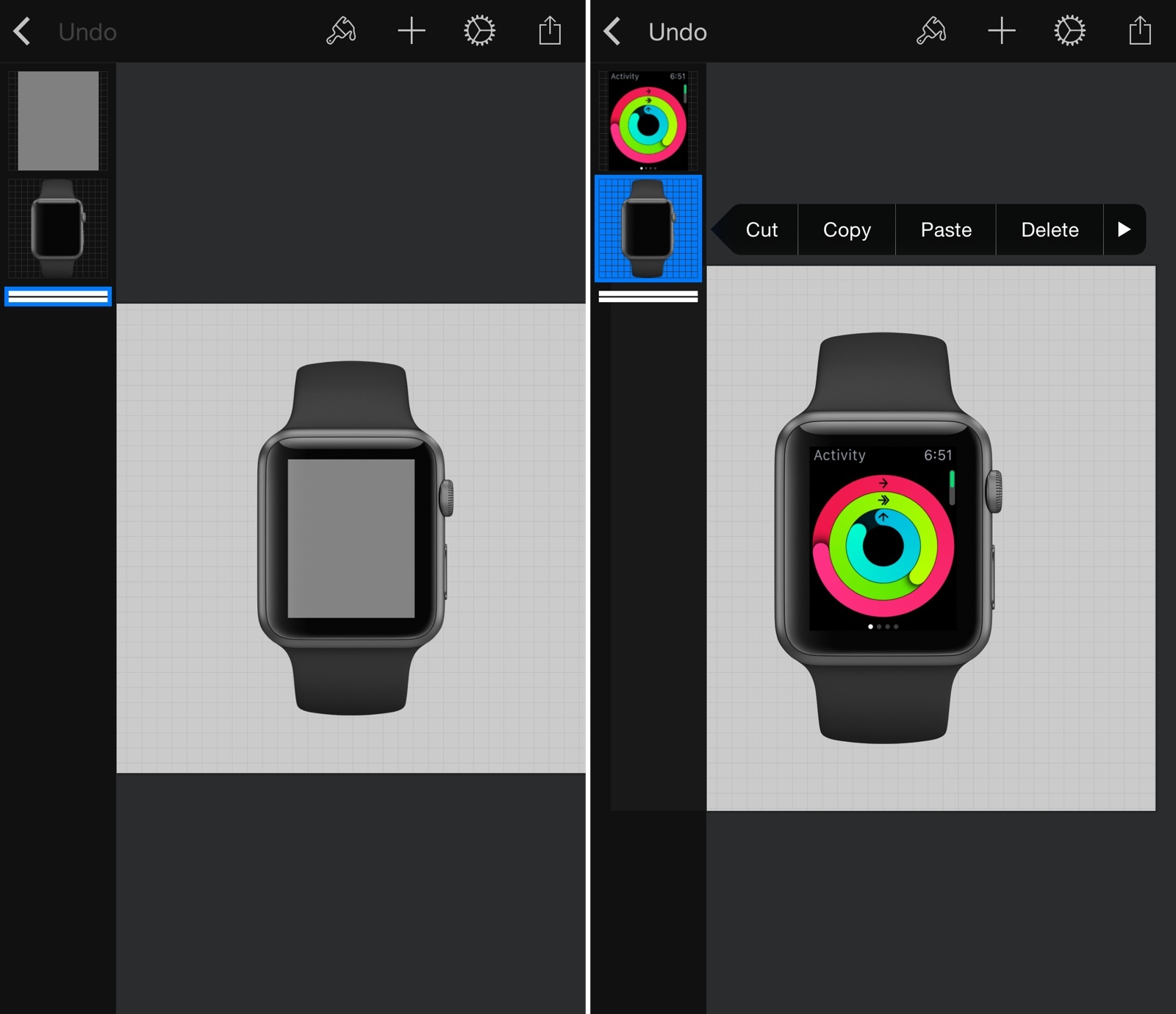
With a universal update, Pixelmator has been released on the iPhone today. I took Pixelmator for a spin last year when it launched on the iPad, and, while I don’t need all the features of this app, I’ve been using it regularly to create simple image compositions and edit screenshots for the site.

On the iPhone, the Pixelmator team went with some interesting choices. The app feels a bit constrained on the smaller screen but you can still access all the tools from the iPad version. I like how you can view layers with a swipe on the left edge of the screen, and I appreciate the effort they put into rearranging menus when you switch to landscape (I tried the app on an iPhone 6 Plus – make sure to check out the Tools menu in landscape). As you can see in the screenshots above, I’m going to use the app until I figure out a way to automate Apple Watch screenshot generation with Pythonista or Workflow.

Pixelmator is one of the most impressive mobile adaptations of a powerful desktop app – and now you can use it on an iPhone too. $4.99 on the App Store.

Permalink

Apple’s Jeff Williams on Native Apple Watch Apps

July Clover, reporting for MacRumors on Apple’s Jeff Williams’ appearance at the Code conference earlier today:

On the topic of Apple Watch apps, Williams says third-party apps will get better when developers are able to release native apps and when access to native sensors is permitted. He gave an example of what a native Apple Watch app might do, suggesting an app like Strava will be more full featured as it would have direct access to sensors.

The native Apple Watch app SDK will be previewed at WWDC, according to Williams, suggesting full featured Apple Watch apps that can access health sensors, the Digital Crown, and more, will be available when iOS 9 is released to the public in the fall.

As assumed by many, the Watch SDK will give developers access to sensors. After trying the Watch for the past two weeks, it’s obvious that the only useful fitness app for me is Apple’s Workout because it’s the only one to use the heart rate sensor.

Eight years from now, I wonder if we’ll remember WatchKit as a very sweet solution, too.

(I love Steve’s comment on the “really complex update process”. It didn’t turn out to be that complex after all.)

Permalink

The Evolution of Apple’s Digital Hub

For nearly a decade, iLife was the heart and soul of the Mac. The original Apple Stores were laid out into sections revolving around music and photography. Third-party digital cameras and camcorders graced official Apple product photography, and the Mac slowly became the go-to machine for creatives of all talent levels.

Writing at iMore, Stephen Hackett remembers Apple’s Digital Hub strategy. Looking back at all this, it’s amazing to recall how much stuff we used to have that’s been replaced by a phone with a bunch of apps. I’m glad that I got to witness this change.

Permalink

Google Bringing App Indexing to iOS

From the Google blog:

We’ve been helping users discover relevant content from Android apps in Google search results for a while now. Starting today, we’re bringing App Indexing to iOS apps as well. This means users on both Android and iOS will be able to open mobile app content straight from Google Search.

App Indexing is Google’s effort to bridge the gap between mobile search results (where they make money) and native apps (where they don’t make money – unless the developer uses Google ads) by deep-linking web content to specific sections in apps. The technology has been available on Android for a while, and it’s rolling out with a “limited released” to initial partners on iOS in the coming apps.

While I doubt that Google will ever be able to implement the install-continue experience with Google Play and search results found on Android, App Indexing on iOS is interesting. I wonder if the company will show demos of this at the I/O keynote tomorrow.

Permalink

Microsoft Bringing Cortana to iPhone Later This Year

In a blog post today, Microsoft announced a ‘Phone Companion’ app built into Windows 10 (which is coming out this summer) to easily transfer content (like documents and photos) to Android and iOS devices.

They also revealed that Cortana, the company’s voice assistant, will be released on iPhone “later this year”.

The Cortana app can do most of the things Cortana does on your PC or on a Windows phone. You can have Cortana remind you to pick up milk the next time you’re at the grocery store, and then your phone will wake up and buzz with the reminder. You’ll be able to track a flight using Cortana on both your phone and your PC, and get the updates on the device that you’re on so you don’t miss anything. Everything in Cortana’s Notebook will show up across all your devices and any changes you make on one device will be reflected when you use Cortana on any of your other devices. The Cortana companion app will help you complete tasks you begin on your PC wherever you are, on your phone.

Microsoft already notes that, due to limitations on iOS and Android, they won’t be able to port features such as launching apps and voice activation with “Hey Cortana”. Like other big companies, Microsoft has built a solid ecosystem of apps on the App Store, and it’ll be interesting to see how limited Cortana will be as an iPhone app and how it’ll compare to future versions of Siri and Google Now.

Permalink

Jony Ive Promoted to ‘Chief Design Officer’

Until now, Ive’s job title has been Senior Vice President of Design. But I can reveal that he has just been promoted and is now Apple’s Chief Design Officer. It is therefore an especially exciting time for him.

Inside the fabled design studio (cloths over the long tables hiding the exciting new prototypes from prying eyes like mine) Jony has two people with him. They too have been promoted as part of Ive’s new role.

In a profile at The Telegraph, Stephen Fry reveals Jony Ive’s new role at Apple. Richard Howarth and Alan Dye (both profiled by Wired and The New Yorker earlier this year in their Apple Watch coverage) will report to Jony Ive and become VPs of Industrial Design and Human Interface, respectively. According to an internal memo published by 9to5Mac, the change will be effective starting July 1.

Later in the profile, Stephen Fry asked Ive about his new role:

When I catch up with Ive alone, I ask him why he has seemingly relinquished the two departments that had been so successfully under his control. “Well, I’m still in charge of both,” he says, “I am called Chief Design Officer. Having Alan and Richard in place frees me up from some of the administrative and management work which isn’t … which isn’t …”

“Which isn’t what you were put on this planet to do?”

“Exactly. Those two are as good as it gets. Richard was lead on the iPhone from the start. He saw it all the way through from prototypes to the first model we released. Alan has a genius for human interface design. So much of the Apple Watch’s operating system came from him. With those two in place I can …”

Ive is currently overseeing the design of future Apple retail stores and Apple Campus 2 on top of his existing duties in the Industrial Design and Human Interface groups. It’ll be interesting to see what this leadership change will mean for Ive’s participation in new Apple products going forward and if the role of Marc Newson (who joined Apple last year) will be altered as well.

Permalink

Virtual: Dragon Ball All the Things

This week Federico shares a personal story about Dragon Ball, before going on to talk about Lifeline, Mario Kart and Puzzle and Dragons with Myke.

On this week’s Virtual, I continue to cover Lifeline and reminisce about the good old days of Dragon Ball videogames (the 3D game I mention on the show was called Final Bout). You can listen here.

Sponsored by:

  • Hover: Simplified Domain Management. Use code ‘KOOPA’ for 10% off your first purchase.
  • Igloo: An intranet you’ll actually like, free for up to 10 people.
Permalink

John Gruber on the Apple Watch Interaction Model

Watch mode is where you take quick glances at information and notifications; app mode is where you go to “do something”. Watch mode is where most people will spend the majority — perhaps the overwhelming majority — of their time using Apple Watch. App mode is a simple one-level hierarchy for “everything else”.

John Gruber has a good analysis of the Apple Watch interaction model and the differences between the watch face and the app screen.

I’ve been reading a lot of comments on the Watch OS hierarchy and I’ve (obviously) been using my Apple Watch as much as possible for a variety of tasks and scenarios.

The more I read and try, the more I don’t understand the criticism of those who claim Apple Watch should work like an iPhone. Yes, the multiple functions of the Digital Crown can be confusing initially, and I imagine that eventually there will be settings to customize what the side button does. But to argue that clicking the Digital Crown should always go back to the watch face seems shortsighted to me. There’s a benefit in having an easy way to open/go back to the app screen to quickly do stuff with apps, and it will be even more obvious once a native SDK and faster apps become available.

Permalink