
This Week's Sponsor:

Dropzone 5

Improve your Drag-and-Drop Workflow


Posts in iPhone

Transport App: Easy iPad / iPhone File Sharing From Your Mac

How do you share files on the Internet? Do you use a Mac app like the recently released Cloud, or you chose to stick with the good old Droplr? Maybe you just use a web service to share pictures and shorten links, ‘cause you’re not really into this file sharing thing. Either way, you want to keep everything simple and straightforward and have your files shared just fine across multiple devices so that your online fellows can access it anywhere. I understand your position, you don’t want to spend too much time searching for the right app for you, so you’re still sticking with emails to send links and PDFs to your collaborators. What an old way to accomplish tasks.

The app we’re going to talk about today is called Transport, woks for both iPhone and iPad (it’s a Universal app), and allows you to quickly upload and share files from your Mac to your portable devices.
Read more


Egretlist, To-do with Evernote. Review & Giveaway!

For the people that use Evernote religiously, it’s an invaluable too. And if you aren’t using Evernote, maybe you should reconsider. Imagine walking down the street with your iPhone, and see you a Tate Real-estate sign promoting a home for sale. Wanting to remember the information later, you simply take a picture of the sign and the flyer with Egretlist, adding it to a to-do list for your agent to check up on. When you get on your Mac at home, you simply search, “Tate,” and Evernote pulls up the to-do note and the picture using its amazing image search technology. That as a matter of fact, was a similar use case for me as I browse apartments. Read more


Felt Tip Couch to 5K Review & Giveaway!

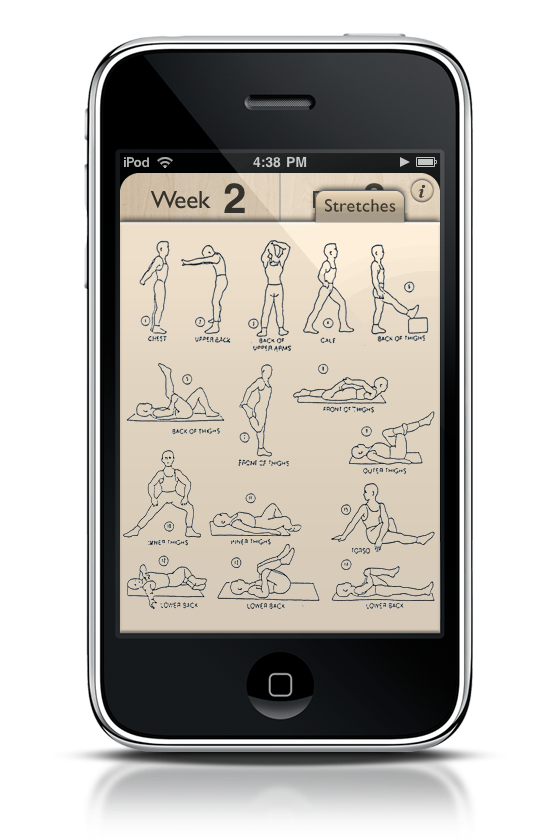
Got cottage cheese for thighs? How bought that muffin top? Moobs got you down? Now I’m not making fun of anyone, but the casual American lifestyle often carries some weight with it. We enjoy our cheese-puffs (do not get me near cheeseburger flavored Doritos), our soda, and our time in front of the television. In fact, I’d say it’s safe to say that we’re a pretty sedentary society. If you already lead an active lifestyle by choice, then I gotta hand it to you guys: please continue to lead the example. Being a reviewer and a college student, a lot of time is spent writing for MacStories (which admittedly has been slack this week), doing homework, or blowing up protoboards in the labs on campus. But you have to find time to at least get out, get active, and do something.

I’m not that tall (I’m under six foot), and right now I weigh 175. I was 180. My target weight is around 155, and it’s certainly possible now that I’ve started the Couch to 5k program. I want to feel good again - like I’m actually in my twenties. So being the geek I am, I decided to hunt out some iPhone and iPod touch applications that would aid me in completing the program. Believe me, holding a wrist watch and having to remember the training times with an attached sticky note sucks.

I got in contact with Felt Tip Inc., who makes an application by the name of the program. Their c25k app is quite excellent, and a personal recommendation for iPhone owners looking to make a change in their lifestyle as well. Running is an incredibly wonderful feeling, so why not start things off with a great app designed to get you running five kilometers non-stop.
Read more


You Can Enable Multitasking on the iPhone 3G

Right after Steve announced yesterday that iPhone OS 4.0 multitasking is going to be exclusive to iPhone 3GS and iPod Touch 3rd Gen., people started complaining. Steve said that due to hardware limitations these devices won’t be able to support multitasking, but it turns out that some people have started looking into the OS beta and found out that, actually, it’s possible to have multitasking on the iPhone 3G.

Read more


iPhone OS 4.0 Is Already Jailbroken

It happened in less than 24 hours. A few minutes ago, MuscleNerd from the Dev Team posted this tweet that proves that the jailbreak for iPhone OS 4.0 is already possible.

There’s a video after the break, with Cydia and Veency running on a 4.0 device. Now we only have to wait and see what the jailbreak community will come up with, considering all the features that Apple apparently “borrowed” from Cydia, like multitasking and inline spell check. We’ll see.

Read more


Spotted into iPhone OS 4.0: iChatAgent, Flash Camera References, MultiCore Support

We all knew this was gonna happen. People have started analyzing the latest beta of the iPhone OS, and as TUAW is reporting, there’s an iChatAgent showing up in activity monitor. At this point, I think it’s quite fair to say that the next iPhone will have video conferencing capabilities, or at least a dedicated iChat app.

Also, MacRumors has discovered flash camera and multicore references in OS 4.0. Now we only need a date for the next event, Apple.


iPhone OS 4.0 First Look: Digital Zoom

Camera app now comes with a 5x digital zoom. The interface is very basic, and once you hold your finger on the screen a slider will appear. Once you’ve taken a picture you can of course copy, delete and share it, and - that’s new - rotate it. Nice.

Screenshot beyond the break.

Read more


iPhone Multitasking: Explained

Multitasking is the most important feature of iPhone OS 4.0, the one that will allow you to run multiple applications at the same time. Basically what every iPhone user has been dreaming of for ages now. The implementation still needs some serious optimizations though.

Take a look at the screenshots after the break.

Read more