


Is your wallet surviving all the holidays? Here’s some great deals for today on iOS & Mac apps that are on sale for a limited time, so get ‘em while they’re hot! iOS apps price drops are starting to show up again too!
Posts in iPhone
#MacStoriesDeals - Tuesday
The Nose Knows No Phone Like iPhone
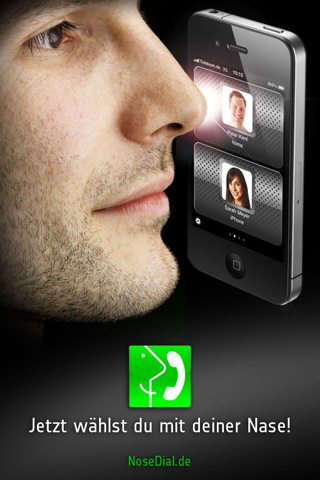
Ever try smelling an Android phone? No? Some might say it smells like plastic. Smitten iOS graphic designers will tell you it smells like failure. But have you ever tried smelling an iPhone? It smells like Lucky Charms right? If it was anyone else other than me, it would be just plain disgusting. At least using your iPhone as a handkerchief isn’t as disgusting as using your iPad as a sushi plate (plus, boogers simply taste better), though I have yet another reason to keep my hands off your handset.
If you’ve an iPhone and busy hands, NoseDial assumes that the oleographic Retina Display is the perfect place to shnoze dial 911. Seriously, we can’t promise this kind of intimate nasal fondling won’t lead to anything more than an “app with benefits.” Perhaps it could be useful if you’re wearing more than biker gloves – those thick socks you yankees call mittens certainly aren’t very app happy. NoseDial allows you to tilt and scroll all with your face, but at the risk of looking ridiculous and triggering one of Apple’s sensitive liquid sensors with your snot, we ask you refrain from this $1 German utility just as you avoid taking your iPhone into the bathroom. On the contrary, you could buy the app and just use your fingers – but that wouldn’t be any fun now would it? NoseDial is an interesting concept, though when you need your fingers to just pull the darned thing out of your pocket, I can’t see it being very useful via the utensil between your eyeballs. Unless you’re a gymnast – that I’d like to see.
[via TUAW]
Jailbreak Hack Allows You To Rename iOS Apps
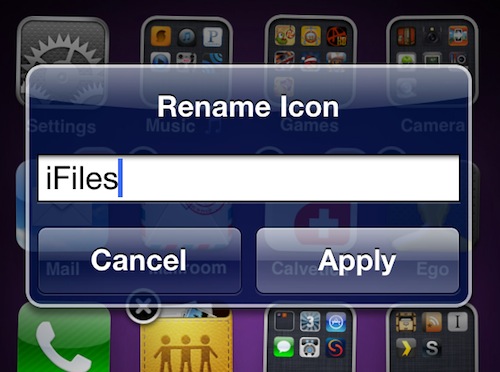
Ever wished you could change “Twitter” to “Tweetie” on your iPhone, as it used to be back in the old days? Well, a jailbreak tweak now lets you do that with a single tap. The hack, developed by Ryan Petrich and called “Icon Renamer” allows you to rename any app on your Springboard by entering “wiggle mode” first, then tapping on the icon and typing the new name. Done. Easy as writing down a new folder’s name. You can rename any app, and changes won’t affect your app library in iTunes. The tweak’s pretty handy if you have to deal with apps that have long names (usually games) and are displayed as acronyms on the iPhone’s screen.
The tweak is free and available in Cydia. And no, you can’t rename Icon Renamer because that would be too meta.
#MacStoriesDeals - Monday

iOS deals should be repopulated again tomorrow. Here’s some great deals for today on iOS & Mac apps that are on sale for a limited time, so get ‘em while they’re hot!
Did You Install Facebook for iOS for Christmas? Apparently Over One Million Others Did.
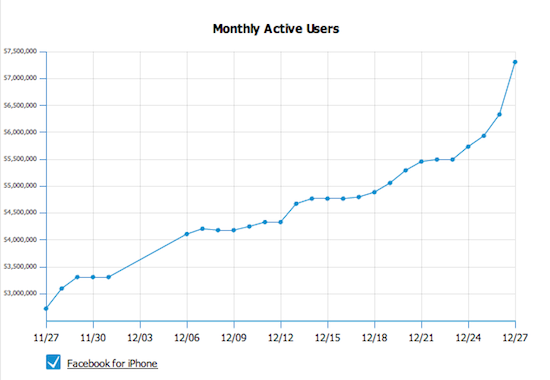
According to this graph from AllFacebook, one million new people installed Facebook for iOS - phenomenal. Just goes to show you how many devices such as the iPad, iPhone and the iPod Touch were given as Christmakwanzakah gifts this year; were you one of them? Stevie Claus must be happy!
[via Daring Fireball]
iPhone 4 Gets NFC ‘Sticker’ from Softbank
Japanese carrier Softbank is responding to complaints about the iPhone 4’s absense of an internal NFC chip by issuing a ‘sticker’ that gets applied to the back of the iDevice. It covers most of the backside along with looking ugly and covering up Apple’s own logo. Now granted many people slap cases on their iPhones anyway, but this is how the FeliCa payment system is going to work (for know). The ‘sticker’ does not communicate with the iPhone so its abilities are limited. The beautiful set of ‘stickers’ go on sale in February for a cool ¥2,980 ($36).
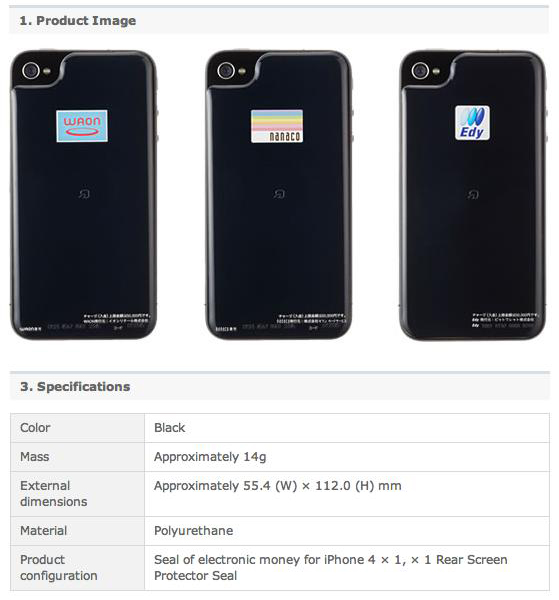
It works pretty simply: Japanese iPhone users attach the “sticker” to their iPhones (Apple’s bumpers still fit) and it adds FeliCa RFID smart card functionality to the iPhone. Once the ‘sticker’ is charged with e-money, users can tap their iPhone on card readers in train stations, restaurants, convenience stores and other places in Japan to make payments.
#MacStoriesDeals - Friday

Happy Chrismakwanzikah! Here’s some great deals for today on iOS & Mac apps that are on sale for a limited time, so get ‘em while they’re hot!
No More Hidden Fees: We’re Giving Away Wallet Dilemma So You Can Shop Safely Overseas With Your Credit Cards
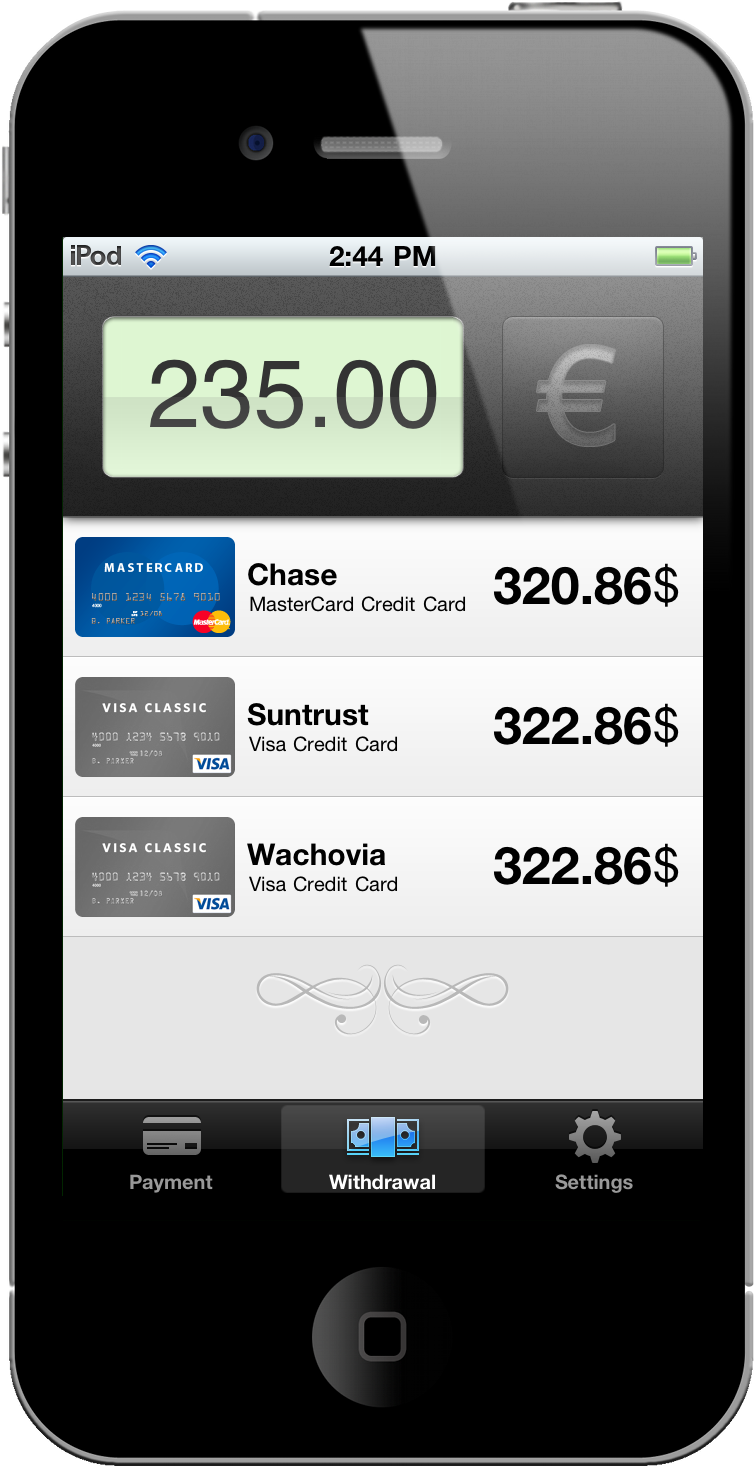
Perhaps there’s a beautiful French woman waiting for you overseas. Boarding the next International flight and armed to the teeth with your Visas and MasterCards, you’ve found the perfect place in Paris to buy her that beautiful diamond ring. While I am stealing a page out of a Google commercial, spending money overseas is no joke when credit card fees are involved. Don’t be caught off guard: Wallet Dilemma for the iPhone accurately approximates just how much those Euros will end up costing you in good ol’ USD.
#MacStoriesDeals - Thursday

Here’s some great deals for today on iOS & Mac apps that are on sale for a limited time, so get ‘em while they’re hot!