This Week's Sponsor:

Cotypist

Smart Autocomplete for Your Whole Mac


Posts in reviews

New Music Notifications with Nomis

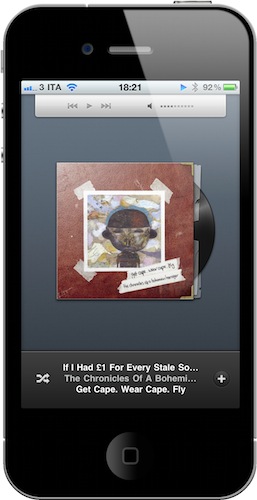
We cover lots of music apps on MacStories, we even had a Roundup at the end of 2010. What can we say, we’re all big audiophiles here at MSHQ. Today we’re showing you another music app, but this one is unique and a first to the app store. It’s called Nomis, by Taprockets - an independent company in Germany - and it reminds you of new releases for all your favorite music artists. It’s very easy and simple to use. Read more


TV Show Tracker 2.0 for iPhone: One To Add To Your Homescreen

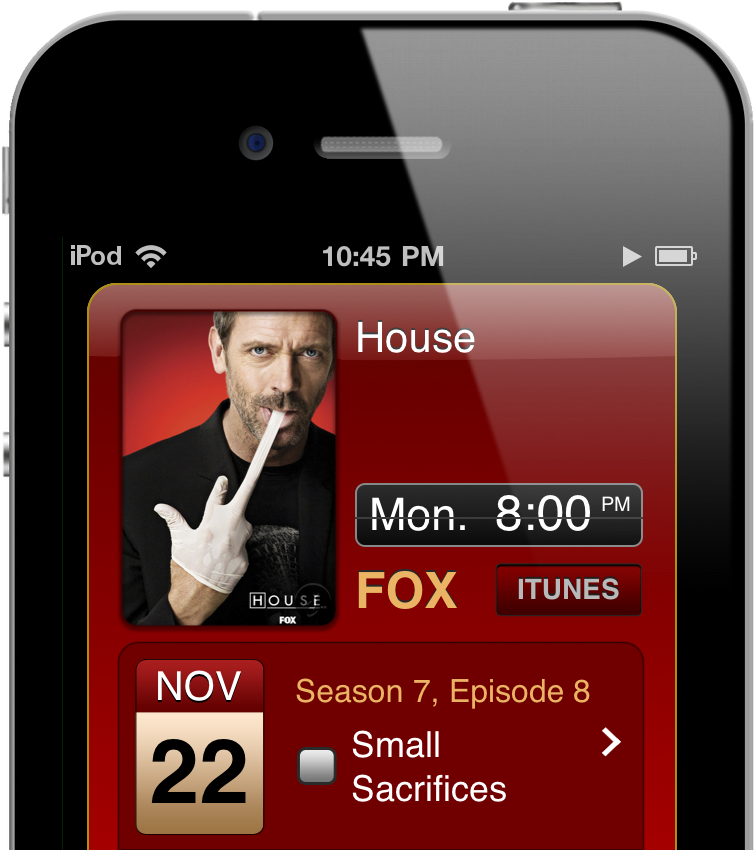
Not having cable, keeping tabs on the shows that appear on cable TV bites because I have to constantly check in on online schedules (all on different networks) just to see when the next episode of House is going to air. What sucks is that when having only Hulu as my prime source of entertainment, December was a month devoid of any content as weekly shows began to grind to a halt. With the exception of Saturday Night Live and a maybe two other shows, I’m paying for nothing. Shows will come back, but when?

We’ve already covered TV Show Tracker on MacStories, but the 2.0 update is worth mentioning since it delivers a much improved interface, a notification system alerting you before or after a show ends, inline video previews of episodes, and quick iTunes links so you can rent those shows quickly from the interface. TV Show Tracker consolidates all of the shows you watch into an instant access panel where you simply search for the popular program you watch and add it to your list of shows. TV Show Tracker displays the artwork for the program’s season, displays previous and upcoming showtimes, and keeps tabs on what episodes you’ve already seen. This is an app to add to your homescreen if you’re at all interested on keeping track of your favorite shows – it’s super convenient to have only the show listings you care about all in one place.

Read more


Delivery & Smaller: Object Dock Batch CSS & Javascript Compressors

Javascript & CSS developers looking to batch minify their files may already use the command line, but others will prefer an OS X inspired drag & drop solution. These YUI Compressor’s will gobble down your web files and spit them out with a smaller byte footprint, though the choice between these two compressors may be difficult because they’re… very similar. Quickly running through the features, we’ll leave you to decide if Delivery or Smaller will be better for your workflow.

Delivery:

Delivery is the least expensive (free), but provides the fewest options when minimizing your files. Dragging in Javascript & CSS files onto its Object Dock icon, a couple badges emerge notifying you of how many files you’re compressing, along with how much space was saved at the end of the operation. Delivery uses two compression algorithms, and decides between the one that will leave you with the smallest files. While you don’t have a choice for output (there are no preferences), Delivery places the compressed files back in their working directory with .min appended to the file names.

Smaller:

More expensive at $15, Smaller offers a GUI and allows you to compress files to a new location if you desire. As you add files to a graphical queue, you initiate the minify process (and you have the option to obfuscate Javascript as well) manually, but you don’t get a nice badge notifying you like Delivery. We like Smaller though as you can acknowledge the minimize process before committing, and has preferences that allow you to chose the resulting suffix.

Conclusion:

We suggest you give them both a try, and I have to thank our web guru Alessandro Vendruscolo for the rundown. Overall we like Delivery because it’s free and takes less actions to use, while Smaller gives you some additional options that removes the terminal barrier for web designers. You can check out Delivery and Smaller at their respective home-pages for more information.


Browser+ for iPad Aims To Reinvent Safari

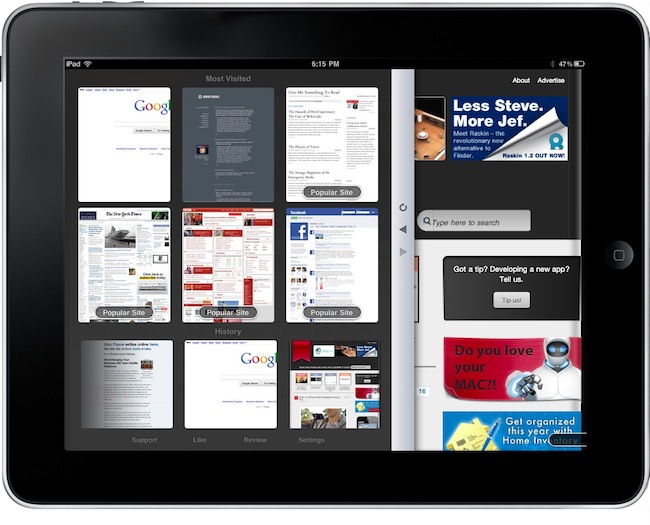
I have been trying a lot of alternative browsers for the iPad over the past months. Since my good friend @kenyarmosh suggested me to give a spin to iCab Mobile (for iPhone and iPad), my interest for well-crafted, feature rich and innovative third-party browsers reached a new level. And while I’m still digging into all the features offered by iCab (which is, without a doubt, the most powerful alternative to Apple’s default browser), I have also been testing other simpler, minimal browsers that aim at offering a different take on browsing the Internet on the tablet.

Browser+ HD for iPad, in spite of its not-so-appealing name, is the freshest and simplest browser I have found in the App Store so far. What Browser+ does is simple: it takes standard elements of web browsing such as tabs, address bar and history and completely re-imagines them as if they were built from scratch for the iPad. Pretty much like Flipboard did for web content that has to be consumed on a tablet’s screen. Browser+, sold at $0.99 in the App Store, doesn’t come with all the functionalities found in Apple’s Safari or iCab Mobile, but what’s there has been recreated to fit better on the iPad. Read more


Wunderlist Review: Untethered Task Management Freedom

I attribute Dropbox to a few successful college projects because of how easy it is to collaborate by sharing files. Everyone understood the concept that they can drop a file into a shared folder, and everyone could see it. However, when we get to delegating tasks or making sure everyone is on the same page, e-mail and Facebook messages can only get so much done. Wunderlist is the solution to both free personal and collaborative task management, easily rivaling some of the more common GTD apps available for OS X and other platforms. Intuitive syncing, low barrier of entry, and seamless integration with most of your devices finally delivers a solution to customers who want more than a task list, and want it for free.

Read more


Discovr for iPad: An Interactive Map of Music

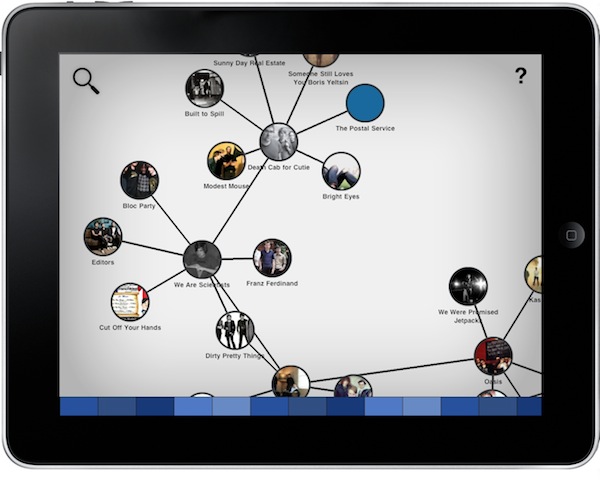
Months after its original release, I’m still using Aweditorium as my primary “music discovery tool” on the iPad. The app is nothing but a grid containing interesting independent artists and bands the Aweditorium developers think you should check out. You can listen to songs directly from the app, send them to an external speaker with AirPlay, run the app in the background or stay in there and check out bios, interviews and lyrics while you’re listening. It makes for a great way to discover new music when you have some free time to dedicate to music. But in Aweditorium, you won’t see your favorite artists coming up every once in a while, as the app is entirely based on music you’ve likely never heard of before. That’s where (I think) Australian music start-up Jammbox got inspired to develop Discovr for iPad. Read more


Sociable Updates Your Status On Multiple Social Networks At Once

A few weeks ago I reviewed Update, a simple $0.99 iPhone app that can update your status on Facebook, Twitter, Google Buzz, LinkedIn and Hyves with a single screen, all at once. In what seems to be a renewed trend in the App Store, here comes Sociable, another take on the “share on multiple websites at the same time” idea. Sociable can share messages on Twitter, Facebook, LinkedIn and MySpace. Every time you want to share a new status update, all you have to do is choose the services you want to send it to.

So why would anyone prefer this over Update, which we already covered and liked? Well, Sociable comes with a beautiful interface and a great icon on your home screen. I couldn’t help but notice the pixels that went into this app. The sharing screen, for instance, kind of reminds me of the compose window in Twitter for iPad. The wooden background and icon are elegant.

Sociable is a $0.99 purchase in the App Store.


Handoff Pushes Web Pages From Your Computer to Any iOS Device

One of the features many users wish Apple implemented by default on OS X is the possibility to easily and quickly send any kind of content to iOS over the air. Through the Internet, in seconds, from a computer to the iPhone or iPad. We’re not talking “sync” here: I’m talking about web links, images, maps, phone numbers, Youtube videos “pushed” instantly to an iOS device. The other way around, from iOS to the Mac, would be welcome as well: instead of relying on third-party apps, one could save content and information to consume later on a Mac. Like a video you don’t want to watch while you’re out because, honestly, Instapaper wasn’t meant for video.

Luckily for us, a number of apps that enable OS X to iOS communication over the air have surfaced in the past years, and today we’re taking a look at a new one. The app / service is called Handoff, and it’s probably the simplest I’ve stumbled upon so far. It allows you send web links from your browser to the iPhone or iPad (the iOS app is universal) through a bookmarklet or extension. Read more


Get Lion’s Launchpad On Your Mac Now with QuickPick

One of the most intriguing features of Lion that Apple previewed at its “Back to the Mac” event in October was, in my opinion, the Launchpad. In pure iPad fashion, Launchpad will be “a home for your apps”, with fast and easy access to software downloaded from the Mac App Store, or folders created to better organize these apps. It all looks like an iPad’s Springboard brought to the Mac, with pages and iOS-like folders.

QuickPick, a $9.99 app available on the Mac App Store, brings some of the features we’ll see on Lion’s Launchpad this summer to OS X now. QuickPick lets you access apps and folders through an overlay interface that will sit on top of your currently opened apps, Finder windows and Spotlight searches. Once installed, QuickPick can be invoked either through a keyboard shortcut, a click on its dock icon or an active OS X corner. As QuickPick’s grid comes in the foreground, you’ll be able to arrange apps and create pages for your most used apps, folders or documents. Almost any file that can be dragged out of the Finder can be taken into QuickPick’s grid. In the app, you can adjust the grid’s spacing and text size. You can even create multiple pages of apps / documents thanks to a “Page Dock” that allows you to set up as many “grids” as you want. Alternatively, you can move between pages with a three-finger swipe. Again, just like the Launchpad in Lion.

QuickPick, of course, doesn’t bring all the features and details we saw demoed in Launchpad, such as the iOS folders or page indicators. If you drag a folder from the Finder to QuickPick, in fact, that folder won’t open in-app but will launch a new Finder window instead. I guess it’s a fair trade-off, considering that this app is running on Snow Leopard and we haven’t seen enough of Launchpad anyway. Still, everything’s smooth and works just as advertised.

QuickPick is available at $9.99 in the Mac App Store, and it gives us a taste of things to come in Lion by providing an alternative solution for OS X 10.6. Will Launchpad be different and more refined come Lion’s public release? For sure. But until then, you should give QuickPick a try. Check out our brief demo video of the app below.
Read more