Posts in reviews

MacStories Apps Of 2011: Reader’s Choice Winners

We’ve had a great response to our search for the best iPhone App, iPad App, Mac App and iOS/Mac Game with votes numbering in the thousands and people really excited about the huge giveaway that we ran alongside the vote. We’ve given away most of the codes but the final winners will be emailed over the next few days, so keep your eyes peeled for that.

We’ve tallied the votes and figured out who you, our readers, have deemed as the best apps and games of iOS and Mac. The winners may be largely what is expected, but it is interesting to see who the runner-ups were - there are a few interesting results there.

Just a quick note to all those who voted; thank you! We didn’t know whether you would embrace this idea or not, and we’re thrilled that so many of you voted and that we got such a large sample of our reader’s opinions on the best apps and games of 2011.

Jump the break to find out who all those winners and runner-ups all are.

Read more


Evernote Releases Skitch for iPad

Skitch is a popular tool for annotating screenshots and images with the ability to quickly share them with others. It was purchased by Evernote back in August of this year and today they are proud to present Skitch for iPad.

Skitch is the amazingly fun and surprisingly powerful way to move your ideas and projects forward using fewer words. With Skitch, annotate and draw on just about anything that you see, whether it’s a new or existing photo, a webpage, screenshot, map, or a blank canvas. Then, share your work with friends, colleagues or save it all to Evernote. It couldn’t be simpler.

Skitch for iPad has a handful of useful features as well as some not so useful features, all of which are housed in the very common “home screen” style interface. I am not personally a fan of apps that lump their main features in to a grid of large square icons. I think it is a lazy approach to user experience on a touch screen device. The fonts, colors and images used for the layout elements makes the entire app feel like a cartoon. After all the featured icons are the thumbnails of the drawings you have added. To remove them you have to tap and hold like you would expect to do on a home screen except the icons don’t jiggle as an indication. Because of this, it feels like an unfinished implementation. When you are finished removing images you can’t just tap in an empty area of the screen like you would with an actual home screen, you have to find the tiny Done button on the bottom corner of the screen. These are certainly not a huge issues, just more like disappointments and it all goes back to the lack of thought that went in to the design of this app.

Read more


QuickShot 1.7: Back in Action With Better Dropbox Integration

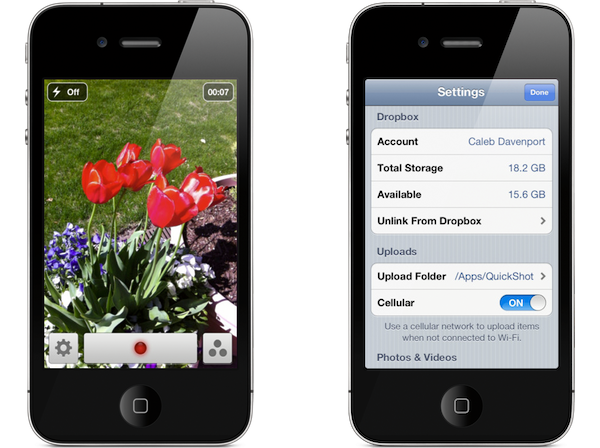
QuickShot 1.7 is not just a maintenance release, but a big update if we look at the changes made to the back end. QuickShot, which instantly saves photos to Dropbox, fixes many of the bugs that were present in the earlier version (1.6.3). The bigger story here, however, is the switch to the new Dropbox SDK. Aside from a big performance boost (apps updated to use the new Dropbox SDK use less system resources in the background), the biggest new feature is a single-sign-on system.

With current Twitter apps, you only need to sign into your Twitter accounts via the Settings app in iOS. Twitter apps will look for those accounts and request access so you don’t have to sign in each time. Dropbox now works similarly; With the Dropbox app installed on your iPhone or iPad, simply logging into their app provides access for other apps using the new SDK. This of course makes logging into and using Dropbox much easier — you’re simply redirected to the Dropbox app and asked whether you’d like to accept or cancel the app link. The feature is pretty cool and it’s the first time I’ve seen Dropbox authentication like this in an iOS app.

With QuickShot, you can easily upload photographs to a Dropbox shared folder to quickly share images and videos for events, parties, and get-togethers. We think it’s a splendid little camera app, and you can give QuickShot a try for only $0.99 on the App Store.


ReadNow 2.0 Keeps your Instapaper and Read It Later Articles in One Tidy App

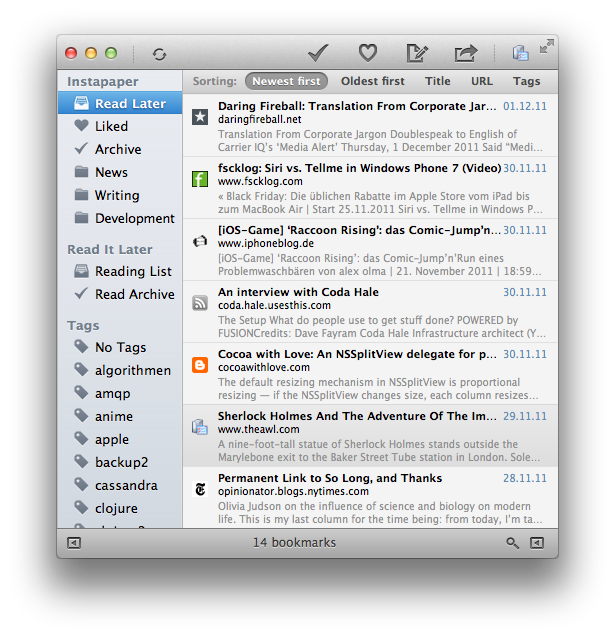
If you like to read Instapaper and Read It Later on your desktop through your web browser, why not give the second iteration of ReadNow a try? No longer a menubar application, ReadNow 2.0 was built from the ground up to feel like a native OS X application from the start. Based on traditional RSS apps, ReadNow organizes your Instapaper and Read it Later articles for offline access, optimizing articles for a cleaner reading experience on your Mac. ReadNow features a custom article view that let’s you style the article, change the line height and article width, and customize the font. Archiving and liking articles in the app will push those changes to the respective service in realtime. Unlike your favorite iOS apps, ReadNow lets you drag and drop articles into folders and tags to quickly move them from the reading list. You can currently share articles you find interesting to Twitter, Facebook, Pinboard, Delicious and Evernote from within the app. With support for multitouch gestures, search, and tag and folder management, ReadNow gives you access to Instapaper and Read It Later in one easy-to-use application.

An Instapaper subscription is required to use the service with ReadNow. ReadNow is $3.99 on the Mac App Store.


Best Apps Of 2011: Vote For Your Favorite + A Huge Giveaway

iOS and Mac apps are the cornerstone of what we cover on MacStories, we love trying new apps, sharing news about them and then reviewing them for you all. The past 12 months have been a spectacular year for new apps and big app updates that have seen both the diversity and calibre of iOS and Mac apps increase significantly. It is with this in mind that we want to recognise the very best apps that were released or received major updates in 2011.

The whole team at MacStories has worked together to come up with a short list of iPhone, iPad and Mac apps as well as a short list of games that we believe were the best to come out in 2011. Now we need your help to decide which of these apps are the best from each category. To do so, we are running a poll that we want you to take, and we want you to cast your vote for what you think was the best app of 2011.

The Biggest MacStories Giveaway Ever!

However, this event isn’t just about rewarding the very best iOS and Mac developers, we want to reward you for being readers of MacStories this year and for taking the time to help us choose the best apps of 2011. This giveaway, as the header states, is the biggest we have ever run - and by quite a stretch. We’re going to be giving away over two-hundred license codes for apps that have made it into our short lists - and there may still be more to come! Some of the apps we will be giving away include:

  • Alfred
  • Fantastical
  • iA Writer
  • Instacast
  • Mr. Reader
  • Tweetbot
  • and many, many more…

How To Enter The Giveaway

There are three ways to be in the running for some of these licenses:

  1. Vote (when you vote we first ask for your email address, just enter a valid email address and you go into the running to win some free apps).
  2. Tweet about this contest (just make sure you have this article’s URL in the tweet, or just use the example tweet below).
  3. Let your friends or family know about the poll and have them enter your email or Twitter handle in the referral box that is on the voting page.

MacStories Best Apps of 2011: vote now and enter our huge iOS & Mac app giveaway! http://mcstr.net/rVDwy8

Rules & More Information

  • You can only vote once, this is why we require an email address when you vote. If you enter an invalid email address or vote multiple times your vote(s) will not count.
  • Please don’t spam your Twitter followers, friends or family, asking them to vote and add you to the referral box. It’s not nice and we don’t want to come across as being the source of this spam - if we see such spam we will ensure you don’t receive any licenses.
  • Some licences will be given out during the voting process, whilst the rest will be given after voting closes.
  • Once voting closes, no more entries for the giveaway will be accepted.
  • Because of the limited number of licences we have per app, you might not get the app you really wanted if you are a winner - but we will try to be as flexible as possible!


Sorry, voting is now closed. Winners will be announced Saturday, 24th.

The winning apps will be announced on Saturday, December 24th (Christmas Eve).


Read more


Touch Arcade Reviews Sonic CD for iOS

Touch Arcade Reviews Sonic CD for iOS

In a word, Sonic CD is incredible. It redefines what gamers can expect out of retro iOS ports, while simultaneously making all of Sega’s existing ports look absolutely horrid in comparison. The on-screen controls work great, the game performs even better than the original, and they’ve included not only the Japanese soundtrack, but also the American one. (Note: It defaults to the Japanese soundtrack, so if you’re wondering where the familiar “Sonic Boom” song is, you’ll need to toggle it in the options.) It’s even Universal. I can’t think of a single thing that’s missing or lacking in any way, in fact, they’ve even added Tails, who wasn’t even present in the original.

Sonic CD isn’t just a port of a Sega Genesis classic, but rather a complete rewrite for iOS. Being written natively for the platform, the experience is buttery smooth and the controls are solid. The folks at Touch Arcade wrote an in depth review of the iOS version of Sonic CD, which is available this evening in the App Store.

Permalink

Review Of Buttonless, A Book About Incredible iOS Games And The Stories Behind Them

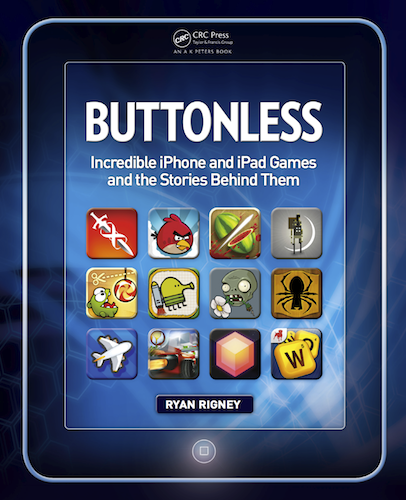
Remember when Steve Jobs introduced the iPhone way back in January 2007 by prefacing the reveal by first saying it was a “a widescreen iPod with touch controls”, “a revolutionary mobile phone” and “a breakthrough Internet communications device”? It certainly delivered upon those three pillars, but as the iPhone and iOS has evolved over the years it has become evident that the iPhone (and subsequently the iPod touch and iPad) is also an innovative and impressive portable gaming device. Gaming has become a big selling point for iOS devices and since the App Store launched there have been a number of truly great and innovative games that have both shown what the devices are capable of and offered unique experiences that weren’t available anywhere else.

Today, ‘Buttonless: Incredible iPhone and iPad Games and the Stories Behind Them’ has been released on Amazon. It’s a new book by Ryan Rigney that aims to introduce you to a selection of the very best iOS games and then peel away the curtain, revealing the story and people behind the games. To compile the book, Rigney selected 65 of the “best and most beloved” iOS games and then conducted over 100 interviews with the developers and designers of the games. The result is 244 pages of interesting ‘behind-the-scenes’ stories that are unlikely to be found anywhere else.

I was given a pre-release copy of the book and below the break is my full review of ‘Buttonless’.

Read more


Twitterrific 4.4.4 Gains Support for Readability

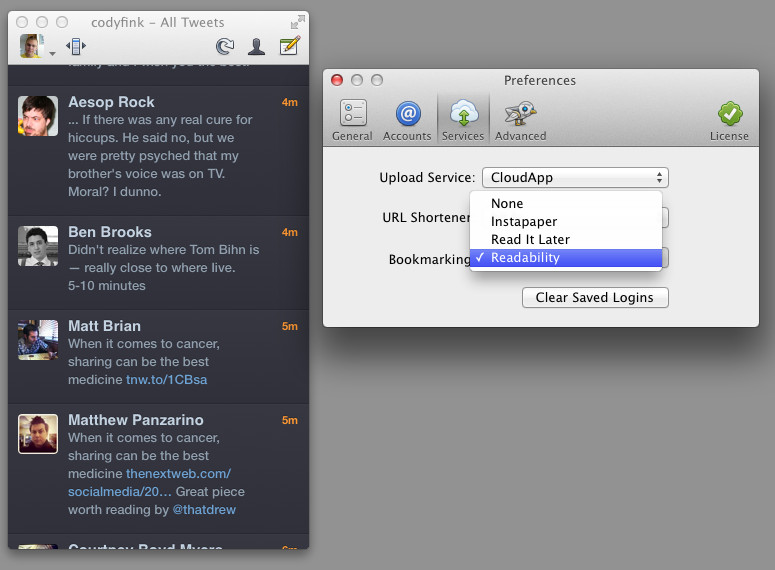
In light of the Twitter news yesterday, we missed a small but important update for Twitterrific! Fans of the Readability subscription service will find an update (4.4.4) waiting for them in the Mac and iTunes App Stores. Readability can be chosen as a read later services from the Services tab in Preferences on the Mac, and via Twitterrific in the Settings app on iOS. Readability, a bookmarking service that gives back to the authors you enjoy, also offers a customizable web and mobile reading experience, an easy to use article queue that can be shared with others, and bookmarklets to send articles directly to your Kindle.

The previous Twitterrific 4.4.3 update brought in a lot of extra refinements such as the addition of a load more button in profile pop-overs. In 4.4.4, the load more button has been added to timeline searches as well! In addition, 4.4.4 fixes some bugs with the Magic Mouse (no more missed clicks), and fixed a bug that would cause the timeline to jump to the top of the timeline when retweeting. Overall a small but noteworthy update!

Twitterrific is a free download on iOS, with a $4.99 in-app purchase removing ads and adding translations. Twitterrific for the desktop is $4.99 from the Mac App Store.


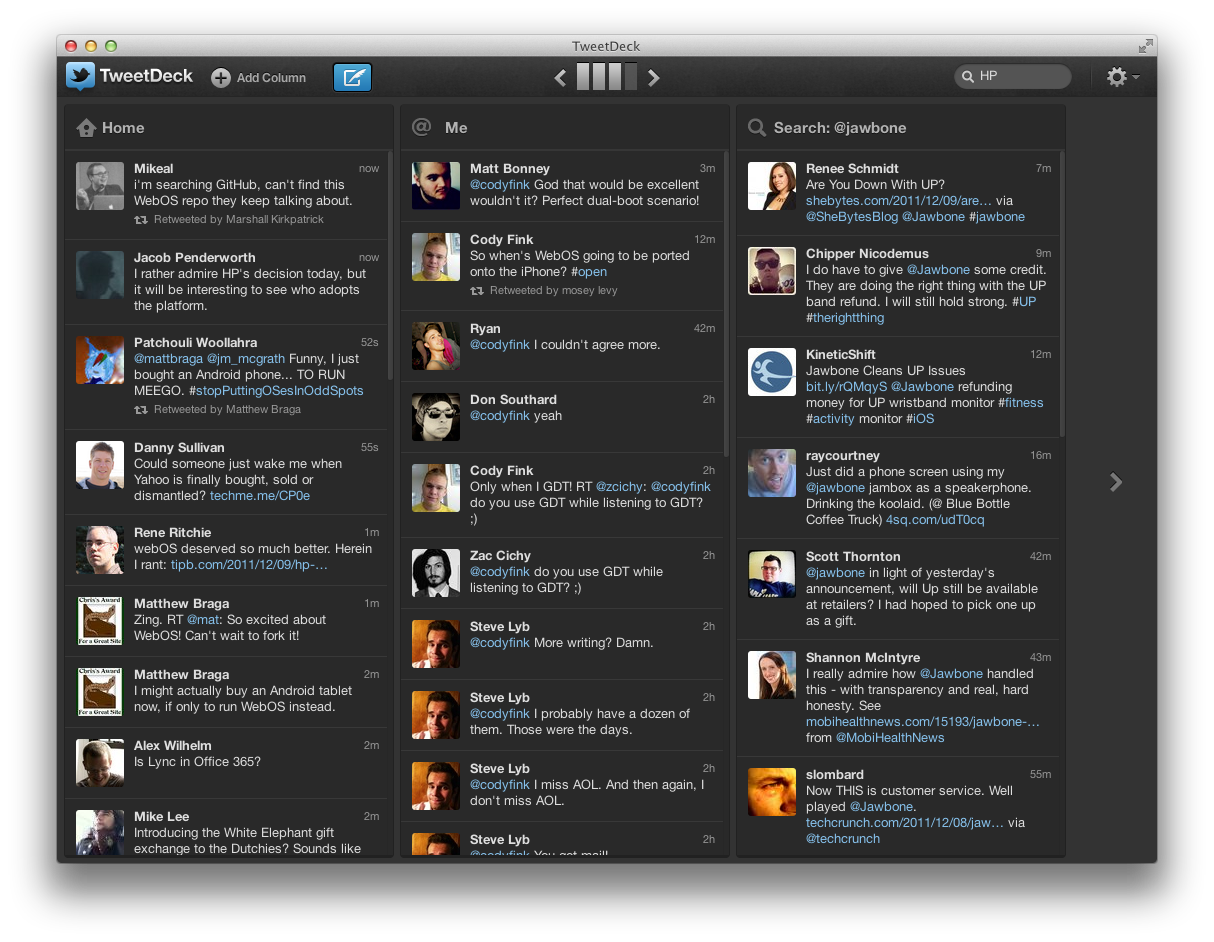
TweetDeck for the Mac: A Shorter Review

TweetDeck has always been looked up to as the power-user’s go-to Twitter app thanks to a huge feature set, its multi-column layout, quick filtering, and its availability across platforms thanks to Adobe Air. When Twitter acquired TweetDeck back in May, many questioned whether Twitter would continue to maintain the client, and whether Twitter would rebrand the app to better fit into their ecosystem. Yesterday, TweetDeck launched natively on Mac and Windows, bringing with it a brand new experience in-line with #NewNewTwitter’s focus. Like Twitter, it’s another big change many will have a hard time adjusting to.

Read more