Federico Viticci

10865 posts on MacStories since April 2009

Federico is the founder and Editor-in-Chief of MacStories, where he writes about Apple with a focus on apps, developers, iPad, and iOS productivity. He founded MacStories in April 2009 and has been writing about Apple since. Federico is also the co-host of AppStories, a weekly podcast exploring the world of apps, Unwind, a fun exploration of media and more, and NPC: Next Portable Console, a show about portable gaming and the handheld revolution.

The Prompt: A Formal Dinner For Business

This week, Federico, Myke and Stephen discuss “paymium” apps and what happens when tech products become fashion accessories.

I had a lot of fun doing research for this week’s fashion topic, which is difficult to talk about because it’s not something that is usually discussed alongside tech gadgets and apps. I expect to revisit it later this year as rumors of an Apple wearable device will inevitably intensify.

Get the episode here.

Permalink

Working with Evernote for iOS 7

Evernote 7.3

Evernote 7.3

When Evernote for iOS 7 was released in September, the app received a fair amount of criticism: the company had once again completely redesigned the app after users were still learning their way around the previous major redesign, there were bugs with sync and the note editor, plus several other minor issues that, together, didn’t provide a smooth upgade experience. Evernote listened and started working on iOS updates aimed at fixing problems reported by the userbase, which had resulted in low ratings on the App Store.

A few weeks ago, an article by Jason Kincaid highlighted some of the troubles he had with the Evernote apps, which prompted CEO Phil Libin to publicly address his complaints and, in the process, commit to making 2014 the year of prioritizing fixes and improvements to the existing Evernote experience instead of more complete redesigns and big feature additions. In January alone, Evernote has completed the transition to a new sync infrastructure that made sync four times faster for all users, and, today, released version 7.3 of the iOS app, which I believe shows a good thinking process by Evernote.

Read more


Launch Center Pro for iPad Review

Launch Center Pro

Launch Center Pro

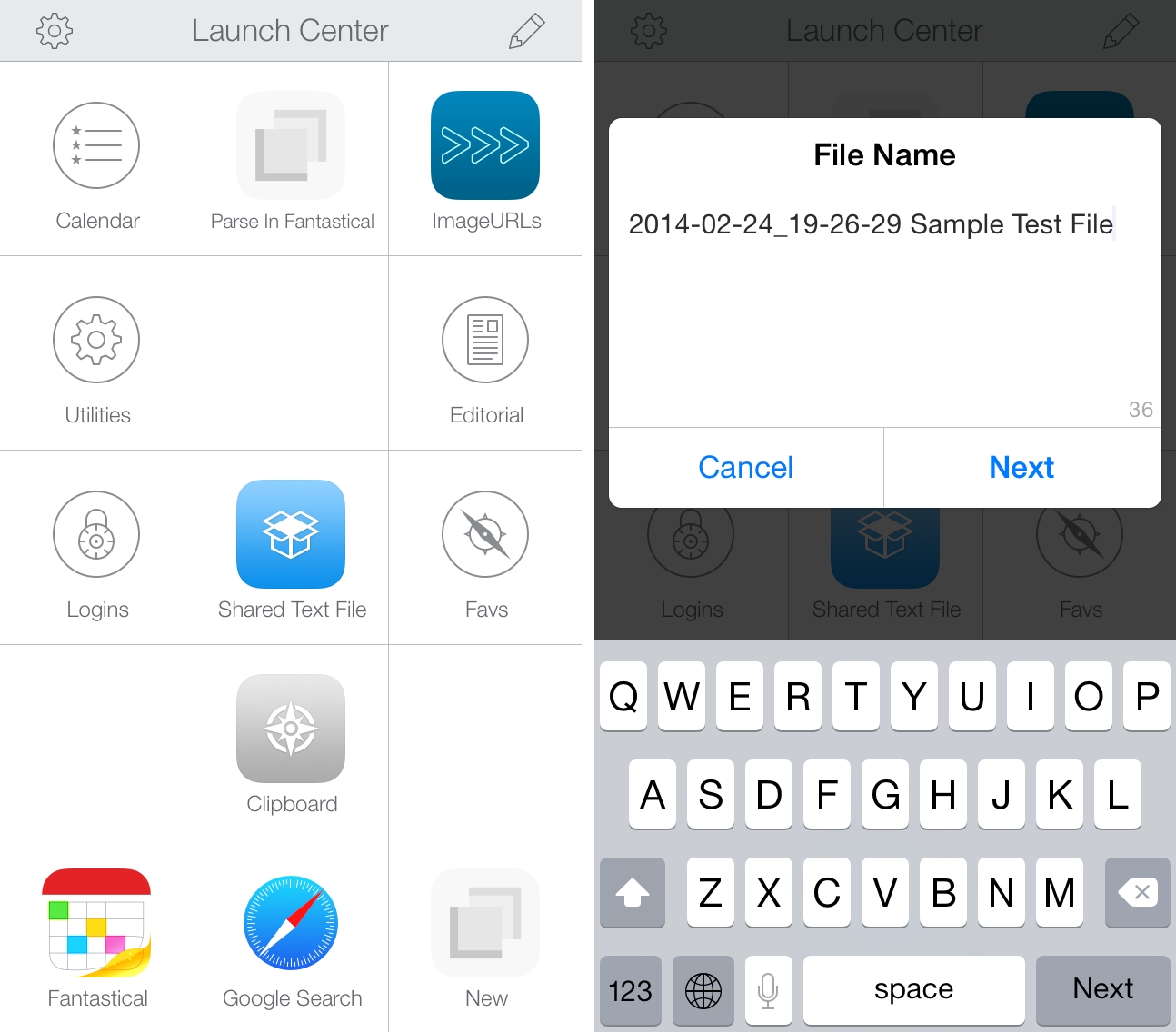
Contrast’s Launch Center Pro, the app that started the small revolution of iOS automation in June 2012, arrives today on the iPad with a new version (sold separately at $4.99) that takes everything you know about Launch Center Pro for iPhone and scales it up to the bigger screen. Launch Center Pro for iPad doesn’t do anything dramatically different from its iPhone counterpart: you can create custom actions, play around with Dropbox and clipboard integration, and do all the things that were possible in Launch Center Pro 2.1 – only now on your iPad too.

Finally.

Read more


Facebook Paper

Today, Facebook has announced Paper, a dedicated iPhone app to “explore and share stories” through Facebook. The app is coming out on February 3, and it takes a photo-centric approach at, essentially, displaying updates from your News Feed alongside “stories” (i.e. links and photos) recommended by a new curation team inside Facebook. The app uses full-screen, edge-to-edge layouts, relies on gestures for navigation, and it’s highly reminiscent of Flipboard for iPhone, both in terms of basic principles (status updates intermixed with news content) and the gesture to open and close “stories” (watch the promo video, and you’ll see).

I’ll save thoughts on the motivation and execution for the future, but, today, I’m skeptical. Facebook has a history of standalone apps that provided better, more elegant functionality than the main iPhone client (like Facebook Camera) which haven’t received enough attention. Aside from the name (this isn’t going to be awkward at all) and Flipboard-esque layout, I feel a disconnect. This app looks too beautiful for the kind of content that is shared on Facebook. Looking through my News Feed on a daily basis, what I see isn’t the hip mix of beautiful landscapes and inspiring moments that Facebook is advertising, but a chaotic mess of drunk selfies, memes, clubbing photos, and low-quality pictures of dinners or other family events. There is the occasional gorgeous photos, but does that justify a standalone, magazine-like approach to News Feed content?

What I’ve seen so far reminds me a lot of the beautiful News Feed that Facebook announced and never really shipped to users. A great idea in theory…which most people’s News Feeds don’t deserve. Of course, this time it may be different: Paper’s team includes Mike Matas (you can see some Push Pop Press influences in the video) and, according to The Verge, Loren Brichter contributed to the development. Facebook’s mobile numbers are growing, and perhaps the company needs to give its teams the ability to try new things that will eventually trickle down to the main experience (case in point: features of Facebook Camera later ported to the Facebook app).

I’m curious because a) I want to study the design/interaction approach taken by Matas and team and b) it appears you’ll be able to ignore status updates and browse only headlines by sources you follow or recommended by Facebook. Curation matters, and it’ll be interesting to see if and how Facebook will mix top publications with smaller independent authors. The focus on tackling “storytelling” by many companies lately is also a trend to keep an eye on, although I wonder if Paper can really become “Facebook 2.0” or “a reimagination of Facebook”.

Permalink

A Simple “Open In Chrome” Keyboard Maestro Macro for Safari

My problem: I haven’t installed Flash on my Mac and I sometimes need to watch YouTube videos that require Flash Player in Google Chrome. Google’s browser is my Flash shelter: Safari is my main browser and I only keep Chrome around for Flash videos. I was getting annoyed by the process of copying a URL -> launching Chrome -> pasting the URL, so I made a simple Keyboard Maestro macro to automate everything with a hotkey. I don’t know what took me so long.

The macro checks if Safari is the front window, and, if not, it displays a notification with an error message. I do this to prevent accidental hotkey presses for URLs that I don’t want to open in Google Chrome. If Safari is the front window, however, what required a bunch of steps in AppleScript to open the current Safari URL in Chrome is a single action in Keyboard Maestro: Set Google Chrome URL, using %SafariURL% as a variable.

The two additional steps –  Open Chrome and Wait For Chrome To Finish Loading – were necessary because I discovered that, when launched with a Set URL action, Chrome wouldn’t intercept the URL sent by Keyboard Maestro and would simply display a blank tab. In this way, Chrome is launched, paused for a second as it reloads open tabs or the start tab, and then the Safari URL is opened in the current tab. If you want to open the URL in a new tab, change the Set Chrome URL action to New Google Chrome Tab.

You can download the macro here.


Transloader 2.0

Nice update to Matthias Gansrigler’s utility for iOS and OS X, which I first covered in December 2012. Transloader lets you download URLs from your iPhone on your Mac: open the iPhone app, and a URL in the clipboard is recognized and synced within seconds to Transloader for Mac over iCloud. The URL will then be downloaded locally, in the Finder, without having to open Safari. It’s a great way to start downloads remotely when you’re not at your Mac.

The new version has support for iOS 7 and it lets you store multiple links before syncing them to the Mac app. Both apps have been redesigned, and iCloud sync is as stable and fast as I remembered. Transloader can be a good companion to Command-C if you want to transfer URLs over 3G (Command-C only works over local WiFi).

Transloader for iOS is free, and the Mac app is $4.99 on the App Store.

Permalink

The New Hotel Key: Your Smartphone

Craig Karmin, reporting for the WSJ:

Guests arriving at the Aloft Hotel in Manhattan or one in Silicon Valley will soon be able to do something hotels have dreamed about offering for years: walk past the check-in desk and enter their rooms by using a smartphone as a room key.
[…]
Guests at these properties will receive a message on a Starwood app containing a virtual key, which will unlock the door with a tap or twist of their phone through the use of Bluetooth technology. The company says the iPhone 4s or newer models and the Android phones running 4.3 or newer will be compatible.

Personally, I still enjoy the interaction with staff members when I check in, which is also the reason why I always go talk to an employee when I need to buy something at my local Apple store (I tried Apple’s EasyPay feature, and it felt odd).

This is where the future is going, though, and there are several elements worth considering. Bluetooth LE has stolen the spotlight from NFC for low-power, peer-to-peer wireless transfers, and there are obvious security concerns over solutions like this, as well as home products like the Lockitron. It’s an exciting time to watch pocket computers reshape our world.

Permalink

Evernote Sync Gets Faster

Evernote CEO Phil Libin:

Synchronization is now about 4X faster than ever before. This applies to any version of Evernote that you use. Sync now often takes a couple of seconds to complete, and when you get a new phone or computer, downloading your notes will take much less time. If you have a small account, you might not notice that much of a difference. On the other hand, if your account is large, or you’ve been using Evernote for many years, or you share notebooks with other users, or your entire company uses Evernote Business, you’ll see massive improvements. All four of these things happen to be true for many early Evernote employees, so the performance gains we’re seeing at the office are amazing. That explains the rejoicing.

The performance gains are noticeable for my account, which has over 2200 notes. This is especially good news for me as I use the Evernote apps a lot when I’m on 3G, and hopefully it’ll result in better handling of large attachments as well.

See also: the technical explanation of what the Evernote engineers did.

Permalink