
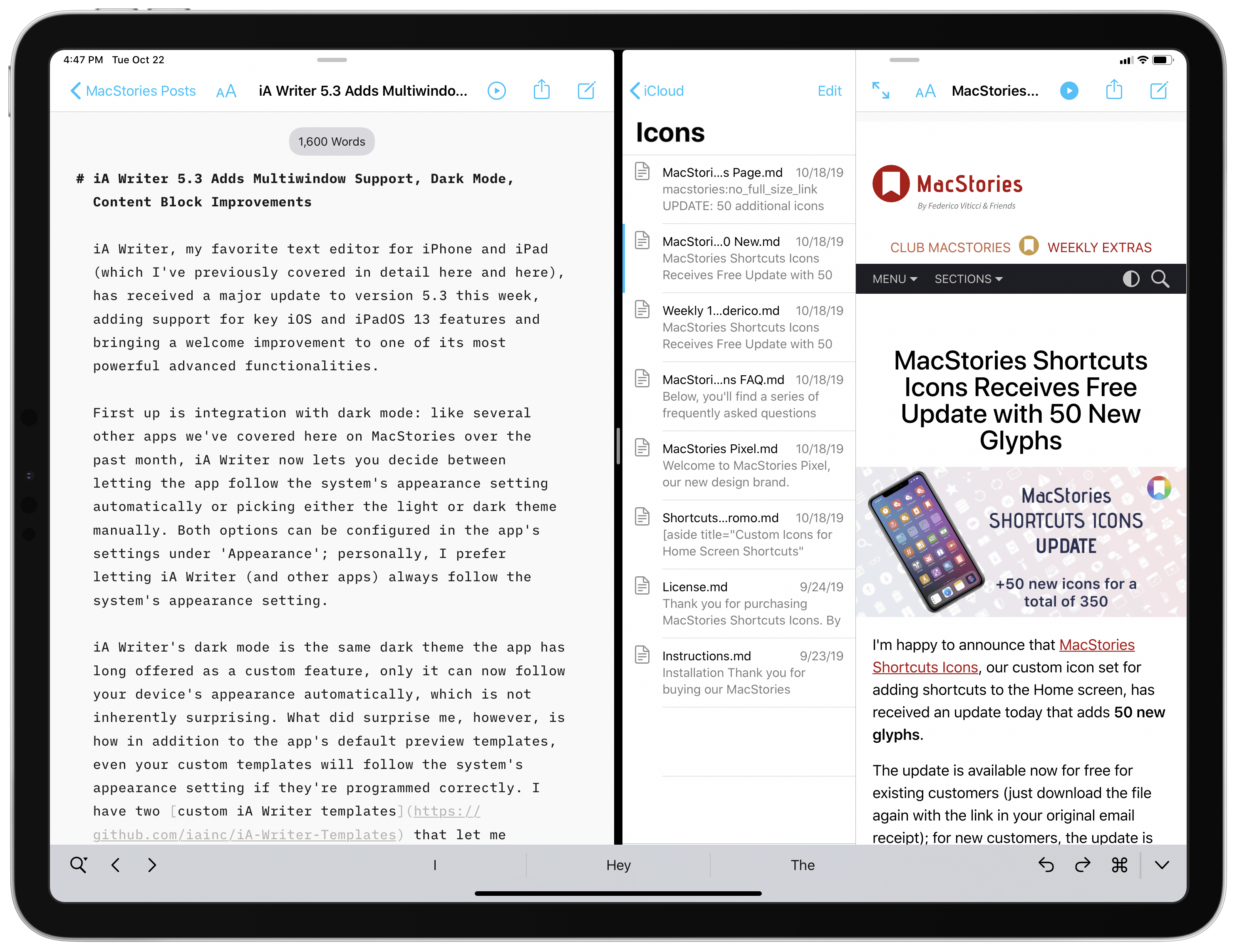
iA Writer, my favorite text editor for iPhone and iPad (which I’ve previously covered in detail here and here), has received a major update to version 5.3 this week, adding support for key iOS and iPadOS 13 features and bringing a welcome improvement to one of its most powerful advanced functionalities.
Mac Catalyst with James Thomson Plus Federico’s iPhone 11 Pro Camera Story
 John
AppStories Episode 135 - Mac Catalyst with James Thomson Plus Federico’s iPhone 11 Pro Camera Story
0:00
0:00
0:00
This week, Federico and John interview James Thomson, the creator of PCalc and Dice, for a developer’s perspective on Mac Catalyst and go behind the scenes of Federico’s iPhone 11 Pro camera story, Eternal City, Modern Photography: The iPhone 11 Pro in Rome.
MacStories Shortcuts Icons Receives Free Update with 50 New Glyphs
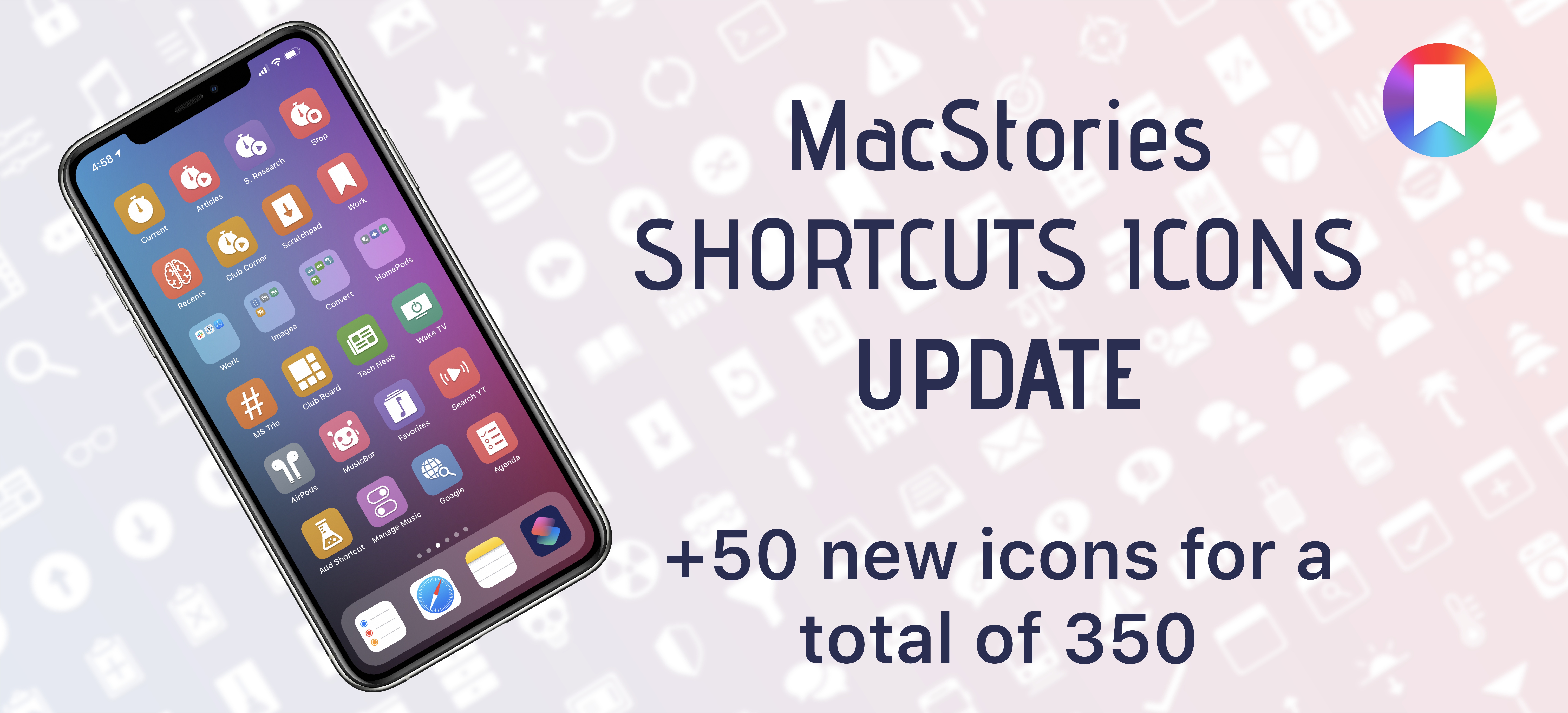
I’m happy to announce that MacStories Shortcuts Icons, our custom icon set for adding shortcuts to the Home screen, has received an update today that adds 50 new glyphs.
The update is available now for free for existing customers (just download the file again with the link in your original email receipt); for new customers, the update is part of the standard MacStories Shortcuts Icons purchase, which is available at $14.99 for a total of 350 custom Home screen glyphs.
For those who may have missed it last month: MacStories Shortcuts Icons lets you customize the look of your shortcuts added to the Home screen by choosing from hundreds of glyphs designed specifically with Shortcuts users in mind, going beyond what’s provided by Apple in the Shortcuts app.
 MacStories Shortcuts Icons Receives Free Update with 50 New Glyphs
I’m happy to announce that MacStories Shortcuts Icons, our custom icon set for adding shortcuts to the Home screen, has received an update today that adds 50 new glyphs. The update is available now for free for existing customers (just download the file again with the link in your original email receipt); for new customers,...
Adapt, Episode 11: Parameters in Shortcuts for iOS 13→
On this week’s episode of Adapt:
Federico walks through one of the biggest changes to Shortcuts in iOS 13: parameters. Afterwards, Ryan shares his experiences using Microsoft Word to write a MacStories article.
You can listen below (and find the show notes here), and don’t forget to send us questions using #AskAdapt and by tagging our Twitter account.




Connected, Episode 265: What Are You, a Dictionary?→
On this week’s episode of Connected:
Apple has revealed its new emoji set, so it is time for Federico to guess their names as Stephen and Myke listen and keep score. After that, Myke shares his thoughts about his Galaxy Fold.
You can listen below (and find the show notes here).
Sponsored by:
- Squarespace: Make your next move. Enter offer code CONNECTED at checkout to get 10% off your first purchase.
- Freshbooks: Online invoicing made easy.
- Hover: Make a name for yourself. Get 10% off any domain name.
Eternal City, Modern Photography: The iPhone 11 Pro in Rome

The Colosseum at night. Shot on iPhone 11 Pro using the wide lens, with night mode enabled. Unedited. Zoom in for details.
In many ways, the iPhone 11 Pro’s camera system feels like the culmination of over a decade’s worth of judicious, relentless improvements. Not only is the device’s camera the best and smartest Apple has ever shipped, but it also affords the most photographic freedom, allowing non-professional photographers like me to produce amazing shots with minimal effort.
Mac Catalyst and the First Wave of Apps Built with It
AppStories Episode 134 - Mac Catalyst and the First Wave of Apps Built with It
0:00
0:00
0:00
This week, Federico and John discuss Mac Catalyst, the technology for bringing iPad apps to the Mac, and round up some of their favorite Mac Catalyst apps that have been released so far.
Shortcuts Corner: Quick Contacts, RSS Feeds, Inspecting Lenses for iPhone 11 Photos, and Turning Reminders to Notes
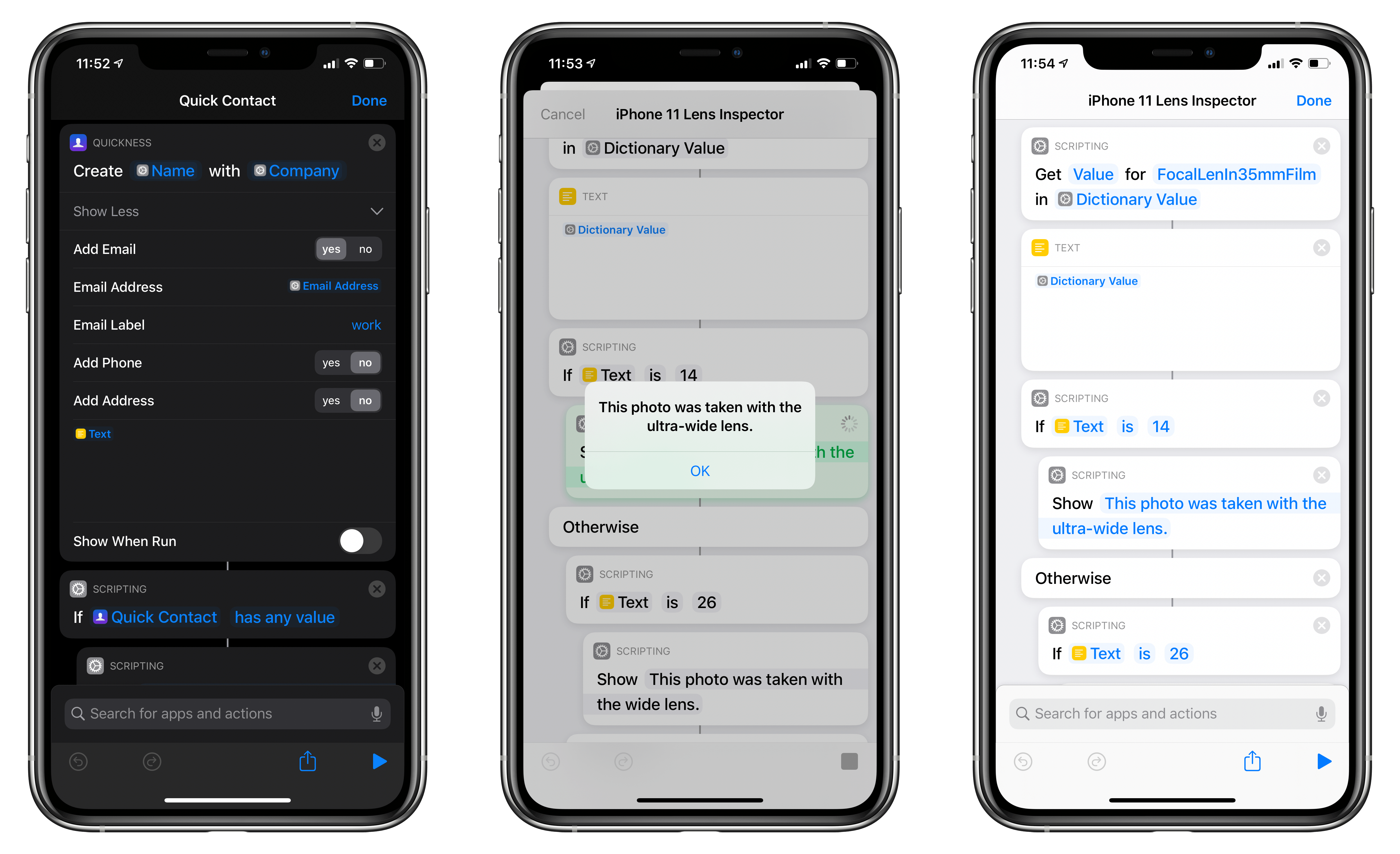
In this week’s installment of the Shortcuts Corner, I share two app-based shortcuts (for Quickness and Fiery Feeds) that I teased earlier this week, which let you create new contacts and subscribe to RSS feeds, respectively. Additionally, I’ve been working on an iPhone 11 Pro photography story, and I’ve created a shortcut that lets you double-check which camera was used to take a particular picture. Lastly, I share a preview of a shortcut to batch-convert reminders to notes, which is exclusive to Club MacStories members this week. Let’s dive in.