Ryan Christoffel

984 posts on MacStories since November 2016

Ryan is an editor for MacStories and co-hosts the [Adapt](https://www.relay.fm/adapt) podcast on Relay FM. He most commonly works and plays on his iPad Pro and bears no regrets about moving on from the Mac. He and his wife live in New York City.

PiPifier for iPad Expands Picture in Picture Support to More Safari Videos

An excellent new utility called PiPifier was just launched by developer Arno Appenzeller. PiPifier may sound familiar, as it was originally released as a macOS app on the Mac App Store. But now the app had made its way to the iPad.

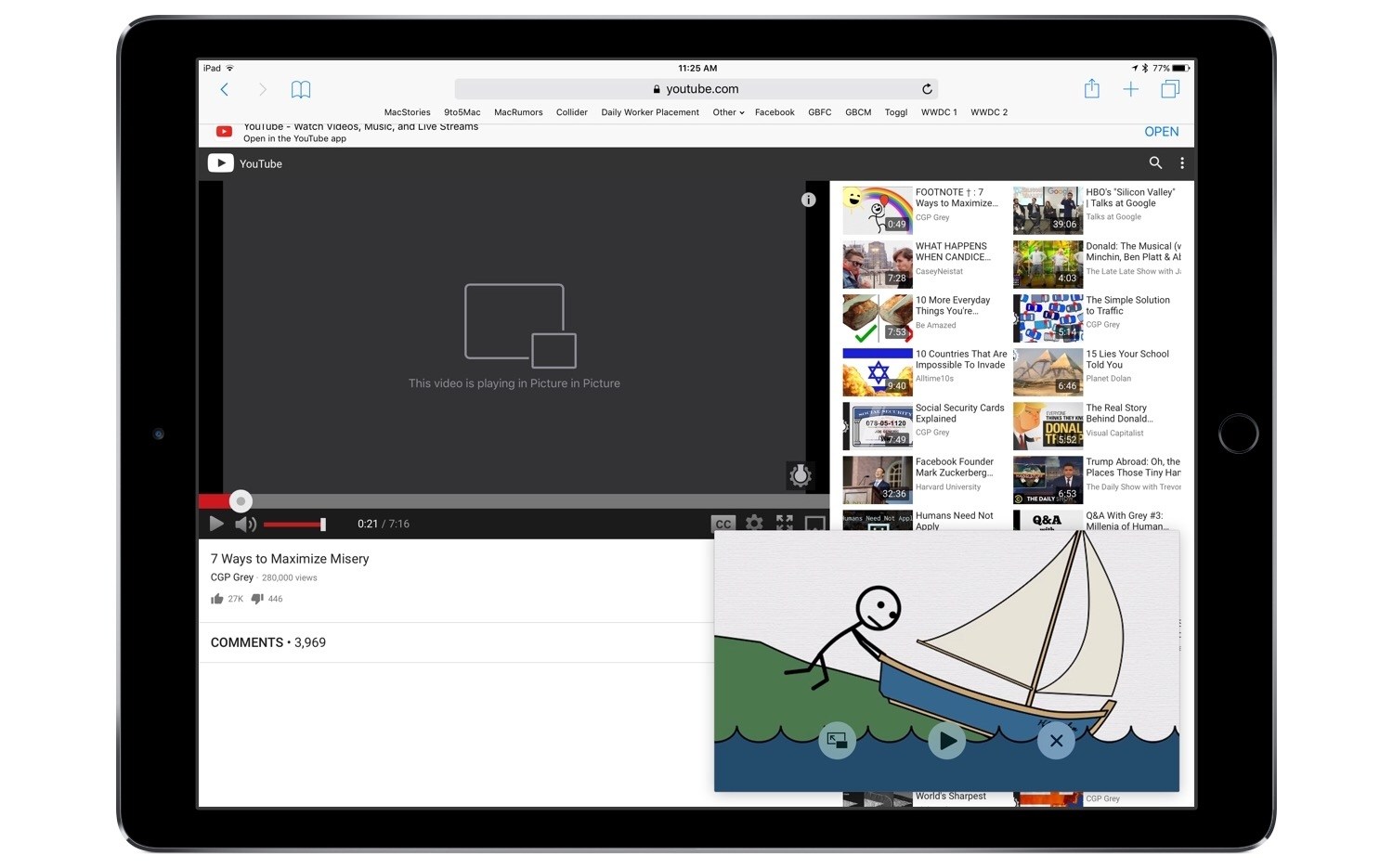
PiPifier is a tool that enables viewing any HTML5 video using the iPad’s Picture in Picture feature. It works as an action extension from the share sheet that you run within Safari. Simply load a site containing a video, then run the PiPifier action extension, and the video will instantly enter Picture in Picture mode. This is tremendously useful on sites like YouTube that do not support Picture in Picture by default, and in my testing has worked perfectly.

PiPifier is a free download on the App Store.


Amazon’s Alexa Adds Integration with iCloud Calendars

Mitchel Broussard of MacRumors shares an announcement from Amazon about a new Alexa skill for iCloud Calendar:

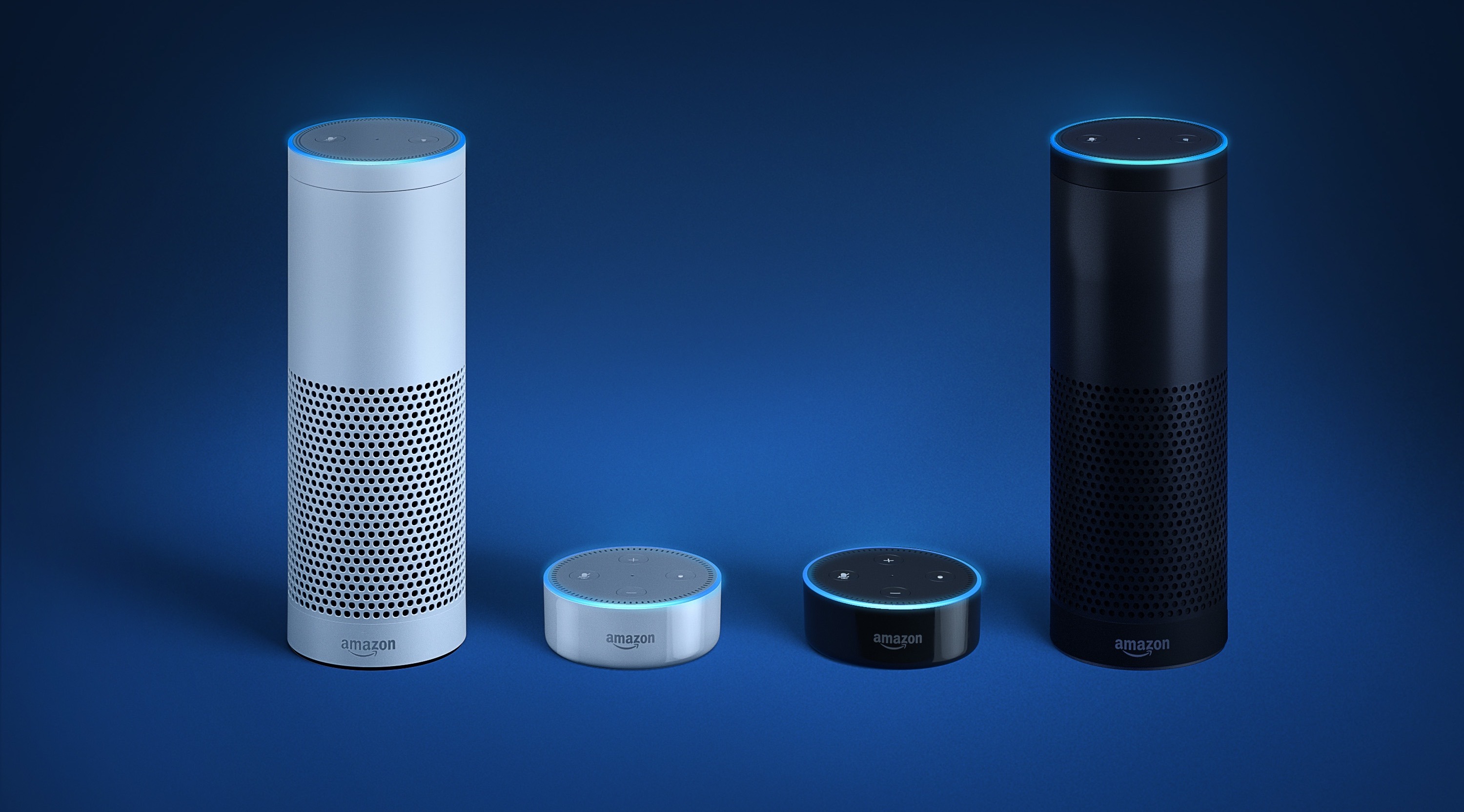
Starting today, you can now link your Apple iCloud Calendar to Alexa. To do this, iCloud Calendar customers can simply link their account in the settings tab in the Alexa app. Once linked, just say, “Alexa, what’s on my calendar today?” or “Alexa, add lunch with Sarah at noon to my calendar.”

iCloud Calendar support has been a top requested feature from Alexa customers, and we’re thrilled to bring this to Alexa devices in US, UK and Germany today.

It’s nice to start seeing some of Apple’s cloud offerings integrate with third-party services. Today’s Alexa integration follows IFTTT’s integrations earlier this year with iCloud Calendar and the App Store. Services as basic as iCloud Calendar shouldn’t be restricted to Apple-made devices, so I’m thankful to see Apple opening up – even if it’s just a little bit.

Permalink


More Than Stickers: Exploring iMessage App Utilities

It has been nearly a full year since Craig Federighi introduced the iMessage App Store to developers at WWDC. Coming out of that keynote, it was easy to guess that sticker packs might become a hit with users, but the big unknown surrounded the idea of more powerful iMessage apps. Would anyone actually want to use iMessage for anything more than basic messaging?

The challenge with creating a great iMessage app is similar in ways to that of creating a great Apple Watch app. In most cases it requires taking an existing app and stripping functionality down to its simplest form, while still retaining the overall usefulness and power of the full app. And as is true with Watch apps, some iMessage apps tackle the challenge well, while others fail to be useful due to slow or overcomplicated interfaces.

The first year of the iMessage App Store has been dominated by stickers, but amidst the crazy sharks and flaming pizza, there are a number of interesting and creative apps serving as helpful utilities as well. I have tried out iMessage apps for ordering food, managing files, sharing calendars, sending payments, planning meetings, and more. What follows is a list of some of my favorites.

Read more


Apple Goes All-In on Apple Newsroom for PR and Refreshes Executive Bio Pages

Benjamin Mayo reports on a couple of changes found on Apple’s website:

Apple has today officially transitioned away from its aging press portal in favor of the modern Apple Newsroom, which combines company press releases, photo coverage and other news into one place. All links to apple.com/pr now redirect to apple.com/newsroom.

At the same time, the company has also updated its executive biography pages with a fresh design update to fit in with the company’s recent website design trends and adopts the San Francisco typeface, finally retiring the Lucida Grande font.

These are both minor, but welcome changes. It made no sense for Apple to continue publishing press releases on both the legacy press portal and Apple Newsroom. The design changes to executive bios were inevitable as well; this moves things one step closer toward retiring all old design on the company’s website.

Permalink


Twitter for Apple TV Updated with Periscope Global Map

Twitter has updated its Apple TV app with an interesting new way to view Periscope videos from around the world. The feature is called Global Discovery, and it was announced in a tweet earlier today.

Once you open Global Discovery in the Twitter app, you’ll be presented with a zoomed out view of Earth. The face of the planet is scattered with various pins representing different Periscope streams that are currently live. It’s a clever way to discover live videos from radically distant parts of the world. I enjoyed being able to easily hop between Periscopes from areas in the U.S. and others in Asia, on the other side of the world.

Navigation in Global Discovery is limited to four options: you can scroll around the face of the globe, move from pin to pin (and thus video to video) on the planet’s surface, and zoom in or zoom out. Switching between these options can be done at any time using the Siri Remote’s Play/Pause button.

Global Discovery is a nice evolution of the Map view found in Periscope’s iOS app, and one that takes advantage of the big screen to great effect.


IFTTT Launches Powerful Applet Tools in New Maker Tier

Last November IFTTT, the popular web automation platform, introduced powerful applet tools to its Partner tier of users. The Partner tier was not designed for the average user though, and was therefore cost prohibitive to most. But today, IFTTT announced that some Partner benefits are becoming accessible to a broader base of users with a new Maker tier. This tier is free, but it must be signed up for to gain the new applet tools.

One of the most significant privileges granted to users on the Maker tier is the ability to create applets with more than two actions. Previously applets could only have one ‘If’ and one ‘Then’ action each, but Makers can now create applets that have multiple ‘Then’ steps. So you can set up an applet that triggers based on one thing, then takes several different actions because of that initial trigger. Applet building in this way more closely resembles the power of a service like Zapier. Makers can also modify applets using JavaScript filter code, unlocking a range of new possibilities such as the ability to cause an applet, or particular applet actions, to run only at certain times of day.

Another benefit of being a Maker is that you can build applets for any service on IFTTT, whether you have an account with that service or not. Previously, actions could only be used in an applet if you had a connected account tied to that service or device, but that’s no longer the case. This ties in well with another Maker benefit: public profile pages. Each Maker will have a public profile for sharing all of their applet creations.

Creating applets using the Maker tools must be done on the web; the IFTTT iOS app does not currently provide access to any Maker tools, and it is unclear if that will change in the future.