

In iOS 10 compatible iPad models gained the ability to open two Safari pages side-by-side, and with that new function came an optional gesture: a two-finger tap on a link would open it on the other side of the screen. While that gesture was nice, I wished it had been put to better use...
Making Siri More Human→
David Pierce has a feature story on WIRED today that’s all about Siri – especially the new Siri voice coming in iOS 11. It features a variety of interesting details concerning Siri’s history, the way Apple thinks about the digital assistant, and in-depth details on how new Siri languages are added.
One of my favorite bits involves a quote from Apple’s VP of product marketing, Greg Jozwiak, who said Apple focuses on Siri’s ability to get things done:
It drives him crazy that people compare virtual assistants by asking trivia questions, which always makes Siri look bad. “We didn’t engineer this thing to be Trivial Pursuit!” he says.
This explains Siri’s productivity-focused commercial starring The Rock, and also helps make sense of the fact that Siri is often embarrassingly clueless when it comes to current events or other simple queries. Though Apple’s awareness of the problem exacerbates its lack of a suitable response in beefing up Siri’s trivia knowledge.
Other interesting tidbits from the story include the fact that Siri now has a massive 375 million active monthly users, and that Siri’s new, more natural voice was inspired in part by the movie Her.
Logitech Circle 2 Camera Now Supports HomeKit
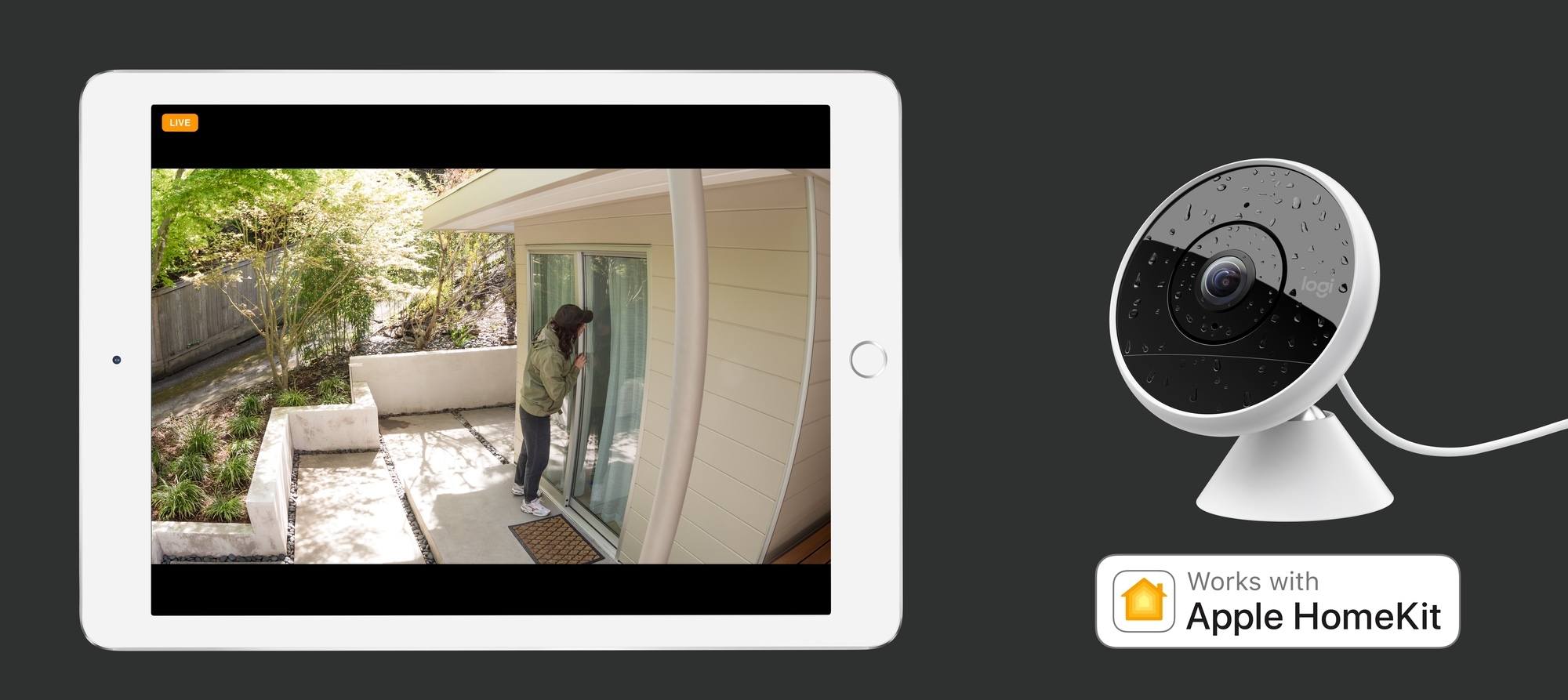
Earlier this summer Logitech released a new home security camera called the Circle 2. The camera is sleek and can be adapted to work well in different areas of the home thanks to a variety of accessories like a window mount or plug mount. Today, thanks to loosened restrictions for HomeKit devices Apple introduced alongside iOS 11, the Circle 2 is receiving HomeKit support through a software update.
At the time of its release, Logitech announced that HomeKit support would be added in a future update, but there were conflicting reports on exactly how that would work. Today in the press release where Logitech confirmed that HomeKit support has now arrived, they clarify that it is only available on the wired model of the camera. According to a Logitech PR rep who spoke with 9to5Mac, the wired requirement is one imposed by Apple, so it is unlikely to change anytime soon for owners of the wireless model. Instructions for setting up the wired Circle 2 with HomeKit are available in a support document.
The wired Circle 2 camera is available now from many retailers for $179.95, and Logitech notes that Apple stores will begin selling the product in October.
Apple Uses Tips App to Promote iOS 11 Features→
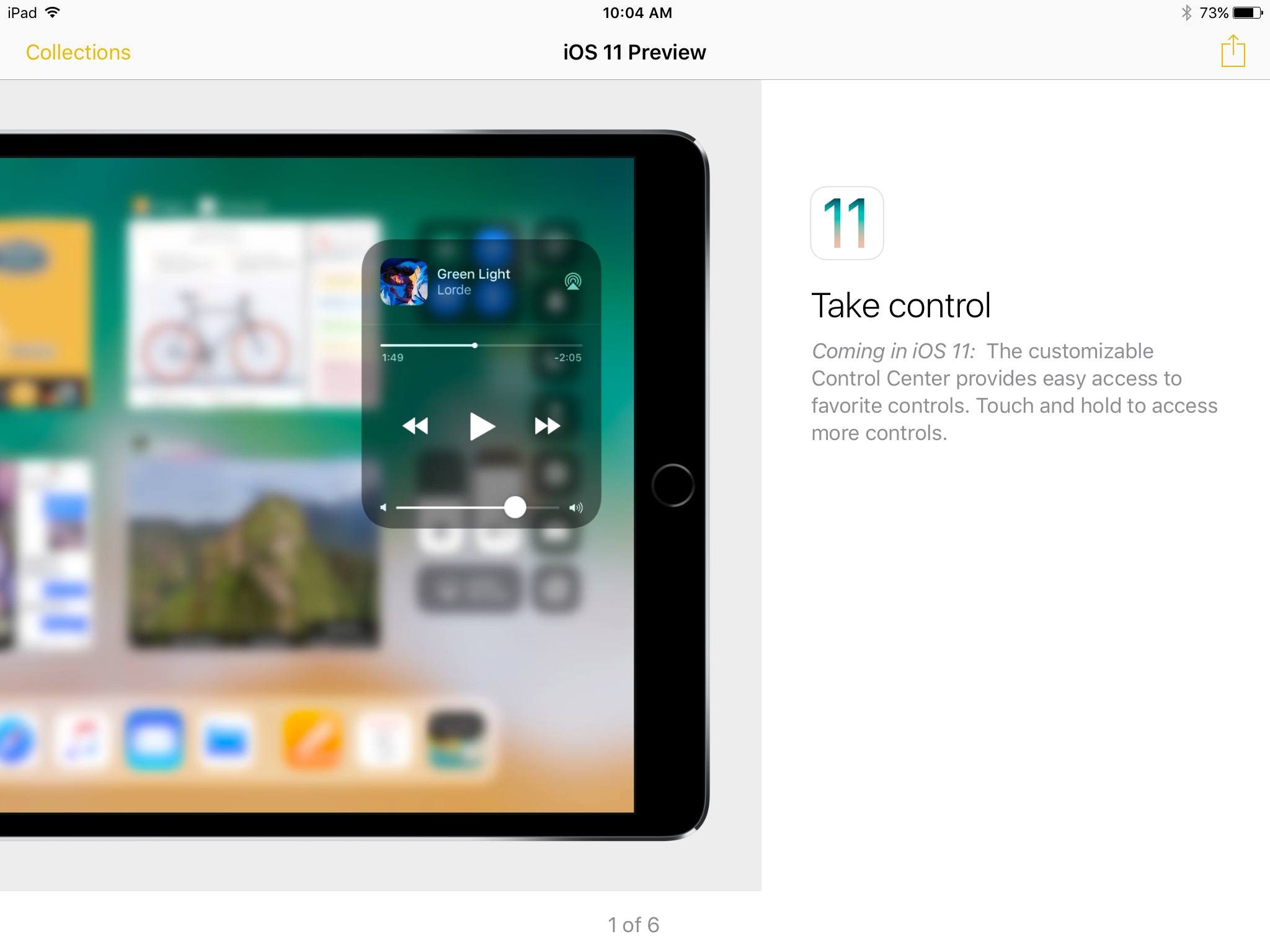
We’re less than a week out from Apple’s big September 12 event, when the release date for iOS 11 is expected to be revealed. As part of the lead-up to that release, Apple is now using its Tips app to promote upcoming iOS 11 features to iOS 10 users. Mitchel Broussard reports for MacRumors:
Apple has begun sharing tips to users on iPhone and iPad concerning the newest features of iOS 11…Users on Twitter and Reddit pointed out the new iOS 11 Tips section starting last night, noticing a few push notifications that encouraged them to read up on tips for Control Center, Siri Translate, the new iPad Dock, and more.
This news makes sense considering the how-to video series Apple surprisingly launched last month to explain iOS 11 features like the Files app and the iPad’s new dock. While those videos focused on iPad features, the items seen in the Tips app so far have been iPhone related as well. Clearly, Apple wants to get people excited about upgrading to iOS 11 while simultaneously helping prepare users for the changes that update will bring.
Moleskine Launches Paper Planner That Syncs Appointments to Cloud Calendars→
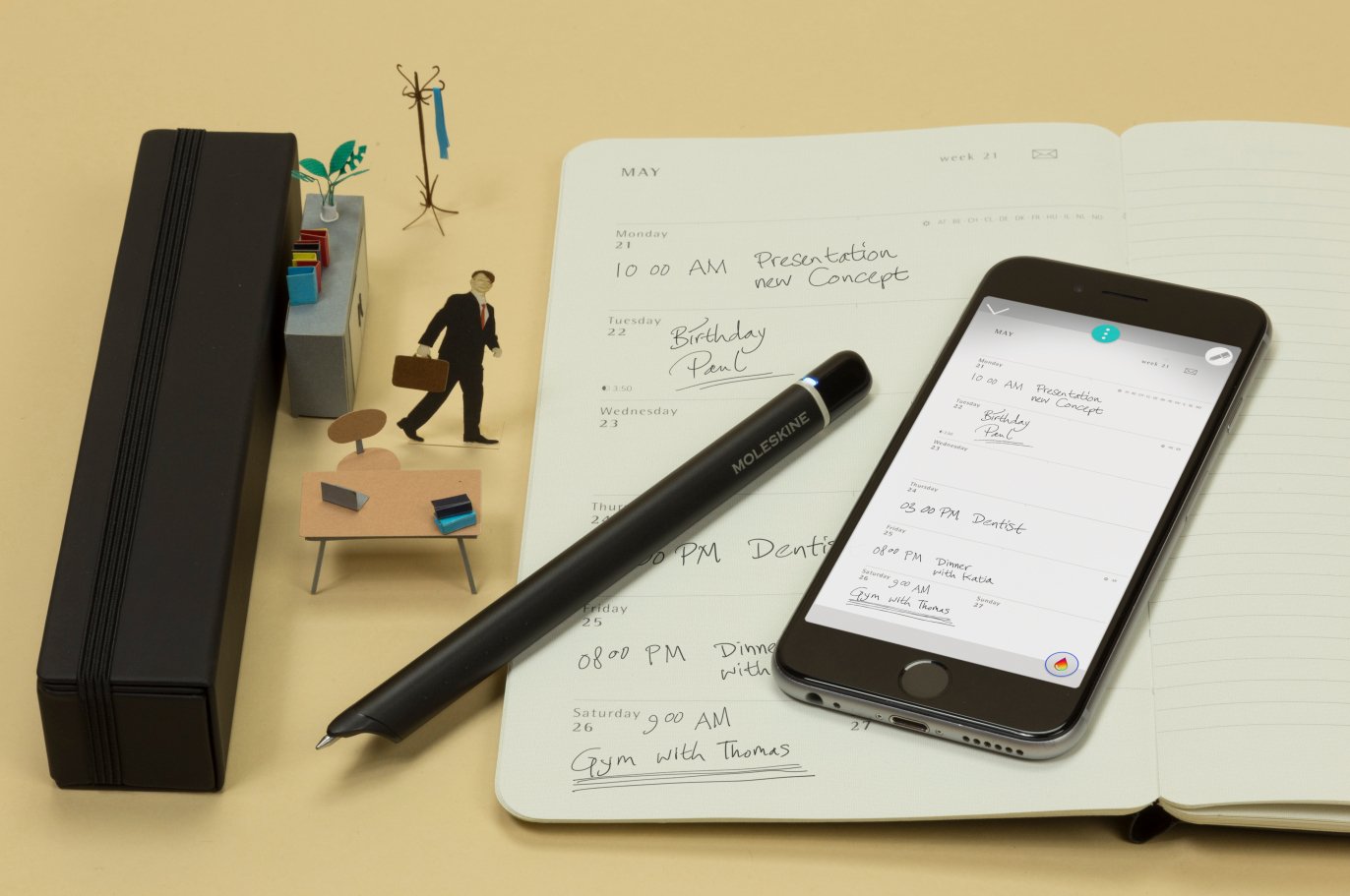
Today Moleskine unveiled its latest work in the area of integrating physical and digital methods of note taking: the Smart Planner. Matt Burns, writing for TechCrunch:
Like other Livescribe systems, the Smart Planner as it’s called uses paper embedded with sensors that can read and sync anything written by the Moleskine Pen+. Meetings and appointments written on the planner part of the paper are synced automatically to the user’s Google or Apple account and placed appropriately on their calendar.
Both the pen and the paper are required for this system to work.
The system will be available worldwide on September 12…The set will cost $199 or $29 for just the planner.
Moleskine’s reputation in the area of physical notebooks is top-notch, and its work in the digital space with apps like Timepage is excellent as well. It should come as no surprise, then, that a company with expertise in both physical and digital realms would put that skill to use creating a system that seamlessly blends both worlds.
I prefer to avoid handwriting anything if I can help it, but for the huge market of people who love their handwritten notes – in this case, handwritten calendar appointments – but also want the benefits of keeping that data in the cloud, Moleskine is building an exciting system here.
HomeKitty: A Crowdsourced HomeKit Database Written in Swift
Recent days have seen an increasing number of HomeKit accessories released, making it more difficult to keep up with all the products currently on the market. Enter HomeKitty.
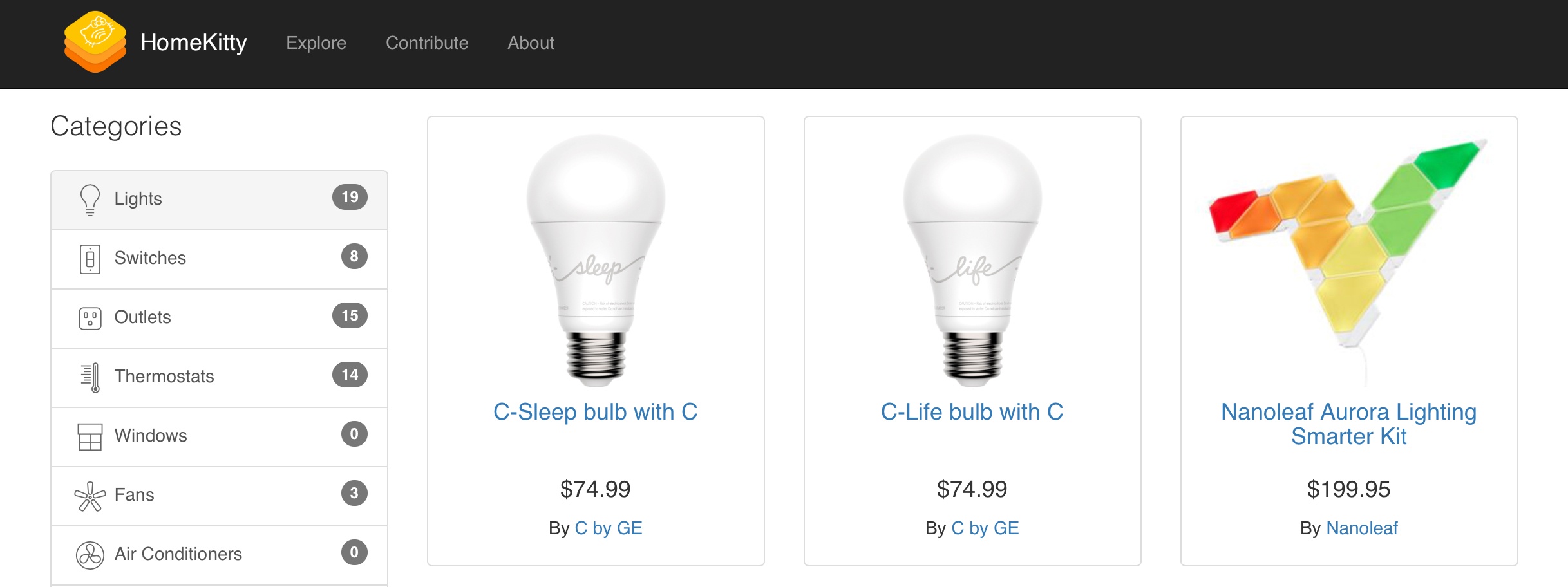
HomeKitty is a new site created single-handedly by developer Patrick Balestra as a hub for all things HomeKit. It was written entirely in Swift, and contains basic information about every currently available HomeKit accessory. Thanks to the site’s categorical listings, you simply select a category of device – such as lights, outlets, or thermostats – to view all available products of that type.
Alongside a product’s image, HomeKitty displays its name, price, maker, and a link to either the product’s official manufacturer site or its listing in the Apple Store – that’s it. Rather than include detailed listings and ratings/reviews for HomeKit products, HomeKitty keeps things clutter-free and serves as a sleek, easy-to-navigate database that can help point prospective shoppers in the right direction.
HomeKitty was designed to serve as a crowdsourced site, so anyone can submit a product for inclusion in its database. Once approved, the product will be displayed alongside existing entries; currently over 80 products are listed. For now, every listing is restricted to products currently available for purchase, but in the future Balestra plans to add announced-but-unreleased products as well.
Apple Introduces Wireless, Noise-Cancelling Beats Studio3 Headphones
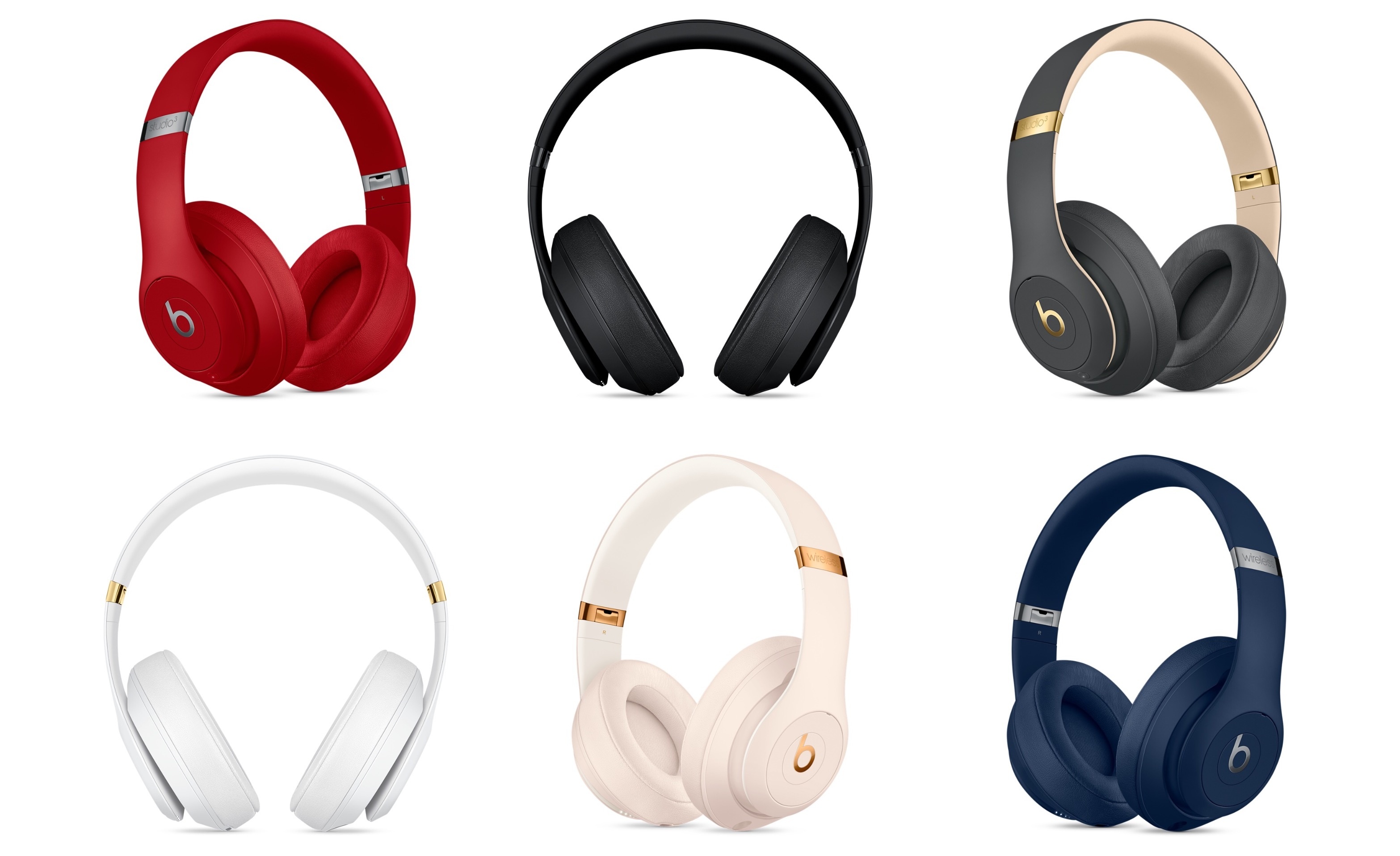
Today Apple introduced the latest addition to its Beats lineup of premium headphones: the Beats Studio3 Wireless Headphones.
The Studio3 headphones differ from the existing Solo3 option in two primary ways. First, they sit over your ears rather than on them – an important distinction for prospective buyers. Second, related to the over-ear design, they include Pure Adaptive Noise Cancelling (Pure ANC), which works to shut out external noise while also optimizing audio for the precise fit of the wearer and calibrating music to top-quality.
These wireless headphones join the existing lineup of Beats options that adopted Apple’s W1 chip late last year. Also seen in Apple’s AirPods, the W1 chip provides improved connectivity and power efficiency. With Studio3, the W1 chip enables battery life of up to 22 hours with Pure ANC enabled, and up to 40 hours without it. The Studio3 headphones also charge quickly, with up to 3 hours of playtime after a 10-minute charge.
The last noteworthy design note is that on-ear controls allow you to control playback directly from the Solo3 hardware, enabling audio control and even Siri activation.
You can order the Studio3 headphones today in a variety of colors for $349.95, but they won’t ship until mid-October.
 iOS Apps with Great Dark Themes, Vol. 4
Volumes 1 - 3 of iOS Apps with Great Dark Themes are available in the Club MacStories Archive in the following issues of MacStories Weekly: Issue 28 Issue 30 Issue 79 HealthView HealthView is a beautiful app in its light theme, with bold fonts and bright colors creating a pleasing fitness dashboard. The good...
Weather Atlas: Weather Mapping for a Modern Day
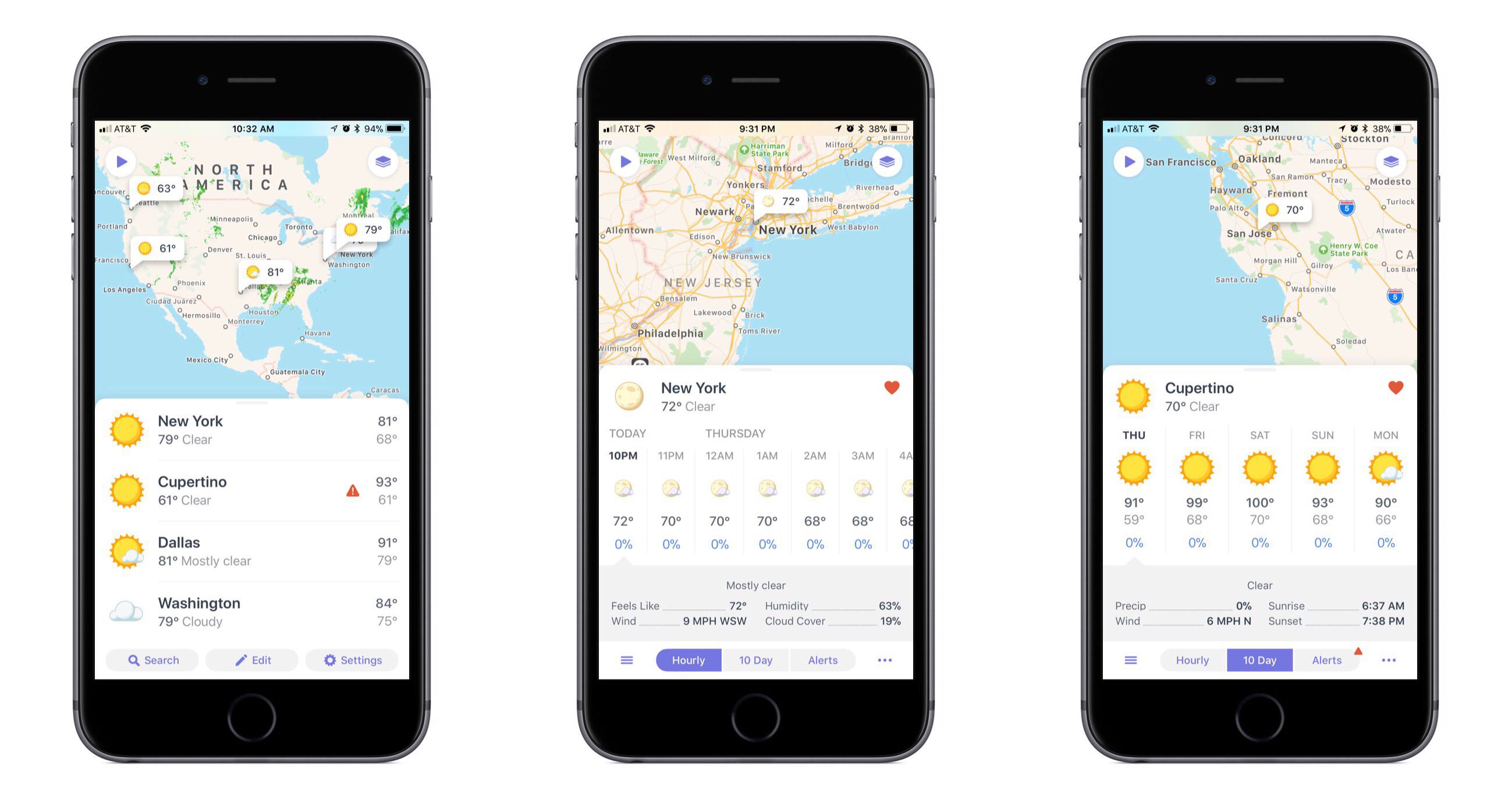
One of the app categories that’s always receiving new entries – and that I’m always pleased to try a new take on – is weather. Often weather apps share the same data sources, but their design and customization options make them stand out. The developers at Contrast are no strangers to the crowded weather app market, as creators of the now-retired Perfect Weather. But with the help of developer Greg Pierce, Contrast is introducing a fresh take on the modern weather app with Weather Atlas.