Ryan Christoffel

984 posts on MacStories since November 2016

Ryan is an editor for MacStories and co-hosts the [Adapt](https://www.relay.fm/adapt) podcast on Relay FM. He most commonly works and plays on his iPad Pro and bears no regrets about moving on from the Mac. He and his wife live in New York City.

Watch Dependence

Joe Cieplinski, writing on his blog:

I have reached the unfortunate conclusion that RECaf’s watch app will not be able to go fully independent this fall with the release of watchOS 6. While you have always been able to log from your wrist using the app or Siri shortcuts, I was hoping folks who didn’t want to keep RECaf installed on their phones would be able to continue using RECaf on their wrist.

There are simply too many things that can’t be done on watchOS alone at this point, however. So for now, you’ll have to keep that phone app installed.

Cieplinski outlines three main areas that independent Watch apps are currently lacking in their capabilities, two of which involve HealthKit limitations, while the third is that you can’t perform any kind of In-App Purchase on an independent Watch app, so unlocking pro features or a subscription plan is impossible without an iPhone companion.

These are significant drawbacks, not the type of edge cases that would be more understandable and expected for watchOS’ first take on stand-alone apps. App independence was the primary story Apple told for watchOS 6 at WWDC, but I suspect not many apps will be able to go independent until greater feature parity is achieved between independent apps and those still tethered to the iPhone.

Permalink

Apple Debuts New USB-C Digital AV Multiport Adapter for iPad Pro and Modern Macs

Chance Miller of 9to5Mac details a fresh update to an Apple USB-C adapter:

Apple this week has quietly released a new version of its USB-C Digital AV Multiport Adapter. This $69 adapter includes a USB-C port, HDMI port, and USB-A port, with the new version making several notable improvements.

The new USB-C Digital AV Multiport Adapter adds support for HDMI 2.0, an upgrade from the original model’s HDMI 1.4b. This means you can now drive 4K 3840 x 2160 video at 60Hz

4K 60Hz throughput is supported on the iPad Pro, iMac Pro, and 2017 or later versions of the 15-inch MacBook Pro and Retina iMac. Miller also notes that the updated dongle now includes “support for HDR video in HDR10, as well as Dolby Vision.”

I’ve been interested in purchasing the prior version of this adapter for contexts where I’d like to watch a video but don’t have an Internet connection. Since the Apple TV doesn’t support offline downloads, but many apps on the iPad do, connecting my iPad Pro to a TV set via HDMI seems like the best solution. The added flexibility of including a USB-A port, and even a USB-C port to enable power charging, makes this an especially appealing dongle for me.

You can order the new USB-C Digital AV Multiport Adapter from Apple’s website for $69.

Permalink

Creating Home Screen Icons with Launch Center Pro 3.1 and the Shortcuts App

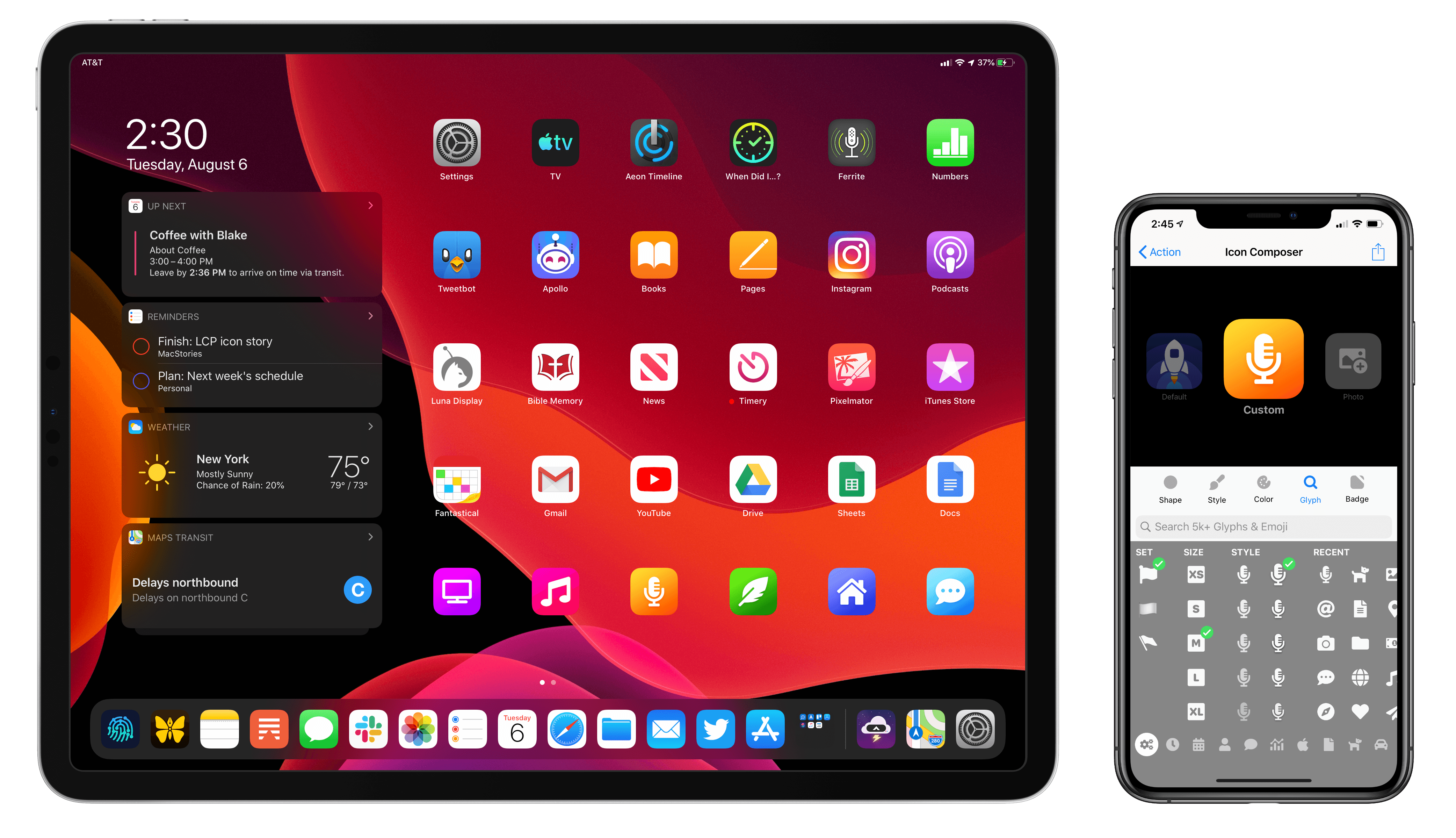
This fall when iPadOS 13 launches, it will bring an updated Home screen that incorporates pinned widgets and a denser arrangement of apps. The changes aren’t as revolutionary as iPad power users may have hoped when they heard whispers of a redesigned Home screen, but they’re a start. While the addition of widgets is valuable in its own right, in my beta testing of iPadOS I’ve also discovered a lot of potential for the larger set of icons the Home screen can now hold – particularly when combined with a new feature just added to Launch Center Pro.

Debuting today, Launch Center Pro 3.1 centers around a major upgrade to the app’s icon composer that provides countless options for creating custom icons. While the use cases for this icon creation tool are vast, I was intrigued by one specific possibility: designing icons that could be exported as image files and used by Apple’s Shortcuts app when adding shortcuts to the Home screen, since Shortcuts allows choosing custom images for Home screen shortcuts. Combined with several key OS changes, and the icon creation tool in Launch Center Pro, it’s a better time than ever to add shortcuts to your iPad or iPhone Home screen.

Read more


Apple Card Available Today in Phased Rollout, Full Launch Coming Later in August

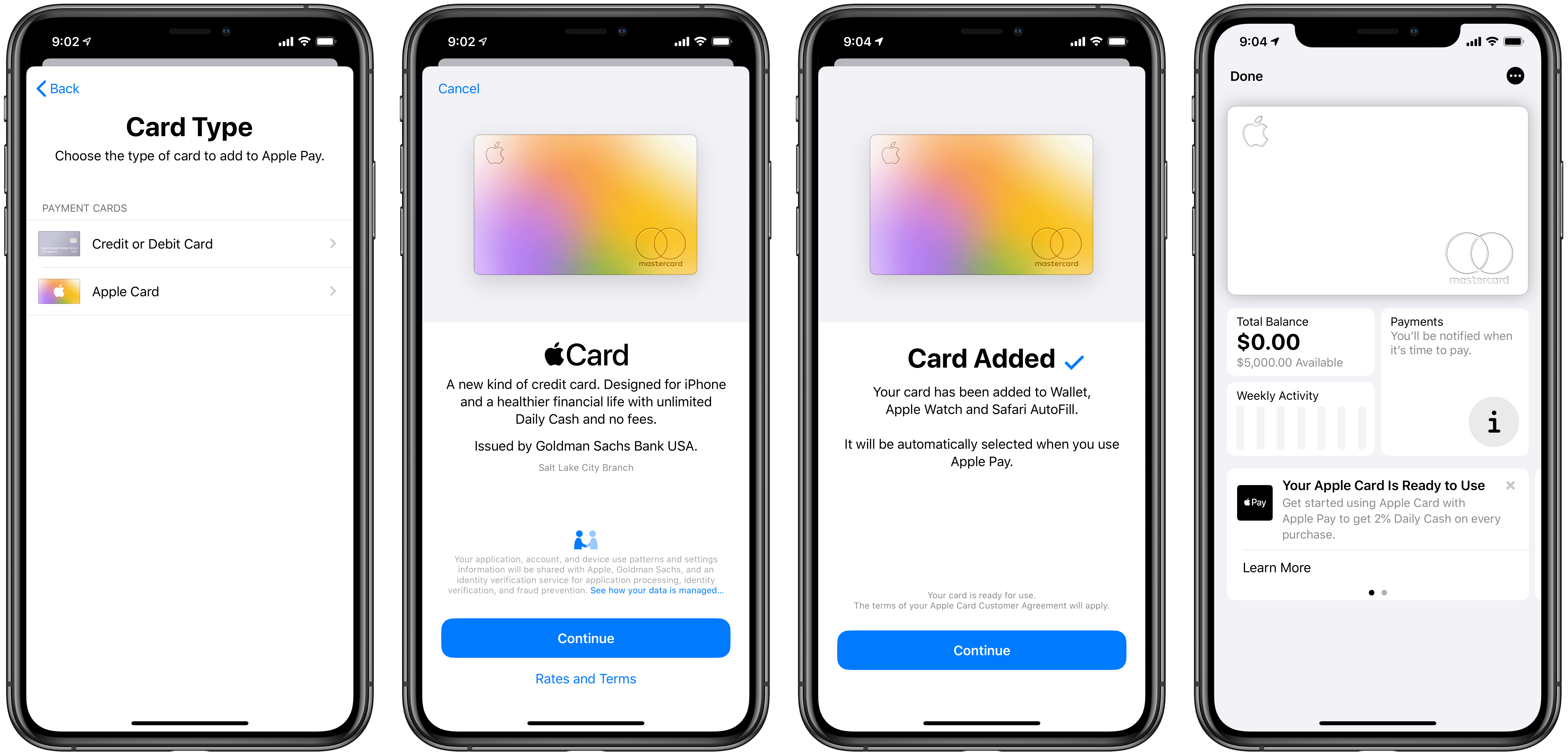
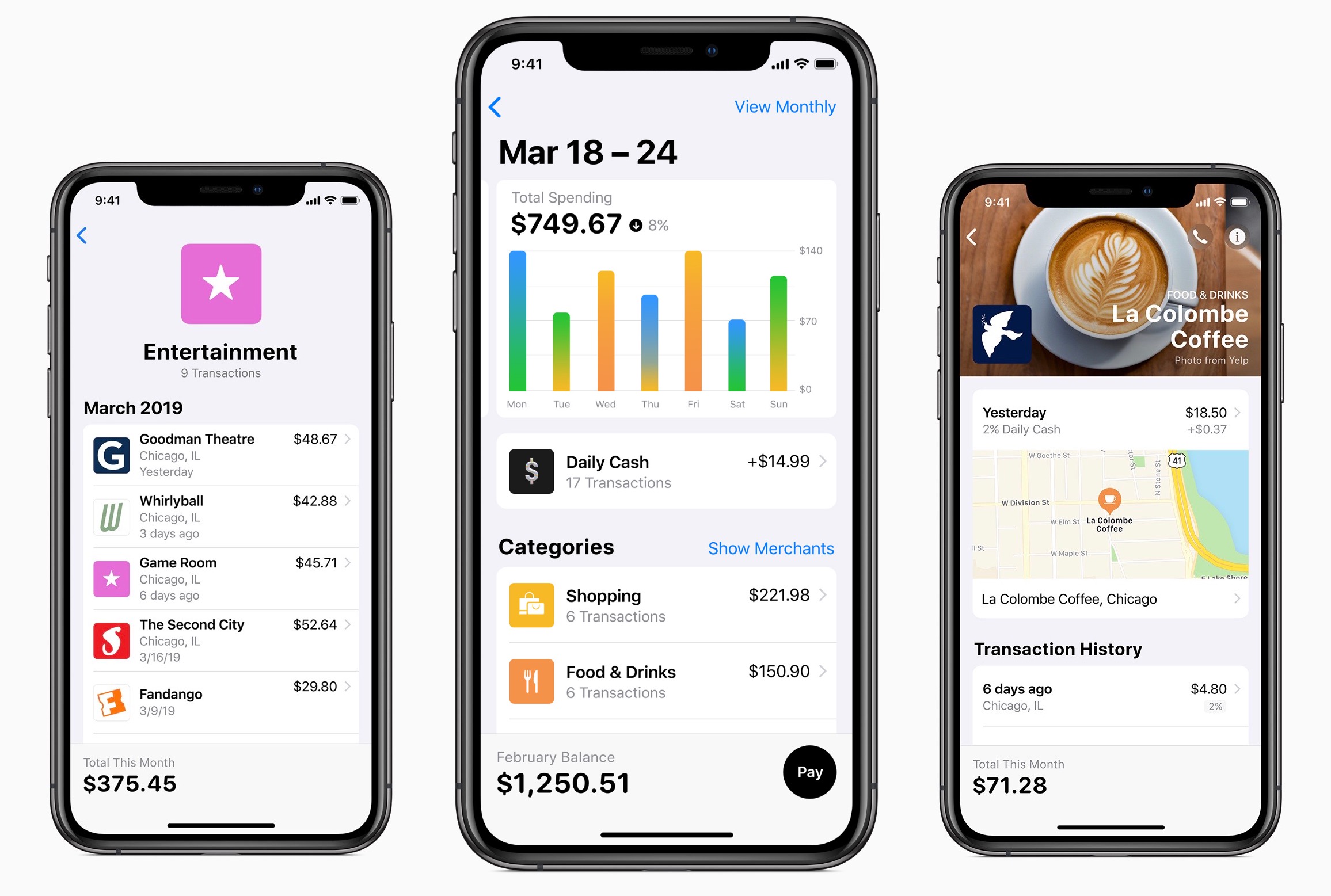
Today Apple is officially launching its latest service, Apple Card, but only to a subset of users ahead of a broader rollout later this month. The new credit card is limited to US users running at least iOS 12.4, and today it will only be available to certain people who signed up on Apple’s website to be notified about Apple Card. If you’re part of that chosen group, applying for Apple Card can be done right inside the Wallet app, where the card will be added for immediate use upon credit approval; a physical credit card is also mailed out if you choose to receive one, built from titanium. For those who don’t get invited for early access, the full Apple Card launch will arrive before the end of August.

Read more


How I Edit Podcasts on the iPad Using Ferrite

This has been a year of new creative projects for me. In addition to some personal endeavors that have yet to see the light of day, I joined Federico as the co-host of Adapt, a new iPad-focused podcast on Relay FM. Learning the art of expressing my Apple takes in speech rather than text has been an adventure in itself, but I’ve also grown to cultivate a very different skill: audio editing.

When I was charged with editing this iPad-focused podcast, I naturally turned to an iPad-based editing tool: every episode of Adapt has been edited in Ferrite Recording Studio, and I’ve never even tried using another app. Most podcasters I’m familiar with edit in Logic, but my Mac mini is purposely utilized as little as possible, so I knew when I dove into podcasting that I wanted an iPad-based solution if at all possible. On multiple occasions I’ve heard and read Jason Snell extol the virtues of Ferrite, so that was the app I turned to.

Getting started with podcast editing, even with an app like Ferrite that’s built for it, can be extremely intimidating. There are lots of settings, and unless you have previous experience working with audio, you likely have no idea what any of them do. I learned a lot from Ferrite’s user guide in the early days, and the aforementioned Jason Snell articles on Six Colors. And before long, I found an editing setup that worked well for me. Now, I want to share it with you.

Read more


Apple Maps in iOS 13: Sights Set on Google

Apple’s path to a home-brewed mapping solution has been long and perilous, but it’s almost arrived.

12 years ago the iPhone launched with Google powering its pre-installed navigation software; five years later, the botched debut of Apple’s own Maps app led to the firing of a key Apple executive; Apple Maps has steadily improved over the years, but seemingly its biggest weakness is that it has never truly contained Apple’s own maps. The app is Apple’s, but the maps have always come from other sources.

Last year, Apple announced a coming change that had been years in the works: Maps would soon contain the company’s own maps, and they would be transformative. The new maps started rolling out in the US last fall with iOS 12, and Apple claims they’ll cover the entire US by the end of 2019.

Timed with the spread of its first-party mapping data, Apple is giving the Maps app a big upgrade in iOS 13 that represents the company’s biggest push yet to overtake Google Maps as the world’s most trusted, go-to mapping service. Apple Maps in iOS 13 represents – if you’re in the US at least – Apple’s purest vision to date for a modern mapping service. Here’s everything that it brings.

Read more