

This week on MacStories podcasts: AppStories This week, Federico and John share their first impressions of the iPhone 17 Pro Max, iPhone Air, Apple Watch Ultra 3, and AirPods Pro 3. On AppStories+, Federico asks John about his plans to unwind now that his macOS review is out. Listen on: Apple Podcasts Overcast Pocket Casts...
 Previously, On MacStories
Halide and Kino Developers Review the iPhone 17 Pro’s Cameras Quick Subtitles Shows Off the A19 Pro’s Remarkable Transcription Speed iPhone 17 Pro Max: The First Three Days Thin Doesn’t Mean Unfixable CANAL+ Releases Immersive Documentary MotoGP: Tour De Force Austin Mann Tests the iPhone 17 Pro Cameras in the Dolomite Mountains...
Previously, On MacStories
CarPlay in iOS 26: The MacStories Review Mystery Solved: Why Third-Party Apps Vanished From the Mac’s Control Center visionOS 26: The MacStories Review watchOS 26: The MacStories Review macOS 26 Tahoe: The MacStories Review iOS and iPadOS 26 Review Extras: eBooks, Drafts Actions, Apple Intelligence Shortcuts, and a Special Edition of MacStories Weekly iOS and...
In This Issue
This week, Federico explains how he used Notion, Drafts, and other tools in his annual ‘Making-Of’ story for the iOS and iPadOS review, John shares a collection of tools and approaches he used in researching and writing this year’s macOS review, and Jonathan breaks down the thought process behind his iPhone purchase this year, plus...
This Week on MacStories Podcasts
This week on MacStories podcasts: AppStories This week, Federico and John discuss their annual OS reviews. Federico digs into the details of iOS and iPadOS 26, while John considers what macOS 26 Tahoe means for users. On AppStories+, John updates listeners on what he bought after last week’s Apple event and why. Listen on: Apple...
Drafts, Tally, Terminology, Simple Scan: Quality Productivity & Utility Apps, Ready for OS 26, from Agile Tortoise [Sponsor]
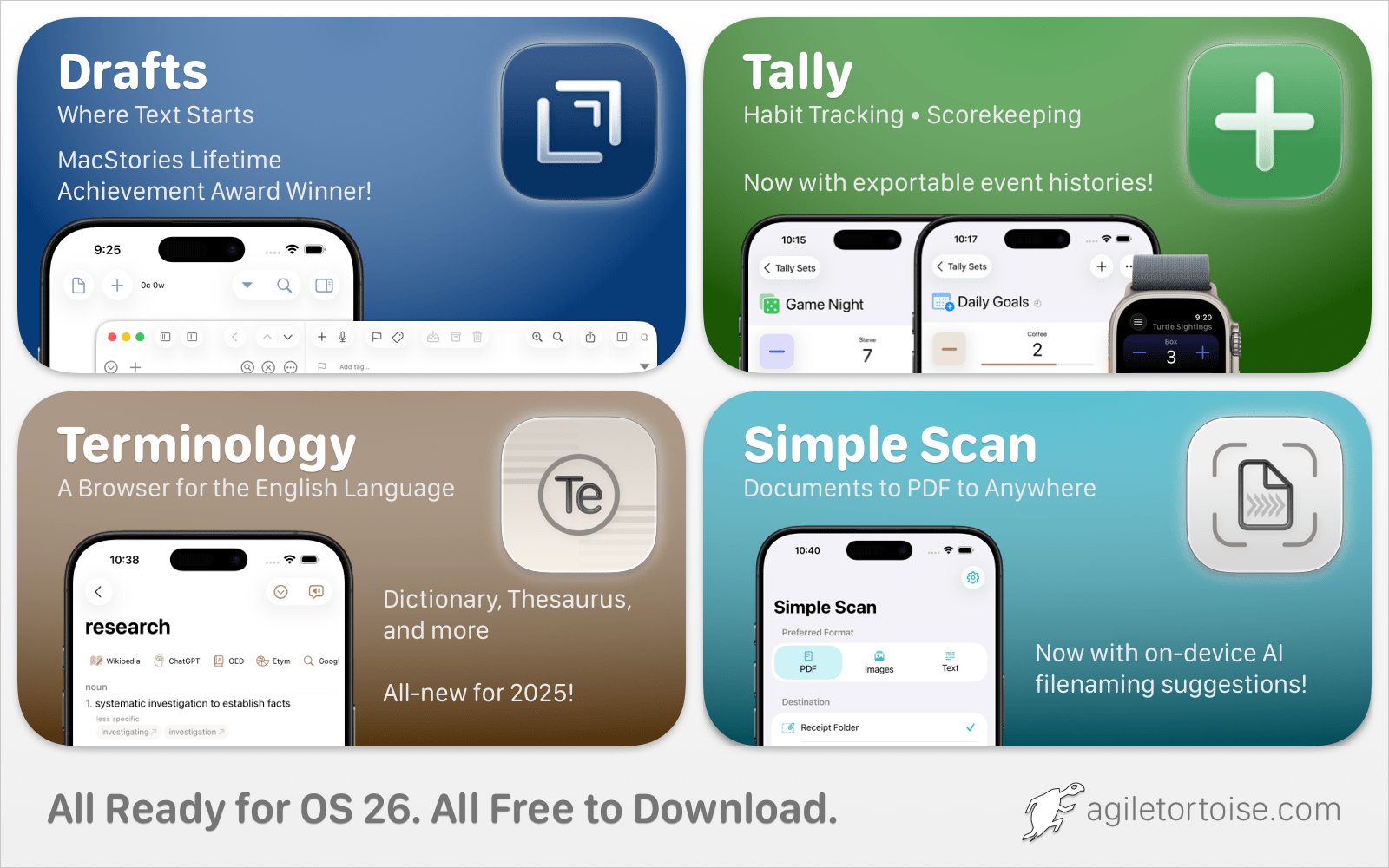
Great indie apps that shine on OS 26. Try them free today:
- Drafts: Quick capture notes taking with powerful actions to edit and export content.
- Tally: Flexible, simple app for all your counting needs, from scorekeeping to habit tracking.
- Terminology: Extensible dictionary and thesaurus.
- Simple Scan: Breaks Apple’s scanning interface out of Notes, and provides easy, low-friction ways to route scans to email, messages, files, and more.
Download for free today at agiletortoise.com!
Our thanks to Agile Tortoise for sponsoring MacStories this week.
This Week on MacStories Podcasts
This week on MacStories podcasts: AppStories This week, Federico and John do their annual pre-Apple event “vibe check,” discussing what they expect and hope to see at the upcoming September Apple event. They explore the rumored iPhone 17 lineup, AirPods Pro 3, and debate the Apple Watch Ultra. Plus, they share thoughts on the prospect...
In This Issue
John shares his three favorite features and announcements from Apple’s fall event, and Jonathan breaks down the workflow for creating his new podcast, plus the usual Links, App Debuts, the latest happenings in the Club MacStories+ Discord community, and a recap of MacStories articles and this week’s episodes of MacStories podcasts....
Quip: A Supercharged Clipboard Manager for Apple Devices with On-Device Intelligence, iCloud Sync, and Text Expansion [Sponsor]
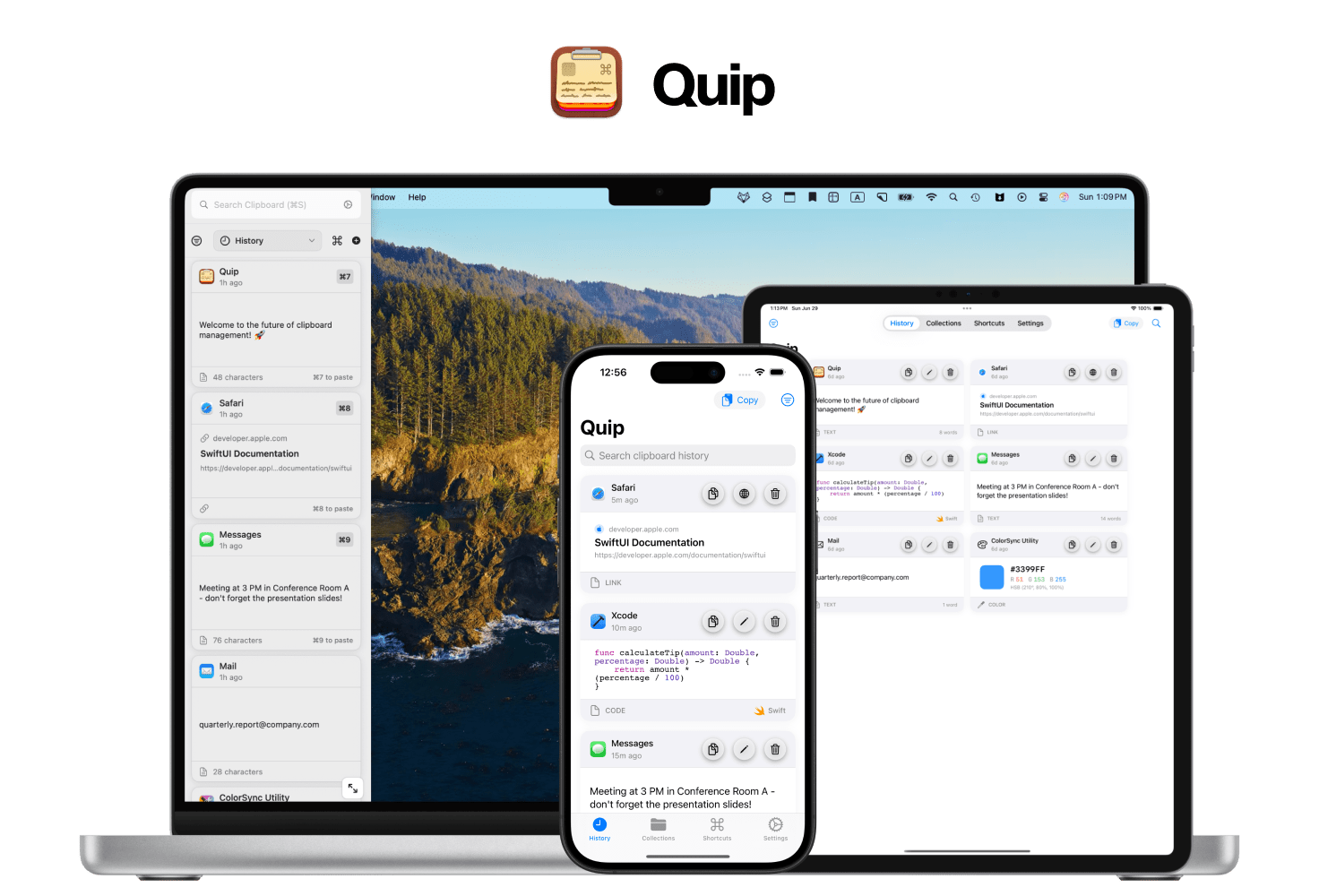
Quip is a supercharged clipboard manager and text expander for Mac, iPhone, and iPad—built to feel perfectly native, fast, and private.
Most clipboard apps turn into junk drawers. Quip is different. You choose how items get saved: capture everything, or enable Only Copy on Shortcut so your archive stays intentional. Then Quip Intelligence (secure, on-device AI) cleans things up—fixing broken links, removing tracking parameters, normalizing messy text, keeping code formatting intact, avoiding duplicates, and more. It even learns from your behavior to automatically avoid items you likely wish to ignore. Quip OCR lets you copy text from anywhere on your Mac’s screen - even if it is not normally copyable.
Your history is beautiful and searchable, with filters for app, type, and date. Organize with Collections (including Smart Collections that auto-sort by rules). When you need to act, Super Shortcuts paste anything—signatures, links, snippets—just by typing a trigger, anywhere on your Mac.
Quip works across your devices with iCloud sync and includes Quip Keyboard on iOS so your items are always a tap away. It’s privacy-first, with granular content rules (ignore apps or keywords, or strip sensitive terms) and full control over retention.
If you live in copy/paste all day, Quip makes it fast, thoughtful, and actually enjoyable.
Try Quip free on the App Store or learn more on our site: bzgapps.com/quip
Our thanks to Quip from BZG Apps for sponsoring MacStories this week.