
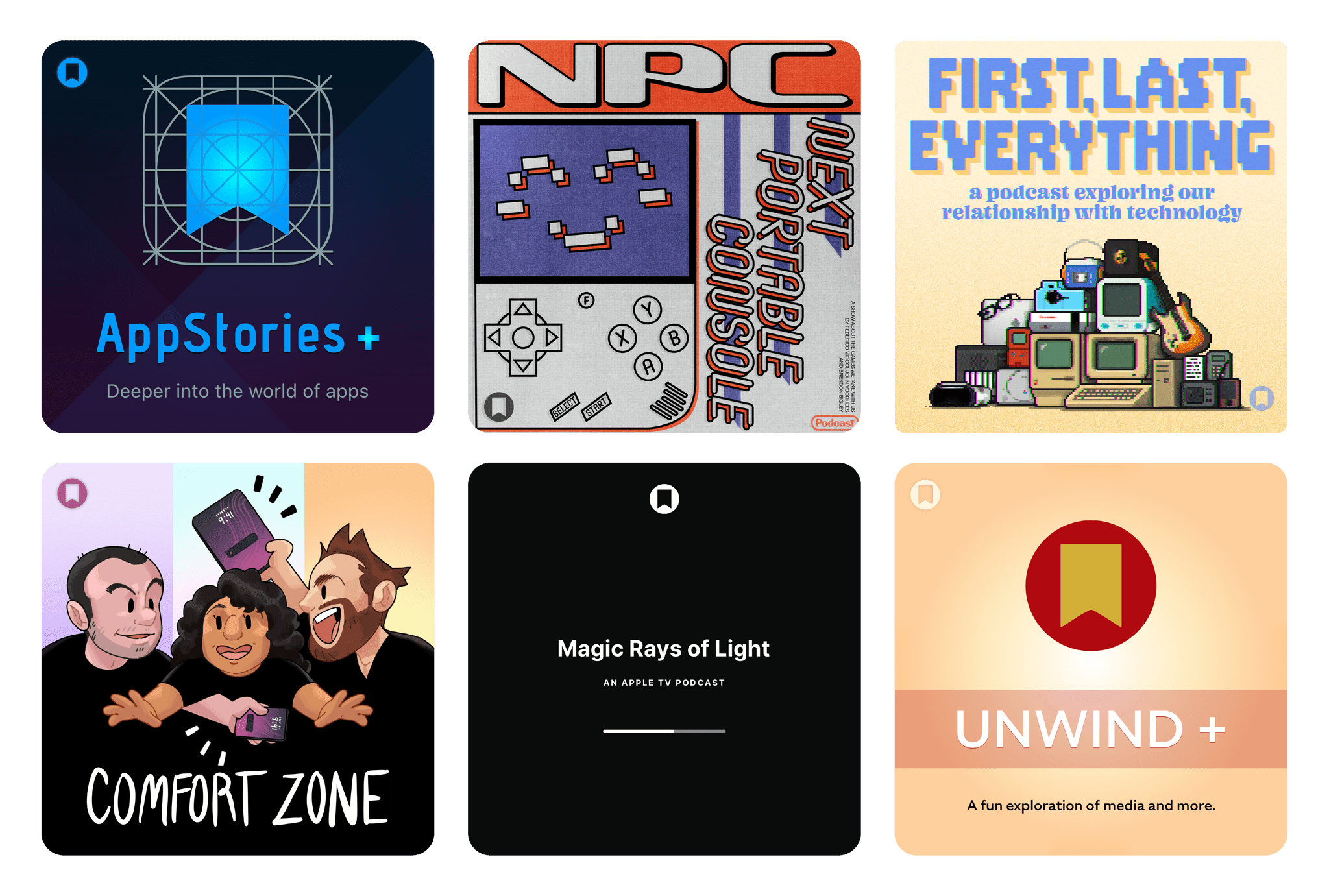
This week on MacStories podcasts: AppStories This week, Federico and John demystify Model Context Protocol (MCP), covering how it works, where it’s heading, and practical examples of what it can do. On AppStories+, Federico and John experiment with whether AI can make sense of the information firehose. Listen on: Apple Podcasts Overcast Pocket Casts Castro...
 In This Issue
An update on MacStories, Federico tests the limits of Spotify’s ChatGPT integration, John shares Spotlight tips and an assortment of gadgets, plus the usual Links, App Debuts, and a recap of MacStories articles and this week’s episodes of MacStories podcasts....
Jump Into the Liquid Glass Pool: A MacStories OS 26 App Roundup
Liquid Glass is the sort of change that takes some getting used to from the perspective of both users and developers. The design language shifted a lot over the course of the summer beta season, which made developers’ lives tougher than in some years. This has resulted in a variety of Liquid Glass implementations across our favorite apps, which is a fascinating study in the range of designs Liquid Glass encompasses.
Today, we wanted to share some of our favorite implementations of Liquid Glass and other features debuted this fall by indie developers. We’ll have more coverage in the weeks ahead, but let’s dive into some of the best OS 26 updates we’ve seen so far.
Devon
Art of Fauna
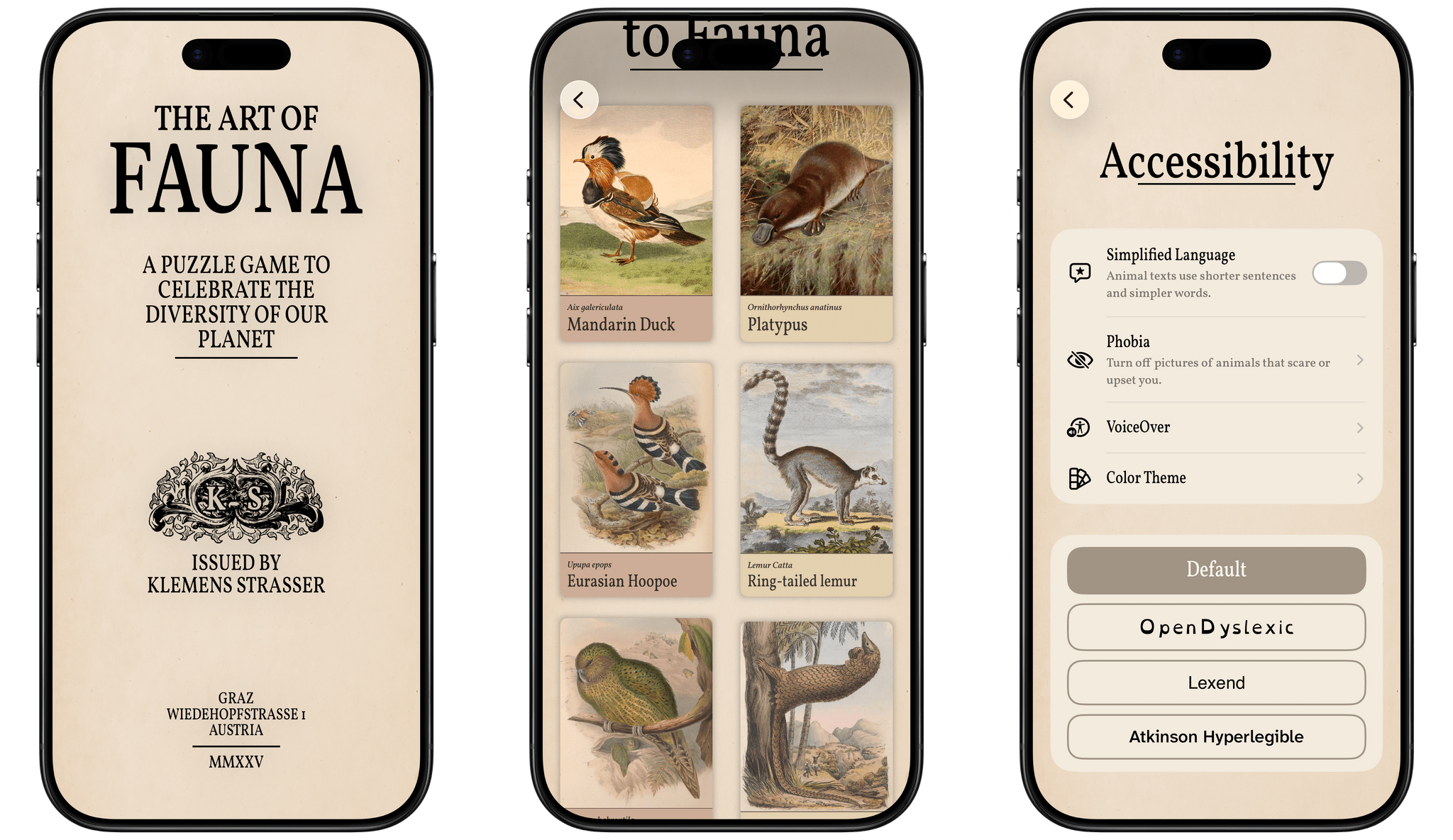
From developer Klemens Strasser, Art of Fauna is a unique jigsaw puzzle game with a focus on accessibility and animal conservation. Each puzzle features a gorgeous wildlife illustration from the 18th or 19th century and can be solved either by aligning pieces of the picture or by rearranging written descriptions of the animal pictured phrase by phrase. Everything about the app, from the font to the colors to the complexity of the puzzle phrases, can be adjusted to fit each user’s needs. With its beautiful artwork, intuitive gameplay, ambient sound design, and adaptability, it’s no wonder the app won an Apple Design Award for Inclusivity this year.
Version 1.8 of Art of Fauna came out alongside iOS 26 with Game Center integration and Liquid Glass design elements in its navigation buttons. But the most interesting new feature is integration with a new app from the team behind Structured called Awake. Put simply, Awake is an alarm clock app that helps you wake up by challenging you to accomplish a task before you can disable your alarm in the morning. With this integration, you can choose to make an Art of Fauna puzzle your morning mission, starting your day with some brain training and a beautiful puzzle. In Awake, you can select the difficulty level of the puzzle you’re presented with each morning, as well as whether you’d like the app to prefer unplayed puzzles over previously played ones.
Art of Fauna is available on iPhone and iPad. It can be downloaded from the App Store and includes ten puzzles for free. There are 100 other puzzles available from five different biomes that can be purchased all at once for $8.99 or in packs of 20 for $2.99 each. 20% of all proceeds from the app are donated to nature preservation causes, and you can learn more about the supported causes in the app’s Giving Back section.
Play
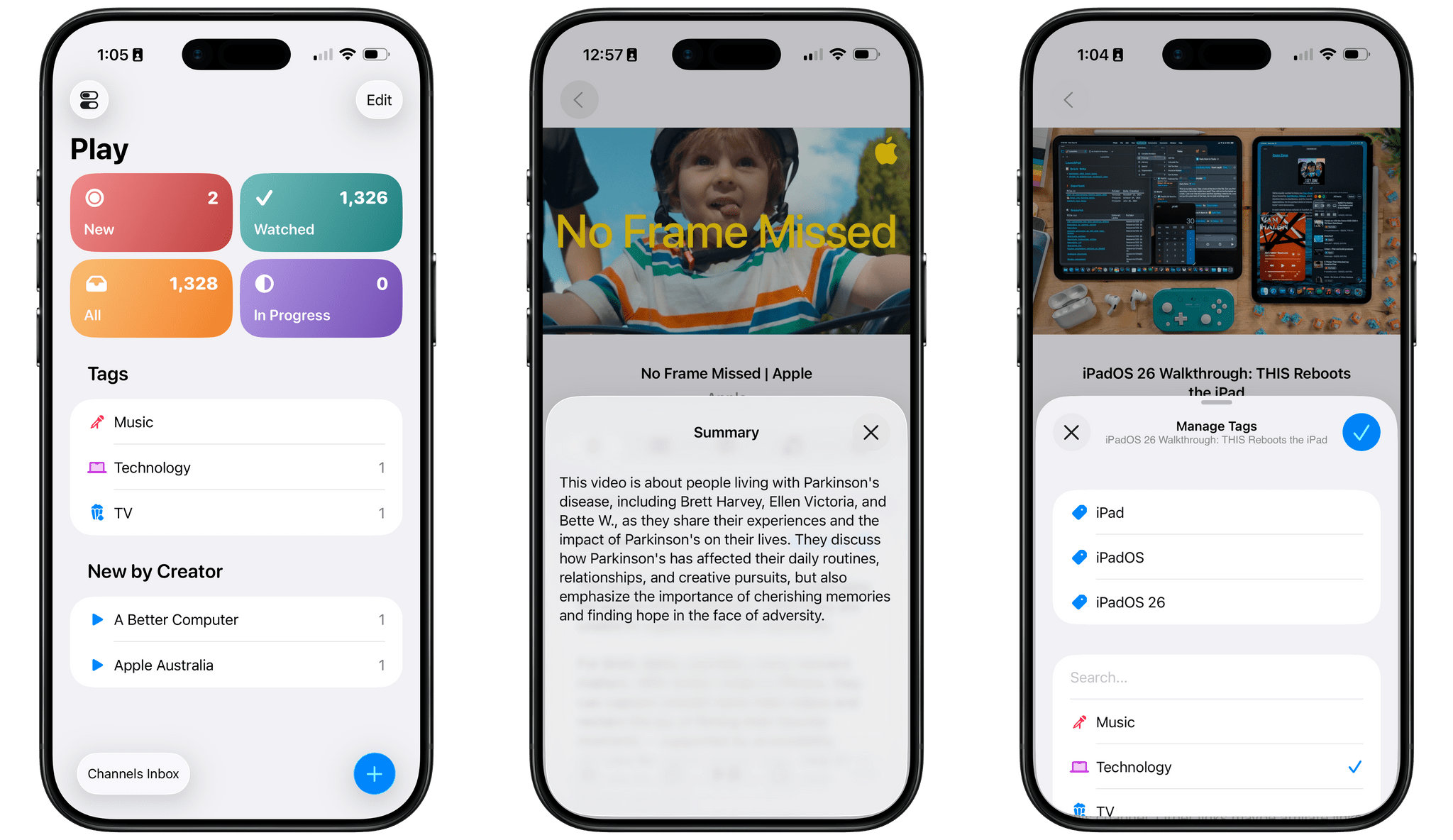
Marcos Tanaka’s watch later utility is a go-to for many – myself included – when it comes to saving, organizing, and watching YouTube videos. With its latest update, version 2.6, Play has added several features enabled by iOS 26.
First up is a Liquid Glass redesign. The sidebar, toolbar, and buttons are all elevated above the content and incorporate the transparent glass material. Buttons and view transitions now feature some fun animations, too, like when the ‘+’ button morphs into the Add Video popover once it’s tapped.
The on-device Apple Intelligence model has enabled Tanaka to add a couple of new AI features as well. Each video’s detail view now includes a ‘Generate’ button that will create and present a text summary of the video’s contents. For those who want to get an idea of what a video is about before watching it, or for those who want a quick refresh on a video they’ve watched before, this feature will come in handy, and it’s a clever application of the on-device model now available to developers. Also, when adding tags to a video, Play can now suggest tags based on a video’s contents, both existing tags and new tags that you can create.
Play is available on iPhone, iPad, Mac, Vision Pro, and Apple TV and can be purchased from the App Store for $2.99. Additional features, like subscribing to channels within the app and searching video transcripts, require a subscription to Play Premium, which costs $2.99/month, $19.99/year, or $99.99 for a lifetime subscription.
Gamery: A Sleek and Intuitive Game Library App for Casuals and Pros [Sponsor]
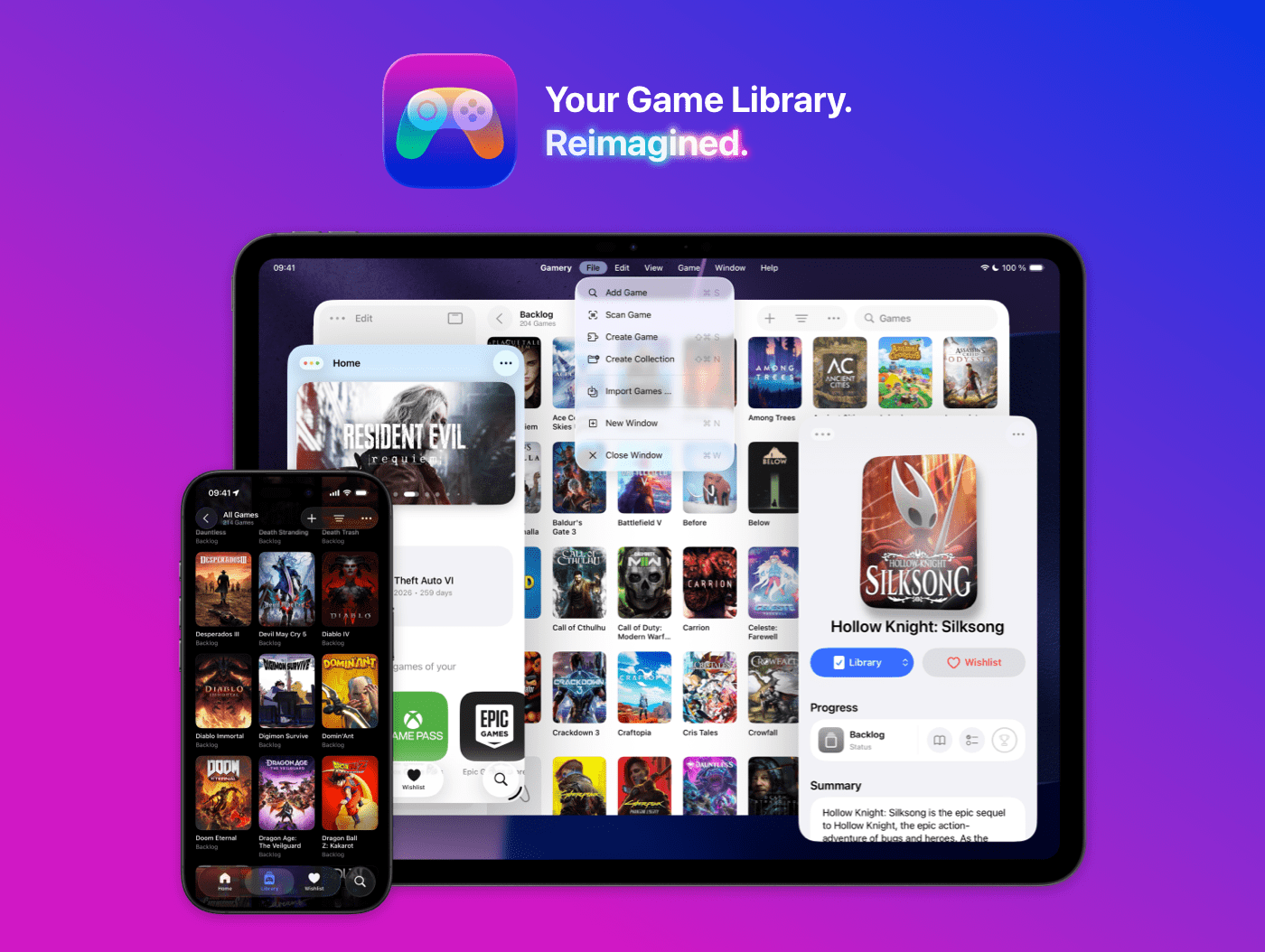
Gamery is the ultimate video game library app for iPhone and iPad—designed to look and feel right at home on Apple platforms.
With a simple, stunning design now refreshed for iOS 26 and a beautiful new app icon, Gamery makes managing your games as sleek and enjoyable as playing them. Everything is thoughtfully built to feel fast, fluid, and perfectly native across Apple devices.
Importing your games has never been easier. Gamery offers powerful importing options for PlayStation, Xbox, Nintendo, Epic Games Store, and more, so you can build your collection in seconds instead of hours. A brand-new Home tab keeps you updated with monthly PlayStation Plus titles, Xbox Game Pass releases, and Epic Games Store freebies, so you never miss what’s new.
Once your library is set up, Gamery helps you stay organized with powerful filters, collections, unified search, and widgets for quick access right from your Home Screen or Lock Screen. Whether you want to track your playthrough progress or just browse your collection in style, Gamery keeps everything in one beautifully designed place. And on iPad, use the power of multiple windows and keyboard shortcuts to move through your library with ease.
If you love great design, powerful features, and effortless importing, Gamery makes tracking your games simple, beautiful, and fun.
Download Gamery today for free and check out some limited-time discounts for the Gamery+ subscription by visiting gamery.app/sale.
Our thanks to Gamery for sponsoring MacStories this week.
Previously, On MacStories
Apple Removes ICEBlock and Similar Apps From the App Store Under Pressure From the DOJ Coming Soon: What’s New in October on Apple TV+ First Look: Logitech’s MX Master 4 Adds Haptics, Actions Ring, and a USB-C Bolt Receiver Apple Highlights Apps Using Its Foundation Models Framework...
This Week on MacStories Podcasts
This week on MacStories podcasts: AppStories This week, Federico and John follow up after a week with new Apple hardware and dig into watchOS and visionOS 26. On AppStories+, John is mixing up his link and data organization systems - again. Listen on: Apple Podcasts Overcast Pocket Casts Castro Spotify YouTube First Last Everything This...
In This Issue
John shares pixel camera apps and a tip on using ChatGPT and Shortcuts to automate research, Jonathan imagines future iPhone Pros increasingly taking after the Apple Watch Ultra, plus the usual Links, App Debuts, the latest happenings in the Club MacStories+ Discord community, and a recap of MacStories articles and this week’s episodes of MacStories...
In This Issue
This month, Devon explores his move to the middle of Apple’s iPhone lineup with the iPhone Air and John takes a look at AI workslop and what it means for AI companies and users....
In This Issue
This week, John reviews the Apple Watch Ultra 3 as an upgrade from the original model and Jonathan shares some iOS 26 tips, plus the usual Links, App Debuts, the latest happenings in the Club MacStories+ Discord community, and a recap of MacStories articles and this week’s episodes of MacStories podcasts....