
iFixit Tests MacBook Pro’s Keyboard Membrane iMessage Business Chat Continues Slow Rollout, Adding Multiple New Brands and Supported Platforms Apple Releases Software Fix to Address MacBook Pro Throttling GoodTask’s Smart Lists for Reminders PDF Viewer Offers a Pro Pack with Advanced PDF Editing and Collaboration Tools AeroPress Timer for iPhone, Now with Custom Recipes Nike...
 Interview: Daniel Alm

Twitter: @daniel_a_a. Indie Mac and iOS developer of Timing, PocketCAS, and Faviconographer. How did you get started with app development? My “career” as a self-employed app developer started at quite a young age! During high school I had developed PocketCAS, a sophisticated calculator app for Windows Mobile PDAs – those clunky things nerds had before...
Airmail: An Elegant, Customizable Email Client for Mac and iOS [Sponsor]
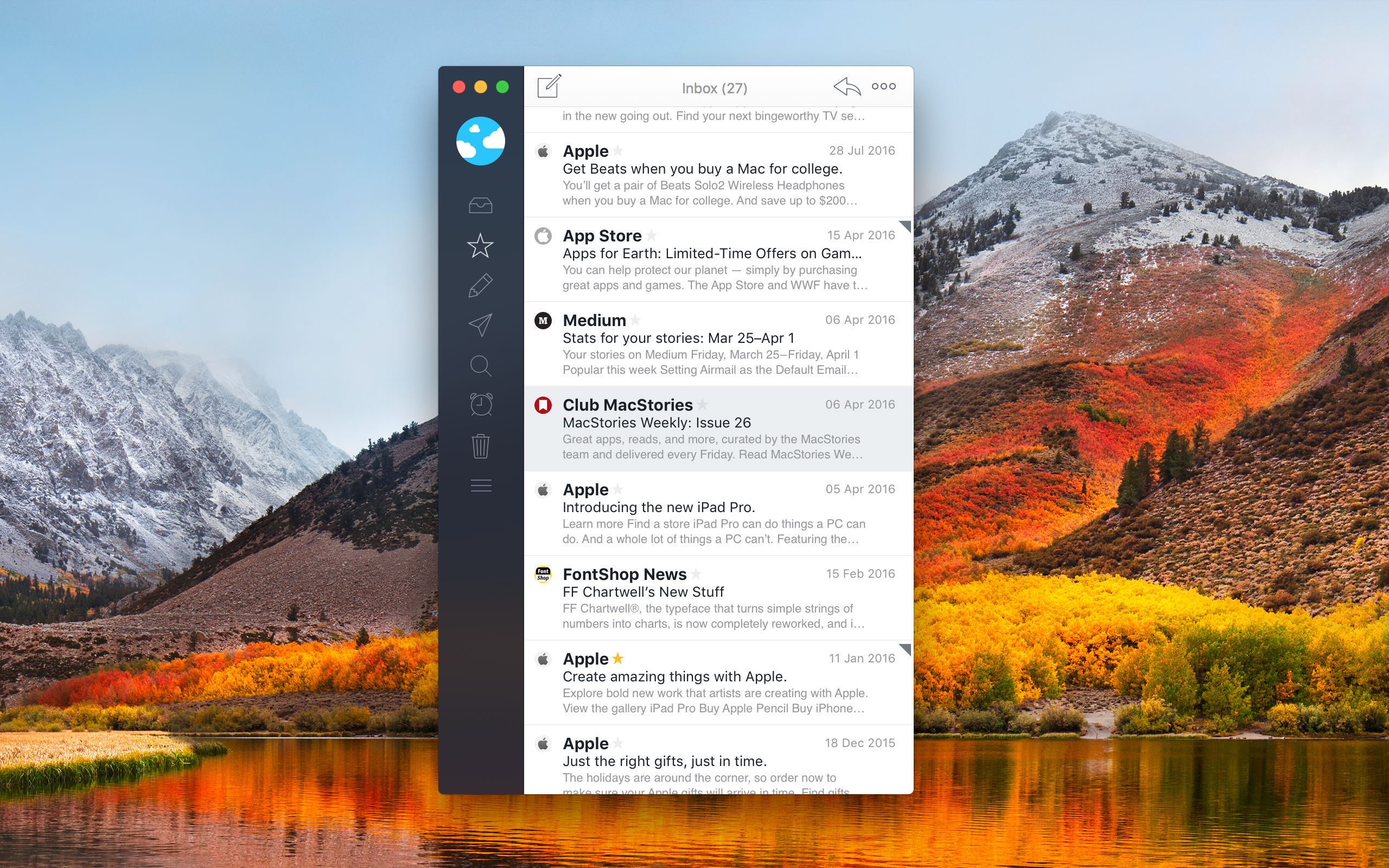
Airmail is the 2017 Apple Design Award-winning email client from Bloop for the Mac and iOS that marries elegant design with rich, customizable features that tame your inbox.
Everyone approaches email a little differently. For some people, their inbox is a sort of task manager. For others, keeping their inbox empty and messages neatly organized into folders is paramount. No matter how you manage your email accounts, Airmail has you covered.
Airmail is highly customizable while maintaining a clean, intuitive interface that makes it a pleasure to use. The app supports all major email technologies, including Gmail, iCloud, Exchange, IMAP, and POP3. On macOS, Airmail also incorporates the latest operating system features like the Touch Bar.
With Airmail, you can manage one or several email accounts. With multiple accounts, it’s just as easy to review messages from every account in a unified inbox as it is to dive into just one account. Airmail also features rich customization like the ability to send messages later, snooze messages, and create smart folders and rules. Actions let you send messages to other apps you use like task managers and your calendar or create a PDF from a message. On the Mac, Airmail supports the Touch Bar too. Best of all, you only need to set up Airmail once because your settings sync via iCloud to all your Macs and iOS devices.
Airmail is actively developed across all of Apple’s platforms. Most recently, Airmail has added a redesigned and improved search system, user templates that sync across all your devices, and Spotlight search, so you can find messages even when you’re not in Airmail. The app’s broad feature set and customization all add up to make Airmail the perfect choice for email power users.
Download Airmail for the Mac today from the Mac App Store and for the iPhone, iPad, and Apple Watch from the App Store.
Our thanks to Airmail for sponsoring MacStories this week.
Interesting Links
Apple fan Hap Plain has amassed one of the largest private collections of rare and unreleased Apple prototypes. The collection includes more than 250 prototypes of iPhones, iPads, Macs and more. (Link) As noticed by Benjamin Mayo at 9to5Mac, Apple is discontinuing its own photo printing service built into the Photos app for Mac. Apple...
Perks

Boxy for Twitter Boxy is a brand-new Twitter client for the Mac from the makers of the Boxy Suite of Google apps for the Mac. Club MacStories members can purchase Boxy for Twitter for 20% off using the exclusive coupon code macstories-friends at checkout for a limited time. To learn more, visit the Boxy for...
Up Next on MacStories’ Podcasts
Next week on AppStories, Federico and John dive into the world of apps for viewing, organizing, marking up, editing, and creating PDFs....
In This Issue
Sleep++,a Tip for generating one-time passwords in 1Password, an exclusive discount on Boxy for Twitter, two handy shortcuts from Federico, Ryan checks in on the HomePod six months later, plus the usual Weekly Q&A, Links, a recap of MacStories articles, and a preview of next week’s episode of AppStories....
Our App Store Anniversary Coverage
Over the course of last week, we published tens of thousands of words and hours of podcast episodes covering the tenth anniversary of the App Store. We are very happy with how the coverage turned out, but we understand that it was also more than most people could absorb in one week. Fortunately, the history...
Previously, On MacStories
Adobe Acknowledges Working on a Full Version of Photoshop for the iPad Game On: A Decade of iOS Gaming App Preservation: Saving the App Store’s History Personal App Store Stories from the MacStories Team The App Store at 10: The Next Decade iOS 12 AR Quick Look Demos After Two Years with Pinterest, Instapaper Regains...