

Twitter: @chrishannah. Swift developer, blogger, and creator of Text Case, Pretty Regular Expressions, and more. You’ve made a series of utilities that address specific needs. Could you tell us about a few and where the ideas for each came from? I’ve never really ever thought about it like that, but I suppose I have! I...
Timing: Automated Time Tracking So You Can Focus on Your Work Instead [Sponsor]
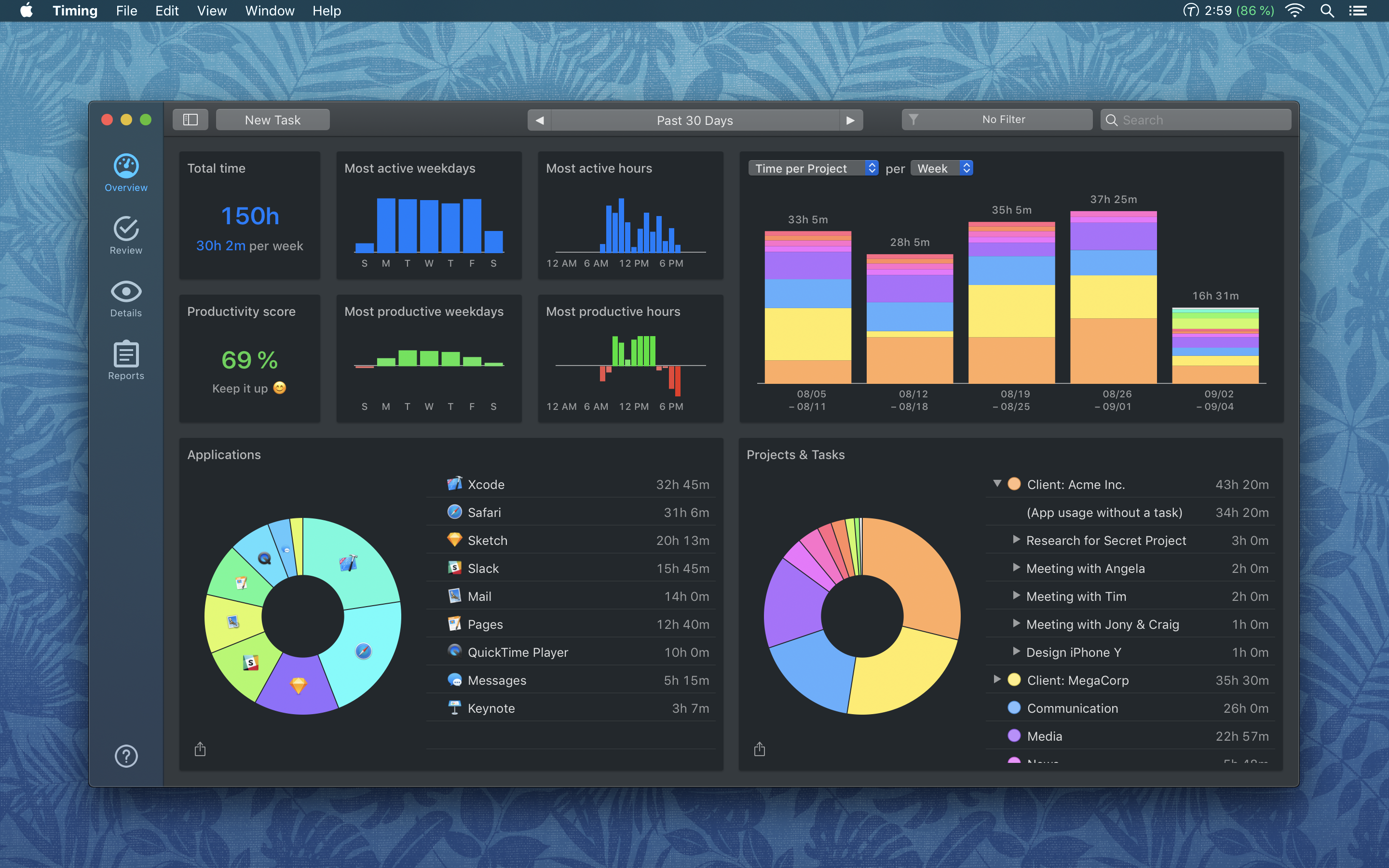
Timing for macOS is the first step to recapturing your most precious resource: time. Before you can find lost time though, you need to understand how you are spending it. But manual time tracking interrupts your workflow, and it’s too easy to lose track of what you’ve done. That’s where Timing comes in. It’s different because Timing automatically tracks how you spend time on your Mac and syncs the data across all your Macs.
Timing shows you how much time you spend per app, website, and document, and categorizes that time into projects. Timing helps you be more productive by analyzing how you are wasting time too. Best of all, Timing keeps on top of the latest Mac technologies with features like a the Dark Mode seen above, which is coming with the introduction of macOS Mojave. The app includes automation features to help you save more time by doing things like automatically categorizing activities too. The app can even ask you what you did when you return to your Mac, so you never forget to track a meeting.
Stop worrying about time and focus on doing your best work instead with Timing. Download a 14-day free trial today and save 10% when you decide to buy.
Our thanks to Timing for sponsoring MacStories this week.
 Previously, On MacStories
Privacy Policies Will Be Required for All Apps and Updates Beginning October 3rd Black Pixel Transfers NetNewsWire to Brent Simmons Creative Selection Delves into Apple Software Design with Stories about Safari, the iPhone, and the iPad Google Debuts Nice New Look, Password Management Improvements, and Other Enhancements With Chrome 69 MacPaw Releases a Redesigned and...
Home Screen: Oisin Prendiville

Club MacStories Turns 3 Next Friday
Next Friday marks the third anniversary of Club MacStories. We know that many of you have been along for the ride as Club members since the very beginning, which is amazing. But regardless of when you joined, it’s great to have you on board. We don’t spend a lot of time dwelling on the past...
Interview: Brian Mueller

Twitter: @BrianMueller333. The maker of CARROT Weather, To-Do, Alarm, Fit, and Hunger. What’s your approach for the upcoming Siri shortcuts in iOS 12? How did you decide which CARROT features to make available as shortcuts? I wanted to make it possible to use CARROT via Siri exclusively, so that you wouldn’t even need to launch...
In This Issue
Morning Reader, Mac photo utilities, Oisin Prendiville’s home screen, an interview with Brian Mueller, plus the usualWorkflow Corner, Weekly Q&A, Tip, Links, a recap of MacStories articles, and a preview of next week’s episode of AppStories....
Up Next on MacStories’ Podcasts
Next week on AppStories, Federico and John discuss Twitter clients, other Twitter apps, and how they use them....
Tap Forms: The Digital Filing Cabinet for Your Life [Sponsor]
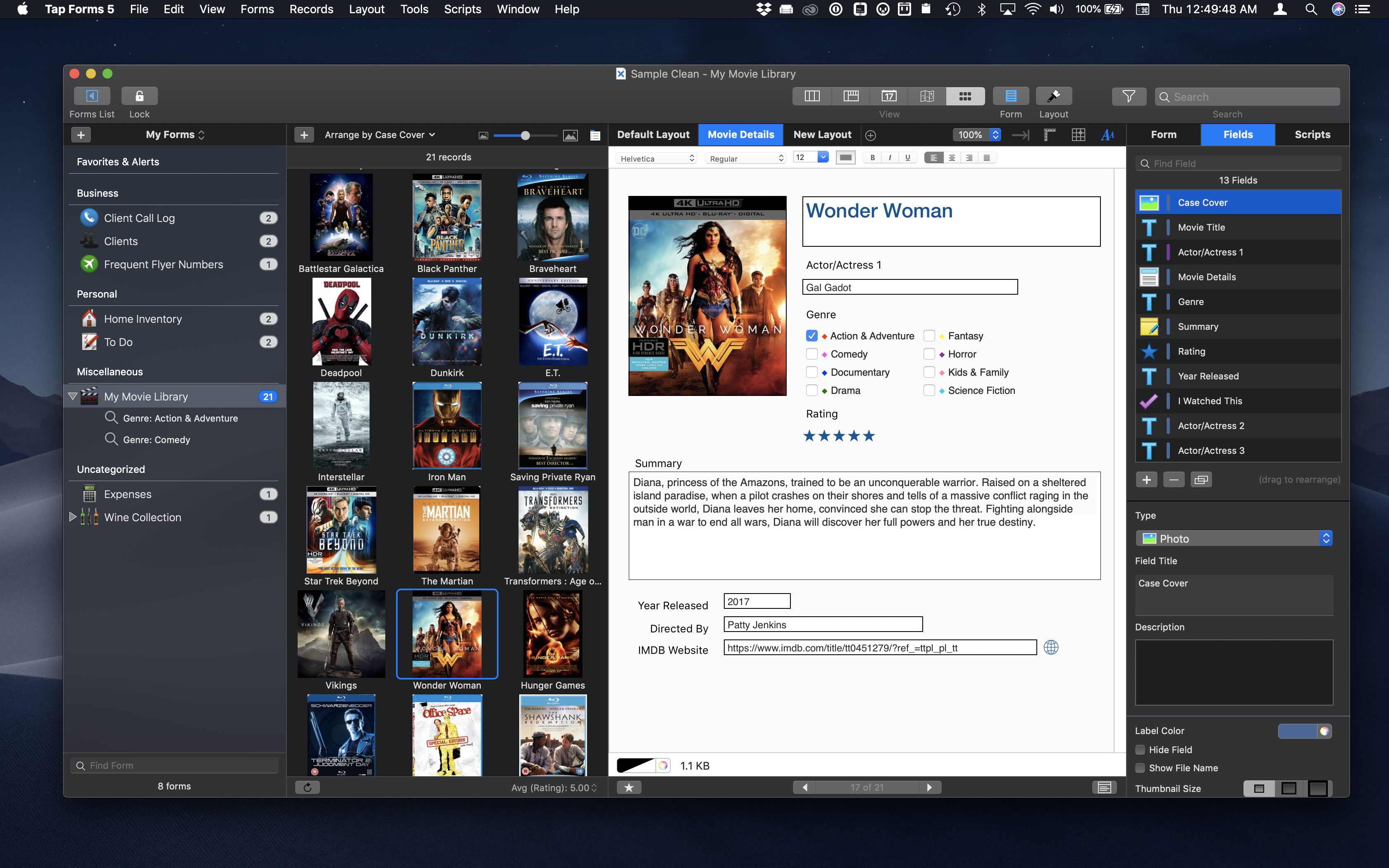
Tap Forms is a powerful Mac and iOS app for organizing anything and everything in one place. It’s a customizable database app that’s simple to use, but best of all, scales to fit your needs as they grow.
Whether you’re organizing your comic book collection, recipes, work documents, or business inventory, Tap Forms can help. The app is secure, searchable, and accessible from any Mac or iOS device via iCloud, IBM Cloud, Apache CouchDB, and WiFi sync, so you always have your data with you. Tap Forms also features support 7 days a week via email and its forums.
To get you started quickly, Tap Forms has dozens of pre-made, customizable forms. Of course, you can also build a form from scratch too. There are also 26 built-in field types that can be added to forms including Text, Number, Note, Calculation, Script, Photo, Location, Contact, Table, and Link to Form.
Tap Forms is just as powerful at using the data it collects. Records can be viewed in List, Multi-Column, Map, Calendar, and Photo Grid views. You can also generate 24 types of barcodes and print labels.
This fall, when macOS Mojave and iOS 12 ship, Tap Forms will gain fantastic new features including:
- Dark Mode and Apple Script support on the Mac
- JavaScript support for scripting actions on your form data
- A Script field type
- Siri Shortcuts on iOS 12 for running Form Scripts in Siri without launching Tap Forms
For this week only, Tap Forms 5 is available for 30% off the Mac and iOS versions. Don’t miss this chance for a great deal and to get organized today with Tap Forms.
Our thanks to Tap Forms for sponsoring MacStories this week.