
Next week on AppStories, Federico and John take a look at a second round of apps that take advantage of iOS 12 and watchOS 5....
 Announcement
The past week has been a busy one for the Club and MacStories. We announced lots of perks for Club members in connection with its third anniversary that we wanted to remind everyone of in case you missed them along the way: Over 50 deals on apps and services are available exclusively to Club members...
A Roundup of Apps Updated for iOS 12 and watchOS 5
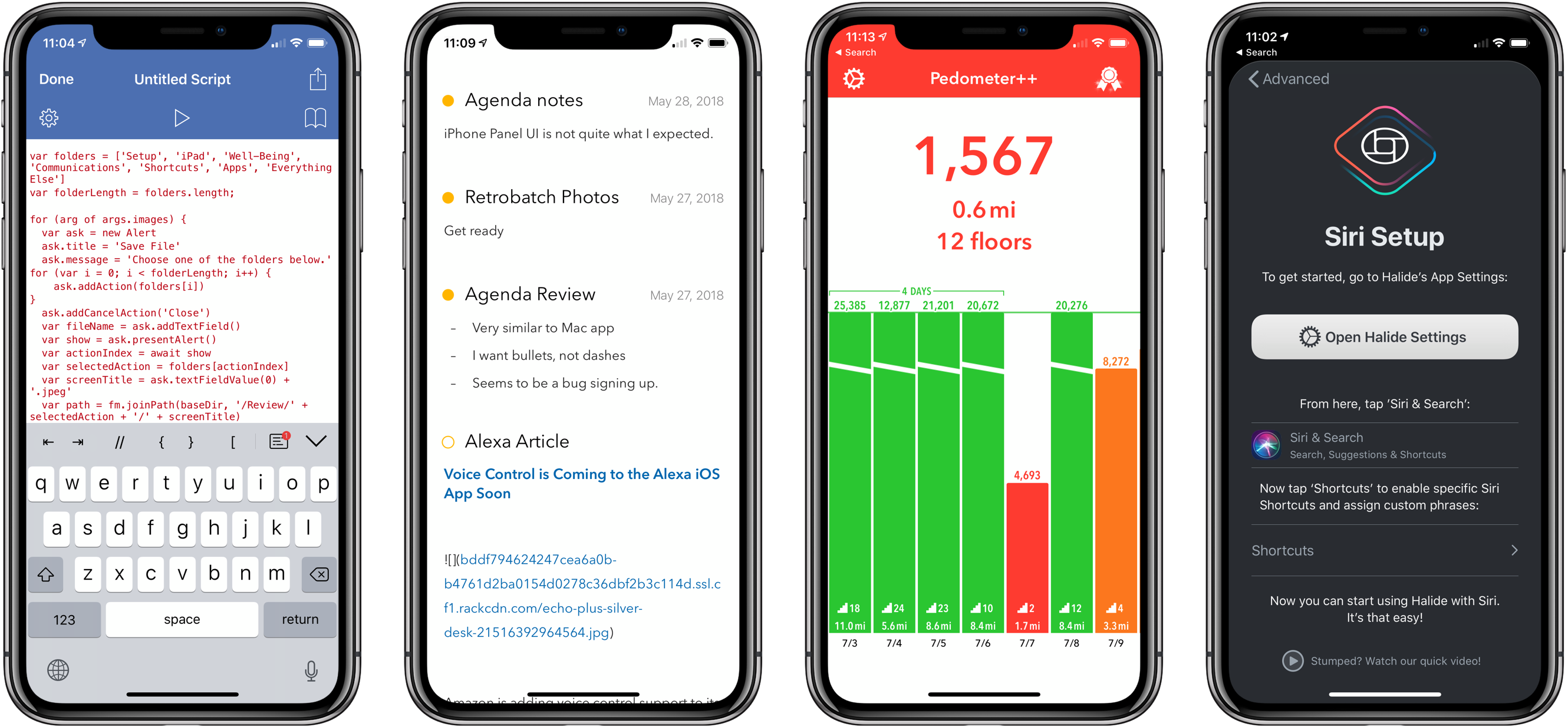
It’s been a busy week of app updates. We’ve already covered many of them, but there are always more good examples of apps that show off feature of iOS 12 like Siri shortcuts or watchOS 5’s new functionality. So, we’ve collected some additional favorite updates from this past week from Federico, John, and Ryan.
Focus: The Best Pomodoro App for iPhone, iPad, Apple Watch, and Mac [Sponsor]
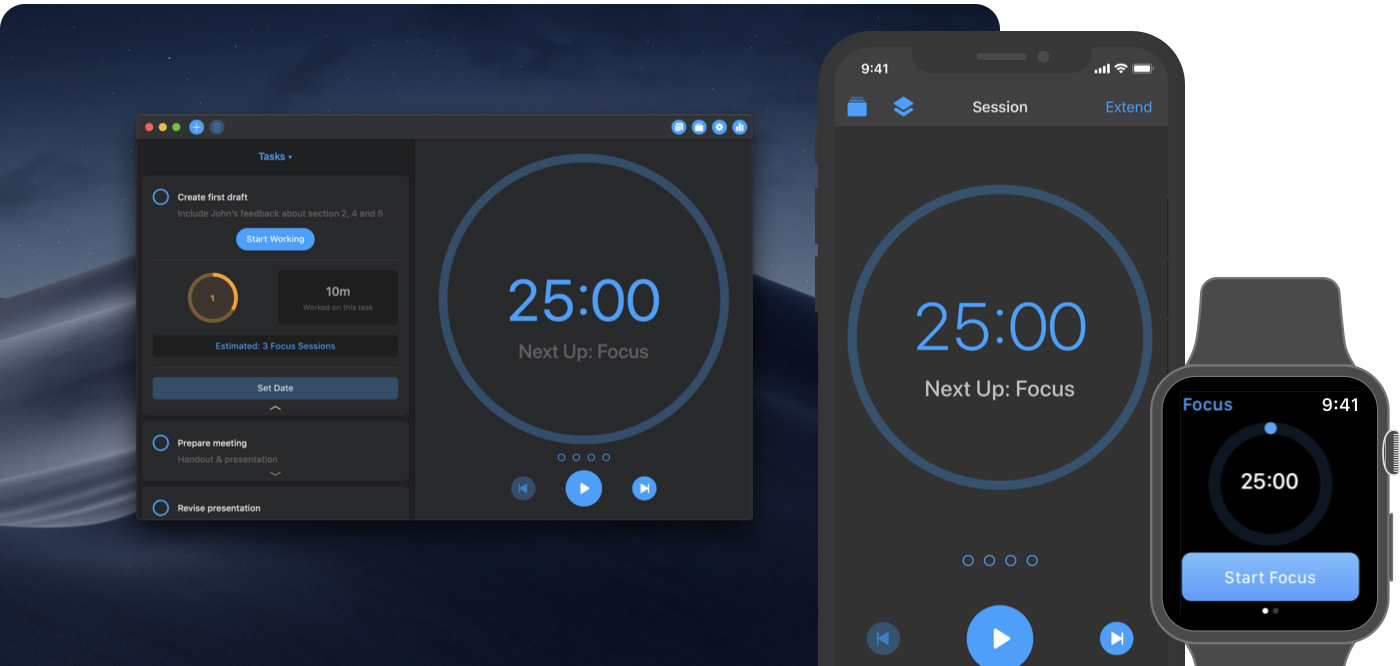
Focus is a time manager that helps you beat procrastination and work more efficiently using the Pomodoro Technique. Available on iOS, the Mac, and the Apple Watch, Focus teaches you to work in intervals and reminds you to take regular breaks.
Taking breaks enables you to reenergize and concentrate better, be more thoughtful, and ultimately, work more productively. With its simple and lightweight way to organize and manage your tasks, Focus is the best way to get organized and achieve daily goals that keep you motivated. Because its task management features are unobtrusive by design, you’ll spend your time working on your tasks instead of fiddling with the app.
Focus is designed to work seamlessly across all platforms and devices through Apple’s latest technologies. You can switch devices by using Handoff and count on fast, reliable iCloud sync among devices. On iOS, you can see your current progress with a Today widget, and use rich notifications to start, stop, and extend your work. The beautiful and clear design feels right at home on macOS, and a menu bar app lets you see your current progress at a glance. Focus also helps you gain powerful insights about your work with charts comparing your activities day-to-day, week-to-week, and month-to-month.
Focus is right on top of Apple’s new OS releases too. The iOS and watchOS apps feature Siri shortcut support, and the Mac app will include a Dark Mode that looks fantastic in Mojave when it’s released next week.
Be more productive and effective by adding Focus to your workflow. This week only, MacStories readers can purchase a Focus Pro subscription for 15% off the usual price using the promo code macstories18 from within the app. So don’t delay, get Focus on iOS and on the Mac today.
Our thanks to Focus for sponsoring MacStories this week.
Club MacStories’ Anniversary
As we mentioned in last week’s newsletter and as you probably saw from our announcement on MacStories, we’ve assembled a long list of exclusive Club discounts on apps and service to celebrate Club MacStories’ third anniversary. With over 50 apps from 30 developers, there are too many to list here. To see the details on...
Interesting Links
It’s been available in Japan for a while, but the classic Professor Layton and the Curious Village that debuted years ago on the Nintendo DS is coming to the App Store soon according to Engadget. (Link) eBay has created and open-sourced a shopping app for the motor impaired that uses head motion to navigate the...
In This Issue
A collection of the biggest surprises from this week’s keynote, an interview with developer and blogger Chris Hannah, John writes about the odd pacing of this week’s keynote in The Extension, plus the usualWeekly Q&A, Links, arecap of MacStories articles, and a preview of next week’s episode of AppStories....
Previously, On MacStories
Apple Music Debuts Global and Country-Specific Top 100 Lists Apple Music Gains Better Organization of Releases on Artist Pages Three Years of Club MacStories Compiling and Exporting Chapters for My iOS 12 Review with Drafts 5 How the Stanford Heart Study App Saved Jason Perlow Twitter To Livestream Apple’s Fall Keynote Is Apple Neglecting Beats’...
Up Next on MacStories’ Podcasts
Next week on AppStories, Federico and John begin a series of episodes on apps that highlight iOS 12’s new features....