
Apple Brings Back Texas Hold’em Apple Cuts Price on MacBook Air, Upgrades Entry-Level MacBook Pro, and Discontinues 12-inch MacBook Game Day: Minit Apple Disables Walkie-Talkie App Due to Security Vulnerability A Timeline of iOS Accessibility: It Started with 36 Seconds...
 In This Issue
Pixelmator Photo,a collection of the best big-screen iPad apps, Ryan on how to evaluate Apple’s new services, plus the usualWeekly Q&A, Links, App Debuts, arecap of MacStories articles, and a preview of next week’s episodes of AppStories and Dialog....
Interesting Links
Engadget has an excerpt from Deep Medicine: How Artificial Intelligence Can Make Healthcare Human Again, in which author Eric Topol explains how Apple used AI to bring ECG functionality to the Apple Watch. (Link) With more robust sharing features coming to iCloud Drive this fall, it’s interesting to consider how difficult it would be for...
Airmail Zero: Blazingly-Fast Gmail Triage for the Mac and iPhone [Sponsor]
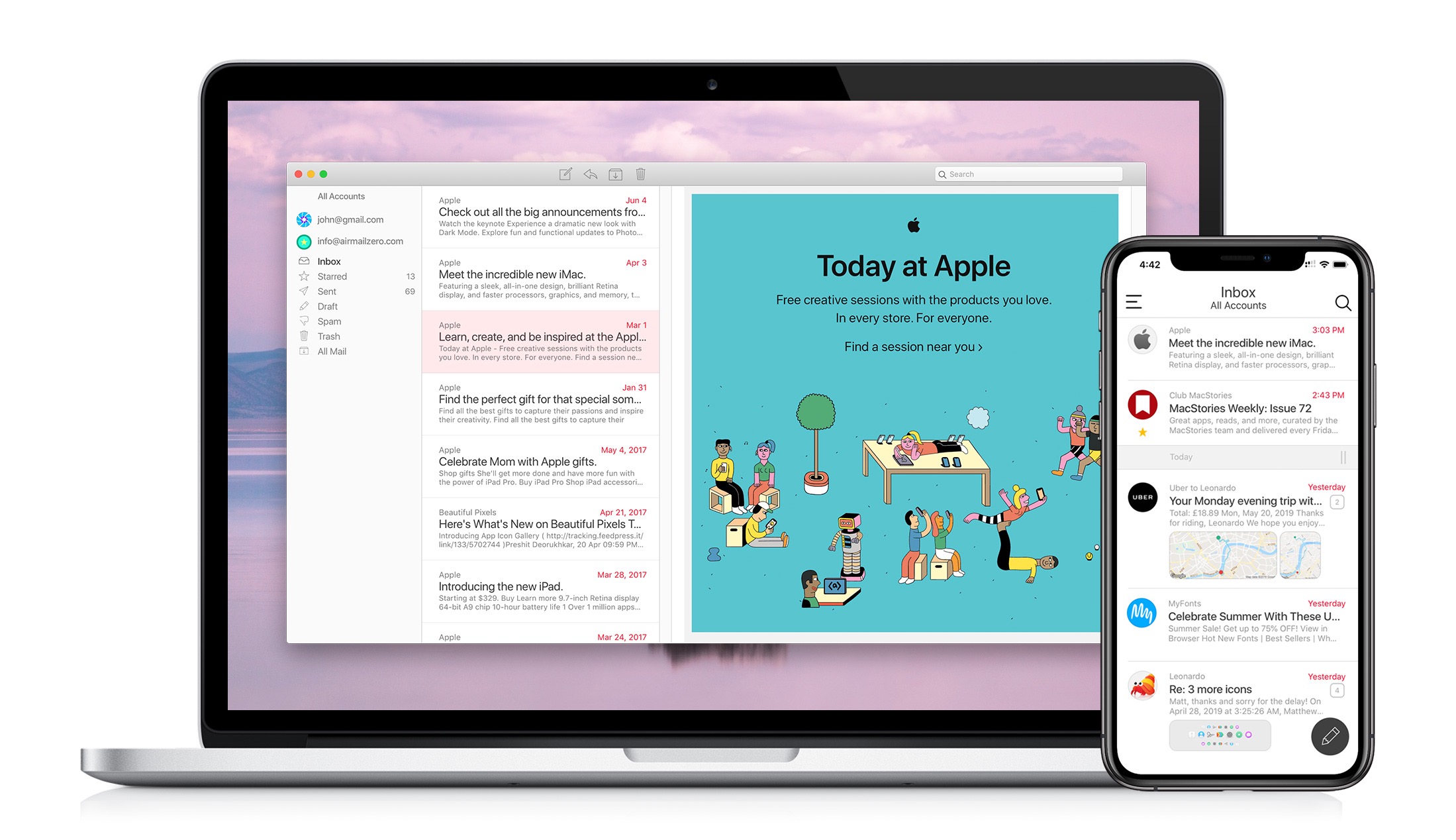
The makers of the Apple Design Award-winning app Airmail are back with Airmail Zero, a brand-new take on Gmail for the Mac and iPhone.
Speed is critical to getting through a mountain of email messages, and you don’t want your email client slowing you down. That’s why Bloop, designed Airmail Zero, the successor to Airmail, from the ground up with speed and efficiency as a top priority.
Airmail Zero is built on an all-new Swift codebase for lightning-fast app launches, and instantaneous message handling. The app has been architected to use virtually zero storage, memory, and CPU to keep everything working smoothly throughout. Sync is speedy, the app works exceptionally well with virtual private networks, and it communicates over HTTPS connections too.
The emphasis on speed extends to Airmail Zero’s design, which is brought to life with custom animations. Email messages are presented in a clean, easy-to-read card interface with simple, intuitive controls for rapidly triaging an overflowing inbox. Add to that a rich set of keyboard shortcuts on the Mac and you’ll find yourself with an empty inbox in no time.
The Mac and iPhone versions of Airmail Zero are free to use with one Gmail account. Subscribe for $0.99/month or $9.99/year and you add multiple Gmail accounts organized in a unified inbox, plus live help from the Airmail Zero support team.
Spend your time answering email instead of managing your email client by giving Airmail Zero a try today on the Mac and iPhone.
Our thanks to Airmail Zero for supporting MacStories this week.
Up Next on MacStories’ Podcasts
Next week on AppStories, Federico and John tour the strange assortment of apps they’ve downloaded in the past few months. Next week on Dialog, Federico and John conclude their conversation with screenwriter John August, covering August’s apps and other projects like Highland, Weekend Read, and Courier Prime....
Previously, On MacStories
Jony Ive to Leave Apple to Form New Design Firm and Sabih Khan Named SVP of Operations The End of the Ive Era The End of the Genius Era Game Day: Worse Than Death Ars Technica Interviews Apple Representatives and Developers about Catalyst Agenda 6.0 Adds Full Integration with Apple’s Reminders Miximum Review: Smart Apple...
Interview: Drew McCormack

Twitter: @drewmccormack. Creator of Agenda, Studies, and Ensembles. With Agenda already being on the Mac and iOS, does adopting Catalyst for the app appeal to you? We first heard about Catalyst at WWDC18, along with everyone else. We were lucky enough to talk to some Apple people at that time, and they made it pretty...
In This Issue
Due, a tip from Federico on how to configureGmail’s Drafts mailbox with Apple’s Mail app, Ryan considers who Apple Arcade is for, an interview with Agenda developer Drew McCormack, plus the usual Weekly Q&A, Links, App Debuts, arecap of MacStories articles, and a preview of next week’s episodes of AppStories and Dialog....
Interesting Links
Are you keeping up with the shift away from overly-posed and produced Instagram Stories and YouTube vlogs? If not, check out Taylor Lorenz’s story in The Atlantic about Emma Chamberlain, the YouTuber credited with popularizing ‘slacker YouTube.’ (Link) Wikipedia is struggling to deal with harassment on its platform as explained in this in-depth report from...