
Summertime Beta Fun Time This month, John is joined by Ryan for his first Unplugged appearance to discuss trying to get work done on betas over the summer, the StayGo USB-C hub, Ryan’s MacStories origin story, a sneak peek at the articles we’re working on over the summer, and iPhone 11 rumors. Show Notes...
 Interesting Links
The Wall Street Journal studied App Store search results and concluded that Apple’s apps have an unfair advantage over third-party apps, which Apple denies. (Link) The Atlantic reports on a soon-to-be-published study by Stanford sociologist Michael Rosenfeld which concludes that online dating services have passed matchmaking by friends and family. (Link) Pinterest wants its users...
Atoms: The World’s First Shoe to Come in Quarter Sizes [Sponsor]

Atoms are the ideal everyday shoe designed for comfort and style with your feet in mind.
Not everyone’s feet are exactly the same size. In fact, 60% of people have one foot that’s a little bigger than the other, which is where Atoms sets itself apart. Atoms deliver an effortless fit by offering customers different sized shoes for their left and right feet. When you order, Atoms sends you three pairs in quarter-size increments, so you can pick the two shoes that fit your feet the best and return the others for free. It’s a concept so revolutionary that around 40,000 people signed up for the company’s waitlist before the shoes were publicly available.
Atoms are about more than just a perfect fit though. The Model 000 offers a simple, timeless design inspired by classic tennis shoes and careful attention to details that make them the perfect combination of form and function. The unisex design feature a proprietary foam midsole for cloud-like cushioning that’s resiliently comfortable day after day. The attention to detail extends to the stretch laces too, which were designed to stay tied and allow them to be slipped on and off easily. The shoes also feature a breathable upper with an antimicrobial copper lining that prevents odor.
With the $179 Model 000, Atoms has created a shoe that you not only can wear every day but one you’ll want to wear every day. It’s is available in three colorways (black/white, black/black, white/white), and there’s a special, limited-edition gray colorway for customers who already own a pair of Atoms.
So, visit atoms.com today to learn more about the Model 000, which is revolutionizing footwear, and order a pair for yourself.
Our thanks to Atoms for supporting MacStories this week.
Previously, On MacStories
Libratone’s Zipp 2 and Zipp Mini 2 Portable Wireless Speakers: The MacStories Review Video Game Narrative Design and Writing Science Fantasy Novels with Carrie Patel (Part 1) Apple Previews New Emoji Arriving in iOS 13, macOS Catalina, and More Adobe Marks World Emoji Day with Findings of Key Emoji Survey The Iconography of Apple Maps...
Up Next on MacStories’ Podcasts
Next week on AppStories, Federico and John discuss how travel affects the apps and gear they use. Next week on Dialog, Federico and John conclude their conversation with narrative game designer and novelist Carrie Patel, covering Patel’s novels, writing process, and more....
In This Issue
Serial Reader,John on the idea of “Apple-like designs”, Federico shares some of his initial findings on NFC triggers in Shortcuts for iOS 13, plus the usualWeekly Q&A, App Debuts, Links, recap of MacStories articles, and a preview of next week’s MacStories podcasts....
Interesting Links
Slate explains how the declining cost of networked cameras and license plate surveillance software is changing not only how police enforce laws, but how landlords manage rental properties. (Link) We’ve covered a lot of USB-C hubs on MacStories this year, and it looks like Sony has an interesting as-yet-unpriced entrant coming later this fall that...
Airmail Zero: Blazingly-Fast Gmail Triage for the Mac and iPhone [Sponsor]
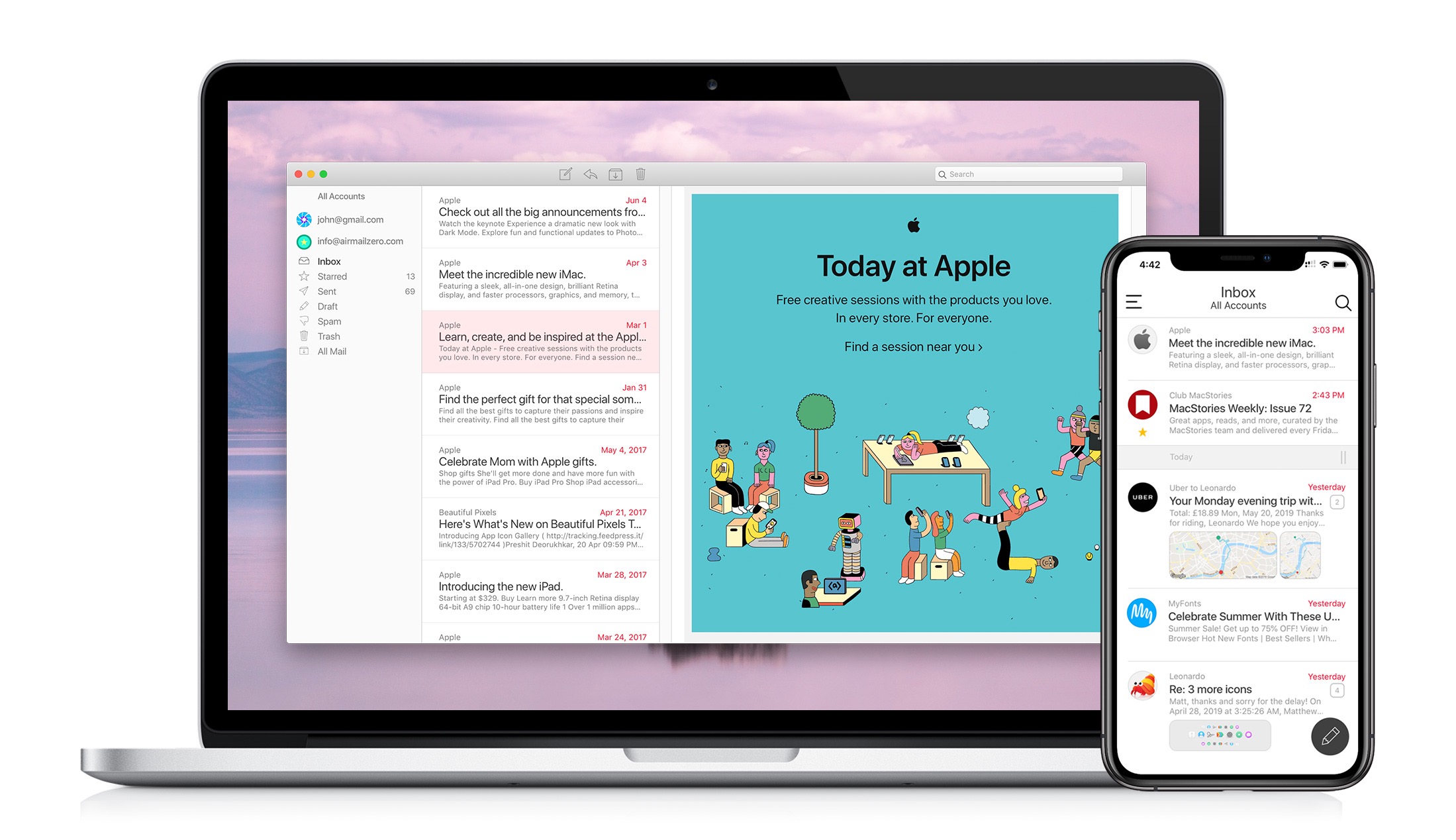
The makers of the Apple Design Award-winning app Airmail are back with Airmail Zero, a brand-new take on Gmail for the Mac and iPhone.
Speed is critical to getting through a mountain of email messages, and you don’t want your email client slowing you down. That’s why Bloop, designed Airmail Zero, the successor to Airmail, from the ground up with speed and efficiency as a top priority.
Airmail Zero is built on an all-new Swift codebase for lightning-fast app launches, and instantaneous message handling. The app has been architected to use virtually zero storage, memory, and CPU to keep everything working smoothly throughout. Sync is speedy, the app works exceptionally well with virtual private networks, and it communicates over HTTPS connections too.
The emphasis on speed extends to Airmail Zero’s design, which is brought to life with custom animations. Email messages are presented in a clean, easy-to-read card interface with simple, intuitive controls for rapidly triaging an overflowing inbox. Add to that a rich set of keyboard shortcuts on the Mac and you’ll find yourself with an empty inbox in no time.
The Mac and iPhone versions of Airmail Zero are free to use with one Gmail account. Subscribe for $0.99/month or $9.99/year and you add multiple Gmail accounts organized in a unified inbox, plus live help from the Airmail Zero support team.
Spend your time answering email instead of managing your email client by giving Airmail Zero a try today on the Mac and iPhone.
Our thanks to Airmail Zero for supporting MacStories this week.
Up Next on MacStories’ Podcasts
Next week on AppStories, Federico and John take a close look at the upcoming changes to the Photos app on iOS and the Mac. Next week on Dialog, Federico and John are joined by video game narrative designer and novelist Carrie Patel. In the first part of our conversation, we explore narrative design...