3172 posts on MacStories since July 2011

Articles by the MacStories team. Founded by Federico Viticci in April 2009, MacStories attracts millions of readers every month thanks to in-depth, personal, and informed coverage that offers a balanced mix of Apple news, app reviews, and opinion.

Rogue Amoeba: Powerful Audio Tools for Your Mac [Sponsor]

The folks at Rogue Amoeba are back to sponsor MacStories this week. If you’re not already familiar with them, they’ve been notable makers of powerful audio tools for your Mac since 2002. From professionals to hobbyists to everyday consumers, they’ve got tools to help you with audio.

It’s a cinch to make recordings with the flagship product Audio Hijack, which can now even transcribe audio.

Or, take advantage of SoundSource to gain volume control for each app playing audio on your Mac, as well as the power to apply audio effects and even redirect playback to different devices.

If you want to enhance your microphone’s capabilities, Loopback is the perfect tool. With its virtual audio devices, you can combine app audio and your microphone seamlessly, then bring it into Zoom or any other voice chat app. You can even pair Loopback with the Mac’s best soundboard app, Farrago, to add sound effects or background audio to calls and recordings.

Rogue Amoeba offers free trials for all their apps, and you can set them up in seconds. And if you’re running Apple’s beta OS, you’ll be happy to know Rogue Amoeba’s apps already work on Tahoe.

As a MacStories reader, you can save 20% on any purchase through the end of August by using discount code STORIES2508. Visit their store to get started.

Our thanks to the folks at Rogue Amoeba for sponsoring MacStories this week.

Direct Mail 7: Professional Email Marketing Built Just for Mac Users [Sponsor]

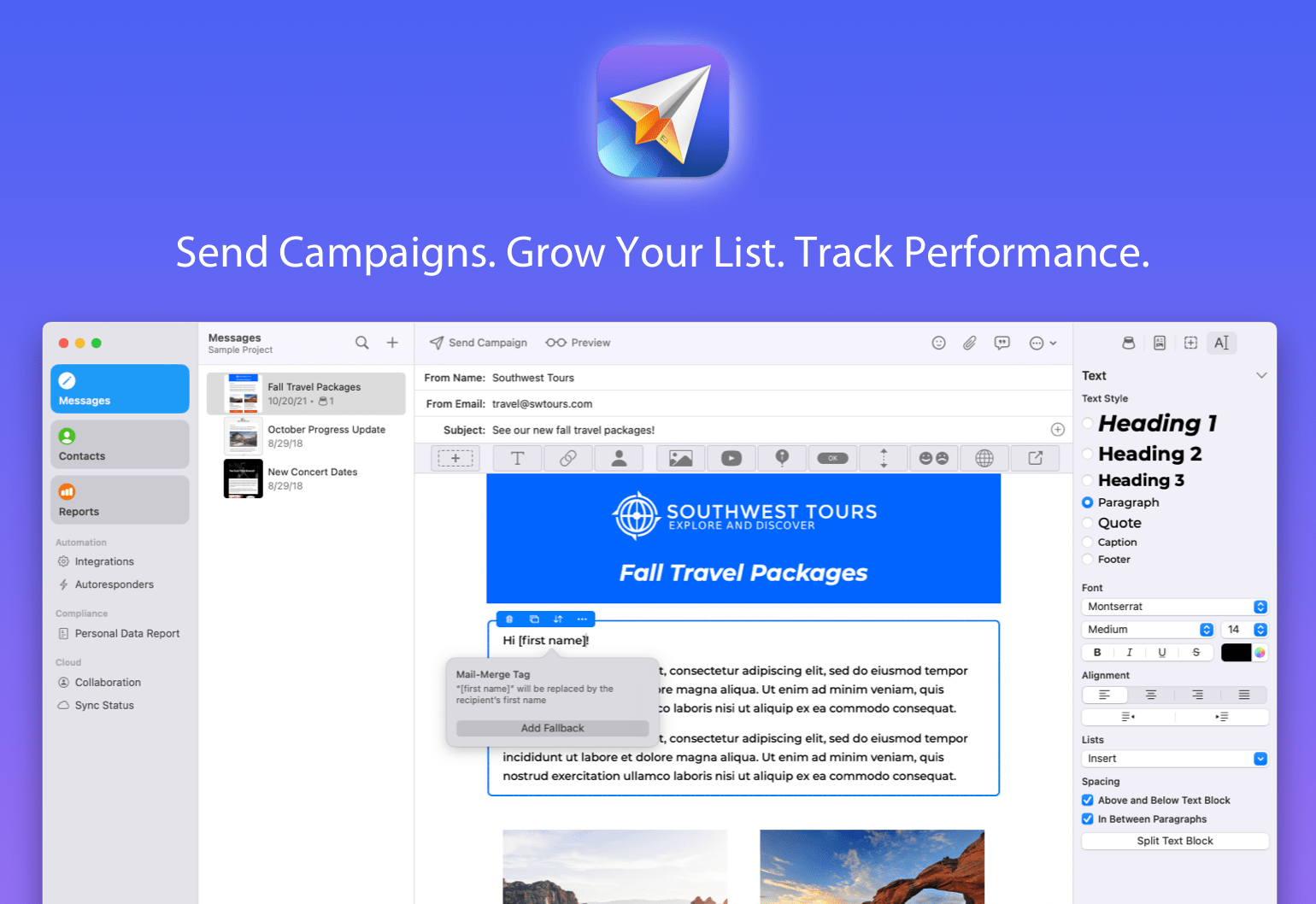
If you run a business, a side hustle, a podcast, or just want to stay in touch with a community, you know how important great email marketing can be. That’s where Direct Mail comes in — a native macOS app that makes it incredibly easy to design, send, and track email campaigns that get results. Unlike web-based alternatives, Direct Mail is designed specifically for macOS, with the speed, polish, and Mac-first integration you expect.

The brand-new Version 7 is a huge leap forward. This update brings a host of new features, including a reimagined user interface, smarter list management, powerful email signup forms, upgraded reporting, and all-new tools to help your emails stand out. Whether you’re sending to 10 people or 10,000, Direct Mail gives you the tools to do it professionally and painlessly.

If you’ve ever been frustrated with clunky, web-based email marketing tools, or just want something that feels right at home on your Mac, check out Direct Mail. It’s free to download and try, with flexible pricing plans to match every budget — including pay-as-you-go options. You can be up and running with your first campaign in just minutes. Our friendly customer support reps are available via live chat to help with any questions, ensuring you’re never stuck. Get started today and expand your reach with powerful, Mac-first email marketing tools.

Our thanks to Direct Mail for sponsoring MacStories this week.

In This Issue

Jonathan recommends new audio broadcasting app Macrowave, and John has Todoist tips and thoughts on the so-called good old days of tech, plus the usual Links, App Debuts, the latest happenings in the Club MacStories+ Discord community, and a recap of MacStories articles and this week’s episodes of MacStories podcasts....


This Week on MacStories Podcasts

This week on MacStories podcasts: AppStories This week, Federico and John share their experiences with iPadOS and macOS 26, which are now available as part of Apple’s public beta program. On AppStories+, Federico and John discuss the state of engagement bait posting about Apple and how it’s affecting the discourse about the company and its...


JSAUX FlipGo: An Award-Winning 16” Dual Touchscreen Monitor For Your Mac [Sponsor]

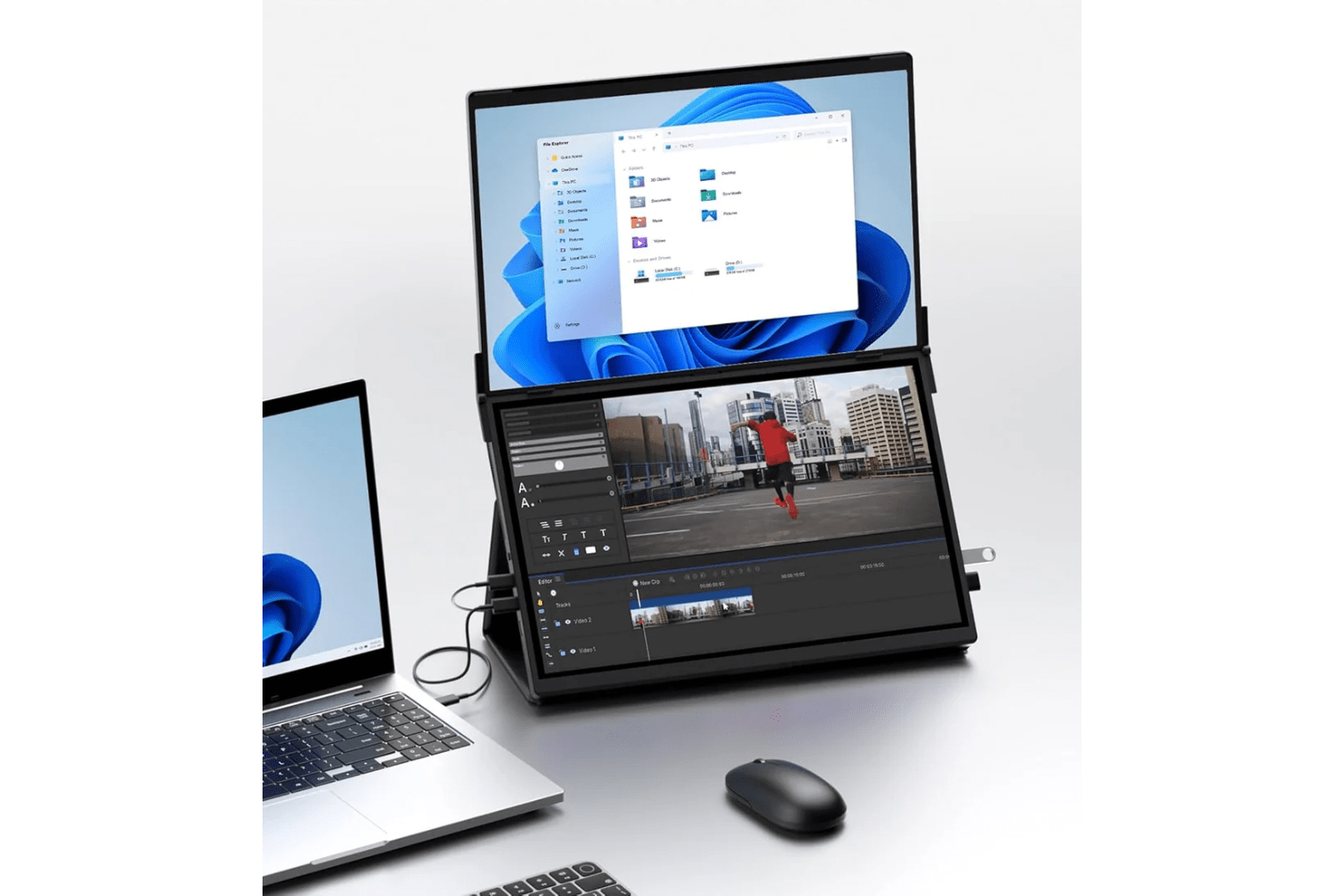
The promise of portable dual monitors has always been compelling, but the execution has consistently fallen short, until now. JSAUX’s FlipGo 16” Dual Touchscreen Monitor breaks new productivity ground for Mac users. Unlike some alternatives, the FlipGo Pro leverages both DisplayLink technology and native connectivity to deliver true dual-screen functionality on Apple silicon Macs with a single USB-C cable.

At its core, the FlipGo represents thoughtful engineering applied to everyday workflows. Its two 16-inch IPS panels deliver genuine 2.5K resolution (2560×1600 total resolution), 100% sRGB color accuracy, and 500 nits brightness. The key innovation lies in the FlipGo’s versatility: switch between UltraView mode for a single expansive workspace, DuoViews for independent dual screens, or ABC mode to create a true triple-monitor setup when combined with your MacBook’s display. You can learn more about the benefits of a foldable dual-screen setup in John’s review of the similar non-touch version of the FlipGo Pro here.

Build quality of the FlipGo Pro is superb and is a big part of why it won an iF Design Award and Red Dot award in 2024. The aluminum construction feels substantial without being cumbersome at 1.6kg, while the magnetic mounting system secures everything when the screens are attached to their stand. Even the hinge mechanism is made from premium materials, making it perfect for professionals to take on the go daily.

For those who value integrated workflows, the FlipGo’s built-in USB hub functionality provides two USB-A 2.0 ports and an additional USB-C port, effectively expanding your MacBook’s connectivity while powering the displays. When connected to external power, it even provides reverse charging to your laptop — a thoughtful touch that eliminates battery drain during extended sessions.

Ready to transform your mobile workspace? Order the JSAUX FlipGo 16” Touchscreen today.

This post includes affiliate links. Learn more here.


Previously, On MacStories

Apple Reports Q32025 Financial Results Thoughts on iPadOS 26: Hello, It’s Good to Be Back macOS Tahoe: The MacStories Public Beta Preview watchOS 26: The MacStories Public Beta Preview Folio: A Promising Read-Later App with a Strong Foundation Apple’s Manufacturing Academy Is Set to Open in Detroit on August 19th...


In This Issue

John looks back at four influential games from the early days of the App Store and Jonathan breaks down some of the system app icon changes coming in macOS Tahoe, plus the usual Links, App Debuts, the latest happenings in the Club MacStories+ Discord community, and a recap of MacStories articles and this week’s episodes...


This Week on MacStories Podcasts

This week on MacStories podcasts: AppStories This week, John is joined by Brendon Bigley to explore the wide world of videogame companion apps from media trackers to game-specific companion apps. On AppStories+, John and Brendon dig into 16 years of App Store history to compile a list of games that have defined gaming on the...