
John has some tips for generating Markdown links individually and in bulk, Jonathan explains how he used Live Multicam in Final Cut Pro for iPad to film an interview, plus the usual Links, App Debuts, the latest happenings in the Club MacStories+ Discord community, and a recap of MacStories articles and this week’s episodes of...
 This Week on MacStories Podcasts

This week on MacStories podcasts: AppStories This week, AppStories returns with details on the projects Federico and John worked on during their breaks. On AppStories+, the importance of breaks and finding ways to unwind. Listen on: Apple Podcasts Overcast Pocket Casts Castro Spotify YouTube NPC: Next Portable Console Returning from summer break, the NPC crew...
Previously, On MacStories
Instagram Launches an iPad App Oasis Just Glitched the Algorithm...
Direct Mail 7: Professional Email Marketing Built Just for Mac Users [Sponsor]
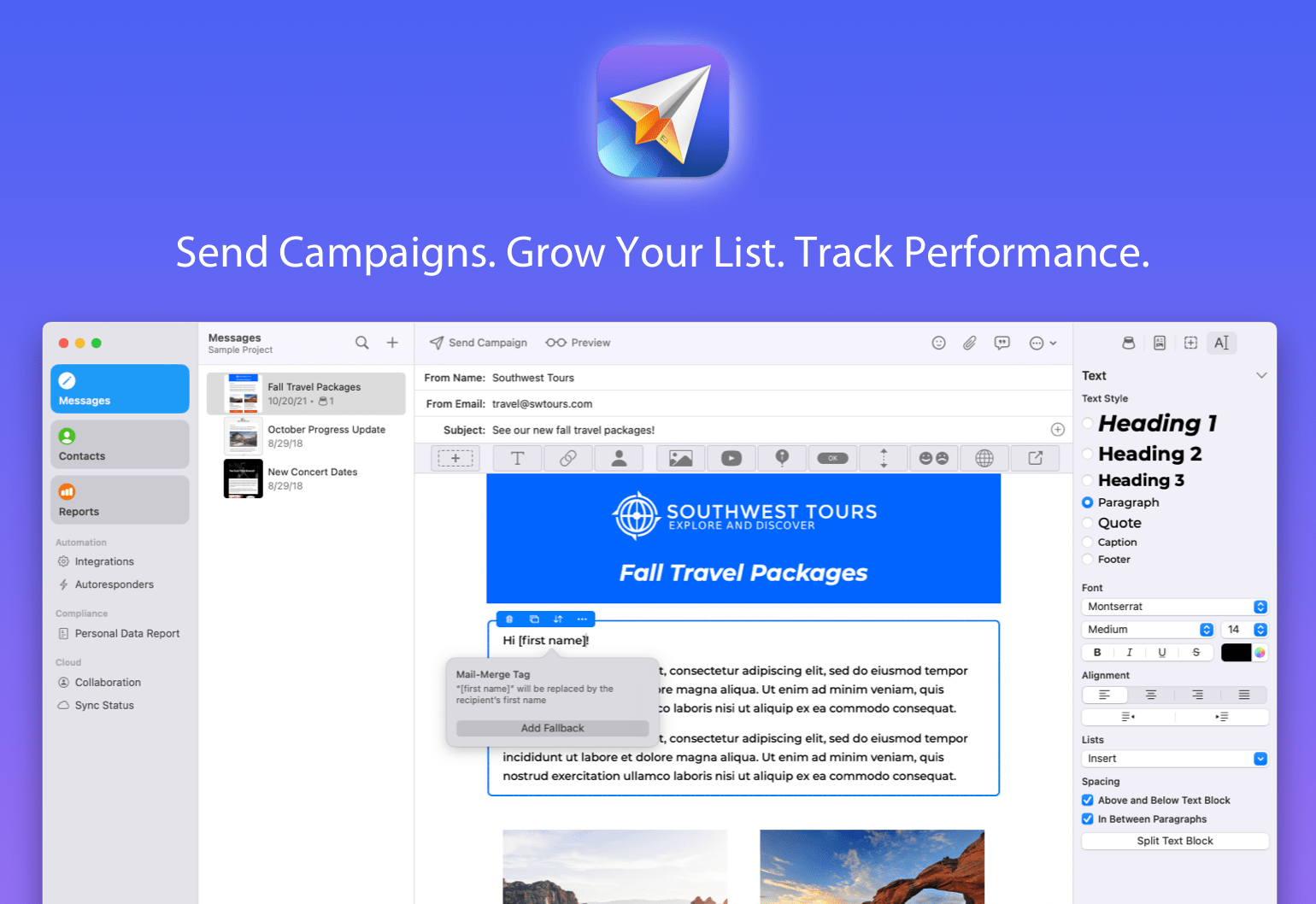
If you run a business, a side hustle, a podcast, or just want to stay in touch with a community, you know how important great email marketing can be. That’s where Direct Mail comes in — a native macOS app that makes it incredibly easy to design, send, and track email campaigns that get results. Unlike web-based alternatives, Direct Mail is designed specifically for macOS, with the speed, polish, and Mac-first integration you expect.
The brand-new Version 7 is a huge leap forward. This update brings a host of new features, including a reimagined user interface, smarter list management, powerful email signup forms, upgraded reporting, and all-new tools to help your emails stand out. Whether you’re sending to 10 people or 10,000, Direct Mail gives you the tools to do it professionally and painlessly.
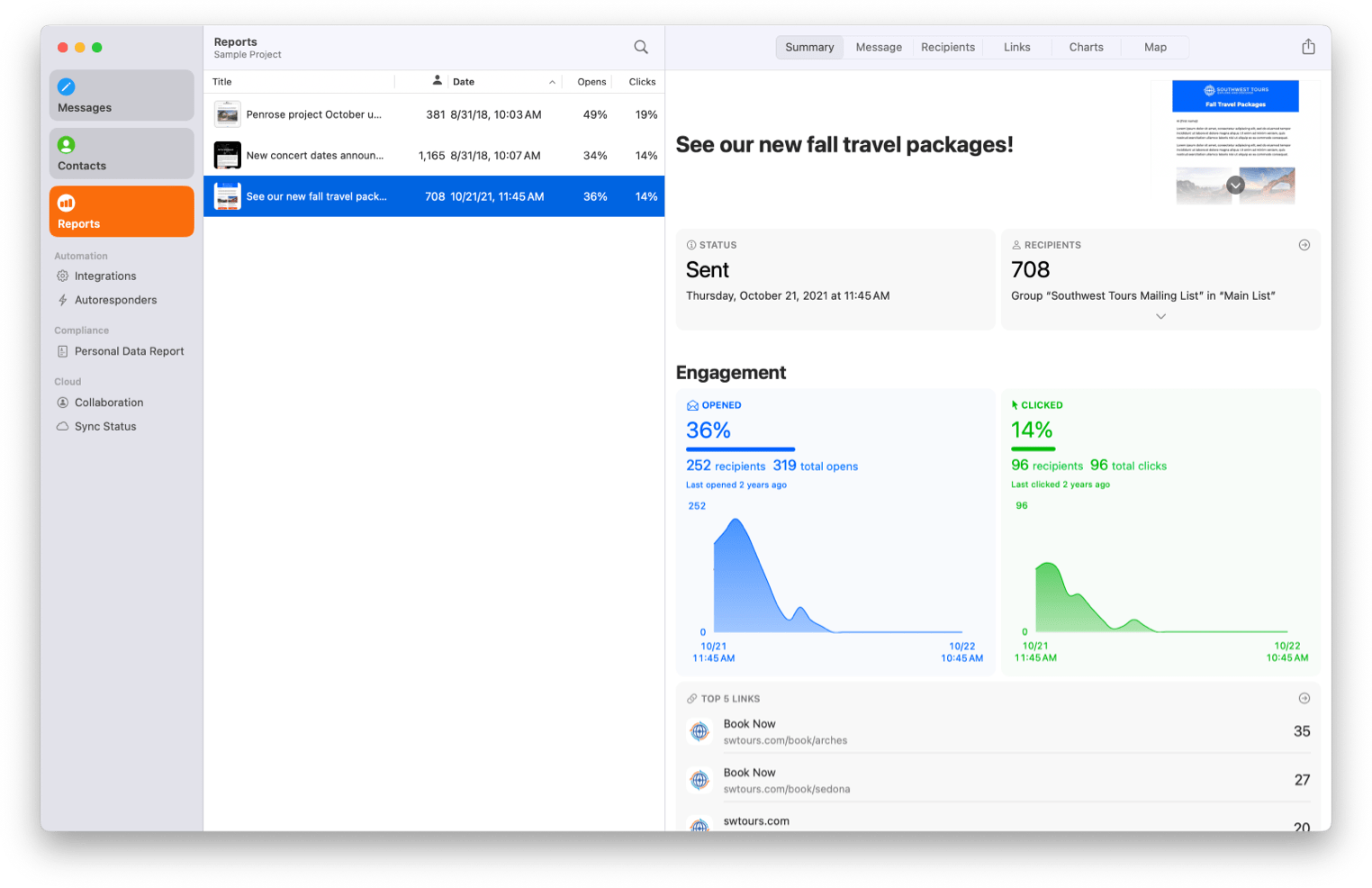
If you’ve ever been frustrated with clunky, web-based email marketing tools, or just want something that feels right at home on your Mac, check out Direct Mail. It’s free to download and try, with flexible pricing plans to match every budget — including pay-as-you-go options. You can be up and running with your first campaign in just minutes. Our friendly customer support reps are available via live chat to help with any questions, ensuring you’re never stuck. Get started today and expand your reach with powerful, Mac-first email marketing tools.
Our thanks to Direct Mail for sponsoring MacStories this week.
In This Issue
This month, Devon explains why he is excited for September and John details two changes he made during break that have had an outsized impact....
In This Issue
John recommends a smart home fan and thermometer for keeping cool, and Jonathan rounds up a collection of HomeKit apps, plus the usual Links, App Debuts, the latest happenings in the Club MacStories+ Discord community, and a recap of MacStories articles and this week’s episodes of MacStories podcasts....
This Week on MacStories Podcasts
Magic Rays of Light Sigmund and Devon highlight the return of Apple Original sci-fi series Invasion, break down the details of the PVOD release of F1 The Movie, and discuss the Apple TV+ price increase. Listen on: Apple Podcasts Overcast Pocket Casts Castro Spotify YouTube Comfort Zone Chris has moved on from Ball and now...
Previously, On MacStories
The Best Labor Day Deals on Amazon Right Now Relay Launches Its 2025 Fundraiser for St. Jude Children’s Research Hospital Apple Announces September 9 Awe Dropping Event Tot 2.0: A Thoughtful Extension of an Already Elegant Note-Taking App...
TESSAN Universal Travel Adapter: The 140W GaN Charger That Will Power All Your Apple Gear [Sponsor]

If you’ve ever found yourself juggling multiple chargers for your iPhone, iPad, MacBook, and AirPods in a hotel room, you need to check out TESSAN’s 140W GaN Universal Travel Adapter. Its compact design replaces your entire charging setup with a single, intelligently designed adapter that works in over 200 countries, delivering the power you need.
The TESSAN adapter leverages GaN technology to deliver 140W of total power through three USB-C ports and one USB-A port, while maintaining a footprint smaller than most laptop chargers. The top USB-C port delivers up to 100W—enough to fast-charge a MacBook Pro while the remaining ports will intelligently distribute power to charge your other devices simultaneously. The universal plug design features slide-out prongs for U.S., UK, EU, and Australian outlets, eliminating the need to pack multiple regional adapters.
The TESSAN adapter also includes surge protection, over-current protection, and temperature control. Plus, the GaN semiconductor technology generates less heat than traditional silicon-based chargers, making it safer for extended use in cramped spaces.
MacStories readers can get the TESSAN Universal Travel Adapter now on Amazon.
Our thanks to TESSAN for sponsoring MacStories this week. This post includes affiliate links..