

Qewie Qewie is a simple iPhone utility for generating QR codes. That’s not something I need to do often, but why not make them look good when I need one? Qewie comes with lots of customization options, allowing you to change the look and feel of your QR codes. You can adjust the color,...
 I’ve Stopped Charging My iPhone at Night
There are fewer advantages to the Pro line of iPhones this year than in the recent past, but one thing I’ve appreciated since the first day I got my new iPhone 16 Pro Max is its battery life. It’s so good, in fact, that I’ve stopped charging my iPhone at night. Here’s the thing: based...
Interesting Links
Spotify has begun creating an offline playlist of recent and queued songs for Premium subscribers to listen to when they aren’t online, according to Andrew Liszewski of The Verge. (Link) Bloomberg’s Rachael Metz has an excellent in-depth look at the aftermath of Sam Altman’s return to OpenAI and how he’s consolidated power inside the...
The Latest from Comfort Zone, Magic Rays of Light, and MacStories Unwind

Enjoy the latest episodes from MacStories’ family of podcasts:
Comfort Zone






Surprise! Matt got a new iPhone (you’re shocked ????) and Chris brings the new AirPods 4 with Active Noise Cancellation (yes, that’s the name!). Then it’s time for movie corner and a review of 2023’s film, Ferrari.
Magic Rays of Light
Sigmund and Devon highlight the much-anticipated debut of Wolfs, recap Women in Blue, and discuss a new tvOS “feature” impacting purchased content.
MacStories Unwind
This week, Federico gets some help tackling cable management and I did hard time at the DMV, but still had time for a gritty new crime drama.
Tabletops Closes Shop→

Every so often, you come across a writer who cares so much about their subject that it smacks you in the face. You can’t ignore it, and it sucks so much of the oxygen out of a topic that no one else even tries to cover the beat. That’s how I’ve always felt about Michael Steeber’s writing about Apple Retail, whether it was at 9to5Mac or in his newsletter Tabletops.
Yesterday, Steeber announced that Tabletops is ending, which is a loss for those of us who have relied on it as the definitive history of Apple’s many retail locations:
This is the last issue of Tabletops. Over the past 139 weeks, we’ve explored fantastical architecture, climbed deep into the archives, put merchandising under a microscope, and completed a virtual world tour of stores from Seoul to Chicago. I say we, because this newsletter wouldn’t have been possible without your help. It was your photos, your questions, and most importantly, your encouragement that made writing Tabletops fun. It’s impossible for one person to keep up with 531 stores. Your reports from all over the world meant so much to me.
Steeber doesn’t explain why Tabletops is shutting down, but as his post explains, he’ll still be around, which I’m glad to hear. He also has these words of wisdom for readers:
I wrote with the hope of adding a moment of positivity and wonder to your day. Now it’s your turn. Don’t let yourself forget what lit the fire in your eyes. Hold on to the thrill you felt when it all began. Keep the magic alive.
Thanks for Tabletops, Michael. We’ll miss it.
The Latest from AppStories and Ruminate
Enjoy the latest episodes from MacStories’ family of podcasts:
AppStories
This week, Federico and John share their favorite app updates that take advantage of what’s new in iOS 18.
On AppStories+, John expands on his first look at the Logitech MX Creative Console, and Federico and John discuss Orion, the prototype AR glasses that Meta showed off last week.
This episode is sponsored by:
- Karo – The first of its kind task manager focused on delegating tasks via messaging apps. The first 50 listeners can get 50% off a 1-year subscription here.
- Celtreos – The shoot-em-up game with tiny ships, big weapons, waves of foes, power-ups and obstacles.
Ruminate
A final update on the St Jude campaign, an overflowing snack corner, and Hurricane Helene.
Croissant: A Beautifully-Designed App for Cross-Posting to Multiple Social Media Accounts
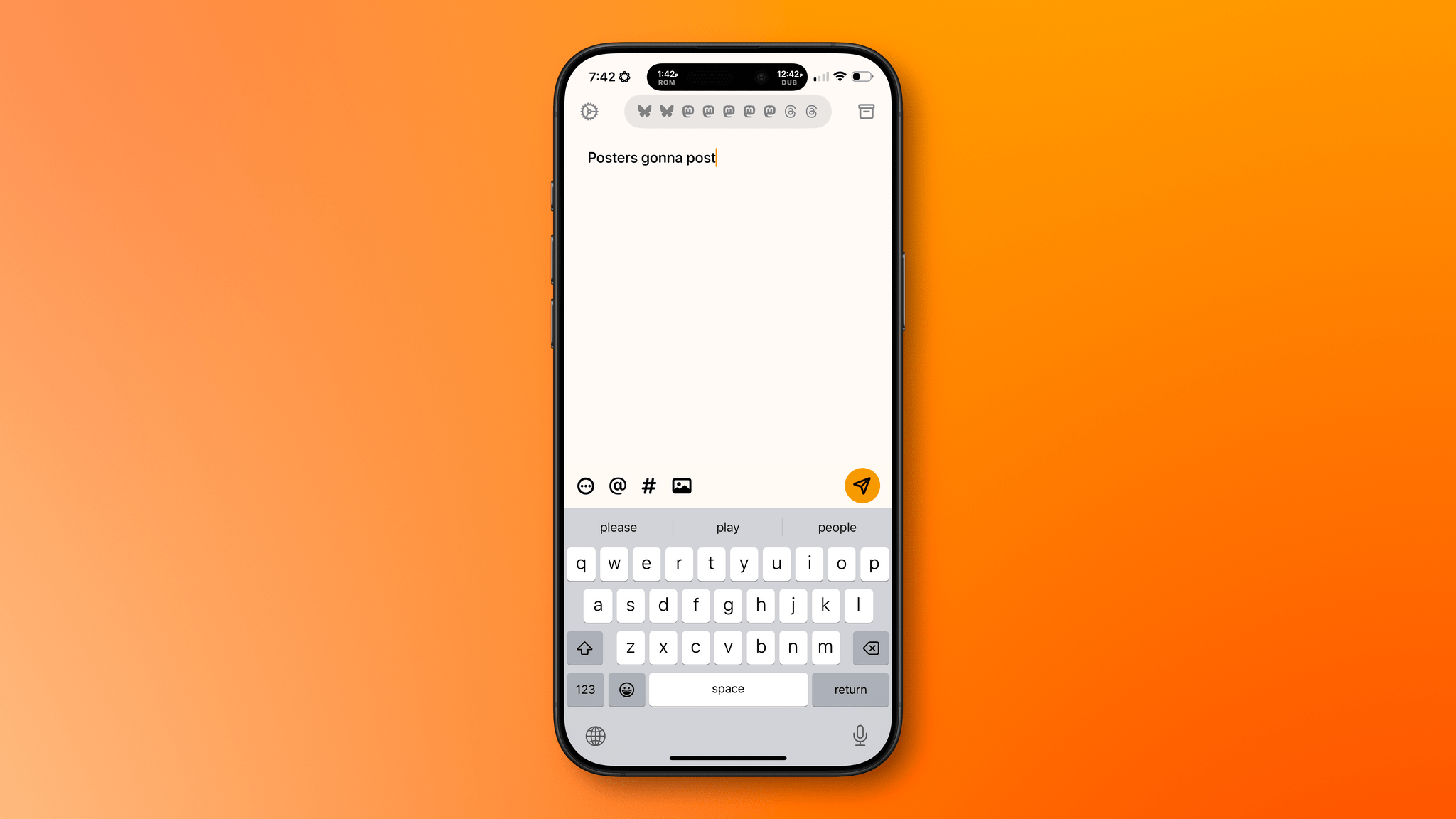
Social media has splintered across multiple services since the decline of Twitter. I’ve always managed a lot of social media accounts between my own and ones for MacStories, but today the situation is worse than ever. There have always been services like Buffer that make it easier to juggle multiple accounts and services, but they are more expensive than most indie developers, artists, websites, and other creators can afford and offer more features than most need.
That’s where Croissant comes in. It’s a new iPhone app from Ben McCarthy and Aaron Vegh that simplifies cross-posting to Mastodon, Bluesky, and Threads at an indie-friendly price. The app doesn’t try to replicate the many features you’ll find in services like Buffer. Instead, it’s focused on making it easier for indie creators or anyone with multiple social accounts to post on multiple platforms at once.
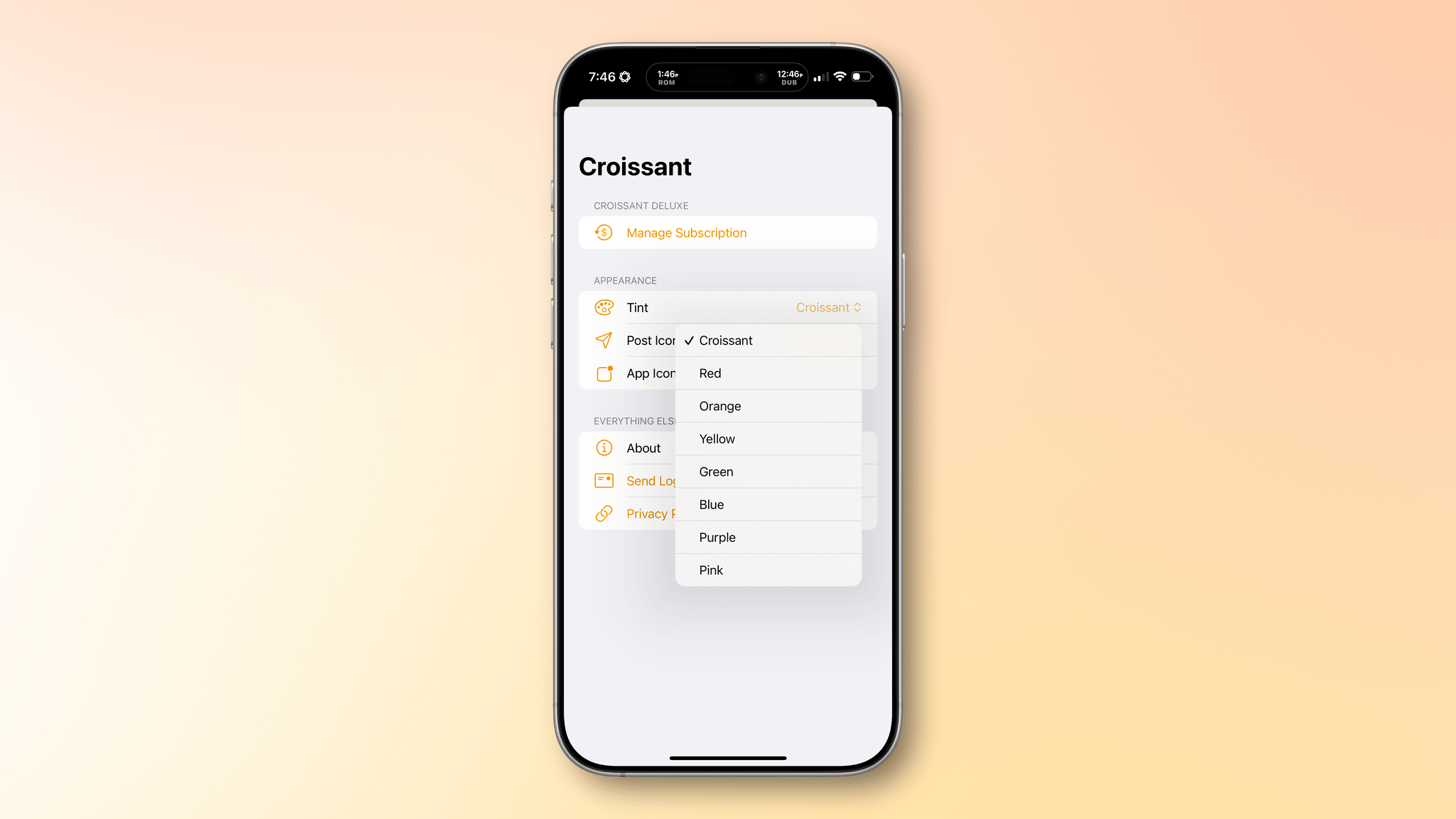
I’ve been testing Croissant over the past week, connecting it to two Bluesky accounts, two Threads accounts, and five Mastodon accounts, and I’ve been loving it. First off, the design is top-tier, as you’d expect from one of Ben’s apps. The UI’s focus is on drafting your posts, and it’s accented with a deep yellow/orange hue that I love. However, the app offers seven other color options to choose from. There are also a total of seven app icon options and three icons to pick from for the button that publishes a post.

If you have a lot of accounts you want to use with Croissant, you’ll need to start by signing into each, which requires a little patience. However, once you’re set up and ready to go, the rest is smooth sailing. You’ll see icons for each of the accounts you’ve signed into at the top of the app’s compose view. Tap on the row of icons to manage your accounts, removing any you no longer use and adding any new ones. The gear icon in the top-left corner of the view reveals tint, post icon, and app icon settings, and the box icon at the top-right is used to access draft posts that you can save using the app’s Menu button at the bottom of the compose field.
That same Menu button also allows you to delete a post, add to an existing thread, add a content warning, and pick from various audience options. Plus, there are buttons to tag someone, add hashtags, and attach photos or videos to a post. Croissant displays a character counter at the top of each draft post, too.

My favorite part of Croissant is the interaction that takes place when you’re ready to launch your latest hot take into the social media wilderness. Before you post, a list of every account you’ve connected to Croissant slides up from the bottom of the screen. By default, all of your accounts are selected. Tap the big Post button at the bottom of the list, and you’ll launch your words of wisdom into the world across every service you’ve configured. Before you post, you can also de-select any of the accounts listed. That’s great because, although I could fairly be accused of being a chronic cross-poster, even I rarely post everywhere all at once, so I appreciate the chance to fine-tune where my posts will be published.
I like the simplicity of Croissant a lot, but there are a couple of things I’d love to see added in future updates. The first is Shortcuts support. An action that allows me to pick the accounts to send a post from, coupled with Shortcuts’ ability to pull items from RSS feeds, would make publicizing new MacStories articles and podcast episodes a lot easier. Second, a scheduling feature would go a long way toward completely eliminating the need for services like Buffer for a lot of people. Of course, an iPad and Mac version of Croissant would be great too, but I’ve found using the iPhone app on my iPad and on my Mac with iPhone Mirroring to fill that need well so far – except that on the iPad it means logging into all of my accounts a second time, which is a little tedious.
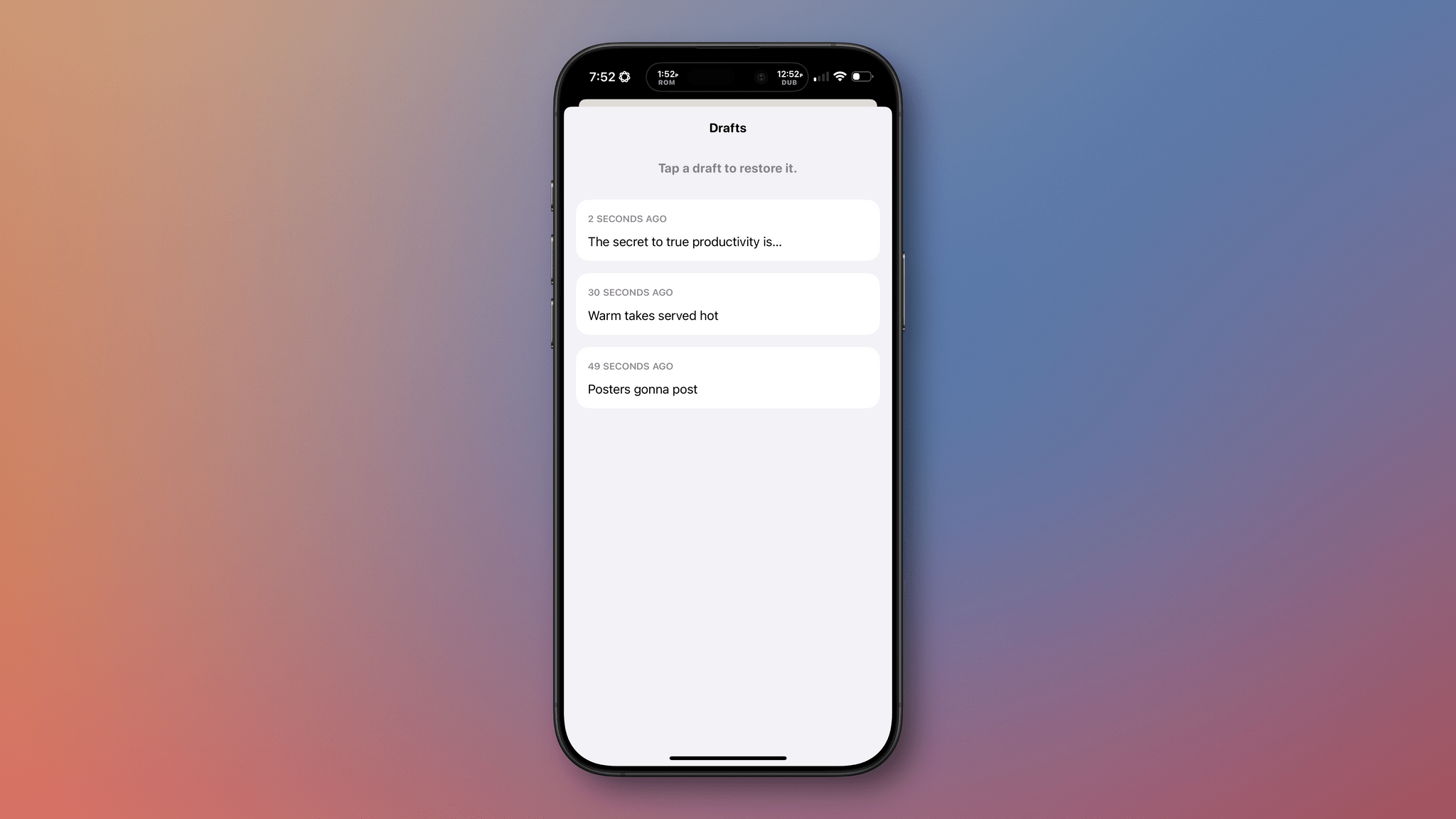
There’s an added side benefit to using Croissant that I didn’t realize at first but Brendon pointed out to me. Croissant lets you post without the distraction or stress of getting sucked into your timelines. I’ve often had times where I felt like I needed a break from social media but felt compelled to jump back in to make sure we were promoting everything happening at MacStories. With Croissant, you can have it both ways, letting the world know what you’re up to without needing to scroll your timeline.
Croissant, which is available on the App Store for free but requires a subscription for some features, is a clear win for anyone who works online and wants to promote what they make or who maintains active accounts across several services. Neither group is a good fit for expensive social media management services, but for $2.99/month, $19.99/year, or a one-time payment of $59.99, Croissant is a no-brainer.
Forever ✱ Notes: A Simple, Flexible, and Free Approach to Organizing Your Apple Notes→
The best workflows are the hardest to design because they require restraint. It’s easy to throw complexity at a problem to create the illusion of a grand solution, when it’s often the simplest solutions that reflect the most thoughtful approach to a problem. That was my immediate reaction to Forever ✱ Notes, a systematic approach to note-taking that uses Apple Notes as its foundation.
Forever ✱ Notes’ author, Matthias Hilse, describes the system as follows:
Forever ✱ Notes is a simple, lightweight digital note-taking and knowledge management method for Apple Notes. It’s robust, versatile, and scalable to grow with you.
If you’ve followed the worlds of personal knowledge management, bullet journaling, daily notes, and the complex Notion templates people have created to manage their lives, Forever ✱ Notes will ring a bell. It borrows elements from many systems that came before it but eschews their complexity. Instead, Forever ✱ Notes proposes sensible, pragmatic ways to organize your projects, areas of your life, and journaling using Apple Notes’ built-in tools, like tagging and note linking.
I’ve been building a similar system on and off all year in Obsidian, which isn’t finished, and having spent time looking at many other solutions, Forever ✱ Notes stands out for its simplicity and flexibility. I’ll be spending more time with Forever ✱ Notes over the next few weeks to see how I can incorporate some of its ideas into my own notes. Who knows? Perhaps it’s time to move more of what I do out of Obsidian and into Notes.
Revisiting Reminders
With my macOS Sequoia review out of the way, I’ve begun new app and hardware experiments. The first thing I did was move all of my tasks to Reminders. It’s been over nine months since I last used the app regularly, and I wanted to see what kind of difference its latest updates, as well...