
Hopscotch Hopscotch is designed to help kids learn to code, but is a great place to start for anyone who is new to programming. By building simple programs with drag and drop blocks of code, Hopscotch eliminates the difficulty of learning programming syntax. That makes it easier to dive in and grasp basic...
Apple Release macOS Sierra Beta→
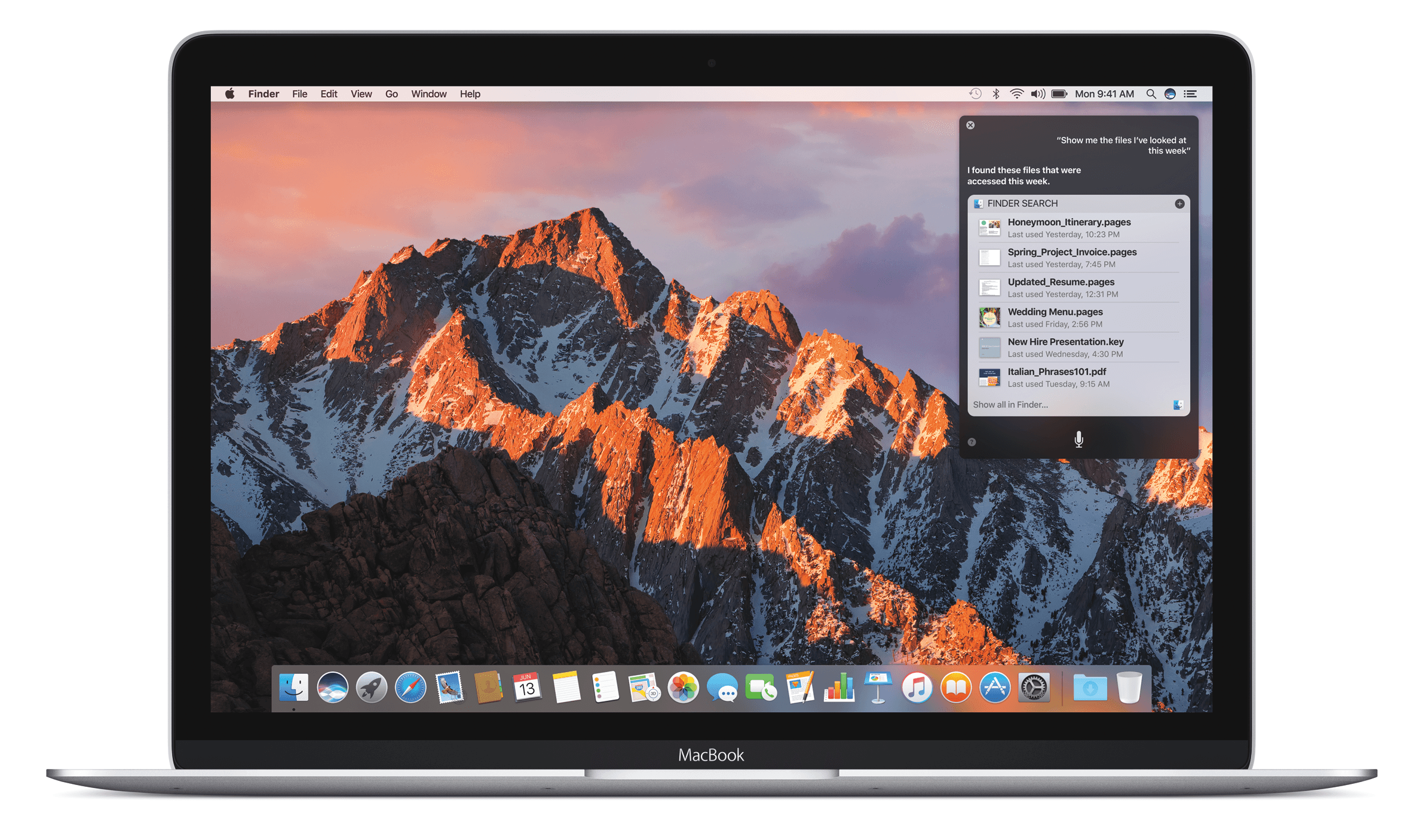
According to the Wall Street Journal (subscription required), in addition to the release of the iOS 10 public beta, Apple released the public beta of macOS Sierra today. As with the iOS 10 beta, it is not advisable to install the Sierra beta on your primary Mac’s drive. Of course, if you decide to download Sierra beta anyway, be sure to back up your data. You can sign up to get access to the Sierra beta at beta.apple.com.
Among other things, Sierra adds Siri to the Mac, Apple Pay on certain websites accessed with Safari, enhancements to Photos, a Universal Clipboard that works between iOS devices and Macs, and Auto Unlock of your Mac with your Apple Watch instead of a password, which requires you also run the iOS 10 and watchOS 3 betas. For more coverage of what’s new in macOS Sierra check out our WWDC coverage.
Apple Releases iOS 10 Public Beta→
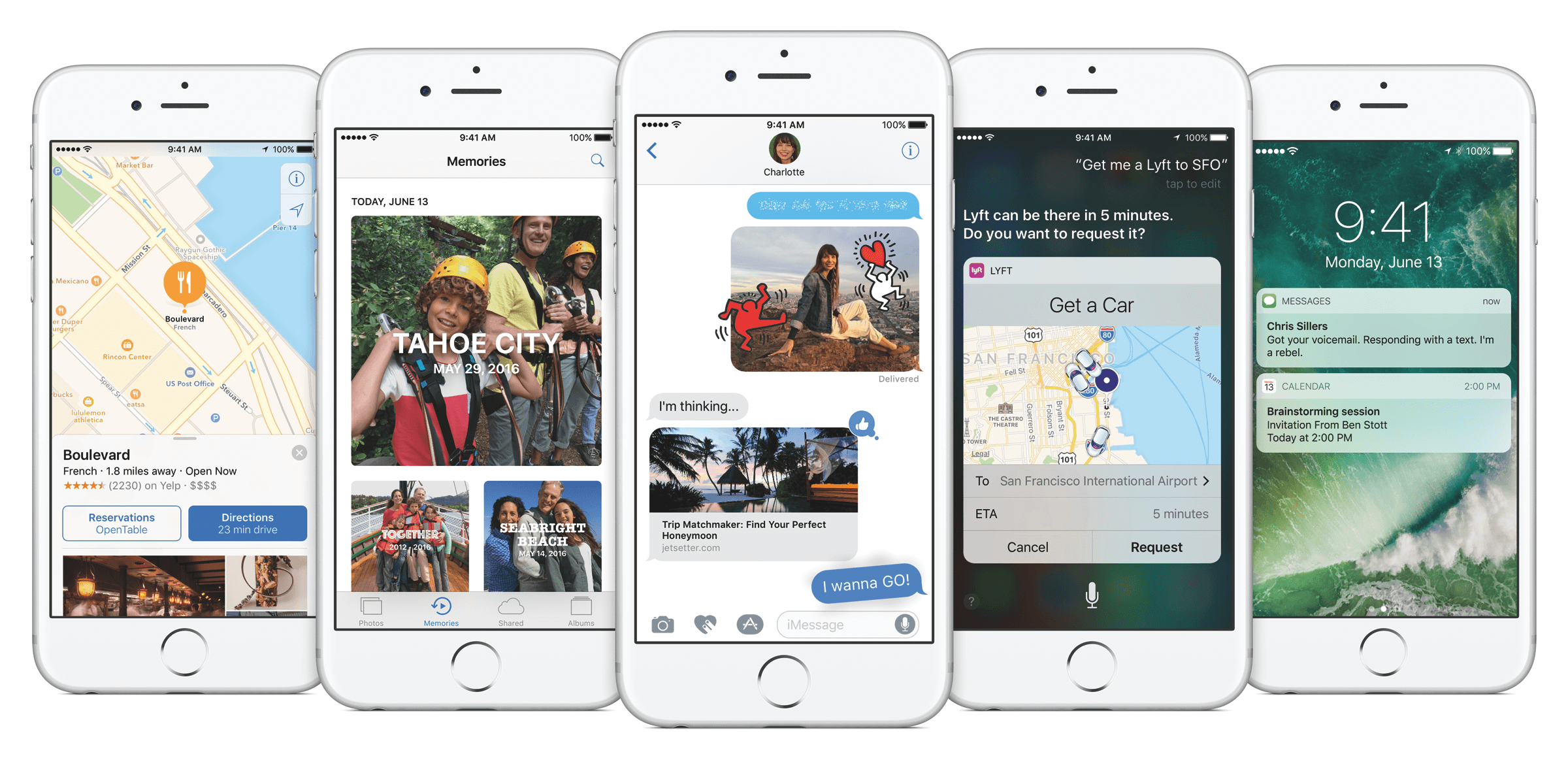
Joanna Stern reports for the Wall Street Journal (subscription required) that Apple has released the public beta of iOS 10. Apple released a beta version of iOS 10 to developers at WWDC on June 13, 2016. At the time, Apple promised a public beta of iOS 10 would be released in July. A second beta was issued to developers just this past Tuesday. Today, Apple made good on it’s WWDC promise by releasing a public beta of iOS 10 that is available for anyone to download.
However, just because you can download the iOS 10 beta doesn’t mean you should, especially on your primary device. The consensus among people who have tried the first two developer betas seems to be that it is more stable than most early iOS betas, but it still has many bugs and there is no guaranty that your third-party apps will work properly. Nor is it easy to roll back to iOS 9.3 if you have second thoughts after installing iOS 10.
With iOS 10, Apple has made significant changes to notifications and Today widgets, redesigned the Music app, added features to Photos and Messages, and much more. For a complete run-down of what’s new in iOS 10, check out Alex Guyot’s coverage for MacStories during WWDC.
Roadblock for OS X Review
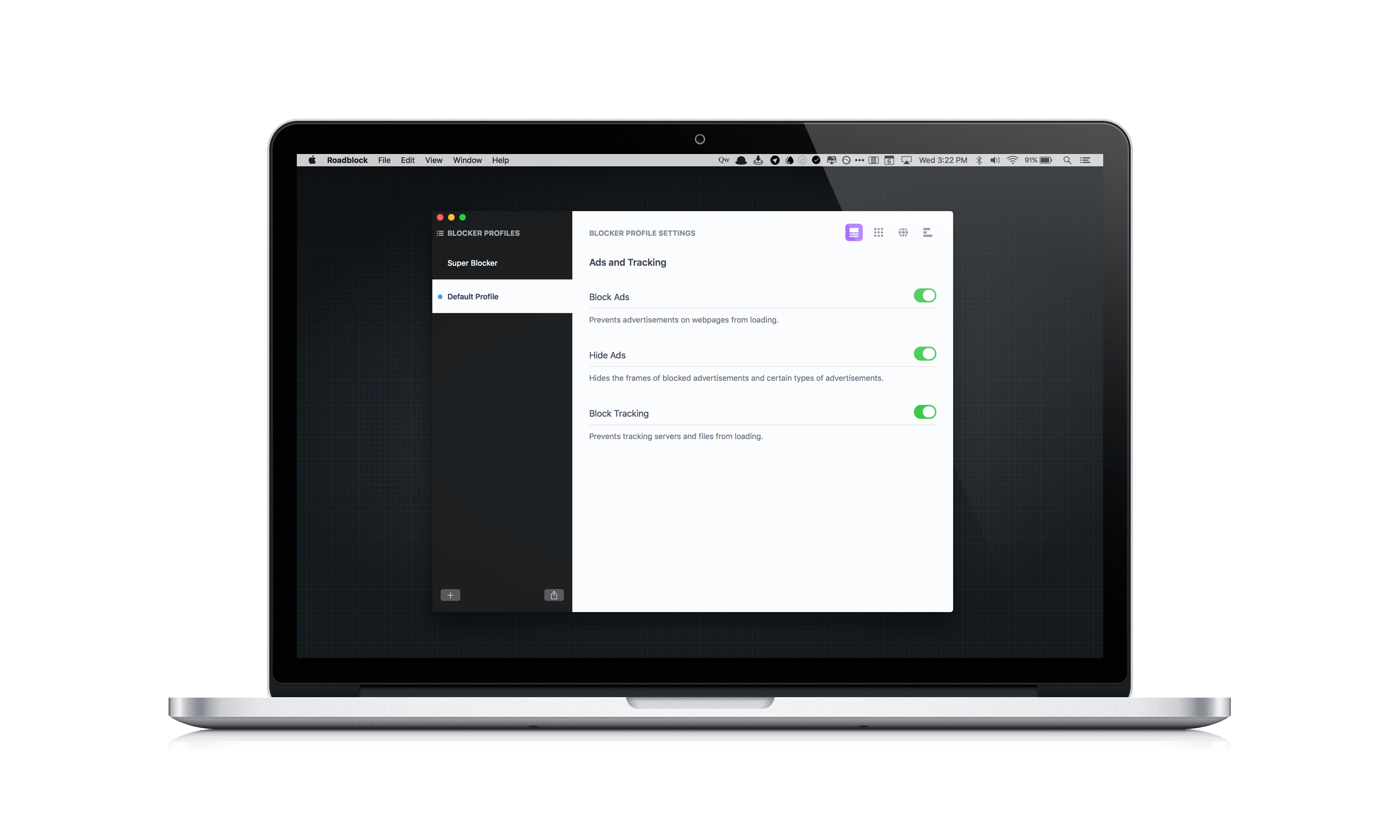
Content blockers arrived with a splash on iOS last Fall when iOS 9 was released, but have only recently begun showing up on the Mac App Store. Last month I reviewed 1Blocker, a Safari content blocker that replicated its successful iOS app on the Mac. Today, Obied Corner released Roadblock for Mac, which takes its iOS content blocker and adds some compelling new features. What makes Roadblock unique, is its focus on profiles, allow you to set up different sets of content blocking rules for different use cases, and its simplified approach to creating complex custom rules. Despite a few limitations that I discuss below, these two features make Roadblock extremely powerful and an excellent choice if you are looking for a content blocker for your Mac.
Apple to Add Organ Donor Option to Health App→
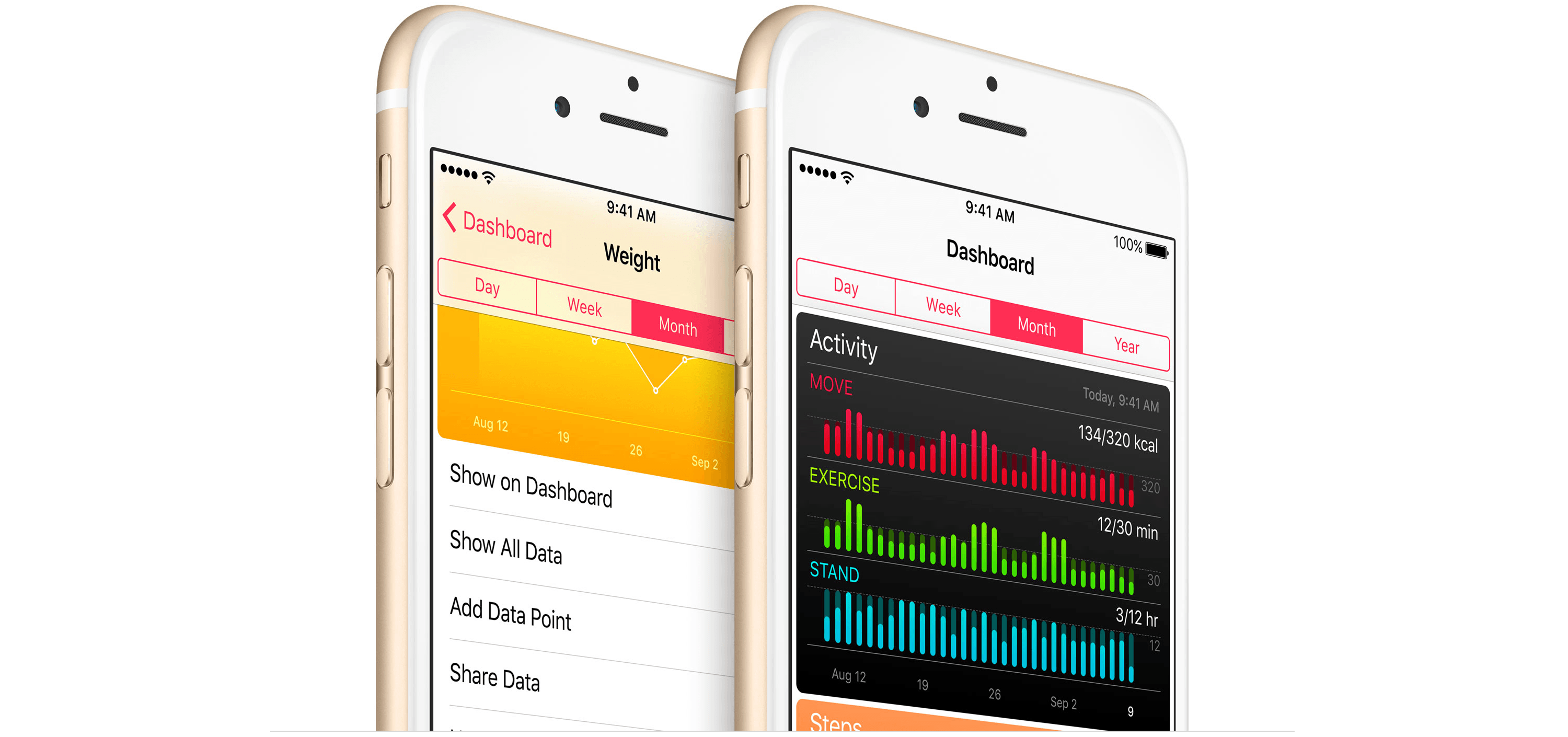
Update: Apple and Donate Life America, which maintains the National Donate Life Registry in the US, issued a press release that provides further detail regarding the plan to add organ donor registration to the iOS Health App:
Through a simple sign up process, iPhone users can learn more and take action with just a few taps. All registrations submitted from iPhone are sent directly to the National Donate Life Registry managed by Donate Life America. The ability to quickly and easily become a nationally-registered donor enables people to carry their decision with them wherever they go.
As Jeff Williams, Apple’s chief operating officer, explains:
Apple’s mission has always been to create products that transform people’s lives. With the updated Health app, we’re providing education and awareness about organ donation and making it easier than ever to register. It’s a simple process that takes just a few seconds and could help save up to eight lives…
The organ donation feature will be added to the Health app as part of iOS 10, which is scheduled for release as a free update this Fall.
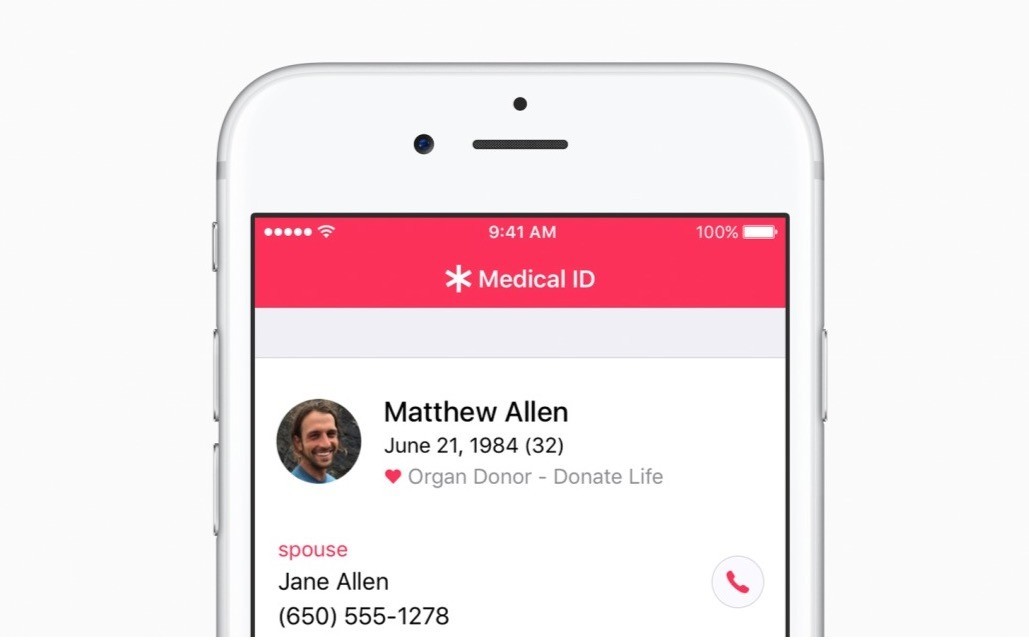
MacRumors (via CNBC) reports that Apple plans to add a button to its Health app this Fall that will make it easy for US customers to sign up for the national organ donor registry. Tim Cook, who spoke to the Associated Press, said that he hopes the new feature will make it easier for people in need of organ transplants to quickly find a compatible donor. The number of people in need of organ transplants has long exceeded the number of donors in the US, causing people in need to have to wait, which Cook said hit home for Apple when Steve Jobs waited for a liver transplant in 2009.
Game Day: Perchang

Perchang is a physics-based puzzle game from a new indie development shop that goes by the same name. Perchang describes its game as Lemmings mixed with Marble Madness, which is apt if you’re old enough to remember those games, but that description doesn’t do Perchang justice.
The challenge of Perchang lies in its puzzles, not its controls, which makes it easy to get started, but hard to master. Each of the 60 levels require you to guide tiny balls into a goal using fans, magnets, flippers, portals, and other contraptions. To further complicate things, you’re racing against the clock to get enough of the relentless stream of balls into the goal before time runs out.
The gizmos you use to guide the balls in Perchang are controlled by two on-screen touch points – one red, the other blue. The colors correspond to the items you are controlling on the screen. Touching the colored contraptions on the screen toggles their color, which changes the touch point that controls them. It’s an interesting touch that adds extra depth and strategy to each level by giving you an additional way to approach the puzzles.
The visuals in Perchang are stunning. Each level features beautifully-rendered 3D contraptions. Only the interactive items are colored to correspond to the colors of the controls. The spare use of color is striking and adds atmosphere and personality to Perchang, while also helping players focus on each level’s goal. There are so many variables that affect each puzzle, it’s easy to get lost in the harder ones for long periods of time testing different strategies, which is precisely why Perchang is so much fun.
Perchang is Universal and available on the App Store for $1.99.
 Tips
Tips
Enabling ‘Do Not Disturb’ on a Mac is a three step process. Tap the Notification Center icon or do a two-finger swipe from the right of your trackpad, scroll down in Notification Center to reveal the ‘Do Not Disturb’ toggle switch, and click the switch to enable it. That’s not a terribly difficult set...
Instapaper

Originally created by Marco Arment and later sold to betaworks in 2013, Instapaper has been on my Home screen longer than any other third-party app. Instapaper’s central functionality is simple – it lets you save articles from the web for reading later, preserving text, images, and videos but stripping away ads and other cruft...
Member Requests
We recently got a few questions about TaskPaper automation in OmniFocus for iOS, which I wanted to address as they’re quite similar: Question: On a recent episode of Canvas, Frasier mentioned using Workflow to create an OmniFocus project for reading a book (with tasks on a weekly basis to read a chapter). Any chance you...