John Voorhees

5773 posts on MacStories since November 2015

John is MacStories' Managing Editor, has been writing about Apple and apps since joining the team in 2015, and today, runs the site alongside Federico. John also co-hosts four MacStories podcasts: AppStories, which covers the world of apps, MacStories Unwind, which explores the fun differences between American and Italian culture and recommends media to listeners, Ruminate, a show about the weird web and unusual snacks, and NPC: Next Portable Console, a show about the games we take with us.

This Week's Sponsor:

LookAway

It helps you take regular breaks from your Mac to rest your eyes, without breaking your flow.


MacStories Setups Update: An Apple Gear Refresh, Dual-Screen Gaming, and HomeKit

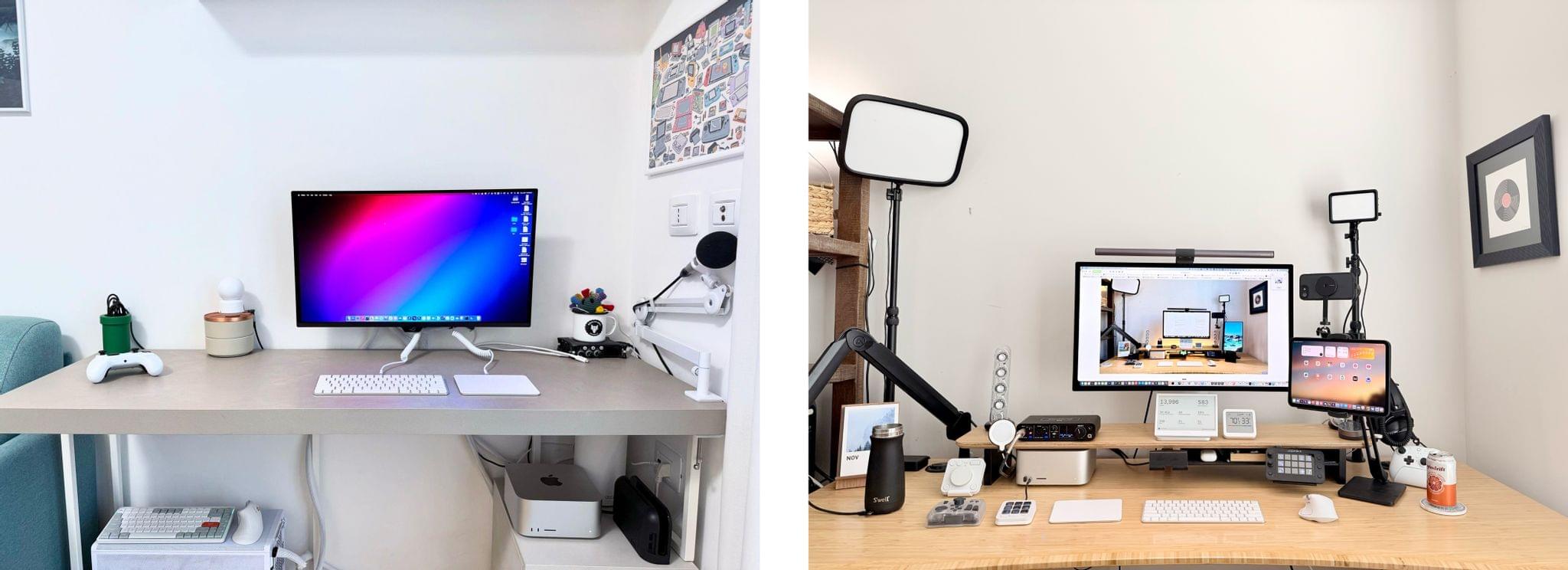
Our desk setups. Federico (left) and John (right).

Our desk setups. Federico (left) and John (right).

As we head into the final weeks of 2025, Federico and I figured it would be a good time to update the MacStories Setups page. There’s an ebb and flow to the gear and apps we test each year, and as the fall OS update season fades into the past, it’s not unusual for one or both of us to take stock of our setup and make changes. That’s been very true for both of us this year, but in different ways.

Federico has been focused on simplifying his hardware setup and testing a long list of apps and services. In contrast, I’ve made fewer gear cuts, focusing more on strategic changes to the gadgets I use and settling on a core set of work apps.

The result is that Federico’s hardware setup changes have primarily been updates to his Apple and portable gaming gear. He made the transition from the iPhone 16 Pro Max to the iPhone Air, and couldn’t be happier with the result. He also replaced the M4 iPad Pro with the latest M5 model and moved from the AirPods 4 to the AirPods Pro 3.

Both of us ditched our previous Apple Vision Pro head strap solutions for the Apple Dual Knit Band, which has been a big upgrade. It’s comfortable, and having one dial to adjust both bands is both clever and far simpler than other solutions I’ve tried.
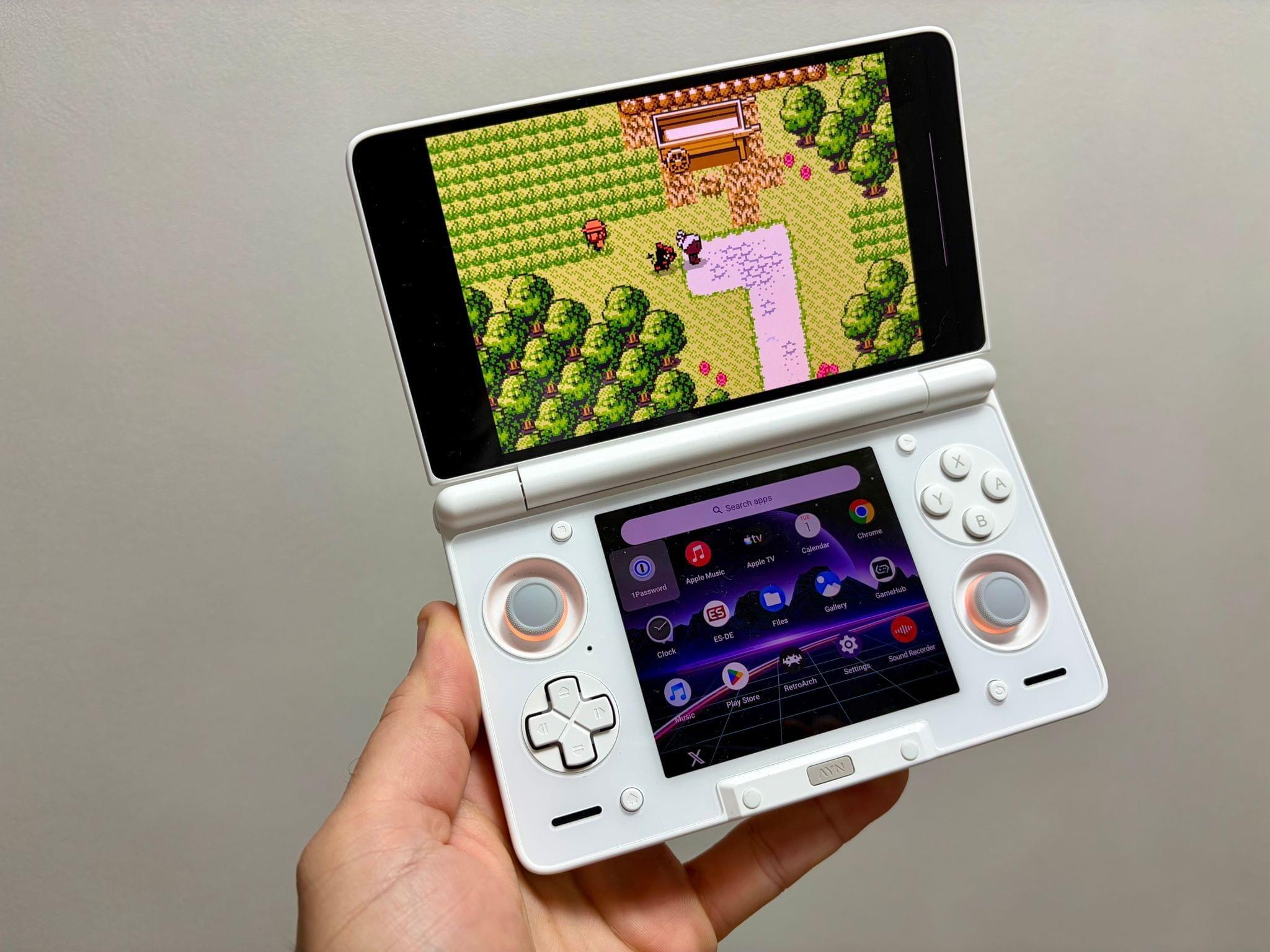
Ayn Thor.

Ayn Thor.

Federico also added the Ayn Thor to his handheld gaming lineup. The Thor, which I also bought this fall, is a dual-screen OLED gaming handheld that runs Android. It’s perfect for emulating dual-screen systems like the Nintendo DS and 3DS, but it has also been excellent for game streaming and testing the emerging world of emulating SteamOS on Android. If game tinkering is your thing and this sounds intriguing, we have two episodes of NPC: Next Portable Console that go in-depth on the Ayn Thor.

Read more


Apple Beefed Up Its Rule Against Copycat Apps

Last week, I wrote about Apple’s new policies surrounding mini apps. However, that wasn’t the only change made to the App Review Guidelines last week. Apple also added a new subsection “c” to its rule against Copycat apps:

4.1(c) You cannot use another developer’s icon, brand, or product name in your app’s icon or name, without approval from the developer.

As I wrote earlier this year, this isn’t a new problem, especially for developers of popular games on other platforms. Copycat versions of Blue Prince, Palworld, Wordle, Cuphead, Balatro (before it was released on the App Store), and Unpacking have all appeared on the App Store in recent years.

The update to App Guideline 4.1 shows that Apple is aware of the problem, which is a step in the right direction. Hopefully, the awareness will lead to better enforcement, too.

Permalink

Our Latest App and Automation Experiments

This week, Federico and John kick off their holiday app and automation experimentation season a little earlier than usual with a mix of apps, automations, and services.

On AppStories+, Federico and John look ahead, considering the future of Shortcuts and automation.


We deliver AppStories+ to subscribers with bonus content, ad-free, and at a high bitrate early every week.

To learn more about an AppStories+ subscription, visit our Plans page, or read the AppStories+ FAQ.


AppStories+ Deeper into the world of apps

AppStories Episode 461 - Our Latest App and Automation Experiments

0:00
38:52

AppStories+ Deeper into the world of apps

Read more


Interesting Links

Insta360 has new accessories that add a grip with shutter button and a portable printer to its Ace Pro 2 action camera, which strike me as smart additions that should expand the market for the camera beyond the traditional uses for action cams. (Link) Samsung is still plugging away at its SmartThings home automation...


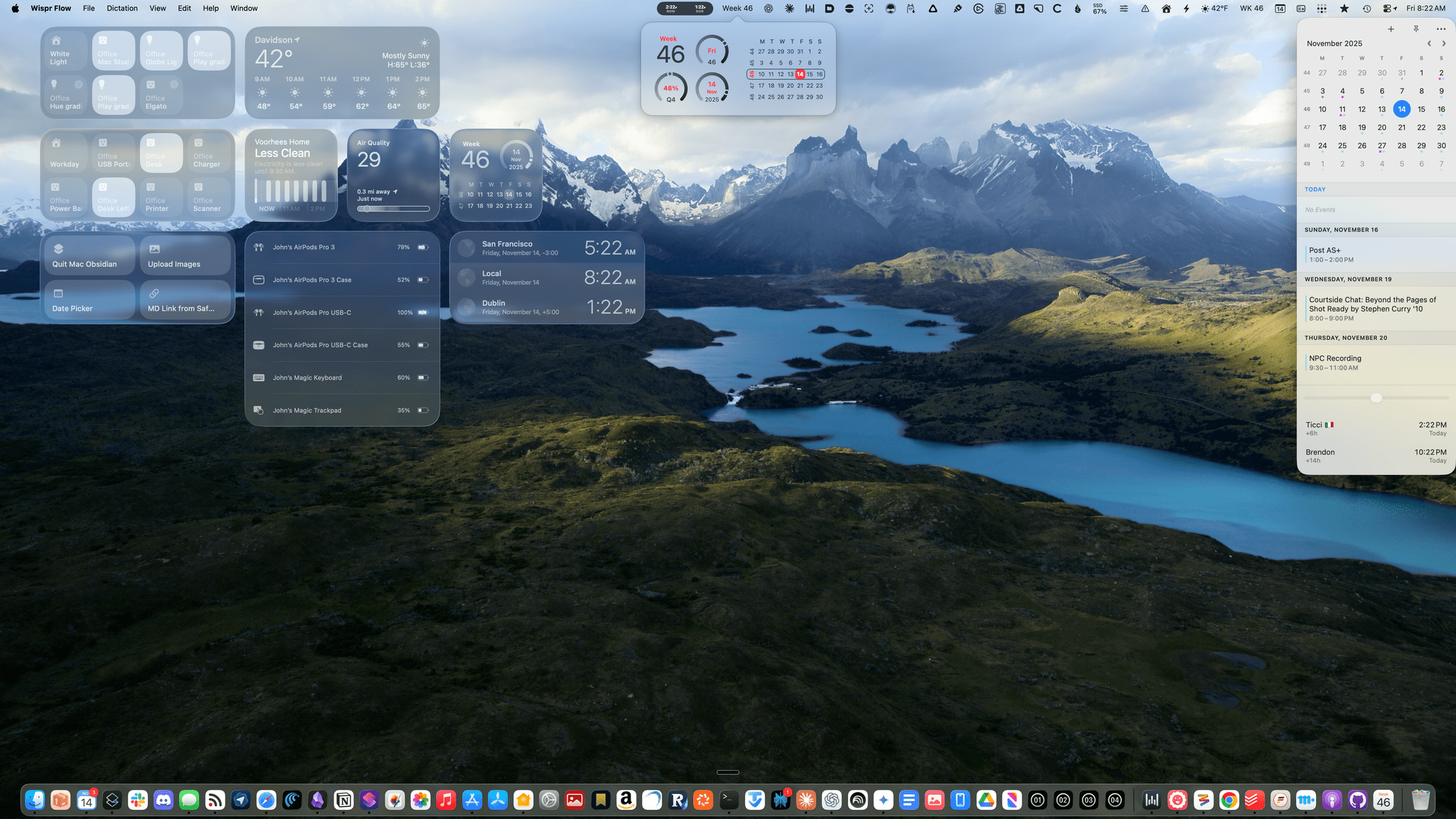
WK46: Why I Organize by Weeks, Not Days

Week numbers everywhere.

Week numbers everywhere.

Federico likes to poke fun at my obsession with the week number. For context, he’s forever running into YAML metadata or titles of documents I create that reference the week number. From the outside looking in, coming across a “2025-WK46” in a document may look a little weird, I’ll admit. However, from an organizational standpoint,...


App Debuts

SuperWidget SuperWidget is a utility that lets you build custom widgets using data from Apple’s Shortcuts app or third-party APIs. What makes SuperWidget particularly interesting is how it bridges the gap between Shortcuts automation and data sources from external APIs; you could, for instance, create a widget that displays your website’s visitor count, your...


Apple Introduces a Mini App Partner Program Featuring a Reduced Commission

Today on its news site for developers, Apple announced a new Mini Apps Partner Program for the App Store. The announcement is brief but backed by a more detailed explanation about the eligibility requirements. Here’s how it works.

As Apple explains, mini apps are “self-contained experiences that are built using web technologies like HTML5 and JavaScript” that are hosted within a native app. That’s not something new. Companies like WeChat and Line have offered this sort of thing for a long time, and Apple has supported mini apps officially since 2017. What’s different is that now, developers who meet Apple’s eligibility requirements can offer those mini apps at a reduced commission. That means for any mini app not made by the developer of the native app that hosts them, the hosting developer will pay Apple a flat 15% commission.

To be eligible for the program, developers must ensure that the mini apps they host support certain APIs, including the Declared Age Range API and the Advanced Commerce API, the In-App Purchase system, and the Send Consumption Information endpoint that enables the processing of refunds. In other words, native app developers who do the work to ensure that mini apps meet the program requirements will pay Apple a reduced commission on mini app sales in return.

If you’re wondering what constitutes a mini app, Apple has provided some examples. Mini apps are “software packages, scripts, or game content that are added after app installation and executed on the device, provided such code is written in HTML5 or JavaScript, or another language approved by Apple”, such as mini games, streaming games, chatbots, plug-ins, and game emulators. As I mentioned above, it’s also important to keep in mind that mini apps are apps that are not controlled by the developer of the native app that hosts them.

Also, to participate in the Mini App Partner program, developers must apply – that link takes you to a form requesting information about the mini apps a developer wants to offer, so eligibility can be determined.

App Store users stand to benefit from the program, too. APIs like the Declared Age Rating API will help ensure that only age-appropriate mini apps are available to kids. Plus, by supporting the Advanced Commerce API, mini apps will include more metadata, providing users with a richer experience in places like their App Store purchase history.

Mini apps based on web technologies are a growing part of the App Store. The App Review Guidelines have accounted for mini apps since 2017 and the rules around them have continued to adapt to the market ever since. The Mini App Partner Program reflects the further evolution of the category, promoting privacy and transparency for users, while offering the carrot of lower commissions to developers.

What will be interesting to watch is the extent to which developers sign up for this new program. The program isn’t required (although compliance with App Review Guideline 4.7 still applies), so it will come down to whether the reduced commission provides sufficient incentive for developers to further police the mini apps they host.


Edge Light Brightens Your Video Calls in the macOS Tahoe 26.2 Beta

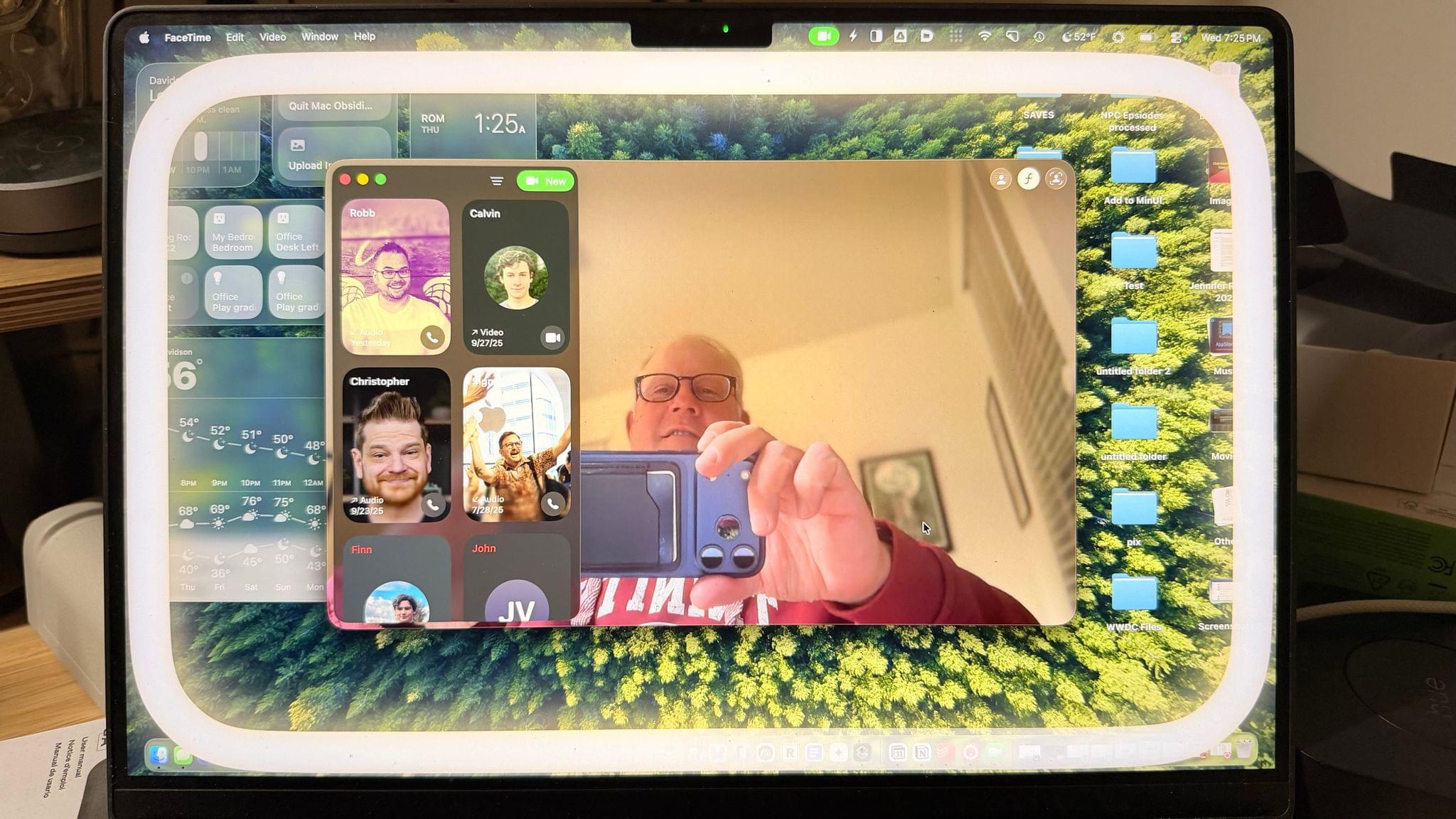
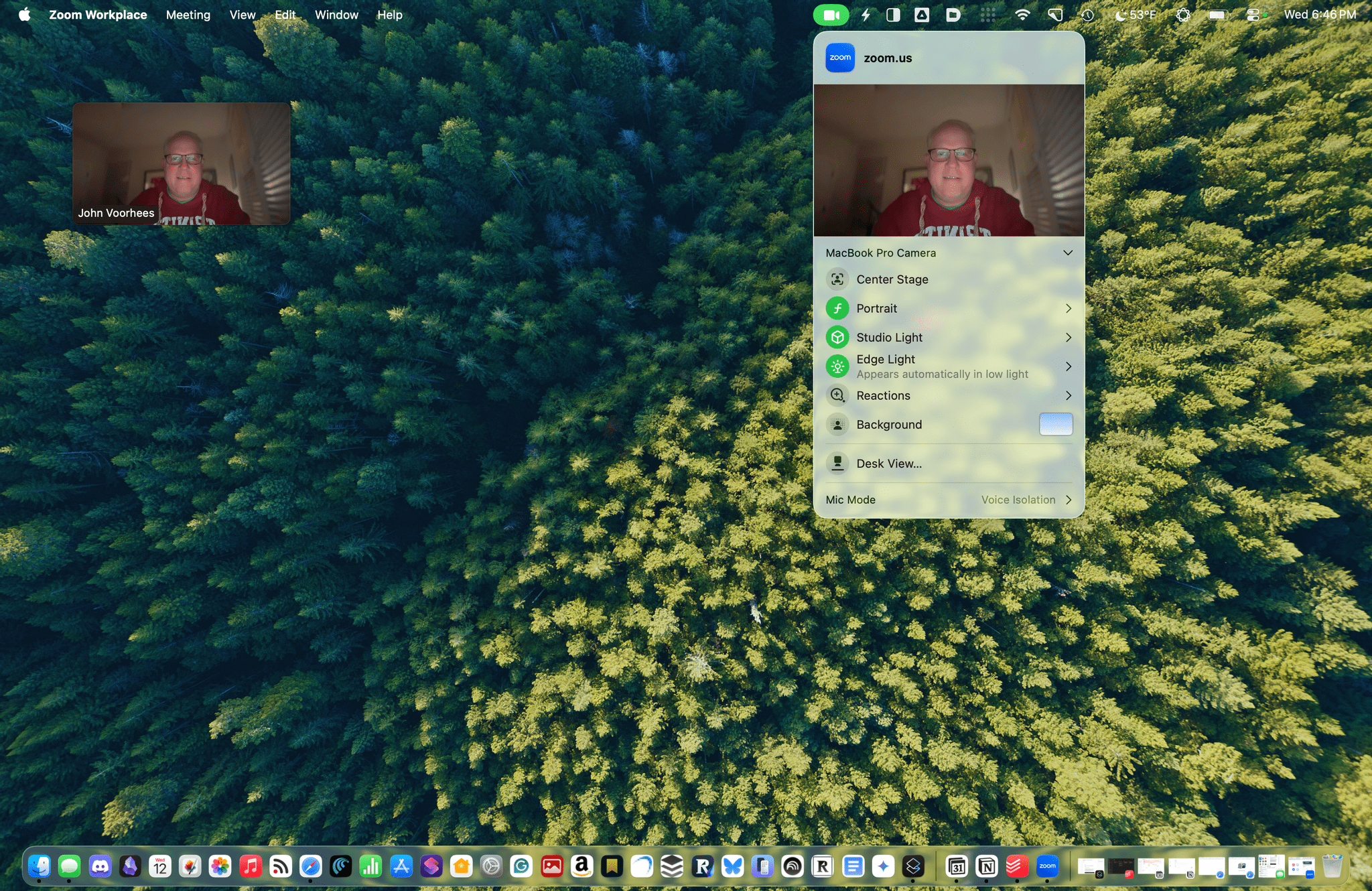
Edge Light doesn't show up in screenshots.

Edge Light doesn’t show up in screenshots.

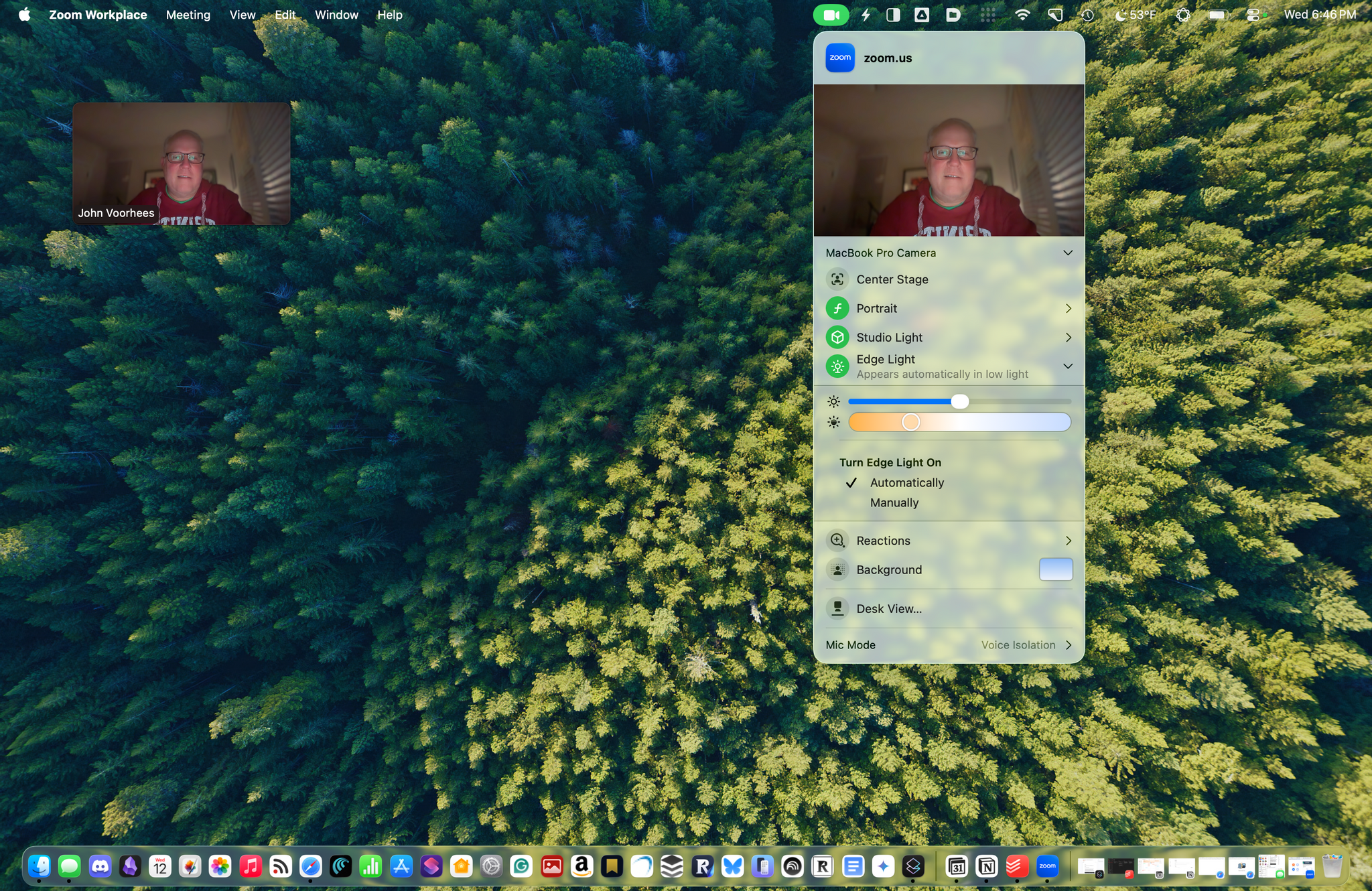
The latest macOS Tahoe beta 26.2 includes a new video-calling feature called Edge Light, coming to Apple silicon Macs later this year. It’s a video effect that you can access from the menu bar, just like Backgrounds, Center Stage, and Portrait mode, that creates a virtual ring light on your Mac’s screen, helping to light your face on FaceTime, Zoom, and other video calls as the days grow shorter.

The idea is simple, and the implementation is clever. When you enable Edge Light, the outer edge of your Desktop is replaced with a bright, adjustable border. The brightness of Edge Light is adjustable, as is its color temperature, allowing for a range from warmer to cooler colors, just like many physical LED lights designed specifically for video production. The virtual ring light sits on top of your Desktop and windows, but it fades away as your pointer approaches, allowing you to see everything on your screen.

Edge Light's brightness, temperature, and other controls, including the Automatic option available on Macs released in 2024 and after.

Edge Light’s brightness, temperature, and other controls, including the Automatic option available on Macs released in 2024 and after.

Edge Light is made possible by Apple silicon, using a combination of the Mac’s Neural Engine, which detects your face, and the Image Signal Processor, which measures and adjusts Edge Light’s brightness based on surrounding lighting. Edge Light will work on all Apple silicon Macs when Tahoe 26.2 is released, but Mac models released in 2024 or later will also have the option to turn the feature on automatically when low light is detected.

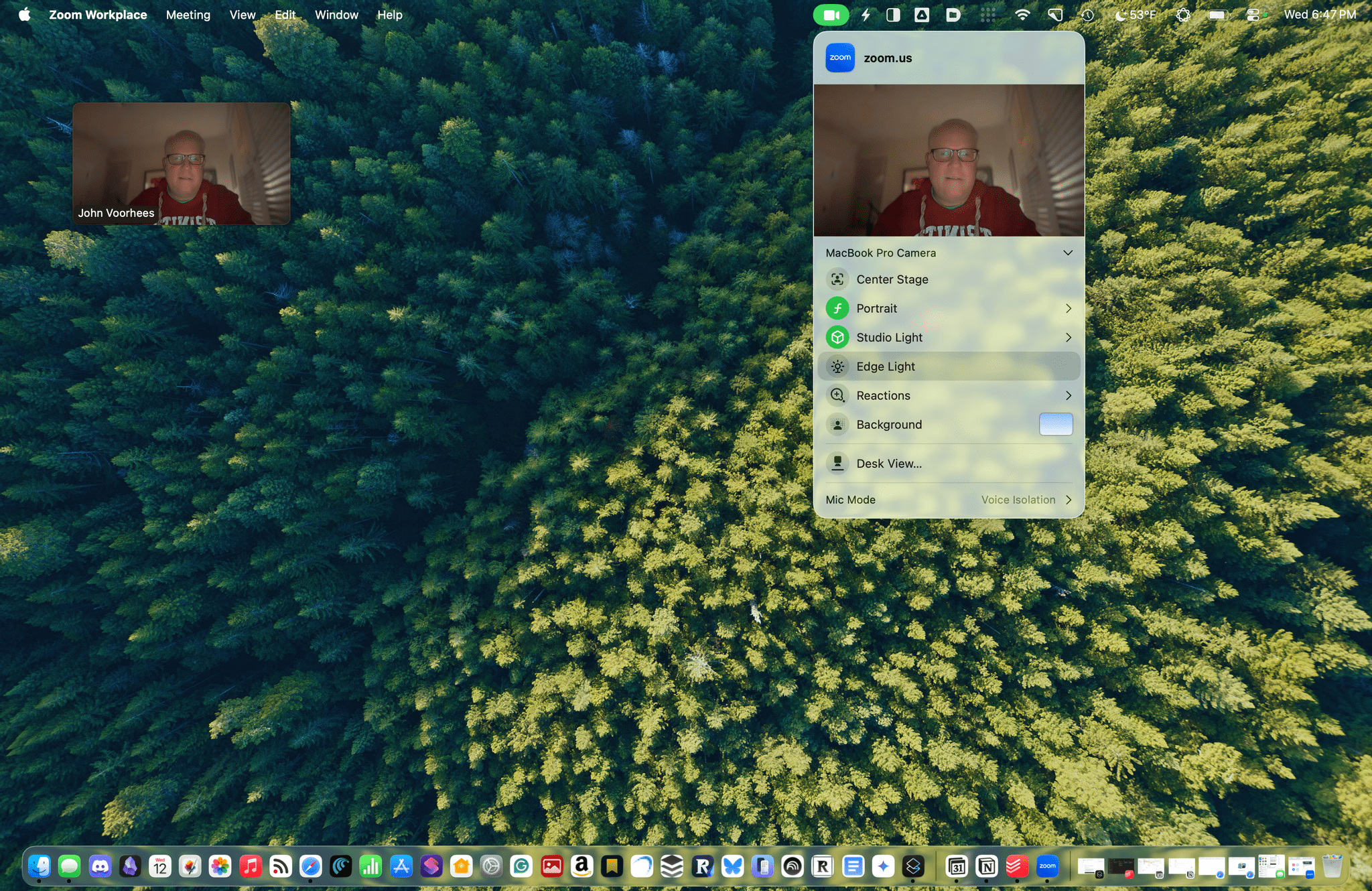
Edge Light off. Note, Edge Light isn't captured in screenshots.

Edge Light off. Note, Edge Light isn’t captured in screenshots.

Edge Light on. Note, Edge Light isn't captured in screenshots.

Edge Light on. Note, Edge Light isn’t captured in screenshots.

In my brief testing of Edge Light, I noticed that the effect is noticeable in a very dim room, but as you’d expect, less so as the room brightens. I also noticed that Edge Light was brighter when set to turn on automatically rather than manually, even though switching between the two didn’t move the brightness slider. I’m not sure what’s going on there, but it’s a beta, so that may change. I also enjoyed how the virtual ring light widened as I increased the brightness.

I have a couple of lights set up along the back edge of my desk because we record video for our podcasts, but most people don’t have that setup. For them, Edge Light will be a nice addition, reducing those early-morning and late-afternoon shadows. And despite the lights I have installed, sometimes it’s just easier to turn on something like Edge Light, so I expect to get use out of it too, whether I’m away from my desk on a laptop or sitting at my desk.

We’ll have more macOS Tahoe 26.2 coverage when it and Apple’s other 26.2 releases exit beta.