

I don’t use rich text often, but I need it for things like podcast show notes because Libsyn, the service that hosts our shows, doesn’t have a Markdown editor. I still create show notes in Markdown using Obsidian, but when they’re ready to paste into Libsyn’s web form, I convert the Markdown to rich text....
MacStories Unwind: A Small Fire at 3AM→

This week on MacStories Unwind, I update listeners on my new 11” iPad Pro and Federico lights a fire, plus YouTube, app, and TV recommendations.






Show Notes
- The 11” iPad Pro
- Blowing fuses in power supplies
Picks
- John’s Pick:
- Federico’s Picks:
- Moonlight
- [Young Sheldon
- Up Next:
MacStories Unwind+

We deliver MacStories Unwind+ to Club MacStories subscribers ad-free and early with high bitrate audio every week.
To learn more about the benefits of a Club MacStories subscription, visit our Plans page.
What If…? – An Immersive Story Will Debut May 30th
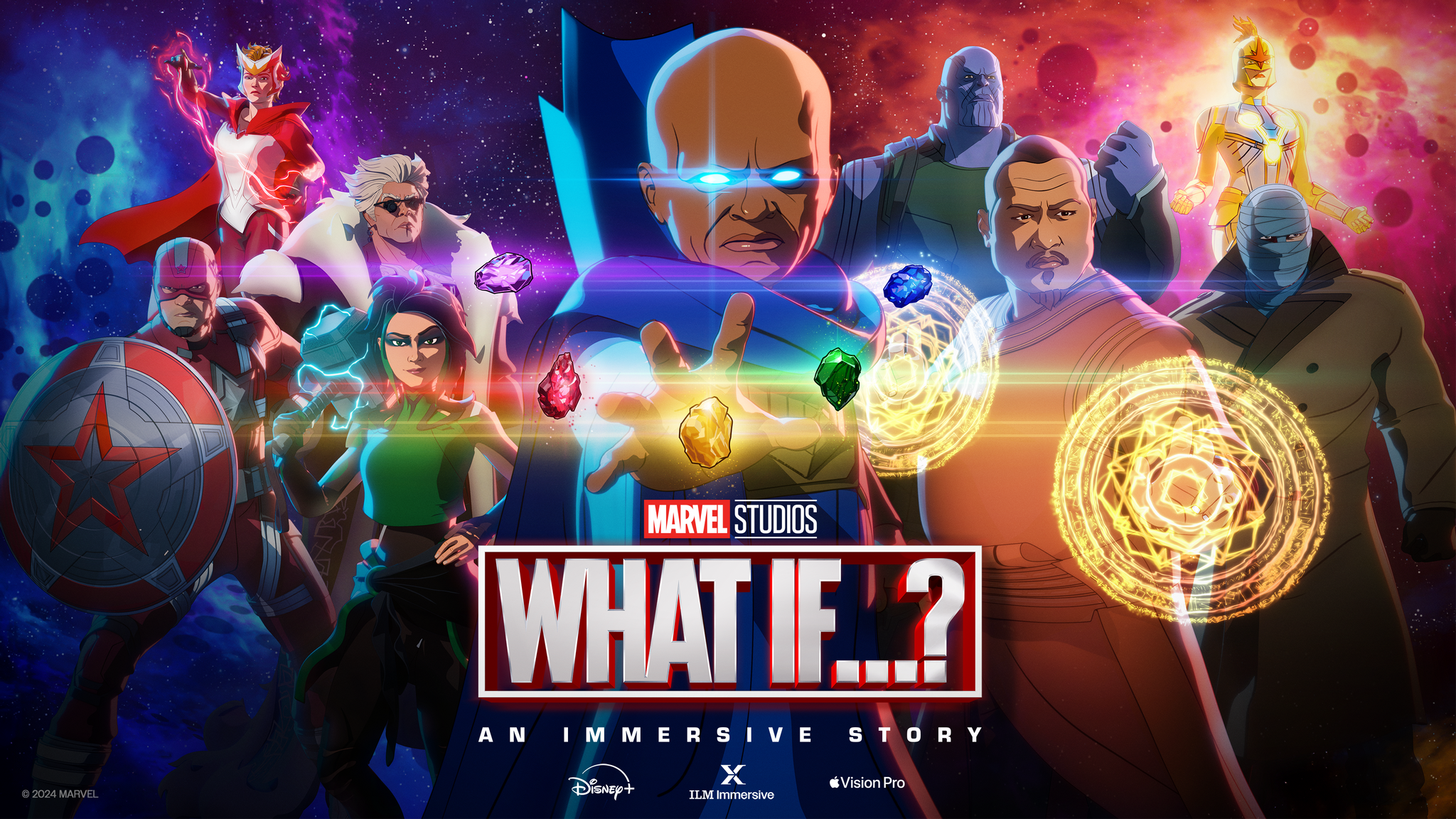
Earlier this month, I linked to What If…? – An Immersive Story, which Marvel Studios and ILM Immersive developed for Disney+. The project is an Apple Vision Pro exclusive for which there were few details originally. Now, however, we have a trailer and a launch date. What If…? – An Immersive Story will be available to Disney+ subscribers in just over one week on May 30th:
The trailer’s description explains the project’s premise:
The Multiverse is in danger and The Watcher needs your help. Dangerous variants are hunting Infinity Stones and altering the fate of not only their realities, but yours as well. To save the fate of the Multiverse, you’ll need to use your own hands to learn mystic spells, defend your allies in epic battles, and more. But, be careful… everything might not be all that it seems.
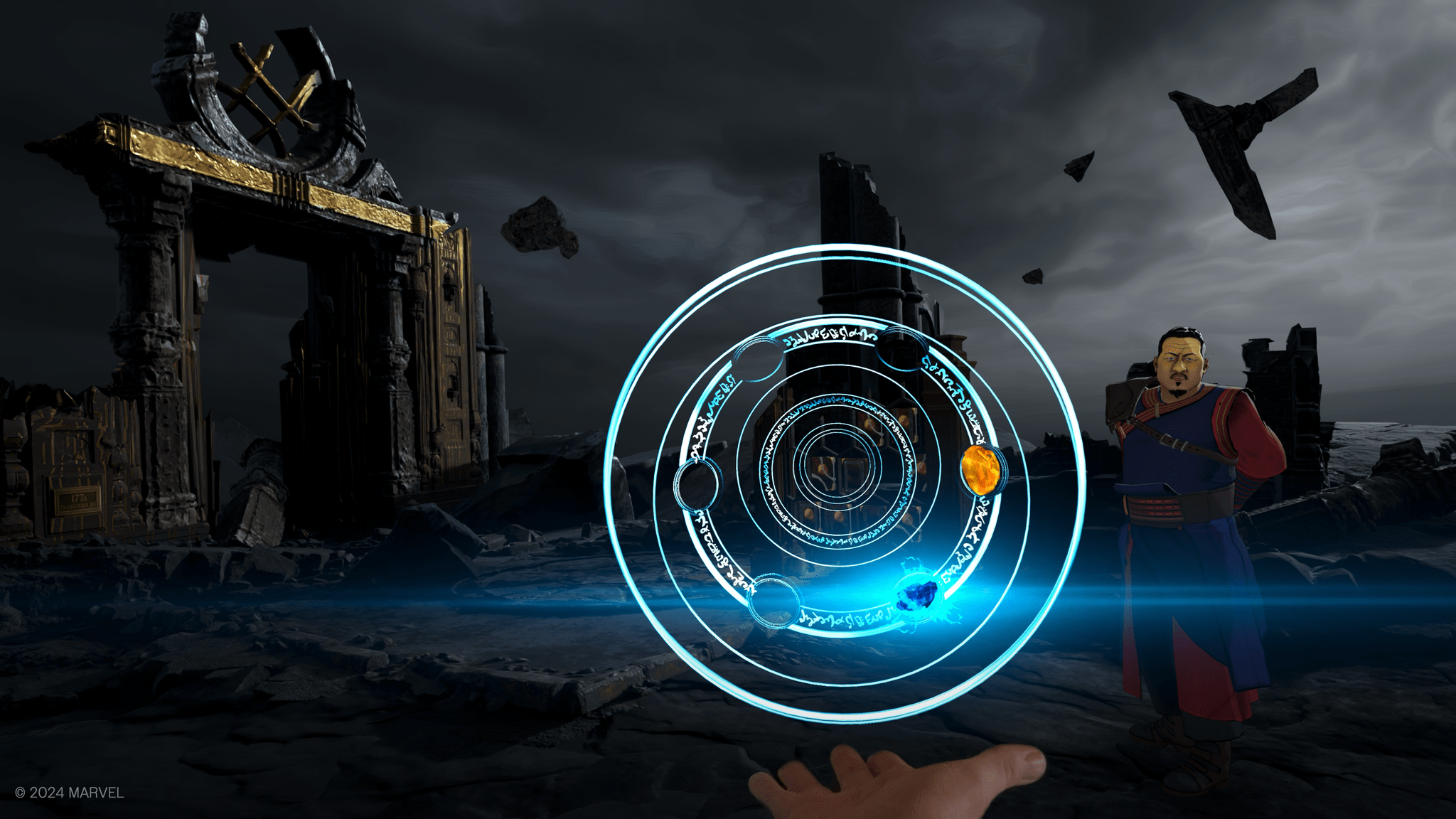
I can’t wait to try What If…? – An Immersive Story. There hasn’t been a lot of new immersive content since the Vision Pro’s launch. However, along with the appearance of Parkour in the TV app, which is set for release in a couple of days, the pace seems to be picking up.
QuickTune: A Music Remote App for Mac with Tiger Vibes
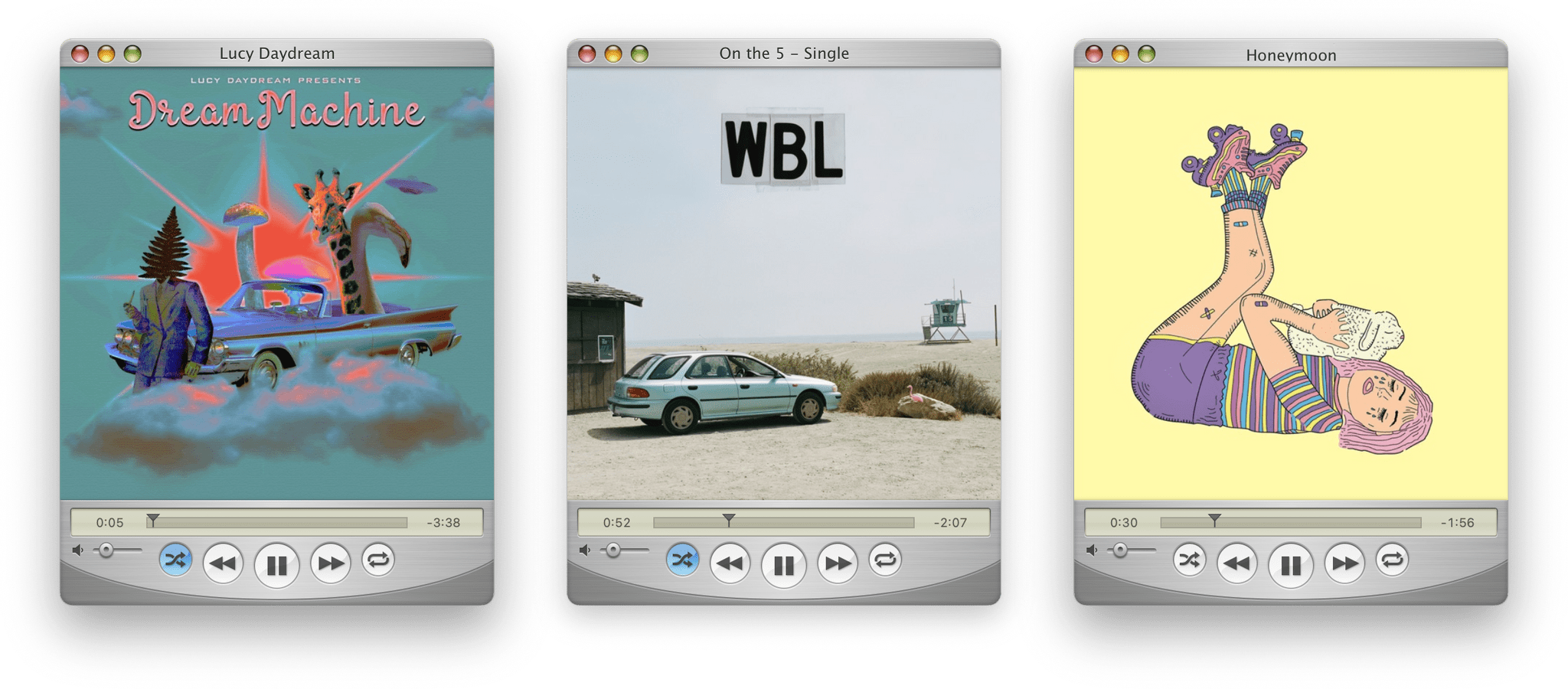
I’m not usually nostalgic about apps. I appreciate classic designs from the past, but I find ‘new’ more exciting. However, for every rule, there’s an exception, and for me, it’s Mario Guzmán’s beautiful, pixel-perfect reimagining of classic Apple music apps.
Guzmán’s latest app is QuickTune, a remote control utility for Apple Music. The app is the spitting image of QuickTime 71 running on Mac OS X Tiger, with a sprinkling of modern features and fun interactions that make it a pleasure to use.
A TestFlight Update: Patched, But Still Broken
Just over a year ago, I wrote about the poor performance of TestFlight, the app that App Store developers rely on for beta testing their own apps. Today, thanks to a couple rounds of Feedback submissions, TestFlight is working better than before, but it’s not fixed. With WWDC around the corner, I thought I’d provide a quick update and share a few suggestions for fixes and features I’d like to see Apple implement.
One of the benefits of writing about TestFlight last year was that it became clear to me that, although my use of the app was unique, I wasn’t alone. Other writers who test a lot of apps and super fans who love trying the latest versions of their favorite apps got in touch sharing similar experiences, which convinced me that the issue was related to the number of betas I had in TestFlight. My experience was one of the worst, but with others in a similar boat, I took the time to file a Feedback report to see if there was anything that could be done to improve TestFlight.
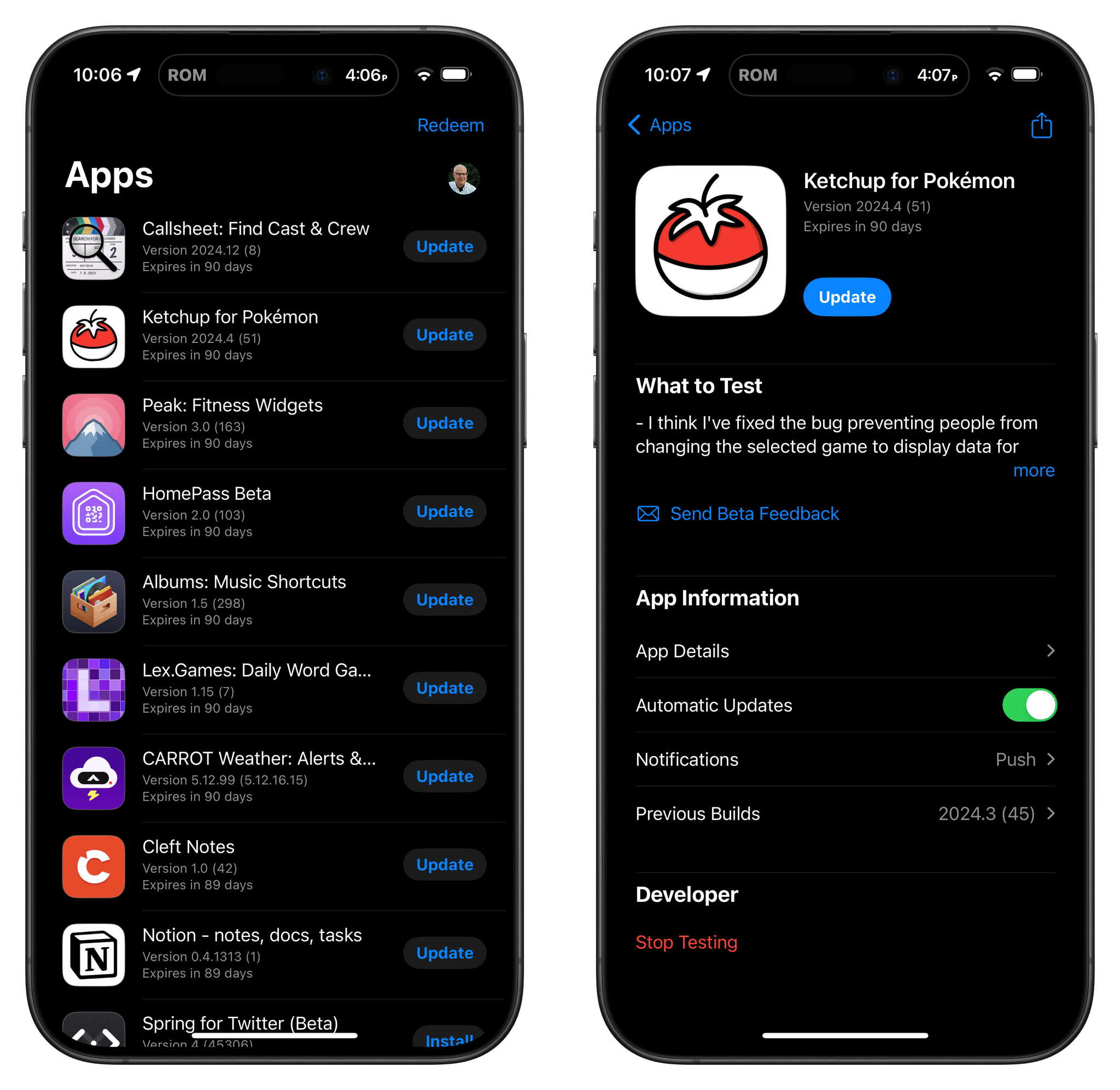
That initial Feedback attempt ultimately went nowhere. Then, I got busy and resigned myself to getting by as best I could. However, getting by was no longer an option as the Vision Pro’s release date approached. That added a significant number of new betas to my TestFlight collection. By March, the Mac version of TestFlight had stopped working entirely. With apps lined up in my review queue, that posed a problem I couldn’t work around.
I removed inactive betas using my iPhone and removed myself from testing as many active betas as I could bear. However, nothing worked, so I filed another report with the black box known as Feedback. Fortunately, this time, it worked. After some back-and-forth sharing logs and screen recordings of TestFlight failing to load any content, I received a message that something had been adjusted on Apple’s end to shake things loose. Just like that, TestFlight was working again, although sluggishly.
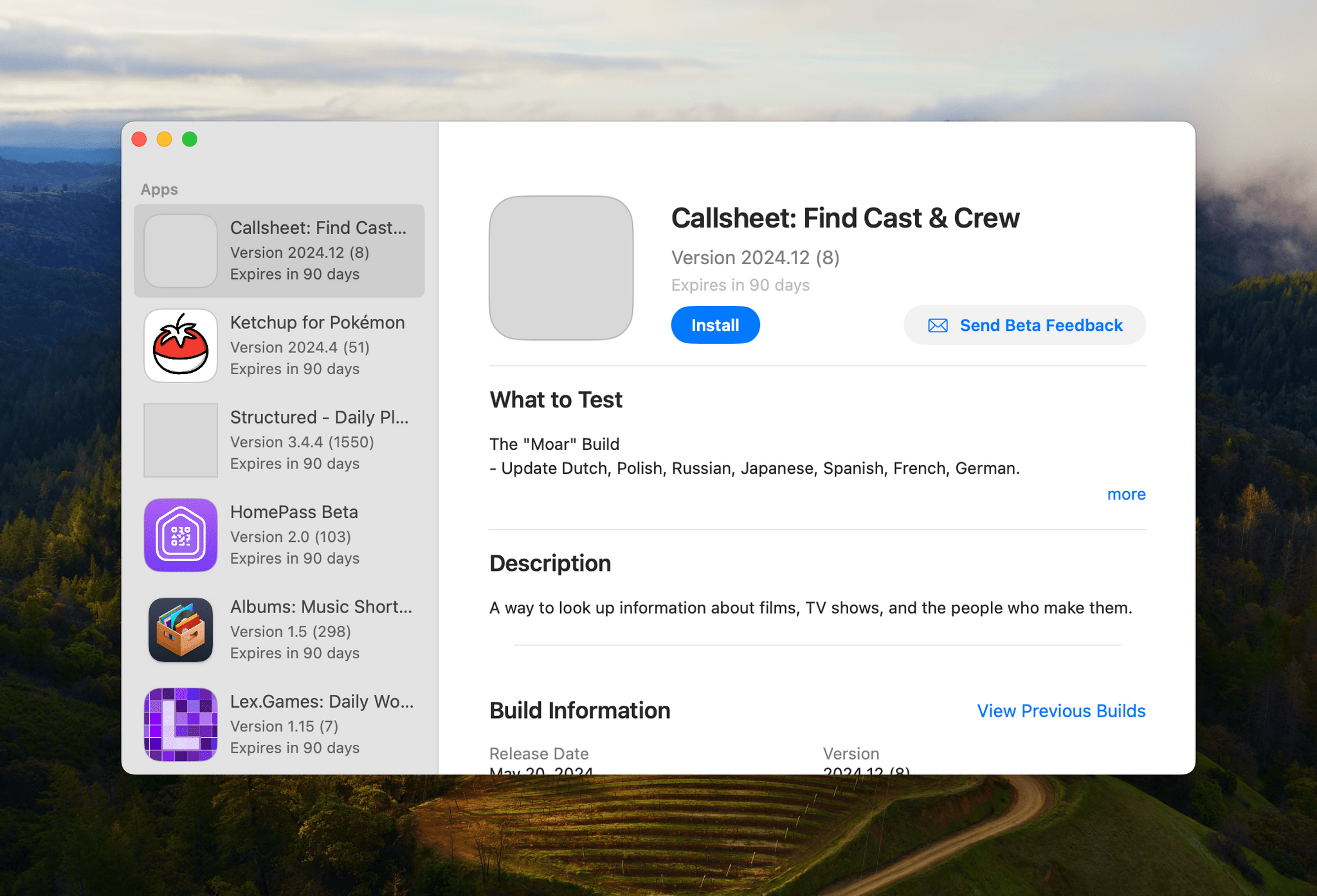
My immediate problem is fixed, and I’ve been managing old betas more carefully to avoid a repeat of what happened on the Mac before. However, it’s clear that TestFlight needs more than just the quick fix that solved the worst of my problems. First of all, although TestFlight works again on my Mac, it’s slow to load on all OSes and clearly in need of work to allow it to handle larger beta collections more gracefully. And there’s a lot of other low-hanging fruit that would make managing large beta collections better on every OS, including:
- the addition of a search field to make it easier to quickly locate a particular app
- sorting by multiple criteria like developer, app name, and app category
- filtering to allow users to only display installed or uninstalled betas
- a single toggle in the Settings app to turn off all existing and future email notifications of new beta releases
- attention to the automatic installation of beta updates, which has never worked consistently for me
- a versioning system that allows users to see whether the App Store version of an app has caught up to its beta releases
- automatic installation of betas after an OS update or ‘factory restore’ because currently, those apps’ icons are installed, but they are not useable until they’re manually re-installed from TestFlight one-by-one
It’s time for Apple to spend some time updating TestFlight beyond the band-aid fix that got it working again for me. It’s been a full decade since Apple acquired TestFlight. Today, the app is crucial to iOS, iPadOS, watchOS, and visionOS development, and while it’s not as critical to macOS development, it’s used more often than not by Mac developers, too. Apple has gone to great lengths to explain the benefits of its developer program to justify its App Store commissions generally and the Core Technology Fee in the EU specifically. TestFlight is just one piece of that program, but it’s an important one that has been neglected for too long and no longer squares with the company’s professed commitment to developers.
AppStories, Episode 384 – Our 2024 iOS and iPadOS WWDC Wishes→
This week on AppStories, we kick off our annual WWDC wishes episodes with a conversation about the changes they’d like to see made to iOS and iPadOS 18.
Sponsored by:
- Things: a beautiful native app for Apple Vision Pro.
Our iOS and iPadOS 18 Wishes for WWDC
- Context:
- Also mentioned:
](https://cdn.macstories.net/banneras-1629219199428.png)
On AppStories+, I explain the three features that made me apprehensive about my iPad Pro purchase.
We deliver AppStories+ to subscribers with bonus content, ad-free, and at a high bitrate early every week.
To learn more about the benefits included with an AppStories+ subscription, visit our Plans page, or read the AppStories+ FAQ.
 Our 2024 iOS and iPadOS WWDC Wishes
 Federico
 App Debuts
Braid, Anniversary Edition I haven’t had a chance to try Braid, Anniversary Edition yet, but the original is a classic, and by all accounts, the anniversary edition is a great update. Better yet, if you’re a Netflix subscriber, it’s available on the iPhone and iPad as part of your subscription. The Braid remaster includes...
Interesting Links
At its I/O developer conference, Google announced that it was adding a button to limit web search results to – wait for it – the web search results. (Link) Cat Zakrzewski explains at The Washington Post what some publishers fear Google’s AI answers to web searches will mean to online media companies, and it’s...