Drinking water consistently has never been a habit I’ve been able to master. The benefits are obvious, of course, but I’ve always fallen back on picking up a soda as my drink of choice.
After spending time with WaterMinder, I’m beginning to feel a conflict – as much as I love soda, I now have a motivation to drink water more frequently. By providing me with a visible goal to reach, WaterMinder has already challenged my habits.
The Goal
WaterMinder’s goal is to, quite simply, help you drink water. Similarly to how the Activity app aims to provide movement goals based on height, weight, and general activity lifestyle, WaterMinder calculates and presents you with a specific ounce count for the amount of water you should drink every day. By reminding you at certain intervals (I’ll get to that a little more in a bit), the ultimate goal is to fill up a meter, a completion of the goal.
iPhone/iPad App
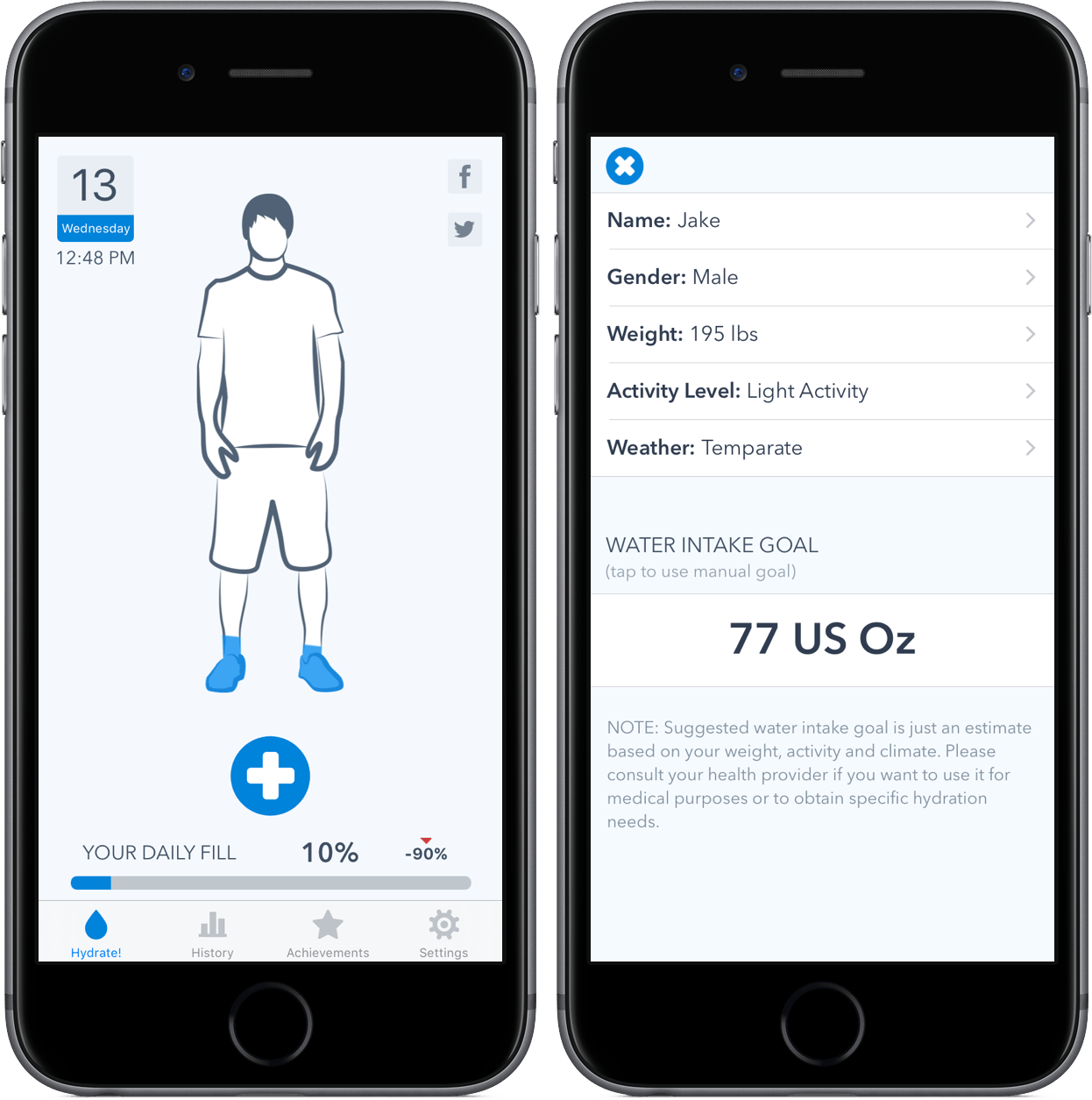
Although the app runs on iPhone, iPad, and Apple Watch, the iPhone version of WaterMinder is the hub where you’ll customize the experience. After a simple setup and explanation process, you’ll need to give WaterMinder access to some health information stored on the phone. By doing this, your water intake will be logged in both Health and WaterMinder; additionally, the app will copy over your general information in order to calculate your daily desired water intake.
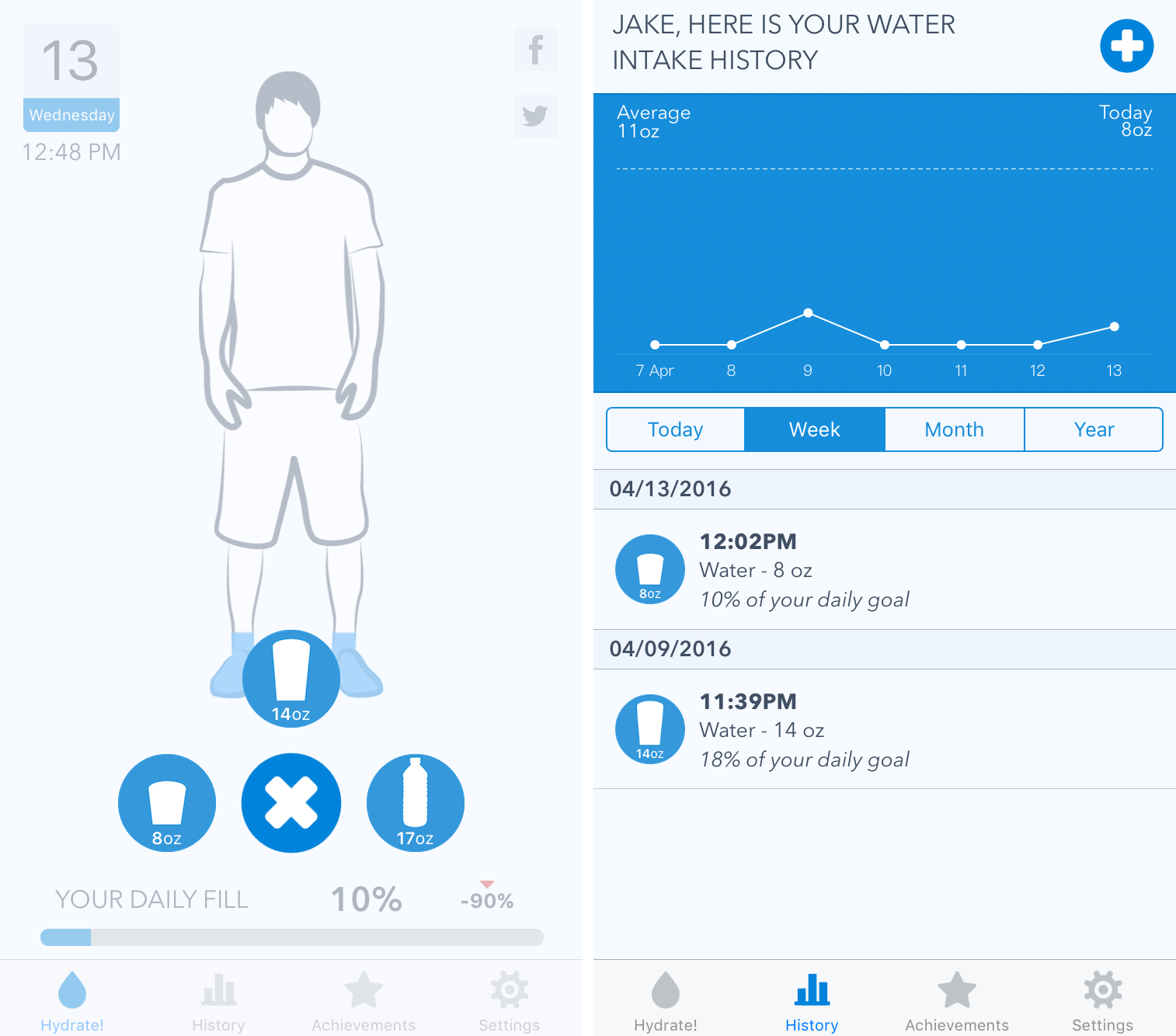
Once formed, your journey with WaterMinder is fairly straightforward – when you’ve consumed water, you’ll log it. By default, the app comes with three sizes of cups (WaterMinder specifically says “cup sizes,” but I’m not too sure about this phrasing…): 8 oz., 14 oz., and 17 oz. As you drink more water, your number percentage will fill up, covering the graphic blue.
In addition, a history tab includes your water intake history, such as times you’ve logged and what sizes you’ve consumed. The time frame for this can be changed between today, week, month, and year, so you’re able to get a big picture idea of how your water consumption habits have fared.
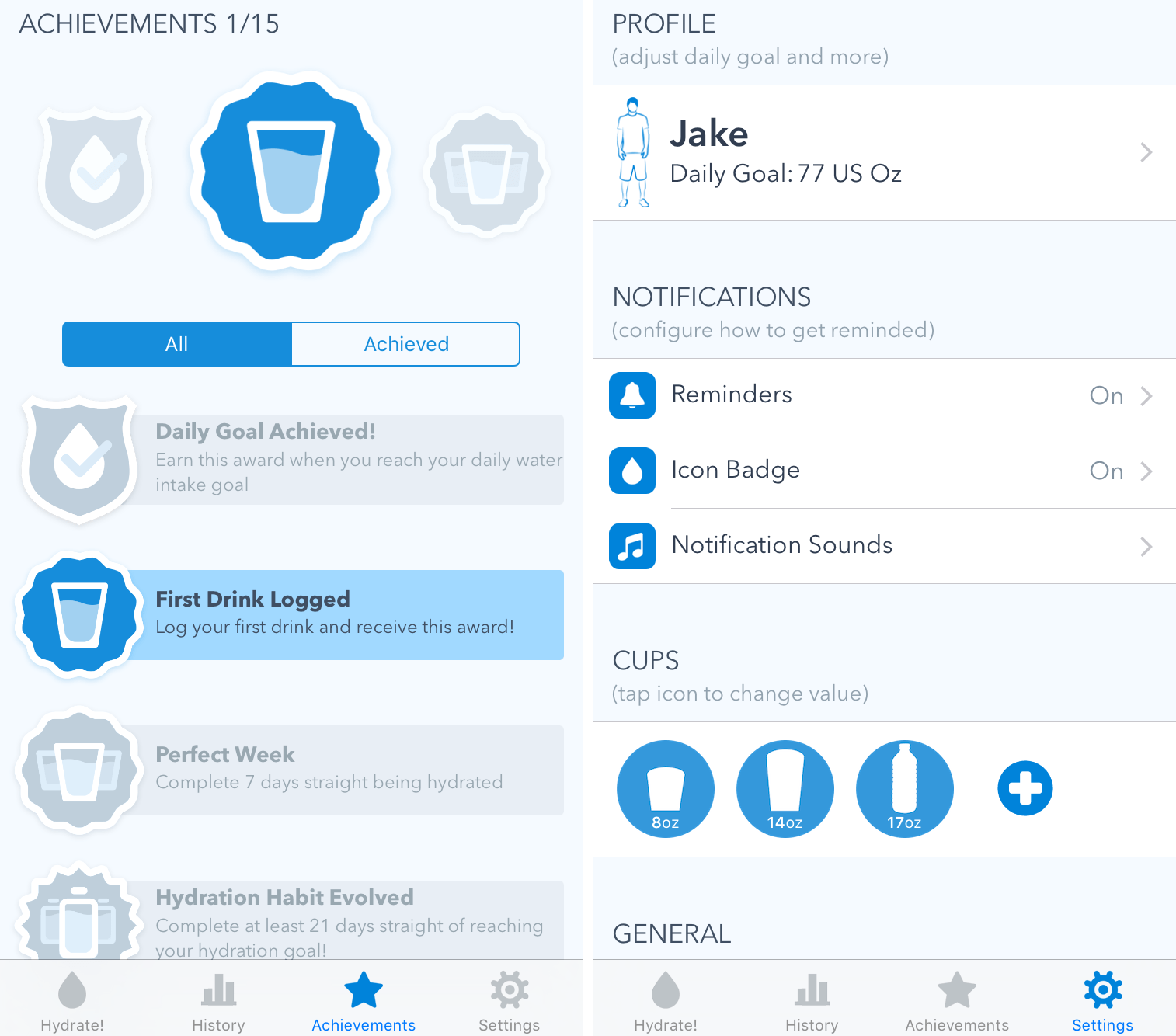
The “Achievements” section contains fifteen badges that can be awarded by completing various tasks. For example, after you log your first drink, you’ll receive an achievement. Completionists may find this appealing, but it didn’t do much for me.
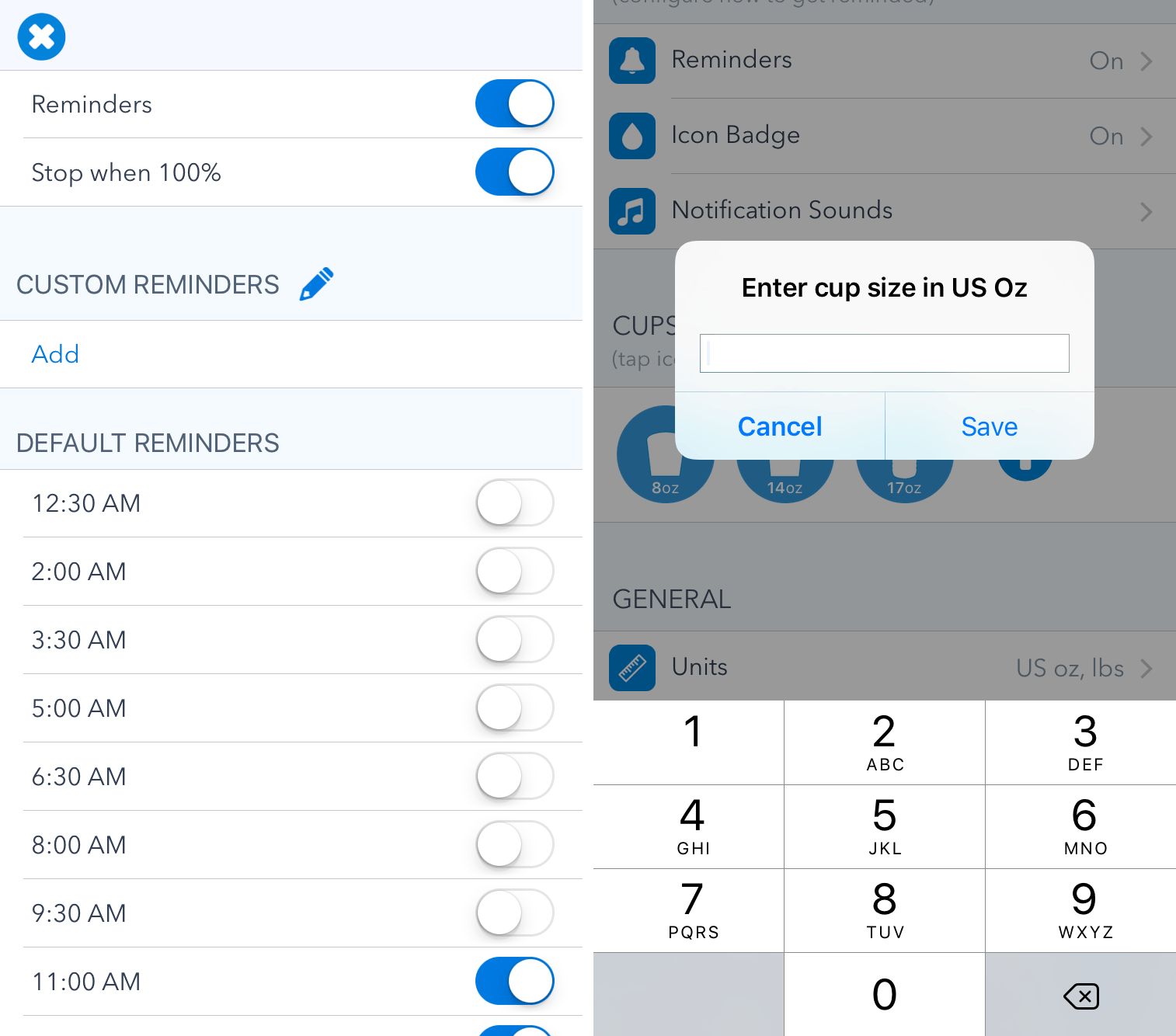
Finally, a wide variety of settings can be customized to create the optimal user experience. While I’ll include a screenshot above, I want to point out two that are vital to the usage of WaterMinder: Reminders and Cups.
In the Reminders settings (which is within the notifications section), you’re able to tell WaterMinder when you’d like to be nudged to log your water intake. By flipping switches for reminders ranging from 12:30 AM to 11 PM, you can set a schedule for when you’d like WaterMinder to ping you. There is also the option to add custom reminders at the times of your choosing.
With cups, it’s easy to add a custom container by entering in its ounce count. By doing this, you can tailor the values to meet various water bottles you may use. This is a great inclusion and one that prevents people from having to calculate every time they want to add an amount that is not included by default.
By default, WaterMinder will display a badge on the app icon that shows how many ounces of water you’ve drank so far during the day. On supported devices, pressing on the icon allows you to log preset amounts without entering the app.
Apple Watch App
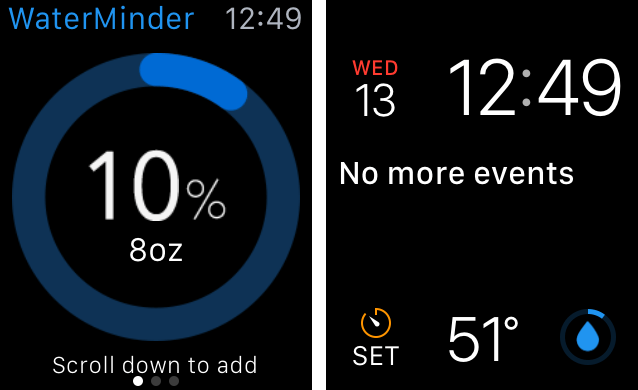
WaterMinder on the Apple Watch does not try to be a full-fledged app; rather, it is a, ahem, watered-down version of the iPhone app. Included is your water consumption information, the logging history for the past two weeks, and the achievements mentioned above. You’re also able to add water to the day’s amount from the Apple Watch, which is often times quicker than entering it from your iPhone.
WaterMinder’s glance is, unfortunately, fairly useless – it shows how much time is left in the day and how many more ounces of water until the goal is reached. By the time you swipe up and find the glance, it’s just as quick as opening the app.
However, a much better inclusion is that of a complication, which is manifested through WaterMinder’s ring on the watch face. Although it’s simple, it’s an easy way to see how close to the goal you are.
Wrap-Up
Owners of multiple iOS devices will be pleased to know that WaterMinder will sync its data and keep it updated. While I was slightly concerned that this was not the case when I had to enter my information on the iPad, the data caught up quickly.
My one complaint with WaterMinder is that it is always portrait on the iPad. I’d like to see the app redesigned so that it could run in landscape; removing my keyboard, flipping the device, and entering in data is not an optimal experience.
WaterMinder is a mature app that knows exactly what its purpose is. By recognizing this, it doesn’t provide an unnecessary amount of features that cause confusion. WaterMinder is a one-trick pony, but it does its trick so well that I can’t imagine ever tracking my water with anything else.
WaterMinder can be purchased in the App Store as a Universal app for $1.99.