Cody Fink

356 posts on MacStories since January 2010

Former MacStories contributor.

This Week's Sponsor:

SoundSource

New Year, New Audio Setup: SoundSource 6 from Rogue Amoeba


How Apple is Quelling Motion Sickness and Making iOS More Accessible with iOS 7.1

For The Guardian, Craig Grannell writes about many of Apple’s new animations for iOS 7.1, and what that means for people who previously got motion sick. While iOS 7 had lots of nice visual touches, bouncy animations and parallax effects made some customers feel physically ill when using their iPhone. In addition to numerous visual changes that aim to reduce physical illness in iOS 7.1, Apple has also been hard at work making iOS even more accessible by reintroducing button hints.

Josh de Lioncourt at Macworld also runs through some new additions in accessibility that should help those with low-vision or motor impairments. For example, the camera button can be turned into a switch that turns on head tracking, reducing the need for a separate device.

Permalink

Paper 1.6.1 Refreshed for iOS 7, Adds Dot Sizing

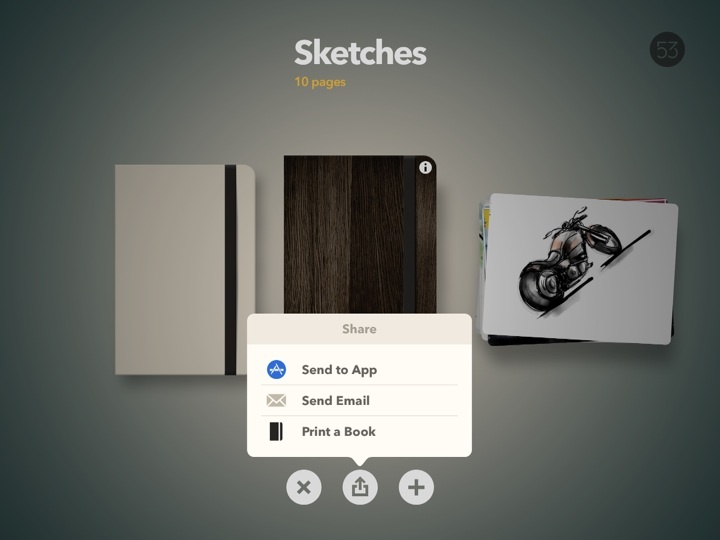
Paper is one of our must have apps, and it’s recently been updated with iOS 7 in mind. While the app’s design and personality free it from many of iOS 7’s visual styles, popovers and menus have been refreshed with a flatter, cleaner look.

Two additional small but important changes to Paper’s drawing tools should make drawing detailed characters, things, and environments much easier than before. When using the loupe to zoom in, the drawing tools you use will adjust their size as well, giving you finer control over all of the smaller details. And lastly, drawing dots has become much easier, with long presses generating bigger dots.

Paper is free to download in the App Store, with tools available for sale in the app individually or as a bundle.


Cathode Brings the Vintage Terminal to iOS

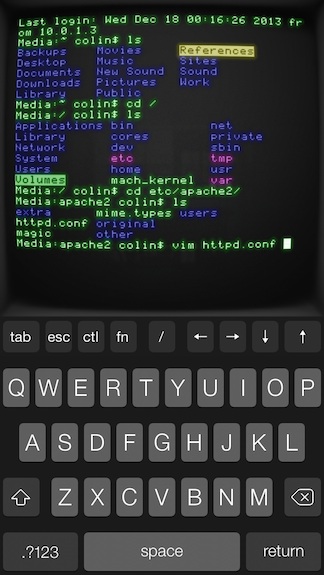
Your favorite customizable terminal app for the Mac is now available for iPhones and iPads, letting you wirelessly connect to any computer offering SSH access. The app gives you lots of control over its vintage look and feel, letting you change color, lighting, “shape,” and your choice of retro bitmap fonts. For iPad owners, the app supports Bluetooth keyboards, and works in both portrait and landscape orientation. Cathode supports multiple sessions and can automatically connect to nearby computers using Bonjour. For the geeks out there, Cathode costs a cool $5.99 from the App Store.


Yahoo News Digest 1.1 Adds “What You’ve Read” and Other Improvements

I’m a fan of Yahoo News Digest simply for the fact that it breaks me out of the tech news bubble in short spurts. The latest point update adds atoms for Weather and Statistics, new sharing options such as the ability to tweet Cover Posters, and a new “What You’ve Read” overview has been added that shows you a grid of what digests you’ve browsed through. Shown above, there’s also a little “Did you know?” section that now precedes extra articles in the app. Yahoo News Digest is free to download from the App Store.

Permalink

Macworld’s FAQ on Apple’s SSL Bug in Plain English

On Friday, Apple issued what seemed at first to be a run-of-the-mill security update. According to the update’s initial documentation, the patch was supposed to “provide a fix for SSL connection verification.” But when Apple posted the patch’s security information to its website, the company revealed that the fix was for something quite serious: Without the patch, “an attacker with a privileged network position may capture or modify data in sessions protected by SSL/TLS.” That was hardly run-of-the-mill.

The next time your friends, family, or coworkers tell you that Apple has been hacked or if they ask you what’s going on, send them this article by Macworld. A few of the authors on the site put together some nice tidbits of information explaining what the SSL bug is, what’s vulnerable, and what you can do to secure your communications online. Update your iOS devices if you haven’t already, and use an alternate web browser on your Mac until a patch can be downloaded.

Permalink

Google Music for Mac Brings the Web Player to the Desktop

One of the least talked about music services is Google’s Play Music service, a combination music store and digital locker that can match up to 20,000 songs from your local library and stream them to your devices over the web for free. With All Access, you can stream Google’s entire catalog of music for $9.99 a month.

I’ve dabbled with the service before, using it with my previous storage limited MacBook and giving it an honest shot when away from home. The service has some nice touches, such as a miniature spectrum visualizer that designates the currently playing track and album in a variety of views, thumbs-up and thumbs-down ratings in contrast to stars, and instant mixes that create Genius-like playlists from your music library on the fly. I’ve always thought the player itself was good, and it’s certainly a usable alternative to iTunes for those listening on their work machine or Chromebook. The separate manager for matching songs is a little clumsy, but it’s not a deal breaker.

While the service offers a proper mobile experience on iOS and Android, the desktop experience is limited to the browser. At least that was until Google Music for Mac, an open source application that wraps the experience in a native player and binds the app to your Mac’s media keys.

The app lets you play your music Library through its native experience or, like Fluid, simply present the web app in a window. The experience largely reminds of Pocket for Mac, with the Google Play logo, search, and popover menus comprising the native wrapper.

I like the player. While I don’t see the purpose of including a button for other Google apps, the player rightfully does Google’s service justice on the desktop. You’ll have to log into the app using your username and password, and for those who are security conscious, the app does display your email address in the top right. Regardless, the app itself does a swell job of presenting your music (and Free from Google tunes) in a presentable interface. Small touches reformat the sidebar into something more appealing for OS X. All the little details from the web service have been carried over as-is, such as how album artwork fades into view, how soft shadows bring artists and albums forward, and Google’s distinct orange highlights. Shortcuts are peppered throughout the app, letting you create playlists or jump to an artist view without having to go through library links or categories. Highlighting the scrubber brings up the play timer, and takes to you whatever point in the song you click.

The app’s free to download from Google Music for Mac’s project page, letting you skip Github if you’re not interested in the repository.

Download it here.

[Hat tip @smileykeith]


The Unexpected Costs of Background Fetch

David Smith talks about how one of iOS 7’s most important features can unexpectedly increase costs for developers, as data is more frequently requested in the background.

My first example of this was when I added Background Fetch to Check the Weather. A weather app’s primary function is displaying up-to-the-minute, constantly changing data so in my initial iOS 7 update I experimented with adding highly frequent background updates. The result was far more dramatic than I’d expected. […]

Permalink

Units is a Highly Customizable Unit Converter

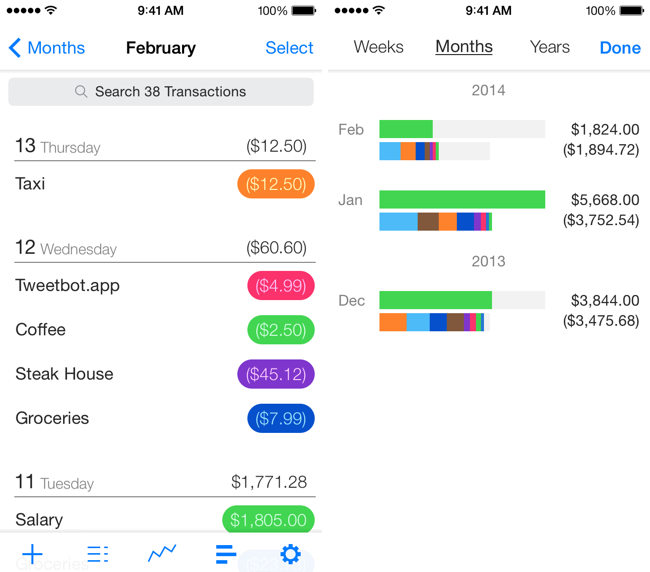
Units avoids needless scrolling through its sizable library of measurements by letting you search and favorite pairs of units, which saves oft-used conversions in a personalized list. The app can make conversions for just about anything you can think of, like units of data, force, luminance, and time. Like similar converters, the design is split between two columns of units, which you simply line up to make a conversion. A basic calculator is built into the app so you can perform basic operations like adding and multiplying. The app is fully customizable, letting you change the font, font color, and background color, so you can mix and match styles to your liking. The app’s $2.99 on the App Store.

Units doesn’t convert currencies, so for that you may want to check out Banca instead.

Permalink

Troubleshooting and Replacing a SSD in a MacBook Air

Dan Moren of Macworld, faced with a failing SSD in his MacBook Air, took up his screwdriver and fixed his own laptop without need of the Genius Bar. Better yet, he saved some cash and got comfortable doing repairs in the process. The article has lots of good links to tools and guides you’ll need to get the job done. Really, working on the innards of your Mac or PC isn’t all that scary, and while Apple’s guts are largely proprietary, removing the rear case is to get to components is a lot simpler than it used to be.

I’ve had my fair share of drives die, and I can vouch for SuperDuper being one of the most invaluable pieces of software on my Mac. While you’re waiting for your new SSD for your MacBook Air to come in, you can just boot up off an external drive and keep working like nothing happened — provided your SuperDuper backup is up-to-date of course.

Permalink