



Here are today’s @MacStoriesDeals on iOS, Mac, and Mac App Store apps that are on sale for a limited time, so get them before they end!
#MacStoriesDeals - Monday

Here are today’s @MacStoriesDeals on iOS, Mac, and Mac App Store apps that are on sale for a limited time, so get them before they end!
Screeny: Simple Screen Recording for the Mac
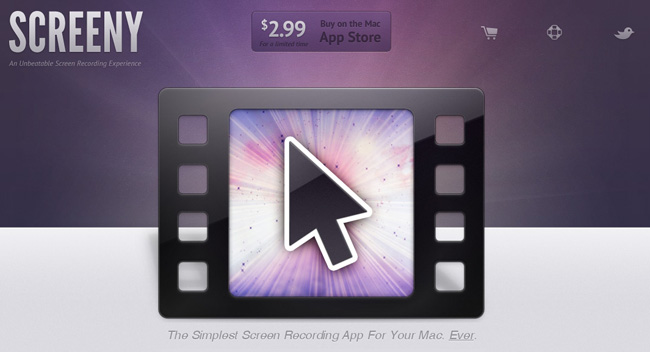
In the world of screen recording apps for Mac there are many options, but most are complex and expensive. What if you could have a great screen recording app that was easy to use, had a great UI and was under $20 US? Well, browse no further my friends.
Drew Wilson, the designer developer behind dialoggs, Pictos and Valio, has just released a screen recording application for the Mac called Screeny.
Screeny is an “unbeatable screen recording experience” and could be the easiest one you have ever used as well. Before we go into details, here’s how it works: Launch the app - it lives in your menu bar. Set the capture area. Use the floating control panel, the menu bar shortcut or set a key command to record and boom, you’re done. Read more
iCloud Communications Sues Apple Over iCloud Trademark

Yesterday in the US District Court in Arizona, iCloud Communications, LLC filed a suit against Apple for trademark infringement over the name iCloud.
iCloud Communications, LLC, claims that Apple’s new promotions of all things iCloud is damaging (seriously?) to iCloud Communications’ business. They also believe that Apple has taken their own name branding and associated it with Apple’s own (well, maybe). They are accusing Apple of offering services similar to the ones that they offer.
#MacStoriesDeals - Friday

Here are today’s @MacStoriesDeals on iOS, Mac, and Mac App Store apps that are on sale for a limited time, so get them before they end!
#MacStoriesDeals - Thursday

Here are today’s @MacStoriesDeals on iOS, Mac, and Mac App Store apps that are on sale for a limited time, so get them before they end!
#MacStoriesDeals - Wednesday

Here are today’s @MacStoriesDeals on iOS, Mac, and Mac App Store apps that are on sale for a limited time, so get them before they end!
Flare for Mac Updated to 1.1 with Many New Features

Back in March when Flare first came out, we said that it “has a fast learning curve, looks great and makes adding effects as simple or complicated as you want.” Version 1.1 was just released and adds even more options to your user experience.
Version 1.1 adds six spanking new presets, including “Daguerreotype”; if you know anything about the history of photography, you’ve heard of this photographic processes from the 1800s. There are many new effects to Flare such as new borders, lightleaks, and more to make your own custom presets for your photos. The Flare blog has more information about all the new effects and presets in 1.1.
Flare is on sale for $9.99 (reg. $19.99) on the Mac App Store, if you want to try it before you buy it, go the Flare website for a free demo. The only limitations to the demo version is that it limits the size of the photo you can work with to something quite small. The registered version and the MAS version have no such limitation.
Outside of intense photo editors such as Adobe Photoshop or Lightroom, Flare is one of the best photo editors for the Mac, and so much easier to use too!
Full release notes can be found here.
iTunes Reveals Potential iOS 5 Feature: “Automatic Download” [Update]
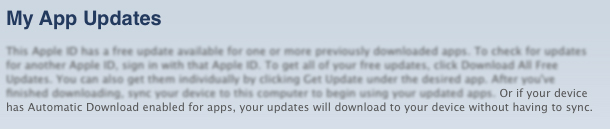
With WWDC right around the corner, many people are getting their scorecards ready. Here’s the center spot for your iOS 5 Bingo card: “Automatic Download” for your iDevices. MacRumors discovered that iTunes is now showing a new sentence on the My App Updates page. It reads, “Or if your device has Automatic Download enabled for apps, your updates will download to your device without having to sync.”
Seems like a very clear indicator that iOS 5 will have the option to automatically grab app updates to your iOS device. Currently, you must either sync or download the updates themselves through the App Store app on iOS.
“Automatic Download” could also suggest that the option could be for more than just iOS apps. People have been wanting a service like this for quite some time and Apple has been rumored to be moving toward the direction of OTA updates and wireless syncing.
Monday, at 10am PDT, we’ll know for sure where the future of iOS (Lion and iCloud) is headed in the coming months. We’ll have live coverage of the event, so please tune in here Monday, June 6 at 9:30 PDT.
Edit by Cody Fink (1:17 AM): Apple was quick about this one. Checking for app updates no longer reveals the message posted above. Instead, Apple has seemed to have temporarily killed the service completely. With my editor and I downloading updates through the App Store on iOS, no updates are available via iTunes update, and the message has been removed.