Alex Guyot

152 posts on MacStories since January 2014

Alex has been writing for MacStories since 2013. As a MacStories contributor he covers Apple and related technology on the site and for [Club MacStories](https://www.macstories.net/club/). Alex also keeps the site running smoothly and works on new technology as MacStories' senior software engineer. Mastodon: [@[email protected]](https://mastodon.macstories.net/@alex)

Austin Carr and Mark Gurman on Tim Cook’s Apple

Austin Carr and Mark Gurman, writing for Bloomberg, today published a lengthy investigation of Tim Cook’s tenure at Apple. From his earlier years building out Apple’s supply chain under Steve Jobs, to more recent times navigating the Trump presidency and the building antitrust pressure, the article is well researched and very worth a read. Without explicitly taking a stance, Carr and Gurman highlight both positive and negative aspects of Cook’s level-headed approach to piloting the company. I found some of the descriptions of Cook’s early manufacturing moves particularly interesting:

Cook’s global supply chain greatly improved upon the fabrication approaches that Dell and Compaq had developed. The big PC brands often outsourced both manufacturing and significant design decisions, resulting in computers that were cheap but not distinctive. Cook’s innovation was to force Foxconn and others to adapt to the extravagant aesthetic and quality specifications demanded by Jobs and industrial design head Jony Ive. Apple engineers crafted specialized manufacturing equipment and traveled frequently to China, spending long hours not in conference rooms as their PC counterparts did but on production floors hunting for hardware refinements and bottlenecks on the line.

Contract manufacturers worked with all the big electronics companies, but Cook set Apple apart by spending big to buy up next-generation parts years in advance and striking exclusivity deals on key components to ensure Apple would get them ahead of rivals.

The article also focuses on the stark contrast of manufacturing prowess between the U.S. and China, including Chinese manufacturer Foxconn’s ability to spin up brand new facilities in mere months:

[Foxconn founder Terry] Gou always seemed happy to accommodate, often building entire factories to handle whatever minimalist-chic design specs Apple threw at Foxconn. Jon Rubinstein, a senior vice president for hardware engineering during Jobs’s second tour at Apple, recalls almost having a heart attack in 2005 when he went with Gou to see a new factory in Shenzhen for the iPod Nano—a tiny device 80% smaller than Apple’s original MP3 player—only to find an empty field. Within months, though, a large structure and production line were in place. “In the U.S. you couldn’t even get the permits approved in that time frame,” he says.

Check out the full contents over at Bloomberg.
Permalink

Downie

Downie is a very nice Mac app for downloading videos from the internet to your computer. Built on the popular FFmpeg library, Downie provides access to these advanced functions via an easy-to-use interface. You can use Downie to download video content from thousands of websites, including YouTube and Vimeo. On first launch, Downie
...

Sidecar and My Work Setup

I haven’t worked in an office in close to a year and a half, and that time has led to some significant changes to my working setup. In the first several months of this time — before the pandemic hit the U.S. — I spent nearly every day working out of coffee shops. This...


My Apple Watch Setup

After six years of reviewing watchOS, I’d like to think I have a decent feel for the Apple Watch. While the early days of the device felt like its potential was limitless, later years brought the realization that its true purpose was far more aligned with health and fitness tracking and brief interactions. The...


CARROT Weather 5 Introduces New Design Elements, Custom Interface Builder, and More

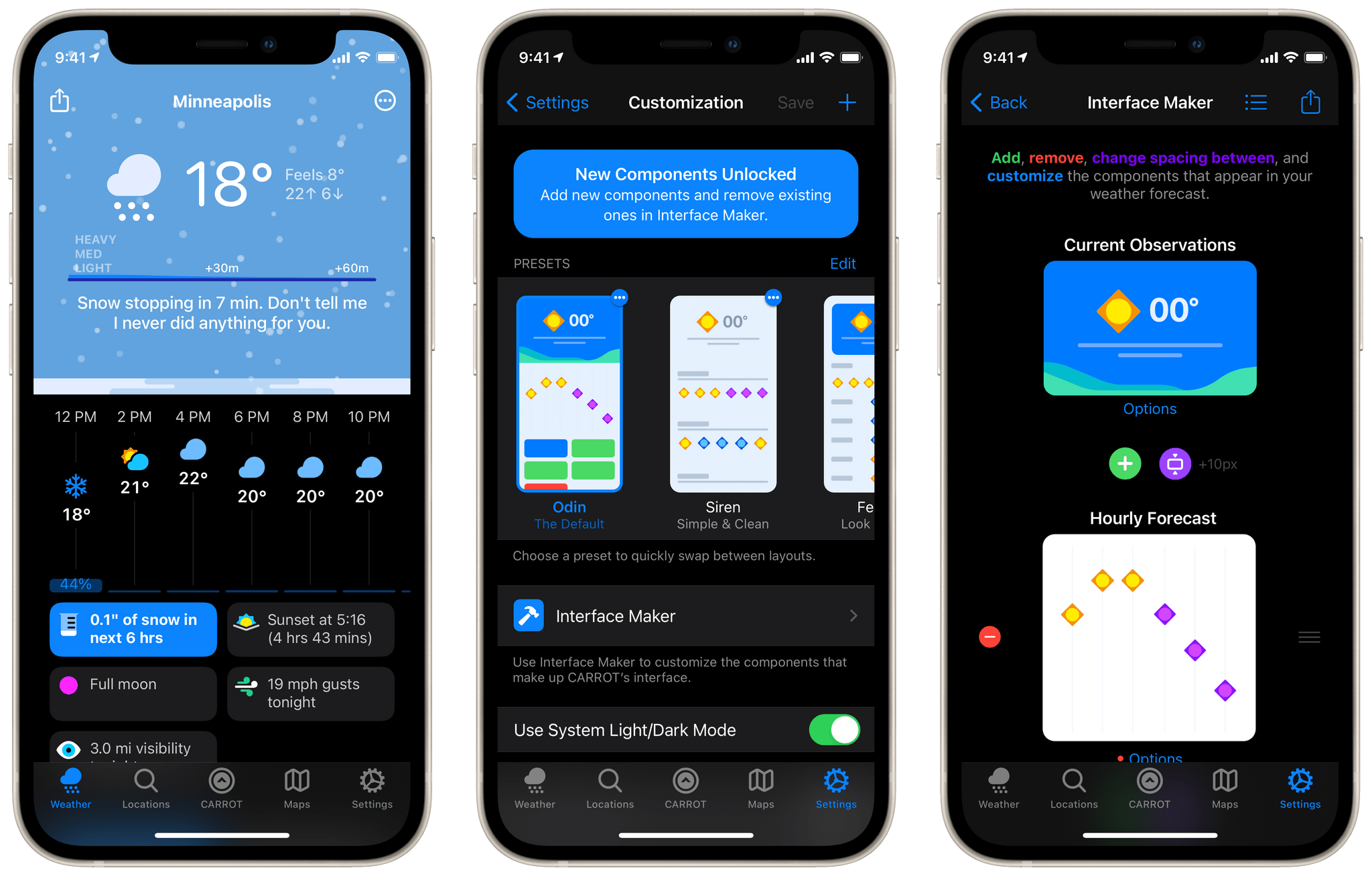
CARROT Weather has been a MacStories favorite for years now. Just last month we named it the Best Watch App of 2020 in our annual MacStories Selects awards. One of the impressive features in CARROT’s Apple Watch app is the ability to customize the interface to display exactly the weather data that you’re interested in. With today’s release of CARROT Weather 5, developer Brian Mueller has brought that same concept to the iOS and iPadOS versions of the app. The major update also includes a host of new icon designs, snarky weather responses, achievements, and fun Easter eggs.

Read more


Clipboard Manager Apps

Clipboard management is an essential utility on the Mac and has some interesting options on iOS and iPadOS as well. The main feature of a clipboard manager is to save your clipboard history: each time you copy something, it gets saved, then later you can recall your recently copied items even after you’ve...


Doodle Jump 2 Review: A Modern Take on a Classic

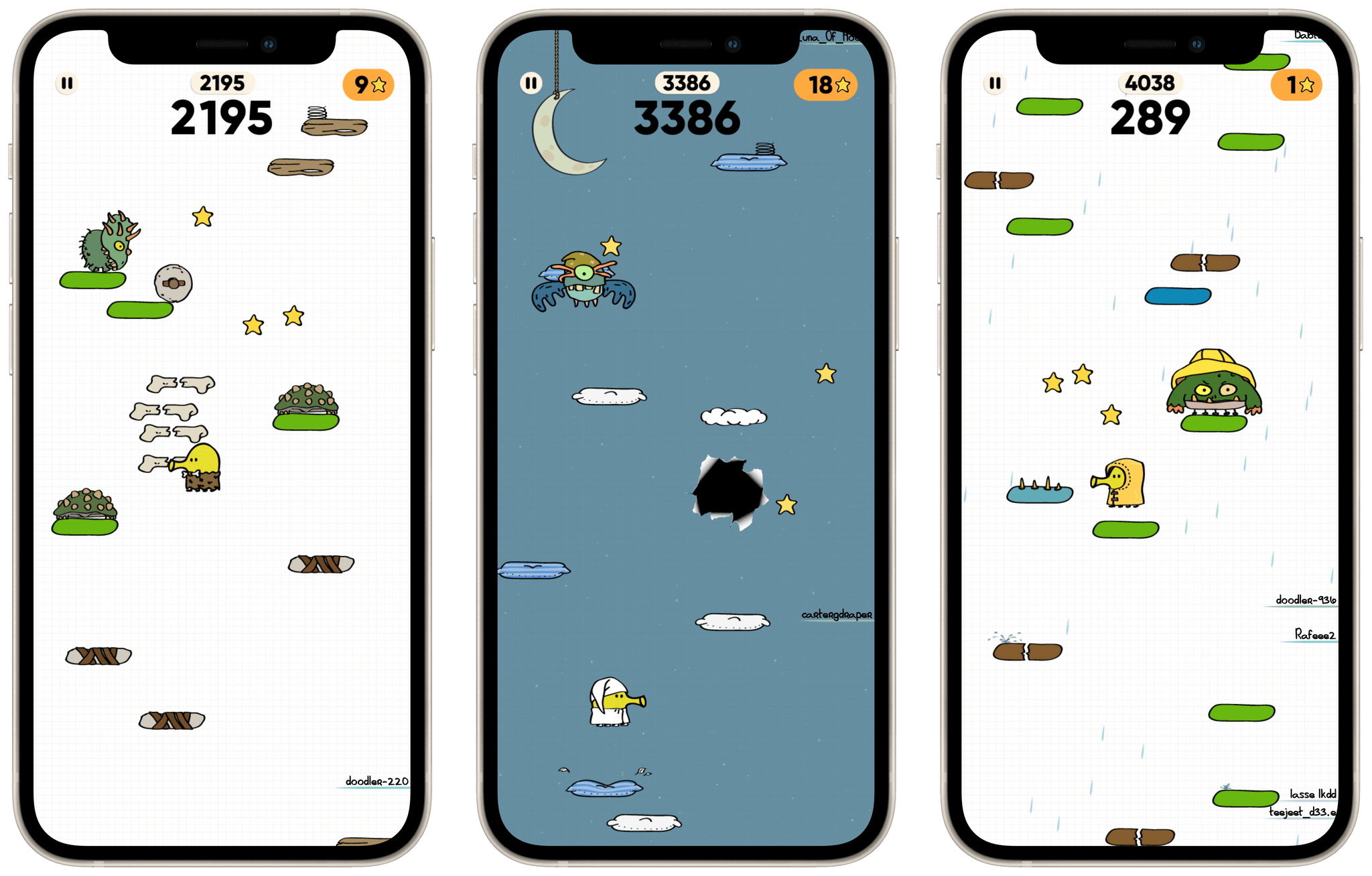
As I wrote in a recent issue of MacStories Weekly, the original Doodle Jump is one of my all-time favorite iOS games. This classic features an adorable doodle (officially dubbed “The Doodler”) bouncing its way up what appears to be a sheet of notebook paper. The beautifully simple controls consist of tilting your device to maneuver The Doodler and tapping your screen to fire projectiles at the monsters and UFOs that are trying to put an end to your adventure. The game is, at its core, an infinite runner. The higher you jump, the higher you score, and that’s Doodle Jump.

Doodle Jump’s initial release was in 2009 — an astounding 12 years ago this April. With so much time having passed since the original, I never really expected to see a sequel. This felt especially true to me since the original Doodle Jump absolutely still holds up after all this time. As it turns out though, Lima Sky — the development studio behind the game — wasn’t done with ideas for the Doodle Jump world. Last month, Doodle Jump 2 was released, and fans of the old game will not be disappointed.

Doodle Jump 2 is instantly familiar to anyone who has played the original. The controls haven’t changed at all, nor has the core idea of The Doodler bouncing its way to ever-increasing heights. However, the game’s art and animations have been completely revamped, with tremendous results.

Read more


Apple Partners with VolunteerMatch to Feature Local Volunteer Opportunities in Apple Maps

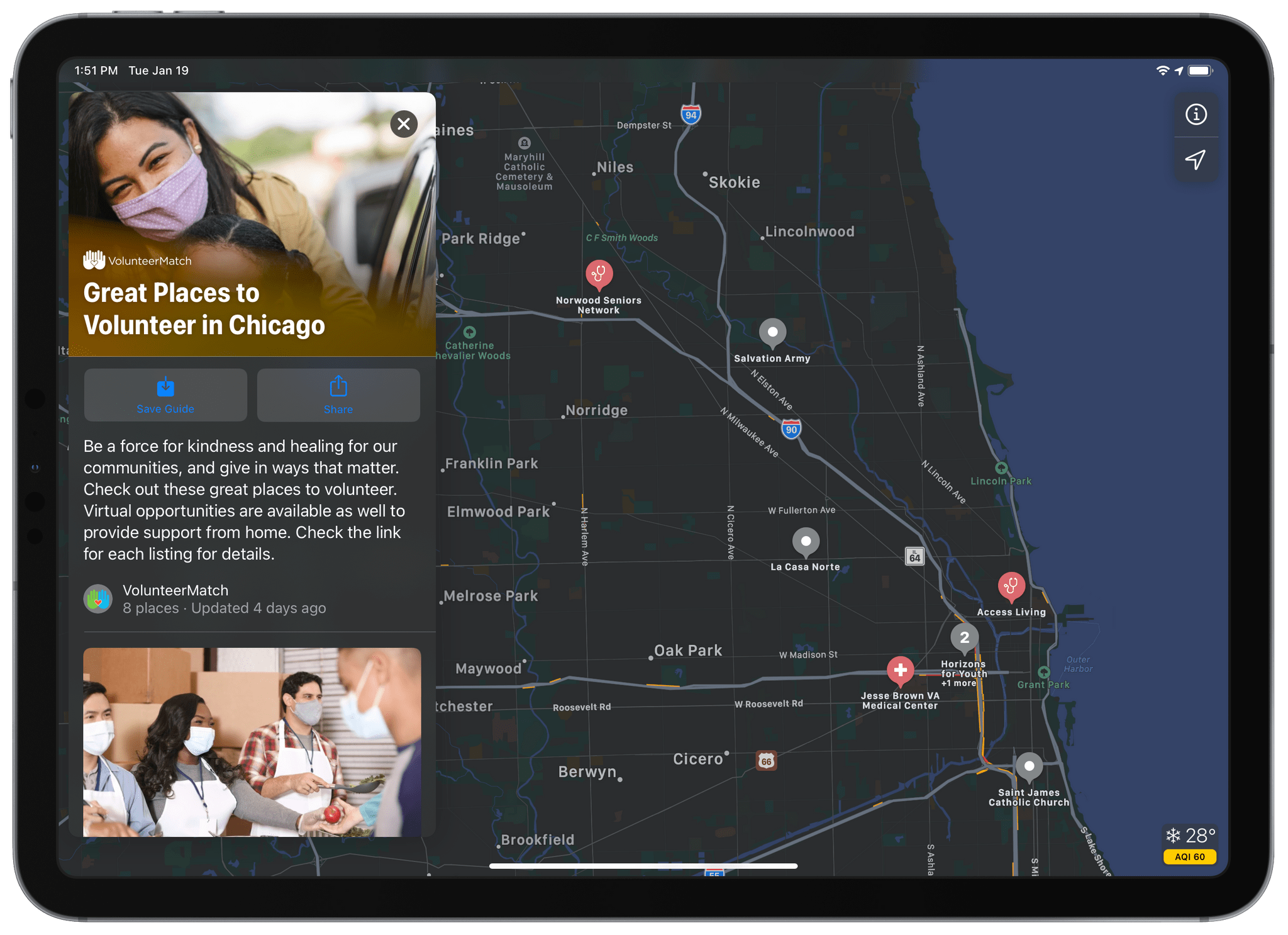
iOS 14 introduced Guides into Apple Maps earlier this year. As we covered in our summer preview series, the feature surfaces local city guides from third-party sources. These are integrated directly into Apple Maps so that you can see the exact locations of the activities that the guides highlight. Since the initial release of Guides, Apple has continued to expand the feature, adding more guides and debuting support for more cities.

Recently Apple introduced a new set of Guides from VolunteerMatch. These are meant to expose local service opportunities, making it easier than ever to volunteer in your community. VolunteerMatch Guides in Apple Maps are available for Chicago, Atlanta, Washington DC, New York, New Orleans, Houston, Boston, Seattle, Miami, Los Angeles, and San Francisco. Each guide contains a variety of different opportunities to volunteer. When you find one that interests you, the Guide directs you to the VolunteerMatch website, where you can get more information and learn how to get involved.

I think Apple Maps Guides have a ton of potential to help people get more engaged in their cities. I’m pleased to see Apple continuing to push heavily on expanding this feature to more locations and new publishers. VolunteerMatch feels like a particularly great candidate, as seeing service opportunities directly on the map is such an easy way to spread awareness of them.

If you live in one of the cities mentioned above, or just want to check out the feature, you can access the VolunteerMatch Guides in Apple Maps from here on iOS, iPadOS, or macOS.


Bartender 4

We covered Bartender in MacStories Weekly years ago, but the app has changed a lot since then — particularly since the introduction of Bartender 4 this year. Due to changes in macOS Big Sur, Bartender had to undergo a significant rewrite to continue functioning. Surtees Studios, the team behind Bartender, used this as an opportunity...