New Google Maps APIs Empowering Game Developers to Create Premium AR Experiences

Andrew Webster, writing for The Verge:

There’s been a wave of location-based mobile games announced recently, based on everything from The Walking Dead to Jurassic World. It turns out these games have more in common than just timing: they’re all powered by Google Maps. Today Google is announcing that it’s opening up its ubiquitous mapping platform to allow game developers to more easily create real-world games. The next Pokémon Go might finally be on the way.

Gaining access to a real-time mapping source like Google Maps is huge for developers, but the additional tools that go along with Google’s newly announced game platform take that a step further. Google is also launching a Unity SDK to tie into its mapping data, and enabling gameplay experiences to be built around specific locations or location types.

Developers can do things like choose particular kinds of buildings or locations — say, all stores or restaurants — and transform each one. A fantasy realm could turn all hotels into restorative inns, for instance, or anything else.

This sounds like it could be a huge boon to the mobile game market, particularly when combined with tools like Apple’s ARKit. Yes, it means we’ll probably get tired of all the games trying to replicate Pokémon GO’s success, but these new developer tools will also likely enable some truly immersive, exciting gaming experiences.

Google created a video that shows off just a glimpse of what’s possible with its new Maps APIs.

Permalink

Overcast Adds Smart Resume, New Auto-Deletion Option, and Support for Password-Protected Podcasts

Overcast 4.1 is out with a handful of new, notable features and bug fixes.

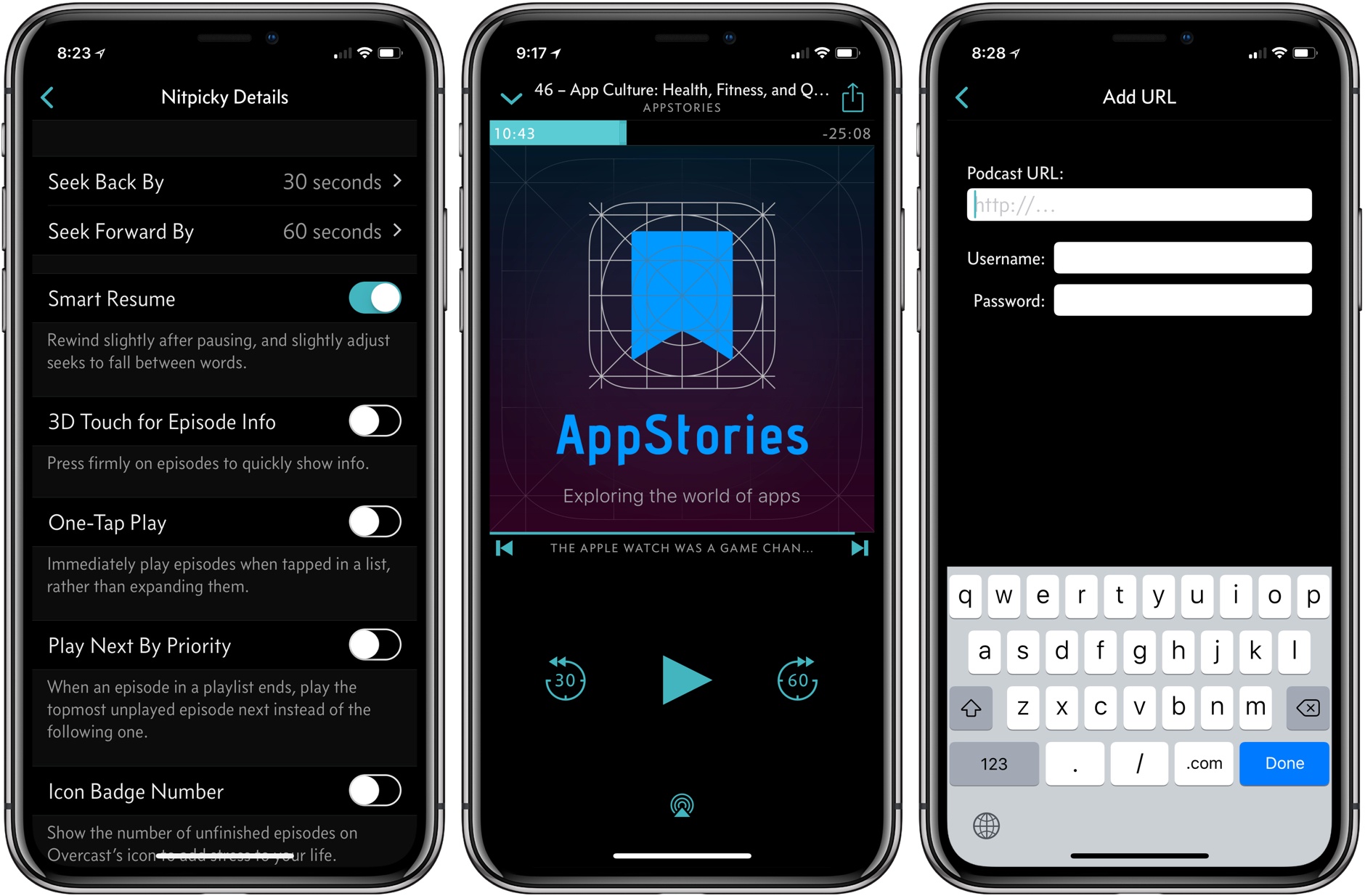
My favorite addition is what Marco Arment calls Smart Resume, which does two things. First, when resuming playback, Overcast skips back a few seconds to remind you of where you left off in a paused episode. Second, Overcast resumes playback in the dead space between words where possible.

The effect is understated but perceptible. During the beta of 4.1, I had a sense that something more than simple skipping back was going on with Smart Resume, but I couldn’t put my finger on it until I dug into Arment’s release notes. Smart Resume reminds me of what happens when an in-person conversation is interrupted. If you’re sitting at a table in a restaurant with a friend and the waiter interrupts one of you mid-sentence, you don’t pick up where you left off mid-word. You back up and start over.

Smart Resume is similar. I hadn’t realized it, but when resuming a podcast, I’d gotten into the habit of skipping back 30 seconds when I lost track of where I was in an episode. That was more time than necessary to recall where I had left off, but it worked. With Smart Resume, I’ve found I rarely do that anymore. Instead of the extra fiddling with the app’s buttons, Overcast skips back just far enough to jog my memory but not so far that I feel like I’m re-listening to too much of an episode. Moreover, dropping the seek point in between words makes the feature feel natural. Smart Resume can be turned off in Settings, but I wouldn’t recommend doing so.

Overcast 4.1 also adds a new auto-deletion setting. Previously, you could choose between auto-deleting episodes immediately after finishing them or leave them on your iOS device for manual deletion. Overcast now has a third choice, which is automatic deletion after 24 hours. Premium members’ uploads to Overcast are no longer subject to auto-deletion either.

Password-protected podcasts are now officially supported in Overcast too. In the Add URL screen, there is an option to ‘Use Password,’ which reveals username and password fields when tapped. Podcasts that require a password do not show up in Overcast’s search results or show recommendations.

Smart Resume is an excellent example of what I like most about Overcast. The feature highlights the app’s overall attention to detail when it comes to the listening experience, which makes it a pleasure to use.

Overcast is available on the App Store.


Apple Announces That WWDC 2018 Will Return to San Jose June 4 - 8, 2018

Apple today announced that WWDC will return to the McEnery Convention Center in San Jose, California from June 4 - 8, 2018. Last year, the annual developer conference switched venues from the Moscone Convention Center in San Francisco to San Jose. The change came as quite a surprise, as did the timing of the announcement, which in past years came closer to the event. By and large though, the move was well-received by developers and easier for Apple engineers due to the venue’s proximity to Cupertino, so it’s not surprising to see WWDC return to San Jose for 2018.

According to Apple’s press release:

Every year, WWDC provides an opportunity for millions of developers to learn more about how to create new experiences across Apple’s platforms for iPhone, iPad, Apple Watch, Apple TV, Mac and HomePod.

Tickets are available now through March 22nd at 10 a.m. PDT. According to Apple’s press release:

Tickets are issued through a random selection process, and developers will be notified of application status by March 23 at 5 p.m. PDT.


Philips Hue Outdoor Lights Arrive This Summer

Philips has announced the launch of a major expansion in Hue lighting products into the great outdoors. Just in time for the season of neighborhood BBQs, the assortment of outdoor Hue products includes standard lighting units for mounting on your home’s exterior, along with a couple products uniquely suited for occupying the grounds surrounding your house.

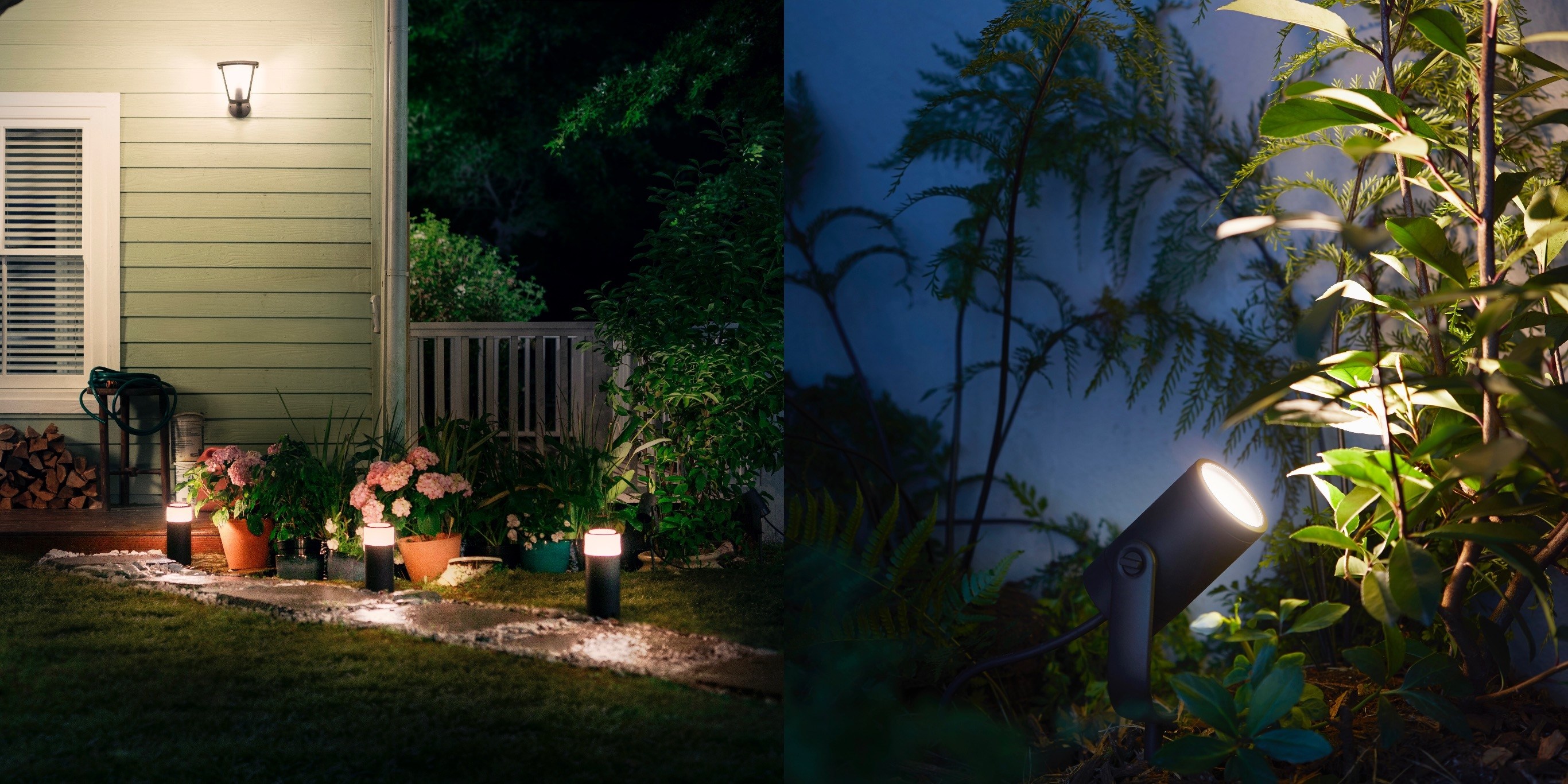
The new Lily product is a spotlight for highlighting different areas of your landscaping; it will be available in a 3-pack for $279. The Calla bollard is ideal for placement along a pathway, or at central gathering places in your yard; it will retail for $129. Both of these products feature the full range of color options available with many other Hue lights, while the wall-mounted lights will be limited to a white range and start at $49.

Hue’s outdoor products will work similarly to its existing lineup of indoor lights, with the Hue bridge acting as a hub for them all, and full HomeKit support. They are scheduled to release in the U.S. and Europe in July.

Philips has established a strong reputation for its Hue products as the go-to smart lighting option, and for those invested in that ecosystem already, it’s great to see new and diverse products continue to be made available.


It’s Time for a Complete Home App Makeover

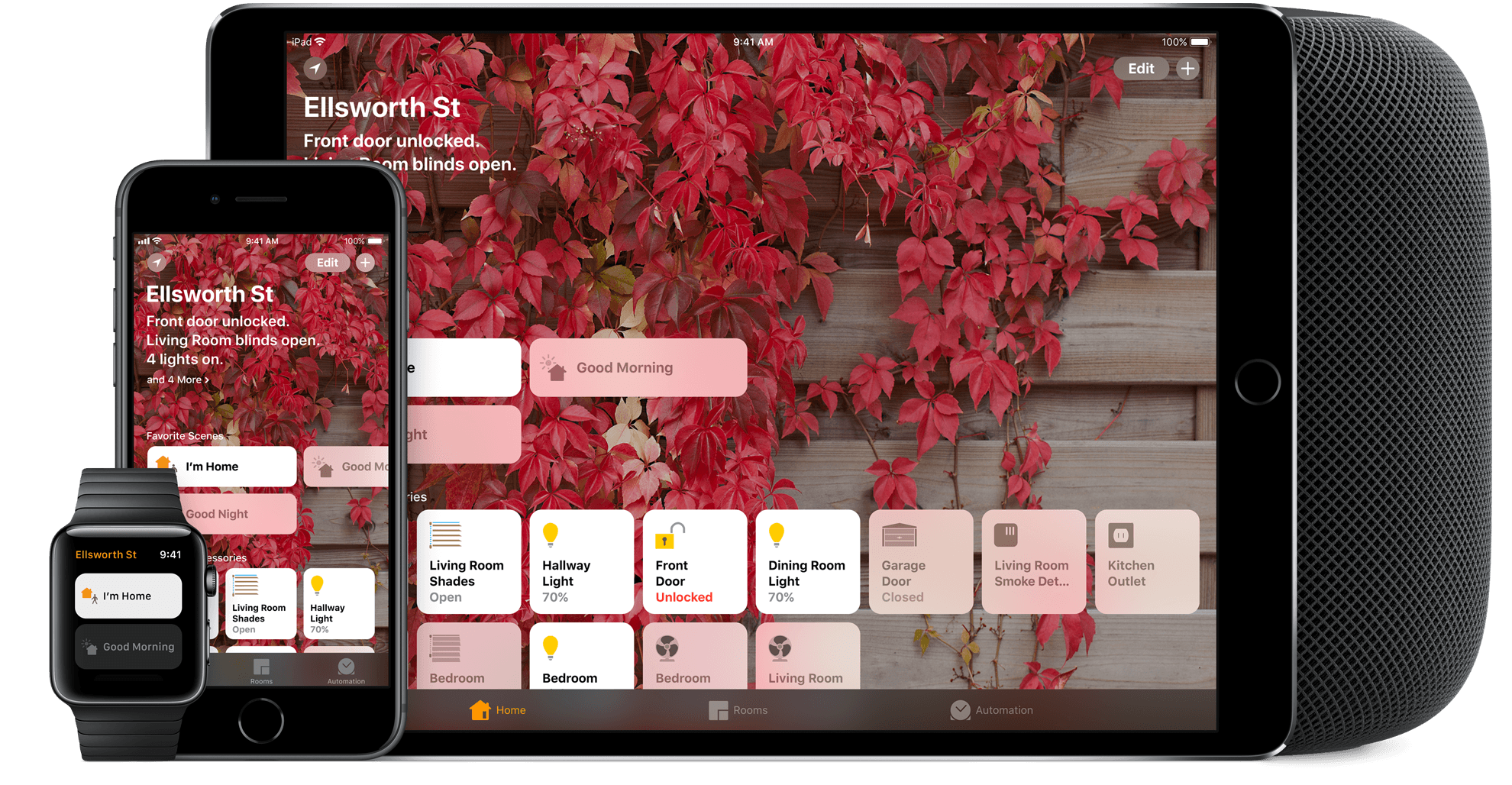
I’ve spent a lot of time experimenting with home automation gear since late last year: lightbulbs, light strips, electrical plugs, and door sensors, among other things. Most of the devices I’ve tested support Apple’s HomeKit APIs and those that don’t, I plan to integrate with Homebridge. That means I’ve also spent a lot of time in Apple’s Home app, and despite poking around in every corner of the app, I still find it frustrating and hard to use.

Last week, I tried to configure something new in my studio that illustrates several of the Home app’s problems. I have several Hue lights: there’s one over the steps leading to my workspace, four recessed ceiling lights, a floor lamp, and a desk lamp. It’s a lot of lights, but my studio is in the basement, and the lights help keep it from feeling like a cave.

I set the lights up as a group in Home and trigger them with a motion sensor. As soon as I open the door to the basement, the lights come on. I added a Hue switch on the wall as a shortcut for turning the lights on and off too.

I recently got an Elgato Eve door sensor for my back door. I figured it would be nice to know when my wife and son got home in the afternoon if I’m working away with the door closed, listening to music, and don’t hear the back door open. I can get alerts from the sensor on my Apple Watch and iPhone, but I thought it might be fun to also turn the Hue light on my desk red when the door opens as a visual cue. That turned out to be harder than I anticipated.

Read more


AppStories, Episode 46 – App Culture: Health, Fitness, and Quantified Self Apps

On this week’s episode of AppStories, we look back at where health, fitness, and quantified self apps have been, where they’re going, and how hardware and software advancements are changing the way we track and gain insights about our health and fitness.

Sponsored by:

AppStories+ Deeper into the world of apps

AppStories Episode 46 - App Culture: Health, Fitness, and Quantified Self Apps

0:00
35:51

AppStories+ Deeper into the world of apps

Permalink

Apple Adds USB-C Connectors and Lightning to 3.5mm Output Cables to MFi Specification

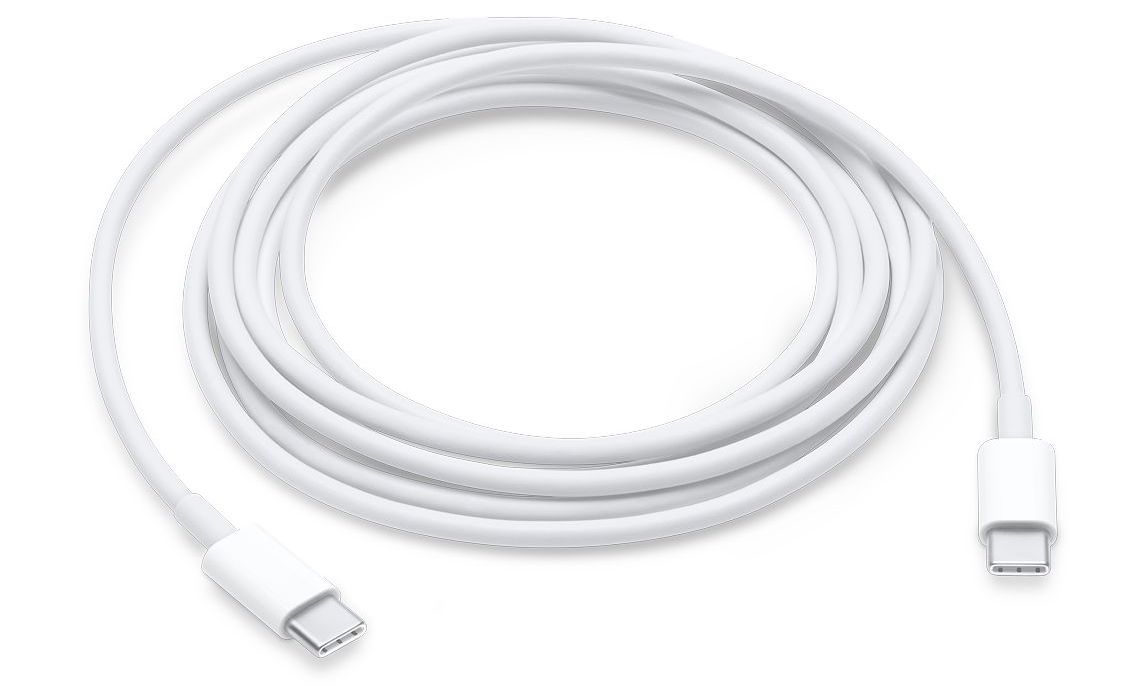
Apple’s MFi licensing program, which allows accessory makers to manufacture Apple-certified products that are compatible with iPhones, iPads, and iPods, has been updated to allow accessory makers to create licensed devices that feature USB-C connectors. According to a report by 9to5Mac, the connectors cannot be used for passthrough charging or syncing of iOS devices, but will allow battery packs, speakers, and other accessories to be charged using the USB-C cables included with compatible Macs and from third parties. The specification does not include USB-C to Lightning cables, which are only available from Apple and are necessary to fast-charge iPhones and iPads.

The Lightning to 3.5mm output cable specification allows accessory makers to make cables to route the output of a Lightning port to a 3.5mm headphone jack input. This was only possible previously by chaining Apple’s Lightning to 3.5mm input adapter with a male-to-male 3.5mm cable. With the new specification, accessory makers will be able to reduce that setup to a single cable that will work with devices like speakers that include a 3.5mm input.

Permalink


Textor: The iOS Equivalent of TextEdit, Integrated with Files

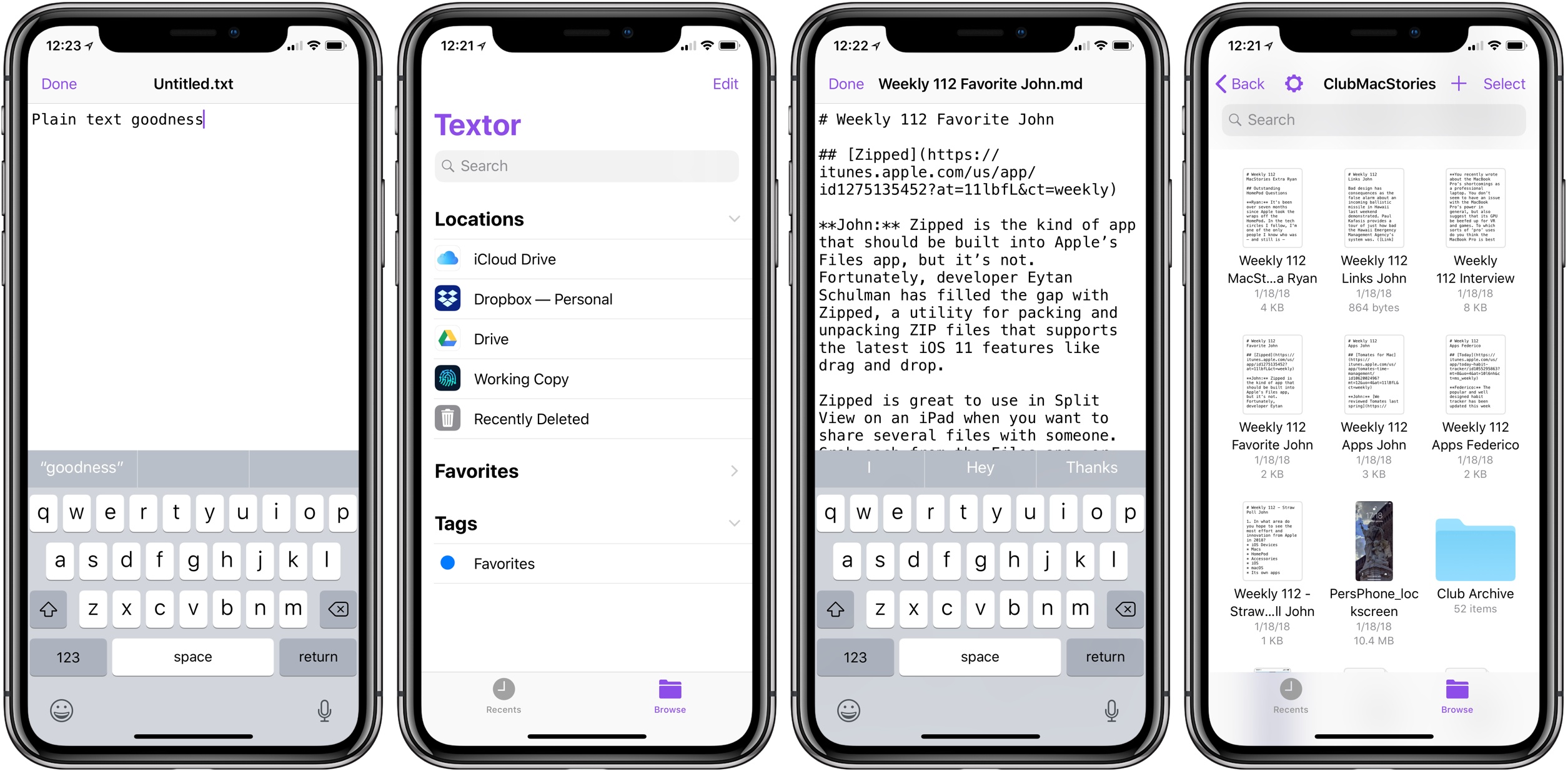
Over the weekend, developer Louis D’hauwe released a new plain text editor to the iOS App Store. Textor is about as simple an app as you could get: while it does offer support for modern iOS technologies, like Split View on iPad, and modern iOS screen dimensions, like the iPhone X and iPad Pro sizes, it doesn’t offer any kind of innovative features to pull you in. In fact, it doesn’t really contain much in the way of features at all.

D’hauwe created Textor as a result of exploring what new iOS tools he would need before making the iPad his primary computer. His recently launched terminal app, OpenTerm, birthed from the same roots.

Textor is unique in how utterly stripped down it is, and it’s that simplicity that makes it so appealing. Launch the app – which is free and open-source – and you’ll see iOS 11’s new Files document browser. This enables opening existing plain text files stored in any app that serves as an iOS file provider. You can open directly from iCloud Drive, Dropbox, Google Drive, Working Copy, and more. You can also create a new document in any of these places by hitting the + button in the top-right corner.

Outside of the Files document browser, the only interface is found in the editor itself: a plain canvas with a purple blinking cursor. It’s just you and the text.

Textor’s lack of noteworthy features makes it a fitting TextEdit-equivalent for iOS. It also makes it unlikely to be the best text editor for you, unless your needs are extremely minimal.

Despite its bare-bones nature, I was excited to hear about Textor’s launch because it happens to fit exactly the tiny niche I was looking for. My everyday writing is done in Ulysses, an app I absolutely love. But when it comes to editing other people’s work, Ulysses isn’t a great solution because its custom formatting engine doesn’t play nice with existing Markdown drafts.

Every week as part of preparing the latest Club MacStories newsletter, I edit about ten different Markdown files stored in a GitHub repo and accessed through Working Copy. I’ve tried several quality apps for this job, including iA Writer, 1Writer, and Textastic – all can open files directly from Working Copy, but a variety of issues big and small make none of them the ideal solution. Textor does exactly what I need: opens documents via Files, allows me to edit them free from cumbersome frills, then saves them in place when I’m done editing.

There are a couple changes that would make Textor a better tool for me: auto-saving drafts so I don’t have to hit the app’s ‘Done’ button to save changes, and support for Markdown styling so I get a preview of what my document will look like when published. Those features aren’t necessities though, and I don’t expect to see Textor add them. Everyone will have their own list of two or three features they’d like, but Textor doesn’t need to be feature-complete. The app exists to offer a no-nonsense writing experience with Files support, and it succeeds at exactly that.

Textor is available as a free download on the App Store.