
Posts tagged with "Xcode"

Apple’s Xcode 26.3 Release Candidate Adds Agentic Coding Tools for Developers

Source: Apple.

Source: Apple.

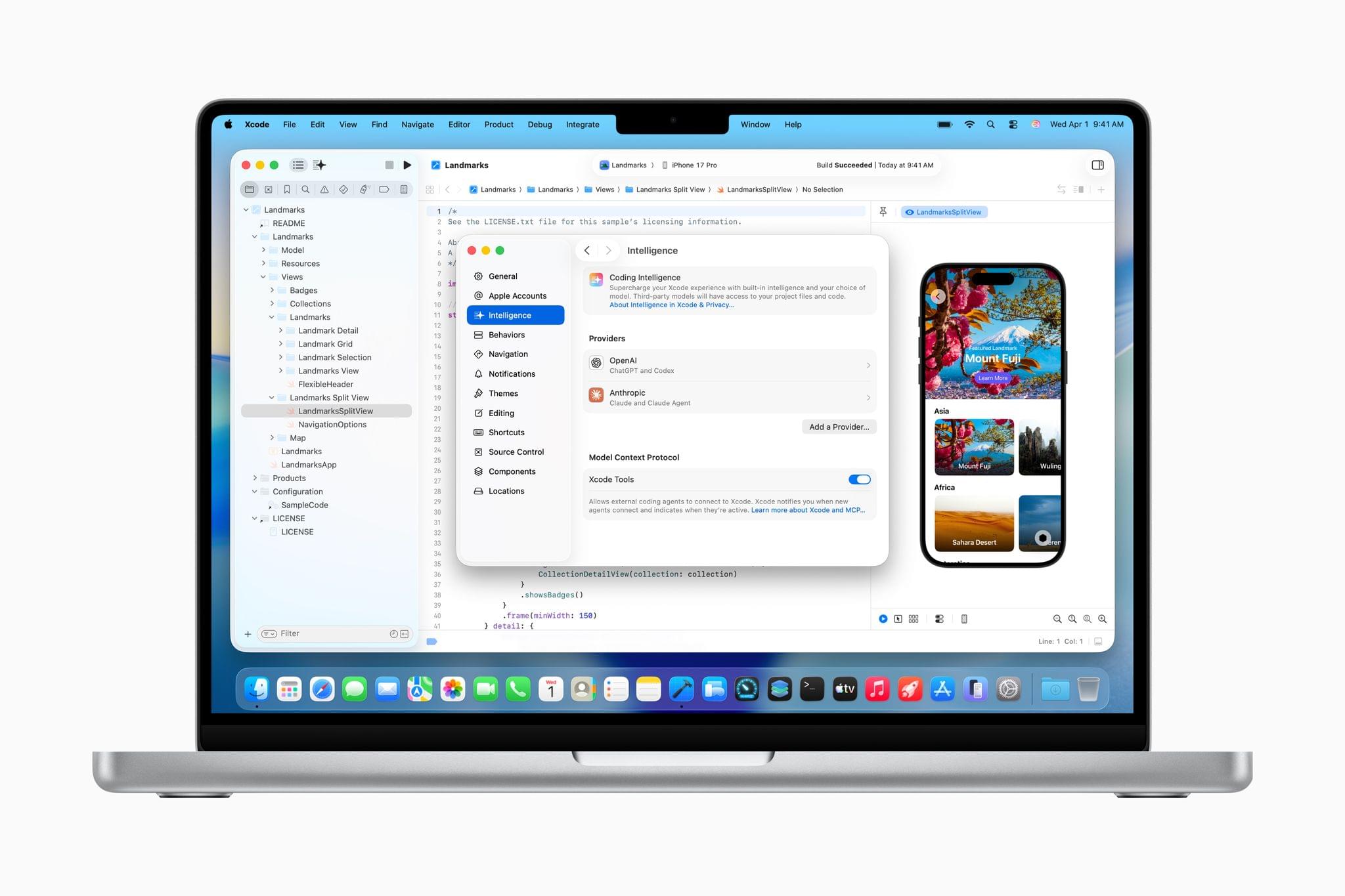
The Release Candidate of Xcode 26.3 is rolling out as we publish this with brand new agentic coding capabilities. With the update, developers can connect to either OpenAI’s Codex or Anthropic’s Claude Agent to assist their development work.

The agent sits in Xcode’s sidebar where developers can use it to plan new features, implement them, and review the results. As developers work, the agent generates a transcript of its actions, which lets developers follow along and interact with it. For example, code snippets will appear in the sidebar that can be clicked to take developers directly to the spot in the file where the agent made a change. Code updates can also be simultaneously previewed. Plus, by building OpenAI and Anthropic’s agents into Xcode, the agents have the benefit of the latest Apple APIs and documentation, which should result in better, more modern code.

Xcode 26.3 also integrates with Model Context Protocol, the open standard used to connect coding agents to other tools. That will allow any MCP-compatible agents to work with Xcode, running inside or outside Xcode, which broadens the possibilities for developers even further. Having watched a short demo of Codex assisting in the development of features in Xcode, version 26.3 looks as though it has a lot of potential to make experimentation easier and to iterate more quickly on ideas.

I’ve been building a couple of different apps recently, mostly from Terminal, which works but isn’t ideal. There are lots of apps out there that try to solve the agentic coding problem, including Visual Studio Code and Codex, which I covered yesterday. However, having seen a demo of Xcode in action, it’s jumped to the top of my list to try. After all, it’s an app with which I’m already familiar, and with Apple’s documentation and API knowledge baked in, my hope is that it speeds up my workflow even further.

For developers who want to learn more, Apple is holding a code along session Thursday covering the update.
Access Extra Content and Perks

Founded in 2015, Club MacStories has delivered exclusive content every week for nearly a decade.

What started with weekly and monthly email newsletters has blossomed into a family of memberships designed for every MacStories fan.

Learn more here and from our Club FAQs.

Club MacStories: Weekly and monthly newsletters via email and the web that are brimming with apps, tips, automation workflows, longform writing, early access to the MacStories Unwind podcast, periodic giveaways, and more;

Club MacStories+: Everything that Club MacStories offers, plus an active Discord community, advanced search and custom RSS features for exploring the Club’s entire back catalog, bonus columns, and dozens of app discounts;

Club Premier: All of the above and AppStories+, an extended version of our flagship podcast that’s delivered early, ad-free, and in high-bitrate audio.

Learn more here and from our Club FAQs.


Swift Assist, Part Deux

At WWDC 2024, I attended a developer tools briefing with Jason Snell, Dan Moren, and John Gruber. Later, I wrote about Swift Assist, an AI-based code generation tool that Apple was working on for Xcode.

That first iteration of Swift Assist caught my eye as promising, but I remember asking at the time whether it could modify multiple files in a project at once and being told it couldn’t. What I saw was rudimentary by 2025’s standards with things like Cursor, but I was glad to see that Apple was working on a generative tool for Xcode users.

In the months that followed, I all but forgot that briefing and story, until a wave of posts asking, “Whatever happened to Swift Assist?” started appearing on social media and blogs. John Gruber and Nick Heer picked up on the thread and came across my story, citing it as evidence that the MIA feature was real but curiously absent from any of 2024’s Xcode betas.

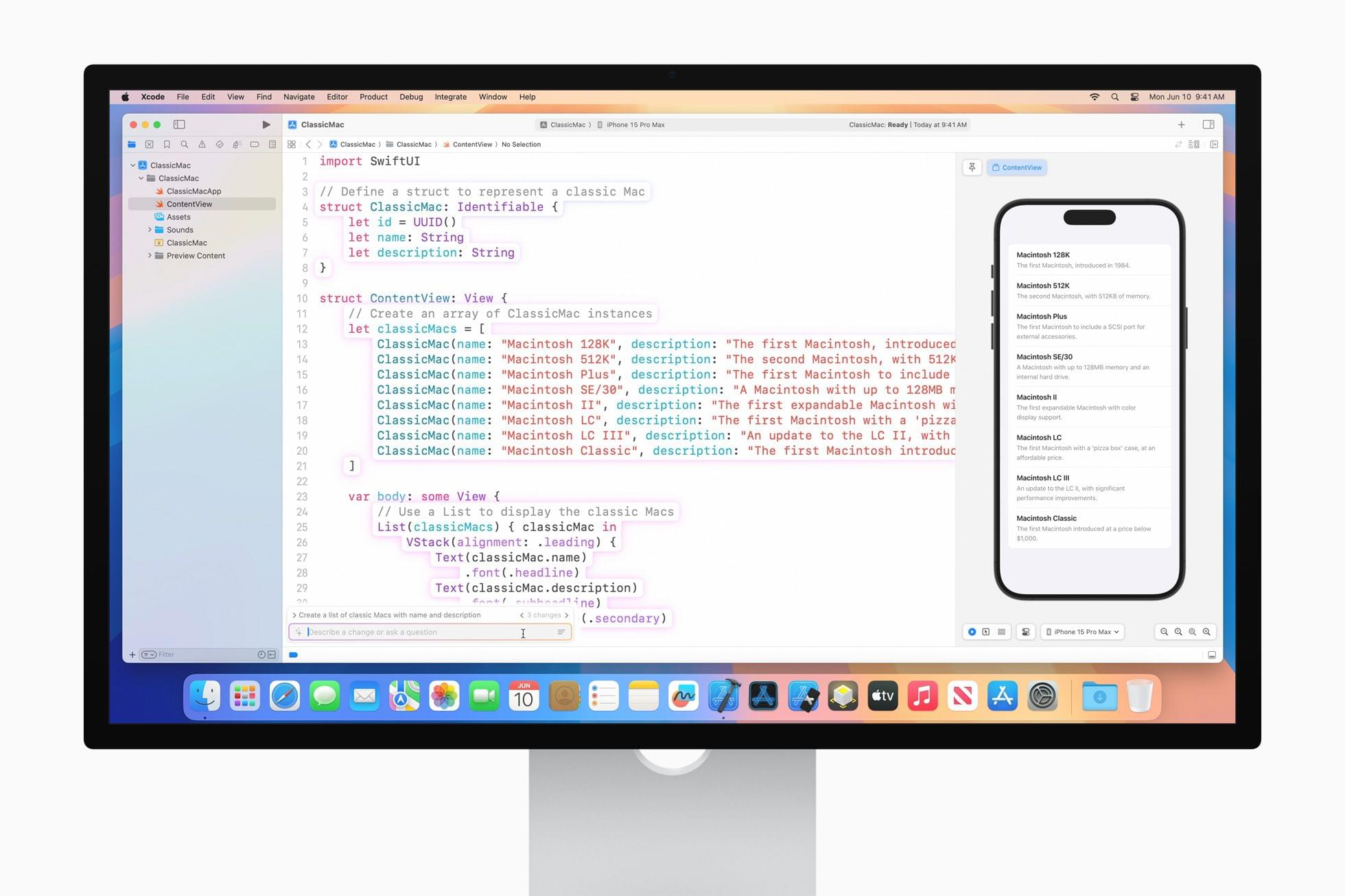
This year, Jason Snell and I had a mini reunion of sorts during another developer tools briefing. This time, it was just the two of us. Among the Xcode features we saw was a much more robust version of Swift Assist that, unlike in 2024, is already part of the Xcode 26 betas. Having been the only one who wrote about the feature last year, I couldn’t let the chance to document what I saw this year slip by.

Read more

Access Extra Content and Perks

Founded in 2015, Club MacStories has delivered exclusive content every week for nearly a decade.

What started with weekly and monthly email newsletters has blossomed into a family of memberships designed for every MacStories fan.

Learn more here and from our Club FAQs.

Club MacStories: Weekly and monthly newsletters via email and the web that are brimming with apps, tips, automation workflows, longform writing, early access to the MacStories Unwind podcast, periodic giveaways, and more;

Club MacStories+: Everything that Club MacStories offers, plus an active Discord community, advanced search and custom RSS features for exploring the Club’s entire back catalog, bonus columns, and dozens of app discounts;

Club Premier: All of the above and AppStories+, an extended version of our flagship podcast that’s delivered early, ad-free, and in high-bitrate audio.

Learn more here and from our Club FAQs.


A Look at Code Completion and Swift Assist Coming in Xcode 16

Source: Apple.

Source: Apple.

Earlier today, I got the very first live demo of Swift Assist, one of the many developer tools introduced today by Apple. I also saw code completion in action. It was an impressive demo, and although the tools seem like magic and will undoubtedly be valuable to developers, they do have their limitations, which are worth exploring.

Code Completion in Action. Source: Apple.Replay

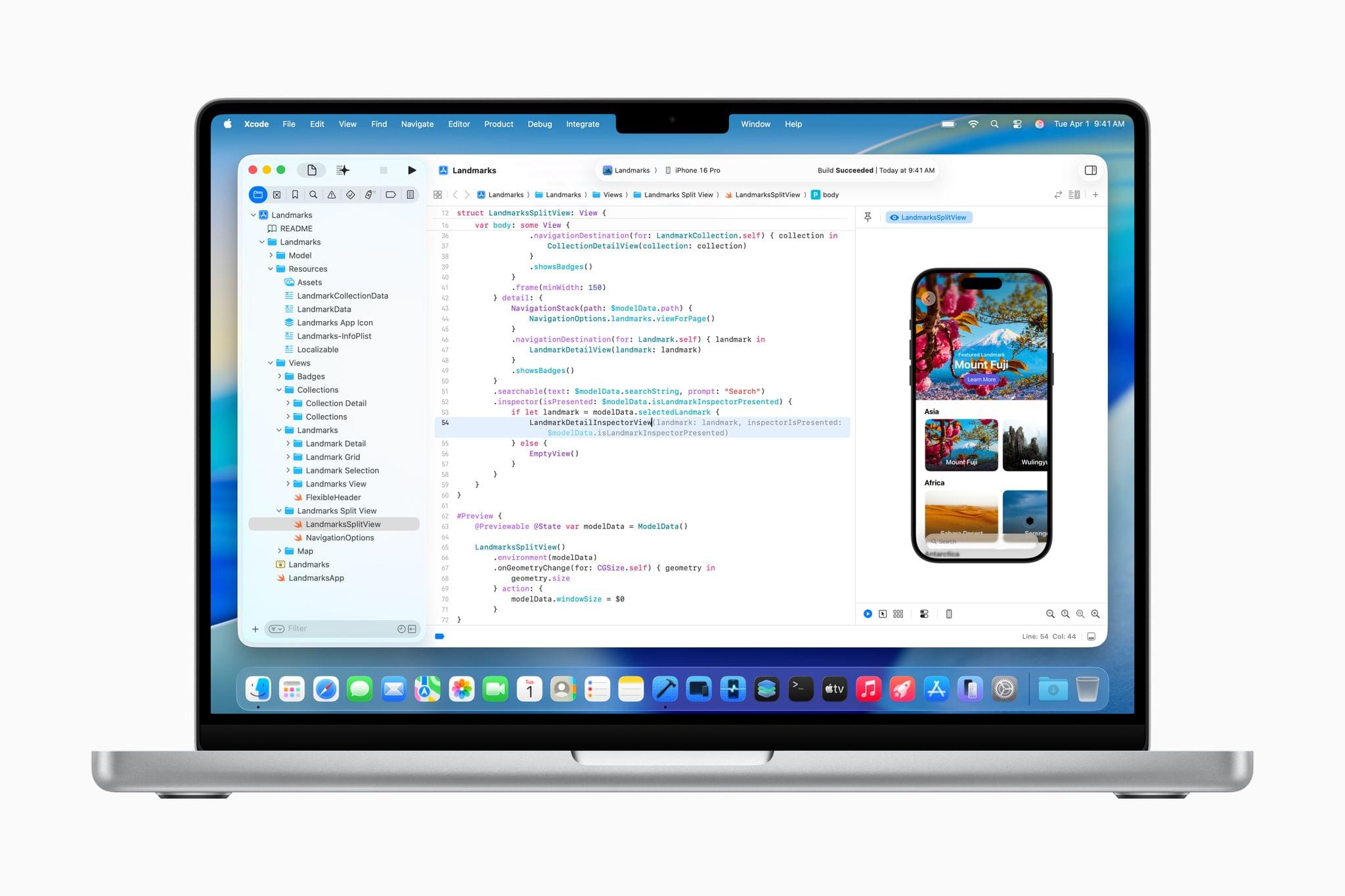
First, from what I could tell, code completion works extremely well. The demo I saw was of a simple restaurant app that displayed a menu. As an Apple representative typed variables and other items into Xcode, code completion named things in ways that made sense for a restaurant menu, such as Name, Price, and Calories. The feature also filled in types like strings, integers, and bools, along with the appropriate surrounding syntax.

In most cases, after typing just a handful of characters, the correct suggestion appeared and with a quick tap of the Tab key, the rest of the line of code was filled in. When the suggestion wasn’t what was wanted, a little additional typing steered the AI that backs code completion to the correct solution.

The model that drives code completion is trained specifically for the Swift programming language and Apple’s APIs. It runs locally on a developer’s Mac, enhancing privacy and ensuring that it’s available regardless of Internet connectivity. Although Apple was vague about the code on which the model was trained, it was clear from my briefing that it wasn’t on Apple’s own internal code, but Apple said it is code that it is authorized to use. I was also told that the model isn’t trained on the code of the developers that use the feature. Also worth noting is that Apple’s code completion model is continually updated independent of the update release cycle of Xcode itself.

Read more

Access Extra Content and Perks

Founded in 2015, Club MacStories has delivered exclusive content every week for nearly a decade.

What started with weekly and monthly email newsletters has blossomed into a family of memberships designed for every MacStories fan.

Learn more here and from our Club FAQs.

Club MacStories: Weekly and monthly newsletters via email and the web that are brimming with apps, tips, automation workflows, longform writing, early access to the MacStories Unwind podcast, periodic giveaways, and more;

Club MacStories+: Everything that Club MacStories offers, plus an active Discord community, advanced search and custom RSS features for exploring the Club’s entire back catalog, bonus columns, and dozens of app discounts;

Club Premier: All of the above and AppStories+, an extended version of our flagship podcast that’s delivered early, ad-free, and in high-bitrate audio.

Learn more here and from our Club FAQs.