
Saron Yitbarek, writing on the WebKit blog:
In Safari Technology Preview 247, we’re introducing the Safari MCP server — a Model Context Protocol server for web developers that makes your web development and debugging workflow faster and more powerful. We know agents are increasingly integral to the coding process and the Safari MCP server gives your agent the ability to know how your code actually renders in the browser by connecting it to a Safari browser window.
Any MCP-compatible client can connect to the Safari MCP server. By connecting your agent to a Safari browser window, your agent can emulate what your users experience, giving it the information it needs to debug more autonomously, like access to the DOM, network requests, screenshots, and console output.
Importantly:
The Safari MCP server runs entirely on your local machine and makes no network calls of its own. It also does not have access to your personal information in Safari (e.g. AutoFill or other browser activity). When it captures page content, screenshots, or console logs, that data goes directly to the agent you’re running — not to Apple. What happens to that data from there depends on the agent and model you’re using. As with any agent you give access to your browser, only use ones you trust.
For the past few months, I’ve been using Google Chrome on my MacBook Pro and Mac Studio not because I like the browser (in fact, I really dislike Chrome’s text rendering and UI), but simply because it was the best option for agents. In Codex specifically, between Playwright, Chrome Dev Tools, and OpenAI’s own Chrome extension, I could kick off research tasks (such as vacation planning and booking a hotel) that involved a browser directly from my iPhone, letting Codex drive the research on my remote Mac.
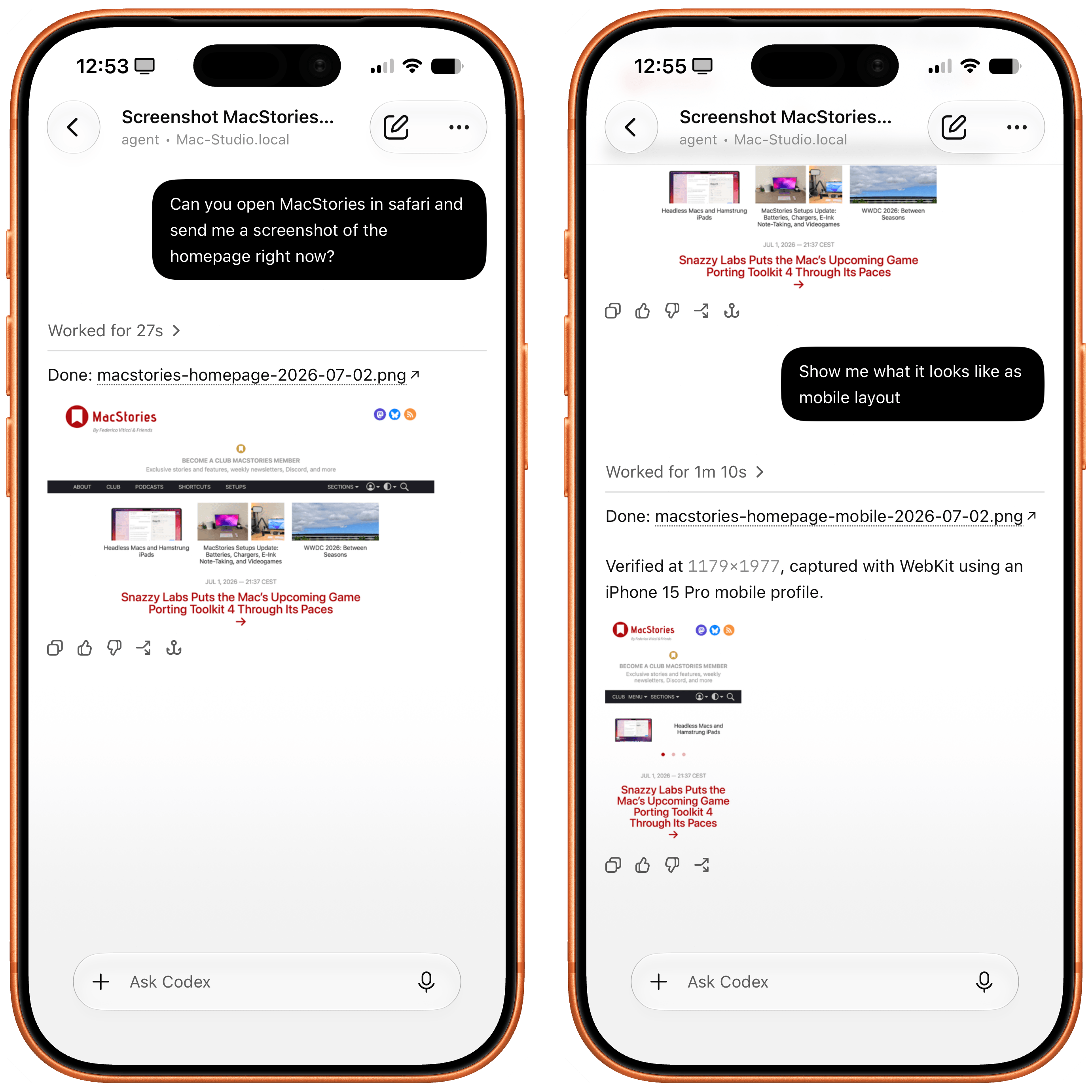
Now, thanks to Safari’s new MCP server, I no longer have to use Chrome on desktop and can return to a unified browser setup across all my devices. Even better: it actually looks like Apple shipped the most ergonomic browser MCP for agents to date. The MCP server has dedicated tools for page extraction (including getting webpages as Markdown, based on WebKit’s own conversion pipeline), evaluating JavaScript, DOM interactions (clicking, scrolling, resizing the viewport for mobile screens, etc.), taking screenshots, and more. I set this up immediately in Codex, and I also asked Codex about comparing Safari’s MCP to its own Chrome extension and the older Playwright. The verdict: although Chrome has a richer API with Chrome Dev Tools when it comes to network requests, Codex actually preferred Apple’s leaner, more direct approach for letting an agent drive and debug a browser.
I’m really happy to see folks at Apple embrace agentic tools: between the new MCP capabilities of Xcode and now this, it looks like Apple’s software (on the Mac, of course) is becoming more and more approachable by people who are working in new ways thanks to agents. Whether you’re a web developer or tinkerer, I highly recommend checking out what Apple has released in Safari Technology Preview. More of this, please.