This Week's Sponsor:

Halide

Unlock Your iPhone Camera


Posts tagged with "sponsorships"

Bear: A Beautiful App for Crafting Notes and Prose [Sponsor]

Bear is a beautiful, award-winning app for crafting notes and prose. It’s simple yet powerful, and flexible enough to be a personal journal, scratchpad, and webpage clippper. You can write a book with Bear, or just keep all those little snippets and files that don’t fit elsewhere. Bear works on iPad, iPhone, Mac and, soon, Apple Watch.

There are a lot of great perks and smart polish in Bear. It fully supports Markdown, uses #tags and nested tags for organization, stores all notes in plain text, has incredibly powerful search operators, and it can handle anything—text, photos, links, tasks, and even files. Bear syntax highlights over 20 coding languages, and exports notes to a variety of formats including PDF, HTML, RTF, and even JPG for sharing on social media.

Bear is free to use. To enable sync across all devices, pick from a wide variety of themes, use all export options, and support future awesomeness coming to Bear, subscribe to Bear Pro. It’s just $1.49 a month, or $14.99 a year (about 15 percent off), and all existing and future Bear Pro features will be unlocked.

Check out the Bear Blog and FAQs with tips and guides on how to get the most out of Bear.

Our thanks to Bear for sponsoring MacStories this week.

Balance Is a Wallet For the World’s Currencies [Sponsor]

We are on the cusp of a financial revolution fueled by crypto-currencies and Balance makes it easy for everyone to get involved. You’ve probably heard of Bitcoin, one of the earliest crypto-currencies, but there are others including Ethereum. Balance connects to the most popular crypto-currency exchanges like Coinbase along with traditional financial institutions bridging the gap between the old financial world and the new one.

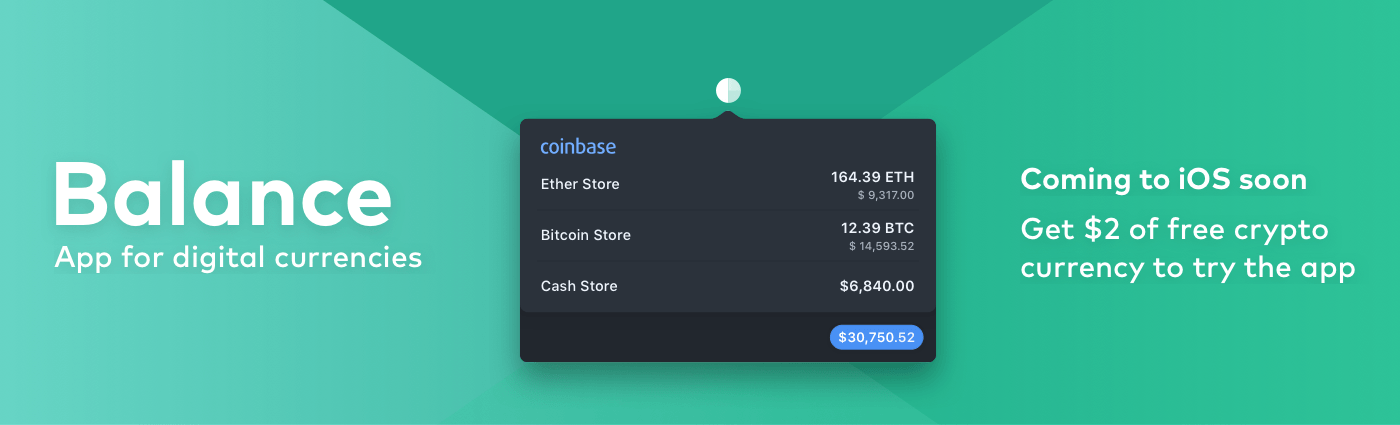
Balance is a menu bar app for macOS that is available on the Mac App Store. The app connects with crypto-currency exchanges as well as traditional bank accounts, investment accounts, credit cards, and online services like PayPal using Plaid, a super-secure platform that works with financial institutions around the world.

When you set up accounts in Balance, the app automatically updates them periodically with new transactions, so you’re always up to date. You can click through the app’s tabs to view balances, transactions, notifications and gain insights about your spending. Soon, Balance will release an iOS version of their app too.

Balance is ready for the future. The current financial system is based on outdated, legacy software. Blockchains are the bedrock of a more secure and open system based on cryptocurrencies, but not many people are using them yet. Balance is poised to change that by becoming a single destination for traditional financial accounts and crypto-currency exchanges.

Balance has a great offer for MacStories readers who want to see what crypto-currencies are all about. Just go to bal.money/macstories and you’ll get $2 worth of Ether in a Coinbase account that you can link to Balance and track with its menu bar app. It’s a great way to see for yourself what the financial world’s future looks like.

Our thanks to Balance for sponsoring MacStories this week.


Balance Is a Wallet For the World’s Currencies [Sponsor]

The world is on the cusp of a financial revolution fueled by crypto-currencies and Balance makes it easy for anyone to get involved. You’ve probably heard of Bitcoin, one of the earliest crypto-currencies, but there are others including Ethereum. Balance connects to the most popular crypto-currency exchanges like Coinbase along with traditional financial institutions bridging the legacy financial world with the future.

Balance is a macOS app that sits in your menu bar and is available on the Mac App Store that connects with crypto-currency exchanges as well as traditional bank accounts, investment accounts, credit cards, and online services like PayPal. It does this using Plaid, a super-secure platform that interfaces with financial institutions around the world.

Once you set up accounts in Balance, the app automatically updates them periodically with new transactions, so you’re always up to date. You can click through its tabs to view balances, transactions, notifications and gain insights about your spending. Soon, Balance will release an iOS version of their app too.

Balance is ready for the future too. The current financial system is based on outdated, legacy software. Blockchains are the bedrock of a more secure and open financial system based on cryptocurrencies, but not many people are using them yet. Balance is poised to change that by becoming a single destination for traditional financial accounts and crypto-currency exchanges.

Balance has a great offer for MacStories readers who want to see what crypto-currencies are all about. Just go to bal.money/macstories and you’ll get $2 worth of Ether in a Coinbase account that you can link to Balance and track with its menu bar app. It’s a great way to see for yourself what the financial world’s future looks like.

Our thanks to Balance for sponsoring MacStories this week.


Make the Most of iOS 11 With Omni’s Apps [Sponsor]

It’s almost iOS 11 time and The Omni Group is ready to go. Right from the start, three of Omni’s apps will take advantage of iOS 11’s advanced productivity features.

Getting things done on iOS has never been easier than with OmniFocus and iOS 11. Now you can drag and drop content to and from OmniFocus and even internally within the app. It’s the best way to share information between OmniFocus and your other apps, or move tasks among your projects or to change due dates by simply dragging tasks to different days in Forecast.

OmniFocus is also adding extensive Siri support. Just ask Siri to ‘add buy milk to my shopping list’ and Siri will drop the task straight into OmniFocus. Siri integration goes even deeper though. It also supports dates and times, location-based tasks, list creation, list display, and task completion.

OmniGraffle and OmniPlan will be ready for iOS 11 too. Both support the Files app so you can open files created with each wherever you have them stored. They support drag and drop too, so you can do things like drag objects to new positions in an OmniGraffle hierarchy and drag content into your Gaant charts in OmniPlan such as calendars and lists.

iOS 11 is full of power user features, especially for the iPad. OmniFocus, OmniGraffle, and OmniPlan were already among the most powerful productivity apps available on the App Store, but by leveraging the new system features of iOS 11, Omni’s apps are unrivaled.

OmniFocus, OmniGraffle, and OmniPlan each feature a 2-week free trial so there’s no reason to wait. Head over to Omni’s website to learn more about how its apps can make you more productive today.

Our thanks to The Omni Group for sponsoring MacStories this week.


Manage Your iPhone Your Way With iMazing [Sponsor]

iMazing is a macOS app that provides unparalleled access to everything on your iOS devices. iMazing works over both WiFi and USB, so it’s ready whenever you are. With it, you can do things like pull your favorite photos or songs off your iPhone or send content the other direction to your favorite media player on your iPhone. It’s a great way to preserve memories too. For example, you can export years of Messages conversations with loved ones with just a couple of clicks.

iMazing is also a sophisticated iOS backup app. You can create advanced backups to any destination you want, including external drives or a NAS, and unlike iTunes, iMazing keeps a history of your backups so you can roll back to any prior backup. You can even automate the process with the recently-released iMazing Mini, a menu bar app for macOS that’s bundled with iMazing and is available for free as a standalone product too.

Backups support encryption and are browsable so you can access the contents of your backups even if your iOS device is lost or stolen. There are also great tools for power users like iOS installation tools, a device console, access to iOS log files, editable backups, and data export to the CSV file format. You have more data on your iOS devices than you might realize and iMazing is the perfect way to access and manage it.

iMazing has an amazing deal just for MacStories readers that you won’t want to pass up. For a limited time, you can get 30% off iMazing 2 at checkout by using this special link.

Our thanks to iMazing for sponsoring MacStories this week.


Ulysses: The Ultimate Writing App for Mac, iPad, and iPhone [Sponsor]

Ulysses is a powerful text editor carefully hidden beneath a distraction-free writing environment. It’s a design that allows you to concentrate on your writing with the confidence that when you need them, Ulysses’ pro-level tools are just a click or tap away.

Ulysses, which won an Apple Design Award in 2016, is available on macOS and iOS and its documents sync via iCloud, so the app and your documents are available whenever and wherever you need them. Ulysses helps you keep track of everything too by organizing your writing into groups comprised of sheets. Each group, which can be nested inside other groups, can be assigned a name and icon and the sheets inside it can be sorted manually, by title, by modification date, or by creation date.

But Ulysses goes even further to help you manage your writing. You can set writing goals and attach notes, keywords, and images to sheets. Then, when you’re looking for something you wrote, you can create filters based on keywords, search terms, and dates that are stored in the sidebar with your groups. When you’re finished, you can export to a bunch of different formats including Markdown, plain-text, HTML, ePub, PDF, and DOCX and easily publish to WordPress blogs and Medium.

Ulysses is a free download on the App Store and Mac App Store. Normally you can try the app for 14 days before deciding whether to subscribe for $4.99 per month or $39.99 per year. Students can subscribe for six months at a time for $10.99. However, Ulysses has a special deal for MacStories readers. Use this link for a full 1-month trial on all your devices.

Our thanks to Ulysses for sponsoring MacStories this week.


Get Your Mac Server Into the Hands of Experts with MacStadium [Sponsor]

MacStadium is the premier Mac hosting company that provides dedicated Mac hardware and private cloud services. They have multiple data centers where your hardware is secure, always available, and supported by a team of Mac experts.

It’s time to get your Mac build infrastructure out of the office closet and into the hands of the experts. MacStadium hosts thousands of Macs for customers all over the world. Some of the biggest companies in the world use them for their iOS build and test servers. With multiple diverse locations, and the ability to scale infinitely, it’s the Mac hosting that AWS doesn’t offer.

MacStories runs on a Mac mini at MacStadium (and before they were bought by MacStadium in 2016, at Macminicolo). It’s a setup we’ve used for years and it’s always been fast and reliable.

The folks at MacStadium are running a special promotion for MacStories readers. You can trial a Mac mini server in their data center for a full month at no cost. Just sign up to rent a Mac mini using coupon code “MACSTORIES” and you’ll be all set.

You can check out the details here.

Our thanks to MacStadium for sponsoring MacStories this week.


1Blocker: Make Safari Browsing Fast, Safe, and Productive [Sponsor]

Advertising and trackers have gotten out of hand on many sites. Pages load slowly wasting your time, draining your battery, and using up your mobile data. Even worse, ads sometimes serve up malware to unsuspecting users. To take back control, you need 1Blocker.

1Blocker fights back by putting fine-grained controls in the hands of its users. The app has rules that block tens of thousands of common ads, trackers, social buttons, and other junk. The ad blocking category alone includes over 40,000 rules. On top of that, there are eight other categories with thousands of additional rules that will make you more productive online by reducing distractions. In the unlikely event that 1Blocker doesn’t have a rule you need, you can add your own too.

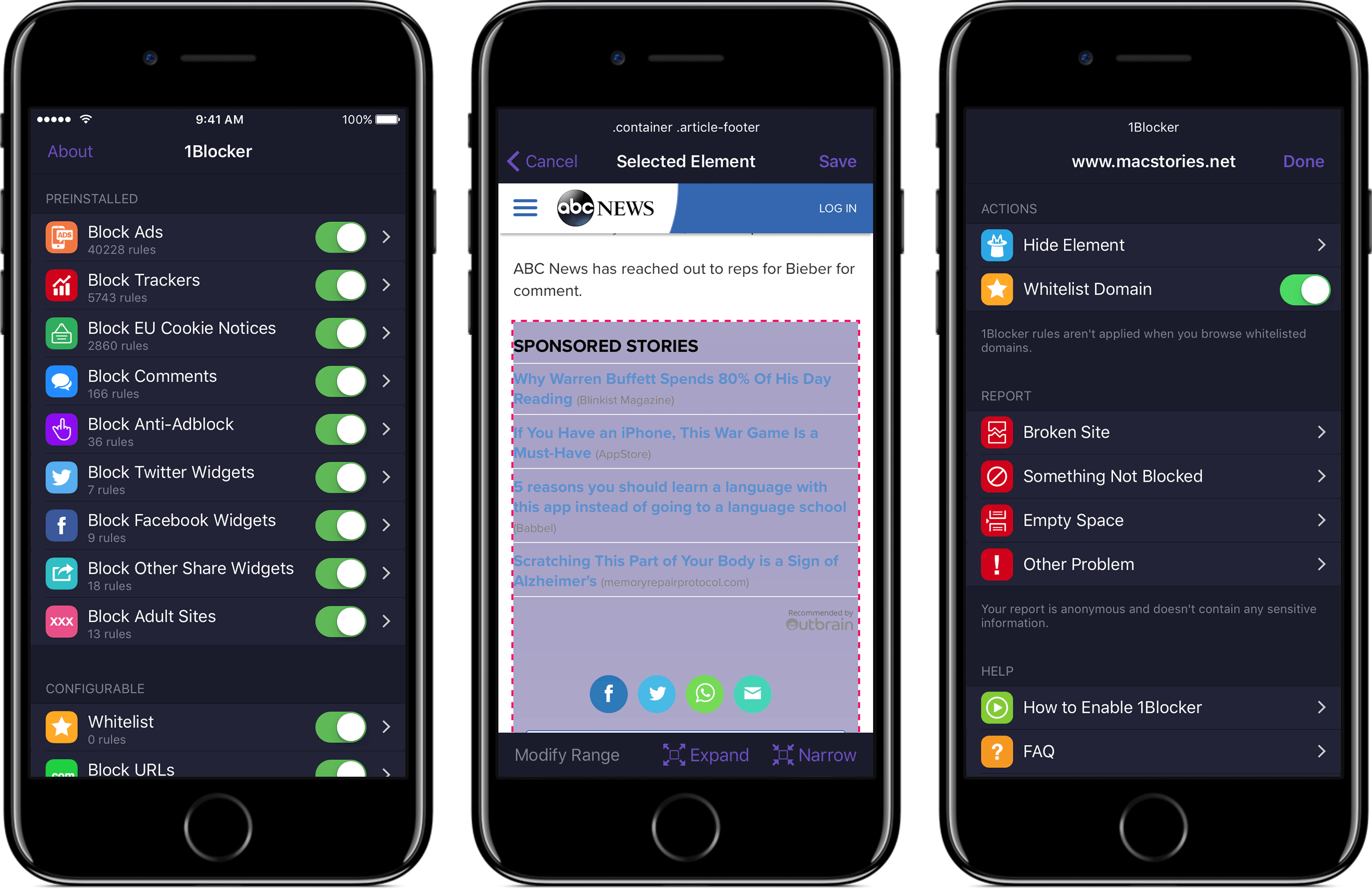
You can even hide individual elements on a webpage with 1Blocker’s powerful action extension on iOS. All you have to do is invoke the extension, tap what you want to hide, and then save. It’s incredibly simple and effective for page elements that aren’t already blocked by 1Blocker’s extensive built-in rules.

1Blocker is available on macOS too and syncs with the iOS version via iCloud to keep your blocking rules up-to-date across both platforms. Head on over to 1Blocker’s website for more information about how it can make your browsing better.

Our thanks to 1Blocker for sponsoring MacStories this week.


Mailbutler - To Increase Your Email Productivity [Sponsor]

No one has ever said ‘I want to spend more time on my email.’ Staying on top of important messages is critical, but managing your inbox can quickly become an unproductive time sink. Mailbutler is a productivity tool that supercharges your email client so you can get through your email messages quickly and efficiently.

Just because you are catching up on email messages at 1:00 AM doesn’t mean you want your message to hit someone’s inbox at that hour. With Mailbutler, you can schedule your emails to be sent during normal working hours and then track whether the recipient opened your message. Mailbutler also helps you put your best foot forward with beautifully-designed, professional message templates and signature management.

Mailbutler is just as effective at managing messages you receive. When you need to focus on your work, you can pause your inbox until you are ready to deal with it. Mailbutler also makes unsubscribing from unwanted email much faster than hunting for that tiny ‘unsubscribe’ link buried at the bottom of a message. As you process messages, Mailbutler can even turn them into tasks or Evernote or OneNote notes, which is a more effective way to handle actionable and reference items than letting them sit in your inbox.

Everyone could use help with email. Mailbutler has already conquered Apple Mail and is working on even more tools to help you tame your inbox. Try Mailbutler for free today.

Our thanks to Mailbutler for sponsoring MacStories this week.