Posts tagged with "game"

Flappy Bird Clone Made with Pythonista On iOS


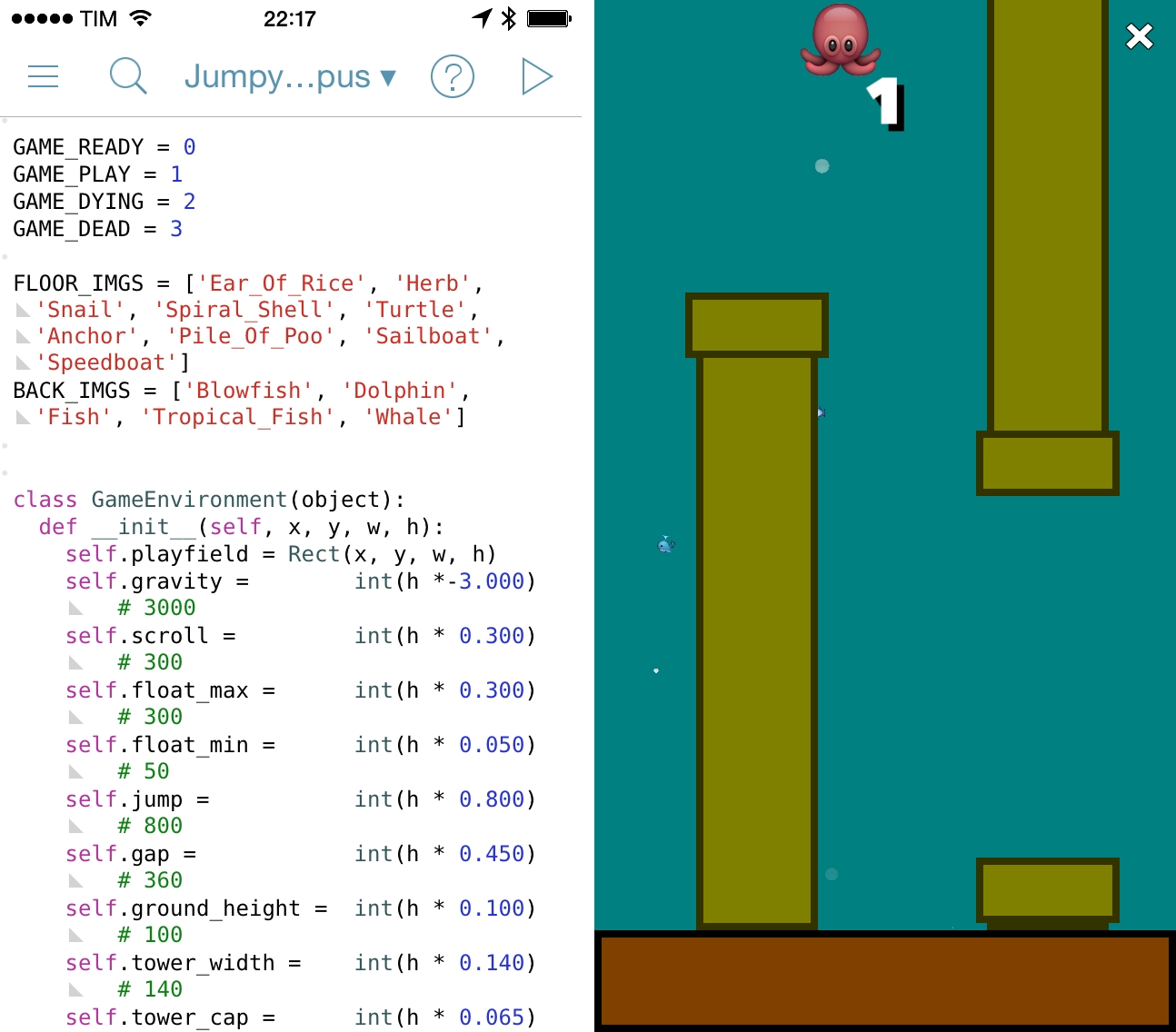
Following the unfortunate demise of Flappy Bird, hundreds of developers are rushing to release clones of the game on the App Store. Over at the Pythonista forums, however, user “bashedcrab” has created a working clone of Flappy Bird called “Jumpy Octopus”, made entirely with Pythonista (pictured above).

This started out as a Flappy Bird clone (can be done in under 100 lines of Pythonista), but I let my son do a bit of a redesign. He decided an underwater setting involving an Octopus was much more enjoyable.

The game play and physics are tuned to replicate the original Flappy Bird as closely as possible, so it is hard! If you want to make it a bit more fun for young kids, make the gap larger (Default is 360. 450 is much easier but still a challenge for young kids).

The game is available as a Python script here, which can be copied in a new file in Pythonista and run to play the game. Jumpy Octopus has sounds, keeps tracks of high scores, and uses iOS emojis as characters for the underwater setting. Of all the Flappy Bird clones that are coming out, this is an impressive open-source implementation based on Pythonista’s game creation features.

Permalink

Eric Pramono’s Tips for Threes

If you’ve been trying to get high scores in Threes, you’ll want to check out Eric Pramono’s tips and explanation of the point system.

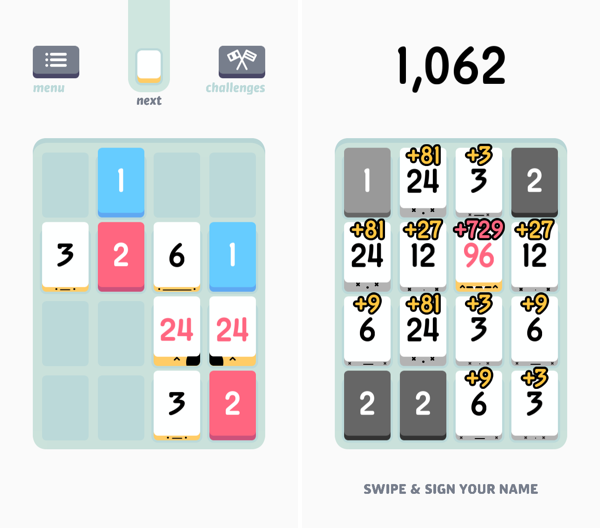
The game score is determined by the numbers and types of tiles you have at the end of the game. Each white tile is worth three times the score of its previous number, for example the 768 tile is worth 19,683 points whereas the 384 tile is only worth 6,561 points.

Fair warning: this may require an even larger investment of your time to play Threes, which is a great game.

Permalink

Threes: A Game of Multiples

Threes is a game of multiples. It’s a game of combining pairs of numbers to make even bigger numbers. It plays on idea of a sliding puzzle, except the board becomes more populated the longer you play. A new piece falls onto the board after every slide, until the board is completely populated. The end goal is to end up with a board full of large numbers, hopefully in the greater double digits, and maybe even a triple, for a high score.

You play on a 4 x 4 grid, shaped like mahjong pieces, where you slide pieces up, down, left, and right. The game doesn’t really start until you begin combining your blue ones and red twos to create threes. Threes combine to make sixes, which combine to make twelves, etc. Every time you combine two numbers, the result doubles. Only multiples of three count towards your end score, thus the name of the game.

While Threes is largely a game about numbers, there’s lots of little touches in the game, including an unintended achievement system, where creating bigger multiples of three unlocks new personalities. Each multiple of three has a different face, and they’ll smile at each other if they can combine. Threes maintains a history of your previous scores, and includes a toggle to reduce animation frame-rate to save battery life if you’re out and about.

If you love games like Letterpress and Dots, you’ll love Threes. It’s easy to grasp and hard to master. It’s classy.

Threes is $1.99 on the App Store.


Hoplite: A Mini Dungeon Turn-Based Strategy Game for iPhone and iPad

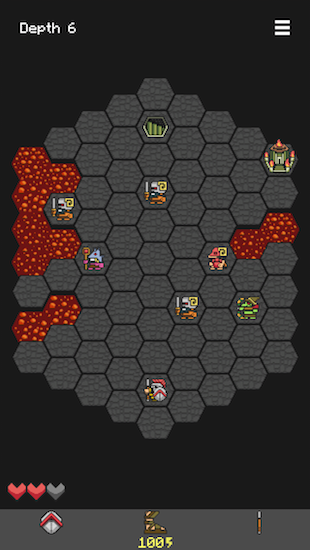
Each step feels more perilous than the last. As you dash over a pool of lava, you lunge to slay a demon archer, cornered and unprepared for the daring attack. Looking ahead it seems all but impossible to make the last jump, as demon footmen move to block the exit. Throwing your spear, you impale the dark beast, only to be greeted by a bomb that lands behind your feet. You bash away the bomb with your shield, taking out another demon as it explodes at a distance. Leaping across the last chasm, a lapse in judgement leaves you directly in the crosshairs of a second archer, who fires an arrow directly into your exposed side as you land.

And thus ends the quest for the Fleece.

This is Hoplite, where a pair of sandals, a trusty spear, sturdy shield, and three hearts are all that protect you from hordes of demons in the Underworld. Your quest is to recover the Fleece and make it out alive, but the journey is treacherous.

Read more


Rymdkapsel Now on Mac and PC

There aren’t too many games that get my attention, but rymdkapsel was one of them. It was the right kind of addicting eerie fortress defense meets Tetris meets what-are-these-monoliths that brought something unique and different to the touchscreen. The game’s back, now available on Mac, PC, Linux, through Steam or the rymdkapsel page.

The desktop edition of the game includes new game modes: Plus mode features four new mysterious monoliths to unlock, and Zen mode removes the invading space aliens from the game for a meditative experience.

A special Monolith edition of the game is exclusively available from the developer, and includes DRM free versions of the game for all desktop platforms, a Steam code, the original Android version of the game, a complete 45 minute soundtrack, ringtones, and a bonus game for the PC (Windows) version.

Rymdkapsel is available for $7.99 through the Humble Store and on Steam. The Monolith edition of the game is $11.99 and exclusively available on the Humble Store. You can also get the soundtrack separately on Bandcamp for €4.


Stockfish For Mac with Chess Analysis

Developed by Daylen Yang, Stockfish is a free and open-source chess app for Mac based on the Stockfish chess engine.

The app does a couple of interesting things: it’s Retina-ready and it can go full-screen, so you’ll enjoy a chess game on your MacBook Pro’s display without distractions. It supports two-player games and it’s got exporting capabilities and keyboard shortcuts. But more importantly, it comes with advanced chess analysis that lets the computer tell you who’s winning and calculate the best move. I’m fascinated by the technological premise: the app can let you choose to optimize analysis for maximum performance so that more cores will be used to compute chess analyses; even the amount of memory to use can be adjusted. It should be pretty impressive on a new Mac Pro.

Stockfish is free on the Mac App Store and open-source. The Stockfish engine is available here.

Permalink

The Evolution Of Simogo

From Lee Bradley’s profile of Simogo at Eurogamer:

Go back a decade, however, and the art, design and audio half of Simogo wasn’t even interested in making games. In the early 2000s, while working as an animator on movies and commercials, Simon Flesser felt that games were in a pretty uninteresting place. Then, in 2004, the Nintendo DS arrived with its touch-sensitive screen and a new set of inputs. His imagination was lit.

I loved Year Walk last year, but I still haven’t played DEVICE 6. I remember how different Another Code felt to me when it came out in 2005, and Simogo’s games have the same effect – they are uniquely designed for a platform and a multitouch screen, rather than just tweaked for them.

Permalink

Inside Apple’s MFi Game Controller Program

Great piece by Jordan Kahn on iOS 7 game controllers:

The launch for the first few controllers to hit the market was rushed, developers are disappointed and still trying to catch up, and manufacturers are limited in pricing, features, and quality due to Apple’s MFi program requirements. What does Apple have to do to overcome a rocky start to its game controller program which is supposed to control quality? And how are manufacturers limited by Apple in building better controllers at a fair price? We’ve dug into Apple’s MFi program and talked to developers and companies building the controllers to find out.

According to Kahn’s story, Apple rushed game controllers to market with dev kits that were made available to developers a month before public availability. There are several other issues of device fragmentation (why couldn’t Apple pick one controller spec instead of two?) and supplier requirements that suggest game controllers have been an afterthought for Apple thus far.

I had moderate hope for game controllers, but the launch has been disappointing. As I wrote in June:

Will Apple ever develop a culture and appreciation for gaming as a medium, not just an App Store category? While others (namely Microsoft) are trying to add more media and entertainment layers on top of existing game infrastructures, Apple is in the opposite situation — running the largest media store and selling devices that are increasingly used as gaming machines, but that still lack the catalog and support of dedicated home consoles.

Does Apple understand gaming? As a platform provider, do they need to?

Read the details in Kahn’s piece, and compare it to the development of a controller from a company that knows gaming – Valve. Apple sees iOS 7 game controllers as accessories and not an integral part of the experience, which, in a way, may be for the best after all.

Permalink

You Don’t Need Buttons to Game on an iPhone

Ben Kuchera of Polygon puts into words what I’ve been trying to say all along.

From Draw Something to Angry Birds, Fruit Ninja to Cut the Rope, the biggest names in mobile gaming got that way because they used the touchscreen in novel ways. The lack of physical buttons isn’t a hindrance to game design, it’s a feature that smart developers have been using to their benefit for years. The developer of Ridiculous Fishing, a game which won an Apple Design award for 2013, didn’t worry about not being able to use buttons; they created a game that used the hardware in fun ways.

Permalink