
As usual, the iFixit team flew to Australia to get a new Apple device before anyone else and tear it down in just a few hours. Based on their conclusions, it doesn’t sound like offering upgradeable components for a second generation model would be possible. Also, iFixit made some interesting discoveries about the heart rate sensor and the Digital Crown.
Posts tagged with "apple watch"
iFixit Tears Down the Apple Watch→
Apple Debuts New Apple Watch Ads: ‘Rise’, ‘Up’, and ‘Us’

With the Apple Watch launching publicly to customers in nine countries today, the company has debuted three new ads aimed at showcasing the device’s features for notifications and timekeeping, health and fitness, and communication between users.
NightStand for Apple Watch→
Cool-looking upcoming Apple Watch dock by ElevationLab:
NightStand makes daily charging a breeze. Just set your watch on, from out of the corner of your eye, no careful alignment required. Locks to your bedside table so you never have to hunt for the cord. Undocking is one-handed. Solid, soft, seamless construction. Low-profile, minimal design.
It would have been nice if Apple included a charging dock with every Apple Watch. I’m intrigued by the NightStand because of how it can be placed vertically anywhere:
Optionally mounts vertically. NightStand ships with an ultra-strong, optional to use, custom 3M adhesive back (the same adhesive GoPro and our highly-rated Anchor headphone mount uses). Mount NightStand safely to the side of your bed frame, stealthily behind your headboard, on your wall anywhere. If you ever have trouble removing it, just heat it with a hair dryer to soften the adhesive.
$29, ships May 29th.
Apple Watch App Store Going Live Today
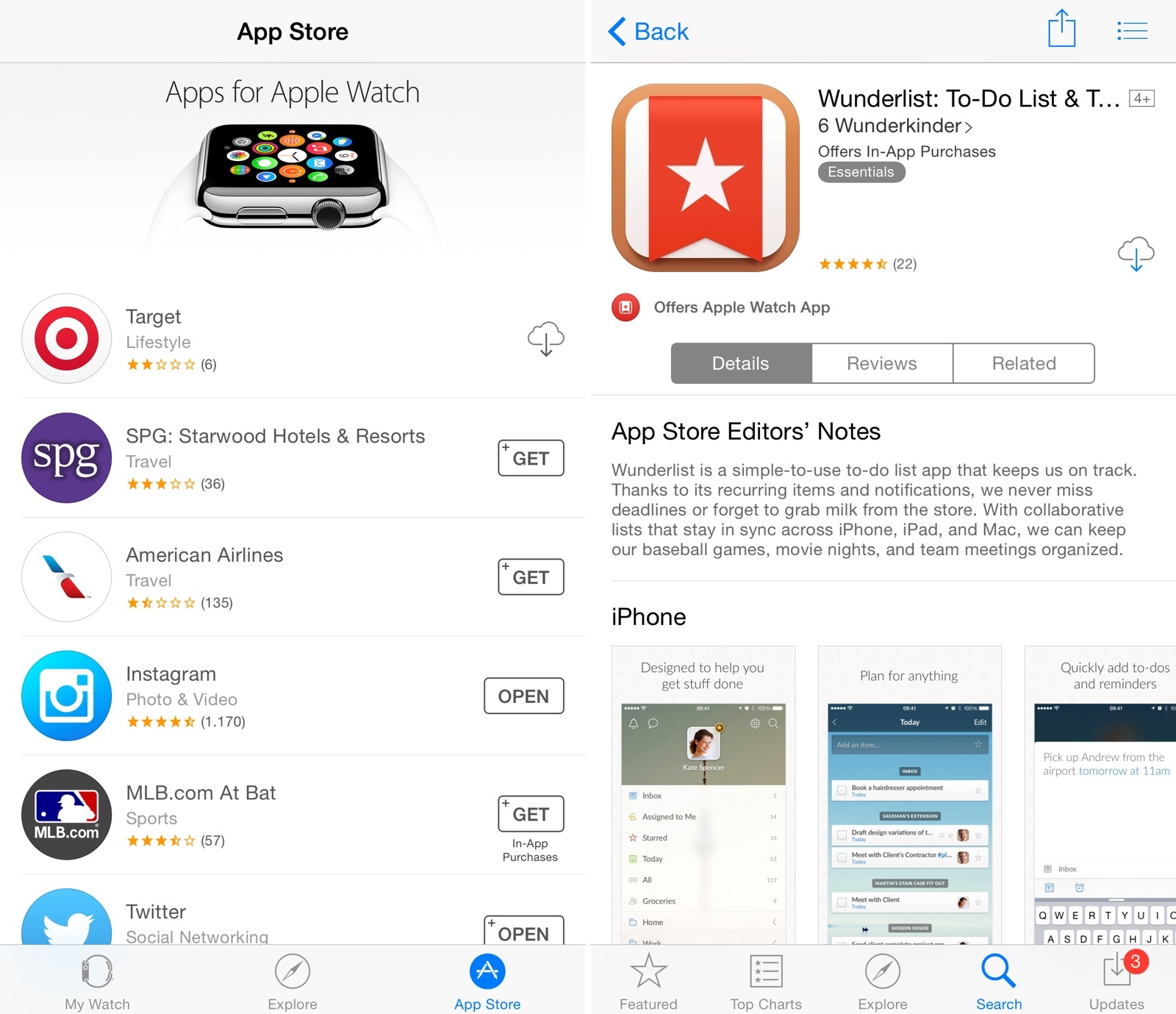
Apple has begun opening the doors to the Apple Watch App Store, featuring iPhone apps that have been updated with Watch compatibility. According to BuzzFeed, more than 3000 Watch apps have been approved by Apple, and all of them will be available in the App Store section of the Apple Watch app for iPhone today.
In a screenshot shared by Buzzfeed, it appears that the App Store for Apple Watch will feature curated sections for categories such as Healthy Living, Games, and more. However, at the moment the Apple Watch app is only displaying a list of recommended apps by Apple, which include Twitter, Things, Wunderlist, Uber, Evernote, and Instagram. Apple is also promoting two games – Rules and Trivia Crack, both updated with Apple Watch support. A full refresh of the App Store for Apple Watch with more sections and lists is expected to go live later today.
In the meantime, Apple has also updated the App Store for iPhone with new badges to indicate whether an app offers Apple Watch compatibility. In search results and app descriptions, you’ll now see a badge with the app’s Apple Watch icon, as well as screenshots of the Apple Watch version underneath regular iPhone screenshots.
The new badge is also available on the App Store for iPad, with a label that says “Offers Apple Watch App for iPhone”. Currently, screenshots of Apple Watch apps are not available on the iPad App Store.
Apple Posts Apple Watch User Guide, Full Set of Guided Tours→
Ahead of tomorrow’s public launch, Apple has posted their official Apple Watch User Guide today, which can be found here. The guide covers the basics of Apple Watch, default apps by Apple, and more.
Also, the company has uploaded the full set of Guided Tours for Apple Watch, including the last videos for Apple Pay, Activity, and Workout. You can find them in Apple’s YouTube playlist here.
djay Comes to Apple Watch, Mac App Gains Video Mixing
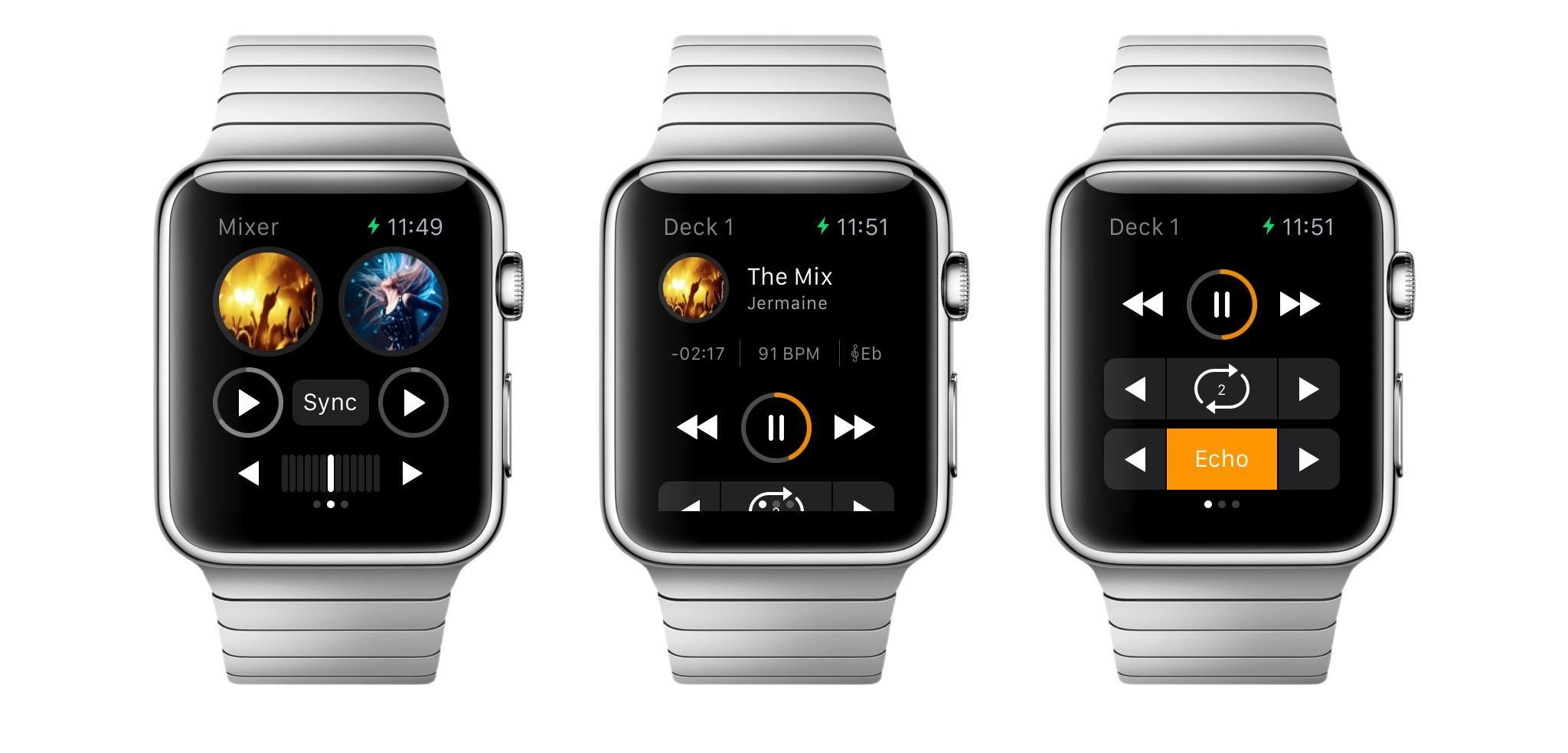
Popular DJ app djay (which I covered numerous times on MacStories in the past) has announced today an Apple Watch counterpart that will bring a slimmed down interface with controls and music selection to the wrist.
On Apple Watch, djay will allow users to import tracks stored in the iPhone’s Music app, automix songs from a connected Spotify account, and even apply effects and loops with a simplified UI and a subset of the controls available in the iPhone app.
Jony Ive on Apple Watch, Working with Marc Newson→
Vogue’s Scarlett Kilcooley-O’Halloran, quoting Jony Ive from today’s Condé Nast International Luxury Conference in Florence, Italy:
“I think that we’re on a path that Apple was determined to be on since the Seventies, which was to try and make technology relevant and personal. If people struggle to use the technology then we have failed,” said Ive. “The consequences of that path? I don’t know. Sadly so much of our manufactured environment testifies to carelessness - something that was built to a price point or a schedule. The products that we have developed describe who made them. I hope that people will like the watch and find it a beautiful item.”
Screenshots of First Apple Watch Apps
Developer Steven Troughton-Smith has created a tool to fetch screenshots of Apple Watch apps from the still-unavailable App Store for Apple Watch. Today, he tweeted some of the most interesting discoveries and updated apps.
Apple Details Apple Watch Heart Rate Sensor→
New to me, via 9to5Mac this morning, a support document by Apple detailing how exactly the heart rate sensor in the Apple Watch measures a wearer’s heartbeat:
The heart rate sensor in Apple Watch uses what is known as photoplethysmography. This technology, while difficult to pronounce, is based on a very simple fact: Blood is red because it reflects red light and absorbs green light. Apple Watch uses green LED lights paired with light‑sensitive photodiodes to detect the amount of blood flowing through your wrist at any given moment. When your heart beats, the blood flow in your wrist — and the green light absorption — is greater. Between beats, it’s less. By flashing its LED lights hundreds of times per second, Apple Watch can calculate the number of times the heart beats each minute — your heart rate.
The document also explains other conditions and factors that may influence the sensor:
Many factors can affect the performance of the Apple Watch heart rate sensor. Skin perfusion is one. A fancy way of describing how much blood flows through your skin, skin perfusion varies significantly from person to person and can also be impacted by the environment. If you’re exercising in the cold, for example, the skin perfusion in your wrist may be too low for the heart rate sensor to get a reading. Motion is another factor. Rhythmic movements, such as running or cycling, give better results compared to irregular movements, like tennis or boxing.