This Week's Sponsor:

Copilot Money

Copilot Money, The Best Money Tracker, Launches on the Web – Limited-Time: Get 26% Off + 2 Months Free


Posts tagged with "ai experiments"

On MiniMax M2 and LLMs with Interleaved Thinking Steps

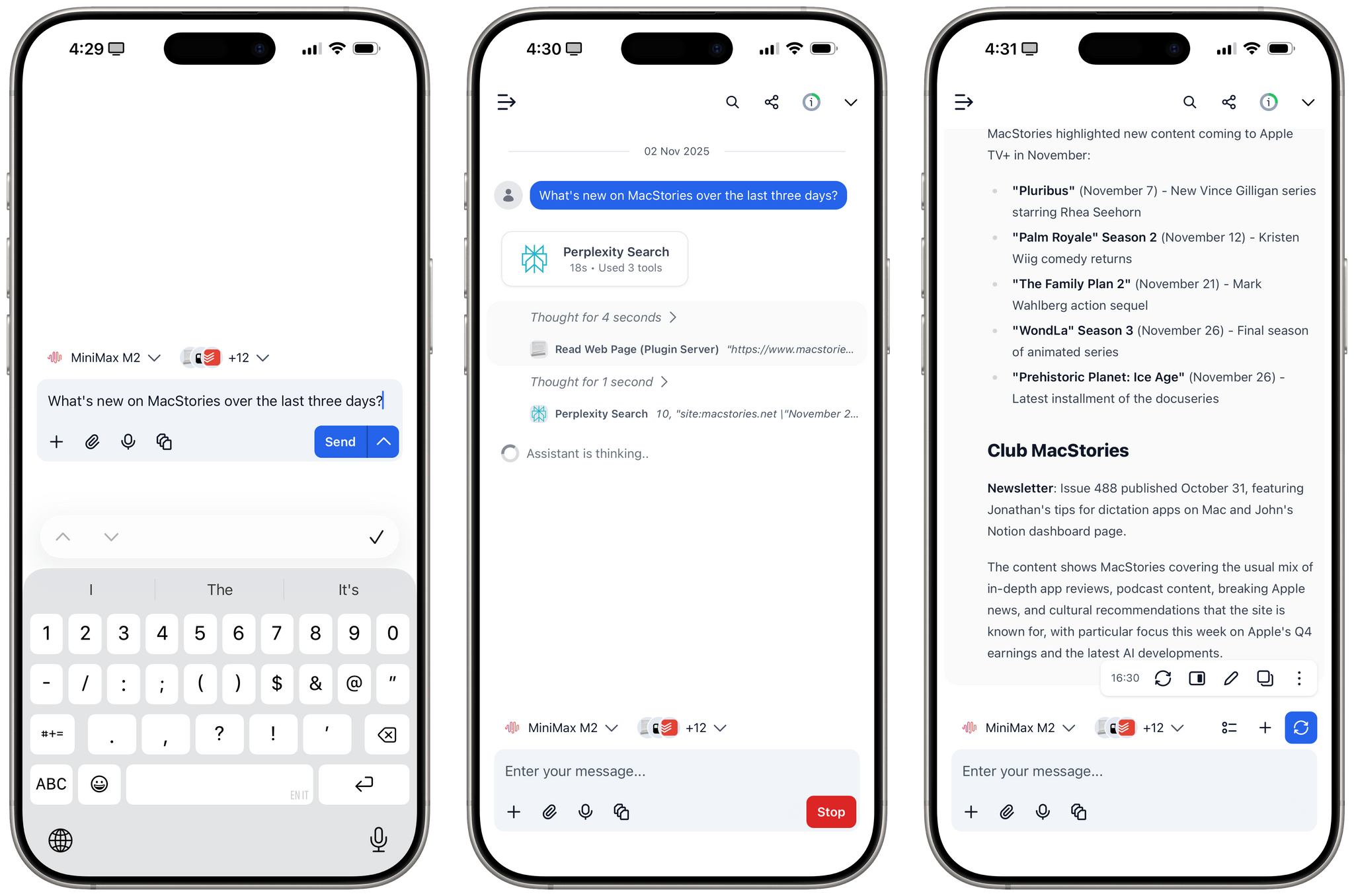
MiniMax M2 with interleaved thinking steps and tools in TypingMind.

MiniMax M2 with interleaved thinking steps and tools in TypingMind.

In addition to Kimi K2 (which I recently wrote about here) and GLM-4.6 (which will become an option on Cerebras in a few days, when I’ll play around with it), one of the more interesting open-source LLM releases out of China lately is MiniMax M2. This MoE model (230B parameters, 10B activated at any given time) claims to reach 90% of the performance of Sonnet 4.5…at 8% the cost. You can read more about the model here; Simon Willison blogged about it here; you can also test it with MLX on an Apple silicon Mac.

What I find especially interesting about M2 is that it’s the first model to support interleaved thinking steps in between responses and tool calls, which is something that Anthropic pioneered with Claude Sonnet 4 back in May. Here’s Skyler Miao, head of engineering at MiniMax, in a post on X (unfortunately, most of the open-source AI community is only active there):

As we work more closely with partners, we’ve been surprised how poorly community support interleaved thinking, which is crucial for long, complex agentic tasks. Sonnet 4 introduced it 5 months ago, but adoption is still limited.

We think it’s one of the most important features for agentic models: it makes great use of test-time compute.

The model can reason after each tool call, especially when tool outputs are unexpected. That’s often the hardest part of agentic jobs: you can’t predict what the env returns. With interleaved thinking, the model could reason after get tool outputs, and try to find out a better solution.

We’re now working with partners to enable interleaved thinking in M2 — and hopefully across all capable models.

I’ve been using Claude as my main “production” LLM for the past few months and, as I’ve shared before, I consider the fact that both Sonnet and Haiku think between steps an essential aspect of their agentic nature and integration with third-party apps.

That being said, I have been testing MiniMax M2 on TypingMind in addition to Kimi K2 for the past week and it is, indeed, impressive. I plugged MiniMax M2 into TypingMind using their Anthropic-compatible endpoint; out of the box, the model worked with interleaved thinking and the several plugins I’ve built for myself in TypingMind using Claude. I haven’t used M2 for any vibe-coding tasks yet, but for other research or tool-based queries (like adding notes to Notion and tasks to Todoist), M2 effectively felt like a version of Sonnet not made by Anthropic.

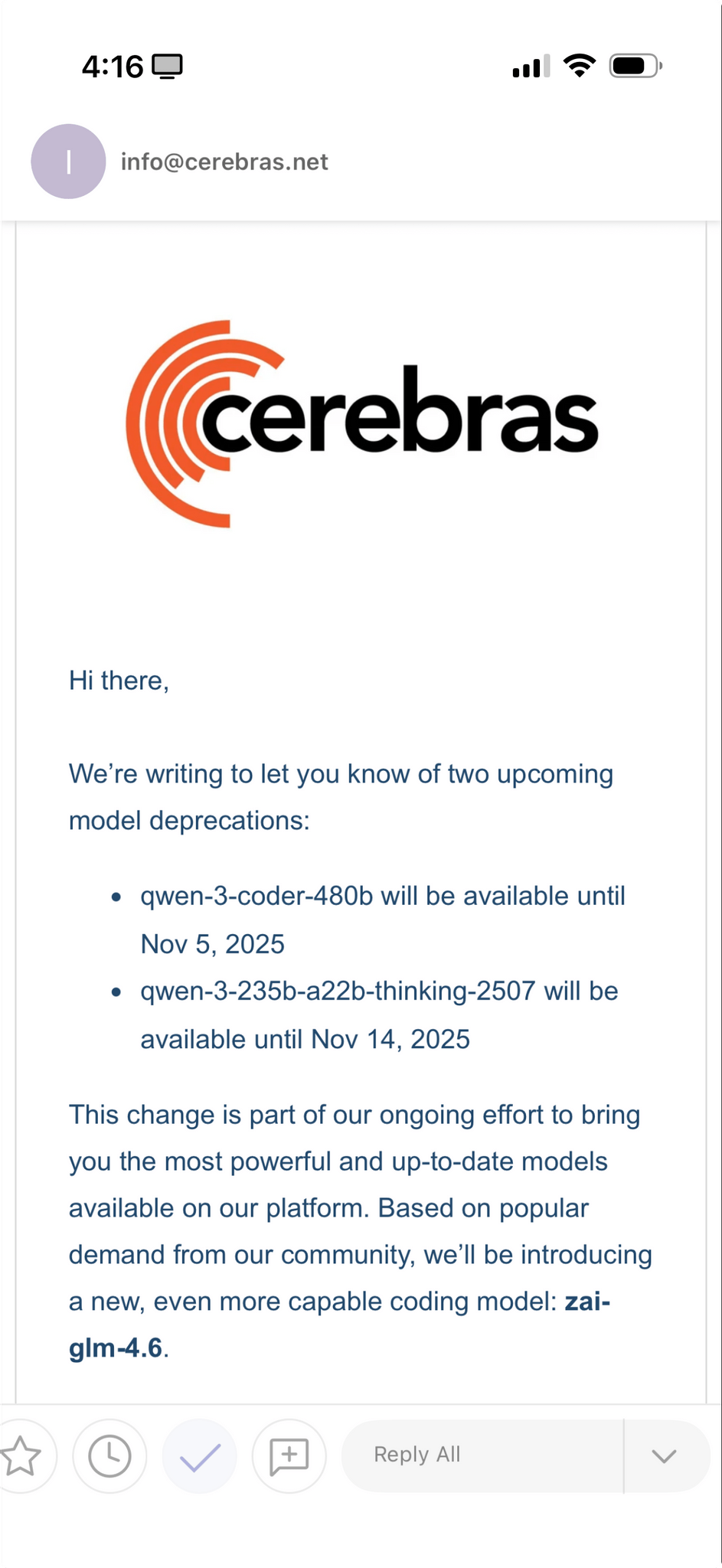
Right now, MiniMax M2 isn’t hosted on any of the fast inference providers; I’ve accessed it via the official MiniMax API endpoint, whose inference speed isn’t that different from Anthropic’s cloud. The possibility of MiniMax M2 on Cerebras or Groq is extremely fascinating, and I hope it’s in the cards for the near future.


AI Experiments: Fast Inference with Groq and Third-Party Tools with Kimi K2 in TypingMind

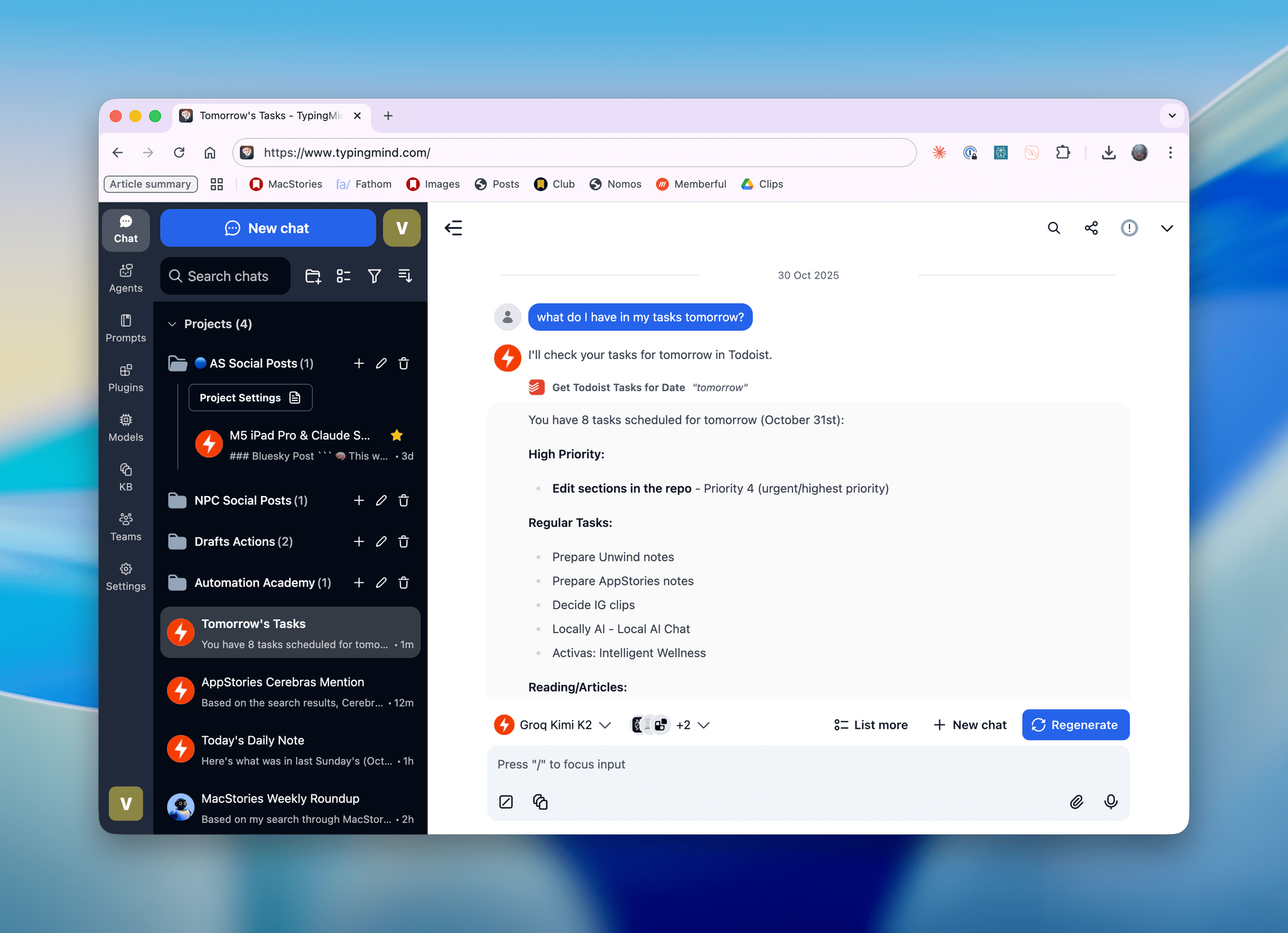
Kimi K2, hosted on Groq, running in TypingMind with a custom plugin I made.

Kimi K2, hosted on Groq, running in TypingMind with a custom plugin I made.

I’ll talk about this more in depth in Monday’s episode of AppStories (if you’re a Plus subscriber, it’ll be out on Sunday), but I wanted to post a quick note on the site to show off what I’ve been experimenting with this week. I started playing around with TypingMind, a web-based wrapper for all kinds of LLMs (from any provider you want to use), and, in the process, I’ve ended up recreating parts of my Claude setup with third-party apps…at a much, much higher speed. Here, let me show you with a video:

Kimi K2 hosted on Groq on the left.Replay

Read more


Testing DeepSeek R1-0528 on the M3 Ultra Mac Studio and Installing Local GGUF Models with Ollama on macOS

DeepSeek released an updated version of their popular R1 reasoning model (version 0528) with – according to the company – increased benchmark performance, reduced hallucinations, and native support for function calling and JSON output. Early tests from Artificial Analysis report a nice bump in performance, putting it behind OpenAI’s o3 and o4-mini-high in their Intelligence Index benchmarks. The model is available in the official DeepSeek API, and open weights have been distributed on Hugging Face. I downloaded different quantized versions of the full model on my M3 Ultra Mac Studio, and here are some notes on how it went.

Read more


Notes on Early Mac Studio AI Benchmarks with Qwen3-235B-A22B and Qwen2.5-VL-72B

I received a top-of-the-line Mac Studio (M3 Ultra, 512 GB of RAM, 8 TB of storage) on loan from Apple last week, and I thought I’d use this opportunity to revive something I’ve been mulling over for some time: more short-form blogging on MacStories in the form of brief “notes” with a dedicated Notes category on the site. Expect more of these “low-pressure”, quick posts in the future.

I’ve been sent this Mac Studio as part of my ongoing experiments with assistive AI and automation, and one of the things I plan to do over the coming weeks and months is playing around with local LLMs that tap into the power of Apple Silicon and the incredible performance headroom afforded by the M3 Ultra and this computer’s specs. I have a lot to learn when it comes to local AI (my shortcuts and experiments so far have focused on cloud models and the Shortcuts app combined with the LLM CLI), but since I had to start somewhere, I downloaded LM Studio and Ollama, installed the llm-ollama plugin, and began experimenting with open-weights models (served from Hugging Face as well as the Ollama library) both in the GGUF format and Apple’s own MLX framework.

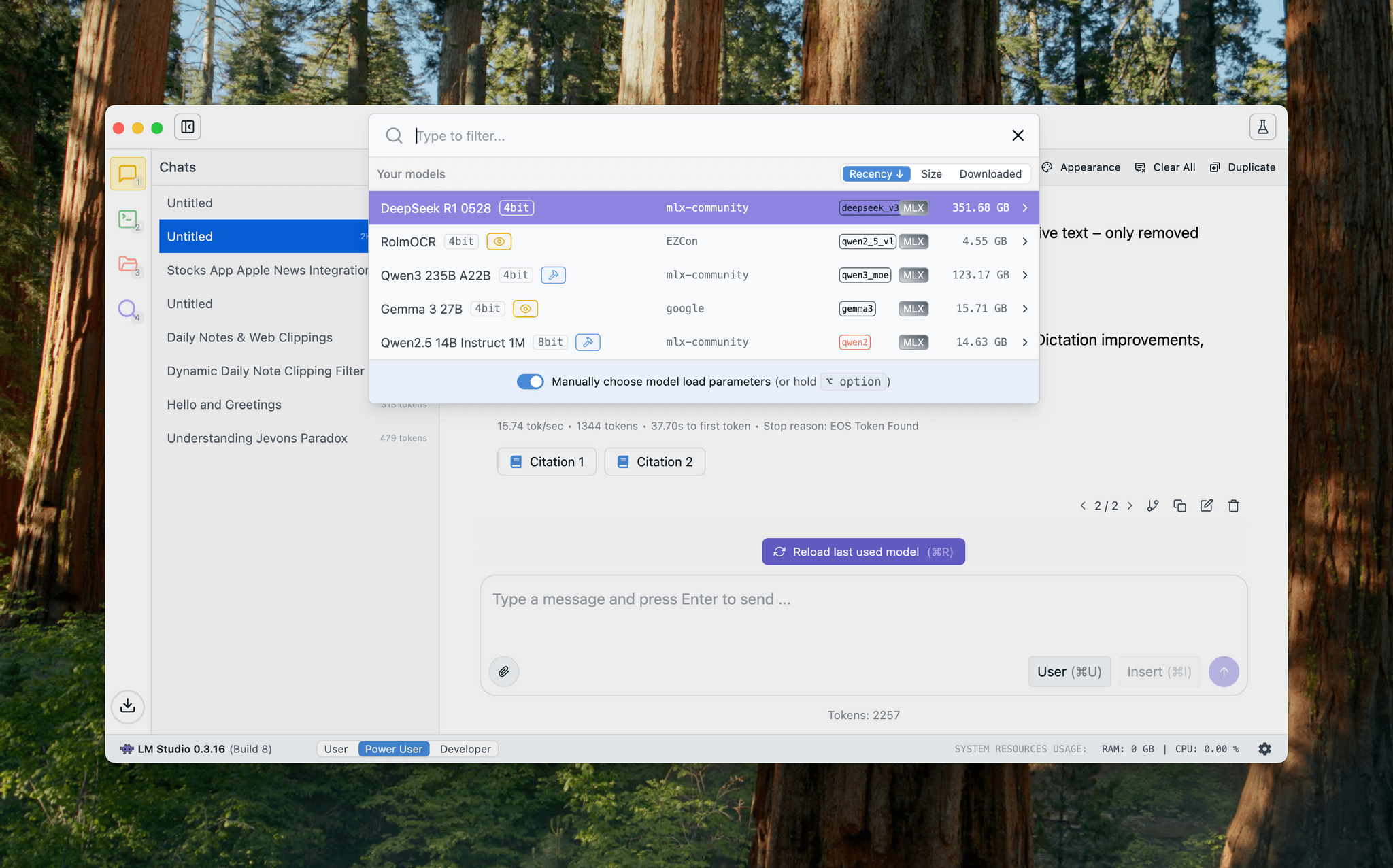
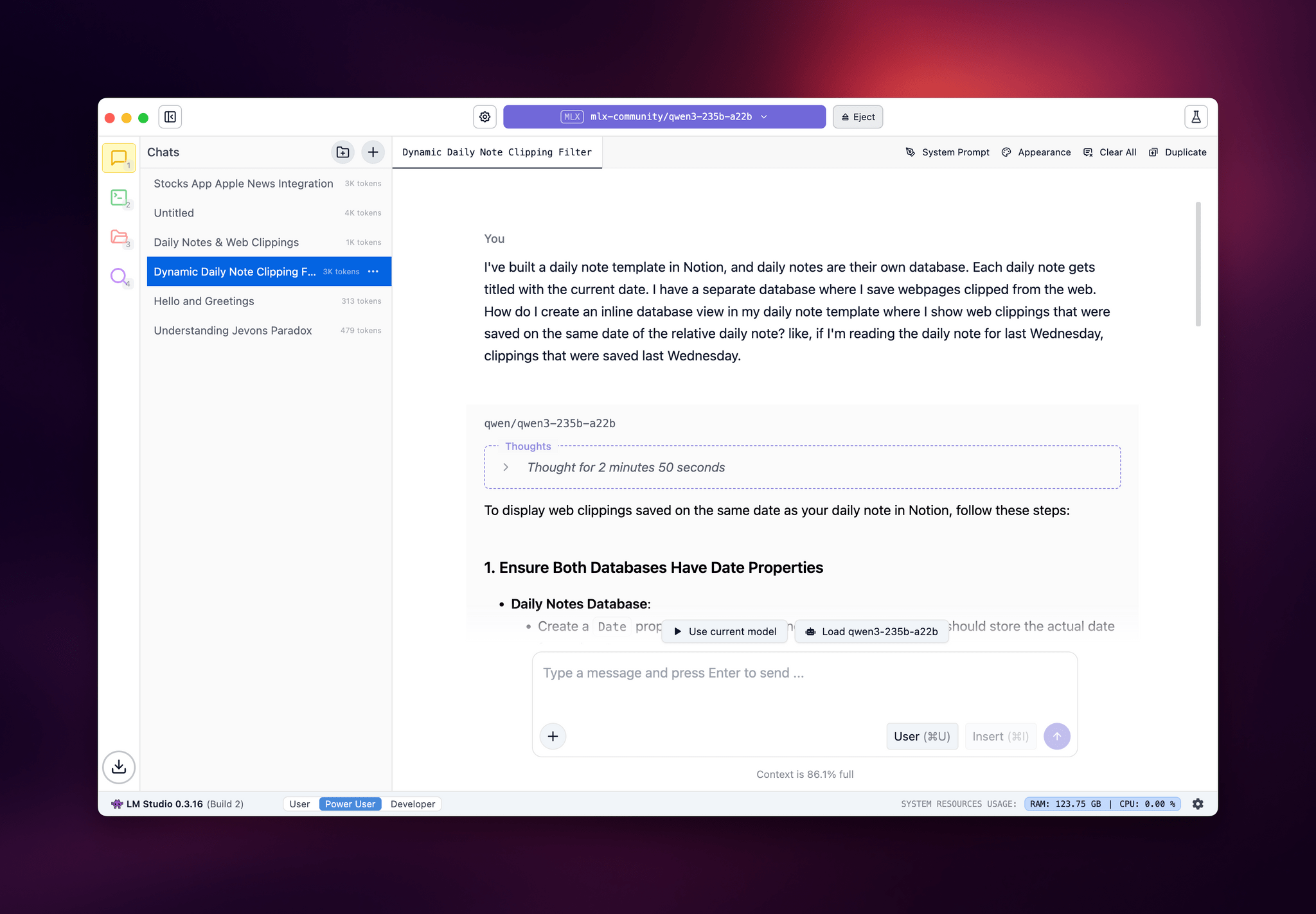
LM Studio.

LM Studio.

I posted some of these early tests on Bluesky. I ran the massive Qwen3-235B-A22B model (a Mixture-of-Experts model with 235 billion parameters, 22 billion of which activated at once) with both GGUF and MLX using the beta version of the LM Studio app, and these were the results:

  • GGUF: 16 tokens/second, ~133 GB of RAM used
  • MLX: 24 tok/sec, ~124 GB RAM

As you can see from these first benchmarks (both based on the 4-bit quant of Qwen3-235B-A22B), the Apple Silicon-optimized version of the model resulted in better performance both for token generation and memory usage. Regardless of the version, the Mac Studio absolutely didn’t care and I could barely hear the fans going.

I also wanted to play around with the new generation of vision models (VLMs) to test modern OCR capabilities of these models. One of the tasks that has become kind of a personal AI eval for me lately is taking a long screenshot of a shortcut from the Shortcuts app (using CleanShot’s scrolling captures) and feed it either as a full-res PNG or PDF to an LLM. As I shared before, due to image compression, the vast majority of cloud LLMs either fail to accept the image as input or compresses the image so much that graphical artifacts lead to severe hallucinations in the text analysis of the image. Only o4-mini-high – thanks to its more agentic capabilities and tool-calling – was able to produce a decent output; even then, that was only possible because o4-mini-high decided to slice the image in multiple parts and iterate through each one with discrete pytesseract calls. The task took almost seven minutes to run in ChatGPT.

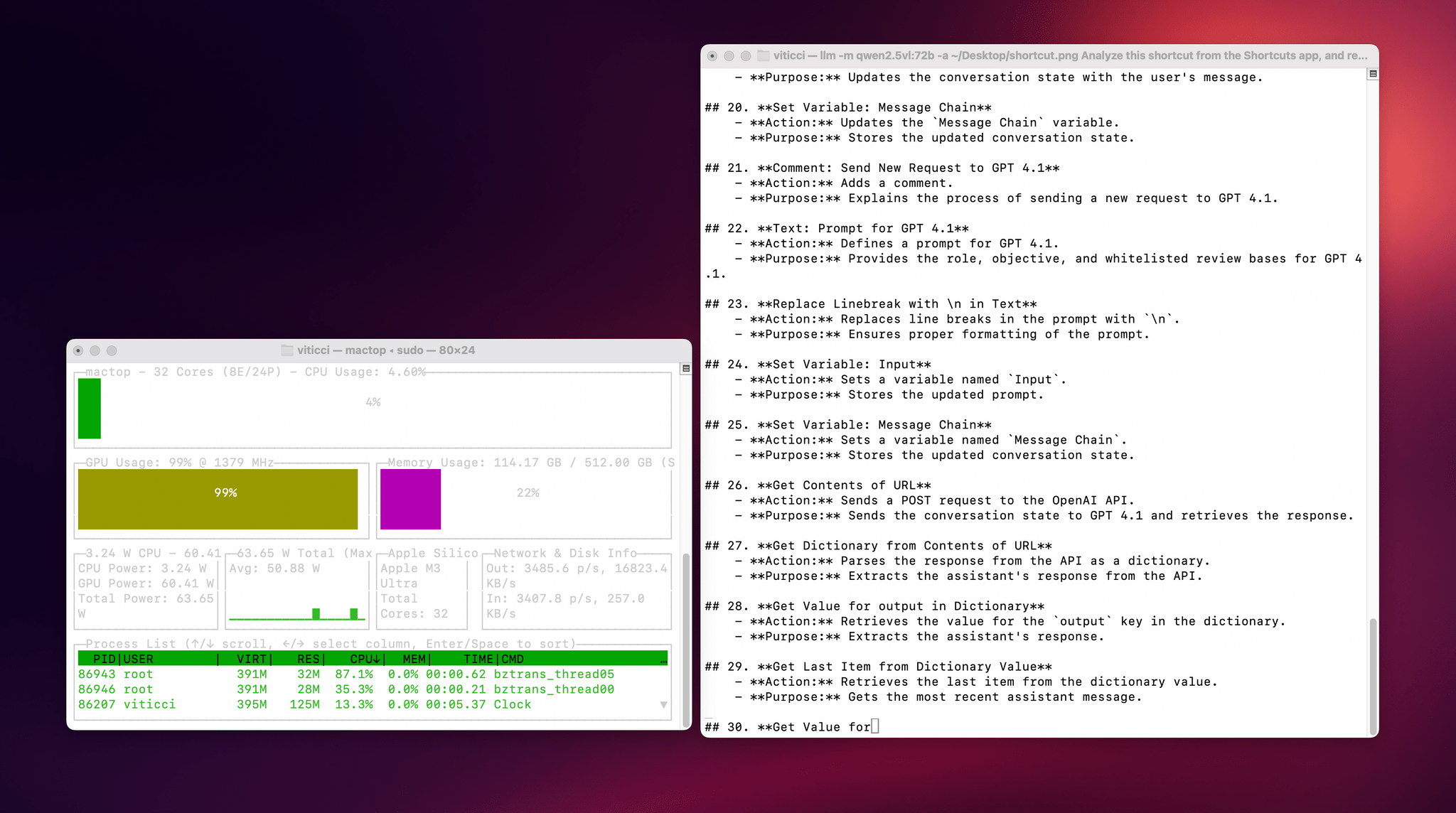
This morning, I installed the 72-billion parameter version of Qwen2.5-VL, gave it a full-resolution screenshot of a 40-action shortcut, and let it run with Ollama and llm-ollama. After 3.5 minutes and around 100 GB RAM usage, I got a really good, Markdown-formatted analysis of my shortcut back from the model.

To make the experience nicer, I even built a small local-scanning utility that lets me pick an image from Shortcuts and runs it through Qwen2.5-VL (72B) using the ‘Run Shell Script’ action on macOS. It worked beautifully on my first try. Amusingly, the smaller version of Qwen2.5-VL (32B) thought my photo of ergonomic mice was a “collection of seashells”. Fair enough: there’s a reason bigger models are heavier and costlier to run.

Given my struggles with OCR and document analysis with cloud-hosted models, I’m very excited about the potential of local VLMs that bypass memory constraints thanks to the M3 Ultra and provide accurate results in just a few minutes without having to upload private images or PDFs anywhere. I’ve been writing a lot about this idea of “hybrid automation” that combines traditional Mac scripting tools, Shortcuts, and LLMs to unlock workflows that just weren’t possible before; I feel like the power of this Mac Studio is going to be an amazing accelerator for that.

Next up on my list: understanding how to run MLX models with mlx-lm, investigating long-context models with dual-chunk attention support (looking at you, Qwen 2.5), and experimenting with Gemma 3. Fun times ahead!