
Posts tagged with "accessibility"

Why Force Touch Matters for Accessibility

Editorial Preview

Aside from keeping our iPhones in our pocket more, I think the Apple Watch is compelling for another reason: communication. The ways in which Apple is allowing people to communicate via Apple Watch – taps, doodles, and, yes, even heartbeats – is a clever, discreet new paradigm that epitomizes the company’s mantra that the Watch is the most intimate and personal device they’ve ever created. I, for one, am very much looking forward to trying these features.

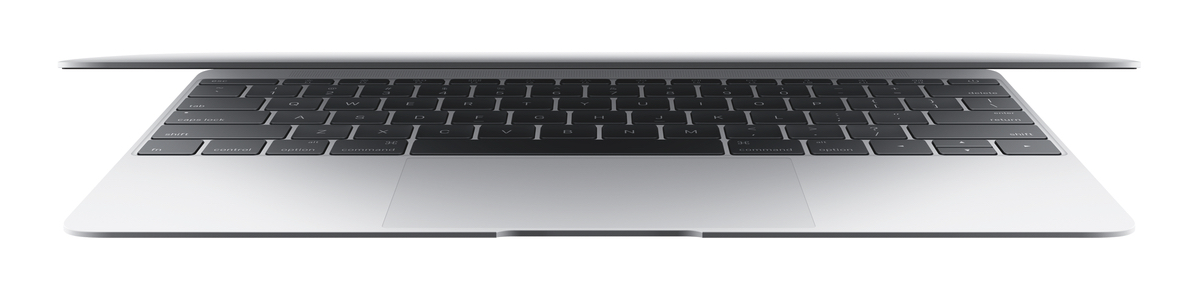
What’s even more compelling, though, in my view, is the engine that’s powering the delivery of said communication – namely, the Taptic Engine. Beyond its use for notifications and communication on the Watch, Apple has implemented its Taptic Engine in one other form: trackpads. Apple has put the tech into the new MacBook and the refreshed 13-inch Retina MacBook Pro. I had an opportunity to play with the Force Touch trackpad (about 30 minutes) at my favorite Apple Store here in San Francisco, and came away very, very impressed.

I find Apple’s embrace of haptic feedback fascinating and exciting, because the use of haptic technology has some very real benefits in terms of accessibility.
Read more

Access Extra Content and Perks

Founded in 2015, Club MacStories has delivered exclusive content every week for nearly a decade.

What started with weekly and monthly email newsletters has blossomed into a family of memberships designed for every MacStories fan.

Learn more here and from our Club FAQs.

Club MacStories: Weekly and monthly newsletters via email and the web that are brimming with apps, tips, automation workflows, longform writing, early access to the MacStories Unwind podcast, periodic giveaways, and more;

Club MacStories+: Everything that Club MacStories offers, plus an active Discord community, advanced search and custom RSS features for exploring the Club’s entire back catalog, bonus columns, and dozens of app discounts;

Club Premier: All of the above and AppStories+, an extended version of our flagship podcast that’s delivered early, ad-free, and in high-bitrate audio.

Learn more here and from our Club FAQs.


iOS 8, Accessibility, and Third-Party Keyboards

In the overview I wrote for MacStories of the new Accessibility features of iOS 8, I said this about the operating system’s support for third-party keyboards:

This topic (as well as QuickType) is worthy of its own standalone article, but the accessibility ramifications of iOS 8’s third party keyboard API are potentially huge for those with special needs.

Four months later, that statement still holds true.

Over the past few weeks, I’ve been using two such keyboards — Fleksy and Keedogo — in an effort to not only simply test-drive a new feature, but also to gauge the accessibility merits of the keyboards. While I’ve found Fleksy and Keedogo to be fine in terms of accessibility, even in the midst of testing them, I’ve found myself going back to Apple’s stock keyboard. In the end, that I don’t use any third-party keyboard as a replacement for the default one on my iOS devices is no fault of either developer — it’s Apple’s.

Before explaining why it’s Apple’s fault, though, it’s important to discuss the virtues of Fleksy and Keedogo.

Read more

Access Extra Content and Perks

Founded in 2015, Club MacStories has delivered exclusive content every week for nearly a decade.

What started with weekly and monthly email newsletters has blossomed into a family of memberships designed for every MacStories fan.

Learn more here and from our Club FAQs.

Club MacStories: Weekly and monthly newsletters via email and the web that are brimming with apps, tips, automation workflows, longform writing, early access to the MacStories Unwind podcast, periodic giveaways, and more;

Club MacStories+: Everything that Club MacStories offers, plus an active Discord community, advanced search and custom RSS features for exploring the Club’s entire back catalog, bonus columns, and dozens of app discounts;

Club Premier: All of the above and AppStories+, an extended version of our flagship podcast that’s delivered early, ad-free, and in high-bitrate audio.

Learn more here and from our Club FAQs.


Looking at Accessibility in iOS 8

Soon after WWDC ended in June, I wrote a piece for MacStories in which I briefly summarized all the new features Apple added to Accessibility in iOS 8. Since then, I’ve spent a lot of time with the iOS 8 beta builds over the summer, and have found several features and little touches – even some things that aren’t specific to Accessibility – that merit a more detailed look. What follows are my personal impressions of such.

Read more

Access Extra Content and Perks

Founded in 2015, Club MacStories has delivered exclusive content every week for nearly a decade.

What started with weekly and monthly email newsletters has blossomed into a family of memberships designed for every MacStories fan.

Learn more here and from our Club FAQs.

Club MacStories: Weekly and monthly newsletters via email and the web that are brimming with apps, tips, automation workflows, longform writing, early access to the MacStories Unwind podcast, periodic giveaways, and more;

Club MacStories+: Everything that Club MacStories offers, plus an active Discord community, advanced search and custom RSS features for exploring the Club’s entire back catalog, bonus columns, and dozens of app discounts;

Club Premier: All of the above and AppStories+, an extended version of our flagship podcast that’s delivered early, ad-free, and in high-bitrate audio.

Learn more here and from our Club FAQs.


An Overview of iOS 8’s New Accessibility Features

Since this year’s WWDC keynote ended, the focus of any analysis on iOS 8 has been its features — things like Continuity, Extensions, and iCloud Drive. This is, of course, expected: iOS is the operating system that drives Apple’s most important (and most profitable) products, so it’s natural that the limelight be shone on the new features for the mass market.

As I’ve written, however, the Accessibility features that Apple includes in iOS are nonetheless just as important and innovative as the A-list features that Craig Federighi demoed on stage at Moscone. Indeed, Apple is to be lauded for their year-over-year commitment to improving iOS’s Accessibility feature set, and they continue that trend with iOS 8.

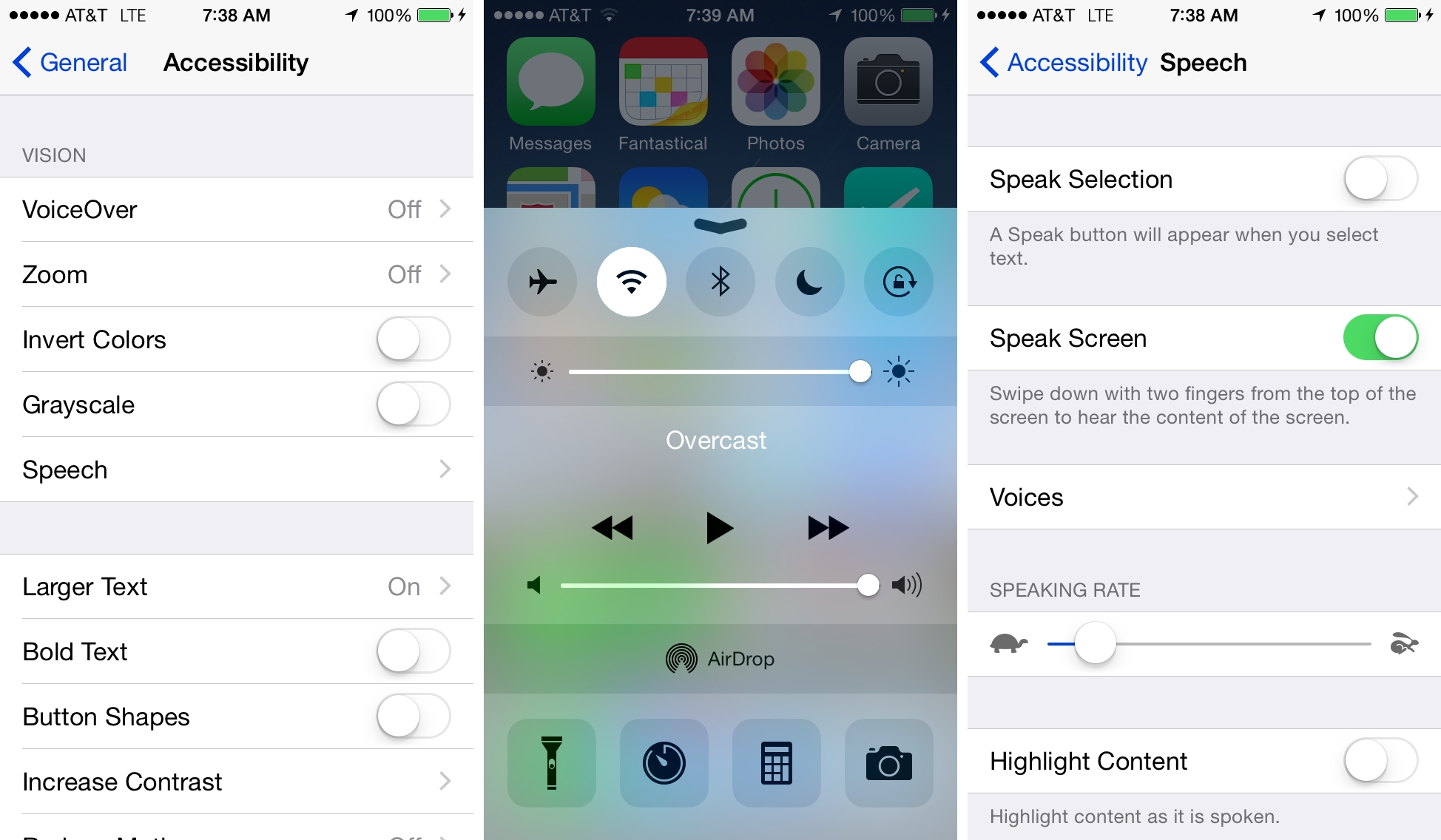
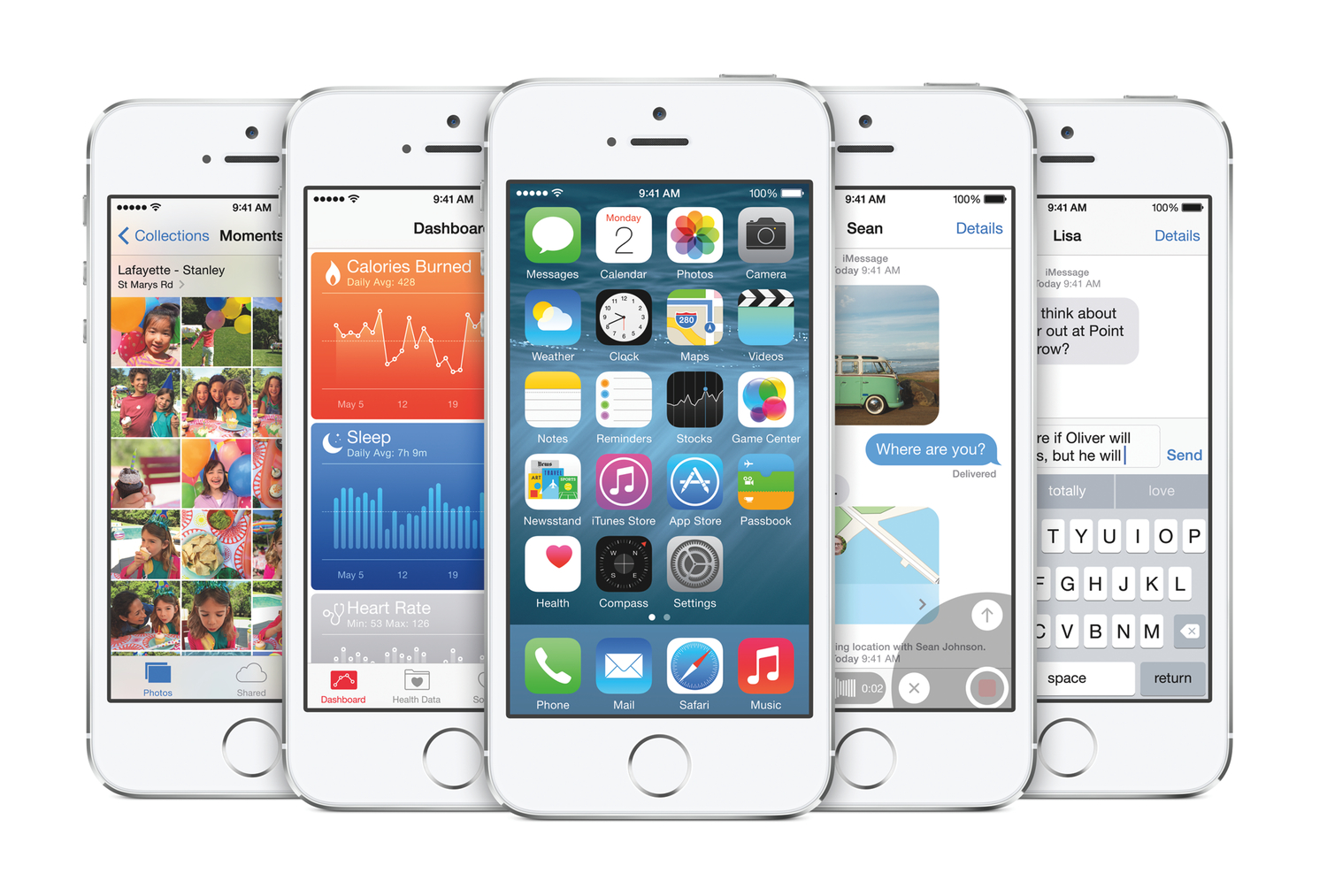
Here, I run down what’s new in Accessibility in iOS 8, and explain briefly how each feature works.

Read more

Access Extra Content and Perks

Founded in 2015, Club MacStories has delivered exclusive content every week for nearly a decade.

What started with weekly and monthly email newsletters has blossomed into a family of memberships designed for every MacStories fan.

Learn more here and from our Club FAQs.

Club MacStories: Weekly and monthly newsletters via email and the web that are brimming with apps, tips, automation workflows, longform writing, early access to the MacStories Unwind podcast, periodic giveaways, and more;

Club MacStories+: Everything that Club MacStories offers, plus an active Discord community, advanced search and custom RSS features for exploring the Club’s entire back catalog, bonus columns, and dozens of app discounts;

Club Premier: All of the above and AppStories+, an extended version of our flagship podcast that’s delivered early, ad-free, and in high-bitrate audio.

Learn more here and from our Club FAQs.