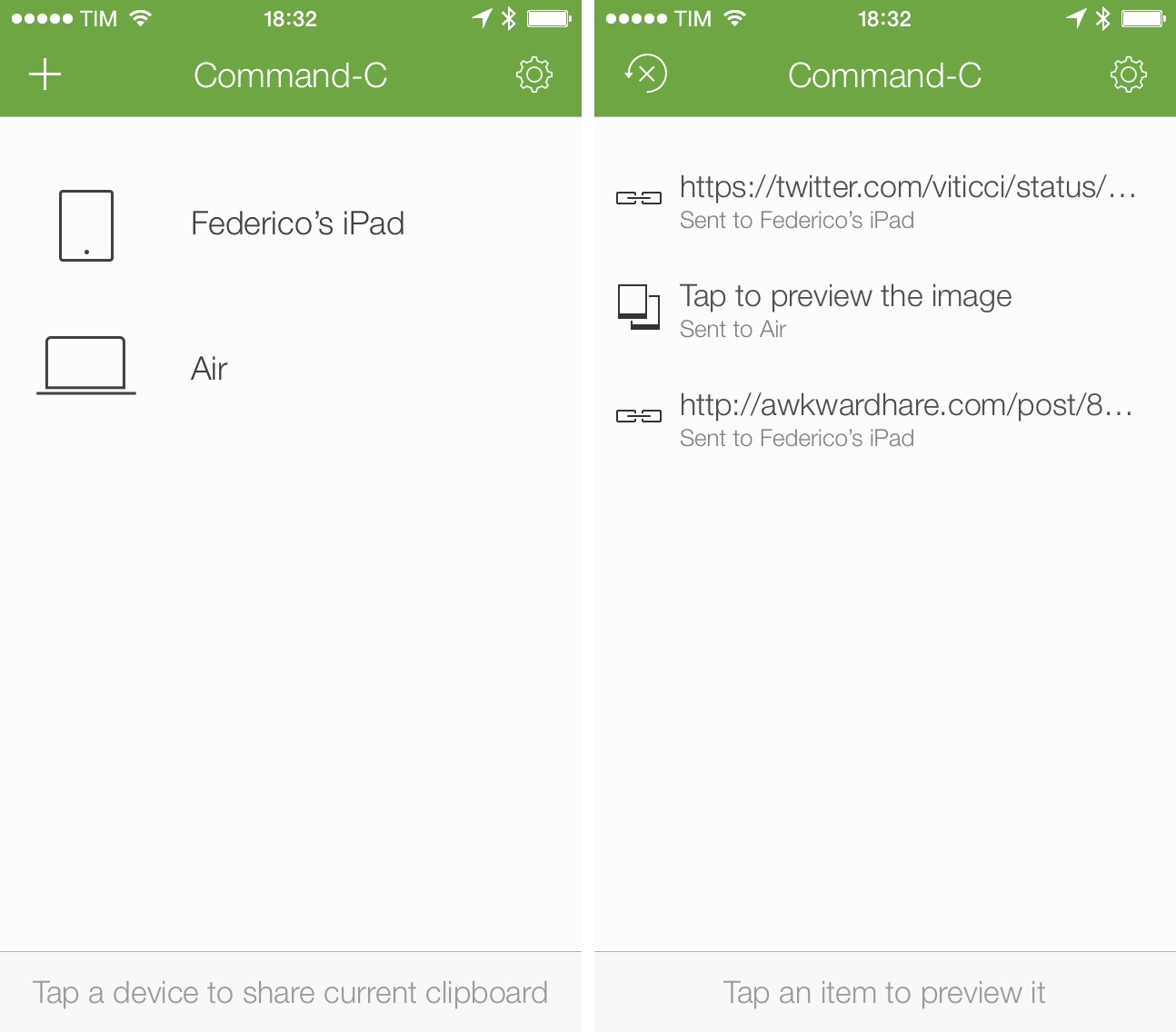
Danilo Torrisi’s Command-C, my favorite utility to share the contents of the clipboard across Mac and iOS devices, has been updated today with reliability improvements for Bonjour connections, a new clipboard history view, Mac to Mac sharing, and several other tweaks and fixes to the app that was first released in January.
From my original review:
Command-C brings back the old concept of local clipboard sharing, with some unique twists. Thanks to iOS 7, Command-C on an iPhone or iPad (the app is Universal) can always be available as a receiver in the background, using notifications to alert you when the clipboard has been received from another device. Communication between devices (which includes a dedicated menubar app for the Mac) happens on a local WiFi network, it’s encrypted, and no data is sent over the Internet; though the app works with a “one tap” approach to send your current clipboard to another device, there are some fantastic tools for power users who want to do more with keyboard shortcuts, URL schemes, and bookmarklets. Command-C is a clipboard sharing tool for the modern age, built with iOS 7 (and a new set of limitations that the current OS entails) and multiple iOS devices in mind.
I use Command-C on a daily basis to share text, URLs, and pictures between my iPhone, iPad, and Mac, and the improvements to local connections have been noticeable in my tests. Command-C uses the Bonjour technology to handle communications between devices, and, according to Torrisi, the core of the app has been rewritten from the ground up in version 1.1. In trying the update before today’s release, I noticed that the app would keep running in the background more reliably under iOS 7.1, resulting in fewer disconnections (which used to force me to manually open the app to receive the clipboard) and speedier clipboard transfers. The setup process was faster in version 1.1, and adding multiple devices to the app showed no errors or slow loading times, a problem that occurred for multiple users in previous versions of the app. Read more