This Week's Sponsor:

BetterTouchTool

Now with a Powerful Launcher for Your Mac


Slack as a Shared Notification Layer

I'm looking forward to Nuzzel notifications here.

I’m looking forward to Nuzzel notifications here.

Here’s an interesting announcement from the Slack team earlier today:

You’ll soon find a button on many of your favorite apps and sites that says “Add to Slack”. Clicking the button will take you to an authentication page where you’ll pick which Slack team you’d like to integrate with the service, and which channel (or your own @slackbot) the service will report to (provided your Team admin/owners allow team members to add integrations).

Once configured, any web apps or services that send you notifications or emails can start automatically reporting those to Slack. Many apps and services will also give you the ability to share things into Slack without leaving their app; handy!

(Emphasis mine.)

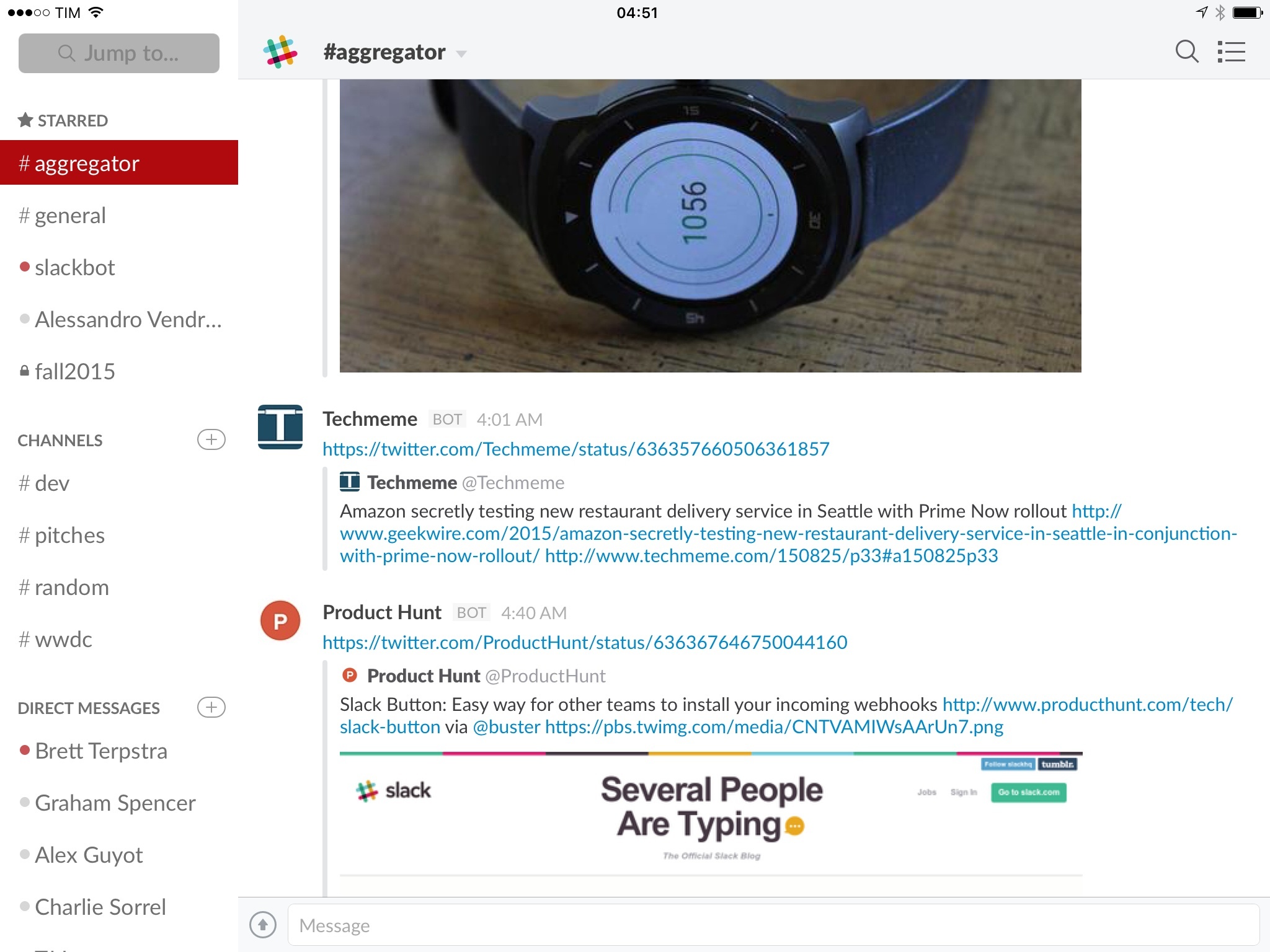
We use Slack at MacStories, and we pay for the fantastic service it offers. Something I’ve recently started testing is using Slack as a shared notification layer for multiple users: rather than being alerted of important news or updates myself and then having to communicate them manually to others, I can let the notification go to Slack directly so everyone can know instantly and take action more quickly. I’ve been doing this with integrations such as RSS, Zapier, IFTTT, and the recently launched email in both regular Slack channels as well as a dedicated #aggregator channel where bots only report notifications and links.

With today’s announcement, Slack is making it easier for developers to build support for Slack notifications even if their apps have nothing to do with Slack as a chat service. This is where Slack radically differs from everything I’ve tried before: it’s not just a chat room with a bunch of integrations – it’s a whole layer of services, commands, file management, search, and collaboration that is primarily advertised as a communication tool.

It makes sense, then, to properly support rich notifications as extensions for Slack: because users are spending hours in Slack anyway, services like Nuzzel can support native device push notifications (individual) and Slack notifications (shared), allowing multiple people to receive the same notification and coordinate accordingly (inside Slack, of course).

I’ve set up Nuzzel integration today (on the website), and, if my understanding is correct, I can expect my Twitter alerts powered by Nuzzel (and years of carefully curating my following list) to be available to other team members through Slack notifications. I have a feeling this is going to be a pretty great addition to our Slack setup, and I fully expect more web services to start supporting Slack notifications as a feature soon.
iMore’s Apple Music Guide

The iMore team has been doing a fantastic job at covering Apple Music and how the service works on various platforms and devices. Last week, they released an eBook version that collects of all their articles in one handy guide, expertly put together by Serenity Caldwell, Rene Ritchie, and the rest of the team.

I was on vacation when the iBooks version came out, but I still downloaded it and read it on my iPhone to see if there was anything I had missed in Apple Music and Beats 1. I discovered a lot of details I hadn’t paid attention to before, and I like how screenshots throughout the book always have informative callouts and descriptions. Fantastic resource (150+ pages) for anyone interested in or trying Apple Music, and just $4.99 on the iBooks Store. Recommended.

Permalink

Apple’s App Search API Validation Tool

I haven’t seen this linked before – and I certainly didn’t see it when I first wrote about iOS 9 search – but Apple has a new validation tool to test websites for App Search, coming with iOS 9 in Spotlight.

Apple writes:

Test your webpage for iOS 9 Search APIs. Enter a URL and Applebot will crawl your webpage and show how you can optimize for best results.

As I wrote, iOS 9 won’t be limited to searching for local app content:

To enhance web crawling with structured data and, again, give developers control of indexed content, Apple has announced support for various types of web markup. Developers who own websites with content related to an app will be able to use Smart App Banners to describe deep links to an app (more on this in a bit) as well as open standards such as schema.org and Open Graph.

Apple calls these “rich results”: by reading metadata based on existing standards, Apple’s web crawler can have a better understanding of key information called out on a webpage and do more than simply parsing a title and a link. With support for schema.org, for instance, Applebot will be able to recognize tagged prices, ratings, and currencies for individual listings on Airbnb, while the Open Graph image tag could be used as the image thumbnail in iOS search results. An app like Songkick could implement structured data to tag concert dates and prices in their related website, and popular concerts could show up for users with rich descriptions in the iOS 9 search page.

The validation tool does indeed analyze information that will be used to power iOS 9 search results – such as thumbnails, descriptions, and deep links to apps. You can try it out here.

Permalink

Focus: Your Productivity Timer [Sponsor]

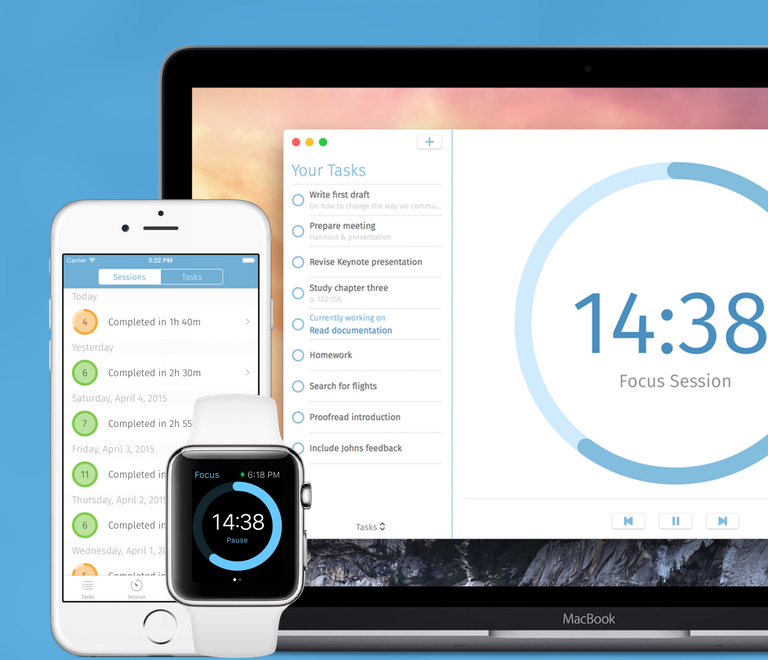
Focus is a time manager that helps you beat procrastination and work more efficiently. Available on iOS, OS X, and Apple Watch, Focus lets you work in intervals and reminds you to take breaks regularly (based on the Pomodoro Technique).

Taking breaks regularly enables you to be more concentrated, more thoughtful, and ultimately more productive. With its simple and lightweight way to organize and manage your tasks, Focus lets you set and achieve daily goals to keep you motivated; because its task management features are unobtrusive by design, you’ll spend your time working on a task instead of fiddling too much with the app.

Focus is designed to work seemlessly together across all platforms and devices. You can switch devices by using Handoff and with iCloud, so everything stays in sync. On iOS, you can see your current progress with a Today widget, and use interactive notifications to start, stops and extend your work. On the Mac, a beautiful and clear design feels natural on OS X Yosemite (including dark mode), and a menu bar item lets you see your current progress at a glance (it even works with a closed Focus app window).

Focus is available for iOS and OS X. For more information, visit focusapp.io.

Our thanks to Focus for sponsoring MacStories this week.


Elegant Image Watermarking and Resizing with Watermarker 2

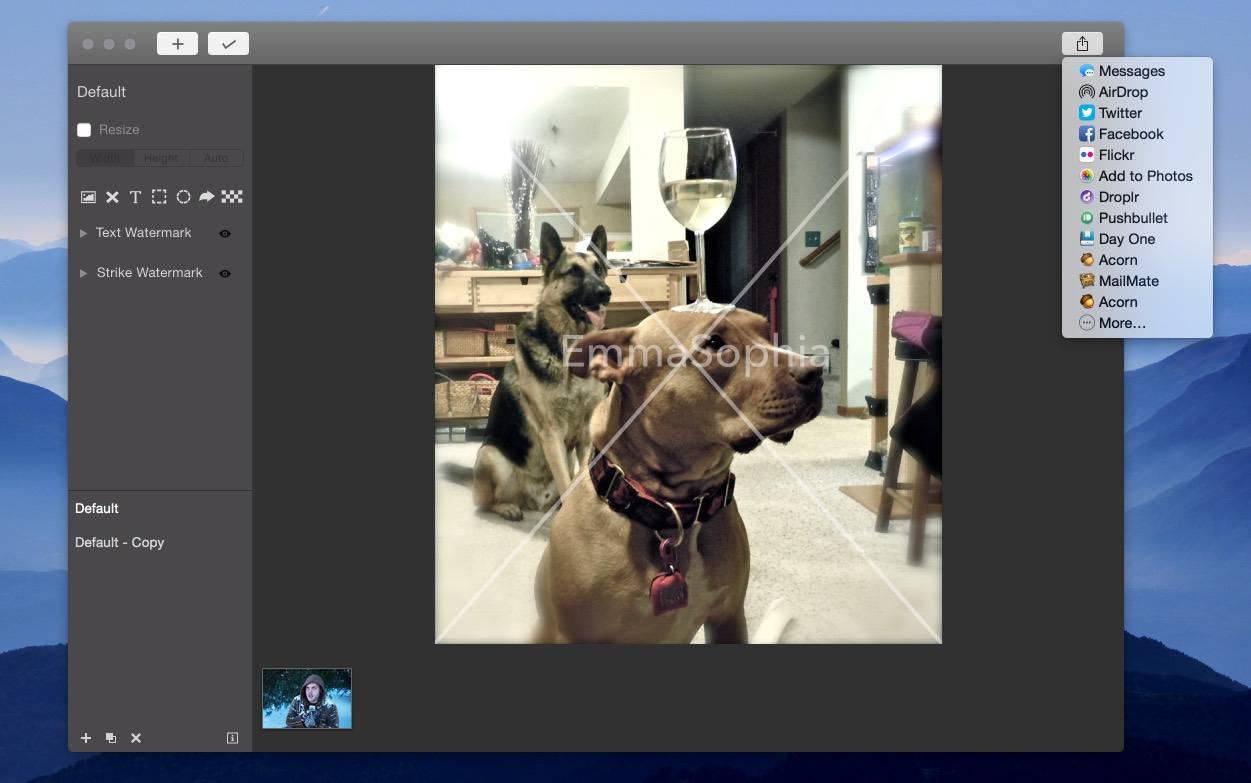
I’m a bit behind in mentioning it, but Watermarker 2 is out. This Mac app from developer (and former MacStories writer) Don Southard lets you quickly resize and add professional watermarks to batches of photos. It’s a great-looking app that elegantly accomplishes its goal.

You can use custom text, import your own logo or image, and apply a customizable strike-through “X” over an image (all with adjustable transparency). You can also add pixelation to an image to obscure parts of it, and annotate images with additional shapes.

Watermarker 2 offers powerful batch photo manipulation features such as renaming groups of files based on patterns and resizing using pixel or percentage constraints.

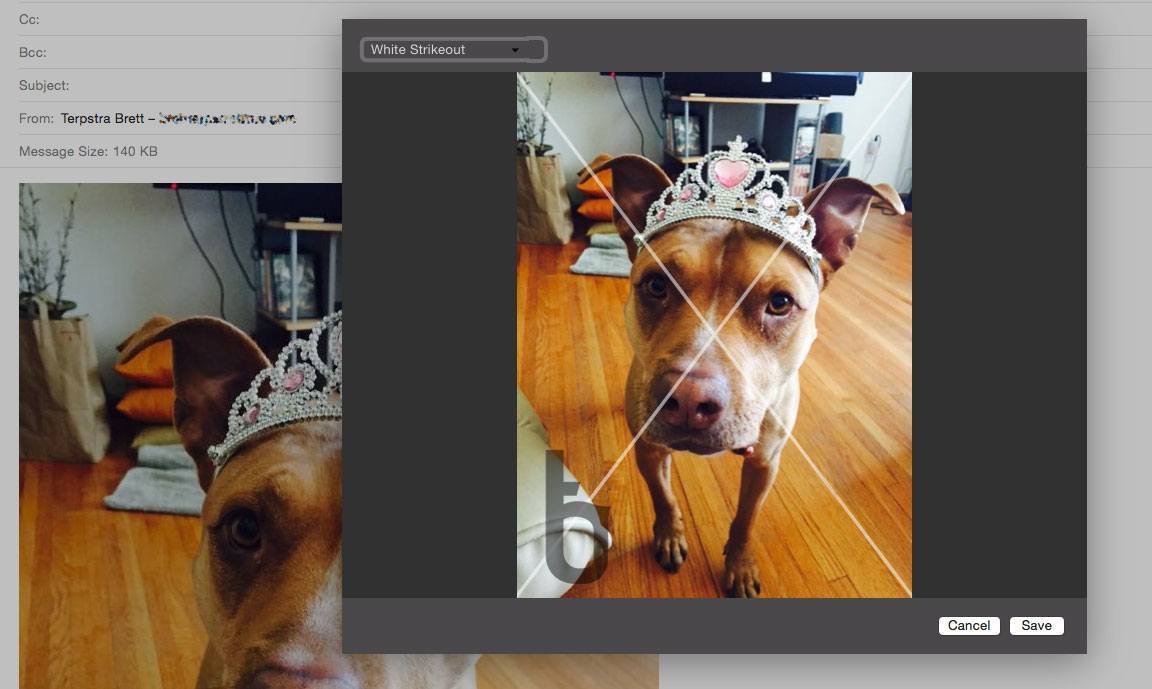
You can save your watermark settings as presets, and apply them to batches in the future with a couple of clicks. There’s even an Action Extension for sending images from other apps to Watermarker, and a Share Sheet for sending watermarked images to others.

Watermarker 2 Action Extension

Watermarker 2 Action Extension

Watermarker 2 is available for $14.99, both on the Mac App Store and through direct purchase (with a free trial available).


Instant Hosted Web Pages From Markdown With Loose Leaves

Loose Leaves is a handy (free) utility for OS X that takes selected Markdown text from almost any app and instantly creates a web page on the secure Loose Leaves server that you can link to and share.

Loose Leaves is available anywhere, and just a hotkey away in any app. If you’ve ever needed to share more than 140 characters, link long text in Trello or Slack, or just effortlessly share an idea from your notes, this is a handy tool to have.

Permalink

Acorn 5: Shape Generators, PDF Import, and More

I’ve been an Acorn user for years now. I first started using it as my primary photo editing tool because I could open, edit, and export a perfectly-optimized web image before Photoshop had finished bouncing in the Dock. Photoshop has improved its launch time in recent versions, but Acorn has stepped up its game, too.

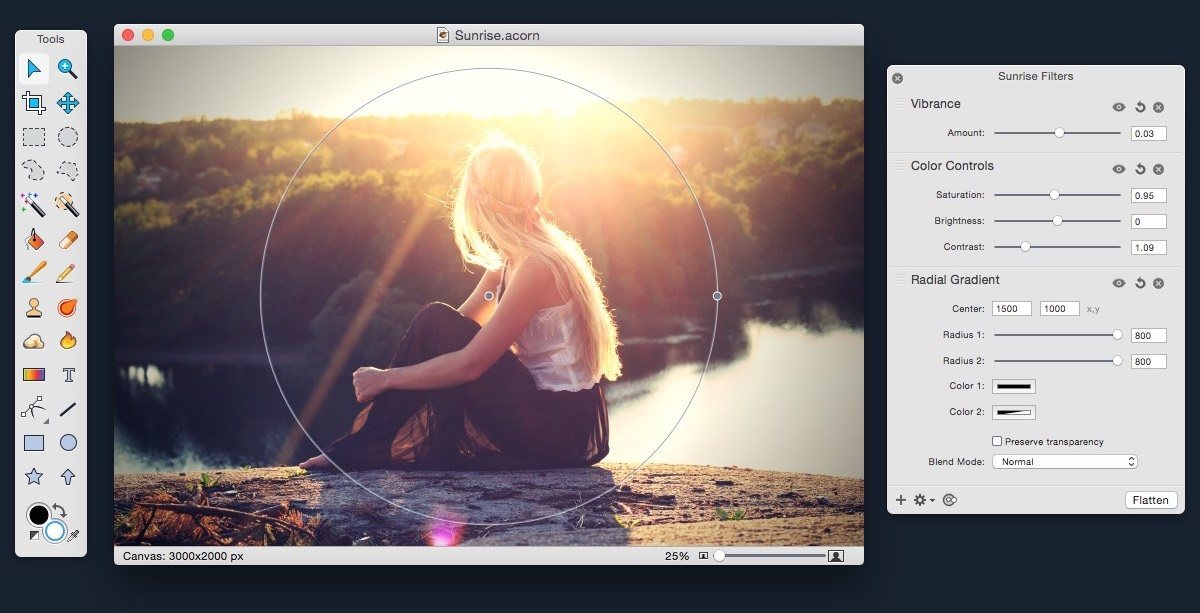
Acorn 5 came out this week, and it adds some powerful new features. Notably, it adds tools for vector manipulation and generation, as well as additional bezier and vector tools, PDF Import, snapping to grids, guides, other shapes, and more.

If you’re a Photoshop user looking for an alternative, Acorn has the tools you’re used to: dodge and burn, hue and curve adjustments, custom selection editing, and everything you need to do advanced photo editing. Acorn 5 can even import Photoshop brushes. Given the wide diversity of custom brushes available on the net, this opens up a lot of possibilities.

Version 5 also adds additional non-destructive filters and adjustments for both raster and vector layers, and the new Shape generators and processors are stackable and non-destructive as well. The layer adjustments are stored in the native Acorn file format, so you can always access and update them.

Acorn still has all of the great tools from version 4, including professional photo editing tools, Smart Layer Export for automatic 1x and 2x images, and the best compression on exported PNGs you’re likely to find.

Acorn 5 is $24.99 US on the Mac App Store (also available for direct purchase, with a few small differences). Check out the website for more info, and read the release notes for a mind-boggling list of all of the new features.


Apple Posts New iPhone Advert: “Apple Pay”

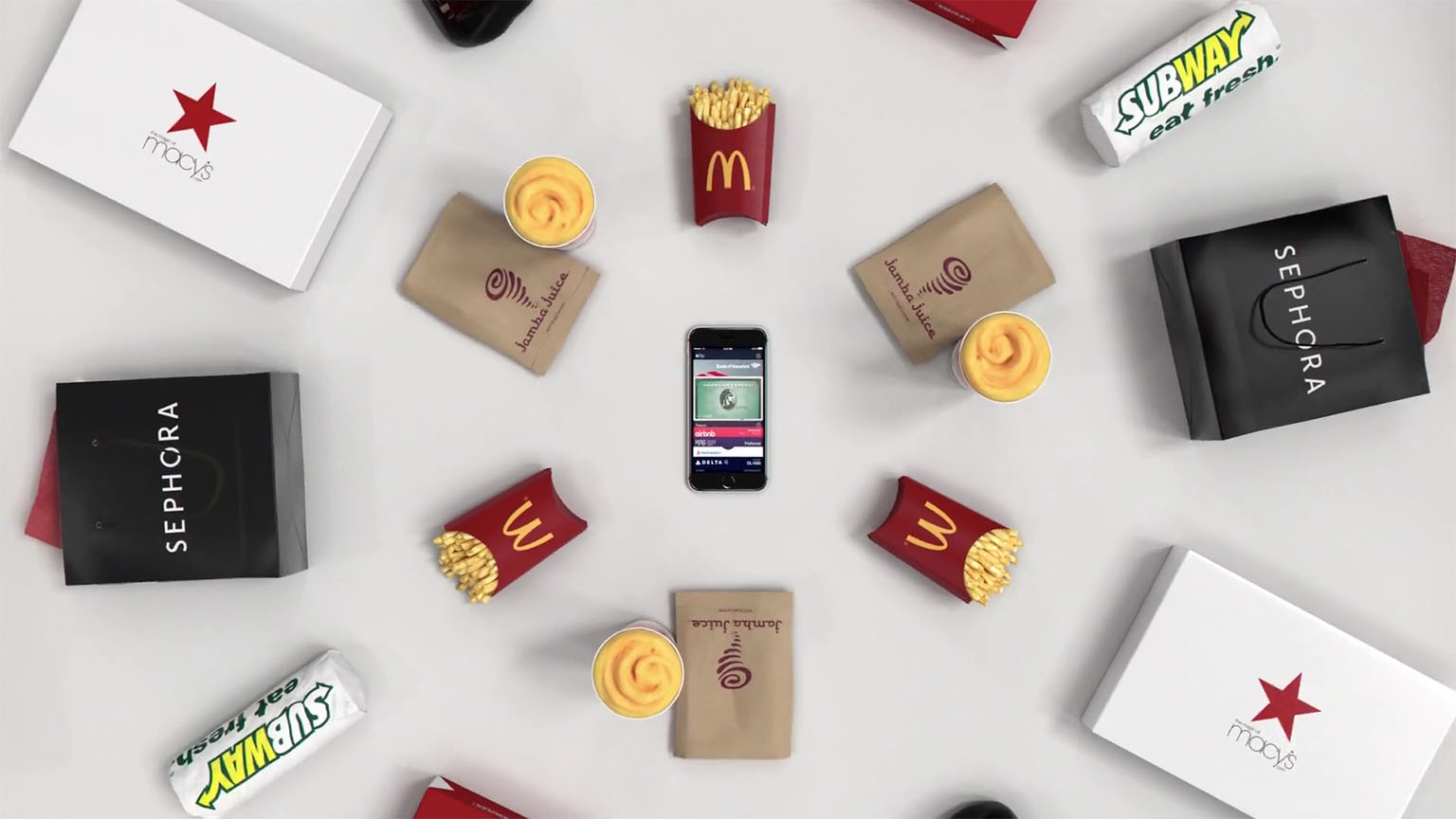
Apple’s fourth advert featuring the new “If it’s not an iPhone, it’s not an iPhone” tagline was last night posted online. The new advert, “Apple Pay”, naturally focuses on Apple Pay, demonstrating Apple’s contactless payment method available on the iPhone 6 in the US and UK. The advert’s narration makes particular mention of how Apple Pay is “faster”, “safer” and keeps your information private.

This is an iPhone, and this is Apple Pay, which lets you shop in a faster, simpler way. For groceries, and kicks, toys and your lunchtime fix. It’s safer than a credit card and keeps your info, yours. And you can already use it in one million stores. If it’s not an iPhone, it’s not an iPhone.

You can watch the new advert below the break, or on YouTube.

Read more


1Password 5.5 Brings UI Tweaks and Improvements to Touch ID, Apple Watch App, and Security

Released today on the App Store, the latest update to our favorite password manager brings some nice minor adjustments. Most of the changes improve the flow and ease of use of the app, and while there aren’t any game changers here, numerous tiny annoyances that have been frustrating me for a while have been wiped out.

The first feature mentioned in the release notes is the ability to switch between multiple vaults with only two taps using their new vault switcher. I personally only use one vault with 1Password so I don’t have much to say here, but I’m always a fan of doing things in fewer taps so this feature gets a thumbs up from me.

My favorite changes have to do with Touch ID and security tweaks. There have been quite a few times when I’ve accidentally canceled the Touch ID dialogue, and until now that meant that I was then required to type my password back in before the app would unlock. With version 5.5, there is now a very nice looking fingerprint button that will show up beneath the password input box. If you accidentally cancel Touch ID before unlocking the app, you can now tap the fingerprint button to bring the Touch ID prompt back up and unlock without typing. The feature of course still respects your Touch ID timeout settings, so if you’re trying to unlock when Touch ID has been disabled until the next time your password is typed, tapping the fingerprint button won’t do anything.

Next on security, in regard to the 1Password extension, the extension and the main 1Password app now share unlock settings. This means that if you unlock the app, the extension is unlocked, and vice versa. If you, like me, have experienced typing your password into the extension (which should then enable Touch ID) and then going to the main app and discovering that you now need to type the password again, then you’ll be happy about this feature as well. Timeout settings are still respected on the extension as well, also of course.

Another small but appreciated security improvement: if you fill your login credentials on an unsecured website (think http://) when the saved URL for the login is secure (think https://), 1Password will warn you that this is about to happen. This is one of those features that you hope you would never need anyway but if you do it could save you a lot of trouble.

Finally, among some other various and very minor changes, the Apple Watch app has been updated to allow you to see the PIN numbers on your credit card entries. Convenient if you’re into that sort of thing.

Overall, 1Password 5.5 is a solid update. Mostly polish, but polishing shiny things just makes them shinier, and who doesn’t like that? If you don’t have 1Password yet then I’m not sure why you read all of this, but you can find it in the App Store, and you should go buy it right now.