Fixing Safari View Controller

Dan Provost has a simple fix for the ‘Done’ button of Safari View Controller that is in an annoyingly awkward position to reach:

The hard-to-reach-and-sometimes-hidden Done button makes browsing links in Tweetbot way slower. I have even turned Reachability back on in an effort to make things a little easier. The horror.

Thankfully, I think there is a pretty easy fix that I hope Apple would consider.

I like his idea. I hope Apple comes up with a better way to dismiss Safari View Controller that doesn’t involve stretching my thumb all the way to the top.

Permalink

Tweetbot 2.1 for Mac

Today, Tweetbot for Mac has been updated to version 2.1, which brings the same Activity page seen in Tweetbot 4 for iOS, better support for quoted tweets, in-app video playback, and several other improvements. Notably, you can now view images shared in Direct Messages (you’ll still have to share them from the official Twitter app, though), the search popover for users has been simplified, and you can now select and define words in tweet detail views. A good update for Mac users, with some welcome parity with the iOS version.

Permalink

YouTube Update Brings Redesigned App, No iOS 9 Multitasking Enhancements

Yesterday, Google released an update for its YouTube app for iOS which brings a redesign aimed at making it easier to access recommended videos and all videos from your subscriptions. In the new Home page, three icons at the top of the screen let you move through recommendations and a feed of all videos from channels you’re subscribed to. Throughout the app, a new Material-inspired UI gives you a new layout for related videos and your profile page, which now offers more visible shortcuts for the watch later queue, playlists, and more.

Unfortunately, Google hasn’t adopted iPad multitasking features in this update, which lacks support for Picture in Picture, Split View, and Slide Over. While I don’t know Google’s motivation for continuing to avoid iOS 9’s changes to multitasking on iPad, I speculated that Google may not be a fan of the ability to keep watching a video outside of the YouTube app, and this appears to be the case. By using Picture in Picture and standard iOS video APIs, users would be able to keep playing a video in a floating popup that would make it impossible to tap on ads and annotations on iOS.

I would have been content with Split View to keep YouTube (and its ad-powered videos) next to other apps on iOS, and maybe that day will eventually come. For now, I’ll have to use apps like YouPlayer and ProTube to watch YouTube videos with Picture in Picture on my iPad.

Permalink

Macminicolo: Mac mini Hosting and El Capitan [Sponsor]

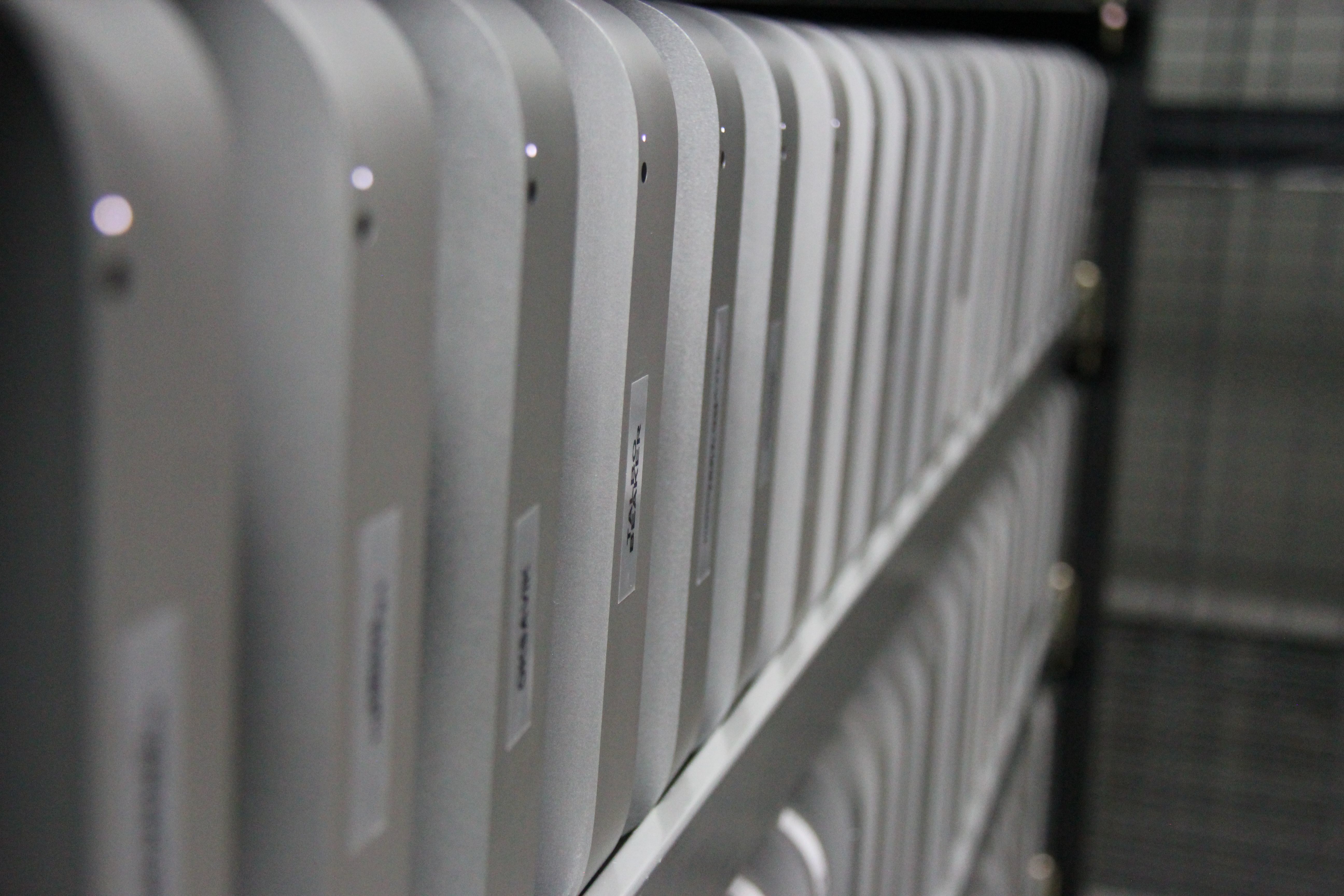
The Mac mini continues to prove itself as a very reliable and capable server. Macminicolo has been hosting Mac minis for nearly eleven years and they’d love for you to give it a try. The El Capitan Promo offers a colocation package with all you’ll need for just $10/month. While supplies last, they also have rental options as well.

Putting your Mac mini in a data center brings all sorts of benefits. The high-end facility will give your machine security, speed and safety. Since you’re the only one with access to the machine, you can set it up with any services you’d like to use. Here are 50 ideas to get you started.

On top of all that, Macminicolo has good personal support. They’re a part of the Mac community. Send an email, get a personal response right back. You can also get them on Twitter (@Macminicolo) or iMessage ([email protected]).

My thanks to Macminicolo for sponsoring MacStories this week. (Side note: MacStories runs on a Mac mini from Macminicolo, and we love it.)


Apple Debuts Six New Apple Watch Adverts

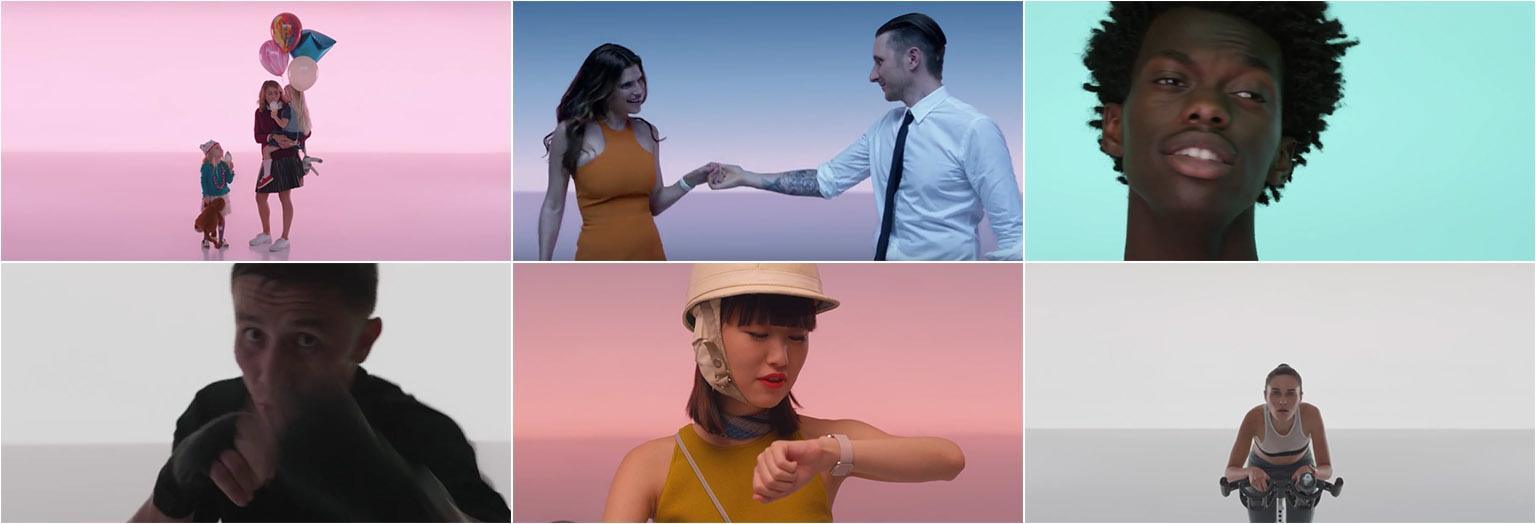
Apple yesterday debuted six new adverts for the Apple Watch. The new adverts are short 15 second pieces which highlight various features of the Apple Watch (from Apple Pay to audio messages to fitness features) and how they can be useful in different contexts.

  • Sprinkle: With Apple Watch, and Apple Pay, buying something on the go is simpler than ever.
  • Date: When you get a new message Apple Watch gently lets you know it’s there, so you can see it right away.
  • Ride: Apple Watch gives you turn-by-turn directions, so if you get a little lost you won’t be for long.
  • Sing: Sending an audio message on your Apple Watch is simple. Just say it and send it.
  • Train: Apple Watch lets you check your heart rate fast so you can keep your heart beating faster.
  • Cycle: Apple Watch tracks every second of your ride, from warm up to cool down.

You can view all the adverts below the break or on YouTube.

Read more


iOS Diagnostics and Usage Data

Joe Caiati has a good primer on what diagnostics and usage data mean in iOS, what you can do, and when it’s probably time to book an appointment at the Genius Bar:

I would liken the Diagnostics & Usage Data section to the Console on the Mac. There is a lot of noise in there, but sometimes you can find important information about issues related to your device. At its most basic definition, the Diagnostics & Usage Data section is a log of system events that happen on your iOS device. This log isn’t tracking your every move, but it is creating entries whenever events like an app crash happens.

Like the Console, unless you are an engineer at Apple, you probably won’t know what every string of text means, but I’d like to think I know enough to help you figure out what’s important. If you are interested in what’s going on in your iOS device, navigate to the section and let’s dig in.

Permalink

Apple Rolls Out Searchable WWDC Session Transcripts with Timestamp Links

From Apple’s developer blog:

Now it’s easier to discover and share information presented in WWDC videos with our recent search update. You can search a keyword and find all the instances of it mentioned in the videos. Go straight to the time the keyword was mentioned in the video or easily share a link to it.

Not only does Apple now allow you to search the WWDC session transcripts – which ASCIIwwdc has been doing for a while – you can tap on a result (like this) and be taken to the relevant point in the video from your web browser. There are also filters to select returns from specific WWDCs and you can filter by platform, too.

Extremely useful, and I wish I had this when I was writing my iOS 9 review this summer.

Permalink

iOS 9 Universal Links and Forgotten Passwords

Slopes developer Curtis Herbert has been thinking about how to create a better password reset flow for apps on iOS 9 with Universal Links:

With universal links we can remove Safari from that process entirely. Users can now reset their password in-app, allowing the app to also automatically log them in after the reset. This is all possible while still having the security of the reset password email to confirm identity.

Good idea, and one of the many advantages of Universal Links (check out his demo to see how native 1Password integration makes everything easier).

Permalink

Adobe Introduces New Features and New Apps in Big iOS Updates Today

Adobe today updated over a dozen of its iOS apps, refreshing their designs, consolidating multiple apps into new, unified, apps and adding big new features to some of their most popular apps. Here are some of the highlights:

Adobe Lightroom

Adobe Lightroom on iOS can now be used for free, provided that you don’t need to sync your photos with Adobe Creative Cloud (which is still paid). Other new features include better color control and the ability to control the amount of atmospheric haze in your photos.

Download - Adobe Lightroom

Adobe Photoshop Fix

Adobe Photoshop Fix is a new app designed specifically to do image retouching and restoration on your iOS device. It features the liquify, heal and patch, smooth, and lighten and darken tools that Photoshop users will be familiar with.

Free - Download Photoshop Fix

Adobe Capture CC

Adobe Capture CC is a new, consolidated, app that brings together the features from Brush CC, Color CC, Hue CC and Shape CC. This means that you can extract color themes from photos, convert photos and drawings into vector graphics, create brushes from photos. Essentially, Adobe Capture CC is all about capturing design assets for use in other Adobe apps.

Free - Download Adobe Capture CC

Adobe Photoshop Sketch

Now at version 3.0, Adobe Photoshop Sketch adopts the features from the now-defunct Adobe Illustrator Line app, which means it supports perspective and graph grids, drawing French curves, polygons and other new shapes that weren’t previously available. Also new is its support for watercolor paintbrushes (on newer iPads) and the ability to add images directly from Adobe Stock.

Free - Download Adobe Photoshop Sketch

Read more