
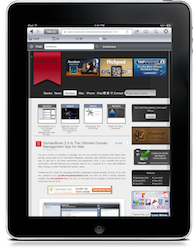
Grazing: My New Favorite iPad Browser

I feel bad writing this. No, let me rephrase: I love when facts prove me wrong. I especially love when third party developers of iPad applications prove me wrong. A couple of weeks ago I wrote a piece called “Your Alternative iPad Browser Sucks” in which I basically stated that every alternative browser I had tried on the iPad couldn’t keep up with the elegance and powerful engine of Safari. I still stand by that statement: 3rd party developers are not Apple and I’m pretty sure Safari has got some exclusive features buried deep down in the code engine (such as memory management) which 3rd party devs have not access to.

What’s great now is that I found an alternative that doesn’t suck. Actually, it’s a beautiful, powerful and feature-rich app for iPad called Grazing that has been sitting on my homescreen for a week now. Grazing is now my favorite alternative browser for iPad. Read more


DomainBrain 2.0 Is The Ultimate Domain Management App for Mac

I’ve got a bunch of domains to manage, and it’s not exactly the easiest of the tasks. Each domain comes with lots of information (Registrar, expiration date, WHOIS record) and it’s very easy to get lost in all these usernames and passwords. Plus, if you consider that you’ve purchased a domain because you probably want to run a website on it - then add database data, hosting, content management system, users.

1Password isn’t meant for managing domains, especially multiple domains at once. If you, like me, wanted to buy goodfuckingdesignadvice.com but went for other 5 similar domains instead, then DomainBrain 2.0 is for you. It’s the best tool to manage a “domain library” you could ever find on OS X. Read more


Sketch for Mac, Reviewed

[This article was written by Raj Ramamurthy. You can check out his personal website here.]

Pieter Omvlee (the man behind the fantastic Bohemian Coding) has long been known for the amazing code behind Fontcase, which is perhaps the best font manager for the Mac.

Pieter has been working on something for the past year or so, though. Long before Sketch was released, Pieter had created DrawIt, a vector drawing application with support for bitmap filters. With Sketch, Pieter decided to rethink parts of DrawIt, and have two products with differing goals in his lineup of amazing applications.

Sketch was most certainly worth the wait. I beta tested the application, and I can confidently say that it’s one of the best drawing tools I’ve ever used. It’s also beautiful, not just in graphics, but also in simplicity: there are beautiful icons designed by Kevin Kalle and the application icon is done by Emanuel Sà. Pieter’s made the approach in Sketch quite simple: there are no document sizes, and the entire application is fluid and smooth. Read more


How The iPad Won Over A Skeptic

How The iPad Won Over A Skeptic

At first glance, the iPad looked like a heavy, overgrown iPod Touch. After just a few months of use, however, this iPad skeptic realized that it’s so much more - it’s one of those devices I’ve always needed. Those don’t come around very often.

Most things get less interesting the more examples you see of them. If you’ve never seen a computer before, the first one is a revelation, but each successive model gets less and less remarkable.

Apple Inc.’s iPad is the other way around. It looks more impressive in light of what’s come before it.

Permalink