The Rise Of Third Party Services And Fall Of Google In iOS

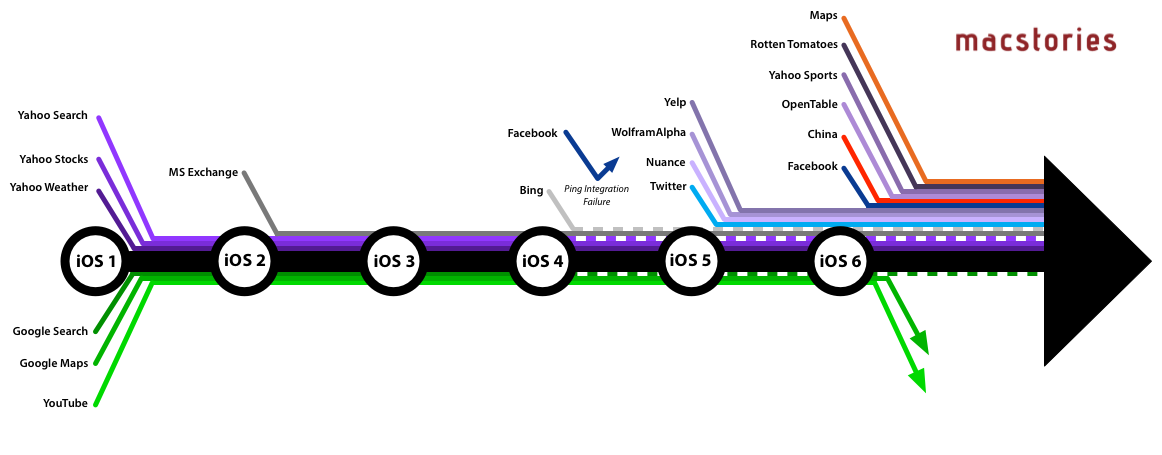
When Apple introduced iOS 6 to the world at this year’s WWDC, one of the most talked about moves was Apple’s decision to step away from their partnership with Google Maps and create their own maps app. In many respects, it wasn’t too surprising given the increasingly strenuous relationship between Apple and Google in the years since the iPhone launched and Google became a competitor with Android, but in recent weeks it was also revealed that YouTube will also no longer be included as a pre-installed app from iOS 6. That leaves Google Search as the only remaining Google service to be integrated into iOS. Yet whilst Apple has been severing its relationship with Google, it has been courting numerous other service providers and integrating them into iOS over the past few years.

Curious to visualise this information, I made a list of every notable service that has been integrated with iOS (and when) and then created the above graphic (click on it to view a larger version). When I had compiled the list, it was pretty compelling (and longer than I had realised), but I think the graphic takes it to the next level and really tells a story about iOS and Apple’s relationship with other services.

Read more


Growl 2.0 SDK Gives Developers Access to Mountain Lion’s Notification Center

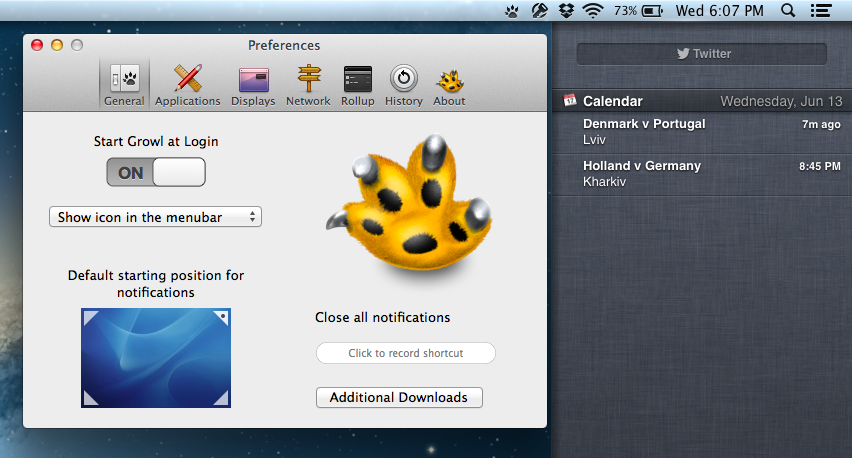
While applications like Hiss have enabled users to route Growl notifications to Mountain Lion’s Notification Center, the stopgap should become an unnecessary appendage provided that developers take advantage of Growl’s new SDK. From Chris Forsythe on Growl’s Posterous blog, the Growl 2.0 SDK will give developers the ability to use the Notification Center if their apps are already using Growl to show alerts on the desktop. While Growl won’t necessarily be supplanted by the new features in Mountain Lion, the Growl team has acted quickly to provide a way for Growl apps to transition into Apple’s new notification system.

The Growl team wants to give developers the ability to “transition from Growl to Notification Center on their own terms,” responsibly embracing Apple’s latest features while helping developers answer the needs of their users. The team also makes the case that users who will remain on older operating systems can still get notifications on their own terms — theming, frequency of notifications, and what apps send notifications are all still definable in Growl’s preference pane and are still accessible without the Notification Center. And as mentioned back in June, Growl plans to supplement the Notification Center for those with Mountain Lion by handling actions and visual notifications separately.

Developers can download the Growl 2.0 SDK from Growl’s downloads page.

[Growl 2.0 SDK via The Verge]


Instagram 3.0: Maps. New User Profiles. Infinite Scrolling.

Instagram’s updates aren’t just about iterating on capturing — adding filters and giving you more ways to take photos is one thing, but the service has bigger aspirations than just sharing and socializing with friends in the moment. For the Instagramers (that’s okay to say right?) who are documenting their lives everyday through the iPhone or Android app, Instagram becomes a sort of timeline or memoir, i.e. a daily journal that can be dated back to when Instagram was first downloaded from the App Store. As new photos are added to the top of your profile, and as new photos bubble up through activity feeds, older photos may simply fade away. They’re forgotten. But old “polaroid” photos don’t simply have to disappear into the nether — every previous photo taken is likely to be just as special or just as important as the one taken moments ago.

Read more


It’s Getting Partly Cloudy On Your iPhone

Yes, here’s another weather app review for you. Instead of inventing new intros for these posts, I would like you to think about that special day when an iOS developer combines all of the single ideas of the new weather apps available - from minimalist UI elements over cool animations to perfectly displayed and visualized data - into one single application. We could finally purchase the perfect weather app for our iOS devices, and we no longer need weather app reviews like this one.

But we still desperately search for and find new, special, almost perfect weather apps with features every month, download them, try them out, and then what? We send them back into the black app hole of washed-out, used apps after some weeks, just because they do not fit our individual needs and style, and then the cycle starts again. If I’m right, this will always be the case, especially when it comes to iPhone weather apps. I believe that no UI concept in the world could visualize all important weather data possibly needed while still having a totally intuitive and simple UI on such a small screen size. On the iPad, the situation is a bit different. My personal weather app of choice for the iPad is now Weather HD 2, which I recently reviewed, because of its stunning animations, which make impressive use of the device’s Retina display. Although I won’t go away from Weather HD, there are also many other apps for people with a different taste in UI design, like minimeteo for lovers of minimalist UI or Aelios for fans of polished interfaces.

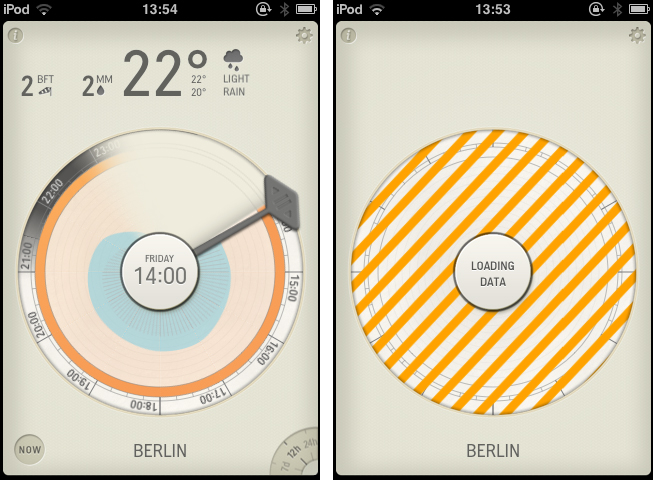
Today’s subject, Partly Cloudy, an iPhone app by German development cave Raureif, is perfectly suited for data visualization geeks. The app displays a rather limited set of weather information: temperature, wind speed (measured using the Beaufort wind force scale), precipitation and the overall current outlook. Its forecast view can be set to 12 hours, 24 hours and 7 days. All other imaginable features, like cloud movements or visibility range apps like WeatherSnitch advertise with, were completely left aside in order to provide space for Partly Cloudy’s most interesting feature: the radial clock visualization diagram.

Read more


Kuvva — Beautiful Art For Your Desktop. Automated.

Currently, in the San Francisco Museum Of Modern Art, you can visit an exhibition with works of Japanese photographer Naoya Hatekayama. He has a very extensive portfolio of stunning landscapes, buildings, and Tokyo underground photography, which reach very high auction prices. One of his underground photos really caught my eye, and I dreamed of having it as a homescreen wallpaper for my iPad. I desperately tried to find digital copies of his works, regardless of whether I could get them for free or had to spend some money. But usually, professional photographers, including Hatekayama, only show their work to the public through museum exhibitions and printed photo books, not digitally. This way of publishing art has both advantages and disadvantages: on one hand, printing is the only effective way of keeping the copyright handling of your pictures and piracy of digital copies somewhat under control. Yet, it also means that many people interested in photography, especially those who do not live in big cities with renowned museums exhibiting photography, don’t have access to it. And obviously they cannot be used as wallpapers (although this would be for private, non-commercial use).

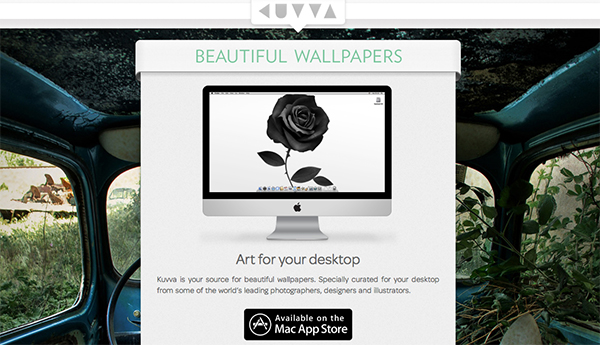
On the other hand, art which was created digitally is most of the time solely distributed digitally, hence it’s often available as a free download. However, when it comes to wallpapers for both OS X and iOS, I personally prefer photos over digital art. Of course, real pixel lovers need good resources for both kind of background images to ensure their displays are always a pleasure to look at. Websites like InterfaceLift or Poolga may completely satisfy your needs for photographic and digitally crafted backgrounds, but you always need to rely on multiple resources, which means you have to spend a lot time searching, saving, and organizing. Kuvva, founded by @djbradfield and @Nalden and based in Amsterdam, is a new web-based application project that tries to solve this problem by building up an extensive resource of handpicked photographs and digital wallpapers you have fast and easy access to. Read more